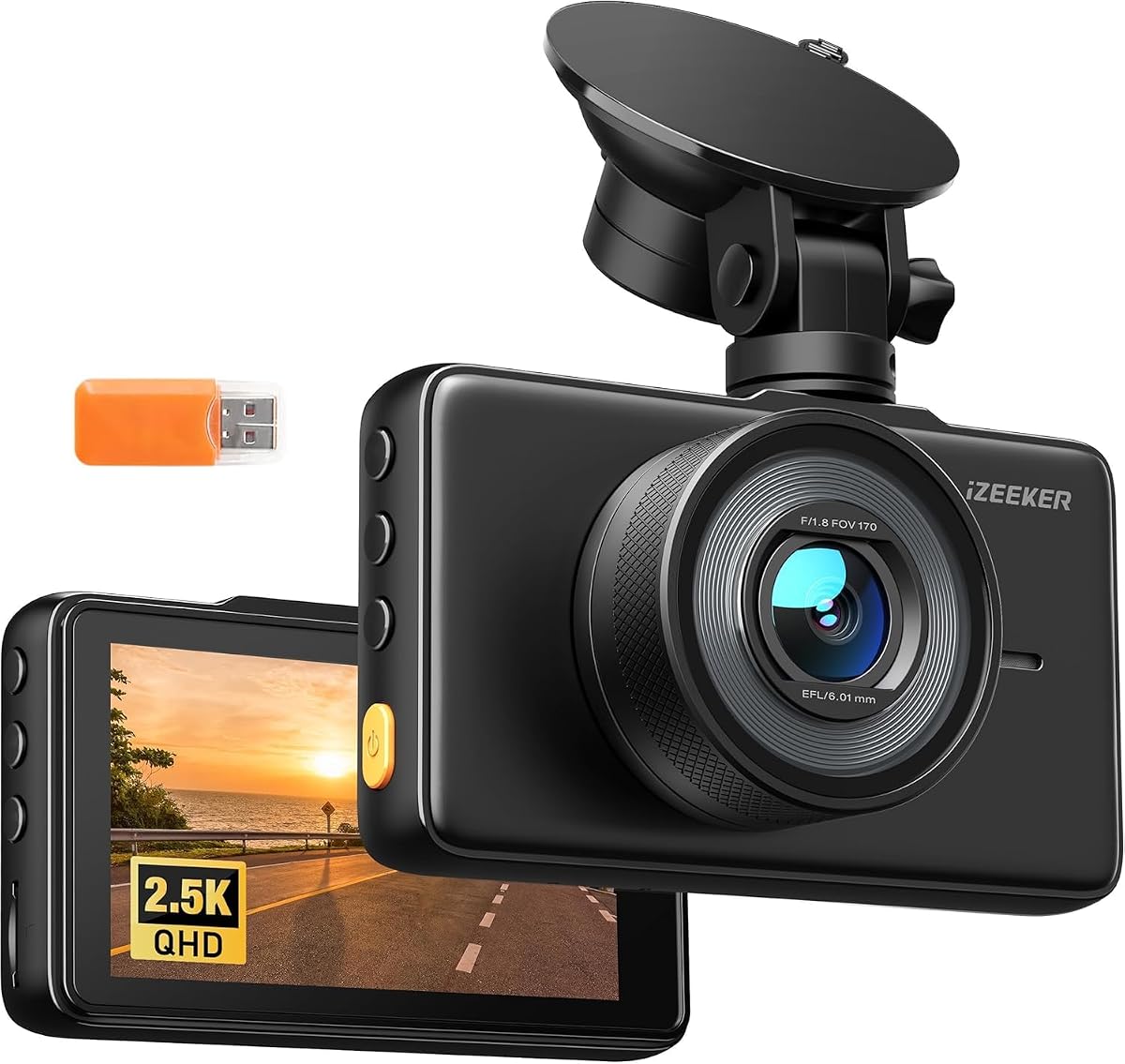
iZEEKER 2.5K Dash Cam
4.2Editor score
3-inch IPS display
2.5K wide-angle recording
Physical button controls
A dash cam should be easy to mount, quick to configure, and dependable once it is recording. The best models combine an uncluttered design with clear video, intuitive controls, automatic incident protection, and dependable parking features. This guide focuses on dash cams that can move smoothly from unboxing to everyday use without demanding advanced technical knowledge.
We compared all ten products by resolution, viewing options, installation requirements, phone connectivity, storage support, parking-mode capabilities, low-light performance, and the effort likely required for everyday operation. The list includes compact front-only cameras, screen-equipped models, and front-and-rear systems, giving beginners several practical ways to add coverage.
Each pick highlights a different route to simple operation: a budget-friendly model with a built-in display, a discreet camera that records through a phone app, and a more advanced system for drivers wanting fuller coverage. Product specifications and availability can change, so confirm current details and accessory requirements before purchasing.
4.2Editor score

4.4Editor score

4.0Editor score
As an Amazon Associate we earn from qualifying purchases.
The table below compares the ten cameras by recording configuration, resolution, display or connectivity method, and major ownership considerations. It highlights differences in storage, parking-mode requirements, and front-and-rear coverage so you can choose the level of convenience and capability that suits your routine.




The galphi 4K Dash Cam Front is a strong overall choice for anyone who wants simple recording without a screen competing for attention. It records front-facing 4K UHD video through a 160-degree lens, uses a compact screen-free body, and includes a 32GB memory card. Its 4.4 rating reflects a well-rounded feature set, with the main appeal being how little attention the camera demands once it is mounted and configured.
We may earn a commission when you buy through this link, at no additional cost to you.
The clearest simplicity benefit is the combination of a compact housing and 5GHz WiFi. Because there is no built-in display, the camera does not obscure the view or invite distracting menu interaction while driving. Through the free app, recordings can be viewed and downloaded at speeds stated to reach up to 8MB/s. A G-sensor can lock relevant clips after sudden movement or an impact, while seamless loop recording automatically replaces older unprotected files as storage fills.
Low-light performance is another strength. The F/1.6 aperture and wide dynamic range help balance headlights against darker road areas, while the supplied information specifically highlights night, rain, and snow conditions. Loop recording, a preinstalled 32GB card, and support for cards up to 256GB make day-to-day ownership convenient. The main compromise is that 24-hour parking mode requires a separately sold Type-C hardwire kit.
This is a practical recommendation for a new driver, commuter, rideshare driver, or anyone who dislikes bulky dash cams. It is especially convenient because the necessary storage is already included and a phone can handle viewing and file management. Choose it if discreet appearance, fast WiFi transfers, and uncomplicated front-camera recording matter more than a local screen or built-in rear coverage.
The 5GHz connection is designed for quicker downloads than a 2.4GHz alternative, with stated transfer speeds of up to 8MB/s. Pairing the camera with the app keeps the physical unit simple while giving you a practical way to review, save, and retrieve clips.
The compact, screen-free design minimizes obstruction and reduces the temptation to interact with the camera while driving. A small profile behind or near the rearview mirror can be especially attractive to drivers who want continuous evidence without a prominent dashboard device.
We may earn a commission when you buy through this link, at no additional cost to you.
The iZEEKER 2.5K Dash Cam Front is a budget-minded choice built around familiar physical controls and a visible IPS display. It records at 2560×1440P through a 170-degree lens, which should feel intuitive for first-time owners who want to check framing and playback directly on the unit. Its 4.2 rating makes it a credible option for straightforward daily recording without requiring smartphone connectivity.
We may earn a commission when you buy through this link, at no additional cost to you.
The 3-inch IPS screen is the product's defining feature. It lets drivers review footage without connecting to WiFi, and physical buttons keep navigation separate from the phone. Setup is supported by a suction-cup mount and clear instructions. The F/1.8 aperture and wide dynamic range help balance bright headlights with darker areas, while the broad viewing angle covers multiple lanes and provides useful context around the vehicle.
Storage and parking functionality require some additional planning. A compatible microSD card from 16GB to 128GB must be purchased separately. Loop recording overwrites the oldest unprotected footage, and the G-sensor can lock a clip following a vibration or collision. The 24/7 parking option includes collision-triggered recording and time-lapse mode, but it requires a hardware kit that is not included. A detachable car charger also allows connection through the cigarette lighter or a USB port.
This camera is ideal for buyers who value immediate, on-device control more than app-based management. It is also a sensible option for a first vehicle, a second car, or anyone who does not want to configure a WiFi connection. Buy it when straightforward controls, 2.5K detail, and local playback outweigh the need for bundled storage or rear-camera coverage.
The screen and button layout make checking recording status, locking a clip, and reviewing saved footage direct tasks. That simplicity is valuable for drivers who do not want to depend on an app every time they need to access a recording.
The 2.5K QHD recording and 170-degree lens balance useful detail with a wide view of surrounding traffic. An F/1.8 aperture and wide dynamic range further support clearer footage in challenging lighting.
We may earn a commission when you buy through this link, at no additional cost to you.
The ROVE R2-4K Dual is the premium pick for drivers who want one system to cover the road ahead and behind. It records the front at an upscaled 4K resolution and the rear at 1080P, with a 4.4 rating reflecting its strong combination of imaging, connectivity, and parking tools. The included 128GB microSD card removes one common setup step.
We may earn a commission when you buy through this link, at no additional cost to you.
The front camera uses a Sony STARVIS 2 IMX675 sensor with an F/1.5 aperture, while the rear uses an F1.8 aperture. HDR, a built-in GPS, and a 3-inch IPS display add useful context and convenience. Dual-band 5.8GHz and 2.4GHz WiFi can deliver downloads of up to 20MB/s through the ROVE app, and the display can show live speed and compass direction. GPS routes, locations, and speed stamps can also be viewed in the supplied PC or Mac player.
The most important caveat is that the advertised 4K front image is upscaled from 2.5K rather than recorded natively at 4K. The system also requires a separately sold hardwire kit for continuous parked recording. Even so, the package includes both cameras, mounts, clips, cables, a fast car charger, cleaning wipe, trim tool, and a 128GB card. Supercapacitor power, thermal protection, motion detection, a G-sensor, and support for cards up to 1TB make it a suitably advanced premium package.
This recommendation suits drivers who regularly travel busy roads, want evidence from both directions, or prefer having storage and installation accessories included. It is also a good fit for anyone who values app control but still wants an on-device screen. Choose the ROVE R2-4K Dual when comprehensive coverage and a broad feature set justify a more involved system than a basic front-only camera.
Recording both directions is especially useful during lane changes, sudden stops, and rear-end incidents. The front camera provides higher-resolution detail, while the 1080P rear unit expands the context of what happened around the vehicle.
Dual-band WiFi supports efficient phone transfers, while built-in GPS records routes, speed stamps, and location information. These features help make stored footage more useful for later review and sharing.
We may earn a commission when you buy through this link, at no additional cost to you.
The E-YEEGER S50 Dual is a straightforward way to add both front and rear recording without relying on a phone. Its 2.5K front camera is paired with a wired 1080P rear camera, and a 2-inch IPS display provides direct control. The product carries a 4.2 rating and stands out for a practical mix of clear recording, adjustable loop durations, and easy local operation.
We may earn a commission when you buy through this link, at no additional cost to you.
The front camera uses a 170-degree lens, F/1.6 aperture, six-layer glass lens, and starlight sensor to support detail in low light. Wide dynamic range helps balance headlights, shadows, and darker road areas. On the device, you can check status, review clips, format the memory card, and adjust settings. The screen can also switch off automatically to reduce brightness without interrupting recording, which is a thoughtful feature for daily use.
You must supply a compatible microSD card, and the system supports cards up to 256GB. Loop recordings can be set to one, three, or five minutes; once storage is full, the camera replaces the oldest unlocked file. The G-sensor locks the active clip after a collision or abrupt braking. For parked monitoring, the manufacturer specifies the V5F three-core hardwire kit, sold separately, and the standard car charger allows recording only while the vehicle supplies power.
This camera is a good fit for commuters and first-time owners who want two viewpoints but do not need GPS or advanced phone-based management. The on-camera controls reduce setup friction, while the screen saver helps maintain a less distracting dashboard. Pick it if straightforward local operation and balanced front-and-rear coverage are your primary priorities.
Both cameras work as a conventional dash-cam system, and the local display makes setup and playback accessible. This can be easier for users who dislike account setup, app pairing, or phone-dependent file management.
The automatic screen saver lowers display brightness while the camera continues recording normally. Drivers who prefer the screen to remain visible can also disable that setting.
We may earn a commission when you buy through this link, at no additional cost to you.
The Garmin Dash Cam Mini 3 is built for drivers who want a camera that is almost invisible while still being easy to operate. Its key-sized body records 1080p HD video through a 140-degree field of view and automatically saves clips around detected incidents. The 4.0 rating may be less impressive numerically than some rivals, but the design is especially appealing for unobtrusive windshield placement.
We may earn a commission when you buy through this link, at no additional cost to you.
Voice control is the standout usability feature. Spoken commands can save video and start or stop audio recording in English, German, French, Spanish, Italian, and Swedish. The built-in Garmin Clarity polarizer helps reduce windshield glare, while the wide field of view is designed to capture information in bright and low-light conditions. The camera can also show synchronized clips from as many as four separately sold dash cams through the Garmin Drive app.
Some of the most advanced remote features depend on a paid Garmin Vault subscription. Those include live remote viewing, incident notifications, and app-based access when away from the vehicle; parking guard also requires constant power and the Garmin Drive app. Non-subscribers can still view and download files when near the dash cam. The 1080p resolution is lower than several competitors, but the compactness, glare control, and voice operation make it distinctive.
This is an excellent recommendation for drivers who prioritize a clean windshield, hands-free commands, and a familiar mobile ecosystem. It works especially well for someone already using Garmin Drive or willing to use Vault for remote access. Choose it when discretion and voice control matter more than maximum recording resolution or front-and-rear coverage.
Saving a clip or controlling audio with a spoken command avoids reaching for controls while moving. That focus on fewer manual interactions supports the Mini 3's reputation as a discreet, driver-friendly design.
The built-in Garmin Clarity polarizer is designed to reduce glare and improve the visibility of important details. It is particularly relevant in sunny conditions where reflections can otherwise obscure the road ahead.
We may earn a commission when you buy through this link, at no additional cost to you.
The Veement V300 is a compact front camera designed around simple phone control. It records at 2304×1296P through a 170-degree lens and uses built-in WiFi with the VeeCar app for live preview, playback, downloads, and sharing. Its 4.1 rating reflects a capable but uncomplicated approach that avoids unnecessary hardware complexity.
We may earn a commission when you buy through this link, at no additional cost to you.
The app provides a straightforward way to check camera framing and manage files without relying on a card reader or computer. The camera's F1.7 aperture and six-layer glass lens support visibility in nighttime and other low-light situations. Its wide field of view captures several lanes, while TS stream technology is intended to provide fast, reliable video storage. Loop recording is supported for cards up to 256GB.
The Veement deliberately avoids a traditional lithium battery. Instead, it uses an RTC circuit and requires a continuous USB-C power supply, which reduces concerns about battery-related overheating while the vehicle is operating. This also means the camera needs an appropriate power connection during use. Parking mode is listed as a supported feature, although additional installation requirements should be confirmed for the exact setup you intend to use.
This model suits drivers who already manage their footage through a phone and do not need a built-in screen. It is a particularly logical choice for a second vehicle or a compact setup where a larger dashboard display is undesirable. Choose the V300 for app-based convenience, a wide front view, and a simpler power design, while remembering to obtain a compatible memory card separately.
Live preview, playback, downloading, and sharing are handled through the VeeCar app over local WiFi. The connection does not provide internet access, but it provides a focused way to manage recordings locally.
Eliminating a traditional lithium battery reduces one common source of heat-related concern. The tradeoff is that the V300 must remain connected to continuous USB-C power throughout use.
We may earn a commission when you buy through this link, at no additional cost to you.
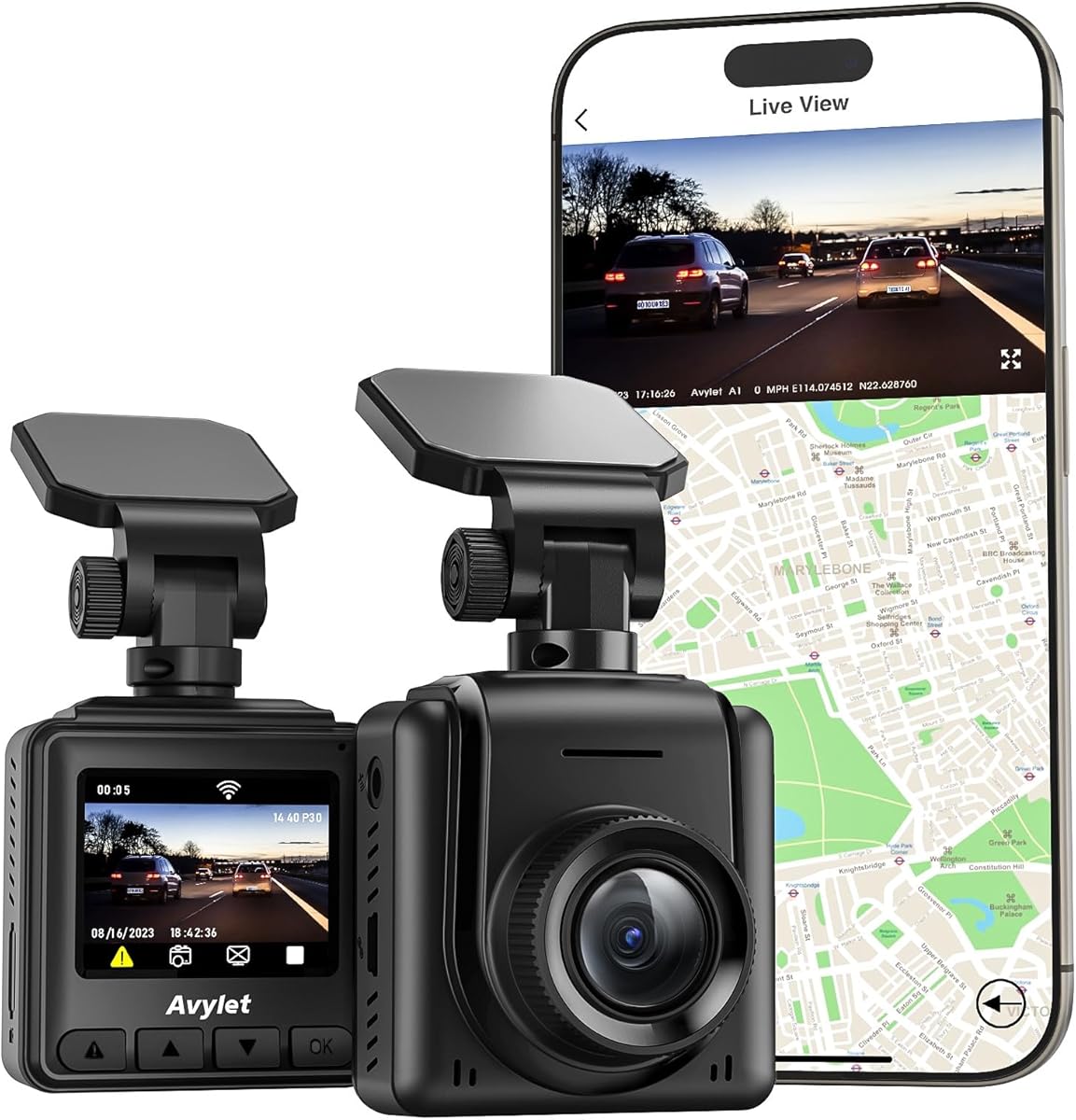
The Avylet 2K Dash Cam offers a balanced combination of local and app-based operation. It captures 2560×1440 video, has a 170-degree lens, and includes a 1.5-inch IPS display for quick checks. With a 4.4 rating, it stands out as a flexible option for drivers who want more control than a basic phone-only camera but do not want to depend on a large display.
We may earn a commission when you buy through this link, at no additional cost to you.
The Avylet app allows users to view and manage recordings, download clips, adjust settings, view live streams, and play back footage. No subscription is required, and over-the-air updates can keep the camera current without a computer or cable. The small IPS screen remains useful for confirming recording status and checking basic footage, while the adhesive mount secures the compact 1.96×1.37×1.81-inch body behind a rearview mirror.
Low-light recording is supported by an F1.6 aperture, six-layer glass lens, and wide dynamic range. The G-sensor locks collision footage in an emergency folder, and time-lapse parking mode offers continuous monitoring at low power. You must provide a memory card up to 128GB and a hardwire kit for parking mode. An optional external GPS module can add speed, location, timestamps, and route tracking, but that module is not included.
This is a good match for commuters, new drivers, and owners of a second vehicle who want 2K clarity, direct app access, and a modest local screen. It is also attractive for anyone who prefers optional GPS rather than paying for a system that includes it from the start. Buy it when flexible management and 2K detail are important, and plan for the storage and hardwire accessories.
The built-in display handles immediate checks, while the app provides more extensive playback, downloads, live viewing, and settings management. This combination makes the camera approachable while preserving the flexibility of a connected device.
The supported external GPS module can record speed, location, time stamps, and routes directly into video files. It offers extra evidence for drivers who need it without forcing that feature on every buyer.
We may earn a commission when you buy through this link, at no additional cost to you.
The S60 Dual Dash Cam is a practical front-and-rear system for drivers who want simple local controls. It records 2.5K video from the front and 1080P from the rear, while a 2-inch IPS screen handles basic checks and adjustments. Its 4.2 rating reflects a capable design that remains approachable for everyday use.
We may earn a commission when you buy through this link, at no additional cost to you.
The front camera uses a 170-degree wide-angle lens, and the rear camera adds coverage of traffic behind the vehicle. A starlight sensor, six-layer glass lens, and wide dynamic range support clarity in low light and help balance bright headlights against darker areas. The 360-degree suction mount makes it easier to alter the viewing angle or remove the unit, which is convenient during installation or vehicle cleaning.
Recording management is handled through loop recording and a G-sensor. Once the card is full, older unprotected clips are replaced, while sudden impact, hard braking, or collision events can lock the current recording. A compatible microSD card up to 256GB is required. Optional 24-hour parking monitoring uses time-lapse recording and requires a compatible Type-C hardwire kit that is not included in the package.
The S60 is a good recommendation for daily drivers who want the reassurance of rear coverage but do not need GPS or extensive app-based controls. Its local display keeps basic operation simple, and the adjustable suction mount reduces installation friction. Choose it when front-and-rear evidence is the main goal and you are comfortable adding the appropriate storage and hardwire accessories separately.
A 360-degree suction mount provides useful positioning flexibility, while the on-camera display lets drivers confirm the view and change basic settings. Together, these features reduce the need for an app during routine setup.
The starlight sensor, layered glass lens, and wide dynamic range work together to improve visibility in changing light. That makes the dual system useful for commutes that begin at night or continue into poorly illuminated roads.
We may earn a commission when you buy through this link, at no additional cost to you.
The ROVE R2-4K is a front-only camera aimed at drivers who prioritize native 4K detail and built-in GPS. It records up to 2160P Ultra HD through an 8MP Sony IMX415 sensor and has a 4.3 rating. The result is a technically advanced camera that remains approachable through app-based management and automatic recording features.
We may earn a commission when you buy through this link, at no additional cost to you.
Its 150-degree A+ wide-angle lens captures a broad view, while a six-layer glass lens, F1.5 aperture, and super night vision technology support low-light recording. Built-in WiFi 6 allows the ROVE app to manage footage and download 4K videos to a compatible iPhone or Android device at speeds stated to reach up to 6MB/s. GPS records driving location and speed, and routes can be viewed through the app or a supplied GPS player.
The main ownership requirement is storage. A Class 10, U3 microSD card must be purchased separately, and the camera supports capacities up to 512GB. A built-in supercapacitor, G-sensor, seamless loop recording, emergency video lock, parking mode, motion detection, and time-lapse provide the usual protective features. Free over-the-air firmware updates are available through the app, and the product is backed by a one-year warranty.
This camera suits drivers who want maximum front-facing image quality and route information without installing a rear camera. It is a particularly compelling choice for solo drivers, road-trip users, or anyone who prioritizes front-road detail. Choose the R2-4K when 4K recording and built-in GPS outweigh the need for bundled storage or two-camera coverage.
Unlike upscaled systems, the ROVE R2-4K records up to native 2160P UHD. That higher source detail can make signs, nearby vehicles, and road features easier to inspect during playback.
Built-in GPS captures location and speed and supports route viewing through the app or GPS player. This reduces installation complexity for drivers who regularly want route and speed context in their recordings.
We may earn a commission when you buy through this link, at no additional cost to you.
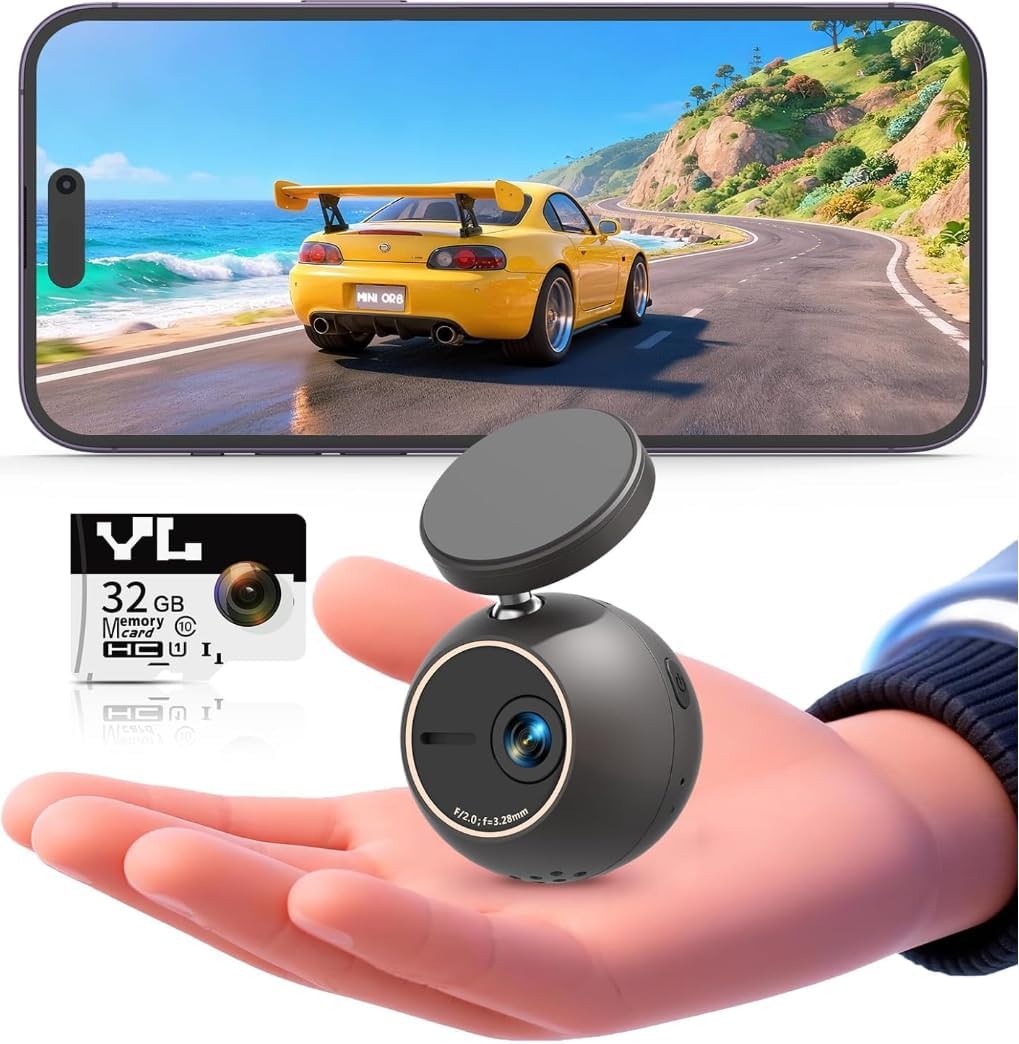
The KAWA 2K Mini Dash Cam combines a distinctive spherical shape with voice control, WiFi, and flexible mounting. It records 2K footage and carries a 4.9 rating, making it one of the most favorably rated products in this guide. Its compact body and concealed profile suit drivers who want their dash cam to blend into the vehicle rather than dominate the windshield.
We may earn a commission when you buy through this link, at no additional cost to you.
Voice commands allow the driver to take photos, begin recording, and lock emergency videos without handling the camera. A 360-degree rotatable mount, 180-degree image flip, and mirror mode allow the camera to face forward, sideways, or toward the cabin. Built-in WiFi connects to a phone for live viewing and downloads. The app must be paired on first boot, although later disconnection does not stop the camera from recording.
The NightEagle engine is intended to control light intelligently at night, reducing overexposure while trying to retain important details such as license plates. For extended parked surveillance, an optional hardwire kit enables time-lapse recording. KAWA specifically advises using only the original car charger and cable because incompatible accessories may cause power loss, reboots, or mainboard damage. That is an important compatibility instruction for anyone considering the camera.
This is an appealing recommendation for drivers who prioritize hands-free operation, flexible placement, and a small visual profile. It is also suitable for unusual monitoring angles, such as recording toward the side or cabin when supported by the mount configuration. Choose the KAWA if voice commands and compact design sound more attractive than a built-in screen or rear-camera coverage, and use only the specified power accessories.
Voice commands for photos, recording, and emergency locking reduce the need to touch the camera while on the road. The controls are designed around common actions that drivers may need quickly.
The 360-degree rotation, image flip, and mirror mode expand the camera's placement options beyond a standard forward-facing setup. This is particularly useful for drivers who want an unusual viewpoint or need to adjust the camera after installation.
We may earn a commission when you buy through this link, at no additional cost to you.
Ease of use depends on more than a compact housing. Consider how you will install the camera, access recordings, power it, manage storage, and capture evidence in the conditions you drive most often.
A front-only camera is usually the simplest way to begin because it requires fewer cameras, fewer cables, and one primary mounting position. Models such as the galphi, iZEEKER, Garmin Dash Cam Mini 3, Veement V300, Avylet, ROVE R2-4K, and KAWA focus on the road ahead. A dual-camera system adds a rear view for evidence behind the vehicle, which is useful during lane changes, sudden stops, and rear-end collisions, but requires a longer rear cable and additional mounting attention.
Decide whether front-only coverage is enough for your needs. Choose a dual model if you routinely share highways, drive in dense traffic, or want a complete record of both directions. Select a front-only camera if simplicity, a smaller footprint, and easier cable management matter more.
On-camera screens make setup, playback, and menu changes direct. They are useful for drivers who want to verify the view without connecting a phone, especially when checking footage immediately after an incident. Screen-equipped options in this guide include the iZEEKER, ROVE R2-4K Dual, E-YEEGER S50, Avylet, and S60. Screen-free models are neater on the windshield and often place file management in a phone app, as with the galphi, Veement V300, Garmin Mini 3, ROVE R2-4K, and KAWA.
Choose the workflow you will actually use. A display is convenient for direct checks, while an app is often better for downloading and sharing longer clips. Consider whether you are comfortable pairing WiFi, granting app permissions, and managing files on your phone.
Resolution affects fine detail, while the lens angle determines how much of the scene is captured. The galphi, ROVE R2-4K, and ROVE R2-4K Dual provide 4K-class front footage, although the dual model's 4K output is upscaled from 2.5K. The iZEEKER, E-YEEGER S50, Avylet, and KAWA record at 2K or 2.5K, while the Veement V300 records at 1296P and the Garmin Mini 3 at 1080p. Wide-angle lenses can range from 140 to 170 degrees.
More detail is valuable when you need to identify distant road features, but the best view is one that captures enough context without excessive distortion. Compare native and upscaled resolution carefully, and consider the lens specification alongside viewing angle rather than treating the largest number as automatically best.
Storage requirements vary significantly across the list. The galphi includes a 32GB card, the ROVE R2-4K Dual includes a 128GB card, and the ROVE R2-4K supports cards up to 512GB. The iZEEKER supports 16GB to 128GB, the Avylet supports up to 128GB, and the E-YEEGER S50 and S60 support up to 256GB. The Veement V300 also supports up to 256GB, but its card is not included.
Check whether a card is supplied before adding one to your setup. Use a compatible high-speed card, particularly when recording 4K footage, and format it according to the camera instructions. Greater capacity provides longer recording windows before loop recording begins replacing older files, but it does not eliminate the importance of regularly saving important clips.
Parking surveillance can add valuable coverage, but it is not automatically included with every camera. The galphi, iZEEKER, ROVE R2-4K Dual, E-YEEGER S50, Veement V300, Avylet, S60, and KAWA list parking-related functionality. However, several require a separately purchased hardwire kit, and the E-YEEGER S50 specifically requires its V5F three-core kit. The Garmin Mini 3's parking guard also requires constant power, the Garmin Drive app, and a paid Vault subscription.
A hardwire kit enables continuous vehicle power, but installation can involve routing a cable more discreetly and connecting it correctly to the fuse system. If you are not comfortable with that work, budget for professional installation or choose a model that functions clearly as a standard plug-in recorder first.
A dash cam is often needed most when lighting is imperfect. Features worth comparing include wide apertures, starlight sensors, HDR, and wide dynamic range. The ROVE R2-4K Dual uses a Sony STARVIS 2 sensor with an F1.5 front aperture, while the galphi uses an F1.6 aperture, the iZEEKER uses F1.8, the Veement uses F1.7, and the Avylet and E-YEEGER S50 use F1.6. These specifications can support clearer images in darkness, tunnels, and changing weather.
No specification guarantees perfect footage in every nighttime situation. Quality also depends on the scene, windshield cleanliness, reflective road surfaces, and exposure balance. Use WDR or HDR to help retain detail around headlights, but avoid making a decision based on night-vision marketing alone.
Most cameras use suction cups, adhesive mounts, or a combination of windshield and rear-cabinet mounts. Suction mounts are easy to reposition and remove, which helps during setup and cleaning. Adhesive mounts may feel more permanent and are used by the Avylet for its compact windshield installation. The ROVE R2-4K Dual includes front and rear mounts, clips, a trim tool, and a cleaning wipe for a more involved two-camera installation.
Park the vehicle in a shaded area, clean the mounting surface, and position the camera without blocking the driver's view. Keep the lens clear of tinted bands, wipers, and objects that could cause glare. Check local laws and windshield rules, since some jurisdictions regulate or restrict dash cam use.
Some advanced remote features require ongoing services. The Garmin Dash Cam Mini 3 offers remote live viewing, parking notifications, and related cloud features through paid Vault subscriptions, while its nearby access and file management remain more limited for non-subscribers. Other cameras, including the galphi, ROVE models, Veement V300, Avylet, and KAWA, emphasize app-based control without making a subscription the central part of their basic operation.
Evaluate recurring costs against the convenience you need. Local loop recording, incident locking, and direct downloads are usually the foundation of a practical dash cam. Treat remote viewing and cloud storage as optional benefits, and choose them when their convenience justifies an ongoing plan.
Begin by reading the camera's included instructions and identifying the front lens, power connection, memory-card slot, and controls. Clean the windshield and mounting area before attaching the camera, then park safely while positioning it. Confirm that the lens is not blocked and that the field of view includes useful road context without interfering with the driver's sightline.
Insert the required microSD card and format it using the camera's menu when that option is available. Adjust resolution, loop length, exposure, motion detection, and parking settings according to your driving routine. If the model uses an app, pair it while the vehicle is parked, confirm the live view, and test downloading a short clip before relying on the setup for incident evidence.
Check the mount and cable regularly, particularly after a temperature change or a minor impact. Keep the lens clean and use gentle cleaning methods appropriate for the camera and windshield. Review saved incident clips, confirm that important footage is protected from loop recording, and use the original charger and cable when the manufacturer specifically requires them.
A front-only model with a built-in display is often the simplest starting point because setup and playback can be handled on the camera itself. The iZEEKER 2.5K, E-YEEGER S50, Avylet 2K, and S60 all provide on-camera controls, while the S60 also includes a rear camera. A screen-free phone-controlled model can be equally easy if you are comfortable using an app.
WiFi is useful for viewing live footage, downloading clips, changing settings, and sharing files, but it is not required for normal recording. Several excellent choices use physical displays and local controls instead. Choose WiFi when phone-based management is important to you, and keep in mind that the Veement's connection is local rather than an internet connection.
No. The galphi includes a 32GB card, and the ROVE R2-4K Dual includes a 128GB card, while the iZEEKER, E-YEEGER S50, Veement V300, Avylet, S60, and ROVE R2-4K require separate storage. Check the package contents and card compatibility before ordering so the camera is ready to use after installation.
Usually not for continuous operation after the vehicle is turned off. Parking mode typically requires a hardwire kit that connects the camera to constant vehicle power. Several compatible kits are sold separately, and the E-YEEGER S50 requires a specified V5F three-core kit rather than an interchangeable option.
No. A front-and-rear system gives you more context and can document incidents from behind, but it requires additional mounting and cable routing. A front-only camera is simpler, smaller, and usually easier to install. Dual coverage is most valuable for frequent highway driving, dense traffic, rideshare work, or drivers who want evidence from both directions.
Higher resolution can preserve more fine detail, but clarity also depends on the sensor, lens, aperture, exposure control, and lighting. The ROVE R2-4K records native 4K UHD, while the ROVE R2-4K Dual uses an upscaled front image. Also note that the KAWA records 2K, the iZEEKER and dual models record 2.5K-class footage, and the Garmin Mini 3 records 1080p.
Use the emergency or locked-video function when the camera provides one, because loop recording can eventually replace unprotected files. Copy significant clips to a phone, computer, or dedicated storage location rather than relying only on the memory card. The galphi and ROVE R2-4K Dual make transfer convenient with WiFi, while other models support direct playback or app downloads.
Most basic recording functions do not require internet access. WiFi is generally used for local phone control and file transfer, while some cameras offer separate optional cloud or subscription services for remote access. Review recurring-service requirements before choosing a model whose remote features are important to you.
The galphi 4K Front Dash Cam is the most balanced overall recommendation because it combines discreet placement, 4K recording, fast 5GHz WiFi, low-light features, and included storage. The iZEEKER 2.5K is the best budget-oriented choice for buyers who want a large local display and physical controls, while the Garmin Dash Cam Mini 3 leads the premium group for its exceptionally compact body, polarizer, and voice operation.
Prioritize the features you will use most often rather than selecting solely on resolution. A local screen is convenient for immediate checks, an app is helpful for downloading and sharing, and a dual-camera setup adds rear coverage but also installation work. Make sure the memory card, hardwire kit, app subscription, or other required accessory is included in your overall plan.
Before purchasing, verify the current product details, included accessories, storage requirements, and local dash cam regulations. Product features and availability can change, and checking the final package contents helps avoid an installation day interrupted by a missing card, cable, or power accessory.