
NIMO 15.6-inch FHD Student Laptop
4.4Editor score
Upgradeable DDR4 memory
Comprehensive USB-C connectivity
Fingerprint reader included
A non gaming laptop is designed around productivity, communication, research, and general computing rather than demanding graphics or high-frame-rate entertainment. The strongest choices balance capable processors, comfortable displays, dependable keyboards, useful connectivity, and enough battery life to move between home, school, and office environments.
We compared the featured models using their published specifications, including processor capability, memory, storage, screen characteristics, ports, wireless support, portability, and practical features such as fingerprint readers and backlit keyboards. The list also identifies when a nominally gaming model could still make sense for non gaming work.
Each review explains where a laptop stands out, which compromises may matter, and whom it is best suited for. Product configurations and availability can change over time, so readers should verify the current specifications, included accessories, and operating system before making a final purchase.
4.4Editor score

4.6Editor score

4.2Editor score
As an Amazon Associate we earn from qualifying purchases.
This side-by-side comparison highlights the processor, memory, display, and connectivity differences among all ten models, helping you identify which laptop best matches your productivity priorities.




The HP Victus 15.6-inch FHD combines a 12th-generation Intel Core i5-12450H processor with an NVIDIA GeForce RTX 3050 and earns a 4.4 rating. It is a gaming-branded computer, but its processing power, dedicated graphics, large display, and Windows 11 Pro make it a capable productivity choice for users who also want occasional gaming capability.
We may earn a commission when you buy through this link, at no additional cost to you.
Its strongest advantage is the RTX 3050 with 6GB of GDDR6 memory. That dedicated GPU can accelerate demanding visual applications and provide considerably more headroom than integrated graphics. The supplied configuration also pairs the processor with 16GB of DDR4 memory, a 512GB PCIe solid-state drive, Wi-Fi 6, and a backlit keyboard, creating a well-rounded foundation for office software, research, media, and creative work.
The 15.6-inch FHD IPS micro-edge anti-glare panel operates at 144Hz, which is smooth for scrolling, document navigation, and cursor movement. The gaming emphasis also brings trade-offs: cooling and power draw are likely geared toward heavier workloads, and the 15.6-inch footprint may be less convenient than a compact business laptop. Buyers focused purely on office efficiency may find a lighter alternative more appropriate.
This Victus works best for a student or professional who wants one capable machine for productivity, media, and occasional demanding applications. Windows 11 Pro adds business-oriented functionality, while the dedicated GPU and high-refresh display provide useful headroom beyond standard office work. It is the most balanced performance-oriented selection in this list, even though its gaming identity makes it less conventional.
The RTX 3050 gives this laptop an advantage for 3D work, photo processing, video editing, and other visual tasks that can benefit from dedicated graphics memory. It also leaves room for occasional games without relying entirely on integrated graphics.
The 144Hz IPS panel offers a fluid desktop experience and enough resolution for standard productivity tasks. Its anti-glare treatment should also help during long sessions in bright offices, classrooms, or shared workspaces.
We may earn a commission when you buy through this link, at no additional cost to you.
The NIMO 15.6-inch FHD R5 AI Student Laptop is a practical everyday machine with a 4.4 rating and a notably approachable specification. Its Ryzen 5 processor, 8GB of DDR4 memory, and 256GB solid-state drive are well suited to coursework, web applications, document editing, video calls, and general home-office use.
We may earn a commission when you buy through this link, at no additional cost to you.
What separates it from many entry-level alternatives is its upgrade path. Two DDR4 SO-DIMM slots support memory expansion to 32GB, while the M.2 PCIe slot accepts a drive up to 4TB. A MicroSD reader, three USB-A ports, two USB-C ports, HDMI, a headset jack, a fingerprint reader, and a backlit keyboard make the chassis unusually practical for students and remote workers.
The main limitations are the base 8GB memory and 256GB storage, both of which may fill up quickly for users with large software libraries or growing project collections. Radeon Vega 8 integrated graphics are suitable for presentations, streaming, photo viewing, and basic image edits, but they are not intended to replace a dedicated graphics card for demanding 3D work.
This is a strong recommendation for students, families, and home users seeking an affordable general-purpose laptop with uncommon flexibility. Its sub-1.7-kilogram weight, broad port selection, and upgradeable internals make it easier to adapt over time. Buyers should simply plan to add memory or storage if their workload will exceed the standard configuration.
Memory and storage are both user-accessible options rather than fixed components. That flexibility allows a student to start with the base configuration and increase capacity as coursework, applications, and digital files become more demanding.
The generous mix of USB-A and USB-C connections reduces the need for constant adapters. A dedicated charging USB-C port leaves the full-function port available for compatible peripherals, while HDMI and the card reader support presentations and file transfers.
We may earn a commission when you buy through this link, at no additional cost to you.
The NIMO 17.3-inch Ryzen 9 is the most powerful conventional productivity configuration in this guide, carrying a 4.2 rating. Its Ryzen 9 8945HS processor offers eight cores and sixteen threads with boost speeds up to 5.2GHz, making it suitable for advanced multitasking, development, spreadsheets, content creation, and AI-assisted software.
We may earn a commission when you buy through this link, at no additional cost to you.
Memory and storage are generous at 32GB of DDR5 and 1TB of solid-state storage. The large 17.3-inch FHD screen gives users a spacious canvas for documents, timelines, side-by-side applications, and presentations. A backlit keyboard, fingerprint reader, hidden privacy camera, Wi-Fi 6E, Bluetooth 5.2, USB4, and 100W USB-C charging reinforce its suitability as a mobile productivity machine.
Its 17.3-inch size is the main consideration. That much display area is beneficial for desk-based work but can make the laptop cumbersome on a train, airplane tray, or café table. The product is also marketed with gaming features, so buyers seeking a restrained business design may prefer a slimmer dedicated office model. Radeon 780M integrated graphics are strong for its class, but discrete graphics would be necessary for intensive 3D rendering.
Choose this NIMO when processing headroom, a large workspace, and upgradability matter more than compact dimensions. The 75Wh battery, portable stated weight of 4.6 pounds, and modern connectivity make it a sensible premium choice for power users who still need to work away from a fixed desk.
The Ryzen 9 8945HS provides a substantial upgrade for heavy multitasking and processor-intensive applications. Sixteen threads are especially useful when several browser tabs, office suites, development tools, and communication apps remain active together.
The 17.3-inch FHD panel is less convenient to carry than a 15.6-inch display but easier to use for spreadsheet analysis, timeline editing, and side-by-side research. It is best treated as a productivity-first larger-screen option.
We may earn a commission when you buy through this link, at no additional cost to you.
The HP Victus 15.6-inch RTX 4050 holds the highest listed rating in this roundup at 5.0. Its 13th-generation Core i5-13420H processor and GeForce RTX 4050 with 6GB of GDDR6 memory give it ample performance for office applications, creative work, media, and demanding visual tasks.
We may earn a commission when you buy through this link, at no additional cost to you.
A 15.6-inch FHD 144Hz anti-glare IPS display supports smooth navigation and detailed work, while the full-size backlit keyboard includes a numeric keypad that will appeal to people entering data frequently. The 70Wh battery is a meaningful advantage for a gaming-style laptop, and the supplied fast-charging setup is reported to reach 50 percent capacity in approximately 30 minutes.
This configuration comes with a PCONLINE cooling pad and has an opened original seal because its memory and storage were upgraded. It also has modified coverage: PCOnline US provides one year on the upgraded RAM and SSD, while remaining components retain their original one-year manufacturer coverage. These details matter and should be verified before purchase.
The model is most appropriate for someone who wants a powerful, large-screen computer with a long-lasting battery but still expects some gaming. The added cooling pad helps sustain performance during heavy workloads. Office-focused buyers who do not need RTX graphics should look at smaller and lighter alternatives, while this configuration is a compelling performance choice for creators and technical users.
The 70Wh battery offers more capacity than many conventional 15.6-inch laptops. Although real-world runtime depends on the workload and display settings, the stated capacity provides a useful margin for long classes, travel days, and meetings away from an outlet.
The RTX 4050 is valuable for graphics-heavy applications and gives this model flexibility beyond office work. The numeric keypad and anti-glare screen further improve its usefulness for spreadsheets, data entry, and prolonged document work.
We may earn a commission when you buy through this link, at no additional cost to you.
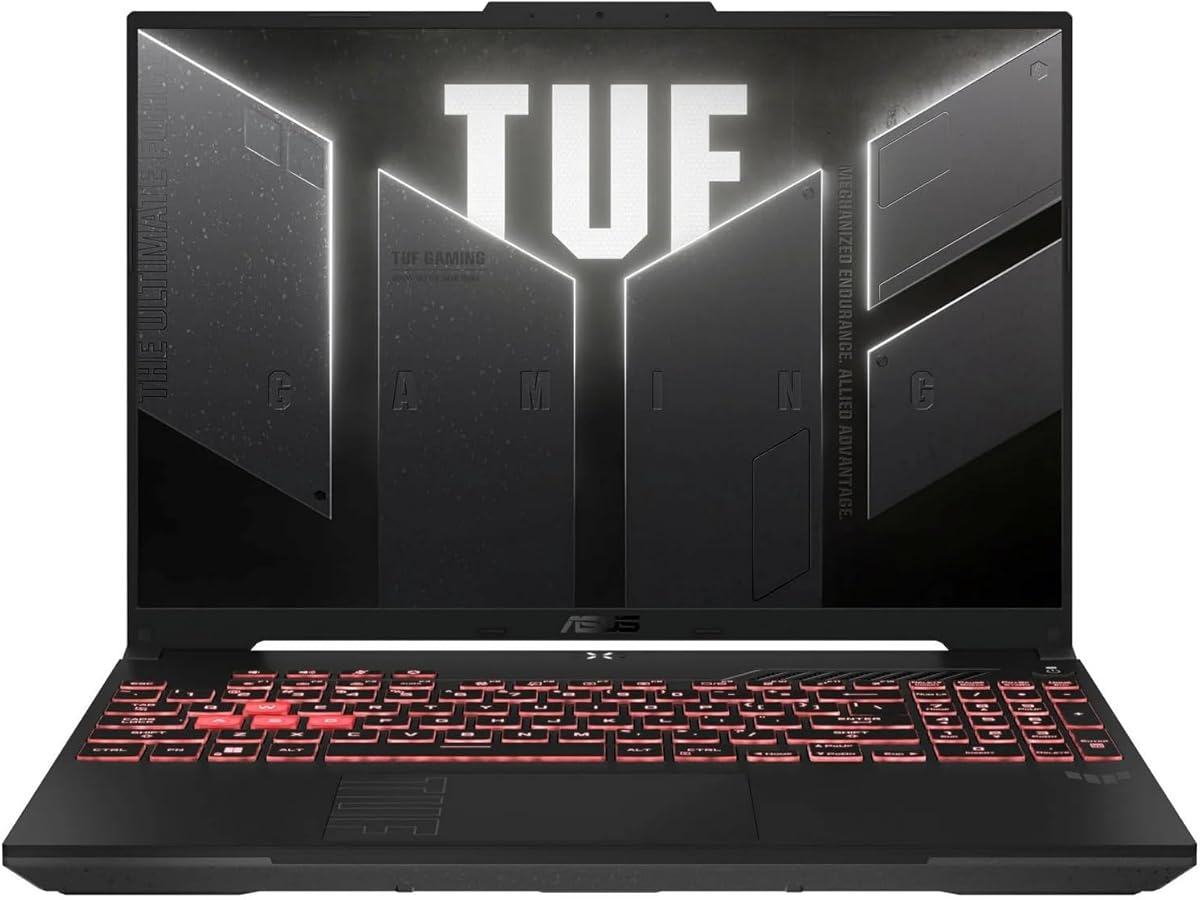
The ASUS TUF Gaming A16 pairs an AMD Ryzen 7 7445HS processor with NVIDIA GeForce RTX 4050 graphics and earns a 4.5 rating. Although its name identifies it as a gaming laptop, the large display and capable hardware translate well to creative software, business presentations, multitasking, and media consumption.
We may earn a commission when you buy through this link, at no additional cost to you.
The Ryzen 7 processor provides eight cores, while the RTX 4050 adds dedicated graphics memory for tasks that benefit from hardware acceleration. A 16-inch Full HD+ display offers a generous work area, and the listed 145Hz refresh rate keeps navigation and animation smooth. Its 16GB of DDR5 memory and 512GB solid-state drive form a modern everyday configuration.
The available product information is brief, so details such as port selection, battery capacity, weight, and keyboard layout are not specified in the supplied data. The 512GB drive may be restrictive for large creative libraries, and a gaming-style chassis can be less portable than a traditional ultraportable. Potential buyers should confirm those specifications against the live listing.
This TUF is a strong match for a creative professional or student who wants screen space and GPU capability without stepping down to a basic notebook. It is less compelling for users whose only needs are email, browsing, and documents, but it offers stronger creative and multitasking headroom for a similar everyday form factor.
The 16-inch panel provides a comfortable canvas for timelines, design applications, and multiple open windows. Its high refresh rate is useful beyond games because it makes menus, scrolling, and pointer movement feel more immediate.
The Ryzen 7 7445HS and 16GB of DDR5 provide a capable foundation for productivity applications. This combination is well suited to office work, browser-heavy research, coding environments, and image or video workflows.
We may earn a commission when you buy through this link, at no additional cost to you.
The Lenovo LOQ combines a Ryzen 5 7235HS processor with an RTX 4050 and holds a 4.7 rating. Its gaming designation does not prevent it from being a good general-purpose computer, particularly for users who appreciate a fast display, dedicated graphics, and unusually broad memory and storage options.
We may earn a commission when you buy through this link, at no additional cost to you.
The supplied specifications list support for up to 64GB of DDR5 memory and up to 8TB of PCIe M.2 solid-state storage. That is a compelling longevity advantage if the base configuration can be expanded as files and applications accumulate. Connectivity includes USB-C, three USB-A ports, HDMI, Ethernet, a headset jack, Wi-Fi 6, and Bluetooth 5.2, covering most professional and home-office needs.
Its 15.6-inch FHD IPS anti-glare panel runs at 144Hz and is rated at 300 nits. G-SYNC support is listed, while a white backlit keyboard adds comfort in dim settings. The trade-off is that LOQ systems are designed around higher-power components, so a slim ultraportable may be easier to carry and more appropriate for battery-conscious travel.
The LOQ is a compelling choice for a buyer who wants a productive laptop with future upgrade potential and occasional access to advanced graphics. It is especially sensible for technical students, creators, and professionals who use demanding software. Those who only need light productivity should consider whether the additional graphics capability justifies the larger, more performance-oriented design.
Supporting up to 64GB of DDR5 and 8TB of PCIe storage creates a long upgrade path. It is a strong reason to consider the LOQ for development, large project libraries, or users who prefer to extend a laptop rather than replace it.
Ethernet can provide a stable wired network, while Wi-Fi 6 and Bluetooth 5.2 cover wireless use. The mix of legacy and modern USB connections is useful for existing accessories, monitors, storage devices, and office equipment.
We may earn a commission when you buy through this link, at no additional cost to you.
The NIMO 15.6-inch FHD AI Laptop offers a Ryzen 7 7735HS processor, Radeon 680M graphics, 8GB of DDR5 memory, and a 512GB solid-state drive. Its 4.6 rating reflects a balanced configuration aimed at professionals, students, developers, analysts, and users who want modern AI tools without moving to a much larger workstation.
We may earn a commission when you buy through this link, at no additional cost to you.
The Ryzen 7 processor provides eight cores and sixteen threads with boost capability up to 4.75GHz, giving it substantial multitasking headroom. Radeon 680M integrated graphics are notably capable for light creative work, 1080p content editing, streaming, and casual games. The 512GB drive offers more room for files than the entry-level NIMO student configuration, while the fingerprint reader supports convenient account access.
The main weakness is the base 8GB of memory. That amount can be adequate for ordinary tasks, but heavy browser sessions and modern productivity applications may benefit from an upgrade if the design permits it. The supplied data also does not detail port selection, battery capacity, weight, or display brightness, so buyers should verify those items before deciding.
This laptop is well positioned for students and professionals who want capable integrated graphics in a conventional 15.6-inch format. It avoids the bulk of a 17.3-inch machine while offering a high-refresh-class processor, modern storage, and a sharp FHD IPS panel. It is a strong general-purpose recommendation, especially for those interested in AI-assisted applications and light content creation.
The Ryzen 7 7735HS is designed to handle modern office suites, coding environments, conferencing, and AI-assisted tools with responsive multitasking. Its eight cores are particularly useful when several demanding applications remain open throughout the workday.
Radeon 680M graphics provide a stronger foundation than basic integrated graphics for streaming, content editing, and light gaming. This makes the laptop a flexible option for students who want entertainment as well as academic work.
We may earn a commission when you buy through this link, at no additional cost to you.
The Acer Nitro V 15 is built around an Intel Core i5-13420H processor, RTX 4050 graphics, and a 15.6-inch FHD IPS display with a 165Hz refresh rate. Its 4.5 rating and high-refresh screen make it appealing for office work, content creation, and users who also want a capable gaming machine.
We may earn a commission when you buy through this link, at no additional cost to you.
The RTX 4050 includes 194 AI TOPS, while the processor supports demanding multitasking alongside media, photo, and video workflows. A 512GB PCIe Gen 4 solid-state drive provides fast storage, and Wi-Fi 6, Killer Gigabit Ethernet, and Thunderbolt 4 create a strong connectivity foundation. The backlit keyboard is useful for evening work and the 16:9 panel is familiar for business and school applications.
The supplied 8GB of DDR5 memory is the most notable limitation, especially for a system with this much performance capability. The data states that two DDR5 slots are present and the maximum is 32GB, so buyers should consider whether an upgrade is required. The gaming-style cooling system may also consume more power than a conventional business notebook, affecting portability and noise.
The Nitro V 15 is a good fit for a user who prioritizes a smooth display, fast storage, modern ports, and occasional graphics-intensive work. It is less necessary for basic browsing and word processing, but it offers considerably more capability for creative software, engineering tools, and entertainment. A memory upgrade would make it a more complete productivity system.
The 165Hz panel offers a fluid experience during scrolling, web browsing, application navigation, and media use. That responsiveness can make a larger-feeling difference than the shared FHD resolution suggests, particularly during frequent computer interaction.
PCIe Gen 4 storage supports quick file access and application loading, while Thunderbolt 4 expands docking and display options. Gigabit Ethernet remains useful for offices where a stable wired connection is preferable to wireless networking.
We may earn a commission when you buy through this link, at no additional cost to you.
The Lenovo Business 15.6-inch FHD laptop is an efficient choice for students, remote workers, and home users, earning a 4.6 rating. Its Intel N150 processor, 8GB of LPDDR5-4800 memory, and 128GB of UFS 2.2 storage are tailored toward browsing, document editing, streaming, and routine multitasking.
We may earn a commission when you buy through this link, at no additional cost to you.
Portability is a defining strength. The chassis weighs just 3.42 pounds, or 1.55 kilograms, and is listed as 0.70 inches thick. The 15.6-inch FHD anti-glare display includes a 720p webcam with a physical privacy shutter and dual-array microphones. Wi-Fi 6, Bluetooth 5.2, two USB-A ports, USB-C with power delivery and DisplayPort, HDMI, an SD reader, and an audio jack provide practical connectivity.
The primary limitation is storage. At 128GB, the drive offers limited room for applications, synchronized files, and media, particularly if the Microsoft 365 subscription's cloud storage is used as intended. The Intel N150 is also an entry-level processor and may feel limited when compiling large projects, running intensive software, or maintaining many demanding applications.
This Lenovo is the most convincing conventional business laptop in the roundup for users who prioritize mobility, battery-conscious design, practical ports, and everyday reliability. It is ideal for email, web work, school documents, and conference calls. Those who regularly handle large files or professional creative workloads should seek a model with more storage and a stronger processor.
At 1.55 kilograms and 0.70 inches thick, the laptop is easier to carry between classrooms, homes, and offices. Its 65W fast-charging system and energy-efficiency certifications further support the appeal of a machine designed for routine mobile use.
The physical webcam shutter provides straightforward control over camera visibility, while the fingerprint reader supports quick sign-in. The port selection is balanced for an ultraportable, including HDMI, DisplayPort over USB-C, an SD reader, and two USB-A ports.
We may earn a commission when you buy through this link, at no additional cost to you.
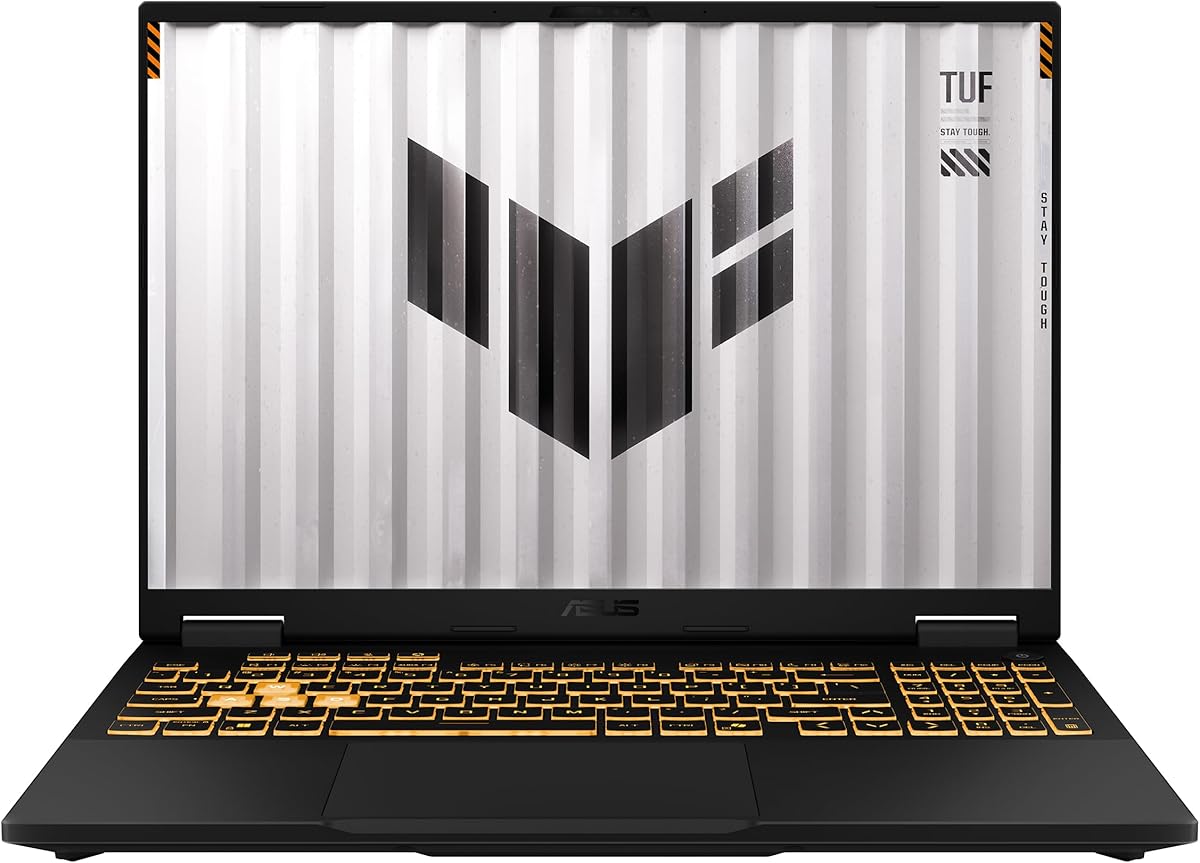
The ASUS TUF Gaming 16-inch is the most advanced configuration listed, with a 4.5 rating and a 14th-generation Intel Core i7-14650HX processor. Its 16-core design, NVIDIA GeForce RTX 5050 with 8GB of GDDR7 memory, 16GB of DDR5 RAM, and 1TB PCIe 4.0 solid-state drive offer substantial headroom for demanding work.
We may earn a commission when you buy through this link, at no additional cost to you.
The 16-inch 1920-by-1200 IPS display operates at 165Hz, offering a generous workspace and smooth visual response. Thunderbolt 4 and USB 3.2 Gen 2 provide modern connections for docks, storage, displays, and accessories. Windows 11 Home, the 1TB drive, and the discrete graphics card make this a compelling choice for advanced multitasking, development, content creation, and graphics-intensive work.
The tradeoff is that this remains a gaming laptop. A high-power processor and RTX 5050 configuration typically involve a larger chassis, greater weight, higher heat generation, and more aggressive cooling than ultraportable business models. Some professional software may also benefit from Windows 11 Pro features not included with the Home edition, so users should check licensing requirements.
This ASUS TUF is a premium productivity alternative for users who need workstation-like power without buying a traditional mobile workstation. It is particularly compelling for developers, technical professionals, and creators who want a large, responsive screen and strong graphics capability. For ordinary office tasks, however, a lighter business laptop will usually provide a more efficient experience.
The 16-core i7-14650HX is well suited to compiling, rendering, large spreadsheets, and many applications running simultaneously. Its processing power reduces the need to choose between productivity software and heavier creative or technical workflows.
The 16-inch 1920-by-1200 IPS screen balances a higher resolution than standard FHD with a fast 165Hz refresh rate. It provides comfortable space for detailed work while remaining suitable for high-quality media and games.
We may earn a commission when you buy through this link, at no additional cost to you.
The right non gaming laptop depends less on raw graphics power and more on the balance between processor capability, memory, storage, display comfort, connectivity, battery life, and portability.
Choose a processor that comfortably exceeds your minimum needs rather than one optimized for graphics-intensive games. More cores and threads help with parallel work, while higher turbo speeds can shorten active tasks. The extra capability is useful, but paying for a top-tier mobile processor when your work is limited to browser and document tasks may not be necessary.
Prioritize models with accessible memory slots. The NIMO student laptop supports DDR4 expansion to 32GB, the Acer Nitro V supports up to 32GB of DDR5, and the Lenovo LOQ lists support for up to 64GB. A system with upgradeable memory can remain useful longer as software demands increase.
Check whether the storage is replaceable or upgradeable. The NIMO models support solid-state upgrades, and the Lenovo LOQ lists substantial PCIe M.2 capacity. For a 128GB laptop, using cloud storage or an external drive can reduce pressure on internal space, though active project files still benefit from local storage.
Refresh rate matters even when you do not game. Screens at 144Hz, 145Hz, or 165Hz make menus, scrolling, and pointer movement feel smoother. For non gaming work, resolution, viewing comfort, size, and glare are usually more important than extreme refresh rates, but a fast panel is a welcome bonus in this selection.
Look for USB-C power delivery when possible, because a single compatible charger can serve the laptop and several peripherals. Runtime varies with display brightness, wireless activity, video calls, and processor load, so stated battery capacity and efficient component choices are useful indicators rather than guarantees.
Wi-Fi 6 is a sensible modern baseline, while Wi-Fi 6E and Bluetooth 5.2 provide newer wireless capabilities. Also verify that the USB-C port supports charging or display output as needed; not every USB-C connection performs every function. The NIMO student model is particularly strong here because it combines several USB-A and USB-C ports with HDMI and memory-card access.
The ideal non gaming laptop should feel comfortable for long sessions. Look for an anti-glare display, a stable keyboard, adequate touchpad behavior, and speakers sufficient for calls and media. These qualities are often more noticeable during daily work than extra graphics memory that the application never uses.
Begin by completing the operating-system setup, signing into your preferred account, configuring updates, and enabling file encryption or a secure sign-in method. Arrange the display brightness, power profile, keyboard backlight, and notification settings to match your environment. For work or study, create separate desktop folders and enable automatic backups to a suitable cloud account or external drive.
Connect accessories thoughtfully rather than leaving multiple devices and cables on the desk. Use the laptop's native HDMI or DisplayPort output for an external monitor, and reserve USB-C ports for charging or docking according to the port specifications. Configure power limits and sleep settings before traveling, and keep some charge in the battery for unexpected interruptions.
For maintenance, keep vents unobstructed and clean the computer gently with a dry, lint-free cloth. Avoid placing heavy objects on the keyboard or closing the lid while a cable is caught beneath it. Keep system software current, back up important files, and check the warranty and return terms. If performance declines, confirm that storage has free space and that memory or storage upgrades are compatible with the exact model.
Usually, no. Integrated graphics are sufficient for browsing, office applications, video calls, streaming, and many types of photo editing. A dedicated GPU becomes more useful for 3D rendering, intensive video work, large data visualization, or occasional demanding games. Choose one when your software has explicit GPU requirements or when future graphics-heavy use is important.
Eight gigabytes can handle documents, web browsing, conferencing, and light applications, particularly when the memory is upgradeable. Heavy browser use, coding, large spreadsheets, and several background applications can consume it quickly. A 16GB configuration offers more comfort, while an 8GB model with accessible memory slots gives you a practical path to expand later.
A 15.6-inch screen is easier to carry and works well for classes, meetings, and travel. A 17.3-inch display provides a larger workspace for spreadsheets, documents, timelines, and side-by-side applications but is more likely to feel bulky on a train or café table. Choose based on where you expect to use the computer most often.
No. Gaming laptops often provide strong processors, high-refresh displays, plentiful memory, fast storage, and useful port selections. Their main disadvantages can be greater weight, power consumption, heat, and a more conspicuous design. A traditional business laptop may be quieter and more portable, while a gaming model may deliver better performance per dollar.
A 512GB drive is a practical starting point for general use, while 1TB is preferable for large files, creative software, and local project libraries. A 128GB model can feel restrictive quickly, especially after installing applications and synchronizing documents. Cloud storage and an external drive can help, but local storage is still valuable for active files.
Yes. A 144Hz, 145Hz, or 165Hz screen can make scrolling, cursor movement, menus, and application transitions feel smoother than a standard 60Hz panel. It does not improve the underlying document resolution or processor speed, but it can make routine computer interaction feel more responsive.
Longer coverage and clearly defined return windows provide useful protection when buying online. Some listings offer two-year manufacturer coverage and a 90-day return period, while modified or upgraded systems may have split coverage for replacement parts and original components. Read the exact warranty language and applicable conditions before ordering.
If a laptop feels slow when many applications and browser tabs are open, memory is usually the first upgrade to consider. If storage is nearly full or large files cannot be stored conveniently, expand the solid-state drive first. Confirm supported components, required tools, and warranty effects before opening any system.
The NIMO 15.6-inch Student Laptop stands out as the best budget choice because it combines affordable everyday specifications with unusually useful upgradeability and connectivity. The Lenovo Business 15.6-inch is the editor's choice for users who prioritize portability, a conventional business design, privacy features, and a capable set of ports, while the NIMO 17.3-inch Ryzen 9 is the premium choice for serious multitasking.
The remaining models demonstrate that a gaming laptop can still be a strong general-purpose computer. The HP Victus options, ASUS TUF models, Lenovo LOQ, and Acer Nitro V provide capable processors, dedicated graphics, fast displays, and modern storage. Prioritize memory, storage, portability, and display comfort first, then treat graphics power as an added benefit when your work requires it.
Before purchasing, verify the exact configuration, current specifications, included accessories, warranty coverage, and return conditions on the listing. Hardware configurations can change, and current prices vary as well. Comparing the final model against your most common applications and your need for portability is the most reliable way to select the right laptop.