
AIRHUG 01 Conference Speaker and Microphone
4.0Editor score
Bluetooth and USB connectivity
Echo and noise cancellation
Four-to-six-person meeting support
Microphones for Teams meetings must do more than capture a voice clearly from one seat. They need to manage echo, background noise, room acoustics, and the movement of speakers who may not remain at a desk. A useful model should also connect easily to a computer and deliver audio that feels natural to everyone on the call.
This guide compares ten USB, Bluetooth, and wired conference microphones using their stated pickup patterns, noise-control features, connection methods, speaker capability, controls, and intended room sizes. The list includes desk microphones for individuals, compact conference units for small groups, and portable speakerphones designed to make shared meeting space easier to manage.
Each numbered review explains the standout capabilities, practical limitations, and most suitable user. The comparison table provides a quick reference, while the buying guide focuses on matching microphone design to meeting size and platform behavior. Product ratings and availability can change, and current prices should always be checked before purchasing.
4.0Editor score

4.3Editor score

4.7Editor score
As an Amazon Associate we earn from qualifying purchases.
The table below compares all ten options by audio architecture, connectivity, controls, and practical meeting use. It distinguishes speakerphones from microphones without speakers, desktop models from portable conference units, and USB-only devices from those that also support Bluetooth.
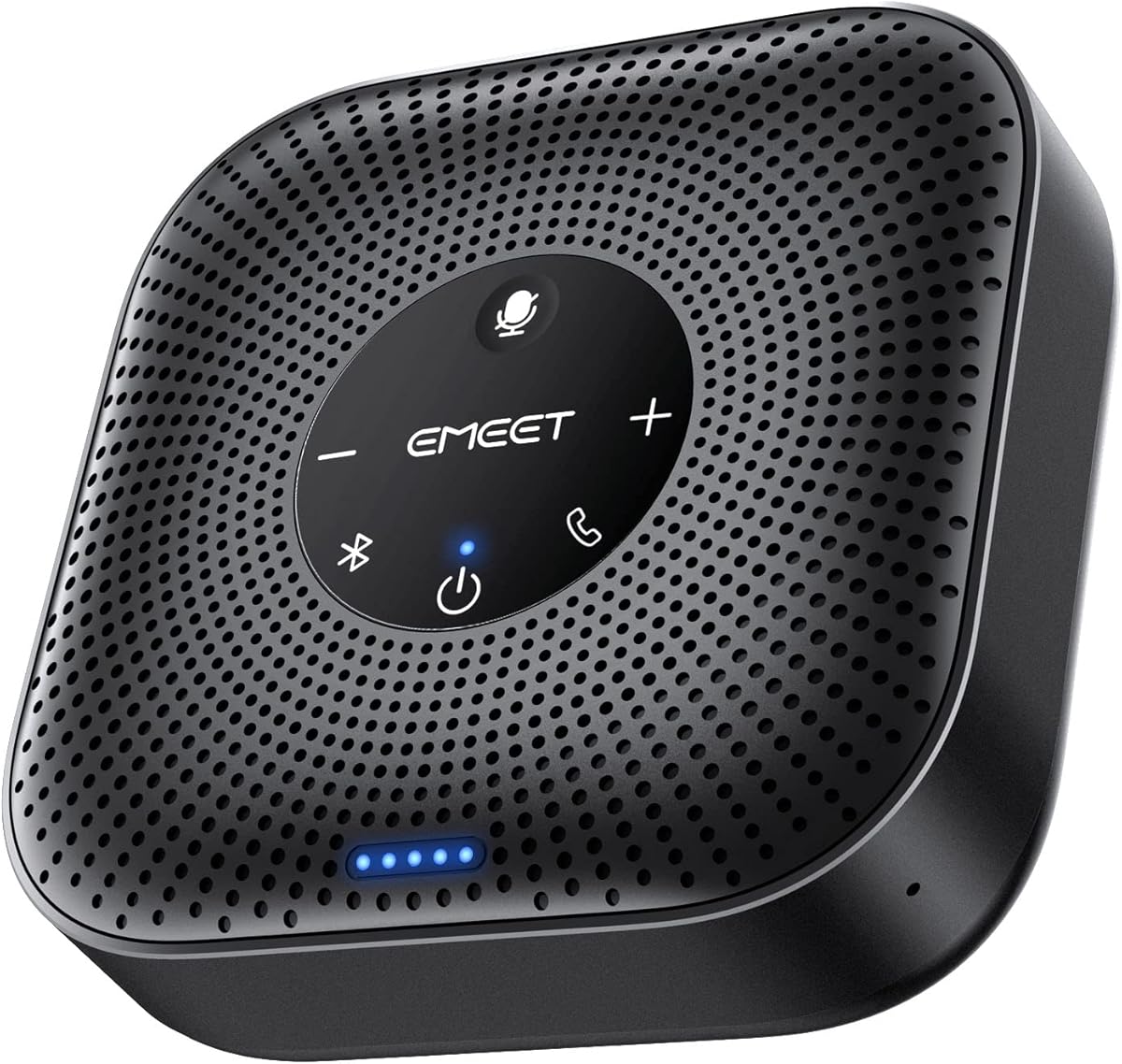




The EMEET M0 Plus is a conference speaker and microphone with a four-microphone array, a three-watt speaker, and support for both USB-C and Bluetooth 5.0. Its 4.2 rating reflects a broadly capable device for home offices, travel, and shared meeting rooms. The strongest feature is its combination of directional coverage, flexible connectivity, and room-expansion options.
We may earn a commission when you buy through this link, at no additional cost to you.
Its four AI microphones use EMEET's upgraded VoiceIA algorithm to capture voices from multiple directions while reducing background noise and speaker echo. Full-duplex operation allows natural two-way conversation rather than the clipped, turn-taking effect associated with basic directional microphones. The speaker distributes sound evenly through the room, while the battery supports more than ten hours of talk time for long schedules.
The most attractive option for larger gatherings is daisy chaining. Two compatible EMEET units can operate together, and the stated capacity extends to 16 attendees when using supported models such as the M0 Plus, M3, or Meeting Capsule. This creates a path for growing teams, although the exact audio result depends on correct placement and compatible hardware. A second device also adds another item to charge, store, and manage.
This is a strong recommendation for organizations that need one portable unit to handle a remote interview, a small conference, or a larger meeting room. Choose it over a basic desktop microphone when the group may change, because USB and Bluetooth connections make it easier to move between personal calls and shared spaces. It is especially useful for users who want more speaker volume and broader pickup without carrying separate input and output devices.
The four-microphone arrangement is designed to collect speech from around the table rather than forcing participants into a narrow speaking zone. That makes the M0 Plus better suited than a conventional desk microphone for small Teams meetings where people may turn away from the device or shift between seats.
USB-C offers a straightforward wired path for a computer, while Bluetooth supports phones, tablets, and computers. A USB-C-to-A adapter is included, and the device works with major platforms such as Microsoft Teams, Zoom, Slack, and Webex without additional drivers or software.
We may earn a commission when you buy through this link, at no additional cost to you.
The TONOR G11 is a wired USB condenser microphone rated 4.3 stars. It is built for small and medium online meetings, with an omnidirectional pickup pattern, a stated 11.5-foot capture distance, and a physical mute button. It does not include a speaker, which separates it from conference speakerphones and makes it primarily an input device.
We may earn a commission when you buy through this link, at no additional cost to you.
The broad pickup pattern allows the microphone to receive voices from 360 degrees, so participants do not need to remain directly in front of it. Its 1.8-meter shielded nylon cable is intended to reduce interference, while the metal housing and anti-slip base help keep it stable on a desk. Plug-and-play operation works across Windows and macOS without additional drivers.
Its main limitation is the lack of integrated loudspeaker audio. Users will hear other participants through the computer or separate speaker, and the G11 does not provide the all-in-one convenience of a conference unit. It is also a wired device, so its placement is constrained by cable length. Like many USB microphones, it may need to be selected manually as the input device after connection.
The G11 is well suited to interviews, seminars, training sessions, negotiations, and small Teams calls where a long pickup distance is more important than portable operation. It is a sensible choice for a fixed desk setup where participants can speak naturally from different sides of the microphone. Buyers who need audible speaker output should choose a conference speakerphone instead.
The 360-degree capture pattern reduces the need for a designated microphone position. This can make seated meetings feel less formal because participants can move slightly, turn toward colleagues, or speak without aligning their face with a directional capsule.
The metal body, weighted base, and anti-slip mat are practical features for a device intended to remain on a desk. Its wired design removes charging and pairing steps, making it predictable for recurring virtual meetings.
We may earn a commission when you buy through this link, at no additional cost to you.
This adjustable USB microphone has a 4.4 rating and offers a straightforward input solution for Windows and Mac computers. Its most useful feature is the 360-degree-positioned gooseneck, which lets users orient the capsule without moving the entire base. It also includes noise-canceling technology, a one-click mute button, and an LED status indicator.
We may earn a commission when you buy through this link, at no additional cost to you.
The metal gooseneck and heavy-duty ABS stand support the adjustable design and give the microphone a more deliberate appearance than a clip-on model. It connects through a six-foot USB cable and requires no drivers. Once connected, Teams or another meeting application can use it as the microphone input, while the physical mute control gives a quick way to interrupt transmission.
The device is a microphone rather than a speakerphone, so a separate output route remains necessary. Although the 360-degree positioning helps with placement, the actual capture pattern is omnidirectional rather than the directional isolation offered by cardioid models. Compatibility is also limited to the stated desktop systems; the product information specifically excludes Xbox, Raspberry Pi, and Android devices.
This microphone works well for a single participant, online class, voice chat, or home-office meeting where the user wants more placement control than a flat puck-style microphone offers. It is a better fit than a broadcast-oriented condenser when the objective is straightforward Teams communication. Buyers should also check that their computer has a suitable USB port and that the app is allowed to access the microphone.
The bendable gooseneck lets the user place the capsule near the edge of a desk or closer to the speaking position. This flexibility can help the microphone remain useful as the room arrangement changes without requiring a separate stand.
A dedicated mute button and LED reduce uncertainty about whether the microphone is active. That visibility is valuable in recorded or recorded-and-streamed sessions, where an accidental open microphone can introduce more than just the intended voice.
We may earn a commission when you buy through this link, at no additional cost to you.
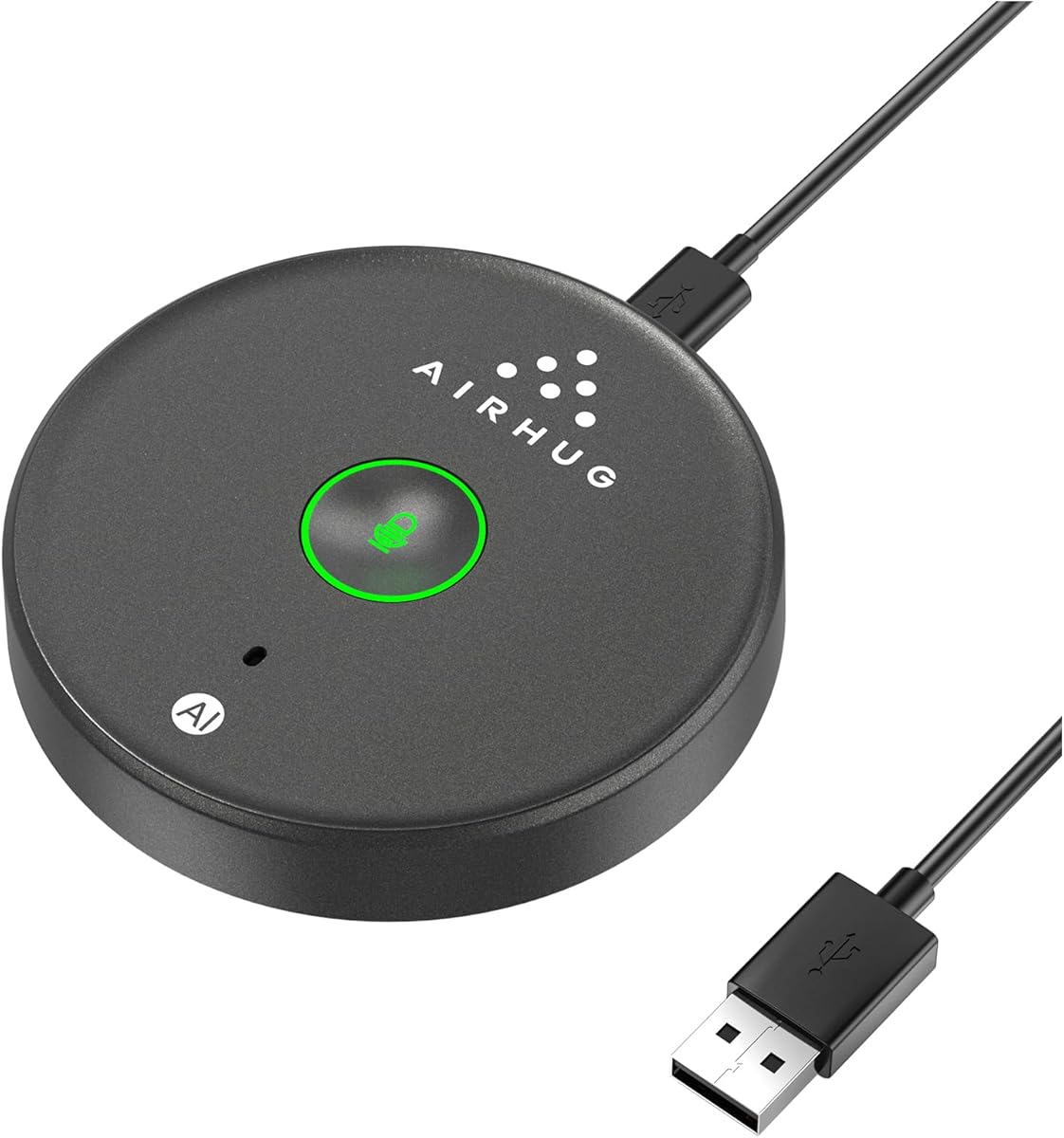
The AIRHUG 21 is a compact USB conference microphone with a 4.3 rating. It offers 360-degree voice pickup within six feet, a 48kHz sampling rate, and selectable AI Noise Reduction and Original modes. Its small footprint and no-driver installation make it a practical option for a one-to-three-person Teams meeting.
We may earn a commission when you buy through this link, at no additional cost to you.
AI mode is designed to reduce common distractions such as fan noise, keyboard clicks, and general background sound, while Original mode provides a more natural, unprocessed presentation. The microphone remembers the last selected sound mode and returns with mute off after a restart. Its blue, green, and red indicators communicate noise reduction, original mode, and mute status respectively.
There is an important limitation: the product does not provide echo cancellation. A computer's own speakers could therefore feed back into the microphone if playback volume is high. The device also has no built-in speaker, so users need headphones or separate computer audio. Privacy settings may need adjustment if the computer does not immediately recognize it.
The AIRHUG 21 is a strong budget choice for a shared laptop, online class, remote training session, or small business meeting where a full speakerphone is unnecessary. It is particularly useful for people who want simple mode switching and a low-profile desk design. Avoid it when the room is large, users listen through external speakers, or full-room echo management is essential.
The choice between AI Noise Reduction and Original Mode lets users balance clarity against natural sound. AI mode is useful in noisy environments, while Original mode can produce a more realistic vocal character for podcasts, teaching, and informal conversations.
At 3.38 inches in diameter, 0.53 inches thick, and 0.33 pounds, the microphone is easy to carry between a home office and meeting space. The six-and-a-half-foot cable and anti-slip base support flexible desktop placement without making the unit difficult to store.
We may earn a commission when you buy through this link, at no additional cost to you.
The AIRHUG 01 is a portable Bluetooth and USB conference speakerphone with a 4.0 rating. It combines a full-duplex digital microphone, a built-in speaker, echo cancellation, and intelligent noise reduction in a device intended for groups of approximately four to six people. It also supports simultaneous Bluetooth and USB-C connections for flexible device switching.
We may earn a commission when you buy through this link, at no additional cost to you.
Its DSP processor analyzes the acoustic environment and applies linear and nonlinear echo suppression, with a stated ability to cancel echo lasting up to 400 milliseconds. Noise-reduction algorithms target sounds such as engines, howling, and background babble. The microphone captures voices within six feet, while the speaker reproduces meeting audio and music at a 48,000-samples-per-second rate.
The unit is compact and includes a carry bag, USB-C and USB-A cables, and a user manual. Acoustic reminders announce power, Bluetooth, and USB connection events, although the voice broadcast can be disabled with a long button press. One noted issue is that the speakerphone may turn off automatically after it is fully charged; restarting it is the stated remedy.
The AIRHUG 01 is a compelling choice for hybrid workers and small teams that need one portable device to handle both speaking and listening. It works with Microsoft Teams, Zoom, Skype, Google Meet, Webex, FaceTime, and other major meeting applications. It is less appropriate for large rooms beyond its stated capacity or for users who require the highest rated option in this list.
The built-in speaker and microphone remove the need to position a separate webcam microphone and desktop speaker. Group members can hear one another through the unit while a single shared device handles the room's audio.
The included carry bag and simultaneous Bluetooth and USB support suit a device that moves between a home office, shared room, and business trip. Windows, macOS, Android, and Linux systems are included in the stated plug-and-play compatibility.
We may earn a commission when you buy through this link, at no additional cost to you.
The EMEET M1A is a USB conference speakerphone with a 4.3 rating. It combines two omnidirectional microphones, a built-in speaker, nine volume levels, and EMEET's VoiceIA processing for noise reduction, echo cancellation, voice amplification, and full-duplex communication. Its balanced feature set makes it a strong all-around choice for a fixed meeting room.
We may earn a commission when you buy through this link, at no additional cost to you.
The microphones cover sound from 360 degrees, helping participants speak naturally from different positions around the table. VoiceIA optimization is intended to keep speech clear despite ambient sound, and the nine-level speaker control provides finer output adjustment than a basic volume button. A blue LED on the control panel makes the selected level easier to judge.
The wired USB-C design prioritizes stable transmission, and an included USB-C-to-A adapter supports computers with different ports. A dedicated control can mute the speaker and microphones together, which is a useful privacy measure. The tradeoff is the loss of Bluetooth: the device is less convenient for quick mobile calls and cannot be used as a wireless conference unit.
This is an excellent recommendation for a dedicated office or conference room that primarily uses a Windows or Mac computer and Microsoft Teams. It suits small to medium groups better than a single desk mic while avoiding the complexity of a multi-device portable system. Choose the M1A when consistent wired operation, integrated loudspeaker output, and straightforward privacy controls matter more than wireless flexibility.
A wired USB connection removes Bluetooth pairing from the setup routine and supports stable audio transmission. For a room used every day, that consistency can be more valuable than the freedom to connect a phone.
Two 360-degree microphones and full-duplex operation make the speakerphone better suited to shared conversation than a narrow desktop capsule. The dedicated mute control protects privacy when a sensitive discussion or background noise enters the meeting.
We may earn a commission when you buy through this link, at no additional cost to you.
The Amazon Basics Condenser Microphone has a 4.4 rating and uses a 14mm condenser diaphragm with a cardioid pickup pattern. It is designed primarily for one clearly positioned speaker, offering focused pickup that helps isolate the user's voice from background sound. The adjustable stand, one-tap mute, and USB plug-and-play operation make it straightforward for Teams calls and recording.
We may earn a commission when you buy through this link, at no additional cost to you.
Its cardioid pattern concentrates sensitivity toward the front of the microphone, making it useful in a home office where a computer fan, household movement, or another voice might otherwise interfere. High sensitivity, low noise, and low distortion support clear capture, while the 360-degree adjustable stand lets the user align the capsule with a comfortable speaking position.
The microphone is not a group conference device. A single user is expected to remain within its focused capture area, and it does not include a loudspeaker. Although the stand can be detached for a tripod, boom arm, or standard microphone stand, that is a secondary use rather than an automatic room-conference solution. Compatibility extends to Windows and Mac systems, including the stated older Windows versions.
This model fits a professional who works alone, records presentations, or wants a more focused microphone than an omnidirectional conference puck. It is less appropriate for a round-table meeting where several people speak from different sides. For a personal Teams setup with one participant, its directional pattern, mute function, and familiar desktop form make it especially easy to recommend.
Cardioid pickup is a deliberate contrast to the 360-degree models in this guide. It is useful when the meeting should emphasize one speaker and reduce sounds arriving from the room's sides or rear.
The included stand rotates through 360 degrees to follow the user's preferred position. Its detachable microphone also supports standard mounting hardware, allowing the user to move away from the stock base when a boom arm or tripod is available.
We may earn a commission when you buy through this link, at no additional cost to you.
The AIRHUG Magnetic USB Microphone has a 4.3 rating and emphasizes placement flexibility. It can lie flat on a desk, clip to clothing, or attach to a metal surface using the included reusable nano adhesive dots. A two-meter cable adds movement, while 360-degree pickup captures voices from multiple directions.
We may earn a commission when you buy through this link, at no additional cost to you.
The microphone offers AI Noise Reduction and Original modes, indicated by blue and green lights, with red indicating mute. AI mode filters common distractions such as fans and keyboard clicks, while Original mode is presented as the more natural option for realistic, high-fidelity speech. A dedicated button handles mute and sound-mode changes without opening software.
The product does not include a speaker, and the information does not claim echo cancellation. It should therefore be treated as a personal or small-group input device rather than a complete conference room system. The magnetic clip can also pick up clothing movement or rubbing, so users should secure it carefully when attaching it to fabric. Computer privacy settings may need to be reviewed if detection fails.
This is a useful option for a laptop user who wants to move around while remaining in the same Teams meeting. The included mounting accessories make it particularly appealing for temporary workspaces, shared desks, and travel. It is less suitable for a permanent conference table where a stable weighted base, a dedicated speaker, and broader room echo control would be preferable.
Three placement methods allow the microphone to follow the user rather than forcing a fixed desk position. The adhesive dots offer a reusable way to place the unit on an available metal surface, while the clip supports clothing placement.
Distinct LED colors communicate the active state without requiring software. The three modes also provide a practical way to compare processed clarity with more natural voice capture during different parts of a meeting.
We may earn a commission when you buy through this link, at no additional cost to you.
The TONOR G11 Pro is a USB conference microphone with a 4.3 rating. It upgrades the earlier G11 concept with AI noise cancellation, physical volume controls, and a 3.5mm headphone monitoring jack. Its omnidirectional pickup reaches a stated 11.5 feet, allowing it to function as a shared input for conferences, classes, and online conversations.
We may earn a commission when you buy through this link, at no additional cost to you.
AI processing is designed to remove distractions such as fan noise and keyboard clicks, improving speech clarity in imperfect rooms. The physical controls include one-tap mute, four-level microphone and monitoring volume adjustment, and a status system that uses blue for microphone mode, red for mute, and purple for monitoring. A long press changes these operating states.
The headphone jack offers a way to monitor audio without sending sound through external speakers, which helps reduce feedback. The manufacturer specifically warns against connecting the jack to external speakers because that can create interference. As with the standard G11, this is not a speakerphone, and it uses a wired USB connection without requiring drivers on Windows or macOS.
The G11 Pro is a strong fit for a fixed shared workstation, seminar desk, or small conference table where broad pickup and monitoring are useful. It is less convenient for a user who needs to move between locations because it lacks Bluetooth and a battery. Its combination of long-range capture, AI filtering, and hardware controls makes it a compelling upgrade over a basic desk microphone.
The upgraded noise-cancellation system targets steady and intermittent distractions that can make a shared Teams call difficult to follow. It is particularly relevant in rooms with active computer equipment or background movement.
The 3.5mm jack allows private headphone monitoring without routing the microphone output to external speakers. Users should still follow the stated guidance and avoid connecting that jack to a speaker system.
We may earn a commission when you buy through this link, at no additional cost to you.
The Jabra Speak 510 2025 Edition earns a 4.7 rating, the highest among the products compared. It is a portable USB and Bluetooth conference speaker designed for clear, professional meeting audio. Its biggest strengths are straightforward setup, flexible device connections, and the ability to move between computers, phones, and soft-phone workflows.
We may earn a commission when you buy through this link, at no additional cost to you.
Bluetooth and USB connectivity make it useful in different meeting environments. A laptop can be connected through USB, while a phone or another compatible device can use Bluetooth. The product is also described as compatible with desk phones, mobile phones, and soft-phones, and it works with online meeting platforms and can play streaming music.
The supplied information emphasizes ease of use rather than a detailed list of technical specifications. It does not provide a stated microphone pickup radius, exact speaker output, battery duration, or specific noise-cancellation method. As a result, buyers who need a precise figure for a large room should verify those details before purchase. Its portable design still makes it a natural choice for meetings away from a dedicated conference table.
This is the most compelling premium recommendation for users who value a straightforward, polished conference speaker and broad connection options. It can serve as a shared audio hub for a small meeting, a home office, or a travel bag. It is particularly appropriate for organizations that want a recognizable conference device without navigating a complicated setup process.
USB and Bluetooth support let the speakerphone move between a computer-based meeting and a phone-based call. That flexibility is useful for hybrid schedules and meeting spaces where participants do not always bring the same device.
The product is designed to get a user into a call quickly, with a portable form that suits both a shared office and a travel kit. Fewer setup steps can be especially valuable before meetings where room preparation time is limited.
We may earn a commission when you buy through this link, at no additional cost to you.
The right Teams microphone depends on the number of participants, room layout, computer setup, and need for portable operation. These factors help narrow the field before comparing connection methods, pickup patterns, and audio-processing features.
A single participant can often use a focused desktop microphone positioned close to the speaker. Two or three people may benefit from an omnidirectional desktop model that accepts voices from several sides. A conference speakerphone with a built-in speaker becomes more practical when a group needs to hear one another through the shared computer without wearing headsets. The AIRHUG 01 is stated for four to six people, while the EMEET M0 Plus can be daisy-chained with another supported unit for larger configurations.
An omnidirectional pattern receives sound from all directions, making it suitable for groups and flexible seating. A cardioid pattern emphasizes sound from the front and is often preferable for one person who wants to reduce background pickup. The Amazon Basics model uses a cardioid capsule, while the TONOR G11, G11 Pro, and several AIRHUG models use omnidirectional capture. Pickup range should be considered alongside the pattern because a wide radius does not guarantee equal clarity in every location.
Noise reduction helps reduce distracting sounds such as fans, keyboard clicks, engine noise, and background babble. Echo control is equally important when a microphone and speaker are close together, particularly in a conference unit. Several full speakerphones in this guide expressly include echo cancellation, while the AIRHUG 21 and magnetic model do not claim that feature. If a device lacks dedicated echo cancellation, users should listen through headphones or keep external speaker volume low.
USB offers a direct wired connection to a computer and removes the need to manage pairing or battery life. Bluetooth adds mobility and makes it easier to switch between a phone, tablet, or laptop, but it adds another connection step. The EMEET M0 Plus and AIRHUG 01 support both USB and Bluetooth, while the Jabra Speak 510 also offers wired and wireless options. Some conference microphones include adapters or both USB-C and USB-A cables, so buyers should check the connector supplied with the exact model.
A microphone with a built-in speaker functions as the room's central audio output, allowing participants to hear remote attendees without individual headsets. Models without speakers require headphones or computer speakers. That distinction affects the entire meeting arrangement: an input-only device is enough for one participant using earbuds, while a shared table usually benefits from a speakerphone with volume control and echo suppression.
A physical mute button makes it easier to block a microphone during interruptions, sensitive conversation, or an accidental unmuted period. LED indicators are also useful because they provide immediate visual confirmation of recording, mute, noise-reduction mode, and sometimes speaker volume. The G11 Pro adds monitoring controls, the Jabra is described as simple to operate, and most other models include a straightforward mute button or status light. These details can be particularly important for shared workspaces and recorded meetings.
A fixed office can prioritize a wired USB microphone with a stable base, while a traveling professional may prefer a battery-powered conference speakerphone that fits into a bag. The AIRHUG 01 includes a carry bag, and the EMEET M0 Plus supports more than ten hours of talk time. Wireless or portable designs should also be evaluated for charging requirements, Bluetooth stability, and whether the included cables suit the user's computer.
A microphone can work with Microsoft Teams but still be affected by operating-system permissions, port type, or application settings. Confirm that the product is compatible with the computer's operating system and that a USB data cable is included when required. After connection, check the selected input device, allow microphone access in privacy settings, and set an appropriate output device. If voices sound distant, move the microphone closer or test the manufacturer's recommended placement before changing applications.
Start by choosing a stable, unobstructed position close to the speakers and away from obvious noise sources such as fans, open windows, or vibrating equipment. For an omnidirectional model, center it on the table rather than placing it immediately in front of one participant. For a cardioid microphone, point the front of the capsule toward the intended speaker. A dedicated speakerphone should have enough clearance to project audio across the group.
Connect the device using the supplied method, then open Microsoft Teams and confirm that the correct microphone and speaker appear in the meeting settings. Test the input level in a short call before a client meeting, speak at a natural pace, and listen for clipping, echo, or room noise. If a model has multiple processing modes, compare them in the actual room. Use headphones when external loudspeakers feed back into a microphone that lacks echo cancellation.
For daily care, wipe the outer surface with a soft, dry or lightly dampened cloth and keep openings free from dust. Protect the device from liquids and impacts, and avoid pulling on attached cables. Charge portable models between meeting blocks, especially before a full travel day. When a meeting ends, confirm that the microphone is muted or disconnected according to workplace privacy practices, and store the unit in a dry place away from direct heat.
It depends on how the meeting is conducted. A solo participant using a headset or earbuds may only need a good external microphone, while a group sharing one computer benefits from a unit with a built-in speaker. A conference speakerphone lets everyone hear the call without separate headphones and usually adds echo management for shared-room use.
An omnidirectional desktop microphone is often the most practical choice for two or three people because it captures speech from several sides of a table. A compact conference speakerphone becomes more useful when remote audio also needs to be heard by everyone. Position, room noise, and the number of participants still matter more than any single feature.
USB is dependable and simple for a permanent computer setup. Bluetooth is more convenient when switching between a laptop and phone or when taking calls on the move. A fully wired model is also appropriate when a stable fixed installation matters more than wireless flexibility. Check connector types and operating-system compatibility before buying.
Start by using a speakerphone with dedicated echo cancellation, keeping it centered on the table, and avoiding placement directly beside a computer speaker. If using a microphone without echo cancellation, listen through headphones or reduce external speaker volume. Test the setup in the real room, since a device that sounds clean in a quiet office may behave differently in a busy meeting space.
Cardioid pickup is better for one person because it emphasizes sound from the front and can reduce unwanted room input. Omnidirectional pickup is better for groups because it receives voices from multiple directions. A cardioid model can still work in a meeting if the user stays in its focused zone, but participants may need to lean toward it or share a device.
Most of the products in this guide are described as compatible with Microsoft Teams and other major platforms such as Zoom, Google Meet, Skype, Webex, and FaceTime. Compatibility depends on the selected operating system, connection method, and application permissions. A microphone that works in Teams will generally appear as a standard computer input, but users should still verify it after connecting.
Noise reduction targets unwanted sounds in the room, such as fans, keyboard clicks, or background babble. Echo cancellation focuses on preventing audio played by a speaker from being picked up again by the microphone. A conference device should ideally offer both, while a noise-reducing input-only microphone may still need headphones to prevent feedback.
Place it near the center of the meeting area, where each participant can speak at a similar distance without leaning over it. Keep it away from computer fans, window drafts, and objects that can block sound. For a cardioid desktop microphone, aim the front toward the user, and test the result before the meeting begins.
The AIRHUG 01 stands out as a budget-oriented conference solution with both a microphone and speaker, flexible Bluetooth and USB connections, and processing designed for small groups. The EMEET M1A is the more balanced wired option for a fixed office, with two 360-degree microphones, full-duplex operation, and clear volume and mute controls. The Jabra Speak 510 is the premium choice for users who prioritize portable simplicity, quick setup, and broad device support.
For one-person calls, the Amazon Basics cardioid model can provide focused capture, while the adjustable USB microphone offers a simple gooseneck alternative. The TONOR G11 Pro adds AI filtering and headphone monitoring, and the TONOR G11 remains a long-range wired option. The two AIRHUG desktop models provide portable 360-degree pickup, but users should note the absence of stated echo cancellation in both.
Before purchasing, verify the connection type, operating-system support, room capacity, and whether built-in speaker audio is necessary. Current ratings, product details, and prices can change, so check the latest listing information. Choosing the microphone that matches the meeting's size and placement will usually deliver a more useful result than choosing solely on the number of advertised features.