
PCIe 4.0 x4 OCuLink Dock
4.4Editor score
PCIe 4.0 x4 bandwidth
Detachable slim cable design
Broad desktop GPU support
Egpu Docks buyer guide comparing OCuLink, Thunderbolt 4, Thunderbolt 5, and USB4 models for bandwidth, GPU support, power, cooling, and portability at home or
An external graphics dock can add desktop-class GPU power to a compatible laptop, mini PC, or handheld without permanently changing the host device. A worthwhile dock balances fast host connections, broad graphics-card support, clean power delivery, effective cooling, and enough flexibility for the hardware you already own or plan to buy.
This guide compares ten eGPU docks using the supplied specifications, customer ratings, interface details, physical design, and intended use cases. It covers OCuLink, Thunderbolt 3 and 4, Thunderbolt 5, and USB4 designs, while separating compact portable options from feature-rich enclosures and dual-mode workstations.
Each review identifies the strongest reason to consider the dock, along with meaningful limitations and compatibility caveats. Ratings reflect the supplied customer feedback rather than personal testing, and component availability, driver support, and prices can change, so readers should verify the current details before purchasing.
4.4Editor score

5.0Editor score
4.8Editor score
The comparison below highlights each dock's host interface, graphics-card access, power approach, and defining feature so readers can quickly narrow the field by bandwidth, portability, GPU size, and connectivity.




The MINISFORUM DEG2 USB4 V2 combines OCuLink and USB4 V2 with Thunderbolt 5 compatibility, giving it a rare combination of direct PCIe access and a more universal docking path. Its supplied rating is 4.4, and its standout feature set extends well beyond the basic role of holding an external graphics card.
We may earn a commission when you buy through this link, at no additional cost to you.
A physical switch lets users move between OCuLink at up to 64Gbps and Thunderbolt 5 at up to 80Gbps without replacing cables. The built-in M.2 2280 slot can hold models, project files, and other working data, while a signal re-drive circuit is intended to preserve PCIe stability during demanding transfers.
The enclosure accepts ATX and SFX power supplies and is designed to accommodate desktop graphics cards, making it more adaptable than compact docks tied to small power modules. The trade-off is that it is a more substantial system, and buyers still need to supply their own graphics card and compatible power supply.
This is the strongest recommendation for a user who wants one enclosure to handle both maximum-bandwidth OCuLink work and flexible Thunderbolt 5 docking. It suits creators, AI developers, and advanced gaming users who will use both performance and hub functions rather than simply seeking the smallest temporary upgrade.
The physical mode switch is especially useful because it removes much of the guesswork from choosing between a direct PCIe uplink and a broadly compatible Thunderbolt connection. OCuLink is suited to stationary performance workflows, while the USB4 V2 path adds display, charging, and peripheral expansion.
The M.2 2280 bay is valuable when large models or project assets must remain close to the graphics card. Support for both ATX and SFX supplies also makes the enclosure easier to build around with desktop-class hardware.
We may earn a commission when you buy through this link, at no additional cost to you.
This DEG2 version is built as a complete desktop connection point rather than only an external graphics enclosure. Its supplied 5.0 rating is the highest in the group, while OCuLink, USB4 V2, Thunderbolt 5, M.2 storage, and 2.5G Ethernet create a notably flexible platform.
We may earn a commission when you buy through this link, at no additional cost to you.
A dedicated toggle changes the active host link between OCuLink and TBT5, which is convenient when moving between a performance-oriented desktop and a portable workstation. The M.2 2280 slot can hold project assets close to the GPU, and the two TB5 ports provide high-bandwidth expansion plus power-delivery options.
Its limitations are substantial for buyers without compatible hardware. The GPU, ATX supply, and SFX supply are not included, and the product is not compatible with the MINISFORUM MS-02 workstation. It also calls for more deliberate setup than a simple Thunderbolt enclosure.
Choose this model for a permanent desk setup where display, network, storage, charging, and graphics performance all matter. Its five-star supplied feedback and rich port selection make it especially attractive for users intending to turn an ultrabook into a full workstation.
The 2.5G LAN port, USB 3.2 connections, M.2 slot, and dual TB5 interfaces allow the enclosure to consolidate several desktop functions. This is particularly useful for creators who want local storage and wired networking available through the same workstation.
Host power synchronization and reverse power through USB4 V2 are designed to simplify daily use. The result resembles a conventional desktop setup: connect one cable, then move the workload to the external graphics card.
We may earn a commission when you buy through this link, at no additional cost to you.
The Razer Core X V2 is a gaming-oriented external graphics enclosure built around Thunderbolt 5 bandwidth of up to 80Gbps. It can house desktop NVIDIA and AMD graphics cards up to four slots wide, and the supplied customer rating is 4.0.
We may earn a commission when you buy through this link, at no additional cost to you.
Its tool-free installation system uses included thumbscrews, making card and power-supply changes comparatively approachable. A built-in 120mm fan automatically increases activity under load, while the vented steel chassis is intended to move heat away from a powerful desktop card.
The enclosure requires separate graphics-card and ATX power-supply purchases, and it does not support Mac systems with M1 or later chipsets. Although its headline is Thunderbolt 5, the stated compatibility also includes Thunderbolt 4, Thunderbolt 5, and USB4 devices.
This is a compelling premium choice for a Windows gaming setup that may move between a desktop card and a laptop. It is less suitable for Mac users, compact workspaces, or buyers who want extensive hub features such as Ethernet and integrated NVMe storage.
Supporting cards up to four slots wide gives the enclosure more flexibility than compact adapters limited to slim coolers. That makes it suitable for performance GPUs that need substantial cooling and power delivery.
The automatic 120mm fan can follow the GPU's workload, while the steel shell provides a more rugged visual and physical structure. Users can also customize the fan curve when quieter operation or stronger cooling is preferred.
We may earn a commission when you buy through this link, at no additional cost to you.
The MINISFORUM DEG1 is the most travel-oriented enclosure in this guide, measuring approximately 14 centimeters long, 6.5 centimeters wide, and 2 centimeters high. It uses OCuLink 4i with PCIe 4.0 x4 bandwidth and has a supplied rating of 4.5.
We may earn a commission when you buy through this link, at no additional cost to you.
Its small footprint is paired with compatibility for ATX and SFX power supplies and graphics cards of varied sizes. A locking OCuLink connector and signal amplifier chips support more dependable transmission, while ForcePowerOn provides a convenient startup option for compatible MINISFORUM mini PCs.
OCuLink does not support hot plugging, so the host computer must be turned off before the cable is removed. The startup tracking feature also has specific compatibility requirements involving supported MINISFORUM mini PCs and original cables, which limits its usefulness elsewhere.
The DEG1 is a sensible option for a portable workstation used at a second desk. It is less appropriate for users who need USB4 display output, laptop charging, integrated storage, or the freedom to disconnect and reconnect the enclosure while the system is running.
OCuLink provides a direct PCIe 4.0 x4 path without relying on display-output bandwidth limitations. The enclosure's tiny dimensions make it easy to pack, while still providing room for a full-size graphics card and a standard power supply.
The fixed locking interface helps prevent accidental unplugging, while the lack of hot-plug support protects the connection from unsafe removal. Users should plan to shut down before changing connections rather than treating the dock like a USB peripheral.
We may earn a commission when you buy through this link, at no additional cost to you.
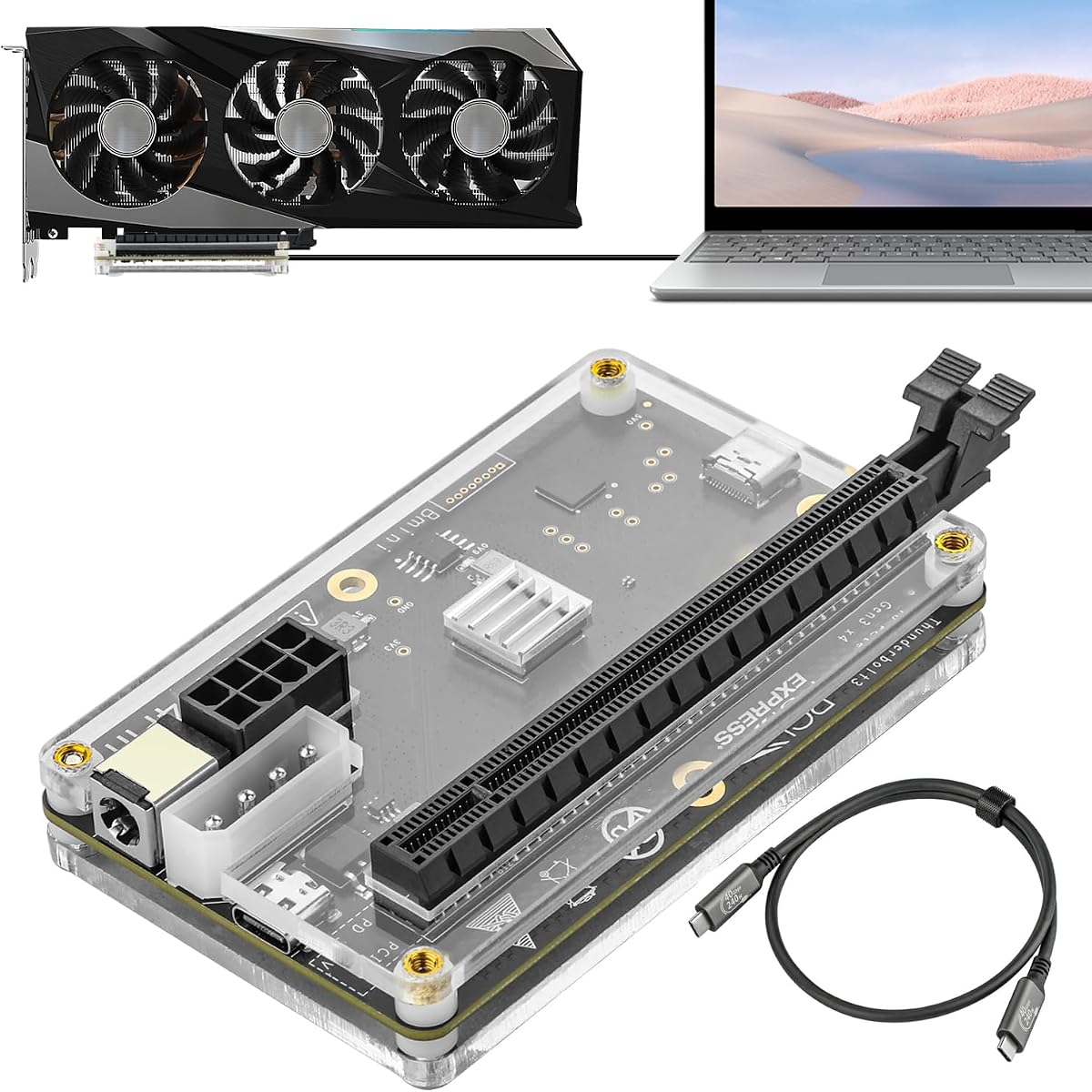
This OCuLink enclosure offers a focused route to external graphics performance without the expense of a multi-port desktop hub. It supports PCIe 4.0 x4 at up to 64Gbps, carries a supplied rating of 4.4, and includes both the enclosure and a detachable 50-centimeter SFF-8611 cable.
We may earn a commission when you buy through this link, at no additional cost to you.
Detachable connectors on both ends improve packing and storage, while the 0.5-millimeter cable uses shielding and EMI materials to reduce interference. Gold-plated contacts are designed to limit oxidation and resistance, and status LEDs provide visual information during operation.
Unlike several premium docks, the enclosure accepts only standard ATX power supplies, and the graphics card is not included. OCuLink also cannot be hot-plugged, requiring the computer to be shut down before disconnection. Those restrictions make it less convenient for frequent mobile use.
This is the best value option for a stationary laptop or mini PC setup already equipped with OCuLink. Buyers can pair it with a desktop GPU and ATX supply, then enjoy direct PCIe bandwidth without paying for a full docking station.
The 64Gbps PCIe 4.0 x4 uplink is well suited to graphics-heavy work when the host exposes a compatible OCuLink port. It avoids the shared-bandwidth compromises associated with some display-oriented external GPU connections.
The detachable cable and slim construction reduce the space required when the dock is not in use. This makes the enclosure more portable than a permanently wired desktop chassis, even though the installed graphics card and power supply remain substantial.
We may earn a commission when you buy through this link, at no additional cost to you.
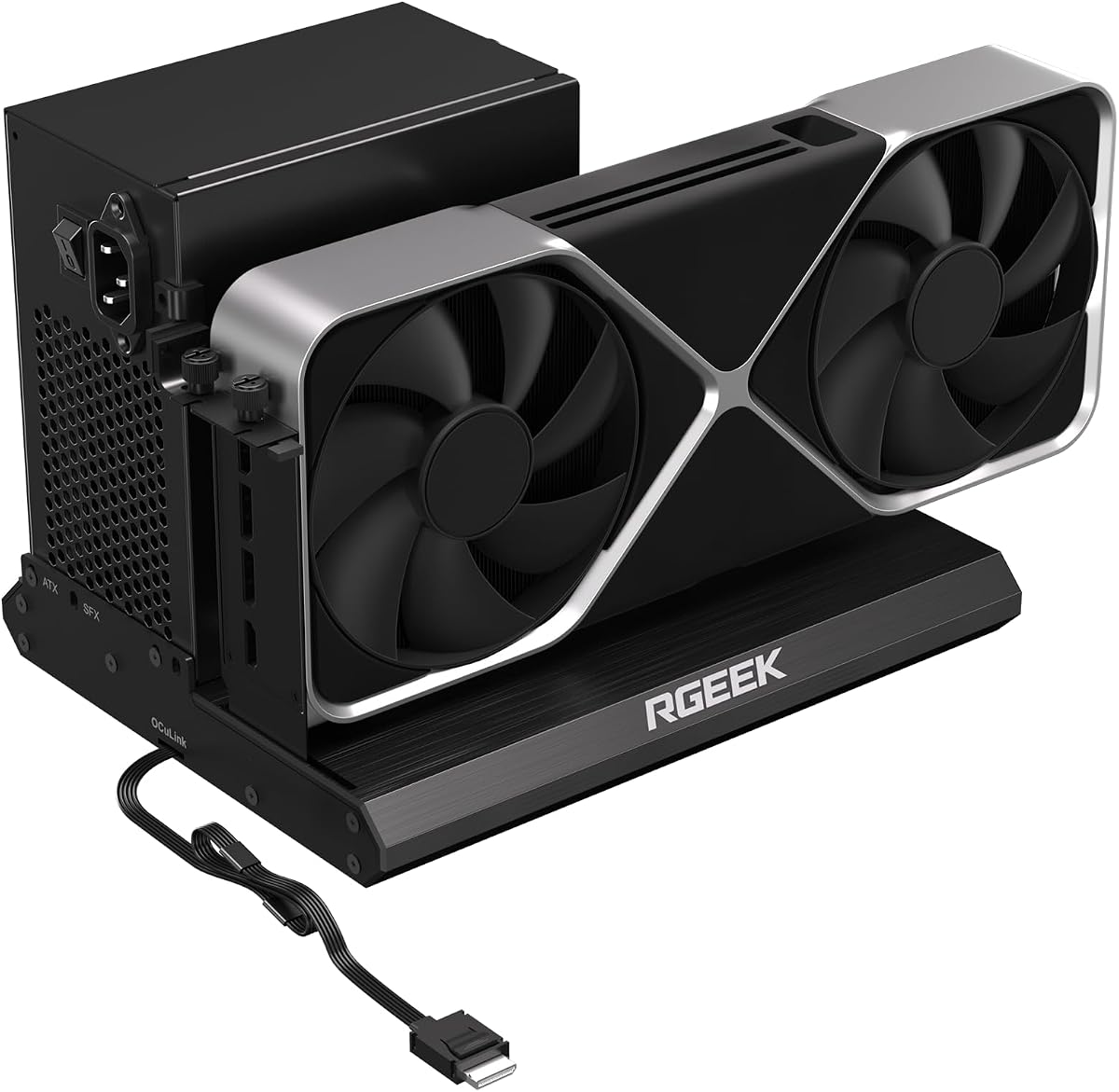
The RGEEK OCuLink dock is built around the promise of PCIe 5.0 x4 throughput at up to 128Gbps. It remains backward compatible with PCIe 4.0 and 3.0 configurations, and its supplied rating is 4.0.
We may earn a commission when you buy through this link, at no additional cost to you.
The full aluminum body is intended to dissipate heat and provide structural durability, while a factory-soldered cable removes the need for an extra adapter and minimizes added connection points. Mainstream NVIDIA and AMD cards are supported for gaming, rendering, modeling, and AI computation.
Reaching the full PCIe 5.0 speed requires an M.2 slot or a PCIe 5.0-to-OCuLink adapter, and the adapter is not included. Hot plugging is also unsupported, while ATX, SFX, and SFX-L power supplies give more installation flexibility than the budget OCuLink model.
Choose this enclosure when you own newer PCIe 5.0 hardware or want a dock designed with future bandwidth in mind. For an existing PCIe 4.0 system, it remains usable, but the faster specification may not deliver an immediate practical advantage.
The metal enclosure offers a rigid structure and a conductive surface for dissipating heat. That is useful in a dock intended to house high-power graphics cards, although the host speed and graphics workload ultimately determine performance.
Backward compatibility means the dock can be introduced before every part of the PCIe 5.0 ecosystem is available. A suitable host connection or separately purchased adapter is still necessary to realize its advertised maximum bandwidth.
We may earn a commission when you buy through this link, at no additional cost to you.
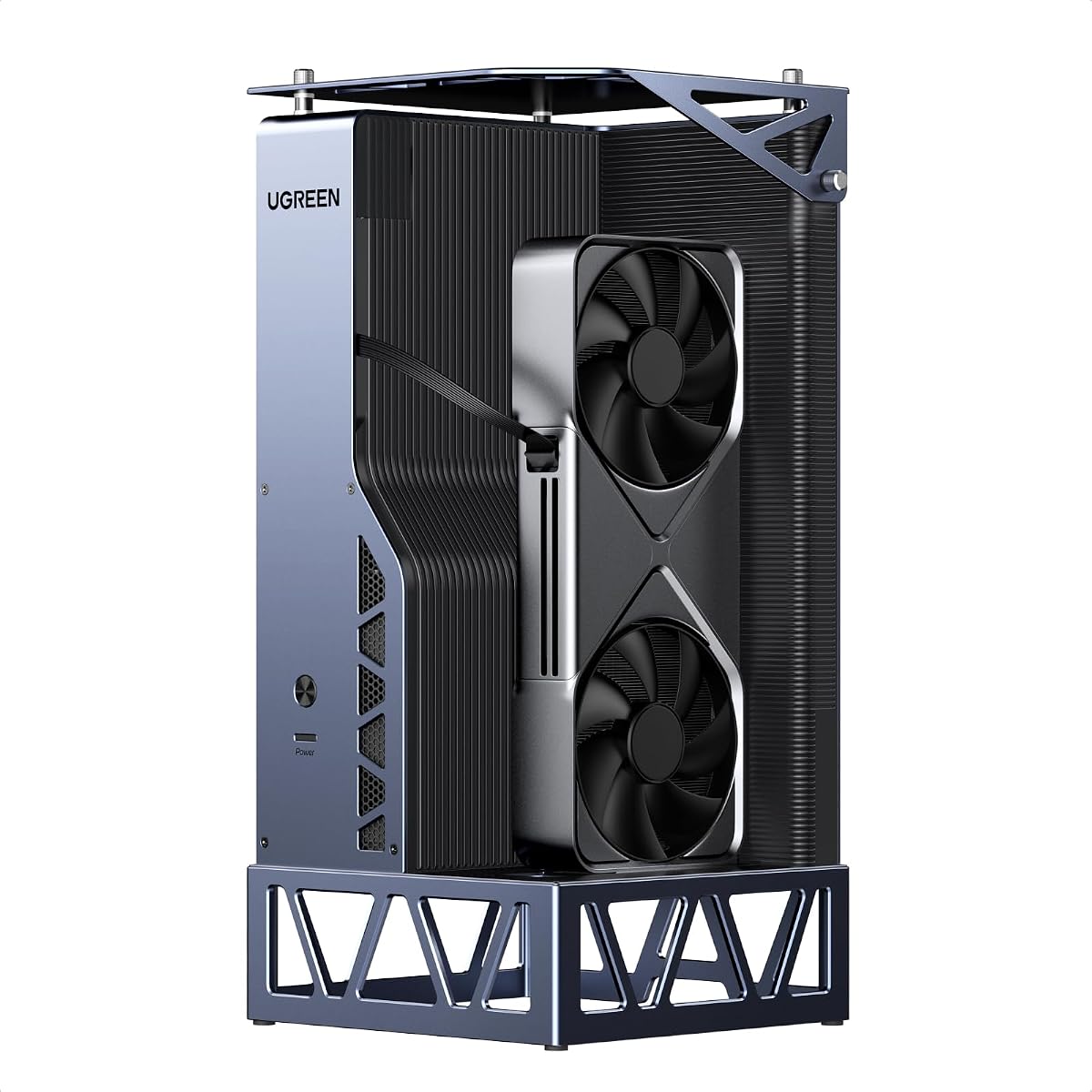
The UGREEN LinkStation combines OCuLink at 64Gbps with USB4 at 40Gbps in a large, enthusiast-oriented enclosure. It supports Windows, Linux, and Intel-based macOS, and its supplied 4.8 rating is among the strongest in the group.
We may earn a commission when you buy through this link, at no additional cost to you.
A removable top cover allows graphics cards up to 370 millimeters long and four slots thick to be installed, though the rear bracket must remain a dual-slot design. The supplied compatibility list covers multiple Intel Arc, AMD Radeon, and NVIDIA GeForce models, including current high-end cards.
The USB4 connection provides 100W Power Delivery and hot-swap convenience, while OCuLink serves the highest-bandwidth stationary workflow. A semi-open aluminum chassis, low-RPM ATX 3.1 power supply fan, and integrated cable compartment are designed to improve cooling and tidiness.
This is the top premium recommendation for a flexible external GPU workstation that may serve several hosts and operating systems. It is ideal for users willing to assemble a large system and who value chassis capacity, dual-interface flexibility, and organized cable management.
The removable cover and generous internal volume distinguish the LinkStation from compact external GPU boxes. Support for cards up to 370 millimeters long allows use of large coolers, although triple-slot rear brackets remain unsupported.
OCuLink offers the higher bandwidth for fixed installations, while USB4 creates a simpler one-cable path with charging and broad device support. This dual-mode design lets the owner match the connection to the host and workflow.
We may earn a commission when you buy through this link, at no additional cost to you.
This enclosure uses the JHL6340 controller to provide external graphics support over Thunderbolt 3, Thunderbolt 4, and USB4. Its stated transfer speed is around 22Gbps, and it carries a supplied rating of 3.8.
We may earn a commission when you buy through this link, at no additional cost to you.
Its standout flexibility is the selection of four external power inputs: CPU 4+4-pin, Molex, PD 3.0 up to 60W, or DC5521 up to 120W. The dock can use NVIDIA and AMD cards with suitable drivers and works with many Windows and Linux systems based on Intel or AMD processors.
The older PCIe generation and 22Gbps transfer rate place it below the OCuLink and newer Thunderbolt 5 docks in raw bandwidth. Some consoles with USB4 may also require a BIOS update, and the manufacturer does not recommend Intel graphics cards.
This model makes sense for an existing Thunderbolt workstation or console where a straightforward adapter and flexible power source are more important than maximum bandwidth. It is less attractive for creators who can exploit PCIe 4.0 x4 or newer interfaces.
The four input choices make it easier to use power already present in a particular workspace. Buyers should still match the selected input and wattage to the installed graphics card's requirements.
Thunderbolt 3, Thunderbolt 4, and USB4 support gives the enclosure a broad host-device audience. Its included 23.6-inch Thunderbolt cable also reduces the need for an immediate extra-cable purchase.
We may earn a commission when you buy through this link, at no additional cost to you.
This DEG2 listing shares the central design strengths of the other MINISFORUM dual-mode docks: OCuLink, USB4 V2, Thunderbolt 5 support, a physical mode switch, and an M.2 2280 storage slot. Its supplied customer rating is 3.2, the lowest among the ten products.
We may earn a commission when you buy through this link, at no additional cost to you.
The 2.5G LAN port and USB 3.2 connections make it more than a graphics adapter, while reverse power and automatic host synchronization support a single-cable desktop workflow. ATX and SFX power supplies and full-size graphics cards can be used, subject to fit and system compatibility.
The low supplied rating does not identify a particular fault, but it gives potential buyers less customer-history confidence than the other DEG2 variant. The product also does not work with the MINISFORUM MS-02, and the graphics card and power supply are not included.
Choose this version if its listed connectivity matches your needs and the current customer feedback is acceptable. It is a capable workstation dock, but the higher-rated sibling is the safer recommendation for buyers seeking more confidence.
Wired networking, USB expansion, NVMe storage, and external graphics support create a more complete desktop connector. This can reduce the number of separate accessories needed beside a compact host computer.
The physical toggle provides a straightforward way to alternate between OCuLink and Thunderbolt 5. It is especially convenient for owners who alternate between a fixed desktop and a portable workstation setup.
We may earn a commission when you buy through this link, at no additional cost to you.
The JHL7440 external dock is built around an officially certified controller for Thunderbolt 3, Thunderbolt 4, and USB4 devices. It supports up to 40Gbps, delivers up to 85W of charging, and has a supplied rating of 3.9.
We may earn a commission when you buy through this link, at no additional cost to you.
The enclosure can accommodate NVIDIA cards including the RTX 50 series and AMD RX 7000-series models when the host operating system and drivers are suitable. A USB-A port and daisy-chain connection turn it into a small hub as well as an external graphics enclosure.
The package does not include an ATX power supply or graphics card. Installation also carries a specific warning not to insert the CPU cable into the PCIe 8-pin port, because doing so can trigger automatic shutdown protection.
This is a useful option for a Thunderbolt laptop that needs both external graphics and convenient charging. It is best for users who understand the required cable routing and want a straightforward certified controller rather than the broader storage and networking features found on the DEG2 and LinkStation.
The 85W Power Delivery output can keep a compatible laptop charged while the external GPU handles demanding work. That makes the dock useful for travel between desks where carrying a separate charger would be inconvenient.
The JHL7440 module is intended to provide stable high-speed operation, while the USB-A and daisy-chain ports add basic expansion. Users should still confirm driver support for their specific host, operating system, and selected graphics card.
We may earn a commission when you buy through this link, at no additional cost to you.
Choosing an eGPU dock starts with the host connection and ends with the graphics card, power supply, physical fit, and intended workload. The sections below explain the compatibility details that matter most and the trade-offs involved in each design decision.
The host interface determines how quickly data can travel between the computer and the external graphics card. OCuLink provides a direct PCIe path and is available here at PCIe 4.0 x4 or PCIe 5.0 x4 specifications. USB4 and Thunderbolt options provide wider device compatibility, but some implementations share bandwidth with display traffic. Thunderbolt 5 models advertise 80Gbps, while Thunderbolt 4 and USB4 commonly operate at 40Gbps or, in the case of USB4 V2, up to 80Gbps.
Choose based on the ports your host actually offers. A faster dock cannot create bandwidth that the computer, cable, or host controller does not support.
External graphics enclosures must accommodate the length, height, slot width, power connector, and cooling solution of the chosen card. Compact models may advertise support for varied GPU sizes while still requiring users to verify the complete build. Large workstation-style docks can offer room for cards up to 370 millimeters long and four slots thick, but bracket dimensions and cooler overhangs still matter.
Measure the card and review the dock's stated dimensions before buying. Checking clearance prevents a costly mismatch between an expensive GPU and an enclosure that cannot safely house it.
An eGPU enclosure does not automatically include a suitable power supply. Some models accept ATX supplies, some support SFX or SFX-L, and others require external power through PD, CPU, Molex, or DC connectors. A high-end graphics card may need far more power and a stronger connection than the enclosure's host-side input can provide.
Match the power supply format, wattage, and connectors to the installed GPU. This is especially important for the DEG2 models, the UGREEN LinkStation, and the focused OCuLink enclosures that list the power supply separately.
Beyond graphics performance, useful extras include wired Ethernet, USB-A ports, NVMe storage, host charging, display outputs, and daisy-chain support. These features can turn an enclosure into a complete desktop docking station and reduce the number of separate accessories required. They also add cost, complexity, and potentially more points of compatibility to manage.
Prioritize the features used every day. A creator may value an M.2 slot and 2.5G networking, while a gaming laptop user may care most about clean single-cable operation and host charging.
A desktop graphics card can produce substantial heat, so the enclosure's airflow and materials matter. Some docks use aluminum bodies, some include active fans, and others remain open or semi-open to improve circulation. Larger designs generally make it easier to combine a powerful card with adequate cooling, while compact units prioritize portability.
Treat the graphics card's own cooler as only part of the thermal solution. Ensure the enclosure does not block its intake or exhaust paths, and leave enough clearance for unobstructed airflow.
The dock, host, graphics card, and operating system must work together. Most of the listed products focus on Windows laptops and mini PCs, with some support extending to Linux or Intel-based macOS. The Razer Core X V2 specifically excludes M1 and later Macs. Some USB4 gaming consoles may also need a BIOS update before the interface is recognized.
Check the host's manufacturer documentation and the graphics-card driver requirements. This is especially important when combining an older host with a newer dock or a newly released GPU.
OCuLink connections cannot be hot-plugged, and the host must be shut down before the cable is removed. Detachable slim cables and compact enclosures make transport easier, but the installed graphics card and power supply can still make the complete package substantial. Thunderbolt and USB4 docks are generally more convenient for frequently changing workstations, especially when hot-swap convenience is explicitly supported.
Decide whether the dock is a permanent desk fixture or a portable companion. The right balance of enclosure size, cable design, and connection procedure will differ accordingly.
Before assembly, compare the dock's internal dimensions and power requirements with the exact graphics card and power supply you plan to install. Confirm that the host has the required OCuLink, Thunderbolt, or USB4 port, install the appropriate operating-system drivers, and shut the computer down before connecting an OCuLink uplink.
Install the graphics card and power supply according to the dock's instructions, route cables without blocking cooling paths, and connect the host uplink before adding peripheral devices. For docks that support display output or charging, confirm that the host recognizes the dock and that the selected cable carries data as well as power.
Keep the enclosure ventilated, use a clean and dry workspace, and avoid repeated unplugging of interfaces that do not support hot-plugging. When changing a card or power setup, shut down and disconnect power first. Periodically check cables, connectors, and fasteners, and clean external vents without allowing moisture into the enclosure.
OCuLink is generally the preferred option for maximum graphics performance because it provides a more direct PCIe path and can avoid some display-bandwidth limitations. Thunderbolt and USB4 are often more convenient because they support a broader range of devices, charging, and peripherals. Actual performance also depends on the host controller, cable, graphics card, workload, and operating-system support.
Most of the listed docks do not include either component. The graphics card and compatible ATX, SFX, or SFX-L power supply generally have to be purchased separately. Some models accept alternative external power inputs, but the selected source still needs to meet the installed card's wattage and connector requirements.
No. The host must expose a compatible OCuLink, Thunderbolt 3, Thunderbolt 4, Thunderbolt 5, or USB4 interface, and the operating system must support the selected graphics driver. Some mini PCs, handhelds, and consoles may require specific firmware or BIOS updates, while certain Mac models are explicitly unsupported by particular docks.
No. The OCuLink docks in this guide do not support hot plugging, so the computer should be turned off before the cable is disconnected. Attempting a live removal could interrupt the connection, damage the port, or cause an unstable system state.
An eGPU can improve performance when the host's internal graphics are the bottleneck and the application supports the external card. The gain depends on bandwidth, drivers, cooling, and the selected GPU. Some games and applications remain limited by other laptop components or do not support external graphics properly.
A regular docking station mainly adds displays, networking, USB ports, storage, and charging. An eGPU dock also exposes a PCIe graphics-card slot so a desktop GPU can operate with a compatible host. Some products combine both roles, while more specialized eGPU enclosures focus on graphics and power.
They share the 80Gbps bandwidth class and can support similar high-end workflows, but they are not identical standards. Compatibility depends on the host controller, cable, dock implementation, and operating system. Buyers should check the specific port and device requirements rather than assuming one label is interchangeable with the other.
Use the graphics card's recommended power supply, maintain clearance around intake and exhaust openings, and avoid placing the enclosure inside a closed cabinet. Larger chassis designs generally provide better airflow, while active fans in supported models can respond to GPU load. The dock should also be assembled with all cables routed away from cooling paths.
The MINISFORUM DEG2 dual-mode docks stand out for their combination of OCuLink, Thunderbolt 5, M.2 storage, and rich connectivity. The focused PCIe 4.0 x4 OCuLink enclosure is the strongest budget-focused choice, while the UGREEN LinkStation leads the premium group with expansive GPU clearance, 100W charging, and both OCuLink and USB4.
For most buyers, the host interface should be the first filter. Choose OCuLink for a high-bandwidth fixed setup, Thunderbolt or USB4 for broader compatibility and simpler docking, and Thunderbolt 5 when the host and workload can take advantage of 80Gbps. Then confirm power format, physical clearance, operating-system support, and the need for storage, Ethernet, or charging.
Product details, customer feedback, component availability, and prices can change, so verify the current listing before making a final purchase. Carefully matching the dock to both the host device and the intended graphics card remains the most reliable route to a satisfying external GPU setup.