
UGREEN USB Bluetooth 5.3 Adapter
4.4Editor score
Compact USB-A design
Five-device simultaneous connections
Driver-free Windows operation
Explore the best Bluetooth transmitter for PC options, comparing compatibility, range, latency, audio codecs, connections, and device support.
A Bluetooth transmitter for PC can add wireless audio to a desktop or laptop, connect existing peripherals, or provide a convenient way to send sound to Bluetooth headphones and speakers. The right model depends on whether you need basic PC connectivity, low-latency gaming, broad codec support, or a dedicated audio bridge with several wired inputs.
The products in this guide were compared using their stated Bluetooth versions, operating-system support, connection methods, range claims, latency features, codec support, and ability to handle audio or general data. Because several listings combine receiver, transmitter, and dual-function designs, each review clearly identifies the intended use and compatibility limitations.
Each pick represents a different route into PC wireless connectivity, from a general-purpose USB adapter to a gaming-focused audio transmitter and a premium transmitter-and-receiver set. Product features and availability can change over time, so readers should verify the current listing, operating-system requirements, and accessory list before purchasing.
4.4Editor score

4.4Editor score

4.2Editor score
The comparison below distinguishes general-purpose PC dongles, audio-only transmitters, long-range adapters, and dual-function sets, with particular attention to Windows compatibility, connection type, Bluetooth version, range claims, and supported devices.




The TP-Link UB500 Plus is a general-purpose USB Bluetooth adapter for Windows computers, combining Bluetooth 5.3, Enhanced Data Rate, Bluetooth Low Energy, and an adjustable multi-directional antenna. Its 4.4 rating reflects a well-rounded option for users who want to connect keyboards, mice, headphones, speakers, phones, and other compatible accessories to a PC that lacks built-in Bluetooth.
We may earn a commission when you buy through this link, at no additional cost to you.
Its strongest feature is the adjustable antenna, which can be rotated to improve reception in a desk, office, or crowded home environment. The listing also states that Bluetooth 5.3 with EDR can deliver up to twice the speed and four times the coverage of Bluetooth 4.0 under suitable conditions. Backward compatibility extends the adapter to older Bluetooth versions, making it useful for a varied collection of peripherals.
The principal limitation is that this is fundamentally a receiver-style PC dongle rather than a device that turns a wired PC audio output into Bluetooth audio. Windows 8.1, 10, and 11 are described as plug-and-play, although an internet connection may be needed for initial setup, while Windows 7 requires a separately downloaded driver. Buyers who need PC-to-headphone audio transmission should choose one of the dedicated audio transmitters in this guide instead.
This is the strongest all-around recommendation for a desktop or laptop that needs general Bluetooth connectivity. Its antenna adjustment, broad device compatibility, and familiar plug-and-play setup make it a practical choice for everyday productivity, gaming peripherals, and wireless audio reception. It is less suitable for users who need to send PC audio to Bluetooth headphones or who use macOS or Linux as their primary system.
The rotatable antenna gives the adapter an advantage over fixed, ultra-compact dongles. Users can orient it away from metal objects or crowded 2.4GHz environments, which may help maintain a steadier connection to compatible peripherals.
Bluetooth 5.3, EDR, and backward compatibility allow the UB500 Plus to serve both newer and older accessories. That makes it a flexible solution for a keyboard, mouse, headset, phone, or other supported Bluetooth device without requiring a separate adapter for each category.
We may earn a commission when you buy through this link, at no additional cost to you.
The UGREEN USB Bluetooth 5.3 Adapter is a compact USB-A dongle designed primarily to add Bluetooth to Windows 8.1, 10, and 11 computers. It has a 4.4 rating and offers an uncomplicated way to pair a mouse, keyboard, mobile phone, headphones, speaker, and other supported devices without installing a driver on current supported versions of Windows.
We may earn a commission when you buy through this link, at no additional cost to you.
One notable capability is support for up to five different types of Bluetooth devices at the same time. The limitation is that only one audio device of the same type, such as a particular pair of headphones or speaker, can play music at once. Its small housing can remain inserted in a laptop without blocking adjacent ports, and its low-energy design is intended to improve power efficiency.
Compatibility must be considered carefully. The listing explicitly excludes Windows 7, Linux, and macOS, as well as direct use with game consoles, TVs, and car systems. It is a receiver, not a transmitter, so it cannot convert a PC's wired audio output into a Bluetooth stream. If built-in Bluetooth causes an exclamation mark in Device Manager, the manufacturer recommends disabling the existing module first.
This is a good pick for a Windows user who wants a small, dependable adapter for peripherals and does not need PC-to-headphone audio transmission. It is especially convenient for laptops with limited USB space. Users seeking an audio-only transmitter, broader operating-system support, or a long adjustable antenna should move up to a more specialized model.
The tiny dongle is designed to remain in a USB port without interfering with neighboring connections. This makes it convenient for a laptop that also uses wired storage, charging, networking, or display accessories.
Supporting several device categories at once is useful for a desktop setup combining a keyboard, mouse, and headset. As long as the connected peripherals belong to different categories, they can remain linked without the interference described by the manufacturer.
We may earn a commission when you buy through this link, at no additional cost to you.
The UGREEN USB-C Bluetooth Adapter for PS5 and PC is an audio-focused USB-C transmitter built around the Qualcomm QCC3086 and Bluetooth 6.0. With a 4.1 rating, it stands out for users who want more than basic Bluetooth audio, offering LE Audio, Auracast, multiple codecs, and selectable operating modes for music, video, and gaming.
We may earn a commission when you buy through this link, at no additional cost to you.
Low Latency mode is designed to keep sound and video synchronized, while High-Quality mode prioritizes a richer presentation for music. The adapter supports aptX Adaptive, aptX HD, aptX, and SBC, although the exact codec used depends on the connected headphones or speaker. LE Audio also requires compatible hardware, while classic BR/EDR mode provides a fallback for equipment that does not support LC3.
The product is clearly limited to audio. It cannot pair mice, keyboards, file-transfer devices, or other data accessories, and the listing excludes televisions, cars, and microphones as general use cases. Compatibility is also more nuanced than the Bluetooth version suggests: auracast-compatible headphones should first be connected in Unicast mode, and aptX HD does not support dual-device connection. Buyers should match their headset capabilities rather than assuming every listed feature will be active.
This adapter is best for a modern PC, PS5, or iMac with USB-C and Bluetooth headphones that support LE Audio or one of the listed codecs. It is a compelling choice for users who value codec selection and low-latency controls. The trade-off is narrower device support, making it less suitable for general peripheral pairing.
Support for aptX Adaptive, aptX HD, aptX, and SBC broadens the range of possible audio paths. Users can select a mode that aligns with their headset, source, and activity rather than relying on one fixed encoding option.
The Low Latency and High-Quality LE Audio modes serve different priorities: synchronization for games and video, and greater detail for music. These modes only work with headphones or speakers that support the required LE Audio features.
We may earn a commission when you buy through this link, at no additional cost to you.
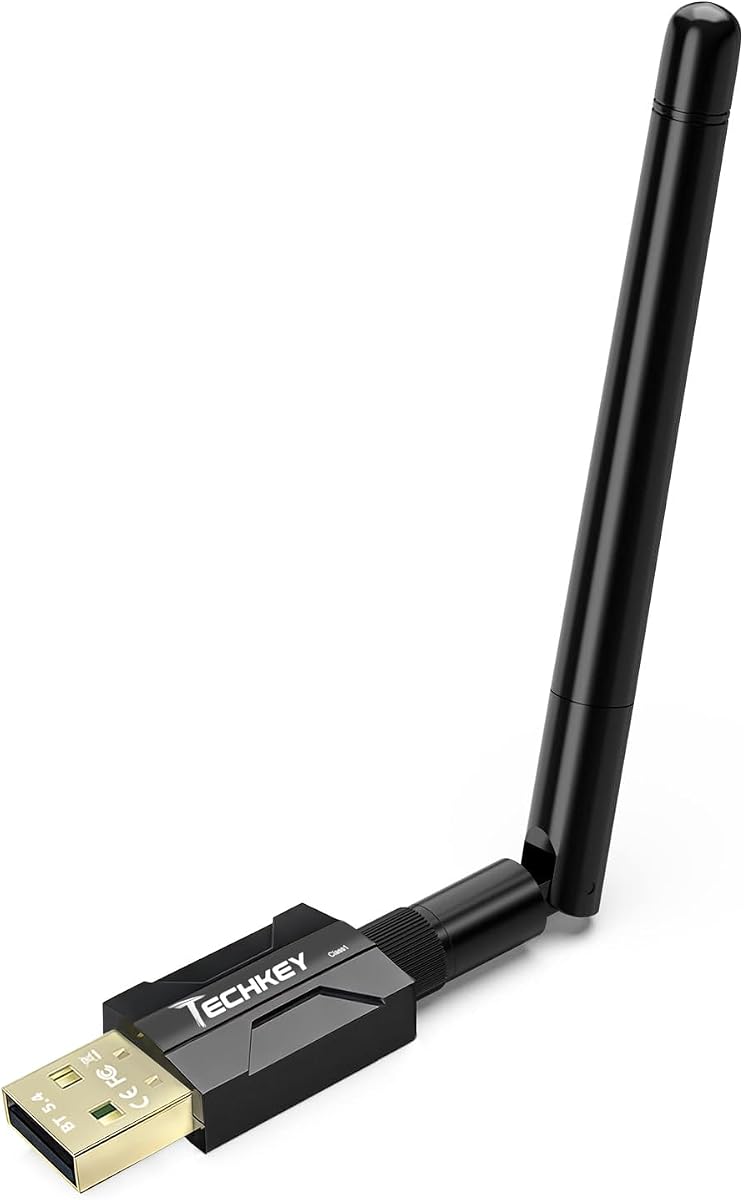
The BT11 USB Bluetooth 5.4 Adapter is a general-purpose Windows dongle that combines a Realtek chipset, dual antennas, Class 1 radio technology, and support for several simultaneous device categories. Its 4.3 rating makes it a compelling option for a desktop placed away from nearby Bluetooth equipment or for users who want more connection flexibility than a basic receiver.
We may earn a commission when you buy through this link, at no additional cost to you.
Range is the central selling point. The manufacturer claims up to 492 feet in open-air line-of-sight conditions and 164 to 328 feet indoors, although walls, metal, Wi-Fi routers, wireless TV adapters, and the receiving device can reduce the effective distance. The adapter supports Bluetooth headphones, speakers, keyboards, mice, printers, and PC-compatible game controllers, allowing several types to work at once.
Windows users can install the adapter without a driver on versions 8.1, 10, and 11, while Windows 7 requires an available driver. It does not support macOS, Linux, TVs, car stereos, or older Windows releases. The term transmitter in the listing can also be misleading: it can transmit data to supported peripherals, but it does not add Bluetooth audio output to wired speakers, printers, or home theater systems.
Choose the BT11 when range and multi-device support matter more than a tiny profile. Its seven-device support and broad peripheral compatibility make it well suited to a full desk setup. Just verify that your computer runs a supported Windows version and that the built-in Bluetooth radio is disabled when necessary to avoid device conflicts.
The stated open-air distance is useful for comparing radio designs, but it is not a guarantee in every room. Obstructions, competing 2.4GHz traffic, antenna placement, and the capabilities of the paired headset can make practical performance much shorter.
Support for up to seven device types distinguishes the BT11 from smaller adapters. It can accommodate a keyboard, mouse, headset, and other supported accessories simultaneously, which is helpful for busy workstations.
We may earn a commission when you buy through this link, at no additional cost to you.
The Long Range USB Bluetooth 5.4 Adapter is a mini USB dongle designed for Windows 8.1, 10, and 11 systems. It carries a 5 rating in the supplied data and uses Class 1 radio technology, an extended antenna, and Bluetooth 5.4 with EDR and BLE to serve compatible peripherals at a distance.
We may earn a commission when you buy through this link, at no additional cost to you.
The manufacturer states an open-area range of 500 feet, or roughly 150 meters. That figure is best treated as an ideal laboratory-style claim, since the product information also acknowledges that physical obstructions and wireless interference affect the result. Its EDR and BLE configuration is specified for transfer rates up to 3 Mbps, while backward compatibility extends support to earlier Bluetooth versions.
The adapter can connect as many as five devices simultaneously, including speakers, keyboards, headsets, mice, and Bluetooth printers. It is Windows-only and does not support macOS, Linux, car stereos, Xbox, PS4, or TVs. It also should not be confused with a PC audio transmitter: adding the dongle does not turn a wired PC output or passive speaker into a Bluetooth-enabled device.
This is an attractive option for a Windows desktop that needs a compact general Bluetooth upgrade and values stated range. The simple plug-and-play approach and strong rating make it easy to recommend for everyday peripheral use. However, buyers seeking PC-to-Bluetooth headphone transmission should select a dedicated audio product from the guide.
The extra-long antenna and Class 1 radio are intended to improve reach compared with a basic mini dongle. Placement near the PC and away from dense obstructions can make the stated advantage more noticeable.
With support for several peripheral categories, the adapter is well suited to a desktop that already has a wired keyboard but could benefit from a wireless mouse, headset, speaker, or printer.
We may earn a commission when you buy through this link, at no additional cost to you.
The UGREEN USB-C Bluetooth Adapter for PS5 is a dedicated wireless audio transmitter that can send sound from a PC, PS5, Switch, or another compatible USB-C device to Bluetooth headphones or speakers. Its 4.4 rating and support for aptX Low Latency make it particularly relevant to gaming and video, where synchronization matters.
We may earn a commission when you buy through this link, at no additional cost to you.
The adapter supports aptX Low Latency, aptX Adaptive Low Latency, aptX Adaptive High Quality, aptX HD, and SBC. The listing states that delay can be reduced below 100 milliseconds, helping prevent the visible mismatch between on-screen action and sound. The connected headphones must support the corresponding standard to obtain its intended benefits. LEDs indicate the selected decoding and operating status.
There are some important compromises. Bluetooth calling mode is disabled by default because enabling it can degrade audio quality, and an external microphone is recommended for clearer calls. The product is not compatible with PS4, the PS5 Portal, or AirPods Pro 2, and dual-device pairing is unsupported. When used with a PS5, users must select UGREEN-BT501 as the audio output and disable automatic output-device switching.
This is a strong recommendation for PC gamers or console players with USB-C equipment and compatible wireless headphones. It prioritizes audio and offers broader codec support than a simple receiver dongle. Buyers should check headset codec support and follow the stated device-selection steps to get the best results.
aptX Low Latency is the defining feature for users who dislike hearing sound after an action occurs on screen. A compatible headset is required to realize the full benefit of the advertised synchronization.
The transmitter supports several aptX profiles and SBC, but it cannot improve unsupported headphones. Matching the source mode to the headset's capabilities gives users the best chance of stable, low-delay output.
We may earn a commission when you buy through this link, at no additional cost to you.
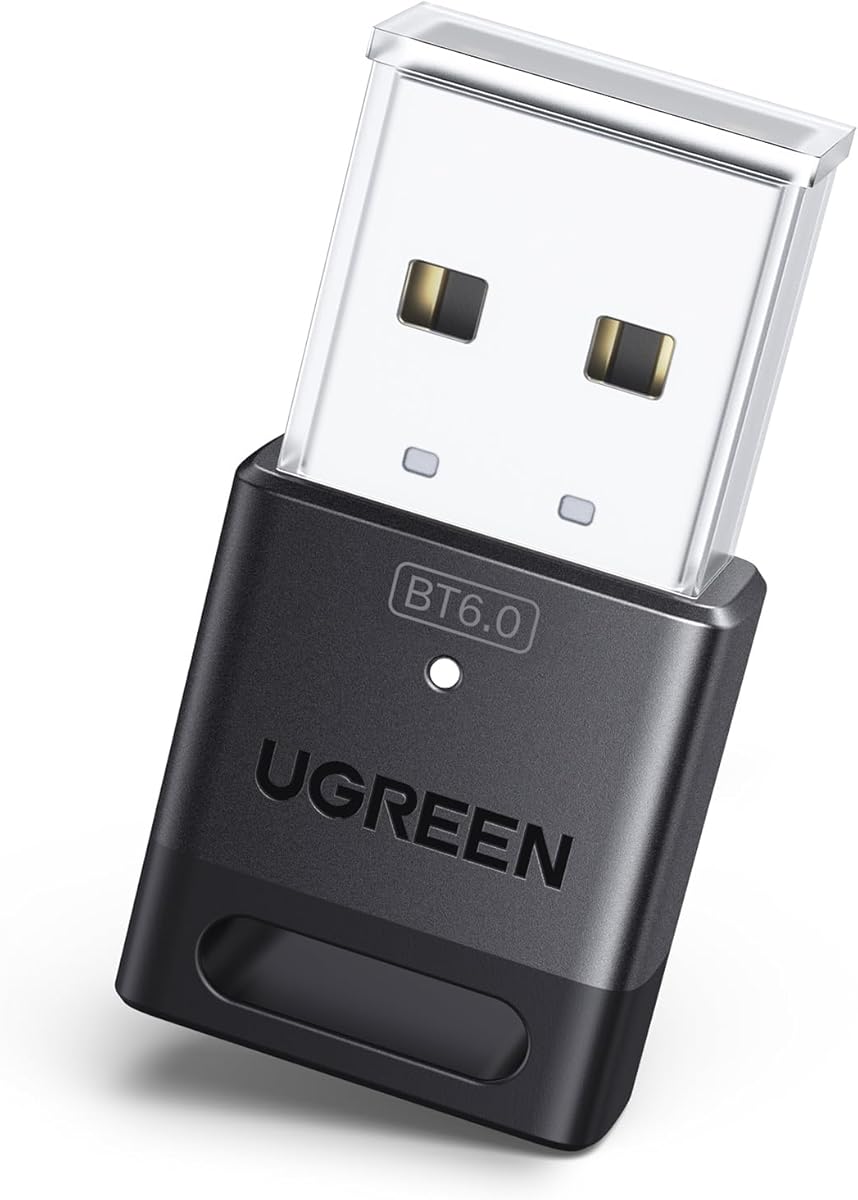
The UGREEN USB Bluetooth Adapter for PC is a compact Bluetooth 6.0 dongle for adding wireless connectivity to Windows computers. It has a 4.2 rating and is aimed at users who want a modern standard, improved data-transfer performance, and support for several peripheral categories without installing drivers on Windows 11, 10, or 8.1.
We may earn a commission when you buy through this link, at no additional cost to you.
Enhanced Data Rate and Bluetooth Low Energy are both included, allowing the adapter to balance transfer efficiency with power consumption. It can maintain connections to as many as five different device types, including a mouse, keyboard, phone, and headphones. As with the smaller UGREEN 5.3 adapter, two connected audio devices of the same type cannot both play music at once.
The operating-system limitations are firm: Windows 7, macOS, and Linux are not supported, and the adapter cannot be used directly with PS3, PS4, PS5, Switch, Xbox consoles, TVs, or car systems. It is a receiver rather than a PC audio transmitter. If the computer already has Bluetooth, the manufacturer recommends disabling the built-in or third-party radio in Device Manager before using the dongle.
This is a practical choice for a Windows desktop or laptop that needs a current-generation general Bluetooth adapter. Its newer specification, multi-device support, and simple setup suit productivity peripherals and wireless accessories. It is not the right option for sending PC audio to headphones or for users who need macOS or Linux compatibility.
Bluetooth 6.0 and backward compatibility make the dongle suitable for a mixed collection of current and older peripherals. The practical benefit depends on the paired devices, since each accessory ultimately limits the connection features available.
EDR and BLE help balance data throughput and energy use, while support for five device categories reduces dongle clutter. Audio devices of the same type remain subject to the one-active-stream limitation.
We may earn a commission when you buy through this link, at no additional cost to you.
The UGREEN CM668 is a Bluetooth 5.3 USB audio transmitter for PS4, PS5, Switch, desktop PCs, and iMacs. With a 4.3 rating, it is built for users who want to transmit PC or console audio to Bluetooth headphones and speakers while retaining gaming-oriented low-latency support.
We may earn a commission when you buy through this link, at no additional cost to you.
Its main technical draw is aptX Adaptive, which the manufacturer says can reduce audio lag to less than 60 milliseconds, compared with approximately 220 milliseconds for standard Bluetooth. Support for aptX HD, aptX, and SBC gives compatible headphones several encoding options. The stated connection range is up to 33 feet, though walls and other obstructions can lower real-world performance.
The included 3.5mm microphone adds a way to route voice input from a controller, PC, or Switch dock, while the headset's built-in microphone can be selected through the multifunction button. Only one microphone method can be used at a time. The product transmits audio rather than files or pictures, so it should not be considered a general-purpose Bluetooth data adapter.
This model is a good all-around audio transmitter for a mixed gaming setup. Its support for aptX Adaptive, console compatibility, and included microphone accessory makes it particularly practical for players who alternate between a PC, PS5, PS4, and Switch. Those who need only keyboard and mouse pairing should select a general-purpose receiver instead.
The advertised sub-60-millisecond aptX Adaptive mode is designed to make footsteps, effects, and dialogue feel closely aligned with the game display. Compatible headphones and a clean source connection are important for achieving a stable result.
Support for PS4, PS5, Switch, Mac, and desktop systems lets a single device fit a mixed entertainment setup. Its audio-only purpose keeps the feature set focused, while the included microphone supports chat workflows.
We may earn a commission when you buy through this link, at no additional cost to you.
The MEE audio Connect is a dedicated Bluetooth audio transmitter with a 4.2 rating and a feature set aimed at home entertainment, shared listening, gaming, and travel. Unlike a small PC dongle, it provides 3.5mm, RCA, and optical TOSLINK inputs, allowing sound from a PC, television, set-top box, or other source to reach wireless headphones.
We may earn a commission when you buy through this link, at no additional cost to you.
Its defining advantage is simultaneous streaming to two headphones or speakers, each controlled by a separate pairing button. Every listener can adjust individual volume without changing the other person's level. Qualcomm aptX Low Latency is included to reduce lip-sync issues when paired with a compatible Bluetooth receiver, making the device more suitable for games and video than a basic transmitter.
Setup is supported by included cables, and the built-in rechargeable battery allows portable use. When connected to mains power, it can remain plugged in and avoid repeated charging. The optical input requires the source to output PCM because the device does not convert Dolby Digital. Its broad input selection is excellent for legacy equipment, but it remains an audio-only product rather than a solution for pairing a mouse or keyboard.
This is the premium pick for users who want to share PC audio with two people or connect older wired sources to modern Bluetooth headphones. The combination of three inputs, dual-device streaming, independent controls, and aptX Low Latency is more specialized than a conventional USB receiver. It is best for an entertainment setup rather than a general peripheral hub.
The A and B pairing buttons control two Bluetooth outputs independently. This is valuable for co-op gaming, study sessions, or watching television without one person's volume preference affecting the other listener.
Three input options provide flexibility for modern and older sources. Users taking the optical route must change the source output to PCM, as the transmitter does not decode a Dolby Digital signal.
We may earn a commission when you buy through this link, at no additional cost to you.
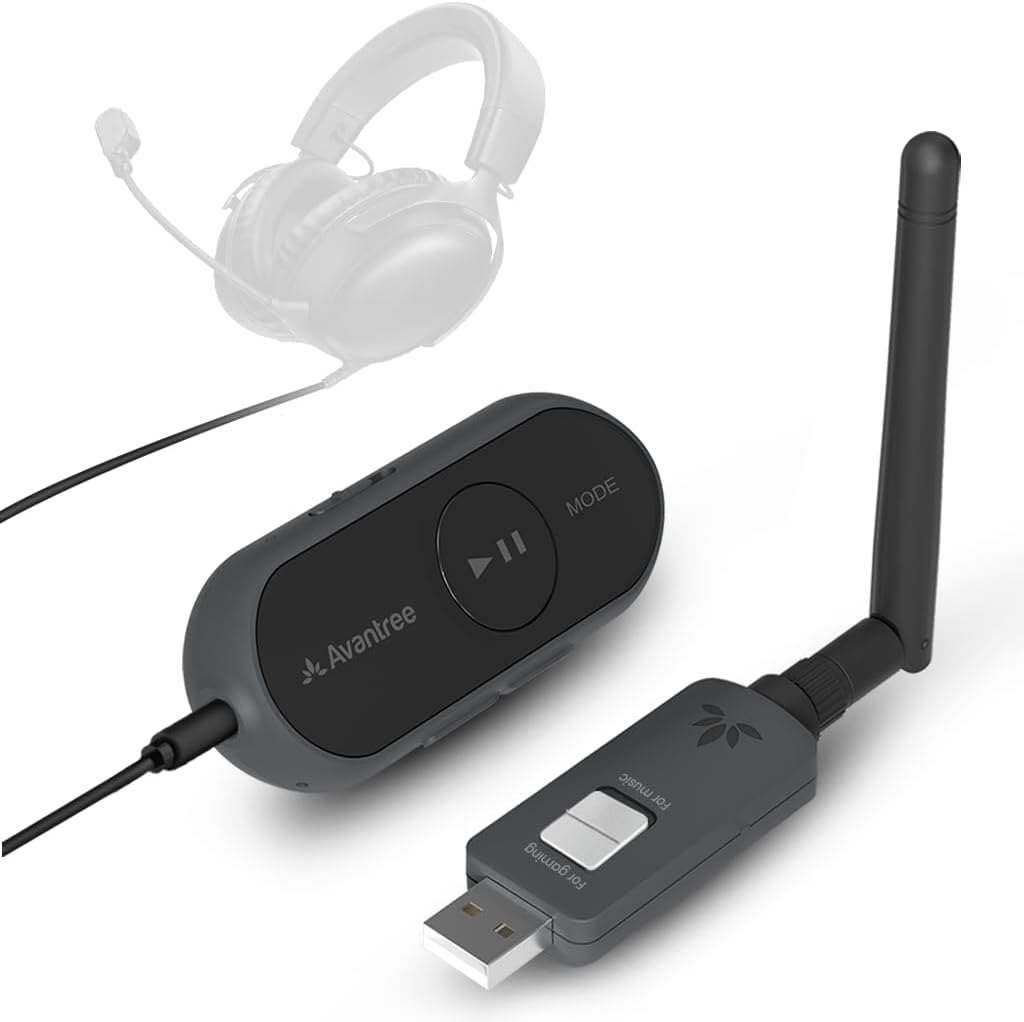
The Avantree ProLink DG60L is a two-part Bluetooth 5.4 system that includes both a transmitter and receiver. Its 4.5 rating makes it one of the strongest-rated products here, while the combined kit offers more flexibility than a one-way dongle for users who want to move audio between modern devices and existing wired equipment.
We may earn a commission when you buy through this link, at no additional cost to you.
The system supports LE Audio, aptX Lite, and latency as low as 20 milliseconds. It is designed for gaming, calls, music, and video, with the transmitter providing a bridge to Bluetooth headphones and the receiver allowing a PC to receive a wireless signal. A 3.5mm TRRS connection can carry both stereo sound and a built-in or boom microphone, making it useful for meetings and in-game communication.
Setup is designed to be straightforward: the transmitter connects to the source, the receiver receives the audio, and a compatible headset or speaker is paired. The listing states no driver installation is required, though both units must be powered correctly. Firmware updates can improve performance and stability, an advantage for a two-component ecosystem. The product is not a general adapter for keyboards, mice, or file transfer.
This is the most complete option for users who want both sending and receiving wireless audio, especially when a wired TRRS headset needs to become a wireless headset. It suits PC, PS5, Mac, Android, and iPhone users through USB-C or the appropriate included connection method. The main trade-off is complexity compared with a single-purpose dongle, since two powered components must work together.
Including a transmitter and receiver avoids the one-direction limitation of many adapters. Users can send audio from a modern source and receive it with another system, while also retaining compatibility with wired headsets.
The receiver can select DG60L as the computer's input and output device to route a 3.5mm headset microphone. This makes the kit practical for calls and team communication as well as entertainment.
We may earn a commission when you buy through this link, at no additional cost to you.
The most important decision is whether you need general Bluetooth connectivity or a one-way PC audio transmitter. Range, latency, codec support, operating system, and physical connections then narrow the field for your particular setup.
General-purpose USB Bluetooth adapters are designed to connect wireless peripherals such as keyboards, mice, headsets, phones, and printers to a PC. Dedicated audio transmitters work in the opposite direction, taking wired audio from a computer or console and sending it to Bluetooth headphones or speakers. Dual-function systems provide both transmitting and receiving paths, but they usually require two powered components. Selecting the wrong category is the most common source of disappointment because a receiver cannot turn a PC's analog output into wireless audio.
If your goal is simply to add Bluetooth to a desktop that lacks it, choose a receiver-style dongle. If you want to watch PC video through Bluetooth headphones, select a dedicated audio transmitter. Choose a transmitter-and-receiver kit only when you need both directions or want to reuse a wired headset.
Many compact PC dongles support Windows 8.1, 10, and 11 without additional drivers, but they do not support macOS, Linux, or older Windows releases. Several audio-focused products explicitly support Windows and macOS, while the DG60L extends its stated support to PS5, Mac, Android, and iPhone. Check the operating system before considering Bluetooth version or range, because an advanced chipset is useless if the adapter cannot be recognized by the computer.
Choose based on your actual platform, not only the product category. Windows users should also check whether the computer has built-in Bluetooth and disable it when the manufacturer recommends doing so, since conflicting radio hardware can cause setup problems.
Latency is the delay between an action on screen and the corresponding sound. Standard Bluetooth can introduce enough delay for lip-sync problems in video and noticeable audio lag in games. Dedicated audio transmitters mitigate this with Qualcomm aptX Low Latency, aptX Adaptive, or aptX Lite. The advertised figure is meaningful only when the receiving headphones support the same codec or low-latency technology.
For gaming and video, prioritize a product with an explicit low-latency mode and a compatible headset. For music or occasional listening, ordinary Bluetooth is usually sufficient, and a simpler general-purpose adapter may be more useful than an audio-only transmitter.
Bluetooth 5.3, 5.4, and 6.0 indicate progressively newer radio capabilities, but the weakest linked device determines the features available in practice. Backward compatibility matters when connecting older keyboards, speakers, or headsets. LE Audio, Auracast, and advanced codec support require compatible equipment on both the transmitting and receiving sides, so a newer USB version alone does not guarantee those features.
Prioritize the features your actual accessories support. A newer general adapter with backward compatibility may be more useful than a specialized 6.0 unit if your headset supports only classic Bluetooth.
Range claims are often measured in open-air line-of-sight conditions, while real homes contain walls, furniture, metal, and competing 2.4GHz traffic. Class 1 radios, adjustable antennas, and dual-antenna designs can improve reach, but the receiving device's antenna and position also matter. A stated open-air maximum should be treated as an upper bound rather than a guaranteed everyday distance.
For a nearby desk setup, a compact adapter is usually sufficient. Consider a long-range model when the PC is in one room and your peripherals or audio device are in another. Keep the adapter away from USB 3.0 devices, routers, and obstructions when signal stability matters.
Audio quality and latency depend on the codec selected by the source and supported by the receiver. Common options in this category include SBC, aptX, aptX HD, aptX Adaptive, and aptX Lite. LE Audio can add Low Latency and High-Quality modes, while Auracast supports shared listening on compatible equipment. The transmitter cannot create a feature that the paired headphones do not support.
Make a short list of the codecs and modes supported by your headphones or speakers, then choose a product that covers them. If a product supports several modes, check whether switching modes affects dual-device pairing or sharing.
Most desktop and laptop adapters use USB-A, while newer PCs and consoles increasingly favor USB-C. The TP-Link UB500 Plus, several UGREEN dongles, the BT11, and the CM668 use USB-A. The UGREEN USB-C audio products and Avantree DG60L support USB-C workflows. Dedicated audio transmitters may also include 3.5mm, RCA, and optical inputs for older or varied source equipment.
Check the physical port on your computer before buying. If a USB-A adapter is the only realistic option, a compact hub or docking solution may be needed. If you need multiple analog sources, the MEE audio Connect offers the broadest wired input selection.
The listed connection counts refer to different device categories, not unlimited independent audio streams. UGREEN's 5.3 and 6.0 dongles support up to five device types, but only one set of headphones or one speaker can play music at a time. The BT11 lists support for seven device types, while the MEE audio Connect can stream to two separate headphones with independent volume controls. Audio-focused adapters generally do not support keyboards, mice, or file transfer.
Choose based on your number of peripherals and whether sharing audio is important. For one keyboard, mouse, and headset, a general receiver is sufficient. For two people listening to PC audio, choose a transmitter designed for dual output rather than assuming a multi-device dongle can broadcast independently.
Begin by confirming the adapter or transmitter's supported platform, port type, and device category. For a general PC dongle, insert it into a suitable USB port and let Windows recognize it. If the computer already has Bluetooth, follow the manufacturer's instructions to disable the existing radio in Device Manager before pairing. Then put the mouse, keyboard, headset, or other supported peripheral into pairing mode and select the adapter from the computer's Bluetooth settings.
For a dedicated audio transmitter, connect the appropriate end of the cable to the PC's audio output, plug the USB end into the computer, and power the transmitter. Select its Bluetooth device name in the PC's sound settings if necessary. Put the headphones or speaker into pairing mode, wait for the connection, and then choose the transmitter as the playback device. The MEE audio Connect additionally uses separate A and B pairing buttons for two outputs, while the UGREEN PS5 product requires users to select UGREEN-BT501 as the PS5 output and disable automatic switching.
Keep the USB device in a clear, unobstructed position and away from large metal objects or high-interference USB equipment when range or stability is important. Use the manufacturer's firmware or driver update process rather than installing unrelated Bluetooth software. For rechargeable models, avoid leaving the battery depleted for long periods, and use the provided charging method. Clean the adapter with a dry, soft cloth, protect its ports from moisture, and store cable accessories together so the correct input and charging cables remain available.
Yes, but it must be a product designed for audio transmission. A general-purpose USB Bluetooth adapter is usually a receiver for peripherals, while a dedicated audio transmitter accepts a wired audio signal from the PC and sends it to Bluetooth headphones or speakers. Check the listing specifically for PC-to-headphone transmission and compatible input options.
A Bluetooth 6.0 adapter may offer a newer radio platform, but the benefit depends on the devices you pair. Older peripherals will limit available functions, and advanced features such as LE Audio require compatible headphones or speakers. For basic keyboard, mouse, and headset use, a well-supported 5.3 or 5.4 adapter can be entirely sufficient.
Windows may be detecting more than one Bluetooth radio, especially when the PC has built-in Bluetooth and another adapter is connected. Disable the existing Bluetooth device in Device Manager, unplug and reconnect the USB adapter, and then try pairing again. The computer should also be running one of the operating-system versions supported by the adapter.
The UGREEN USB-C aptX model, UGREEN CM668, and Avantree DG60L are the strongest gaming-oriented choices because they emphasize low-latency audio. Your headphones must support the corresponding aptX mode to obtain the intended delay reduction. Confirm PC, console, and port compatibility before making a selection.
A general-purpose adapter can often pair a keyboard, mouse, and headset simultaneously, subject to its device-category limit. A dedicated audio transmitter is different: it is designed to send sound to headphones and usually cannot pair a keyboard or mouse at the same time. Read the compatibility notes before expecting a single product to handle both roles.
Most maximum range figures assume open-air line-of-sight conditions. Walls, furniture, metal objects, Wi-Fi traffic, USB 3.0 interference, and a weak antenna in the receiving device can substantially reduce distance. Moving the adapter, adjusting its antenna, or choosing a Class 1 product may help, but no adapter maintains the maximum specification in every environment.
Some dedicated models do. The MEE audio Connect can stream to two headphones or speakers with separate pairing buttons and independent volume controls. Other multi-device adapters may support several peripheral categories but still limit simultaneous audio playback, so the meaning of the connection count should be checked carefully.
Most products in this guide are driver-free on Windows 11, 10, and 8.1, although an internet connection may still be needed for initial recognition. Windows 7 support varies and generally requires a separate driver. Dedicated audio products often need no driver at all, but users must still select the correct playback device in the operating system.
The TP-Link UB500 Plus is the most balanced general-purpose recommendation because it combines Bluetooth 5.3, backward compatibility, and an adjustable antenna for a Windows PC. The UGREEN USB Bluetooth 5.3 stands out as a compact, budget-conscious receiver, while the UGREEN USB-C LE Audio model is the more advanced choice for compatible headphones, low-latency gaming, and high-quality wireless listening.
Prioritize the function you need before comparing specifications. Choose a general receiver for peripherals, a dedicated transmitter for PC-to-headphone audio, and a dual-component system only when bidirectional operation is valuable. Then verify the operating system, USB port, codec support, audio latency, and simultaneous-device limits against your existing equipment.
Finally, review the current retailer listing before ordering. Compatibility details, supported accessories, firmware behavior, and package contents can change, while the availability of a particular model may also shift. Confirm the current specifications and included cables so the selected Bluetooth transmitter for PC integrates cleanly with your computer and audio setup.