
Alienware AW3425DWM
4.6Editor score
180Hz native refresh rate
WQHD ultrawide resolution
1500R curved panel
An Alienware curved gaming monitor can transform an immersive PC setup by combining an expansive field of view, fluid refresh rates, rich color, and distinctive Alienware styling. The strongest models suit different priorities, including competitive speed, cinematic OLED performance, everyday gaming, and mixed gaming-and-creative workflows.
This guide compares the supplied range of 34-inch Alienware ultrawides, closely related gaming bundles, and relevant curved alternatives. We assessed resolution, refresh rate, response time, panel technology, color coverage, HDR capability, adaptive synchronization, connectivity, ergonomic features, and practical extras without claiming firsthand testing.
Each entry shows which use case deserves the strongest consideration and identifies compromises worth understanding. The list includes faster IPS options, premium QD-OLED panels, feature-rich bundles, and a few non-Alienware references for shoppers willing to look beyond the brand. Availability and deal terms can change.
4.6Editor score

4.5Editor score

4.3Editor score
As an Amazon Associate we earn from qualifying purchases.
The comparison below places the Alienware ultrawides alongside closely related monitors and bundles, making it easier to distinguish native 180Hz and 240Hz IPS performance from 175Hz QD-OLED speed, HDR capability, color accuracy, and included accessories.





The Alienware AW3425DWM is a well-balanced 34-inch curved gaming monitor with a 4.6 rating, a WQHD panel, a 180Hz refresh rate, and a stated 1ms gray-to-gray response time. Its 1500R curvature offers an expansive view without the extremely deep wrap associated with some larger displays. That combination makes it a practical all-rounder for high-refresh PC gaming.
We may earn a commission when you buy through this link, at no additional cost to you.
Its most compelling strength is speed. A 180Hz refresh rate gives fast-moving games and competitive shooters noticeably more room than conventional 60Hz or 120Hz panels, while AMD FreeSync Premium and VESA AdaptiveSync help maintain smooth presentation when the graphics output and frame rate fluctuate. The WQHD resolution also provides more horizontal working space than a standard 16:9 display without requiring a 4K-class graphics card.
Color and viewing features are solid rather than extravagant. DCI-P3 95% color coverage supports saturated imagery, and VESA DisplayHDR 400 certification provides a meaningful HDR baseline. The dedicated console mode and hardware-based low-blue-light solution are useful additions for long sessions, although neither makes the display equivalent to a premium OLED panel with deeper blacks and higher HDR brightness.
This is the model to choose when you want a modern Alienware ultrawide without moving into the OLED tier. It suits a broad mix of competitive and cinematic games, works well for everyday productivity, and offers enough refresh rate for future demanding titles. For shoppers who prioritize performance per feature rather than maximum specification, it is the strongest general recommendation in the group.
The 180Hz panel is well suited to fast competitive play, while the 1ms response specification helps minimize visible ghosting. Adaptive synchronization also gives the display flexibility across modern gaming systems.
A hardware-based low-blue-light feature and dedicated console mode make the AW3425DWM convenient for long gaming sessions and mixed-device use, though its HDR performance remains modest.
We may earn a commission when you buy through this link, at no additional cost to you.
The Alienware AW3425DW is a premium 34.2-inch QD-OLED gaming monitor rated 4.5 by customers. It combines WQHD ultrawide resolution with a 240Hz refresh rate and an exceptional stated 0.03ms response time, placing it at the front of this group for motion performance. Its 1800R curve and near-borderless design are designed to create a genuinely immersive gaming environment.
We may earn a commission when you buy through this link, at no additional cost to you.
Speed is only part of the appeal. The QD-OLED panel combines a 99.3% DCI-P3 color gamut with Delta E below two accuracy, while VESA DisplayHDR TrueBlack 400 certification, 1,000-nit peak HDR brightness, and infinite contrast deliver a major upgrade for dark scenes, cinematic games, and high-contrast interfaces. NVIDIA G-SYNC Compatible, AMD FreeSync Premium Pro, and VESA AdaptiveSync provide broad compatibility.
The main consideration is that this specification level represents a substantial step above conventional IPS models. QD-OLED panels also deserve reasonable care, particularly with prolonged static content, and the ultra-fast refresh rate may demand a capable system. At the same time, these qualities are exactly what buyers pay a premium to obtain: immediate response, deep blacks, impressive color, and a smooth ultrawide image.
Choose the AW3425DW for competitive gaming, high-end simulation experiences, or mixed gaming and content creation where visual quality matters as much as raw speed. It is an excellent match for a modern gaming PC equipped to drive a high-refresh ultrawide. For shoppers wanting the strongest all-around specification sheet in the roundup, it leads the list.
At 240Hz with a 0.03ms response time, the AW3425DW is built for quick reactions, precise aiming, and rapidly moving scenes. It gives demanding games a clear motion advantage over slower IPS models.
Quantum Dot OLED technology, 99.3% DCI-P3 coverage, infinite contrast, and 1,000-nit peak brightness create rich color and deep blacks, making the display particularly effective for cinematic titles and HDR content.
We may earn a commission when you buy through this link, at no additional cost to you.
The Alienware AW3423DW is an established-looking premium option with a 4.3 customer rating. Its 34.18-inch Quantum Dot OLED screen combines 3440 x 1440 resolution, a 175Hz refresh rate, 0.1ms gray-to-gray response, and a 1,000,000:1 contrast ratio. The 1800R curve and slim panel give it the visual presence expected from a high-end Alienware ultrawide.
We may earn a commission when you buy through this link, at no additional cost to you.
The monitor supports NVIDIA G-SYNC ULTIMATE certification, delivering synchronized motion when paired with compatible NVIDIA hardware. Its 1.07-billion-color panel and wide gamut make it suitable for vivid games, while Creator Mode offers native DCI-P3 and sRGB options plus gamma adjustment for users who also edit images or video. The result is more versatile than a gaming-only specification sheet suggests.
Design details support the premium positioning. AlienFX stadium-loop lighting, 360-degree ventilation, improved cable management, and a centralized OSD joystick make the display easier to configure and manage. Height, swivel, and tilt adjustments support better desk positioning, while an anti-glare finish helps control reflections. Its refresh rate is lower than the AW3425DW, however, and it is not the logical option for someone seeking the highest possible competitive refresh ceiling.
The AW3423DW is best for gamers who prioritize OLED contrast, color accuracy, refined styling, and flexible creative workflows while remaining content with 175Hz performance. It also has a strong case for productivity users who appreciate the extra width of a 21:9 canvas. Among the premium options here, it offers a particularly mature combination of gaming, color, and ergonomic features.
The curved QD-OLED panel, integrated AlienFX lighting, 360-degree ventilation, and streamlined cable management reinforce Alienware's futuristic aesthetic while serving practical setup needs.
Creator Mode gives color-critical users access to DCI-P3 and sRGB spaces, while adjustable gamma and wide color coverage make the monitor useful beyond games and fast-paced simulations.
We may earn a commission when you buy through this link, at no additional cost to you.
The Alienware AW3420DW pairs a 4.6 rating with a 34-inch WQHD curved IPS panel and a 120Hz refresh rate. Its 1900R curvature, 3440 x 1440 resolution, and 21:9 aspect ratio create a wide, immersive presentation, while 2ms response time provides respectable performance for many mainstream gaming scenarios.
We may earn a commission when you buy through this link, at no additional cost to you.
NVIDIA G-SYNC is the monitor's most important gaming feature. Synchronizing the GPU and display helps reduce tearing and related artifacts when the hardware can drive the panel appropriately. IPS Nano technology delivers 98% DCI-P3 coverage, equivalent to 134.5% of sRGB, and the listed 350 cd/m² typical brightness gives the image solid punch for SDR gaming.
This is an older specification level, and the difference from newer models is substantial. A 120Hz panel trails the 180Hz and 240Hz alternatives in motion smoothness, while 2ms response time is not competitive with sub-0.1ms QD-OLED models. It also lacks the newer OLED contrast and TrueBlack HDR capabilities highlighted elsewhere in the roundup.
The AW3420DW remains relevant for buyers who prioritize established G-SYNC support, a high customer rating, and Alienware styling without needing top-tier refresh performance. It can also be a sensible choice for a capable gaming PC that is not designed to push the highest frame rates. Newer systems should prioritize a faster model when their graphics hardware allows it.
The 21:9 panel provides more horizontal space than a conventional display, while IPS Nano color technology and 98% DCI-P3 coverage support saturated, cinematic-looking game imagery.
AlienFX lighting can illuminate the head logo, stand strip, downlight, and power button, letting the monitor fit a themed setup without affecting the underlying display performance.
We may earn a commission when you buy through this link, at no additional cost to you.
This Alienware AW3423DW bundle combines the 34.2-inch 175Hz curved monitor with a six-foot gold-plated DisplayPort cable with latches, a two-meter HDMI cable, and a Diginerds LCD cleaning kit. It offers the same core QD-OLED experience as the standalone model, so the meaningful distinction is convenience and the included accessories rather than a different panel.
We may earn a commission when you buy through this link, at no additional cost to you.
The monitor supports a 3440 x 1440 resolution, 0.1ms gray-to-gray response, and a 1,000,000:1 contrast ratio. Its peak brightness reaches 1,000 nits under the stated conditions, while VESA DisplayHDR True Black 400 certification supports cinematic HDR presentation. Coverage of 149% sRGB and 99.3% DCI-P3, paired with factory calibration and Delta E below two, is especially appealing for mixed creative work.
The latched DisplayPort cable is a thoughtful inclusion for a desk that may be moved frequently, since it resists accidental disconnection. The HDMI cable broadens immediate setup options, and the cleaning kit is useful for maintaining an OLED panel. However, these extras do not improve refresh rate, image quality, or response time, and the absence of a customer rating means the supplied data provides less direct feedback about bundle-level satisfaction.
Choose this bundle if you want the established AW3423DW feature set and prefer having the necessary display cables and a cleaning kit already in the box. It is particularly convenient for a new gaming setup. If you already own suitable cables or care more about getting a different monitor generation, the standalone AW3423DW or newer AW3425DW may be more relevant.
The included DisplayPort and HDMI cables reduce the need for immediate accessory shopping, while the latched DisplayPort connection adds security for frequently adjusted desks.
The 99.3% DCI-P3 coverage and Delta E below two rating support accurate color, while True Black 400 certification and 1,000-nit peak brightness improve the HDR presentation.
We may earn a commission when you buy through this link, at no additional cost to you.
The Dell Alienware AW3423DW QHD bundle packages the 34.2-inch 175Hz QD-OLED monitor with a DisplayPort cable, HDMI cable, headphone extender, and LCD cleaning kit. Its core appeal is the Alienware ultrawide itself: WQHD resolution, a 0.1ms response time, an 1800R curve, and deep OLED contrast in a 21:9 format.
We may earn a commission when you buy through this link, at no additional cost to you.
For gaming, the 175Hz refresh rate and G-SYNC Ultimate support provide a smooth, responsive experience in fast-moving titles. HDR contrast, 1,000-nit peak brightness, and the QD-OLED panel also make the monitor suitable for cinematic games and media. AlienFX lighting, tilt, swivel, and height adjustment add visual appeal and practical desk flexibility.
The accessory list is generous, but the 3.0 customer rating warrants attention. The supplied information does not explain the underlying feedback, so it would be inappropriate to attribute the score to a specific defect. It does mean that a shopper should read current customer comments and confirm the complete package contents, rather than relying only on the monitor's well-known feature set.
This bundle may suit a first-time builder who wants cables and a headphone extender without visiting a separate electronics retailer. It is less compelling if the included accessories are already owned or if the current customer feedback raises a specific concern. The underlying display remains capable, but the product listing as a whole deserves more scrutiny than a highly rated standalone configuration.
A DisplayPort cable, HDMI cable, headphone extender, and cleaning kit provide a convenient foundation for a new ultrawide gaming setup.
The 3.0 rating makes current customer feedback especially important. Review comments can reveal whether concerns involve packaging, shipping, accessories, or the monitor itself.
We may earn a commission when you buy through this link, at no additional cost to you.
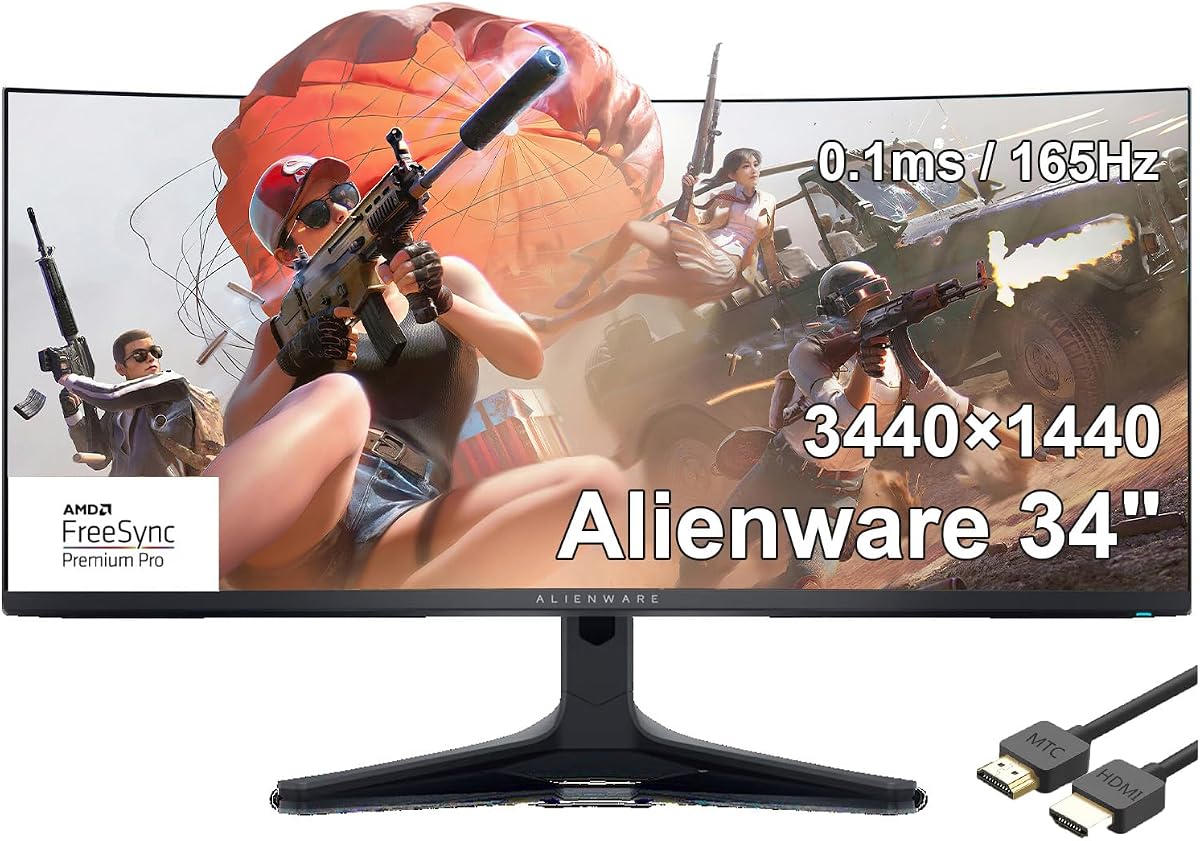
The Alienware AW3423DWF is a 34-inch curved QD-OLED monitor with 3440 x 1440 resolution, a 165Hz refresh rate, and a stated 0.1ms gray-to-gray response time. Its 1.07-billion-color panel and support for AMD FreeSync Premium Pro make the core specification competitive for fast ultrawide gaming.
We may earn a commission when you buy through this link, at no additional cost to you.
The supplied listing also mentions DisplayPort and HDMI connectivity and includes an MTC HDMI cable. These details are useful for a straightforward installation, although the listing provides less descriptive information than the more thoroughly documented AW3423DW and AW3425DW entries. The listed information does not include specific brightness, certification, or ergonomic details that can be assumed from another model.
The difficult factor to overlook is the 1.0 customer rating. A single score may reflect a very limited number of reviews, and it does not by itself identify the cause. Nevertheless, it is too low to ignore, particularly when several closely related Alienware OLED options offer stronger customer feedback and more extensive specification details. A careful shopper should examine recent reviews and the seller's return process before proceeding.
The AW3423DWF may make sense for a buyer who specifically wants this 165Hz QD-OLED configuration and AMD FreeSync Premium Pro, especially with an AMD gaming system. For everyone else, the combination of limited listing information and poor customer feedback makes a better-reviewed sibling more defensible. Its raw speed is good, but the complete buying case is weakened.
The 165Hz refresh rate and 0.1ms response time provide fast motion handling, making the monitor suitable for competitive games where clarity and quick visual updates matter.
The 1.0 rating and limited descriptive information justify reading recent customer comments, checking compatibility, and confirming the supplied accessories before ordering.
We may earn a commission when you buy through this link, at no additional cost to you.
The Alienware AW3225QF is a 32-inch 4K QD-OLED monitor with a 4.3 rating. Rather than pursuing an ultrawide format, it concentrates 3840 x 2160 pixels into a more conventional 16:9 canvas. That makes it a useful alternative for buyers who value fine detail and high pixel density but do not need the extra horizontal space of a curved Alienware ultrawide.
We may earn a commission when you buy through this link, at no additional cost to you.
Its strongest attraction is the combination of 4K UHD resolution and QD-OLED technology. At this size, the higher pixel count can provide sharp text, detailed interfaces, and clean 4K game rendering. The white finish also gives a setup a distinctive alternative to the dark Lunar Light aesthetic common among Alienware gaming monitors.
The supplied product data is unusually limited and does not identify the monitor as curved. It also provides no refresh rate, response time, brightness, HDR certification, adaptive-sync support, or stand-adjustment information. Those omissions matter because they are central to judging a modern gaming display, and buyers should not assume features from the AW3425DW or AW3423DW models.
This monitor makes most sense for a buyer whose priority is a high-density desktop and a strong rating rather than an expansive ultrawide workspace. It is included here as a close Alienware gaming alternative, not as a direct curved-model recommendation. Confirming the full panel specifications, connectivity, and ergonomic design before purchase would be especially important.
The 3840 x 2160 resolution offers substantially more pixel density than WQHD, benefiting text, productivity applications, and detailed 4K game rendering.
The 32-inch 16:9 design and white finish suit buyers who want a conventional screen footprint and a distinctive look rather than a deeply curved ultrawide.
We may earn a commission when you buy through this link, at no additional cost to you.
The Alienware AW2723DF bundle is a 27-inch 1440p IPS gaming monitor with a 5.0 customer rating. It is not a curved or ultrawide model, yet it serves as a useful performance reference because its refresh capabilities and gaming tools are unusually strong. The bundle includes a USB printer cable, HDMI cable, and LCD cleaning kit.
We may earn a commission when you buy through this link, at no additional cost to you.
The monitor can operate at 144Hz or 240Hz through HDMI and DisplayPort respectively, with DisplayPort overclocking available up to 280Hz. A 1ms gray-to-gray response time, AMD FreeSync Premium Pro, Adaptive-Sync, and NVIDIA G-Sync compatibility make it versatile across different graphics platforms. The integrated hub adds four USB-A 3.2 Gen 1 ports, including one described as suitable for charging.
AlienVision overlays distinguish it from ordinary gaming monitors. Night Vision, Clear Vision, and Chroma Vision can alter the visibility, sharpness, or color presentation of a game in real time. The centralized joystick makes those functions easier to navigate. IPS Nano color technology, 1.07 billion colors, 100% sRGB coverage, and 95% DCI-P3 coverage complete a strong package.
Choose the AW2723DF for competitive gaming when desk depth, text clarity, and a high-refresh 16:9 format matter more than immersion. It also works well for a mixed office and gaming setup because the QHD resolution provides a reasonable pixel density. It is not the answer for a shopper specifically seeking a curved 21:9 display, but its rating and speed make it a compelling alternative within the broader Alienware gaming ecosystem.
The option to reach 280Hz over DisplayPort, combined with 1ms response and broad adaptive-sync support, makes this a strong choice for fast competitive games.
AlienVision can enhance contrast, reveal obscured areas, apply heatmap-style information, and sharpen images, offering practical tools for games where visibility varies significantly.
We may earn a commission when you buy through this link, at no additional cost to you.
The Samsung Odyssey G7 G75 is a 40-inch WUHD curved gaming monitor with a 4.5 rating. Its 1000R curve, 21:9 format, and ultrawide 4K resolution create an exceptionally large field of view. It offers a different route into ultrawide gaming than the 34-inch Alienware models and serves as a useful brand comparison.
We may earn a commission when you buy through this link, at no additional cost to you.
Performance specifications are competitive. The 180Hz refresh rate and 1ms GtG response time support smooth, low-latency motion, while VESA DisplayHDR 600 certification offers stronger stated HDR capability than the entry-level HDR 400 models. The deep 1000R curve places the screen more closely around the viewer than the Alienware AW3425DWM's 1500R or most 1800R options.
Scale is the defining factor. A 40-inch display can feel cinematic and enveloping, but it also needs considerably more desk space and may be less comfortable for users who prefer a compact footprint. The extreme curve can make it harder to keep a straight line of sight across the entire image, particularly in an office or shared workspace.
Choose the Odyssey G7 G75 if maximum screen size, deep curvature, 4K-class ultrawide detail, and DisplayHDR 600 are your priorities and your room can accommodate it. The AW3425DWM is easier to recommend for a more typical desk, while the Alienware OLED models deliver superior contrast. This Samsung monitor is included as a relevant curved alternative rather than an Alienware selection.
The 40-inch panel and 1000R curve surround the viewing area, making the display especially compelling for open-world games, flight simulations, and cinematic entertainment.
A 180Hz refresh rate, 1ms response time, WUHD resolution, and DisplayHDR 600 support balance high-refresh gaming with a more capable HDR specification.
We may earn a commission when you buy through this link, at no additional cost to you.
The right Alienware curved gaming monitor depends on panel technology, refresh rate, response time, resolution, color quality, and desk space. Match the display to your hardware and favorite genres rather than choosing solely by model name or a single headline specification.
IPS panels remain a strong all-round choice because they combine fast-enough gaming performance, broad color coverage, and generally practical everyday use. The AW3425DWM is a modern example, offering 180Hz, 1ms response, and 95% DCI-P3 coverage. QD-OLED monitors go further in motion clarity and contrast, with the AW3425DW and AW3423DW offering exceptionally low response times and deep blacks. OLED care and content habits are worth considering, especially for users who leave static interfaces on screen for long periods.
A high refresh rate only delivers a visible advantage when the PC and game can produce a sufficiently high frame rate. The AW3425DW supports 240Hz, the AW3425DWM reaches 180Hz, and the AW3423DW reaches 175Hz. Older or less demanding systems may be better served by a 120Hz or 144Hz model. Check the graphics card, game presets, and the connection used before choosing an aggressive refresh target.
Response time matters in competitive games involving fast strafing, aiming, or rapid camera movement. The 0.03ms specification of the AW3425DW is the fastest listed here, followed by the 0.1ms QD-OLED models. The AW3425DWM offers a 1ms figure, while the AW3420DW and Samsung Odyssey G7 G75 are listed at 2ms and 1ms respectively. Adaptive synchronization also helps keep motion coherent when frame rates fluctuate.
WQHD at 3440 x 1440 is a common ultrawide compromise, offering more space and detail than 16:9 without the full graphics demand of 4K. The AW3425DWM, AW3425DW, and AW3423DW all use this resolution. The 40-inch Samsung Odyssey G7 G75 raises the resolution to WUHD, while the Alienware AW3225QF uses conventional 4K UHD. Make sure your GPU can sustain desirable settings at the selected resolution.
Color coverage should be judged by gamut, accuracy, brightness, and contrast rather than a single percentage. The AW3425DW reaches 99.3% DCI-P3 with Delta E below two, 1,000-nit peak brightness, and infinite contrast. The AW3423DW offers similar QD-OLED benefits and Creator Mode. The AW3425DWM's 95% DCI-P3 and DisplayHDR 400 are suitable for general gaming, while the Odyssey G7 G75 carries DisplayHDR 600 certification.
Curvature changes both immersion and footprint. The AW3425DWM uses 1500R, the AW3425DW and AW3423DW use 1800R, and the AW3420DW uses 1900R. A gentler curve can be easier to view across a desk, while a deeper curve increases enclosure. The 40-inch Samsung G75 uses 1000R and demands the most space. Measure the desk and viewing distance before deciding.
Height, tilt, swivel, and pivot adjustments help position the screen at eye level and reduce neck strain. The AW3423DW specifically lists height, swivel, and tilt adjustments, while the AW2723DF adds an integrated four-port USB hub. DisplayPort and HDMI are present across several listings, but exact port versions and supported modes should be confirmed. Cable management and ventilation are useful additional features in a compact or frequently used setup.
A monitor model and a bundle listing are not always identical products. Some entries add cables, adapters, or cleaning kits, while others provide only abbreviated specifications. Ratings also vary: the AW2723DF bundle has a 5.0 score, while the AW3423DWF has a 1.0. Read recent customer comments, verify what is included, confirm compatibility, and distinguish monitor feedback from feedback about the packaging or seller.
Begin with placement. Put the monitor directly in front of the viewer, center the curved screen, and set the upper edge near or slightly below eye level. Leave enough clearance for the stand and ventilation openings. For a 40-inch model, allow considerably more desk depth than a 34-inch ultrawide requires. Connect with the appropriate DisplayPort or HDMI cable, power the display, and select the intended input through the OSD.
Use the on-screen controls to refine the picture and motion settings. Enable the appropriate adaptive-sync option for the connected graphics system, select a native refresh rate supported by the chosen connection, and adjust brightness according to the room. Creators using the AW3423DW can take advantage of Creator Mode to compare DCI-P3 and sRGB, while gamers can explore the AW2723DF's AlienVision overlays for visibility and color assistance.
OLED displays deserve regular care. Avoid leaving static images, menus, or paused games onscreen for extended periods, and use the available screen-saver or pixel-refresh features according to the model's guidance. Clean with a soft, lint-free cloth and avoid abrasive or liquid cleaners unless specifically approved. Keep vents clear, route cables neatly, and update the display firmware when Alienware or the manufacturer provides a relevant update.
A 34-inch ultrawide is large in width but generally practical for a standard desk. The AW3425DWM and AW3425DW use WQHD resolution, which helps keep text and interface elements readable. Desk depth and viewing distance matter more than the diagonal alone, so measure the available space before installation.
QD-OLED generally provides deeper blacks, stronger contrast, wider color, and lower pixel response than IPS. The Alienware AW3425DW and AW3423DW therefore suit buyers focused on cinematic visuals and motion clarity. IPS remains easier to treat as an all-purpose display, while QD-OLED users should consider static-content habits and panel care.
Choose the highest refresh rate your graphics card and games can sustain with consistent frame rates. The AW3425DW targets 240Hz, while the AW3425DWM and AW3423DW offer 180Hz and 175Hz. A 120Hz model can still feel good, but a stronger PC allows the faster Alienware panels to show their full benefit.
Curvature itself does not automatically cause eye strain. A gentle curve can make a wide display feel more natural by reducing the need to turn the head toward the edges. The AW3425DWM's 1500R curve is relatively restrained, while deeper options may feel more immersive. Proper distance, brightness, reduced-blue-light settings, and regular breaks remain important.
WQHD is manageable for many modern gaming PCs, but the required GPU depends on the game, resolution, graphics settings, and target frame rate. A 175Hz or 180Hz model benefits from hardware that can feed it enough frames. The 40-inch Samsung Odyssey G7 G75 uses a higher WUHD resolution and places a greater performance demand on the graphics system.
Performance depends on the exact model and certification. The AW3425DW and AW3423DW provide QD-OLED contrast, 1,000-nit peak brightness, and DisplayHDR TrueBlack 400 support. The AW3425DWM offers entry-level DisplayHDR 400, while the Samsung Odyssey G7 G75 carries DisplayHDR 600. Certification levels are more useful for judging expectations than the HDR label alone.
Both are 34-inch-class WQHD QD-OLED ultrawides, but the AW3425DW raises the refresh rate to 240Hz and lists a 0.03ms response time. The AW3423DW uses a 175Hz refresh rate and 0.1ms response, while offering mature Creator Mode and ergonomic features. The newer AW3425DW is the stronger choice for maximum speed; the AW3423DW remains compelling for color-focused workflows.
A bundle can be convenient when it includes cables or accessories you would otherwise purchase. The AW3423DW bundles shown here include DisplayPort or HDMI cables and cleaning supplies, with one also including a headphone extender. Compare the included equipment with your existing gear, and review the complete listing and customer feedback before deciding.
The Alienware AW3425DWM is the most balanced recommendation, combining a 180Hz refresh rate, WQHD resolution, fast response, broad color, and a relatively gentle curve. The AW3425DW is the performance leader, with 240Hz speed and superb QD-OLED color, while the AW3423DW stands out for refined design, Creator Mode, and mature premium features.
Prioritize the panel and refresh rate that your PC can actually use, then account for desk space, color goals, and ergonomic needs. A smaller screen or less dramatic curve may be more comfortable, while OLED buyers should think about contrast, response time, and long-term panel care. Bundles are most useful when their accessories fill a genuine gap in the setup.
Before ordering, check the current listing, customer feedback, exact ports, included equipment, and warranty information. Monitor specifications and deal terms can change, so confirming the final configuration is the safest way to choose the right Alienware curved gaming monitor for your desk.