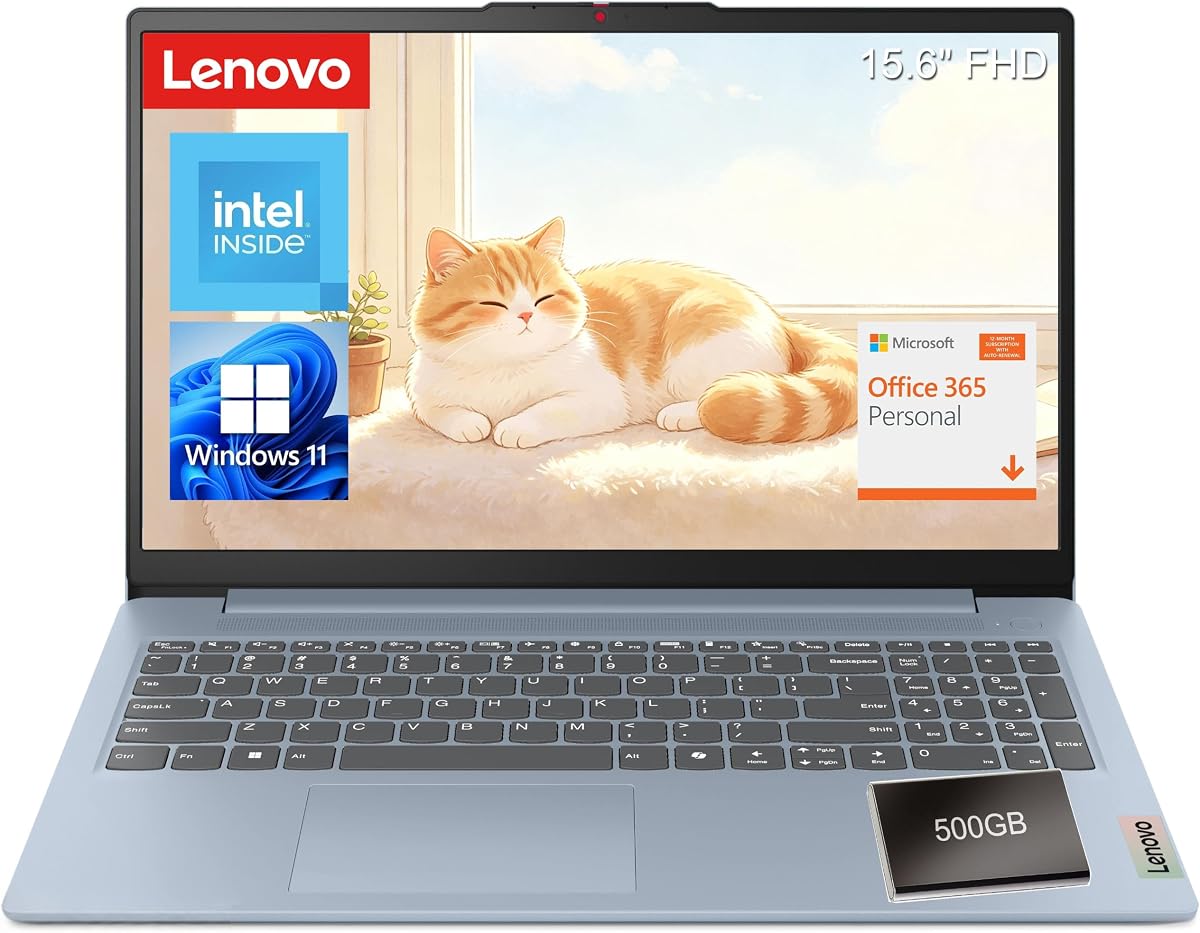
Lenovo 15.6-Inch FHD
4.4Editor score
Intel N150 processor
8GB LPDDR5 memory
15.6-inch FHD display
Microsoft 365 included
Lenovo ThinkPad laptops appeal to professionals, students, and home users who value practical design, dependable performance, and useful business features. A strong model should balance processing power, memory, display quality, connectivity, security, and portability without making the buying process unnecessarily complicated.
We compared ten supplied ThinkPad and Lenovo configurations by examining their processors, memory, storage, displays, operating systems, ports, wireless standards, security features, and intended use. The list covers standard business laptops, premium professional workstations, compact models, touchscreen configurations, and more affordable everyday options.
Each review explains who the configuration is best suited for, what makes it stand out, and where its compromises may matter. Ratings reflect the supplied customer feedback, while specifications and included features guide the comparison. Product listings and prices can change, so confirm the current configuration before purchasing.
4.4Editor score

4.4Editor score
5.0Editor score
As an Amazon Associate we earn from qualifying purchases.
This side-by-side comparison highlights the major processor, memory, display, and connectivity differences among the ten laptops, helping shoppers identify the most suitable option for productivity, portability, specialist work, or value-focused everyday computing.




The ThinkPad E16 16 Ryzen 7 7735HS is a well-balanced business configuration rated 4.5 by customers. Its main appeal is the combination of an eight-core AMD Ryzen 7 7735HS processor, 16GB of DDR5 memory, and a 512GB PCIe NVMe solid-state drive. That foundation is strong enough for intensive office work, large spreadsheets, virtual meetings, and multitasking across numerous applications.
We may earn a commission when you buy through this link, at no additional cost to you.
The 16-inch WUXGA IPS panel offers a practical 1920-by-1200 resolution and an anti-glare finish, which can be useful under bright office lighting. Integrated Radeon 680M graphics, Wi-Fi 6, Bluetooth 5.3, a 720p camera with privacy shutter, and Windows 11 Pro add practical capability. The supplied five-in-one Type-C hub also makes it easier to connect peripherals without relying on a full desktop dock.
The main limitation is display refinement. At 300 nits with a 45% NTSC color gamut, the screen is designed for productivity rather than color-critical creative work. The laptop also weighs 3.9 pounds, and the included hub becomes another item to carry or leave on the desk. Buyers who value processing power and memory over touch input or a more colorful panel will find these compromises reasonable.
This E16 suits office workers, entrepreneurs, remote professionals, and students who need a capable daily computer. It is particularly attractive when a large display, strong multitasking hardware, and business-focused Windows features matter more than a premium color-accurate screen. For most users seeking a balanced ThinkPad without moving into premium workstation territory, it is a sensible recommendation.
The Ryzen 7 7735HS and 16GB of DDR5 give the system more headroom than entry-level configurations. That extra capacity is valuable when browser tabs, conferencing software, documents, and background applications remain open throughout the day.
The roomy 16-inch anti-glare IPS display helps with spreadsheets, presentations, and side-by-side research. Its modest color coverage remains the principal limitation for image editing and other specialist visual work.
We may earn a commission when you buy through this link, at no additional cost to you.
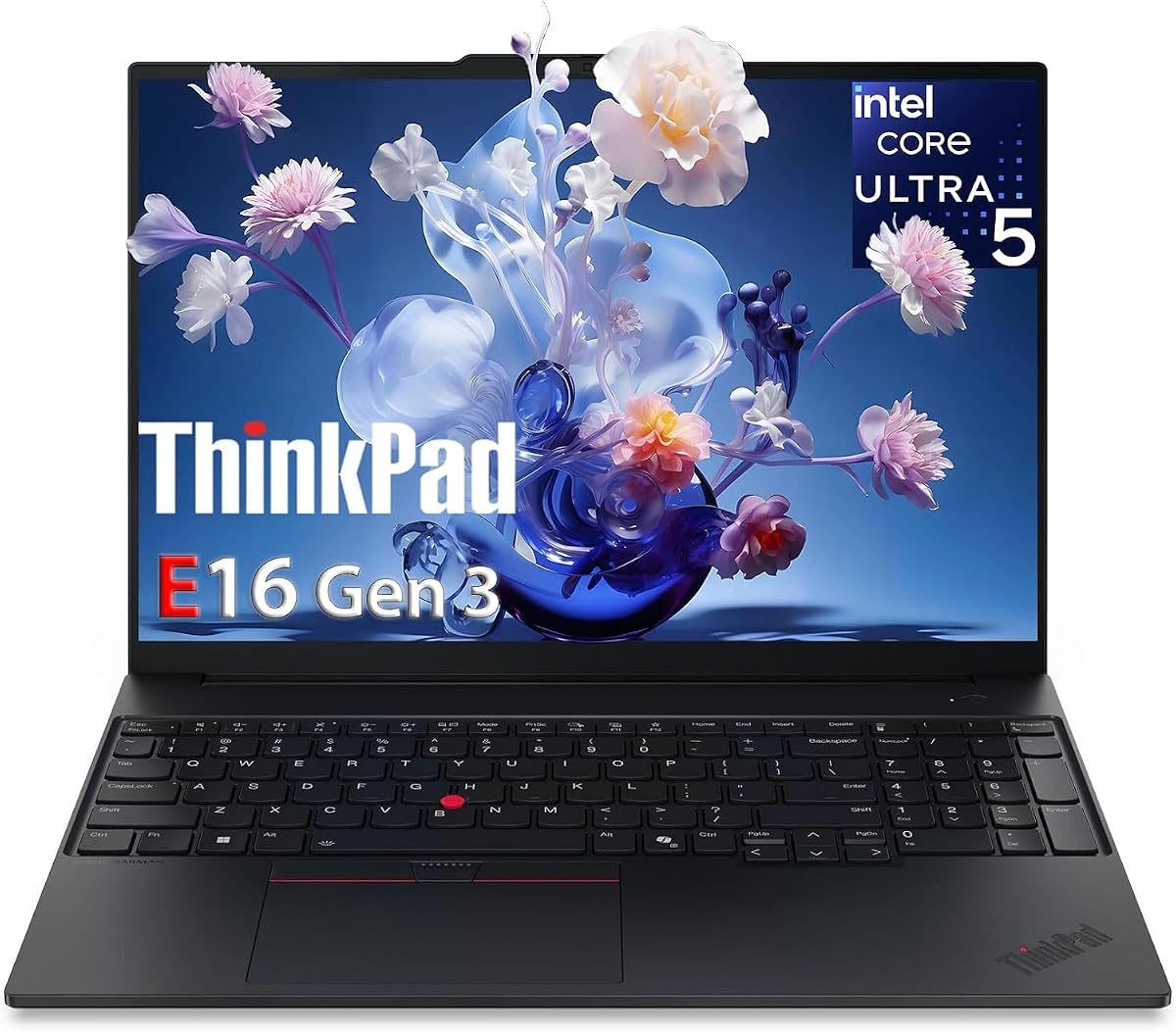
The ThinkPad E16 Gen 3 stands out as the most complete mainstream option in this guide, earning a 4.4 rating. Its Intel Core Ultra 5 225H processor includes 14 cores across performance, efficiency, and low-power cores, along with an AI Boost NPU. That platform is designed for demanding business applications, data analysis, and AI-assisted productivity without requiring a mobile workstation.
We may earn a commission when you buy through this link, at no additional cost to you.
Memory and storage provide a solid everyday foundation. The 16GB of DDR5 supports complex spreadsheets, multiple virtual machines, and concurrent communication applications, while the 512GB NVMe drive enables quick access to files. The supplied description also notes dual 512GB storage, although buyers should confirm the exact internal configuration shown on the final listing.
Connectivity is particularly strong. Thunderbolt 4, USB-C Power Delivery, HDMI 2.1, Wi-Fi 6E, and Ethernet make this laptop well suited to offices, hybrid workspaces, and occasional travel. A fingerprint reader, TPM 2.0 chip, privacy shutter, Windows 11 Pro, backlit keyboard, and numeric keypad cover security, management, and daily comfort.
The 300-nit, 45% NTSC display is the clearest compromise, making it less attractive for color-sensitive media work. Nevertheless, the combination of processing power, connectivity, security, and productivity features makes the E16 Gen 3 an excellent general recommendation for professionals, analysts, executives, and mobile workers who need a capable 16-inch business laptop.
Thunderbolt 4, HDMI 2.1, USB-C Power Delivery, Ethernet, and Wi-Fi 6E cover common office, docking, charging, and display needs. This broad selection reduces dependence on adapters for routine professional use.
The fingerprint reader, TPM 2.0, privacy shutter, and Windows 11 Pro support business security, while the backlit keyboard and numeric keypad improve long typing sessions and data entry.
We may earn a commission when you buy through this link, at no additional cost to you.
The ThinkPad L16 is a high-capacity business laptop for users who routinely multitask, with a 4.1 customer rating. Its Intel Core Ultra 5 225U offers 12 cores and up to 4.8GHz, while 32GB of DDR5 and a 1TB SSD create ample room for demanding applications, large project folders, and heavy browser use.
We may earn a commission when you buy through this link, at no additional cost to you.
Its 16-inch WUXGA IPS touchscreen combines a 1920-by-1200 resolution with 400-nit brightness, anti-glare treatment, and Eyesafe Certified 2.0. Touch input adds flexibility for annotations, tablet-style navigation, and presentations. The listing also supports up to three external monitors through HDMI and Thunderbolt 4, making the L16 useful for extended desktop setups.
Its connectivity includes two Thunderbolt 4 ports, two USB-A 3.2 ports, USB-A 2.0, Ethernet, HDMI 2.1, Wi-Fi 6E, and Bluetooth 5.3. A fingerprint reader, TPM 2.0, backlit keyboard, numeric keypad, and 5MP IR camera strengthen its business orientation. Rapid charging can reach 80% in one hour, while MIL-STD-810H certification supports its durability claims.
The important caveat concerns warranty handling. The product description states that the computer was resealed to upgrade memory and storage, with a three-year warranty on those upgraded components and a one-year Lenovo warranty on the remaining system. Buyers should understand that arrangement and assess the touchscreen battery trade-off. It is otherwise a strong recommendation for students, small businesses, and mobile professionals who need generous capacity and a large interactive display.
With 32GB of DDR5 and a 1TB SSD, this L16 is better suited than many mainstream models to large spreadsheets, multiple virtual machines, engineering files, and productivity applications that benefit from abundant working memory.
The touchscreen adds direct interaction, while HDMI and two Thunderbolt 4 ports enable expansive multi-monitor arrangements. That makes the laptop adaptable to both mobile presentations and a permanent desk workstation.
We may earn a commission when you buy through this link, at no additional cost to you.
This 15.6-inch Lenovo laptop is the value-focused choice in the group, with a 4.4 rating. Its Intel N150 processor has four cores, four threads, and turbo boost up to 3.6GHz. Paired with 8GB of LPDDR5 and 128GB of UFS 2.2 storage, it targets browsing, streaming, schoolwork, and routine document tasks rather than intensive professional software.
We may earn a commission when you buy through this link, at no additional cost to you.
The anti-glare 1920-by-1080 display provides a familiar full-resolution workspace at 250 nits and 45% NTSC. A 720p camera with privacy shutter, non-backlit keyboard, buttonless touchpad, and 3.42-pound Frost Blue chassis keep the design straightforward and portable. Windows 11 Home and a one-year Microsoft 365 Personal subscription provide the core applications needed for school and work.
The port selection is more useful than many entry-level alternatives. It includes two USB-A ports, a USB-C port with 45W to 65W Power Delivery and DisplayPort 1.2, HDMI 1.4, an SD card reader, and a headphone and microphone combination jack. Wi-Fi 6, Bluetooth 5.2, firmware TPM 2.0, MIL-STD-810H testing, ENERGY STAR 9.0, and EPEAT Silver certification round out the package.
Its limitations are predictable: 8GB of memory and 128GB of storage offer little room for growth, while the keyboard lacks illumination. It is best for students, travelers, and light home users who want a complete, portable package for browsing and office applications. Those needing specialist software or large local storage should consider a more powerful configuration.
The N150 and 8GB of LPDDR5 form an appropriate baseline for online learning, office documents, email, media, and routine browser use. The included Microsoft 365 subscription also reduces the need to buy productivity software immediately.
At 3.42 pounds, the laptop is easy to carry between classes, home, and shared workspaces. Its lightweight design and anti-glare panel prioritize mobility and comfortable everyday viewing.
We may earn a commission when you buy through this link, at no additional cost to you.
The ThinkPad E16 with Intel Core Ultra 5 225H is a straightforward business workhorse with a 4.3 rating. The processor is designed to handle demanding office applications, video conferencing, and multitasking, while 16GB of DDR5 provides enough memory for a professional's typical collection of active applications.
We may earn a commission when you buy through this link, at no additional cost to you.
A 512GB SSD offers practical space for documents, presentations, business files, and installed software. Windows 11 Pro adds advanced security and enterprise management capabilities that can be important for managed work environments. The fingerprint reader provides quick biometric access, and the backlit keyboard supports comfortable typing during evening work or travel.
The supplied information emphasizes extended battery life and fast charging, although exact runtime figures and charger details should be confirmed in the current listing. ThinkPad styling, professional construction, and the E16's large-screen format also make the model visually consistent with the business-focused focus of the range.
This configuration is best for executives, entrepreneurs, remote workers, and office professionals who prioritize security, keyboard usability, and dependable everyday performance. It is less compelling for intensive 3D rendering or color-critical design because it has integrated graphics and no detailed display specification in the supplied data. Within standard business workloads, however, it remains a balanced and practical choice.
The fingerprint reader streamlines sign-in, while the backlit keyboard remains practical in dim rooms and evening travel. These details make the laptop feel purpose-built for regular professional use.
Windows 11 Professional provides security and management features beyond the standard home edition. It is a meaningful advantage for organizations that depend on centralized policies, remote access, or BitLocker support.
We may earn a commission when you buy through this link, at no additional cost to you.
This E16 Gen 3 configuration earns a 4.6 rating, making it one of the best-reviewed products in the roundup. It retains the Intel Core Ultra 5 225H processor found in the other premium E-series listing, but raises the memory to 32GB and storage to a 1TB NVMe PCIe SSD. Those upgrades give it considerably more room for demanding multitasking.
We may earn a commission when you buy through this link, at no additional cost to you.
The memory can reportedly be expanded to 64GB, an advantage for users running virtual machines, intensive business applications, or large datasets. The 1TB drive also reduces the need to rely on cloud storage for active files. The 14-core processor and integrated AI Boost NPU provide a strong platform for analysis, meetings, presentations, and AI-enhanced workflows.
Its 16-inch WUXGA IPS display is anti-glare and rated at 300 nits. The system can connect to up to three external 4K displays through Thunderbolt 4, USB-C, and HDMI 2.1, a useful capability for analysts and desk-based professionals. It also includes a fingerprint reader in the power button, TPM 2.0, privacy shutter, backlit keyboard, and numeric keypad.
The key limitations are the integrated graphics and 45% NTSC color coverage, neither of which is ideal for specialized creative work. As a business laptop, though, this model is exceptionally well equipped. It is a strong recommendation for power users, analysts, administrators, and remote workers who want substantial memory and storage without moving to the more specialized P14s.
The combination of 32GB of DDR5 and the Ultra 5 225H supports demanding concurrent workloads. It is particularly useful for large spreadsheets, multiple browser-based applications, conferencing, and virtualized business environments.
Expandable memory and a 1TB NVMe drive provide a useful upgrade path. The configuration should appeal to buyers who expect their storage and workload requirements to grow over time.
We may earn a commission when you buy through this link, at no additional cost to you.
The Lenovo 15.6 FHD 2026 Edition is a value-focused alternative that carries a strong 4.6 rating. It uses the same broad Intel N150 platform as the other budget laptop, with four cores, up to 3.6GHz turbo, 8GB of LPDDR5-4800 memory, and 128GB of UFS 2.2 storage. That performance level is aimed at browsing, document editing, streaming, and light productivity.
We may earn a commission when you buy through this link, at no additional cost to you.
Its 1920-by-1080 display has an 88% screen-to-body ratio and anti-glare coating. Dolby Audio-enhanced stereo speakers add value for entertainment and video calls. The 720p camera includes a privacy shutter, and the laptop weighs 3.42 pounds with a slim 0.70-inch profile, making it straightforward to carry in a daily backpack.
A major bundle advantage is the included 500GB portable external hard drive, which offsets the limited 128GB of internal storage. Ports include two USB-A, one USB-C with Power Delivery and DisplayPort, HDMI 1.4, an SD card reader, and a headphone jack. Wi-Fi 6, Bluetooth 5.2, MIL-STD-810H testing, Windows 11 Home, Microsoft 365 Personal, ENERGY STAR 9.0, and TÜV Rheinland Low Blue Light certification complete the package.
This laptop is best for students, families, and occasional travelers who need a functional, portable machine. It is less appropriate for advanced professional applications, large project files, or demanding multitasking. The included external drive makes it a flexible choice for users who understand the distinction between everyday local storage and larger-capacity backup storage.
The bundled 500GB portable hard drive provides a practical place for media, documents, and backups. It also means users can begin with a modest internal capacity while retaining room to store larger files separately.
The 0.70-inch profile and 3.42-pound weight make this model convenient for commuting and shared workspaces. Its full-resolution anti-glare display provides a clear, practical view for school and general productivity.
We may earn a commission when you buy through this link, at no additional cost to you.
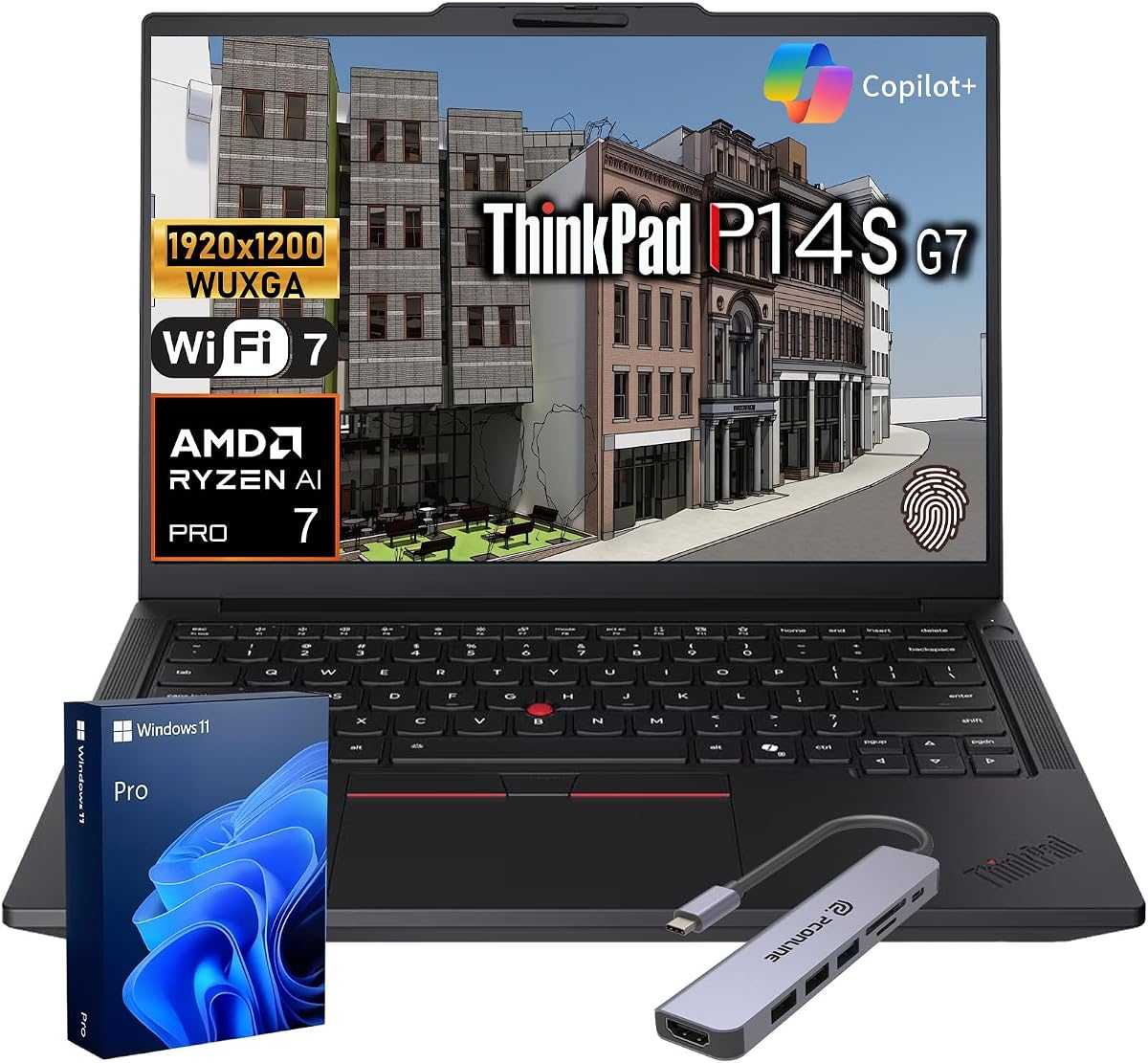
The ThinkPad P14s Ryzen AI is the premium specialist in this guide and carries a perfect 5.0 customer rating. Its AMD Ryzen AI 7 PRO 450 processor has a 2.0GHz base speed, up to 5.10GHz maximum turbo, and a built-in XDNA 2 NPU for local AI workflows. With 32GB of memory and 1TB of storage, it provides substantial capacity for professional applications.
We may earn a commission when you buy through this link, at no additional cost to you.
Its 14-inch FHD+ IPS display covers 100% sRGB, offering more accurate and vibrant output than the 45% NTSC panels common across the E16 range. The configuration is ISV-validated for SOLIDWORKS, AutoCAD, Revit, and Avid, making it particularly relevant to CAD, BIM, architectural, engineering, and media specialists who depend on stable application compatibility.
Enterprise protection is comprehensive. The ThinkShield security suite, AMD PRO and Pluton safeguards, power-button fingerprint reader, webcam privacy shutter, and optional IR camera with human-presence detection support layered access controls. MIL-STD-810H testing, all-day battery capability, Wi-Fi 7, Bluetooth 5.4, Thunderbolt 4, USB-A, HDMI, and Gigabit Ethernet suit mobile and hybrid professionals.
The laptop also emphasizes responsible procurement through recycled materials, plastic-free packaging, EPEAT Gold, ENERGY STAR, and RoHS compliance. It is the recommendation for engineers, architects, designers, corporate IT teams, and professionals seeking premium performance, color accuracy, security, and sustainability. The trade-off is that the platform and its professional applications may cost more than a standard business laptop.
ISV certification for major CAD, BIM, engineering, and media applications reduces uncertainty about compatibility. That validation makes the P14s a stronger fit for specialist users than a general-purpose laptop selected solely by processor speed.
The full sRGB display is a decisive advantage over the lower-gamut screens found on several other E-series configurations. It offers better color consistency for visual work, media viewing, and professional reference tasks.
We may earn a commission when you buy through this link, at no additional cost to you.
The renewed ThinkPad L14 Ryzen 5 PRO 7530U offers a traditional 14-inch business format with a 3.9 customer rating. Its six-core, 12-thread Ryzen 5 PRO 7530U processor boosts up to 4.50GHz, while 16GB of DDR4-3200 memory is sufficient for business multitasking, document-heavy work, browsing, and communication applications.
We may earn a commission when you buy through this link, at no additional cost to you.
Storage consists of a 256GB PCIe SSD. That is enough for an operating system and active applications, but users with substantial local files may need external storage or cloud services. The 14-inch non-touch IPS display has a conventional 1920-by-1080 resolution, and Windows 11 Professional provides familiar enterprise features.
Connectivity is a major strength. The laptop includes two USB-A 3.2 Gen 1 ports, USB-C 3.2 Gen 2 and Gen 1 connections, HDMI 2.1 with support for up to 4K at 60Hz, RJ45 Ethernet, a microSD reader, and a headphone and microphone combination jack. Wi-Fi 6E and Bluetooth 5.3 support modern wireless use, and a 65W AC adapter is included.
As an Amazon Renewed, Certified Refurbished product, it appeals to buyers seeking a recognizable ThinkPad design and useful specifications without moving to current premium platforms. The 256GB drive and older generation warrant careful comparison, while the renewed condition should be reviewed through the seller's warranty and condition information. It is best for conventional office users who prioritize size, memory, and port flexibility.
The 14-inch form factor offers a more manageable footprint than a 16-inch business laptop. It can be easier to use in tight workspaces while still providing a full-resolution IPS panel.
USB-A, multiple USB-C connections, Ethernet, HDMI, and a card reader cover a broad range of office accessories. The included adapter and standard keyboard also make the setup straightforward for a conventional desk.
We may earn a commission when you buy through this link, at no additional cost to you.
The renewed ThinkPad T14s Gen 1 is a compact professional option with a 4.1 customer rating. Its 10th-generation Intel Core i5-10310U has four cores and boost speeds up to 4.4GHz. Although this is an older processor design, it remains capable of business multitasking, document work, browsing, conferencing, and routine media consumption.
We may earn a commission when you buy through this link, at no additional cost to you.
The laptop's stronger specifications come from 16GB of DDR4 memory and a spacious 512GB SSD. Together, they support quick boot times, practical application loading, and a comfortable amount of local storage for professional files. The 14-inch Full HD display provides a sharp, familiar workspace and should be easier to carry than the larger 16-inch models in the guide.
A backlit keyboard is useful for working in varied lighting, while HDMI supports external display connections. Windows 11 Professional adds BitLocker encryption and other management-oriented features, making the laptop more appropriate for workplace use than a comparable consumer notebook. The renewed status is the key issue because buyers should review the condition, included accessories, and applicable warranty.
This T14s makes the most sense for budget-conscious professionals seeking a lightweight ThinkPad, sufficient memory, and generous storage. It is less attractive for users who need the latest AI processing, modern high-speed wireless standards, or heavy software performance. For email, office applications, research, and routine business systems, however, it remains a capable and portable option.
The combination of a compact 14-inch chassis and 512GB SSD offers a favorable balance for commuting professionals. It provides meaningful local storage without the footprint of a large workstation.
Windows 11 Pro includes features such as BitLocker, while the backlit keyboard supports comfortable work in changing conditions. The older processor is the primary constraint when comparing performance with current models.
We may earn a commission when you buy through this link, at no additional cost to you.
The right ThinkPad depends on workload, portability, display requirements, security, and the level of performance you actually need. Comparing processor capability, memory, storage, connectivity, and screen quality against your daily tasks prevents overspending on features you will not use.
Start with the software you expect to run. Intel N150 systems are suitable for browsing, streaming, school assignments, and basic office work, while Core Ultra 5 processors provide considerably more headroom for intensive office suites, numerous browser tabs, data analysis, and business applications. AMD Ryzen 7 7735HS is similarly suited to demanding productivity, while the Ryzen AI 7 PRO 450 and Core Ultra 5 225H add processing power and dedicated AI acceleration for professional workflows. The older Core i5-10310U and Ryzen 5 7530U remain functional, but they trail newer platforms in efficiency and specialized capabilities.
Memory determines how comfortably several applications can operate at once. The included 8GB configurations are adequate for focused web use, documentation, and light productivity, but 16GB provides a better foundation for sustained multitasking. For virtual machines, large spreadsheets, software development, advanced analysis, or a long ownership period, 32GB is preferable. Some E16 configurations support expansion to 64GB, offering a useful upgrade path that is especially valuable for business buyers.
Storage should accommodate the operating system, applications, and files you expect to keep locally. A 128GB drive is best treated as a minimal system drive supplemented by cloud storage or an external drive, and one budget listing includes a 500GB portable hard drive for that reason. A 256GB drive is workable for lighter business users, while 512GB and 1TB configurations offer more freedom. NVMe and PCIe SSDs are preferable to UFS storage for faster file access and more responsive general use.
A 16-inch screen provides room for spreadsheets, presentations, and side-by-side work, while a 14-inch model is easier to carry and use in confined spaces. Resolution and brightness improve readability, but color gamut matters for visual professionals. The 100% sRGB panel in the ThinkPad P14s is the strongest choice here for accurate color, while several E16 models use 45% NTSC panels that suit office productivity but are less suitable for critical image editing. Touchscreens add direct interaction but may increase cost and affect battery behavior.
Modern business work often involves multiple displays, wired networking, charging, and legacy accessories. Thunderbolt 4, USB-C Power Delivery, HDMI 2.1, USB-A, Ethernet, and an SD card reader provide more flexibility than a minimal port selection. Wi-Fi 6 remains appropriate for everyday use, Wi-Fi 6E supports faster contemporary wireless networks, and Wi-Fi 7 is the leading standard in the premium P14s. Buyers should also confirm whether their regular monitor, dock, adapter, or storage device requires a particular connection.
Windows 11 Pro is valuable for managed corporate environments, remote access, BitLocker encryption, and centralized administration. Consumer-oriented Windows 11 Home configurations are adequate for ordinary home and school use. Beyond the operating system, consider the fingerprint reader, TPM 2.0, webcam privacy shutter, ThinkShield features, and enterprise protections such as AMD PRO or Pluton. These elements matter most when the device contains sensitive business or personal information.
A business laptop should be easy to carry while still surviving regular travel. The 15.6-inch budget models weigh approximately 3.42 pounds, and the 14-inch L14 and T14s are naturally easier to manage than the larger E16 and L16. The supplied E16 Ryzen configuration weighs 3.9 pounds. MIL-STD-810H testing appears on several models and indicates resistance to demanding environmental conditions, but screen size, battery, keyboard, and accessories also influence the real burden of carrying a system.
Battery life and charging speed should be considered alongside processor and screen choices. The L16 supports rapid charging to 80% in one hour, while the E16 listing emphasizes fast charging and extended battery capability without providing a precise runtime. USB-C Power Delivery can simplify charging with compatible adapters and docks. Because actual endurance varies with display brightness, workload, wireless conditions, and battery condition, reviews and the current product listing remain more informative than processor labels alone.
Begin by completing the operating system setup, connecting to a trusted network, and signing in with the account you intend to use. Install current updates before transferring a large collection of files, and confirm that Windows Backup, OneDrive, or your preferred local backup tool is configured. If the model includes Microsoft 365, activate the included subscription and review the renewal terms so you know when access changes.
For a desk setup, use the laptop's native power connector for sustained heavy workloads and reserve USB-C charging for convenient mobile use. Thunderbolt and USB-C monitors can provide a larger workspace, while Ethernet may offer more consistent network performance in offices with crowded wireless channels. Adjust display scaling and brightness, enable the appropriate eye-comfort features, and use the privacy shutter whenever the camera is not needed.
Care for the system by keeping vents clear, avoiding prolonged exposure to direct heat, and cleaning the screen with a soft microfiber cloth. Do not place heavy objects on the keyboard or leave the computer in a hot car. For storage and transfers, use the included external drive or approved cloud services when internal space becomes limited. Periodic backups, timely updates, and careful handling will help preserve performance and extend the useful life of the laptop.
The ThinkPad E16 Gen 3 is the strongest all-around recommendation for typical office productivity. It combines a capable Intel Core Ultra 5 225H processor, 16GB of DDR5, a 512GB NVMe drive, a large anti-glare display, and useful business security features. The 32GB and 1TB version offers even more headroom for intensive multitasking or large project files.
A 14-inch model is generally easier to carry and easier to use in confined spaces such as airplanes, trains, and shared tables. A 16-inch screen provides more room for documents, spreadsheets, and presentations, but adds bulk. If portability is the priority, the ThinkPad L14 Ryzen 5 and T14s Gen 1 are more compelling; if screen workspace dominates, consider an E16 or L16.
Eight gigabytes is sufficient for basic browsing, schoolwork, and light document use, while 16GB is a more comfortable minimum for regular professional multitasking. Thirty-two gigabytes is preferable for virtual machines, large spreadsheets, software development, and heavy business applications. The higher-memory E16 configuration also offers an upgrade path to 64GB, which can extend its usefulness.
Windows 11 Home is generally sufficient for typical household browsing, school, entertainment, and document work. Windows 11 Pro becomes more relevant when a user needs BitLocker, remote access, centralized device management, or other enterprise-oriented functions. It may therefore be worthwhile for managed employees, small-business owners, and people who regularly handle sensitive information.
The ThinkPad P14s Ryzen AI is the strongest specialist option listed because it includes a 100% sRGB display and ISV-validated compatibility with SOLIDWORKS, AutoCAD, Revit, and Avid. Its Ryzen AI 7 PRO 450, 32GB of memory, and 1TB storage also provide a capable platform. The E16 alternatives are more appropriate for conventional office work than demanding CAD workflows.
Renewed models can provide useful performance and familiar ThinkPad design at a lower cost, but they also carry more condition uncertainty than new configurations. The L14 Ryzen 5 and T14s Gen 1 in this guide each have 16GB of memory and Windows 11 Pro. Buyers should review the seller's condition description, included accessories, warranty, and return terms before deciding.
Thunderbolt 4 is most valuable for users who connect docks, high-resolution external displays, fast external storage, or numerous accessories. It can also support high-bandwidth displays and modern docking workflows. For basic browsing and document work, a laptop with USB-A, HDMI, and USB-C may be sufficient, but business buyers should consider what their existing desk equipment requires.
The two 15.6-inch Intel N150 models are the most budget-conscious choices, with a 4.6 rating for the 2026 edition and a 4.4 rating for the Office 365 configuration. They are best for browsing, coursework, streaming, and basic productivity. The 2026 edition adds a bundled 500GB external hard drive, while the other listing includes a one-year Microsoft 365 Personal subscription.
The ThinkPad E16 Gen 3 with Intel Core Ultra 5 225H stands out as the best overall option, while the ThinkPad E16 Ryzen 7 offers an excellent AMD-powered alternative for demanding office work. The ThinkPad P14s Ryzen AI takes the premium lead with professional ISV validation, a 100% sRGB display, advanced security, and Wi-Fi 7. For buyers focused on affordability, the two 15.6-inch Intel N150 laptops provide capable everyday computing.
Prioritize the specifications that affect your actual work. Students and light users can comfortably focus on an N150 system with 8GB of memory, while professionals should favor 16GB or more, modern solid-state storage, and a processor suited to their software. Engineers and visual specialists should examine display color coverage and application compatibility, and frequent travelers should weigh chassis size, battery expectations, and port availability.
Before purchasing, verify the current listing, exact configuration, included accessories, warranty terms, and latest customer feedback. Product details, ratings, availability, and prices can change over time, so the information in this November 2026 guide should be used as a framework rather than a substitute for checking the live listing.