
LG UltraGear 32GX850A-B
4.5Editor score
4K glossy OLED panel
Dual 165Hz/330Hz mode
DisplayHDR True Black 400
Multiport gaming connectivity
An OLED monitor for a dark room should make shadowed scenes look deep without turning on-screen details into featureless black. The best examples combine precise black levels, controlled reflections, accurate color, useful HDR brightness, and protection features that help address long-term image retention.
This guide compares ten 26.5-, 27-, 32-, and 34-inch OLED gaming monitors on resolution, refresh rate, response time, color coverage, HDR support, anti-glare treatment, connectivity, adjustability, and OLED care tools. It covers models from Samsung, ASUS, LG, Acer, and Alienware for gamers, creators, and mixed-use users.
The selections show that dark-room performance depends on more than panel technology: a glossy screen may look vivid but reflect room lighting, while QHD, 4K, ultrawide, and high-refresh designs serve different priorities. Ratings and specifications can change, and current prices and promotions should be checked before buying.
4.5Editor score

4.7Editor score
4.3Editor score
As an Amazon Associate we earn from qualifying purchases.
The comparison below highlights the differences that matter most in a dark room: panel type, black-level performance, reflection handling, HDR capability, motion speed, resolution, color coverage, and practical features such as OLED care, adaptive synchronization, connectivity, and stand adjustment.


The Samsung Odyssey OLED G6 combines a 27-inch QD-OLED panel, QHD resolution, a 240Hz refresh rate, and a 0.03ms response time in a package that is especially well suited to dark-room gaming. Its 4.7 rating is the highest among the ten products here. The standout feature for a dark environment is Glare Free technology, which is intended to keep the screen clearer when external light sources reflect from the panel.
We may earn a commission when you buy through this link, at no additional cost to you.
Picture quality is supported by a claimed high-brightness QD-OLED design, a wide color range, and Pantone validation covering more than 2,100 colors and over 110 skin-tone shades. HDR10 adds brighter highlights and more nuanced shadows, while the OLED structure produces the deep blacks associated with the category. AMD FreeSync Premium helps reduce choppiness, lag, and image tearing when paired with a compatible graphics card and appropriately configured system.
Samsung does not leave image retention entirely unaddressed. OLED Safeguard uses a thermal modulation system to help prevent burn-in, which is especially relevant for users who play the same game or leave a static interface onscreen for long periods. The ergonomic stand supports height adjustment, pivoting, tilting, and swiveling, making it easier to position the display correctly in a dim room and at a comfortable viewing height.
The main limitation is resolution: at 2560 by 1440, fine desktop text and small interface elements are less detailed than they would be on a 4K OLED. HDR10 is also less comprehensive than some competing certification systems. Even so, the G6 combines strong anti-reflection treatment, high speed, accurate color, and thoughtful protection features, making it the most balanced recommendation for a dark room.
Glare Free technology gives this model a meaningful advantage over glossy alternatives in rooms that are not perfectly black. It does not eliminate every reflection, but the stated anti-reflective design is well matched to gamers who want OLED contrast without turning every lamp into a visible source on the panel.
A 240Hz refresh rate and 0.03ms response time produce the quick, fluid motion expected from a modern gaming OLED. Adaptive synchronization then helps align the display with the frame rate delivered by the graphics card, reducing tearing during fast movement.
We may earn a commission when you buy through this link, at no additional cost to you.
The ASUS ROG XG27AQDMGR is a 26.5-inch TrueBlack glossy WOLED monitor aimed at gamers who also value color accuracy. Its 4.6 rating, 240Hz refresh rate, and 0.03ms gray-to-gray response time establish it as a serious performance display. It supports VESA DisplayHDR 400 True Black, 99% DCI-P3 coverage, true 10-bit color, and a Delta E below two.
We may earn a commission when you buy through this link, at no additional cost to you.
That color configuration is the model's strongest differentiator. The stated calibration targets give creators more confidence that saturated game artwork, photography, and video will appear consistently, while the OLED panel delivers the deep blacks that make a dark room feel appropriately dark. The glossy surface can produce vivid highlights and a clear sense of immediacy, although it also makes visible reflections more likely than on a matte display.
ASUS OLED Care Pro adds a Neo Proximity Sensor that detects when the user leaves and switches the screen to black to help reduce burn-in risk. DisplayWidget Center provides access to care functions and settings through the mouse. A three-year warranty with advance replacement and burn-in coverage also strengthens the ownership proposition, although buyers should review the warranty terms for their region and usage pattern.
This is an excellent choice for a dark, controlled gaming space when image accuracy matters nearly as much as speed. Its trade-offs are the reflection-prone glossy finish and 2560-by-1440 resolution. For a competitive player who values both performance and impeccable color, however, the XG27AQDMGR offers one of the most refined feature combinations in this roundup.
True 10-bit color, 99% DCI-P3 coverage, and a stated Delta E below two make this more than a conventional gaming panel. Those attributes are useful for editing, but they also let games display subtle color distinctions that can disappear on less color-focused displays.
The built-in proximity sensor can blank the display when nobody is present. That behavior complements ASUS OLED Care Pro and offers a practical way to reduce unnecessary static content during breaks between games or work sessions.
We may earn a commission when you buy through this link, at no additional cost to you.
The LG UltraGear 27GX704A-B is built around a bright, glossy 27-inch QHD OLED panel. It supports up to 240Hz, a 0.03ms response time, NVIDIA G-SYNC compatibility, and AMD FreeSync Premium Pro. The 4.5 rating reflects a well-equipped competitive gaming monitor, but its 1300-nit peak brightness and 1.5M:1 contrast ratio are the details that stand out in dark-room use.
We may earn a commission when you buy through this link, at no additional cost to you.
The stated brightness is especially useful when a dark room makes HDR content feel too dim. Brighter highlights can improve visibility without requiring the entire scene to be lifted, preserving the OLED panel's deep black capability. With up to 98.5% DCI-P3 coverage and VESA DisplayHDR True Black 400 certification, the monitor targets both competitive games and cinematic content.
Connectivity is unusually thorough for a gaming display. Dual HDMI 2.1, DisplayPort 1.4, a USB 3.2 upstream connection, and two USB 3.2 downstream ports allow peripherals to be connected through the monitor. The three-way adjustable stand supports height, tilt, swivel, and pivot, while a headphone jack is also included. OLED protection is handled through brightness controls, automatic pixel-care cycles, and options in the On-Screen Control menu.
The glossy finish is the important caveat. It can reveal lamps, windows, and bright objects in a room that is otherwise dark, although the monitor's anti-glare certification indicates that LG has addressed the issue to some degree. Buyers willing to control reflections will gain a fast, vivid, and well-connected OLED with unusually strong HDR headroom.
The stated 1300-nit peak brightness gives HDR highlights more presence than a very dim room would otherwise permit. That makes the panel well suited to games and video in which bright flames, sparks, sunlight, or interface effects need to stand out against deep shadows.
Dual HDMI 2.1 and DisplayPort 1.4 support modern gaming connections, while the USB hub reduces the need for separate desk peripherals. The 3.2 upstream and two 3.2 downstream ports are particularly useful for keyboards, controllers, storage devices, and other accessories.
We may earn a commission when you buy through this link, at no additional cost to you.
The Samsung Odyssey OLED G5 G50SF offers many of the qualities that make the larger-ranked G6 attractive, including a 27-inch QHD QD-OLED panel, Glare Free technology, Pantone validation, and a 0.03ms response time. Its 180Hz refresh rate remains fast, while its 4.4 rating reflects a capable all-around model for gamers who do not require the highest possible refresh rate.
We may earn a commission when you buy through this link, at no additional cost to you.
The display reproduces more than 2,100 Pantone-validated colors, and HDR10 support adds brighter highlights and nuanced shadows. G-SYNC compatibility and AMD FreeSync work together to reduce tearing and synchronization problems. The visual design is particularly relevant in a dark room because Glare Free technology is intended to preserve clarity when external light reaches the display.
Samsung's OLED Safeguard thermal modulation system is the primary protection feature. It actively helps prevent burn-in by managing panel temperature, which is useful for a monitor that may remain connected to a console or PC throughout the day. Auto Source Switch+ adds convenience by allowing the display to change between connected devices without requiring a more manual input process.
Compared with 240Hz and 360Hz alternatives, 180Hz is the most obvious compromise. It remains more than sufficient for many console and PC experiences, but competitive players may prefer the smoother motion available from faster models. For users prioritizing glare control, color validation, and protection features, the G5 is a balanced and practical choice.
A real gaming room is rarely pitch black, especially when it also serves as a media or work area. Glare Free technology gives the G5 a useful foundation for preserving image clarity in that more realistic environment.
Pantone validation across more than 2,100 colors supports accurate, consistent output. That is useful for game art, streaming, and general entertainment while the QD-OLED panel maintains the rich contrast expected in a dim setting.
We may earn a commission when you buy through this link, at no additional cost to you.
The ASUS ROG XG32UCWG combines a 32-inch 4K TrueBlack glossy WOLED panel with a versatile dual-mode design. It runs at up to 165Hz in 4K or 330Hz in Full HD, letting the user choose between sharp detail and extremely fast motion. Its 4.3 rating reflects a premium display aimed at gamers and creative professionals.
We may earn a commission when you buy through this link, at no additional cost to you.
The 3840-by-2160 resolution is the model's main advantage for dark-room productivity. Text, timelines, menus, and editing panels appear more defined than on QHD alternatives, while the OLED panel supplies deep blacks for video review and cinematic games. VESA DisplayHDR 400 True Black compliance, 99% DCI-P3 coverage, true 10-bit color, and Delta E below two support accurate professional workflows.
ASUS OLED Care Pro and the Neo Proximity Sensor blank the panel when the user is away, helping reduce the risk of burn-in. A three-year warranty with advance replacement and burn-in coverage is included according to the supplied product information. USB-C with 15-watt power delivery, HDMI 2.1, and DisplayPort 1.4 provide flexible connections for a workstation, console, or gaming PC.
The glossy surface is less forgiving than an anti-glare coating when the room contains bright objects. It is best suited to a genuinely dark, controlled space where vivid reflections are not distracting. Its dual-mode refresh capability also deserves consideration: Full HD at 330Hz is excellent for competitive play, while 4K at 165Hz prioritizes detail over raw refresh rate.
The 3840-by-2160 canvas provides substantially more room for application panels and timeline editing than a QHD display. Accurate color specifications and OLED contrast make this a compelling choice for video, photo, and design work performed in a dim studio.
The hotkey-driven dual mode lets a user move between 4K at 165Hz and Full HD at 330Hz. That makes the monitor adaptable to strategy games, media, and competitive shooters without requiring separate displays.
We may earn a commission when you buy through this link, at no additional cost to you.
The ASUS ROG Strix XG27ACDNG is built for competitive gaming, combining a 26.5-inch QHD QD-OLED panel with a 360Hz refresh rate and 0.03ms response time. Its 4.5 rating and extensive protection package make it one of the most complete performance OLEDs in the list, particularly for players who value motion clarity above desktop resolution.
We may earn a commission when you buy through this link, at no additional cost to you.
The 360Hz rate allows compatible systems to display extremely rapid frames, while the stated 0.03ms response time minimizes ghosting. G-SYNC-compatible technology supports smooth, tear-free playback with reduced input lag and stutter. Color quality remains strong, with VESA DisplayHDR 400 True Black compliance, 99% DCI-P3 gamut coverage, true 10-bit color, and Delta E below two.
Thermal management is especially important at high refresh rates. ASUS pairs OLED Care+ with a custom heatsink and advanced airflow design to help control heat and reduce burn-in risk. ROG-exclusive Anti-Flicker technology is designed to reduce flicker during refresh-rate fluctuations, while DisplayWidget Center gives mouse-based access to protection and monitor settings. The supplied warranty information lists three years of coverage with advance replacement and burn-in protection.
The compromise is resolution. At 2560 by 1440, the monitor does not offer the text and workspace clarity of a 4K OLED, and many desktop PCs may struggle to feed 360Hz frames consistently. Within those limits, it is a compelling choice for a dedicated, dark gaming setup where competitive performance and responsive motion are the primary objectives.
The 360Hz refresh rate and 0.03ms response time are the defining advantages. They provide a particularly fluid picture when the connected PC and game can consistently generate very high frame rates.
A custom heatsink and advanced airflow design work with OLED Care+ to manage panel conditions. This is particularly relevant during long sessions, when heat management and image-retention prevention become more important.
We may earn a commission when you buy through this link, at no additional cost to you.
The LG UltraGear 32GX850A-B is a 32-inch 4K glossy OLED display that can operate at up to 165Hz in its native resolution or 330Hz in Full HD. Its 4.5 rating reflects a premium combination of sharp desktop detail, high-end gaming speed, accurate color, and strong dark-scene contrast. It is one of the most versatile large-format OLEDs in the roundup.
We may earn a commission when you buy through this link, at no additional cost to you.
Typical brightness is stated at 275 nits, while VESA DisplayHDR True Black 400 certification, up to 98.5% DCI-P3 coverage, and a 1.5M:1 contrast ratio strengthen its HDR and dark-room performance. The 4K panel preserves fine detail in operating systems, creative applications, and game menus, while Micro Lens Array+ technology is intended to improve brightness and viewing angles.
The dual mode is particularly useful because it allows the user to prioritize detail for story-driven games and editing or speed for FPS, MOBA, and racing titles. A 0.03ms GtG response time reduces ghosting, while NVIDIA G-SYNC compatibility and AMD FreeSync Premium Pro help keep frames aligned. Dynamic Action Sync, Black Stabilizer, an FPS counter, and a crosshair are also included.
The glossy surface is intentional and produces a vivid, high-clarity appearance, but it should be placed carefully in a dark room. Height, tilt, swivel, and pivot adjustment make it easier to optimize the viewing angle and keep reflections away from the main line of sight. Buyers need a capable PC and modern connectivity to make full use of its dual-mode capabilities.
The 1.5M:1 stated contrast ratio and 4K resolution work together well for dim-room use. Shadow areas can remain dark while fine on-screen elements stay clearly defined, reducing the grainy appearance that lower-resolution OLEDs may show when viewed close.
Switching to Full HD at up to 330Hz makes the monitor suitable for games where competitive frame pacing matters. The native 4K mode remains the better choice for content where visual detail and interface clarity are more important.
We may earn a commission when you buy through this link, at no additional cost to you.
The Acer Predator X27U W1 pairs a 26.5-inch WQHD quantum-dot OLED panel with a 240Hz refresh rate, 0.03ms response time, and strong color specifications. Its 4.5 rating makes it a compelling alternative for gamers who want accurate color and fast motion without moving to a 4K-class screen.
We may earn a commission when you buy through this link, at no additional cost to you.
The panel supports true 10-bit color, 99% DCI-P3 coverage, Delta E below two, and HDR10. These specifications support saturated but accurate game imagery, and the OLED format creates the deep contrast that is especially noticeable in a dark room. AMD FreeSync Premium synchronizes monitor and graphics-card frames to help reduce stuttering and screen tearing.
Image-retention refresh is included to help keep images from sticking, providing a basic form of ongoing panel maintenance. Acer's ZeroFrame design minimizes the visual presence of the bezels, creating a more immersive view without changing the core 26.5-inch format. The compact diagonal also keeps the screen closer to a typical competitive-gaming size than many 32-inch alternatives.
What stands out is the balance: 240Hz, 0.03ms response, accurate color, and broad gamut coverage without an ultrawide or 4K resolution. The QHD canvas leaves some fine-text detail on the table, and the supplied information does not highlight a full range of ports or stand adjustments. Even so, the X27U W1 is a strong fit for a dark esports-oriented setup where color and speed both matter.
Acer does not ask buyers to choose between motion and color. The 240Hz rate, 0.03ms response, 99% DCI-P3 coverage, and Delta E below two support both fast competitive play and visually faithful content.
At 26.5 inches, the display offers an immersive field of view while fitting more readily into a focused gaming station than a 32-inch model. ZeroFrame styling further reduces the sense of the screen being boxed in.
We may earn a commission when you buy through this link, at no additional cost to you.
The LG UltraGear 34GX900A-B is a 34-inch WQHD curved OLED with an 800R radius, 240Hz refresh rate, and 0.03ms response time. Its 4.3 rating reflects a monitor designed to create an enveloping visual field, and that makes it particularly effective in a dark room where the wide black background can feel more immersive.
We may earn a commission when you buy through this link, at no additional cost to you.
The display reaches a stated 1300-nit peak brightness in a 1.5-percent APL measurement, supports VESA DisplayHDR True Black 400, and covers up to 98.5% of DCI-P3. A stated 1.5M:1 contrast ratio preserves shadow depth while bright elements retain definition. The steep 800R curve places more of the scene around the viewer than a flat 34-inch screen.
Connectivity is strong for a mixed gaming and productivity setup. HDMI 2.1, DisplayPort 1.4, and USB Type-C with 65-watt power delivery support several device types, while the Switch app can divide the screen into as many as six sections. Dynamic Action Sync, Black Stabilizer, an FPS counter, and a crosshair add useful gaming controls. OLED Care tools and a two-year limited panel warranty are also included according to the supplied information.
The tradeoff is physical space and the nature of curved displays. A 34-inch ultrawide demands a broad desk, and users who are sensitive to geometry may find the edges less comfortable. For those who want a broad workspace and deeply immersive gaming without moving to 4K vertical resolution, however, this is the most distinctive dark-room choice in the group.
The 800R curve wraps the image around a wider portion of the user's field of view. In a controlled, dark setup, that can make racing, flight, and open-world games feel more enveloping than a flat display of the same width.
The Switch app's multi-section layouts make it possible to divide the ultrawide canvas for documents, communication, and gaming. USB-C power delivery also simplifies a desk built around a laptop.
We may earn a commission when you buy through this link, at no additional cost to you.
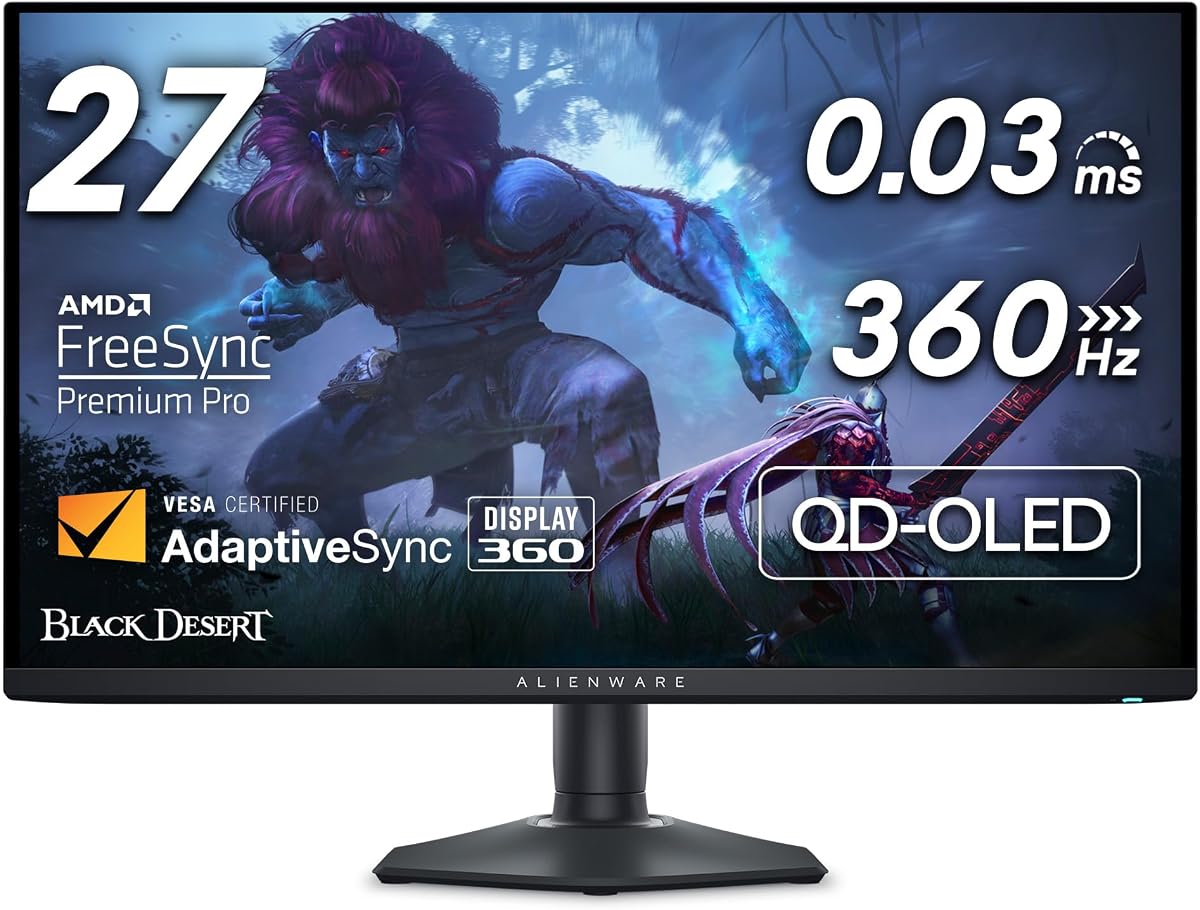
The Alienware AW2725DF combines a 26.7-inch quantum-dot WQHD OLED with a 360Hz refresh rate and 0.03ms gray-to-gray response time. Its 4.3 rating reflects an unusually capable competitive gaming panel, and the infinite stated contrast ratio makes the deep blacks especially effective in a properly darkened room.
We may earn a commission when you buy through this link, at no additional cost to you.
Color performance is another major strength. The monitor covers 99.3% of DCI-P3 and has a stated Delta E below two, supporting accurate game colors and strong differentiation between similar hues. VESA DisplayHDR True Black 400 certification pairs bright highlights with deep blacks, while AMD FreeSync Premium Pro and VESA AdaptiveSync help reduce tearing and stuttering.
The 360Hz rate and 0.03ms response time make this a strong fit for competitive shooters and other fast games. Its effect depends on the PC's ability to generate very high frame rates. Connectivity includes HDMI, DisplayPort, and USB 3.2 Gen 1, while the stand supports height, tilt, swivel, and pivot adjustment for positioning the 26.7-inch panel comfortably.
As with other 26- to 27-inch QHD OLEDs, the main limitation is fine-detail density compared with a 4K display. It may also be more than a casual gamer needs, particularly if the connected hardware rarely exceeds a conventional high refresh rate. For a buyer seeking a strong mix of speed, color, contrast, and value, the AW2725DF remains a persuasive choice.
The AW2725DF delivers the same headline 360Hz and 0.03ms response combination found in more expensive competitive OLEDs. It offers a practical route into elite motion performance without requiring a 4K panel.
Infinite stated contrast and 99.3% DCI-P3 coverage give the display a strong visual foundation. The result is a rich dark-room presentation that remains vivid without requiring every game to be calibrated by eye.
We may earn a commission when you buy through this link, at no additional cost to you.
Choosing an OLED monitor for a dark room involves balancing black-level performance with glare, brightness, color accuracy, motion, resolution, and panel protection. The most important step is deciding how much light the room will contain and how you will use the display after dark.
Every model in this guide uses OLED technology, which illuminates individual pixels and can switch them off to produce very deep blacks. That characteristic is the core reason to consider OLED for a dark room: shadowed environments do not have to look like a dim version of a conventional LCD. QD-OLED and WOLED are the two principal panel approaches represented, and the listings describe both as delivering high contrast and wide color.
Choose an OLED for deep blacks and pixel-level light control, but inspect the specific panel's glare treatment as well. A perfectly black room can make a glossy panel's reflections obvious, while an anti-glare model may be more forgiving in a shared or multipurpose space.
Dark-room performance can be undermined by lamps, windows, pale walls, and even a monitor bezel reflecting into a glossy screen. Samsung's G6 and G5 explicitly emphasize Glare Free technology, while LG's 27-inch model carries anti-glare certification. ASUS and Alienware options use glossy surfaces, which can deliver vivid perceived contrast but demand more deliberate placement.
If your room can be made almost completely dark, gloss may provide a more striking image. If you expect ambient light, a controlled lamp, or occasional daylight, prioritize anti-glare specifications and position the display at a slight angle away from direct sources.
QHD models concentrate pixels into 26.5- or 27-inch screens, creating compact, sharp competitive gaming displays. The 4K ASUS and LG 32-inch models provide four times the pixel count of QHD, which is easier on text, desktop icons, and creative applications. The 34-inch LG ultrawide offers a broad canvas at 3440 by 1440 rather than a taller 4K workspace.
Choose QHD for fast competitive play and a smaller footprint. Choose 4K for mixed gaming, productivity, and media. Choose ultrawide when simultaneous windows, racing games, and immersive views matter more than a conventional 16:9 layout.
A higher refresh rate can display more of the frames produced by a capable PC, making motion appear smoother and giving competitive players a more immediate view. The list spans 180Hz, 240Hz, and 360Hz, with the ASUS ROG Strix and Alienware reaching the highest rate. All ten monitors state a 0.03ms response time, reinforcing their focus on minimizing ghosting.
Prioritize refresh rate if you play competitive games and own capable hardware. If your PC or console cannot deliver high frame rates, the benefit will be limited, and resolution, color, and room placement may deserve more attention.
OLED's black levels are only one part of an effective HDR image. Bright highlights, sustained output, and useful color volume also determine whether a dark scene retains detail. The LG 27-inch and 34-inch models list peak brightness up to 1300 nits, while DisplayHDR True Black 400 models emphasize certified brightness and black-level performance.
For a dim room, look for both strong contrast and enough brightness to make highlights meaningful. A very dim HDR image can expose the weaknesses of an otherwise excellent OLED, so use the monitor's picture controls and system HDR calibration to establish a balanced starting point.
Accurate color matters when games mix dark scenes with saturated lighting, when HDR content relies on subtle hues, and when the monitor is also used for editing. The strongest listings specify 99% or more DCI-P3 coverage, true 10-bit color, and Delta E values below two. Samsung adds Pantone validation to its G6 and G5, including coverage of more than 2,100 colors.
Look for measured accuracy, not just a wide gamut. A broad color range can be inaccurate if it is not controlled. Gamers who value art direction and creators who edit images will benefit from tighter stated color performance.
OLED panels can retain static images over time, making panel care an important buying consideration. Features in this group include Samsung OLED Safeguard thermal modulation, ASUS OLED Care and OLED Care+ routines, a proximity sensor that blanks the display when the user leaves, LG automatic pixel-care cycles, and Acer image-retention refresh.
Look for a combination of protection routines, brightness controls, and sensible habits. Static menus, dashboards, and paused games should be hidden periodically, and the display should be powered down when it will not be used for long stretches. Warranty terms can add reassurance, so review the specific coverage before purchasing.
Modern gaming displays should support the connections your PC, console, and peripherals require. HDMI 2.1, DisplayPort, USB hubs, and USB-C power delivery appear across the higher-end choices, while G-SYNC compatibility and AMD FreeSync Premium Pro support adaptive synchronization. Ergonomic height, tilt, swivel, and pivot adjustments can also make a dark-room installation more comfortable.
Check that the monitor includes the exact video and USB connections you plan to use, and confirm whether your graphics card supports the desired maximum resolution and refresh rate. A capable GPU is necessary to fully exploit 360Hz or dual-mode displays.
Start by setting the room and display to work together. Use a deep, non-reflective wall if possible, position the monitor away from windows and lamps, and adjust the screen angle so bright objects do not reflect directly into it. A matte anti-glare model is more forgiving of stray light, while a glossy OLED looks most dramatic when reflections are kept out of the main viewing area.
After installation, update the monitor through its control software, select the correct operating-system resolution, and use the supported maximum refresh rate. Choose an appropriate picture mode, calibrate HDR if the PC and console support it, and adjust brightness to match the room rather than leaving every setting at its maximum. Adaptive synchronization should be enabled through the correct graphics-control panel for the GPU in use.
For long-term care, use the monitor's built-in OLED protection, refresh, or pixel-cleaning routines as directed by the manufacturer. Avoid leaving static images or paused games onscreen for extended periods, and give the panel regular breaks. Clean with a soft, dry cloth, avoid pressing on the screen, and keep liquids away from the display. Confirm current manufacturer guidance and warranty terms before making adjustments.
OLED monitors are particularly well suited to dark rooms because individual pixels can switch off, producing very deep blacks and strong perceived contrast. Their performance depends on controlling glare, balancing brightness for HDR, and avoiding prolonged static content. A glossy OLED can look exceptional in a fully controlled room but may show distracting reflections if lamps or windows face the screen.
A glossy OLED generally provides a more vivid, reflective appearance and can look striking when the room is properly controlled. A matte or anti-glare treatment is safer when there is residual ambient light because it reduces visible reflections. The best choice depends on whether you can make the room nearly black and position bright sources away from the display.
Image retention remains relevant, but modern OLED monitors include multiple mitigation tools such as pixel refresh, panel-care routines, brightness controls, and proximity-based blanking. These features reduce risk rather than eliminate it. Users should still avoid leaving static interfaces onscreen for long periods and follow the manufacturer's recommended care schedule.
A 27-inch QHD OLED is usually easier to drive at very high refresh rates and provides a compact competitive-gaming footprint. A 32-inch 4K OLED is better for detailed desktop work, editing, and mixed productivity while still supporting high refresh rates. Choose based on your GPU capability, desk space, and the balance between competitive speed and visual detail.
No. OLED technology improves contrast, color, and response time even at lower refresh rates. A higher rate mainly benefits games that your PC can run at correspondingly high frame rates. If your hardware commonly produces around 120 or 144 frames per second, a suitable 180Hz or 240Hz model can provide a more attainable upgrade.
Yes, but it requires careful setup. HDR uses brighter highlights to expand the visible contrast range, which can make effects and lighting more realistic. A room that is too dark may make the image look inconsistent if the monitor cannot deliver enough brightness, so use the display's HDR controls and system calibration to preserve both bright highlights and deep shadows.
Yes, especially with a 4K or ultrawide model. The included models support accurate color specifications, ergonomic adjustments, USB connectivity, and features such as LG's Switch app for dividing the screen into multiple sections. For text-heavy work, 4K generally offers an advantage over QHD, while OLED care remains important when documents or interfaces stay static onscreen.
Check panel size, resolution, supported refresh rates, adaptive-sync compatibility, connectivity, glare treatment, and the warranty's burn-in terms. Also confirm that your graphics card can drive the intended resolution and refresh rate, and measure your desk to ensure the stand and screen fit. Reading current owner feedback and manufacturer care guidance can further clarify the long-term experience.
The Samsung Odyssey OLED G6 is the strongest all-around recommendation because it combines a fast 240Hz QD-OLED panel with Glare Free technology, accurate color, and practical OLED Safeguard protection. The ASUS ROG XG32UCWG stands out for 4K detail and dual-mode flexibility, while the Alienware AW2725DF delivers exceptional competitive speed and color at a value-focused position.
Before buying, prioritize glare control if the room will contain any ambient light, resolution if text and creative work matter, and refresh rate if competitive gaming is central. A controlled dark space can showcase OLED contrast beautifully, while a room that is nearly black may tolerate the vividness of a glossy panel better than a multipurpose space with changing lighting.
Specifications, ratings, warranties, and promotions can change, so review the current product listing and manufacturer guidance before making a final decision. Checking the latest information also helps confirm compatibility with your PC or console and ensures that the selected OLED's features match your room, workload, and preferred gaming style.