G-DRIVE 5TB ArmorATD
4.0Editor score
Rugged anodized aluminum enclosure
Five-terabyte portable capacity
Thunderbolt 3 compatible
Rain dust and crush resistant
Our Thunderbolt 5 Storage Solutions guide compares portable SSDs, external enclosures, multi-bay systems, and docks for speed, capacity, and compatibility.
Thunderbolt 5 Storage Solutions combine exceptional bandwidth with the flexibility to move demanding files between computers, tablets, and production workflows. A worthwhile system should do more than offer a fast headline specification: capacity, enclosure design, cooling, portability, display support, and host compatibility all influence the experience.
This guide compares ten products spanning portable NVMe storage, rugged external hard drives, multi-bay RAID enclosures, a desktop storage hub, and Thunderbolt 5 docks that can accommodate storage. We evaluated the supplied specifications, interfaces, physical designs, capacity, portability, and intended workloads, separating true high-speed storage from complementary connectivity solutions.
Each entry reveals what makes a particular option useful, from compact creative-project storage to expandable professional archives. The OWC Envoy Ultra models lead the guide for their stated performance and capacity range, while the other picks demonstrate practical alternatives. Product availability and prices can change, so confirm current details before purchasing.
4.0Editor score

4.4Editor score
4.4Editor score
The table compares all ten options by device type, interface, portability, and practical capacity, making it easier to identify whether you need portable media, a high-capacity archive, an expandable RAID system, or a Thunderbolt 5 dock.



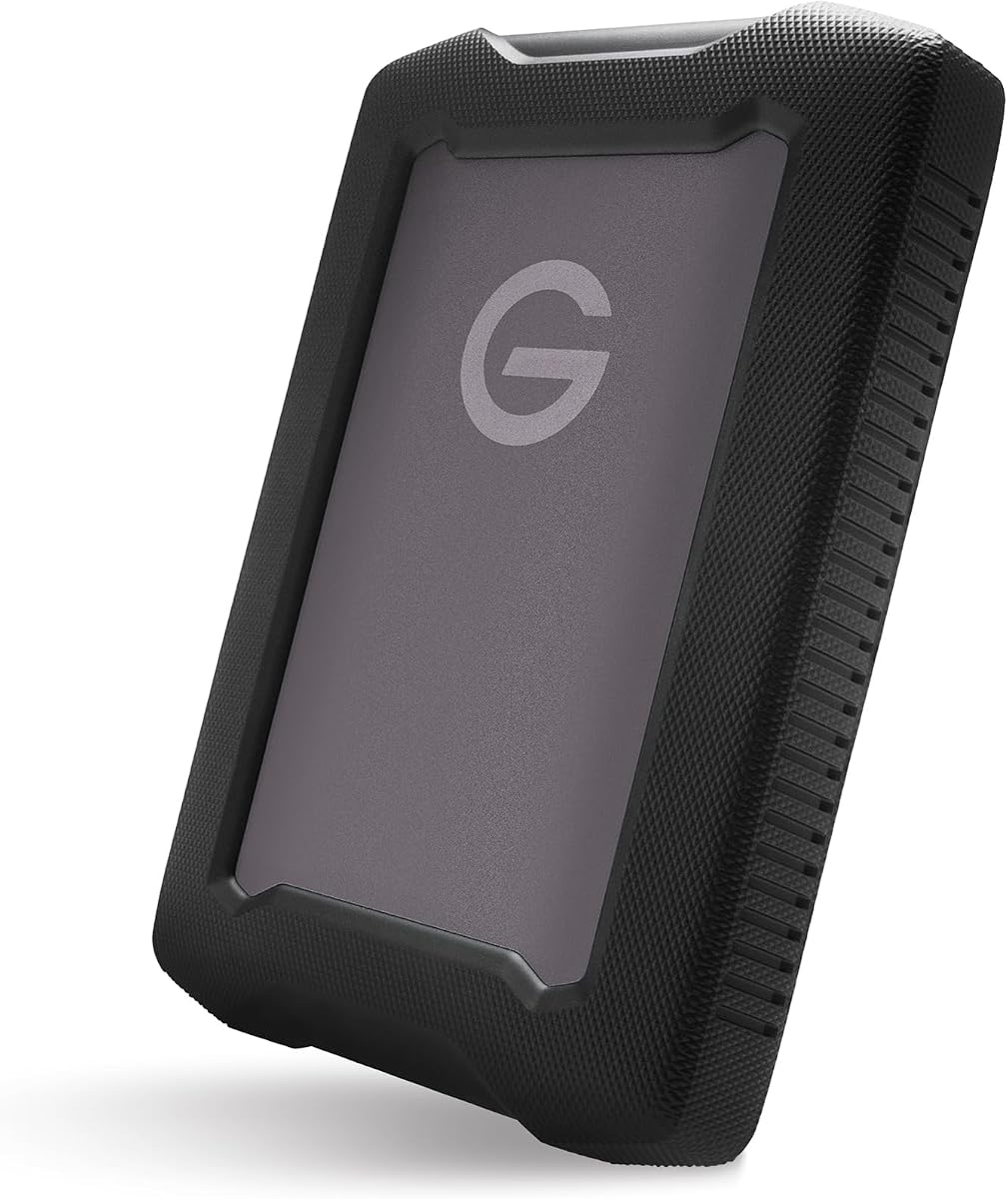
The G-DRIVE 5TB ArmorATD is a rugged portable hard drive built for capacity-focused storage rather than maximum transfer speed. Its supplied specification lists up to 130MB/s, USB-C connectivity, and Thunderbolt 3 compatibility. The five-terabyte capacity makes it more appropriate for large photo libraries, project archives, and media libraries than for moving continuously written high-resolution footage.
We may earn a commission when you buy through this link, at no additional cost to you.
Physical protection is the central attraction. The enclosure uses anodized aluminum, an easy-grip bumper, and a design described as resistant to rain, dust, and crushing. Those traits suit field photographers, location crews, and mobile editors who need to carry substantial amounts of data in a durable package. Its USB-C connection offers a broadly practical way to use the drive with compatible modern equipment.
The tradeoff is unmistakable: this is not a native Thunderbolt 5 SSD. Its stated speed is far below the over-6000MB/s performance advertised for the OWC Envoy Ultra line, and even the dock-related options in this guide devote much of their bandwidth to display and peripheral connectivity. Buyers should therefore not purchase this drive expecting Thunderbolt 5 workflow acceleration.
It remains a sensible answer when durability, storage density, and lower cost matter more than rapid active editing. Choose the G-DRIVE 5TB ArmorATD for backups, archives, and transport of finished media. For an active scratch disk or a modern high-resolution edit, move up to an NVMe model such as the OWC Envoy Ultra.
The aluminum body, grip bumper, and stated resistance to rain, dust, and crushing make this a more travel-oriented drive than a bare enclosure. It is better suited to protecting large media collections in transit than maximizing every available bus speed.
Five terabytes gives the drive a useful role as a centralized archive. The listed maximum of 130MB/s remains appropriate for backups, completed projects, and media that is not being edited directly from the device.
We may earn a commission when you buy through this link, at no additional cost to you.
The OWC Envoy Ultra 4TB is a portable NVMe storage solution with an impressive stated speed of over 6000MB/s. Its four-terabyte capacity sits neatly between the smaller 2TB model and the high-capacity 8TB version. The 4.4 rating also suggests generally positive customer sentiment, although the published rating should not be confused with a controlled laboratory test.
We may earn a commission when you buy through this link, at no additional cost to you.
Its principal strengths are speed, portability, and broad platform support. OWC states that the drive works with Macs, PCs, iPad Pro models, Chromebooks, and Surface devices. It can use Thunderbolt 5, Thunderbolt 4, Thunderbolt 3, and USB4 systems, making it a practical bridge between newer and older workflows. The built-in Thunderbolt cable and bus-powered design also simplify mobile use.
Thermal design matters for a drive promising such high performance. OWC describes a fanless, heat-dissipating aluminum construction designed to remain silent. The enclosure is also described as rugged, shock resistant, and weatherproof, with protection against dust, drops, and downpours. These details make it better suited to active work than a simple enclosure placed on a desk.
This is the most balanced recommendation in the guide for many professionals. It offers enough capacity for substantial working sets, excellent stated transfer performance, and a portable form factor without the extreme capacity of the 8TB model. It is especially compelling for creative teams, editors, and developers who want one drive to handle both daily work and demanding projects.
The stated performance of more than 6000MB/s targets demanding tasks such as moving large media libraries, consolidating project files, and working from an external scratch drive. Users should still verify that their host, cable, and workflow support the available bandwidth.
A bus-powered fanless enclosure reduces cable clutter and avoids the noise of active cooling. Its compatibility with several Thunderbolt generations and USB4 expands its usefulness across both current and earlier systems.
We may earn a commission when you buy through this link, at no additional cost to you.
The OWC Envoy Ultra 2TB combines a compact two-terabyte capacity with the same headline performance as the larger Envoy Ultra versions. Its over-6000MB/s stated speed places it squarely in the high-speed portable storage category, while the 4.4 rating indicates a generally favorable customer response.
We may earn a commission when you buy through this link, at no additional cost to you.
Compatibility is one of its strongest selling points. According to OWC, the enclosure works with Macs, PCs, iPad Pros, Chromebooks, and Surface devices. It also supports Thunderbolt 5, Thunderbolt 4, Thunderbolt 3, and USB4, allowing users to obtain more from recent machines while retaining a path to older equipment. The built-in cable and bus-powered operation make it particularly convenient for mobile work.
The fanless aluminum enclosure is designed to dissipate heat without a fan, providing silent operation. OWC also describes the unit as shock resistant and weatherproof, including protection against dust, drops, and downpours. These are meaningful benefits when a drive must be used on location rather than remaining in a controlled workspace.
The 2TB model makes the most sense for editors who need fast working storage but do not need to retain every project on the same device. It can serve as a scratch drive, media cache, or compact shuttle between computers. Choose the 4TB or 8TB version when a larger working set or local archive is essential.
Two terabytes is enough for many active project caches, selected media, and deliverables. The major advantage is that this relatively modest capacity does not come with a slow interface or a performance-focused reduction.
Support for major desktop platforms, iPad Pro models, Chromebooks, and Surface devices gives the drive broad practical utility. The included cable and bus-powered design reduce setup friction when moving between locations.
We may earn a commission when you buy through this link, at no additional cost to you.
The OWC Envoy Ultra 8TB is the highest-capacity member of the Envoy Ultra portable SSD family and a natural choice for professionals who need substantial local storage without moving to a multi-bay desktop system. It retains the stated performance of over 6000MB/s and carries a 4.4 customer rating.
We may earn a commission when you buy through this link, at no additional cost to you.
The capacity advantage is substantial. Eight terabytes can hold large media libraries, multiple active projects, high-resolution source files, and completed assets in a highly portable package. Unlike a desktop RAID array, it can be carried directly to a shoot, edit bay, client site, or remote workstation while retaining the fast interface.
The same portability-focused features apply as with the smaller Envoy Ultra models. OWC describes a rugged, shock-resistant, weatherproof enclosure, a silent fanless aluminum design, a built-in Thunderbolt cable, and bus-powered operation. Compatibility includes Thunderbolt 5, 4, and 3 as well as USB4 hosts, alongside support for Macs, PCs, iPad Pros, Chromebooks, and Surface devices.
Its five-year OWC limited warranty is another differentiator. The primary reason to choose this version over the 2TB or 4TB model is capacity, so buyers should confirm that they can use the extra space effectively. For a high-capacity mobile working drive, it is one of the most compelling products in the guide.
Eight terabytes offers room for working media and nearby archives in one enclosure. Its portable format makes it a middle ground between an internal workstation drive and a large desktop storage array.
The supplied specifications list a five-year OWC limited warranty. Buyers should still review the current warranty terms and consider using a separate backup for irreplaceable files.
We may earn a commission when you buy through this link, at no additional cost to you.
The OWC ThunderBay 8 is a desktop-oriented, eight-bay enclosure for users who need to build storage around their own SSDs or hard drives. Its eight universal bays accept 2.5-inch and 3.5-inch media, and it links to the host through dual Thunderbolt 3 ports with a stated 40Gb/s interface.
We may earn a commission when you buy through this link, at no additional cost to you.
Scale is the main attraction. OWC states that six ThunderBay 8 units can be daisy-chained for up to 1,152TB of capacity. The second Thunderbolt port can also support five additional Thunderbolt devices, making the enclosure useful as a central component in a busy workstation. Users can choose individual drives based on capacity, cost, speed, or redundancy.
Drive changes are designed to be convenient. Thumb-screw release trays support quick swaps, while the enclosure requires no additional drivers and includes a Thunderbolt cable. The bundled OWC SoftRAID Premium supports RAID 0, 1, 4, 5, and 1+0 configurations, as well as Apple RAID and Windows Disk Manager. The stated 4.2 rating reflects a favorable but less exceptional customer response.
This is a better fit for studio archives, local editing caches, and multi-user production than for a mobile creator. It uses Thunderbolt 3 rather than native Thunderbolt 5, so it cannot exploit the full bandwidth of the newest interface. Its value lies in bay flexibility, RAID choices, and scalability rather than cutting-edge peak transfer speed.
Eight universal bays allow a mix of 2.5-inch and 3.5-inch SSDs and hard drives. That flexibility makes it possible to balance fast scratch space with less expensive archival capacity.
Bundled SoftRAID Premium provides several RAID levels and supports both Apple RAID and Windows Disk Manager. The enclosure's no-driver design helps keep configuration focused on the storage task.
We may earn a commission when you buy through this link, at no additional cost to you.
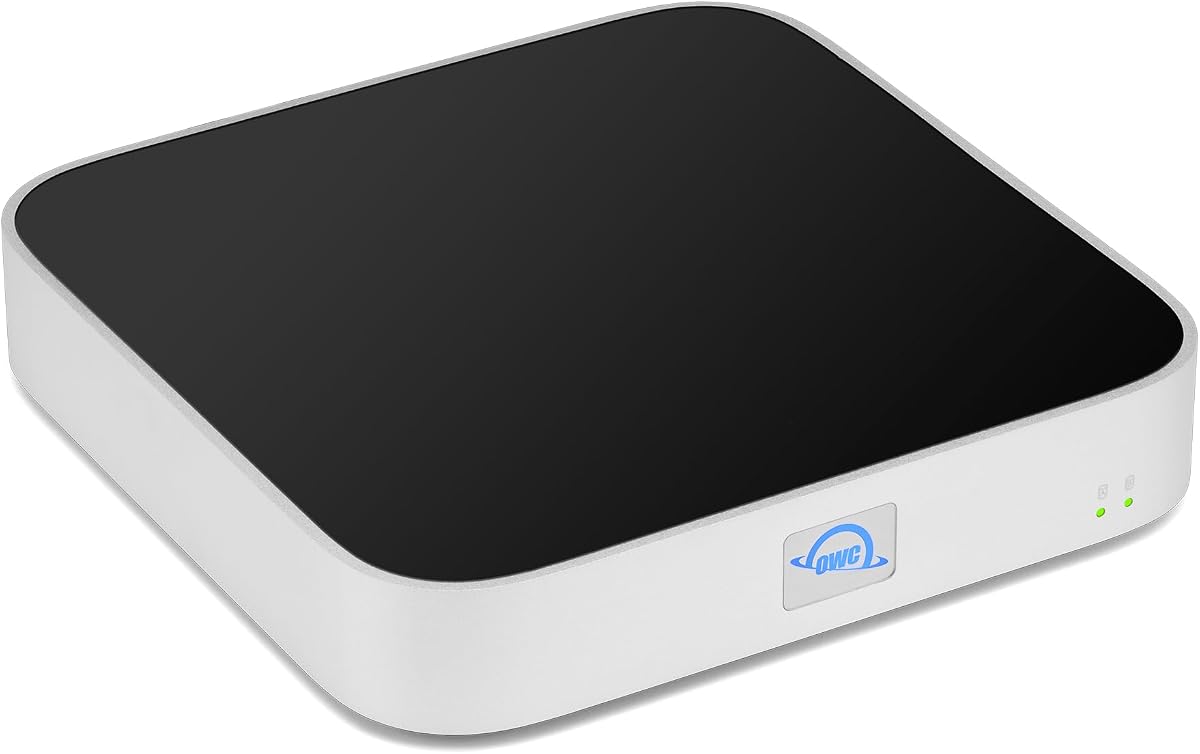
The OWC miniStack STX 20TB combines a 20TB hard drive, an NVMe expansion slot, and a four-port Thunderbolt 4 hub in one enclosure. Its 5.0 rating is the highest listed among these products, though ratings alone cannot confirm the performance or reliability of every unit.
We may earn a commission when you buy through this link, at no additional cost to you.
The included storage uses a 7200RPM enterprise-capacity hard drive with 512MB of cache, while a separate M.2 bay accepts a 2280 NVMe SSD. This two-tier design is useful: the hard drive can hold substantial data, and the user can install a faster NVMe drive for active projects. The supplied specifications cite editing performance of up to 770MB/s for 4K video.
As a hub, it provides one Thunderbolt 4 host port and three downstream Thunderbolt 4 ports, all using USB-C connections. The host connection provides up to 96W of power, and the system can support several Thunderbolt devices, USB devices, and displays. Display configurations include one 8K display at 60Hz, one 5K display at 60Hz, or multiple 4K arrangements.
Compatibility extends to Thunderbolt 3, 4, and 5 hosts as well as USB-equipped Macs, PCs, iPads, Chromebooks, and Android tablets. It is a versatile center for a desk, but users focused on maximum transfer speed should remember that its included 7200RPM drive and stated 770MB/s figure are well below the Envoy Ultra's advertised performance.
Combining a 20TB hard drive, an NVMe slot, and four Thunderbolt 4 connections reduces the number of devices needed in a creative desk. It also passes charging and display duties through the host connection.
The enterprise hard drive provides a large storage pool, while the user-installed NVMe module can serve active files. Buyers should verify their drive and host requirements before adding an M.2 SSD.
We may earn a commission when you buy through this link, at no additional cost to you.
The OWC Thunderbolt 5 Dual 10GbE Dock is not a storage enclosure, but it can serve as a gateway between a Thunderbolt 5 workstation and network-attached storage. Its two 10GbE RJ-45 ports, one 2.5GbE port, and four Thunderbolt 5 USB-C connections give it a distinctive role in high-speed editing and shared-storage environments.
We may earn a commission when you buy through this link, at no additional cost to you.
The host uplink provides up to 80Gb/s bidirectional data speed and up to 120Gb/s display bandwidth. Three downstream Thunderbolt 5 ports can connect external storage and other peripherals, while the USB-C and USB-A ports provide additional device connections. Power delivery reaches 15W on the Thunderbolt and USB-C device ports, and the included 90W external power supply supports the overall dock.
Display capability is extensive. Depending on the host, the dock supports configurations including up to three 8K displays at 60Hz, two 8K displays at 120Hz, or three 4K displays at 144Hz. Its three RJ-45 ports are particularly useful when accessing centralized media servers or high-speed network storage.
Compatibility requires care. The supplied guidance calls for recent operating-system versions, with specific rules for Thunderbolt 3, Thunderbolt 4, Thunderbolt 5, USB4, Windows, macOS, and Linux. Its 3.3 rating is the lowest in the group, so prospective buyers should examine recent customer feedback carefully. It is most appropriate for users who need Thunderbolt 5 plus multi-gigabit networking in one hub.
Two 10GbE connections and a 2.5GbE port provide more capable network options than a typical laptop dock. This can be valuable when projects live on a shared server rather than on a directly attached drive.
A dedicated Thunderbolt 5 uplink, three downstream Thunderbolt 5 ports, and USB connections create a broad peripheral path. The included external power supply and 90W wattage distinguish it from simple bus-powered hubs.
We may earn a commission when you buy through this link, at no additional cost to you.
The OWC Express 1M2 80G 2TB is a portable USB4 NVMe storage solution with a stated peak real-world speed of over 6000MB/s. Its 4.5 rating is the highest numerical customer rating among the products in the guide, making it a strong option for buyers who value a balance of speed, portability, and flexibility.
We may earn a commission when you buy through this link, at no additional cost to you.
Unlike a fixed-storage portable SSD, this model can accept a different NVMe M.2 module later. OWC describes support for 2280 and 2242 form factors and PCIe Generation 3, 4, and 5 drives. Buyers can use it as a ready-to-run solution or treat the enclosure as a DIY platform, which adds useful longevity when a higher-capacity or faster drive becomes desirable.
The patented heat-dissipating enclosure is designed to cool the SSD silently and protect it from physical damage. It remains portable because the included USB4 cable provides bus power. Compatibility includes Macs, PCs, iPad Pros, Chromebooks, and Surface devices, although the full stated speed requires a host that can support the relevant USB4 bandwidth.
A key caution concerns PCIe Generation 5 SSDs. OWC notes that their power requirements may exceed the limits of some hosts, docks, and hubs, recommending careful selection and a drive that consumes no more than 11 watts during sustained reads or writes. For users who want upgradeability and broad compatibility without requiring Thunderbolt 5, this is a particularly attractive option.
The replaceable M.2 design lets a buyer choose capacity and SSD generation rather than accepting a fixed configuration. It is especially useful for owners who expect their storage requirements to grow over time.
USB4 can offer high bandwidth across modern Macs, PCs, tablets, and select other devices. It is a useful middle ground when a Thunderbolt 5 host is unavailable but a fast USB4 connection is supported.
We may earn a commission when you buy through this link, at no additional cost to you.
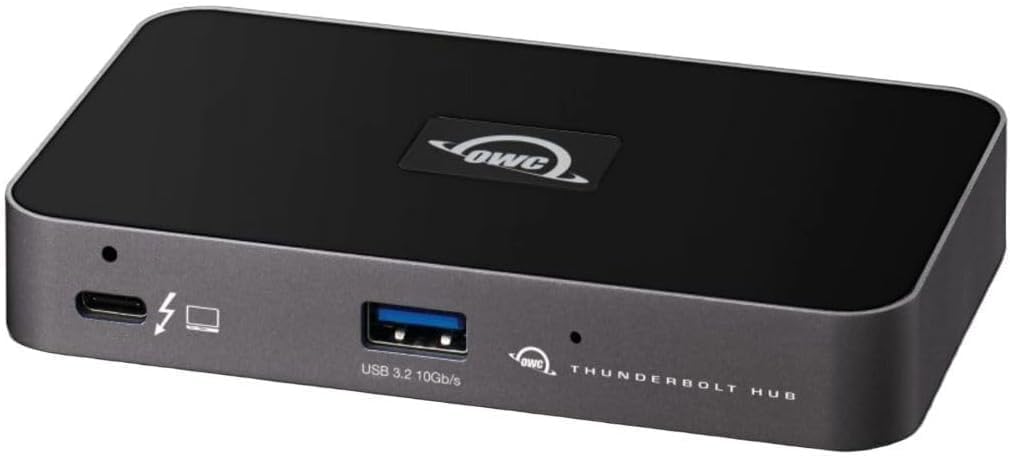
The OWC Thunderbolt Hub is a compact five-port expander that can simplify a workstation or laptop setup. It offers three Thunderbolt 4 ports and one USB 3.2 Gen 2 Type-A port, along with display support up to 8K resolution. The 4.4 rating indicates broadly positive customer reception.
We may earn a commission when you buy through this link, at no additional cost to you.
Its main benefit is clean connection management. A laptop with limited ports can use the hub to attach external storage, displays, and other Thunderbolt accessories through one host connection. The USB-A port covers peripherals that still require that legacy interface, while the adjustable LED makes it easier to see the hub's operating state.
A Kensington Nano Security Slot adds a physical security option for offices, studios, and shared workspaces. The compact format also contrasts with larger docks that include Ethernet, card readers, audio connections, and several USB-A ports. That makes this hub most appropriate for users who primarily need additional Thunderbolt connections.
It uses Thunderbolt 4 rather than Thunderbolt 5, so it cannot provide the newer interface's maximum bandwidth. Likewise, the product is a connectivity hub rather than a storage device itself. For a user building a Thunderbolt storage setup, it is a useful companion to a portable SSD or enclosure, particularly when a computer exposes only one or two high-speed ports.
Three Thunderbolt 4 downstream ports can support storage, a display, and another accessory. Consolidating connections through one hub makes desk changes and cable management more convenient.
The integrated Kensington Nano Security Slot provides a way to secure the hub in shared or unattended environments. It is a small but practical feature for professional workspaces.
We may earn a commission when you buy through this link, at no additional cost to you.
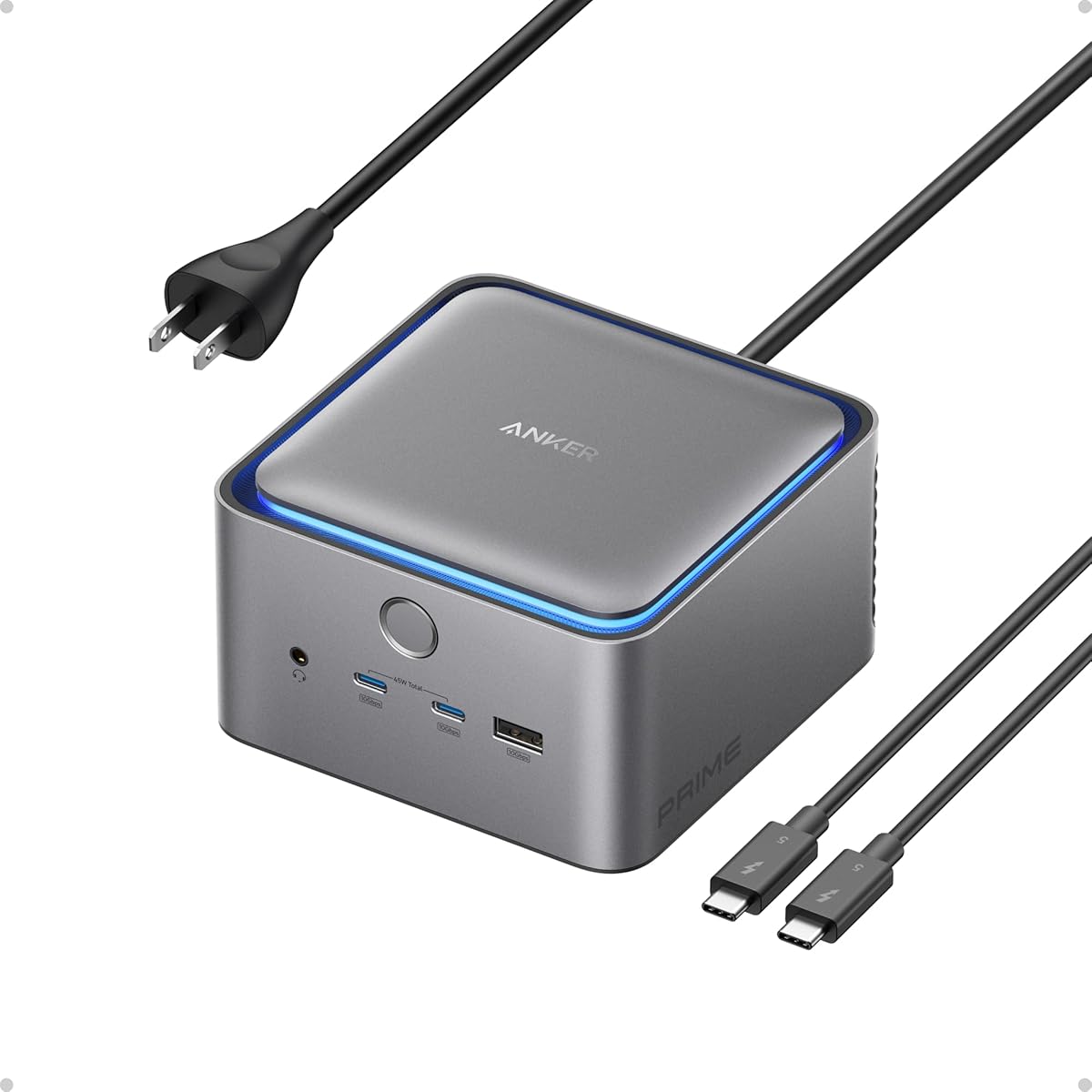
The Anker Prime TB5 is a 14-in-1 Thunderbolt 5 docking station designed to act as the central connection point for a laptop or compact workstation. It includes a Thunderbolt 5 upstream port, two downstream Thunderbolt 5 ports, two USB-C ports, three USB-A ports, SD and TF card readers, AC input, 2.5Gbps Ethernet, an audio jack, and an HDMI 2.1 or DisplayPort 2.1 connection.
We may earn a commission when you buy through this link, at no additional cost to you.
Its storage relevance comes through the two downstream Thunderbolt 5 ports, which can connect compatible high-speed drives and enclosures. The upstream link is also positioned for maximum data transfer, with Anker stating that a 150GB file can move in 25 seconds over the Thunderbolt 5 connection. Exact results will depend on the host, drive, file workload, and application.
The dock also performs demanding peripheral duties. It supports up to 8K at 60Hz on a single display or dual 8K at 60Hz with compatible Thunderbolt 5 Windows laptops. The upstream port supports up to 140W charging under PD 3.1, while the two front USB-C ports share 45W. An advanced active-cooling system is intended to prevent overheating under full load.
The package includes a 3.3-foot Thunderbolt 5 cable, a six-foot AC power cable, a safety sheet with a QR code for the manual, and a 24-month warranty. It earns a 4.2 rating, but its complexity means it is most suitable for users who want one dock to handle storage, networking, displays, charging, and conventional peripherals.
Thunderbolt storage, card readers, Ethernet, audio, displays, and USB peripherals are consolidated behind a single upstream connection. This simplifies setups where cable count and desk space matter.
The included active cooling system targets stability when the dock is heavily used, while 140W upstream charging helps keep a demanding laptop powered. Actual charging and display behavior depends on the connected computer.
We may earn a commission when you buy through this link, at no additional cost to you.
The right Thunderbolt 5 storage solution depends on the type of data, the speed of your active workflow, the devices you use, and how much the system must travel. Use the following factors to narrow the field before comparing capacity and cost.
Choose native Thunderbolt 5 for current high-end workstations and demanding creative pipelines. Choose USB4 or Thunderbolt 3 compatibility when you use a broader mix of equipment.
Use NVMe for performance-critical work. Use a hard drive for large archives, backups, and transported files that do not need live editing.
Select the smallest capacity that comfortably holds your active data and a sensible local backup. Expandability is valuable when storage needs are likely to grow.
Choose a rugged portable unit for field work. Choose a desktop enclosure when capacity, drive flexibility, and cooling matter more than compact size.
Review the thermal and power specifications for sustained workflows. Do not assume every fast SSD can maintain peak performance on every host.
Choose a RAID enclosure for flexible production storage. Maintain independent backups even when the selected RAID level protects against a single drive failure.
Confirm the exact host, port, operating system, and cable requirements. Broad physical compatibility does not guarantee full-speed or feature-level support.
Use a dedicated drive for storage alone. Choose an integrated dock or hub when display, network, charging, and peripheral consolidation are equally important.
Begin by confirming that the computer has the required port and operating-system support. For maximum performance, connect the enclosure or dock with a compatible cable and use a port that can negotiate the intended Thunderbolt or USB4 bandwidth. Avoid hubs or adapters that do not support the required data rate, and format a newly purchased drive for the file system and workflow used by your primary computer.
Treat the drive as an active production component rather than a disposable container. Allow large transfers to finish, use the system's eject or safely-remove command before disconnecting, and keep the enclosure within its recommended temperature and environmental conditions. The Envoy Ultra and Express products rely on their integrated heat-dissipating designs, while the Anker dock uses active cooling, so vents should remain unobstructed.
Maintain at least one separate copy of irreplaceable files. RAID, high speed, and rugged construction can improve convenience or availability, but they do not prevent every form of data loss. Keep the storage connected to a host that powers it appropriately, inspect cables and connectors periodically, and periodically verify that important files can be restored from a backup.
No. The interface is only one part of the result, and the internal drive, host, cable, file type, and workload all matter. The OWC Envoy Ultra models advertise more than 6000MB/s, while the G-DRIVE ArmorATD is listed at up to 130MB/s. A Thunderbolt 5 connection cannot make a slower hard drive perform like a high-speed NVMe SSD.
The OWC Envoy Ultra line is described as compatible with Thunderbolt 5, Thunderbolt 4, Thunderbolt 3, and USB4 systems. Compatibility does not mean every computer will achieve the same speed, because the older interface or USB4 connection may impose lower limits. The host, enclosure, cable, and operating system must all support the selected pathway.
A portable NVMe SSD is much better when speed, low latency, active editing, or frequent project transfers matter. A hard drive is often more suitable for large archives, finished deliverables, and backup copies where capacity matters more than rapid access. The best choice depends on the data and the speed of your actual workflow.
No. A compatible portable drive can often connect directly to a suitable Thunderbolt or USB4 port on a computer. A dock becomes useful when the computer has few ports or when you want storage, displays, Ethernet, charging, and peripherals connected through one upstream cable.
Choose enough capacity for source footage, caches, proxies, project files, and delivery copies while leaving additional room for growth. High-resolution projects can consume space quickly, so 2TB may suit a focused working set, while 4TB or 8TB is safer for several active projects. The 20TB miniStack STX is better suited to a larger desktop archive or media library.
No. RAID can preserve access or improve performance depending on its configuration, but it does not protect against accidental deletion, malware, device failure, or physical loss. The ThunderBay 8 includes several RAID options through SoftRAID, but important files should still be copied to an independent backup.
The OWC Dual 10GbE Dock lists support for multiple 8K and 4K configurations, while the Anker Prime TB5 supports up to 8K at 60Hz for one display and dual 8K at 60Hz for compatible Thunderbolt 5 Windows laptops. Real support depends on the computer, operating system, display configuration, and cables.
Not necessarily. The OWC Express 1M2 80G supports PCIe Generation 3, 4, and 5 NVMe M.2 SSDs, so buyers can select a drive that fits their needs and budget. OWC cautions that some Generation 5 SSDs exceed the sustained power limits of certain hosts, docks, and hubs, recommending careful selection.
The OWC Envoy Ultra 2TB is the most compact high-speed recommendation, while the 4TB version offers the strongest balance of capacity and portability and earns the Editor's Choice distinction. For professionals who need more local working space, the 8TB model provides the same stated performance with substantially greater capacity and a five-year limited warranty.
The broader guide shows that a Thunderbolt 5 storage strategy can take several forms. The G-DRIVE 5TB ArmorATD prioritizes rugged capacity, the ThunderBay 8 prioritizes flexible multi-bay RAID storage, and the miniStack STX combines a 20TB hard drive with an NVMe slot and a multiport hub. Portable NVMe, network-attached storage, and an all-in-one dock should be selected according to the actual work, not merely the newest interface.
Before ordering, verify the current computer compatibility, cable requirements, operating-system support, and available space. Product prices and configurations can change, so check the current listing for the latest specifications and terms. Whichever option you choose, maintain a separate backup of irreplaceable files and use the connection type that supports the performance your workflow requires.