
Lightning to HDMI Adapter with Charging Port
4.2Editor score
1080p screen mirroring
Integrated charging port
No external power
Our HDMI Lightning Adapter for iPhone guide compares 10 MFi-certified, multiport, and basic adapters for compatibility, charging, display quality, and setup
An HDMI Lightning Adapter for iPhone can turn a small screen into a practical presentation display, entertainment screen, or shared workspace. The best models provide dependable screen mirroring, clear 1080p video, simple plug-and-play operation, and compatibility with a wide range of Lightning-equipped Apple devices.
The products in this guide were compared by examining their stated device support, resolution, charging options, app compatibility, port layouts, MFi certification, and connection process. The list includes compact dongles, wired adapters, dual-interface models, and feature-rich options with USB, audio, or power-delivery connections.
Each review identifies the product’s strongest use case and any limitations visible in its specifications. Ratings and availability can change over time, and prices fluctuate, so readers should confirm current product details before making a final purchasing decision.
4.2Editor score
4.3Editor score
4.6Editor score
This side-by-side comparison covers ten Lightning-compatible HDMI adapters, highlighting their stated output resolution, physical connection style, charging provisions, and notable functionality.




This compact Lightning to HDMI adapter offers a practical balance of useful features and straightforward operation. With a 4.2 rating, it is especially appealing for iPhone and iPad users who want screen mirroring up to 1080p without installing apps or relying on a personal hotspot. Its standout feature is the integrated Lightning charging port, allowing the connected device to charge while its image is sent to a larger display.
We may earn a commission when you buy through this link, at no additional cost to you.
The adapter supports a broad range of Lightning-equipped hardware, including numerous iPhone 14, 13, 12, 11, X, XS, XR, 8, 7, 6, 5, and SE models, as well as compatible iPads and iPods. It can mirror images, movies, games, apps, presentations, websites, and slideshows to an HDMI-equipped television, projector, or monitor. A Trust prompt is the main setup step, and no personal hotspot, Wi-Fi connection, driver, or application is required.
There are important limits to keep in mind. The product description explicitly excludes Netflix, Amazon Video, HBO Go, Hulu, Sky Q, and other services that protect video with HDCP. It also requires an HDMI cable, which is sold separately. These restrictions are typical of many Lightning-era display adapters, but they matter if the main goal is watching a subscription streaming service through a protected app.
This is a strong choice for someone seeking a straightforward, budget-conscious adapter with convenient charging. It suits presentations, saved video, YouTube, photo displays, educational content, and games, especially when the TV or projector is already accessible through an HDMI cable. For protected streaming or a permanently installed home-theater setup, a more specialized system may be a better match.
The integrated charging port is the feature that separates this model from a basic passive dongle. It can keep the iPhone or iPad powered during a longer presentation, slideshow, or movie, although the device still needs a suitable charging connection and the source of that power.
The no-app setup makes this useful in offices, classrooms, hotel meeting rooms, and other places where installing software may be inconvenient. Users only need to connect the adapter, approve the Trust prompt, and allow the display process to begin.
We may earn a commission when you buy through this link, at no additional cost to you.
This MFi Certified adapter provides a familiar Lightning-to-HDMI design with a 4.1 rating. It is aimed at users who want to mirror an iPhone or iPad on a television, projector, or monitor at up to 1080p, while also retaining access to a charging connection. The adapter supports numerous iPhone generations, including the 14, 13, 12, 11, SE, X, XS, XR, 8, 7, 6, 5, and related models, plus several iPad families.
We may earn a commission when you buy through this link, at no additional cost to you.
Its connection process is refreshingly uncomplicated. There is no need to install a driver or app, create a Wi-Fi network, use a personal hotspot, or manually adjust the device’s mirroring setting. After plugging the Lightning and HDMI connectors into place, the user taps Trust and waits a few seconds for the connection to establish. This makes it a sensible option for travel, presentations, and quick access to saved media on a larger screen.
The charging port adds value during extended viewing, although the HDMI cable remains a separate purchase. The product also cannot display protected content from major paid services such as Netflix, Prime Video, HBO GO, Hulu, or DIRECTV. Its app-support notes mention Hulu Plus while also listing Hulu among unsupported paid applications, so buyers should treat the protected-app limitation as the deciding factor rather than relying on the broader list of supported applications.
Overall, this is a solid general-purpose adapter for Lightning iPhones and iPads. Choose it when straightforward mirroring and charging are priorities, especially for presentations, websites, YouTube, local videos, and slideshows. Users centered on streaming protected services should investigate a modern USB-C solution instead, while those wanting a cable permanently attached to the display may prefer a wired model.
MFi certification is a useful sign that the adapter is designed around Apple’s connector and software requirements. The stated iOS 9.2-or-above support covers a broad installed base of Lightning devices, although current operating-system compatibility should always be confirmed before an important event.
Its pocket-size design and app-free setup suit business trips, hotel televisions, and temporary work arrangements. A compatible TV, projector, or monitor and a suitable HDMI cable are the main additional requirements.
We may earn a commission when you buy through this link, at no additional cost to you.
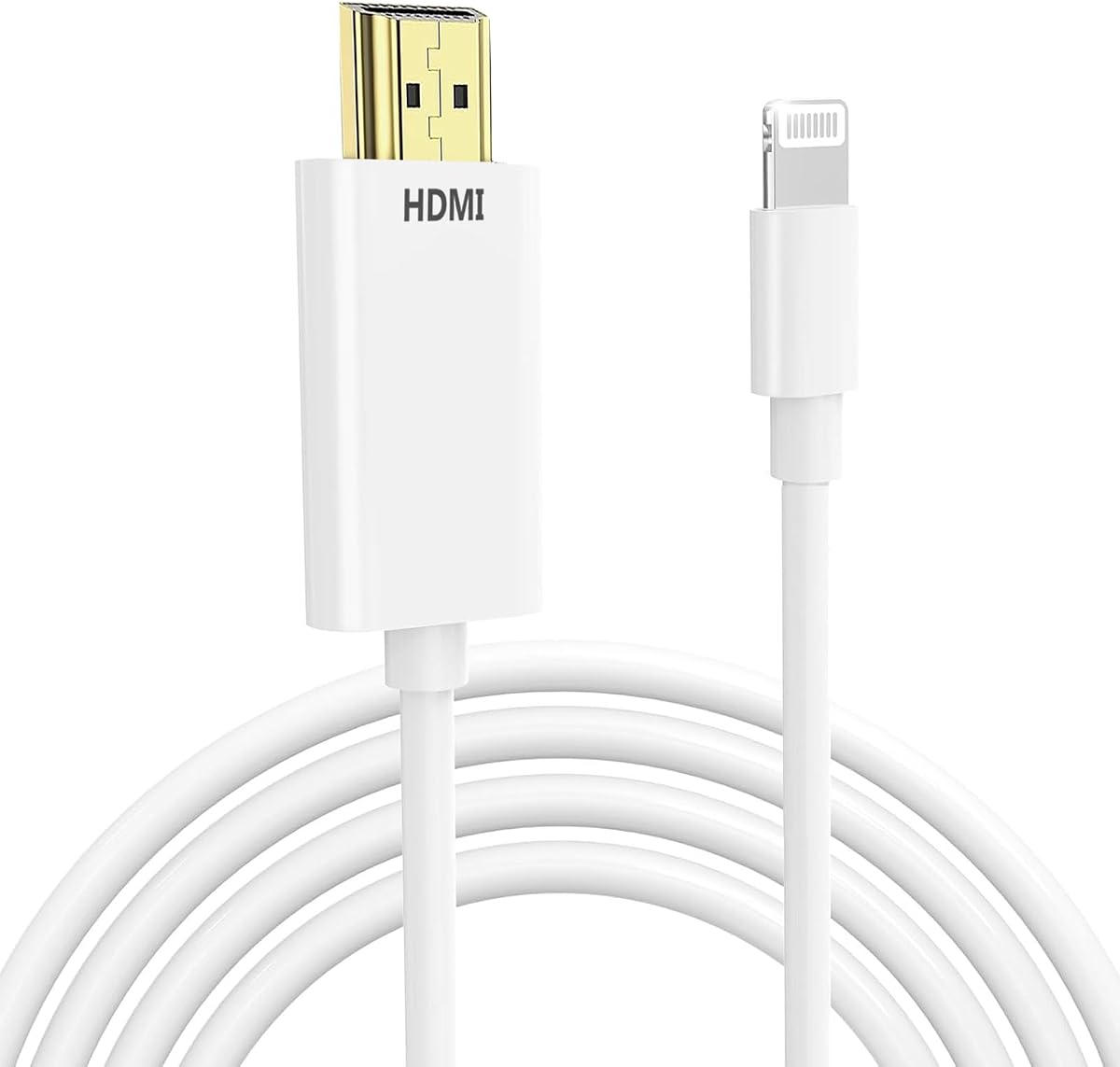
The KikoSaka Lightning to HDMI Cable is a compact option with a 4.3 rating and an Apple MFi Certified designation. Its primary attraction is broad compatibility: the stated device list covers iPhone 14, 13, 12, 11, X, XR, XS, 8, 7, 6, 5, and SE models, including Pro, Pro Max, Mini, and Plus variants where applicable. It also supports iPads, iPods, and other devices using the Lightning interface.
We may earn a commission when you buy through this link, at no additional cost to you.
The supplied product information is less detailed than that available for many competing adapters. It confirms the certification and wide Lightning-device support, but it does not provide the same level of information about charging, exact port layout, included accessories, or the exact output resolution. Buyers who require those specifications should examine the current listing carefully before ordering.
That limited information is the product’s main drawback. A strong rating and MFi certification make it worth considering, but compatibility claims alone cannot answer every practical question. In particular, users should confirm whether an HDMI cable is included, whether the adapter offers a charging pass-through, and which streaming applications are supported under the current product description.
The KikoSaka adapter is most appropriate for a buyer who values broad Apple-device compatibility and a straightforward cable-based format over a richly specified multiport design. It may be a good fit for a shared household with several generations of Lightning iPhones, or for anyone seeking a basic way to mirror a device. Confirming the final connection details before purchase will help prevent mismatch with a particular television or workflow.
The long compatibility list makes this adapter relevant to households and workplaces that still operate more than one generation of Lightning-based Apple hardware. One device can serve older iPhones, newer Lightning iPhones, compatible iPads, and other supported accessories.
Because the supplied description gives limited information about charging and accessories, buyers should verify the current package contents and connection format. That extra check is especially important when planning a presentation or permanent TV setup.
We may earn a commission when you buy through this link, at no additional cost to you.
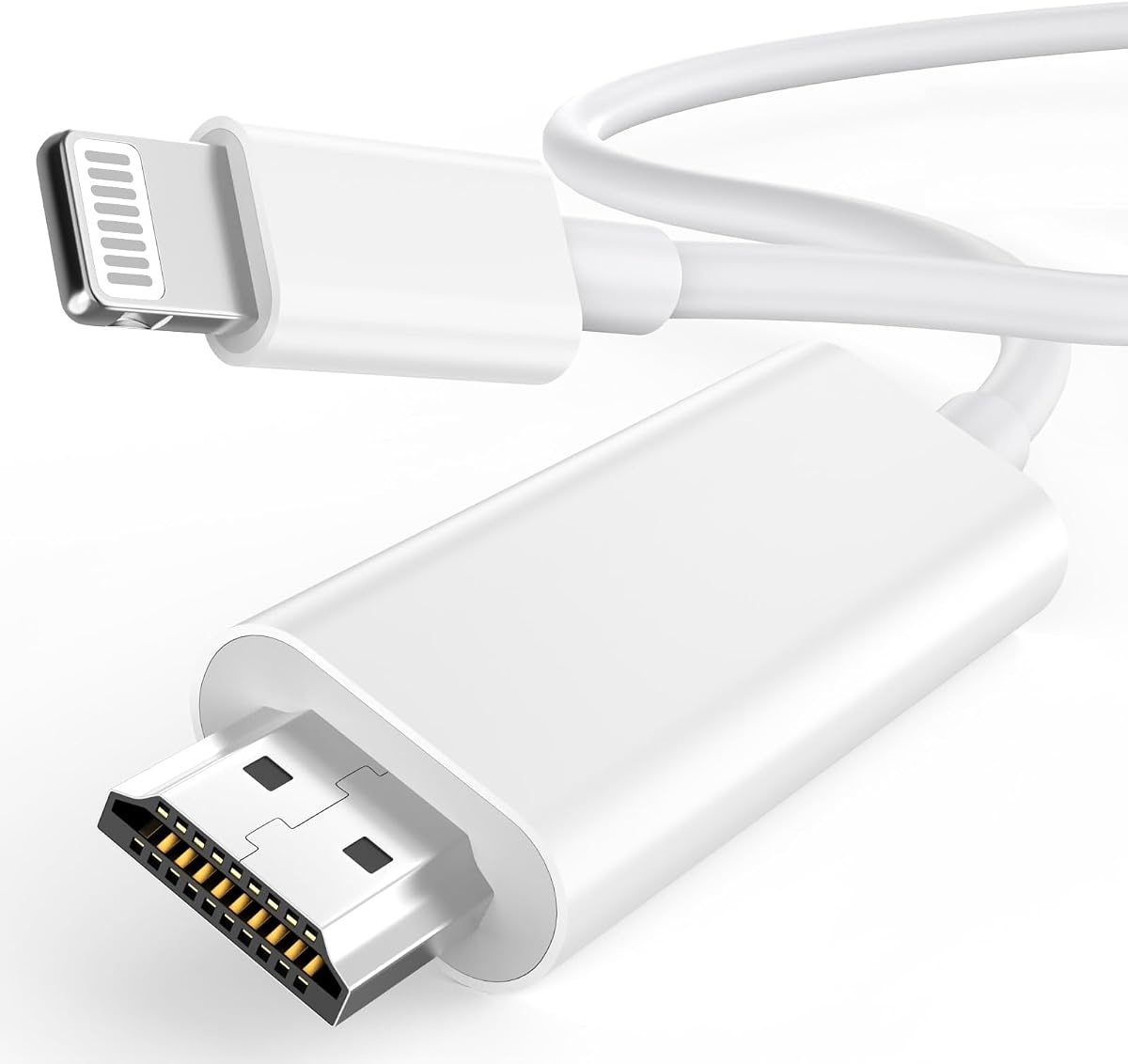
This wired Lightning-to-HDMI adapter stands out as a well-rounded choice, earning a 4.3 rating. Its defining feature is a built-in 6.6-foot Lightning cable, which removes the loose dongle effect and makes it easier to connect an iPhone directly to a television, projector, or monitor. At the display end, the adapter connects to an HDMI-equipped screen, with a separate HDMI cable required.
We may earn a commission when you buy through this link, at no additional cost to you.
The stated support is extensive, covering iPhone 14 through 5 and SE models, along with iPads, iPods, and other Lightning-interface devices. The adapter can mirror images, movies, games, apps, presentations, websites, and slideshows at up to 1080p. A Trust prompt is required, but the product description says no iPhone or iPad settings need adjustment, making the setup process approachable for occasional users.
MFi certification is a meaningful feature because it indicates a chip designed to meet Apple’s requirements and maintain a stable connection. The adapter also supports common sources such as YouTube, Hulu Plus, IDMB, Quickly, Family On TV, ABC, NBC, FOX, and local videos. As with most Lightning display adapters, it cannot show content from HDCP-protected applications, including Netflix, Prime Video, Amazon Video, HBO Go, and Hulu.
This is the most complete general-purpose option in the roundup for users who prefer a wired connection over a small plug-in dongle. The generous cable length helps when a phone sits on a desk while the television is farther away. It is ideal for presentations, saved media, photos, games, and television viewing. Buyers should simply verify that the six-foot length suits their setup and that the intended content is not protected by HDCP.
The 6.6-foot cable gives the adapter more reach than a compact dongle and avoids putting strain on the Lightning port. It can be positioned more naturally on a table, lectern, nightstand, or meeting-room surface.
The stated MFi-certified chip is designed to support more consistent video output. This makes the adapter attractive for presentations, gaming, and longer viewing sessions where an unstable connection would be especially inconvenient.
We may earn a commission when you buy through this link, at no additional cost to you.
This Apple Lightning to Digital AV Adapter offers a focused solution for moving a Lightning device’s display to a larger screen. With a 4.2 rating, it is designed to support the straightforward needs of iPhone, iPad, and iPod owners: screen mirroring and video output at up to 1080p. It can be used with any HDMI-equipped television, display, or projector.
We may earn a commission when you buy through this link, at no additional cost to you.
The supported content includes apps, presentations, websites, slideshows, movies, television shows, and captured video. Audio output is also supported, allowing the large display to provide sound when connected through a suitable television or display system. Setup involves attaching the adapter to the Lightning connector and linking it to the screen with an HDMI cable.
This simplicity also brings a limitation. The product requires a separate HDMI cable, and no charging pass-through is listed. Users who need to keep their iPhone powered during a long session may have to disconnect the adapter to charge, or plan a different connection arrangement. Protected streaming applications should also be considered carefully because the product does not advertise broader streaming-app support.
The adapter is best for viewers who already own an HDMI cable and want a no-frills way to present, watch saved content, display photos, or mirror webpages. It is less suitable for users who need simultaneous charging, extensive ports, or a guaranteed path to protected streaming services. Its appeal lies in doing the basic conversion cleanly rather than adding unnecessary features.
Supporting both video and audio means the adapter can handle presentations with sound, saved movies, and captured video without requiring a separate audio route in many standard television setups. The television or display remains the primary sound source.
Because it relies on a standard HDMI cable and has a simple Lightning plug, this adapter works well for users who already own compatible cables and do not need USB expansion or charging pass-through.
We may earn a commission when you buy through this link, at no additional cost to you.
This adapter combines a 4.4 rating with a useful charging port and broad Lightning compatibility. It mirrors an iPhone, iPad, iPod, or another supported Lightning device to an HDMI television, projector, or monitor at up to 1080p. The title also references 4K at 60Hz, but the detailed description specifies 1080p mirroring, so buyers should base expectations on the stated output rather than the headline alone.
We may earn a commission when you buy through this link, at no additional cost to you.
The most important operational detail is that a 5V 1A USB charging cable must be plugged in before use. That requirement makes the adapter more involved than a model described as needing no external power, but it also ensures the source device can remain powered during longer sessions. After charging is connected, the process otherwise stays simple: attach both ends, approve the Trust prompt, and wait for the automatic connection.
The listed compatibility covers iPhone 14, 13, 12, 11, X, XR, XS, and older Lightning models, along with iPod and other supported devices. The description states support for iOS 17 and earlier. YouTube, Quickflix, Hulu Plus, IDMB, Family On TV, ABC, NBC, FOX, Microsoft Office, and locally saved videos are among the stated supported sources.
As with most Lightning adapters, protected streaming is the central limitation. Netflix, Prime Video, Amazon Video, HBO Go, and Hulu are explicitly excluded because of HDCP. This product is most suitable for users who want uncomplicated mirroring and a way to keep the phone charged, particularly during presentations or extended local-video viewing. The mandatory charging cable should be considered part of the setup rather than an optional accessory.
The dedicated charging input is useful when the connected phone is also handling calls, navigation, or an extended media session. Buyers should bring or pair the adapter with a compatible 5V 1A charging cable.
The product supports numerous iPhone, iPad, and iPod models without requiring a companion app or Wi-Fi connection. That makes it convenient for offices, classrooms, and temporary display arrangements.
We may earn a commission when you buy through this link, at no additional cost to you.
The lulaven adapter is a 4.3-rated MFi Certified option with an unusually clear explanation of its capabilities and limits. It supports screen mirroring at up to 1080p from Lightning-equipped iPhones and iPads to televisions, projectors, and monitors. Its core appeal is straightforward operation without Wi-Fi, an internet connection, passwords, apps, or complicated settings.
We may earn a commission when you buy through this link, at no additional cost to you.
The stated use cases include business meetings, classrooms, live lessons, presentations, gaming, photo slideshows, fitness routines, and home entertainment. Supported content includes YouTube, ABC, NBC, FOX, Hulu Plus, local videos, photos, games, and a broad selection of applications. The product description also clearly states that HDCP-protected services such as Netflix, Prime Video, HBO, and Disney+ are not supported through Lightning-to-HDMI connections.
That explicit HDCP explanation is a major advantage for informed shopping. The product also clearly warns that it does not support USB-C iPhones or newer iPads and points users toward a separate Type-C variation for those devices. It does not provide charging pass-through, so users needing simultaneous power should consider another model. Maximum output is 1080p, not 4K.
This cable is a good match for travelers, teachers, presenters, and households that still use Lightning Apple devices. The no-internet setup is particularly useful in hotel rooms, conference spaces, and classrooms where network access may be limited. Choose it for clear expectations and broad app awareness, but verify your device uses Lightning and do not expect protected streaming to work.
The adapter communicates through the Lightning connection rather than requiring Wi-Fi or a personal hotspot. This is useful in conference rooms, hotels, classrooms, and other controlled environments where network login can be inconvenient.
The listing directly identifies HDCP as the reason major protected services fail. This clarity helps buyers avoid choosing a Lightning adapter for Netflix, Prime Video, HBO, or Disney+ when those applications are the main purpose.
We may earn a commission when you buy through this link, at no additional cost to you.
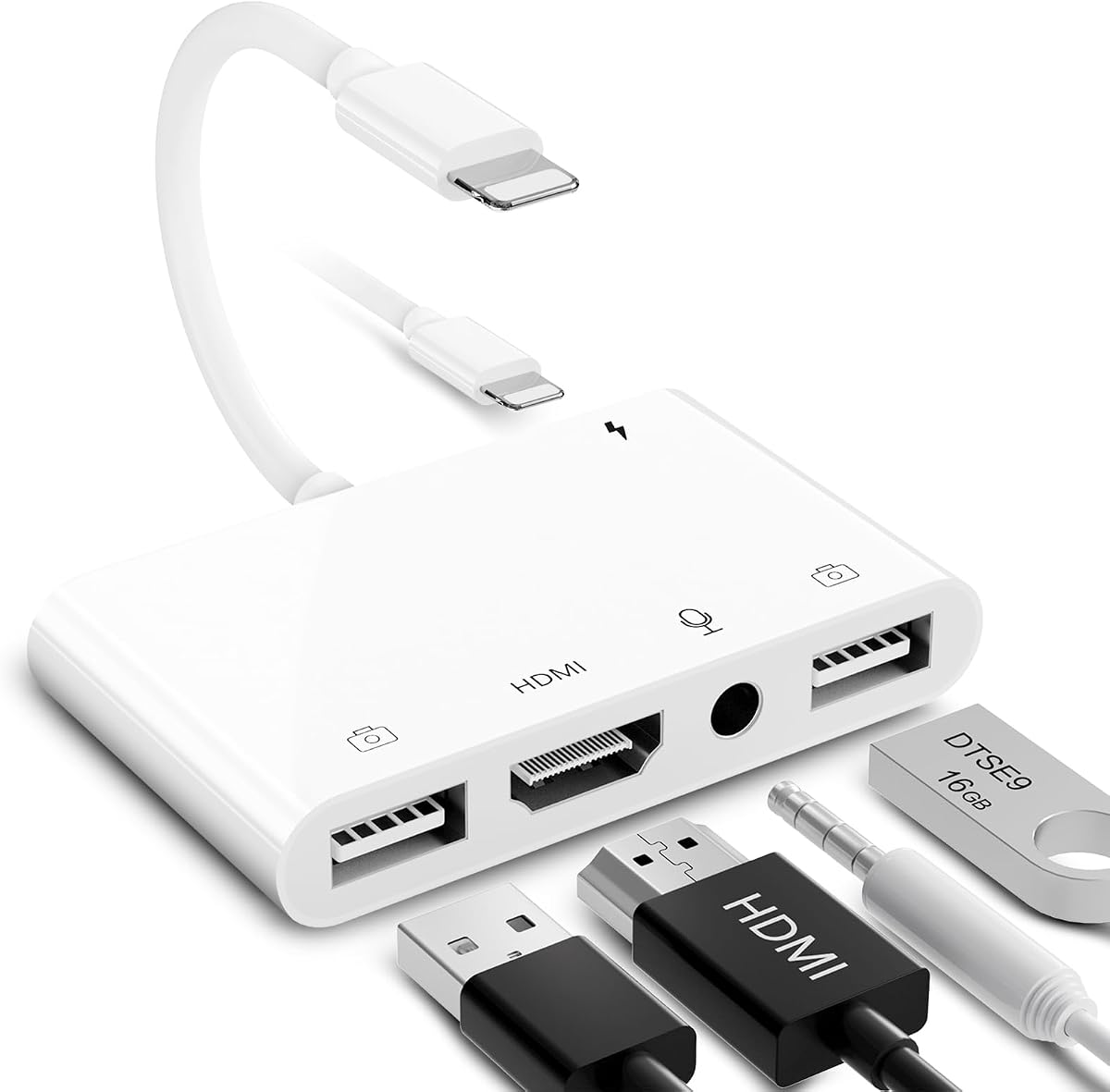
This is the most feature-dense conventional Lightning adapter in the list. With a 4.3 rating, it combines an HDMI connection, two USB-A ports, a 3.5mm microphone or headphone jack, and a Lightning charging port. The result is a five-function hub for iPhone and iPad users who need more than a simple display dongle while still using a Lightning connector.
We may earn a commission when you buy through this link, at no additional cost to you.
Its HDMI output supports mirroring or extending the device screen to a television, monitor, or projector for apps, presentations, websites, and slideshows. The USB ports can accommodate accessories such as keyboards, mice, flash drives, hubs, musical instruments, MIDI keyboards, and digital pianos. The product description states transfer speeds can reach 60MB/s to 90MB/s, making the hub relevant to file-transfer workflows as well as display use.
The 3.5mm jack adds another layer of utility for live streaming, recording, music applications, and headphone listening. The product lists Twitch, TikTok, YouTube, Google Play Music, iTunes, and Spotify among supported applications. However, phone calls are not supported, and protected video services such as Netflix, Amazon Video, HBO Go, Hulu, Sky Q, and Honda Motor remain incompatible. The description also advises waiting about 15 seconds for the initial connection and connecting power if the HDMI output becomes unstable.
This adapter is ideal for a creator, mobile worker, gamer, or student who wants one compact hub for display, storage, input devices, audio, and charging. It is less suitable for a simple home-viewing setup where a basic dongle would be easier to carry. Users should account for the initial connection delay, keep a charging cable available, and confirm their intended applications do not rely on phone calling.
The dual USB ports, audio jack, and charging pass-through transform the adapter into a compact productivity hub. It can reduce the need to unplug display accessories every time a peripheral or charging cable is needed.
The 3.5mm connection is especially relevant to livestreaming, recording, and listening. Compatible applications can use wired audio, although standard phone-call functions are explicitly excluded.
We may earn a commission when you buy through this link, at no additional cost to you.
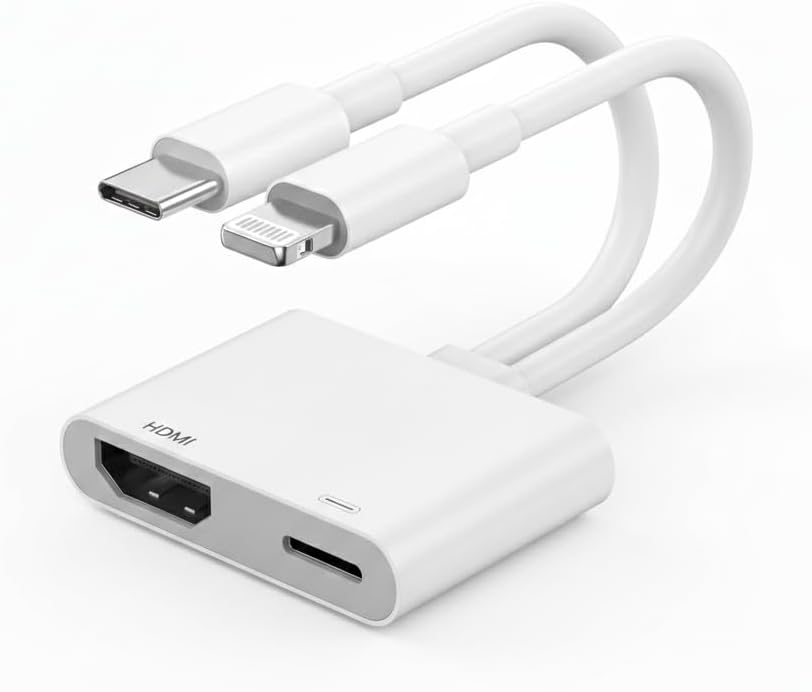
This dual-interface adapter is the premium pick in the roundup, combining the highest listed customer rating with unusually broad device support. Its 4.6 rating reflects a product that accommodates both Lightning and USB-C devices, including numerous iPhone generations, iPad families, MacBooks, Samsung Galaxy phones, and Google Pixel devices. An MFi-certified chip is included for the Lightning side of the connection.
We may earn a commission when you buy through this link, at no additional cost to you.
The stated maximum output is 4K at 60Hz, substantially higher than the 1080p limit emphasized by most Lightning-specific adapters. The USB-C charging port supports up to 100W Power Delivery, allowing compatible phones, tablets, and laptops to charge while the display remains active. The adapter also works with HDMI televisions, projectors, and monitors using a separate HDMI cable.
Streaming behavior depends on the connector. In USB-C mode, the product supports HDCP-protected content and names services such as YouTube, TikTok, Facebook, Instagram, and Hulu. In Lightning mode, it supports YouTube, network channels, and saved videos, but Netflix, Prime Video, HBO Max, and other protected services remain unavailable. The description also notes an exception for iPhone 15, 16, and 17 in relation to protected content.
This is the most future-conscious choice for someone moving between Lightning and USB-C hardware. It is well suited to a modern desk, conference table, or media setup where different devices need a common display connection. It is less necessary for a single older iPhone, but the 100W charging, 4K output, cross-platform design, and 24-month warranty justify its premium position.
Supporting both Lightning and USB-C makes the adapter useful in mixed-device homes and workplaces. It reduces the need to carry separate display accessories for an older iPhone and a newer USB-C tablet, laptop, or phone.
The stated 4K at 60Hz mode offers more headroom than 1080p for compatible USB-C equipment, while the 100W charging input supports demanding devices. The two functions work together through a single compact adapter.
We may earn a commission when you buy through this link, at no additional cost to you.
This Apple Lightning to Digital AV Adapter has a 4.6 rating, matching the highest listed score in the guide. It is designed for iPhone, iPad, and iPod owners with a Lightning connector who need to send content to an HDMI-equipped television, display, or projector. The device supports screen mirroring and video output at up to 1080p HD.
We may earn a commission when you buy through this link, at no additional cost to you.
Its range of supported material includes apps, presentations, websites, slideshows, movies, television shows, and captured video. Both video and audio output are supported, making it suitable for watching saved content as well as sharing images or office material. The physical process is uncomplicated: connect the Lightning adapter, attach an HDMI cable, and select the appropriate input on the display.
The separate HDMI cable is one of the main practical considerations. There is also no listed charging pass-through, so prolonged viewing may require ending the display connection before recharging the device. Protected streaming applications are not promoted, and Lightning-era adapters generally remain subject to HDCP limitations. Buyers who mainly want Netflix or other subscription content should verify the current behavior before relying on the adapter for that purpose.
This product is best for users who value a simple, established way to connect a Lightning Apple device to a larger screen. Its high rating is encouraging, and the core feature set is clear enough to compare with larger adapters. It is a sensible option for local media, presentations, photos, and mirrored webpages, while users needing charging, additional ports, USB-C compatibility, or modern 4K output should look elsewhere.
The device follows the standard Lightning Digital AV Adapter format. Its simplicity makes it approachable for first-time users and easy to carry between a home, office, and travel bag.
Video and audio output make the adapter suitable for television watching and captured media, not merely slide presentations. The connected television or display can serve as the central audio source.
We may earn a commission when you buy through this link, at no additional cost to you.
The best HDMI Lightning Adapter for iPhone should match your device, display, content, and power needs. The following factors cover the details that matter most when comparing simple dongles, wired adapters, and multiport hubs.
Choose only an adapter that explicitly supports the device and iOS version you plan to use.
Prioritize reliable 1080p output unless your source and display genuinely support higher resolution.
Check your required streaming service before buying any Lightning adapter.
Select charging pass-through when long sessions or continuous power are important.
Choose a dongle for portability or a long cable for easier placement.
Choose extra ports for specific peripherals, not simply because they are available.
Favor MFi certification, sensible construction, and a form factor suited to your setup.
Confirm the required HDMI and charging cables before making a purchase.
Begin by checking the adapter, device, television, and any required HDMI cable for visible damage. Connect the adapter to the Lightning port while the iPhone or iPad is unlocked, attach the HDMI cable to the display, and select the correct HDMI input on the television, projector, or monitor. Some models require a charging cable to be attached before the first connection, so consult the specific product instructions before proceeding.
When the iPhone displays a Trust prompt, approve it and allow several seconds for the screen to synchronize. The first connection may take longer than later ones. If the display remains blank, reconnect the cable, change the television input, unlock the source device, and confirm that the intended app does not use HDCP protection. Avoid disconnecting the adapter while the display is actively mirroring, as that can interrupt an ongoing presentation or video.
Care for the adapter by storing it in a small pouch, bending the attached cable gently, and keeping the Lightning plug free of dust and debris. Do not leave the device connected to a display overnight unless both products are designed for that arrangement. For multiport models, remove peripherals before traveling and use the supported charging input. Periodically inspect connectors for looseness or damage, and replace a compromised cable or adapter rather than forcing it into a port.
Most Lightning-to-HDMI adapters cannot display Netflix or other HDCP-protected streaming content. This restriction applies to Netflix, Prime Video, Amazon Video, HBO services, Disney+, and many similar applications. YouTube, network-supported apps, local videos, photos, presentations, and games are more consistently compatible. A USB-C adapter may offer protected streaming in USB-C mode, but that capability does not automatically apply to Lightning connections.
Most of the dongle-style products require a separate HDMI cable, and the Apple Digital AV Adapter descriptions explicitly state that the cable is sold separately. Some products include a Lightning lead but still need an HDMI cable between the adapter and television. Check the package contents carefully, especially if you already own a suitable cable or plan to use the adapter in a location with a short connection.
Most Lightning-only adapters do not work with USB-C-only iPhone models. The dual-interface premium product supports both Lightning and USB-C, but its description includes exceptions relating to protected streaming on iPhone 15, 16, and 17. Always confirm the exact iPhone model and the content you intend to display before ordering.
Only models with Lightning charging pass-through support simultaneous charging. The budget pick, MFi digital AV adapter, charging-port model, five-in-one hub, and premium dual-interface adapter include charging provisions, although specific requirements vary. One charging model requires a 5V 1A USB cable to be plugged in before use. Basic Lightning Digital AV Adapters without a charging port do not provide that convenience.
Most Lightning adapters listed in this guide support output up to 1080p HD. The dual-interface USB-C and Lightning adapter advertises 4K at 60Hz, but actual resolution depends on the source device, connector mode, application, and television. Lightning-only products should be evaluated as 1080p solutions unless the current listing states otherwise.
No. The listed adapters generally use a direct wired connection and require only the normal Trust prompt, followed by a short wait for synchronization. They do not require an application, driver, personal hotspot, or Wi-Fi network. This makes them particularly convenient for presentations, classrooms, hotel rooms, and locations where internet access is unavailable.
First, confirm that the correct HDMI input is selected and that the Trust prompt was approved. Reconnect the Lightning and HDMI plugs, unlock the iPhone, and allow the full connection time specified for the adapter. Also check whether the content is protected by HDCP, whether the product requires external charging before use, and whether the television is compatible with the adapter’s stated resolution and refresh rate.
Yes. Screen mirroring is well suited to presentations, websites, slideshows, photos, and many games. The most important considerations are connection stability, adequate output resolution, and whether the app you want to display is protected by HDCP. A wired model with a longer cable can also provide more flexible placement when the phone and display are not directly beside one another.
The best budget-oriented choice is the Lightning adapter with an integrated charging port because it provides 1080p mirroring and a useful power connection without a complex setup. The MFi HDMI Cable Adapter stands out as the best overall option for its long built-in lead, broad Apple-device compatibility, and stable certified connection. The dual-interface adapter is the premium selection for buyers who need 4K at 60Hz, USB-C support, and 100W charging pass-through.
For most Lightning iPhone and iPad users, prioritize the device connection, output resolution, cable requirements, and intended applications before considering extra features. Check whether charging is necessary, make sure an HDMI cable is available, and confirm that the content you want to watch is not restricted by HDCP. Those checks prevent most disappointments and help narrow the list to the adapter that best fits the actual display setup.
Ratings, product details, and prices can change, so confirm the current listing before purchasing. This guide is intended to simplify the selection process, but the final decision should reflect the exact iPhone model, television or projector, viewing environment, and applications you intend to use.