
14TB 7-System Retro Gaming Hard Drive
3.9Editor score
14TB storage capacity
98,000+ game archive
Seven-system gaming hub
USB 3.1 interface
Our retro gaming hard drive with games preloaded guide compares capacity, game libraries, compatibility, interfaces, setup, and performance across ten leading
A retro gaming hard drive with games preloaded can turn a compatible PC or laptop into a broad game library without the inconvenience of downloading and organizing thousands of individual titles. The most useful models combine a generous game catalog, a clear launcher, accessible controls, and simple setup procedures.
The products in this guide were compared using their supplied specifications, including storage capacity, supported operating systems, emulator coverage, game counts, interface technology, browsing features, and recommended hardware. The list covers compact portable models, larger desktop-style drives, Windows-focused systems, and Batocera-based options.
Each review identifies the strongest use for its drive and also notes practical limitations such as installation steps, hardware recommendations, or uncertain game-count claims. Ratings and availability can change over time, so compare the current listing details and your own computer requirements before making a final purchase.
3.9Editor score

5.0Editor score

3.9Editor score
The table below compares the key characteristics of all ten preloaded retro gaming drives, including their storage, reported game libraries, platform support, interfaces, and standout usability features.




The 14TB Retro Gaming Hard Drive stands out as the most spacious option in this roundup, combining a reported archive of 98,000-plus games with support for seven gaming generations. Its 3.9 rating reflects the tradeoff between enormous flexibility and a product whose setup and compatibility depend heavily on the buyer’s Windows PC, available runtimes, and the titles they attempt to launch.
We may earn a commission when you buy through this link, at no additional cost to you.
Storage is the primary attraction. At 14TB, the drive leaves room for large libraries, personal ROM additions, and a broad mixture of arcade, home-console, classic PC, 3D, and premium PC content. The supplied information describes 9,800-plus 3D games and more than 1,000 high-end PC titles, while a unified frontend and 260-plus supported platforms make it possible to move between vintage and more recent styles without maintaining a separate library for every generation.
The interface is USB 3.1 with a stated transfer speed of 10Gb/s, and the drive is intended for Windows 7, 8, 10, and 11. That makes it attractive to someone who wants a large, organized central library, but less suitable for a Mac-only or Linux-centered setup. The seller also notes that older game DLL files may prompt Windows Security warnings and that legacy VC++ and DirectX runtimes may need to be installed for compatibility.
This is the pick for collectors who value maximum capacity, a broad platform mix, and room to customize the library. Buyers should not expect every demanding modern title to run on modest hardware, and the GTX 1060 Ti-or-better recommendation is important when working with 4K-oriented AAA content. For those who understand emulator and runtime setup, it is the most expansive premium-style choice here.
The 14TB capacity gives this drive an obvious advantage for large archives, custom additions, and mixed 2D, 3D, and PC-oriented libraries. It is better suited to a permanent collection than a carryaround device.
The seven-system frontend and 260-plus supported platforms offer a more varied experience than a narrowly focused retro collection. Buyers should still verify the compatibility of their favorite titles after setup.
We may earn a commission when you buy through this link, at no additional cost to you.
The 4TB drive with 20,000-plus games offers a middle-ground alternative to both compact portable units and the largest archival drives. It carries a 3.9 rating and emphasizes a curated collection with no duplicates, more than 3,300 3D and AAA titles, and easier switching among three gaming systems through updated frontends and emulators.
We may earn a commission when you buy through this link, at no additional cost to you.
Its 7200RPM mechanical design is intended to provide consistent load times, while the 4TB capacity offers plenty of room for a sizable preinstalled library and additional titles. The listing specifically targets Windows 8, 10, and 11 in its ready-to-play description, although the full product title includes Windows 7. Buyers should therefore confirm their exact operating system and read the included setup instructions before purchasing.
A meaningful part of setup involves legacy software. The supplied information explains that older DLL files may be falsely identified by Windows Security and that classic games can require VC++ and DirectX runtimes. The stated procedure temporarily adds relevant folders to exclusions and restores security afterward. While this is common for emulation collections, technically inclined users may prefer to manage those settings themselves.
The product makes sense for a buyer who wants more than a basic retro archive but does not need the enormous storage of the 12TB or 14TB models. Its strongest selling points are the claimed absence of duplicate entries, the substantial 3D selection, and a relatively straightforward three-system experience. It is a practical all-around choice for Windows users who value organization and variety.
The stated no-duplicate approach can make a 20,000-plus-title library easier to browse than a larger catalog with repeated entries. It is still a large collection, so favorites should be organized into personal folders or collections.
A 7200RPM spindle and 4TB capacity balance storage volume with the mechanical design used for this drive. Emulation and game launch remain more dependent on the host processor, graphics card, and emulator configuration than on drive capacity alone.
We may earn a commission when you buy through this link, at no additional cost to you.
Kinhank’s 12TB Retro Game Hard Drive combines a reported 96,000-plus game library with support for more than 400 emulators. Its 3.8 rating places it just behind the leading options, but the combination of storage, emulator breadth, and a Windows 7-and-above target makes it a compelling choice for users who want to organize many platforms in one place.
We may earn a commission when you buy through this link, at no additional cost to you.
The hardware specifications include a 3.5-inch 7200RPM drive, 256MB cache, and a stated transfer speed of 6GB/s through a SATA 3.0 to USB 3.0 connection. The library is described as containing 6,000-plus 3D games, 400-plus game collections, and 2,500-plus AAA titles, giving it a stronger focus on 3D content than some of the smaller alternatives.
The drive supports the addition and deletion of games, which is valuable for building a personal collection rather than remaining entirely dependent on the factory-loaded library. However, the listing explicitly states that this is not the 5-in-1 version. Performance is also hardware-dependent: an i5-class processor or better and a graphics card above a GTX 1050 Ti are recommended when running larger games smoothly.
This is a strong option for a dedicated retro gaming PC with enough storage appetite and modest but modern internal hardware. It may be excessive for occasional use or travel, yet it gives enthusiasts room for a deep mixed archive and many emulator families. Verify the exact platform package and your preferred game formats before ordering.
Support for more than 400 emulators is the defining specification here. That reach is useful for collectors interested in less common systems, though users should still confirm whether their desired titles require additional plugins or configuration.
The supplied i5 and GTX 1050 Ti recommendations provide a useful baseline for smoother operation with larger games. A more capable processor and graphics card can improve frame rates, resolution, and visual consistency.
We may earn a commission when you buy through this link, at no additional cost to you.
The Kinhank 4TB 6-in-1 Retro Game Hard Drive earns the highest rating among the products reviewed, with a 5.0 based on the supplied customer rating. It combines 75,000-plus games, more than 200 supported emulators, and a 4TB 7200RPM drive in a format designed for Windows 7 and later.
We may earn a commission when you buy through this link, at no additional cost to you.
Its most user-friendly feature is the carousel interface, which displays video previews while a user browses. Games can be launched directly within Windows without a restart, reducing the friction associated with locating and starting a title. Installation also requires only minimal plugin work, and the product includes video guidance to help new users establish the system.
Performance specifications include a 3.5-inch 7200RPM drive, 256MB cache, a stated 6Gb/s transfer rate, and SATA 3.0 to USB 3.0 connectivity. The seller recommends a GTX 1060 Ti or better for crisp visuals, high frame rates, and smoother gameplay, especially when the collection includes graphically demanding simulations and 3D titles.
This is the most balanced choice for a buyer who wants a large library, an approachable interface, and broad Windows compatibility without moving to the largest possible storage. Its main limitation is the same as it is for other emulation systems: actual performance depends on the computer and individual game. For the right setup, however, its preview-led browsing and six-in-one design are especially appealing.
Video previews make the interface more approachable than a plain directory of filenames. They are particularly helpful when a collection contains unfamiliar titles, regional variations, or multiple entries with similar names.
A 4TB capacity is large enough for a broad preloaded archive while remaining more manageable than the 12TB and 14TB alternatives. The result suits a permanent installation more than constant portable use.
We may earn a commission when you buy through this link, at no additional cost to you.
This Kinhank 4TB model provides a familiar six-in-one design with 75,000-plus supported games, more than 200 collections, and direct launching from Windows. Its 3.0 rating is the lowest among the ten products, so buyers should investigate the current customer feedback and verify their essential titles before committing.
We may earn a commission when you buy through this link, at no additional cost to you.
The interface uses a visual carousel with video previews, making it easier to identify games while browsing. Users can also add or remove ROMs to customize the library. Internally, the drive uses a 3.5-inch 7200RPM mechanism, 256MB cache, and SATA 3.0 to USB 3.0 connectivity with a stated transfer rate of 6Gb/s.
Windows 7 and later are supported. As with the other large Kinhank libraries, a GTX 1060 Ti or better is recommended for higher frame rates, improved resolutions, and smoother images. The drive is therefore most satisfying when paired with a reasonably modern desktop or laptop, particularly if the intended library includes 3D games and demanding simulations.
Although its feature set resembles the 4TB 6-in-1 drive that received the highest rating, this model’s lower score is a meaningful differentiator. It remains a capable option for someone who values a huge library, visual browsing, and user-managed ROMs, but the purchasing decision should account for the rating difference and the need to confirm particular game compatibility.
Adding and removing ROMs gives this drive flexibility beyond its preloaded content. Users can organize favorites, remove unwanted entries, and build a library that reflects their preferred systems.
The 3.0 rating does not erase the stated hardware capabilities, but it reinforces the need to read recent reviews. Compatibility questions, missing-file reports, and hardware expectations deserve attention before purchase.
We may earn a commission when you buy through this link, at no additional cost to you.
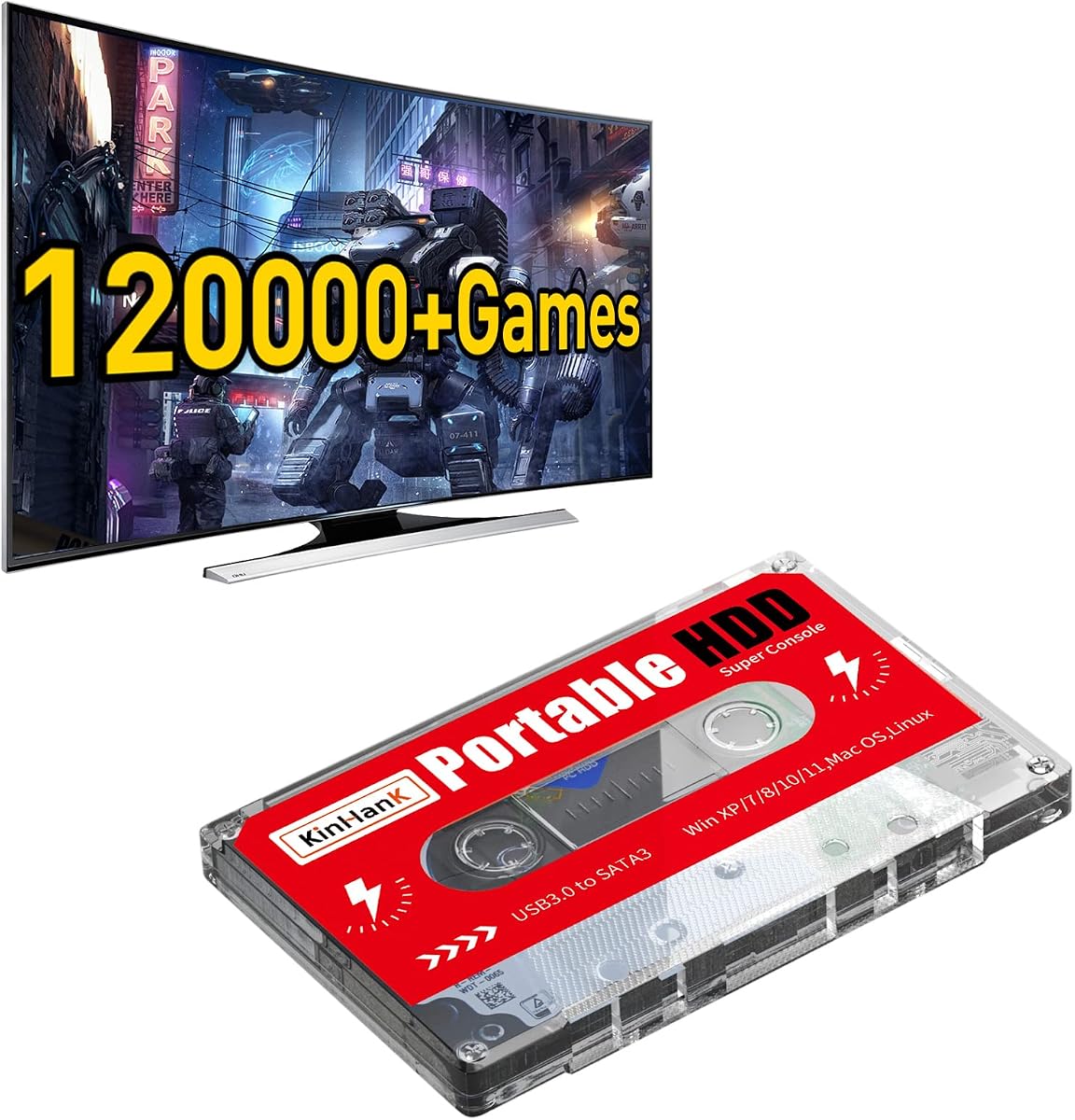
The Kinhank 2TB Batocera 33 system drive has a 4.2 rating, making it one of the better-rated products in the roundup. It claims more than 120,000 games, 5,000-plus 3D titles, 108 collections, and preinstalled emulators, while supporting Windows XP through Windows 11, Mac OS, and Linux.
We may earn a commission when you buy through this link, at no additional cost to you.
Its Batocera foundation makes it more versatile than a purely Windows-oriented drive. The instructions describe booting directly into the portable system, and the supplied information notes that Batocera can be configured as the first boot option. The drive is also described as suitable for connected television equipment, although the best experience still depends on the host device, controllers, and display.
A SATA 3.0 controller with UASP support is intended to reduce CPU occupancy, data delay, and waiting time. Users do not need to install a driver for the initial connection, and a data cable is enough to begin using the preloaded library. The 2TB capacity is smaller than many competitors, but the claimed game density helps make the available space useful.
This product is ideal for a buyer who values Batocera and wants a single drive to work across several operating systems. It also fits a dedicated gaming setup better than constant travel because the larger game count may fill much of its 2TB capacity. Controllers are not included, so a suitable gamepad should be considered part of the complete setup.
Batocera provides a familiar console-style interface and a clear path to adding or organizing content. That makes the drive useful beyond a simple folder of ROMs.
Support for Windows, Mac OS, and Linux broadens the pool of compatible computers. Exact behavior can differ by host, so checking boot and controller requirements is still important.
We may earn a commission when you buy through this link, at no additional cost to you.
The Kinhank 500GB Portable Game Drive provides a compact route into a large preloaded library. It has a 3.9 rating and includes a reported 111,000-plus games, 84 collections and simulators, 5,000-plus 3D games, and the Batocera 33 system in a portable enclosure.
We may earn a commission when you buy through this link, at no additional cost to you.
Setup is straightforward because no driver is required. A user connects the data cable and can access the library, while the second partition can be read from Windows for convenient additions and deletions. USB 3.0 provides the stated connection standard and backward compatibility with USB 2.0, allowing the drive to work with a range of older and newer systems.
The operating-system list includes Windows XP, Windows Vista, Windows 7 through Windows 10, and Mac OS 10.2, as well as laptops and PCs. The drive supports 26 languages, which is a useful detail for households that want a multilingual browsing experience. No gamepad is included, so buyers need to supply their own controller or use keyboard and mouse input.
At 500GB, this is the least spacious model here, and its high game count may consume much of the available room. Nevertheless, it is a sensible choice for a first preloaded gaming drive, a travel-friendly companion, or a user who wants Batocera without a larger desktop-style hard drive. Its 3.9 rating is notably stronger than that of the comparable 500GB alternatives in this list.
The compact 500GB format is easier to carry and simpler to integrate with a laptop than the 4TB desktop-style alternatives. It is a good match for users who already maintain separate game libraries elsewhere.
Reading the drive’s second partition from Windows makes it straightforward to add or remove games. Keep in mind that the relatively compact capacity leaves less room for extensive personal additions.
We may earn a commission when you buy through this link, at no additional cost to you.
The Kinhank 4TB 6-System Retro Gaming HDD combines a reported 75,000-plus games with 200-plus collections and a six-platform focus. Its 3.2 rating is below the group average, but the broad catalog, 4TB capacity, and visual launcher make it worth comparing against similar Kinhank models.
We may earn a commission when you buy through this link, at no additional cost to you.
The included interface presents games in a carousel and uses video previews to help users identify titles. Games launch directly within Windows without requiring a restart, and the supplied information states that users can add or remove ROMs. Setup requires minimal plugin installation and is supported by an installation video.
Underneath the interface is a 3.5-inch 7200RPM drive with 256MB cache and a SATA 3.0 to USB 3.0 interface. The stated transfer speed is 6Gb/s. Windows 7 and later are supported, but the recommended GTX 1060 Ti or better graphics card shows that the 3D portion of the library benefits from stronger hardware.
This model is most suitable for someone who wants a major library and finds visual browsing more useful than a plain file list. The lower rating means careful review of recent customer comments is especially valuable, particularly regarding missing titles, setup clarity, and individual game compatibility. It offers solid stated features but less proven satisfaction than the best-rated 4TB alternative.
The carousel and video-preview system can be especially helpful for a very large catalog. It gives users visual context before spending time launching an unfamiliar game.
The 7200RPM mechanism, cache, and USB 3.0 connection suit a stationary gaming PC. Pairing it with a stronger graphics card will provide a better experience for 3D games and demanding simulators.
We may earn a commission when you buy through this link, at no additional cost to you.
The Kinhank 500GB Mini Gaming Drive packages a reported 111,700 games, 84 emulators, and the Batocera 33 system into a compact external enclosure. Its 3.5 rating places it in the middle of the group, while the mini format and support for game saves make it convenient for portable use.
We may earn a commission when you buy through this link, at no additional cost to you.
The drive uses a SATA 3.0 controller with UASP support and a USB 3.0 connection, with a stated speed of up to 6GB/s. No driver installation is needed for the initial connection, and the Batocera environment can be accessed after referring to the user manual. Users can add their own games and save progress directly to the drive.
Compatibility covers Windows XP, Windows Vista, Windows 7 through Windows 10, Batocera, laptops, and PCs. The interface supports more than 26 languages. A controller is not supplied, so input hardware must be arranged separately, and the 500GB capacity is likely to be the main limitation once the reported preloaded library is accounted for.
This drive is best for a portable Batocera setup or a gift recipient who wants access to a huge game collection without installing a full suite of emulators. Its mini design improves heat dissipation and portability, but buyers should balance those benefits against limited room for custom ROMs. Check the current listing and customer feedback for any game-specific concerns.
Support for saving progress makes the mini drive more useful than a simple read-only archive. Connect it to the same compatible system to continue an existing session.
The small enclosure is easy to carry, but 500GB provides less space for custom additions than the 4TB models. Intended primarily as a preloaded travel library, it works best when users keep personal ROM collections elsewhere.
We may earn a commission when you buy through this link, at no additional cost to you.
The Kinhank 500GB Batocera Game Drive is a straightforward portable option with a 3.7 rating, a reported collection of 110,000-plus games, and more than 90 supported emulators. It also includes 5,000-plus 3D titles and the Batocera 33 environment, making it accessible to users who do not want to configure every emulator from the beginning.
We may earn a commission when you buy through this link, at no additional cost to you.
A data connection is all that is required for initial use, and the second partition can be read from Windows so that games can be added or removed conveniently. The stated compatibility includes Windows XP, Windows Vista, Windows 7 through Windows 11, Linux, and mini computers, giving the drive a broad range of potential hosts.
USB 3.0 provides the stated data connection and a maximum transfer rate of 6GB/s. The drive’s ten-minute smart sleep feature is designed to reduce unnecessary hard-disk activity, which is useful in a portable environment. As with the other 500GB models, however, a controller is not mentioned in the supplied information, and the limited capacity constrains extensive personal additions.
This product is a sensible lower-capacity choice for a first portable retro gaming system or a laptop-based setup. Its rating is stronger than that of the similar 500GB mini drive, though its reported emulator total is lower than several alternatives. Users who value a particularly broad emulator range should examine the 90-plus emulator offer and confirm that their preferred systems are represented.
The drive can be connected without installing a driver, making it approachable for first-time users. The included Batocera system also reduces the need to install separate emulators for every title.
A ten-minute sleep behavior can reduce unnecessary disk activity while the drive is not being used. This adds convenience for people who regularly connect the same library to a laptop.
We may earn a commission when you buy through this link, at no additional cost to you.
The right preloaded gaming drive depends on library size, platform coverage, portability, host hardware, and how much setup effort you are willing to manage. These factors help distinguish the practical differences between otherwise similar products.
Reported game counts can range from roughly 20,000 on one curated Windows-focused model to more than 120,000 on the Batocera models, but headline totals are not directly comparable. Some counts include multiple regional entries, collections, or other content, while the listings use slightly different definitions. The more meaningful questions are whether the desired systems and specific favorite games are included, whether duplicates have been removed, and how much storage remains for personal additions.
Storage determines how much room remains after the preloaded content is installed. A 500GB drive is compact and easy to carry, making it a natural choice for a laptop or travel-focused setup. The 4TB models provide more room for custom ROMs and a broader mixture of 2D and 3D content, while 12TB and 14TB models suit permanent installations and large personal archives. Larger 3.5-inch mechanisms also require more space and may be less convenient to transport.
Most options in this roundup focus on Windows 7 or newer, but the Batocera models also state support for Mac OS, Linux, and older Windows versions. The launcher architecture matters as much as the operating system. Some products open through a Windows frontend, while Batocera can operate as a portable console system and may be configured as a boot option. Check the host operating system, boot behavior, and whether you need one unified environment across several machines.
Emulator coverage varies from three highlighted gaming systems to more than 400 supported emulators, with many products landing around 200. A high total signals flexibility, but the listings do not provide a complete compatibility list for every title. Look for the particular classic consoles, arcade boards, handheld systems, and computer platforms you intend to play. Plugins or runtimes may still be necessary, particularly for older PC games.
A fast drive cannot compensate for a weak processor or graphics card. The products with large 3D and AAA libraries recommend modern hardware, with several mentioning an i5-class processor and a GTX 1060 Ti or GTX 1050 Ti as baselines. Older 2D games generally place lighter demands, while 3D titles, simulators, and high-resolution output benefit from a stronger CPU and GPU. Consider your existing computer before choosing a drive loaded with demanding games.
Most drives use USB 3.0, while the 14TB model uses USB 3.1. The 3.5-inch products commonly specify 7200RPM mechanisms, 256MB cache, and SATA 3.0 controllers, while the portable 500GB options are designed for easier transport. These specifications affect file movement and launch responsiveness, but emulator performance still depends on the complete host system. A direct USB 3.0 connection to a modern computer is preferable to routing files through an unpowered hub.
A visual launcher can make a huge library much easier to use. The best carousel-style options include video previews and direct launching within Windows, while Batocera provides a console-oriented interface. Some models require only minimal plugin installation, whereas others may need legacy VC++ and DirectX runtimes. Review the included documentation, manual, and setup videos, and determine whether the process appeals to your level of technical comfort.
Emulated games often rely on older executable and DLL files that modern security software may flag. Some sellers address this by temporarily adding the relevant game directory to Windows exclusions and restoring protection afterward, while others offer no equivalent instruction. You should understand every exception you create, keep security enabled whenever possible, and avoid unfamiliar executables. Seller support, promised setup guidance, and assistance with missing or nonworking titles can also influence the experience.
Begin by checking the drive’s compatibility notes and identifying the correct data cable and USB port. Connect it directly to the computer, open the included manual, and follow the product-specific instructions for launching the frontend or selecting the Batocera boot environment. Some models can be opened directly from Windows, while others require a boot-order change or initial plugin installation. Connect your preferred controller before attempting a game if the drive does not include one.
Give the operating system a little time to recognize the drive, and avoid unplugging it while files are being copied or a game is saving. If Windows Security flags a legacy game file, review the seller’s instructions and any manual guidance before adding a narrowly targeted exclusion. Install only the legacy VC++ or DirectX runtimes required for affected titles, and re-enable Windows Security as soon as the necessary setup step is complete.
For long-term care, use a stable connection, provide ventilation around a 3.5-inch drive, and safely eject the device from the operating system before disconnecting it. Back up personal ROMs, saves, and custom collections to another drive, especially because the preloaded library should not be confused with a personal backup. Keep the enclosure away from moisture, impact, and extreme heat, and periodically review the drive’s available capacity and file integrity.
No. Most products in this guide require a compatible Windows PC, and many specify Windows 7 or later. The Batocera models state broader support for Windows, Mac OS, and Linux, but host architecture, boot settings, and peripherals still matter. A current PC with adequate processing and graphics capability will provide a better experience, particularly when playing 3D titles.
Classic game files often contain old DLLs and executables that modern security tools can mistake for threats. The sellers describe these as false positives caused by legacy code rather than malware. Read the supplied guidance, isolate the affected folder if necessary, and re-enable protection after setup. Never add a broad system exclusion without understanding the security implications.
Not necessarily. Large 12TB and 14TB models are ideal for permanent, extensive archives, but they take up more space and may be less convenient to carry. A 500GB model is easier to use with a laptop and may be more appropriate for occasional gaming. The best choice depends on your library size, available space, and desired portability.
These products are marketed as preloaded, and most include a frontend or Batocera system with emulators already configured. Some still require minimal plugin installation or legacy runtime components, particularly for older PC games. Follow the included manual and setup videos rather than assuming every title will launch immediately.
Yes. Most of the products explicitly allow users to add or remove games, and the Batocera models expose a partition that can be read from Windows. Store additions in clearly organized folders and make sure the emulator settings point to the correct location. Keep a separate backup because adding files changes the contents of the drive.
The supplied product information recommends stronger hardware for demanding titles, including GTX 1060 Ti, GTX 1050 Ti, or better graphics hardware depending on the model. An i5-class processor or better is also recommended in one listing. Traditional 2D games are generally less demanding, so your favorite genres should guide the upgrade decision.
No. Headline totals are reported figures and may use different counting methods across products. Individual games can also depend on the correct emulator, regional variant, plugin, runtime, and hardware configuration. Review recent customer feedback, verify the manuals, and confirm that important games are supported before relying on a specific count.
One Batocera product specifically mentions suitability for car audio and digital playback equipment, while other models are designed primarily for PCs and laptops. Connecting a drive to a television setup may work if the device can boot from the drive and recognize USB storage, but controller and display compatibility must be handled separately.
The Kinhank 4TB 6-in-1 model is the strongest all-around pick because its 5.0 rating, preview-based carousel, six-system organization, and 4TB capacity combine convenience with a substantial library. The 14TB seven-system drive is the expansive choice for collectors, while the Kinhank 500GB portable model offers the most accessible compact format without sacrificing a large preloaded catalog.
Prioritize the features that affect your actual experience: confirm operating-system compatibility, choose enough storage for your own additions, and match the library to your graphics hardware. A beautiful browsing interface cannot compensate for a computer that cannot run demanding games, while excess capacity is useful only if you maintain a sizable custom collection. Reading recent customer feedback is especially important for any title whose compatibility matters to you.
Ratings, product configurations, and listing details can change, so check the current product page before ordering. Also verify the supplied cable, controller situation, setup instructions, and any security requirements. With those details confirmed, a preloaded retro gaming drive can provide a convenient and enjoyable way to explore decades of game history from one organized library.