
Universal Electronics Wall Mount
4.7Editor score
Stores several device types
Two-tier metal shelf design
Protective EVA contact pads
A laptop wall mount can transform an unused wall into a flexible workstation, reducing desk clutter while improving screen placement and access to your device. The best models combine a secure tray, smooth adjustment, dependable wall anchoring, ventilation, and enough flexibility for both work and entertainment.
We compared all ten mounts by examining their stated device compatibility, weight limits, adjustment ranges, VESA support, installation methods, cooling features, and practical use cases. The list covers articulating arms, fixed shelves, detachable trays, and hybrid laptop-and-monitor mounts suited to home offices, studios, classrooms, and shared spaces.
Each pick highlights a different way to reclaim space, from a simple metal shelf to long-reach gas-spring arms. Ratings and specifications reflect the supplied product information, while current prices and availability can change, so readers should verify compatibility and current offers before purchasing.
4.7Editor score

4.6Editor score

4.4Editor score
As an Amazon Associate we earn from qualifying purchases.
The table below compares the ten mounts by their core design, supported devices, adjustment system, and installation approach, making it easier to identify the right option for your workspace.


The MOUNT PRO Laptop Wall Mount earns a 4.6 rating and stands out as the most balanced option in this guide. It accommodates most 11–17 inch laptops and, with its included VESA plate, converts into an arm for 13–32 inch monitors. That dual-purpose design gives it unusually broad value for offices, classrooms, studios, and compact home workspaces.
We may earn a commission when you buy through this link, at no additional cost to you.
Its smooth articulating arm supports tilt from +90 degrees to -45 degrees, 180-degree swivel, and 360-degree rotation in monitor mode. An 11.8-inch height adjustment range and adjustable straps inside a ventilated tray make it practical for shifting between focused typing, video viewing, presentations, and shared-screen use. Cable management is integrated rather than offered as a separate accessory, helping preserve a clean visual appearance.
The stated load range of 4.4–19.8 pounds covers many mainstream laptops, while the aluminum-and-steel construction is intended to provide stability. The important caveat is installation: the manufacturer recommends a wood stud, cement wall, or concrete brick wall and explicitly advises against drywall-only mounting. Its 360-degree rotation applies only when configured as a monitor mount, and users should also respect the maximum device weight.
This is the strongest recommendation for a buyer who wants one well-equipped mount rather than a simple storage shelf. It suits people who alternate between laptop use and a separate monitor, need frequent angle changes, or want to reclaim valuable desk area. Those requiring a fixed shelf, adhesive installation, or pole mounting should consider a more specialized option, but for broad everyday versatility, this MOUNT PRO design leads the list.
The supplied VESA plate allows the same articulated system to serve as a laptop holder or monitor arm. This makes the mount especially useful for workstations that may change from a laptop-only setup to a multi-display arrangement.
Tilt, swivel, rotation, extension, and height movement let users bring the screen closer, push it away, or share it with someone nearby. The ventilated tray and adjustable straps help maintain airflow and device security while the arm is in motion.
We may earn a commission when you buy through this link, at no additional cost to you.
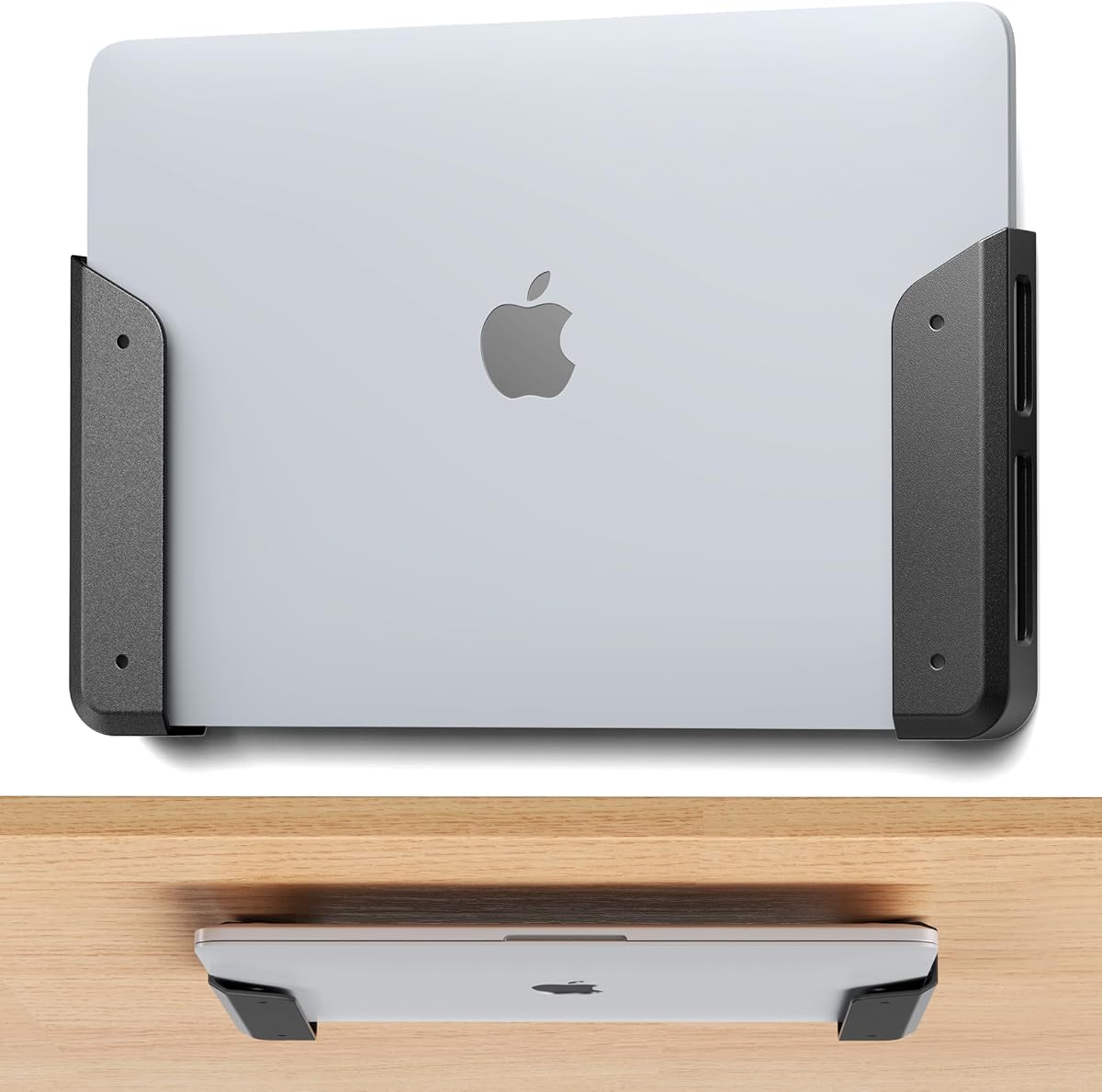
The ELETIUO Wall & Under Desk Laptop Mount Holder has a 4.2 rating and prioritizes versatile storage over moving-arm performance. It can hold laptops, MacBooks, Surface devices, keyboards, tablets, a Nintendo Switch, and other compatible equipment. Devices up to 26 millimeters thick can be stored vertically or horizontally, making this a useful option for mixed-device workspaces.
We may earn a commission when you buy through this link, at no additional cost to you.
Two installation approaches are included. Adhesive strips allow quick, tool-free placement, while self-tapping screws, expansion anchors, and a screwdriver support a more permanent installation. The package contains two holders, five anchors, five self-tapping screws, two adhesive strips, and the screwdriver. Anti-scratch pads protect contact points, and a cut-out design allows cables, ports, and buttons to remain accessible.
Unlike an articulating laptop arm, this product does not raise, extend, tilt, or swivel the screen. It is better understood as a wall or under-desk storage cradle than an adjustable workstation arm. The adhesive method is specifically identified as best for lighter, smaller devices, whereas heavier laptops deserve the screw-mounted configuration. Buyers must also confirm that their device thickness falls within the 26-millimeter limit.
Choose this mount when the main goal is organized storage and easy device access, particularly if a full-motion arm would be unnecessary. It works well in offices, bedrooms, kitchens, shared workspaces, and areas where keyboards, tablets, or smaller computers are used regularly. For frequent screen-position changes, one of the articulated arms in this guide will be more appropriate.
Adhesive strips provide a convenient installation when the device is light and the placement may change. The screw and anchor system is the stronger choice for heavy laptops or a permanent arrangement, although the appropriate anchor still depends on the wall material.
The fixed shelf design is effective for storage but cannot match the ergonomic flexibility of an articulating mount. Consider whether you need a dedicated display position or simply a place to keep a device safely off the desk.
We may earn a commission when you buy through this link, at no additional cost to you.
This Laptop Wall Mount carries a 4.4 rating and combines an adjustable laptop cradle with a VESA-compatible monitor arm. It supports most 11–17 inch laptops and displays measuring 22–32 inches, with a stated capacity of 4.4–22 pounds. That makes it a flexible solution for users who want a suspended screen without giving up the option to use a monitor.
We may earn a commission when you buy through this link, at no additional cost to you.
The arm allows 70-degree upward tilt, 45-degree downward tilt, 180-degree swivel, and full 360-degree rotation in monitor mode. Its 11-inch vertical adjustment and 20.7-inch extended reach provide a generous working envelope. A locking mechanism and dual adjustable clamps help keep the laptop secure, while the open-frame tray contains multiple ventilation slots for airflow.
Its main limitation is the installation environment. The instructions recommend wood studs, cement walls, or concrete brick for maximum strength, and the product should not be installed into drywall alone. The advertised ability to free up to 80% of desk space is most meaningful when a dedicated display is mounted above or beside the work surface. As with other convertible mounts, 360-degree rotation does not apply in laptop mode.
This is a strong option for compact dorm rooms, home offices, warehouses, and shared workspaces where users need both flexibility and device security. The locking tray is particularly attractive for people who reposition their setup frequently and do not want the laptop sliding within the cradle. It is a slightly more specialized alternative to the first-ranked model, with a similar dual-use concept and a higher stated maximum weight.
The tray's locking mechanism and dual adjustable clamps add reassurance when the arm is extended, swiveled, or shared with another user. These features are useful in active workrooms, studios, and instructional environments.
A 20.7-inch extension makes the display easier to pull toward the user or move aside. Ventilation slots reduce the chance of heat building around the laptop while the open design leaves the underside less enclosed.
We may earn a commission when you buy through this link, at no additional cost to you.
The MOUNTUP Laptop Wall Mount earns a 4.5 rating and is a well-rounded articulating mount for users who want to move a laptop or monitor around a fixed wall position. It supports 14–17 inch laptops and 22–32 inch monitors, with a listed capacity of 4.4–22 pounds. Standard 75×75 millimeter and 100×100 millimeter VESA patterns broaden its display compatibility.
We may earn a commission when you buy through this link, at no additional cost to you.
Adjustment includes +70-degree to -45-degree tilt, 180-degree swivel, 360-degree rotation in monitor mode, 11 inches of height movement, and 20.7 inches of reach. The laptop tray includes a latch intended to prevent slipping, while its open design promotes airflow. This combination makes the mount practical for workstations, compact rooms, instructional displays, clinical information screens, and shared household setups.
The minimum listed laptop size is 14 inches, so this is less accommodating for compact notebooks than several alternatives. It also requires mounting into a wood stud, concrete wall, or solid brick wall for the intended level of stability; drywall-only installation is not recommended. Users should not treat the 360-degree monitor rotation as available while the laptop tray is attached.
It is a good fit for someone who needs a versatile screen and values a locking tray over a fixed shelf. Its stated use cases range from following recipes to checking orders and displaying professional information, which illustrates how the same hardware can serve different rooms. Those needing a smaller laptop, adhesive installation, or a pole option should look elsewhere in this guide.
The locking tray is designed to reduce the chance of a laptop slipping while the mount is moved. It adds value in shared spaces where the arm may be handled more frequently than it would be in a dedicated private office.
The 75×75 millimeter and 100×100 millimeter VESA support lets the arm serve a compatible display. This is useful for users who may begin with a laptop-only setup and later introduce a separate monitor.
We may earn a commission when you buy through this link, at no additional cost to you.
The WALI Laptop Wall Mount receives a 4.4 rating and provides a balanced combination of laptop support, monitor compatibility, and articulating movement. It handles 10–17 inch laptops up to 15.4 pounds and monitors from 17–32 inches up to 22 pounds. Both 75×75 millimeter and 100×100 millimeter VESA patterns are supported for compatible displays.
We may earn a commission when you buy through this link, at no additional cost to you.
Its arm extends from 16.7 to 19.3 inches and offers +70-degree and -45-degree tilt, plus/minus 90-degree swivel and 360-degree rotation. These controls support different working modes, including typing, viewing, presenting, and video calls. A ventilated platform includes holes intended to improve airflow around a laptop under sustained workloads such as gaming or video editing.
The different laptop and monitor weight limits are important. A monitor may be supported at up to 22 pounds, but a laptop on the tray must remain at or below 15.4 pounds. The product is also intended primarily as a wall mount rather than a pole-mounted arm, and buyers should verify wall construction before installation. Adjustability is valuable, but it cannot compensate for a wall surface unable to support the load.
This mount is well suited to home offices, dorm rooms, classrooms, studios, and small-business environments. It particularly appeals to users who want broad laptop sizing without giving up monitor support. Although its 19.3-inch reach is shorter than the longest gas-spring options, its familiar full-motion design and ventilated platform offer a balanced choice for everyday productivity.
Height movement, swivel, tilt, and rotation make it possible to alternate between a closer typing position and a more distant viewing position. The range is particularly helpful in shared rooms where one screen serves multiple tasks.
The perforated platform is designed to release heat around the underside of a laptop. While no mount can eliminate all thermal risk, the open platform provides a useful layer of airflow during demanding work.
We may earn a commission when you buy through this link, at no additional cost to you.
This 2-in-1 Laptop Wall Mount has a 4.5 rating and uses a detachable tray to combine laptop and monitor use in a relatively compact package. The platform adjusts from 276 to 472 millimeters, allowing it to accommodate 12–17 inch notebooks. Removing the tray exposes VESA 75×75 millimeter and 100×100 millimeter compatibility for 17–32 inch screens.
We may earn a commission when you buy through this link, at no additional cost to you.
The arm rotates from -90 to +90 degrees and provides 250 millimeters of height adjustment. Pads at the platform corners and side contact points help hold the laptop firmly while reducing the risk of scratches. Cable management is concealed along the hanging arm, and ventilation holes in the center of the platform assist with heat dissipation during sustained workloads.
The stated load capacity of 2–9 kilograms provides another useful compatibility check, and buyers should verify both the weight and dimensions of their device. Compared with the 20-inch-plus reaches and broader height movements of some competing arms, the adjustment here is more modest. It is nevertheless sufficient for basic repositioning, and the detachable design is valuable when the arm needs to switch between its two roles.
Choose this mount for a compact office, dorm, treatment room, or workstation where a laptop may share wall space with a display. It is especially attractive for users who value tidy cable routing, padded contact points, and a tray that can be removed when it is not needed. Those who require long reach or continuous tilt should favor a more expansive articulating model.
The laptop tray can be removed to use the arm as a conventional VESA display mount. This makes the product easier to adapt when the user's equipment or workspace changes.
Padded corners and contact points reduce direct metal-to-device contact, while the concealed routing channel helps keep charging and signal cables close to the arm instead of hanging loosely.
We may earn a commission when you buy through this link, at no additional cost to you.
The VIVO Black Laptop Wall Mount has a 4.4 rating and centers on smooth, pneumatic positioning. It fits 10–15.6 inch laptops and notebooks up to 9.9 pounds. Rather than requiring repeated adjustments at joint screws, its tool-free height mechanism is designed to let users move the laptop into a more comfortable viewing or typing position with less effort.
We may earn a commission when you buy through this link, at no additional cost to you.
The arm supports +90-degree to -45-degree tilt, 180-degree swivel, and 360-degree rotation. Its adjustable clamp tray accommodates different laptop sizes, while rubber tabs secure the device and help protect its surface. Ventilation slots are intended to maintain airflow. A removable VESA plate and included hardware simplify the basic mounting process, with installation into a wood stud or brick or concrete wall recommended.
The counterbalance mechanism must hold at least 4.4 pounds to operate properly, making it unsuitable for very light tablets or ultraportable devices. It also does not extend to the larger 16- or 17-inch laptops accepted by several other models in this guide. The three-year manufacturer warranty is a meaningful benefit, but wall construction and device weight still require attention before installation.
This VIVO arm is a strong choice for users who value fluid daily repositioning more than maximum reach or dual laptop-monitor versatility. It works well in offices, shared workspaces, and home setups where moving between typing and viewing happens frequently. Those with a larger laptop or a very light device should select a different mount, while buyers seeking extensive reach can look to the gas-spring options.
The counterbalance system is designed to move smoothly without the repetitive screw adjustment found on simpler arms. This can make frequent changes between typing and viewing more convenient in an active workspace.
An adjustable clamp accommodates different laptop widths, and rubber tabs help keep the device secure while reducing scratches. The ventilated construction supports airflow beneath the computer.
We may earn a commission when you buy through this link, at no additional cost to you.
The Mount-It! Ergonomic Laptop Arm has a 4.4 rating and offers the broadest installation flexibility in the guide. It can be fastened to a wall or attached to a round pole using the included clamp, although the pole itself is sold separately. Both mounting approaches are included in the box, making the arm suitable for fixed rooms as well as mobile or temporary workstations.
We may earn a commission when you buy through this link, at no additional cost to you.
Its spring-assisted arm holds the laptop in position instead of gradually drifting or drooping, and tension can be adjusted at the arm bolts. Movement includes 180-degree swivel, +90-degree to -45-degree tilt, and extension as far as 21.8 inches. The sturdy tray fits 10–15.6 inch laptops and uses hold-down supports to keep the computer seated. Removing the tray converts the arm to a 75×75 or 100×100 millimeter VESA mount for displays up to 32 inches.
Pole installation is the clearest differentiator, but it also introduces an extra compatibility requirement: the pole must be suitably round, rigid, and able to carry the assembled load. A stud or solid surface is recommended for the steadiest wall installation. The laptop size range excludes larger 16- and 17-inch machines, and users should fully seat the computer within the retainers before releasing it.
This is the premium recommendation for users who value substantial reach, stable spring movement, and the freedom to use either a wall or pole. It fits clinics, home offices, workshops, studios, recreational vehicles, and reception desks particularly well. The combination of tension adjustment and extensive extension makes it a refined choice for users who expect to reposition the screen often.
Most laptop wall mounts require a suitable wall and the tools to create a secure fixing. The included round-pole clamp expands the options, particularly for temporary installations, shared equipment, and spaces where a conventional wall anchor is inconvenient.
A spring mechanism supports the load and resists unwanted sagging. Adjusting tension at the arm bolts lets the user tune the movement to feel firmer or lighter while maintaining a steady display position.
We may earn a commission when you buy through this link, at no additional cost to you.
The Universal Wall Mount for Laptop, Keyboard, and Tablet carries a 4.7 rating, the highest listed rating among these products. It is a fixed two-tier metal organizer rather than an articulating arm, supporting devices up to 22 pounds and 1.57 inches thick. Despite being marketed around electronics, it can also store items such as a cutting board.
We may earn a commission when you buy through this link, at no additional cost to you.
Its flexible shelf arrangement can hold a laptop and keyboard, two laptops, two keyboards, four tablets, a modem and Wi-Fi router, two tablets and two phones, or two cutting boards. The 1.5-millimeter metal body is finished with a surface-painting process, and eight EVA pads help protect stored devices from scratches or direct contact with the shelves.
This product does not raise, tilt, swivel, or extend the display, so it is best for storage and accessibility rather than active ergonomic positioning. The 1.57-inch thickness limit is the most important compatibility check. Buyers should also consider shelf dimensions, wall material, and the possibility of cables needing to reach a device stored vertically or horizontally.
It is the budget and organization pick for offices, bedrooms, study rooms, living rooms, and retail storage. The stated 22-pound capacity and broad range of device types make it useful beyond laptops, while the simple metal construction keeps the approach straightforward. Choose an articulating mount when screen height and angle matter; choose this shelf when keeping devices organized is the primary goal.
The two-tier design can organize several small electronics at once, reducing the need for separate wall shelves. Its compatibility with keyboards, routers, tablets, phones, and even cutting boards makes it a general-purpose household and office organizer.
EVA pads provide a softer contact surface than bare metal. Four screws and four rubber plugs are included for installation, but wall suitability and the device's weight and thickness should still be checked before mounting.
We may earn a commission when you buy through this link, at no additional cost to you.
The Long Arm 2-in-1 Laptop Wall Mount has a 4.5 rating and stands out for its exceptional extension range. Its three-section gas-spring arm extends from 3.54 to 27.83 inches, giving it considerably more reach than most competing models. The detachable tray supports laptops up to 17 inches, while removal exposes 75×75 millimeter and 100×100 millimeter VESA compatibility for 17–32 inch monitors.
We may earn a commission when you buy through this link, at no additional cost to you.
Gas-spring support is designed to move smoothly, remain stable, and resist sagging or drifting after the screen is positioned. Height, extension, tilt, and swivel adjustments can be combined to create a more accessible workstation. That range makes the product especially attractive in space-constrained rooms where a conventional desk arrangement is impractical and the display needs to move toward or away from the user.
Long reach requires sufficient open space around the wall mount. The arm should not be extended into a wall, doorway, or obstacle, and the wall must be strong enough to carry the device and the arm's leverage. The 12–17 inch laptop tray is wider than those on several alternatives, but buyers should still verify device size, weight, and the effect of the fully extended position on stability.
Choose this model when maximum reach and effortless repositioning are the main requirements. It is well suited to compact offices, creative studios, workshops, and installations where the screen must sometimes be close to the user and sometimes pushed away. For simpler storage or a smaller extension range, a fixed shelf or shorter articulating arm may be easier to integrate.
The 3-section arm can retract close to the wall and extend into the room. That range supports close typing, comfortable viewing, and temporary screen sharing without requiring a separate adjustable arm for each posture.
The gas-spring system is intended to hold the chosen position without gradually drifting. It provides a smoother feel than a friction-only arm, although adequate wall anchoring and unobstructed movement remain essential.
We may earn a commission when you buy through this link, at no additional cost to you.
The right laptop wall mount depends on device size, weight, desired movement, wall construction, and whether you need a permanent screen position or a flexible articulated arm. Comparing these factors before buying helps prevent compatibility problems and leads to a more useful installation.
Start with the exact dimensions and weight of the device you intend to support. Listed laptop compatibility ranges vary significantly: some mounts accept machines from 10 inches, others begin at 12 or even 14 inches. The weight limit is equally important because a monitor arm and a laptop cradle may have different capacities. Check the smaller or lower limit and leave a margin rather than assuming a device near the maximum is ideal.
A fixed shelf stores a device but cannot improve the viewing angle. An articulating arm may add tilt, swivel, rotation, extension, and height movement. Consider how often you will type, watch video, make calls, present information, or share the display. Greater movement can improve ergonomics, but it also requires a stronger installation and more clearance around the arm.
The wall material is one of the most consequential buying factors. Most manufacturers recommend a wood stud, concrete wall, cement wall, or solid brick for a heavy articulating arm. Drywall alone is specifically discouraged for several products in this guide. A fixed adhesive holder may be acceptable only for a light device, while heavy laptops deserve mechanically anchored screws and suitable wall anchors.
A suspended laptop is generally surrounded by more air than one lying flat on a desk, but a closed or poorly ventilated tray can still limit airflow. Look for open frames, ventilation slots, or holes beneath the device. This is especially relevant during gaming, video editing, and other extended high-load sessions. Cooling features cannot replace good room ventilation, but they help prevent the mount from enclosing the laptop.
A convertible mount can use the same arm for a laptop tray and a standard VESA display. The relevant VESA patterns are commonly 75×75 millimeters and 100×100 millimeters, but buyers should verify the monitor's rear pattern and weight. Some mounts convert by removing the tray, while others use an included plate. This flexibility can prevent a second wall mount from being necessary later.
A suspended display still needs power, charging, video, and network connections. Integrated cable channels, clips, or a concealed routing system help keep cords close to the arm and away from moving joints. Fixed shelves also need enough clearance for connectors to remain accessible. Plan the route from the wall outlet or desk to the device before installation to avoid long, loose cables crossing the workspace.
A secure mount should resist the laptop shifting, sliding, or falling as the arm is moved. Look for adjustable straps, rubber tabs, clamps, or a locking mechanism, along with padded contact points that reduce scratches. A locking tray offers additional reassurance in shared or high-traffic spaces. The device should be fully seated in any retainers, and the mount's weight rating should never be exceeded.
Begin by identifying the wall structure, locating suitable studs or solid masonry, and assembling the components before applying final tension. Follow the included instructions, use the recommended anchors for the wall type, and check all fasteners after positioning the arm. Do not install a heavy articulating mount into drywall alone. Confirm that nearby doors, furniture, and walking routes leave enough clearance for the intended movement.
Place the laptop fully onto the tray and secure every strap, clamp, latch, or rubber contact. Connect cables while the arm is close to the wall, then move the device gradually into position to prevent snagging. Avoid abrupt extension, excessive swivel, or contact with walls and objects. For monitor mode, use the correct VESA plate and confirm that the display's pattern and weight fall within the mount's specifications.
Periodically inspect fasteners, joints, tray contacts, and cable routing. Remove dust from ventilation openings with a soft dry cloth, and avoid abrasive cleaners on coated metal, rubber pads, or finished surfaces. Do not exceed the stated load or use the arm as a shelf for unrelated objects. If the mount begins to sag, drift, vibrate, or pull against the wall, stop adjusting it and check the installation and spring or counterbalance tension.
Many models in this guide can switch between a laptop tray and a monitor mount. Look for 75×75 millimeter or 100×100 millimeter VESA compatibility and check the separate weight limit for monitor mode. Some systems use a detachable tray, while others include a conversion plate. A display with another VESA pattern requires an appropriate adapter and must remain within the arm's total capacity.
It depends on the product and the device's weight, but several articulating models in this guide specifically advise against drywall-only installation. Heavy laptops and extended arms create leverage, so a stud, concrete wall, cement wall, or solid brick is safer. A lightweight fixed holder may work on drywall with an approved anchor, but buyers should follow the manufacturer's instructions and use suitable fasteners.
Not necessarily. A suspended laptop can receive airflow from underneath and may cool effectively when the tray is open or ventilated. Enclosed trays and poor room airflow can still restrict cooling, especially during sustained gaming or video editing. Choose a model with slots or an open frame, avoid blocking the vents, and monitor the device's normal temperature behavior during demanding tasks.
A fixed shelf stores a laptop at one position and is usually simpler, less expensive, and easier to install. An articulating arm changes height, angle, distance, or orientation and is better for frequent typing, viewing, presenting, and shared-screen use. It also demands a stronger mounting surface and more careful load management. Choose based on how often you need to reposition the device.
The mount should support more than the combined weight of the laptop, tray, cables, and any attached accessories. Compare the device weight with the lower of the mount's stated laptop and overall limits. Remember that monitor mode may have a different rating from laptop mode, and extending a long arm changes the forces acting on the wall even if the device itself remains within the stated capacity.
They can by making it easier to place a screen near eye level, bring it closer when reading, or move it aside for other desk tasks. A fixed high shelf is not automatically ergonomic, however. The best results come from a suitable mounting height, smooth adjustment, and a setup that supports a neutral viewing position and comfortable shoulder posture.
The Mount-It! Ergonomic Arm in this guide includes a clamp for a round pole, although the pole is sold separately. The pole must be rigid, suitably round, secure, and capable of supporting the mounted equipment. Other products in the guide are intended only for wall installation, so their instructions and hardware should not be adapted without confirming structural requirements.
Use any built-in channel, clip, or concealed routing feature on the arm, and route power and data cables along the same path. Leave enough slack at the joints for movement without creating a large loop, and keep connectors accessible so the laptop can be charged or disconnected. Fixed cradles also need adequate clearance for plugs and adapters.
The MOUNT PRO 2-in-1 Laptop Wall Mount is the strongest all-around choice because it combines a secure vented laptop tray, broad articulating movement, monitor compatibility, and integrated cable management. The Universal Electronics Wall Mount is the budget leader for simple organization, while the Mount-It! Ergonomic Arm offers premium spring-assisted movement, substantial reach, and the unusual option of pole installation.
Prioritize compatibility before features. Confirm the laptop dimensions, device weight, wall material, and required VESA pattern, then decide how much movement the space can safely accommodate. A simple fixed holder may be ideal for storage, while an articulating or gas-spring arm is better for frequent viewing, typing, presentations, and shared use. Installation quality matters just as much as the mount itself.
Ratings can change as customer feedback accumulates, and prices, promotions, and availability fluctuate over time. Review the latest listing details, seller information, included hardware, and current user feedback before making a final purchase, and verify the manufacturer instructions again during installation.