
SANSUI 24 Inch Curved Gaming Monitor
4.5Editor score
24-inch 1500R curved display
160Hz with MPRT 1ms
HDMI and DisplayPort
A curved 160Hz gaming monitor combines smooth, high-frame-rate motion with a display shape designed to pull the action around the viewer. The best examples pair that speed with useful resolution, adaptive synchronization, accurate color, and enough connectivity for a modern gaming setup.
This guide compares ten curved monitors that either support 160Hz directly or exceed it, examining panel size, curvature, resolution, response-time claims, color coverage, HDR support, ports, and gaming-focused features. The list covers compact FHD models, 4K options, and expansive WQHD ultrawides for different budgets and desks.
Each review identifies the strongest reasons to consider a model, along with meaningful trade-offs such as native resolution, port limitations, or stand adjustment. Ratings and product details reflect the supplied listings, while prices and availability can change, so confirm current listings before purchasing.
4.5Editor score
4.5Editor score

4.3Editor score
As an Amazon Associate we earn from qualifying purchases.
The table below places all ten monitors on the same practical criteria, making it easier to compare size, resolution, refresh rate, sync technology, and core gaming features.





The SANSUI 24 Inch Curved Gaming Monitor up to 160Hz MPRT 1ms Computer Monitor combines a compact 24-inch footprint with the core speed most competitive players look for. Its 4.5 rating, 160Hz refresh rate, and listed 1ms MPRT response time make it an appealing all-around option, particularly when a large ultrawide would crowd the desk.
We may earn a commission when you buy through this link, at no additional cost to you.
The 1500R VA panel is supported by FreeSync, blue-light reduction, and a flicker-free design. Color specifications are especially notable for this class of monitor: the listing states 110% sRGB coverage, 97% DCI-P3, 300 nits of brightness, 8-bit color, 3000:1 contrast, and HDR support. HDMI 2.0 and DisplayPort 1.4 both accept signals up to 160Hz, giving PC gamers flexible connection options.
The main compromise is resolution. At 1920 by 1080, the screen offers less workspace and less visible detail than 1440p or 4K alternatives, and it may not pair with a high-end GPU without upscaling. Stand adjustment is limited to a -5 to 15-degree tilt, although VESA 75 by 75 millimeter support allows an alternative mount. The included HDMI cable and adapter add setup convenience.
This monitor is best for players who want 160Hz motion in a manageable 24-inch format, work at a compact desk, and value broad color specifications over maximum pixel density. It is also a strong candidate for mixed gaming and productivity use. Among the smaller curved options here, its combination of rating, color details, sync support, inputs, and VESA flexibility makes it an especially balanced recommendation.
A 160Hz refresh rate can make cursor movement, aiming, and rapidly scrolling interfaces appear more fluid than a conventional 60Hz display. Combined with the listed 1ms MPRT specification and FreeSync support, this makes the compact model relevant to fast-paced competitive games where visual clarity and responsiveness matter.
The stated 97% DCI-P3 and 110% sRGB coverage make this more than a bare-bones competitive screen. While actual color accuracy can vary, the specifications suggest it can also handle games, video, and general creative work better than a basic FHD gaming display with limited gamut coverage.
We may earn a commission when you buy through this link, at no additional cost to you.
The SANSUI 27 Inch Curved 160Hz Gaming Monitor 144Hz FHD 1080P Computer Monitor delivers the core features sought by many value-focused gamers in a larger 27-inch format. It carries a 4.4 rating and supports refresh rates up to 160Hz, while also accommodating 144Hz and 120Hz signals depending on the source device.
We may earn a commission when you buy through this link, at no additional cost to you.
Gaming tools form a major part of the feature set. The monitor includes a game assistant with black-level adjustment, crosshair, timer, and counter, along with FPS, RTS, racing, office, movie, and sRGB presets. Its listed 1ms MPRT response time and FreeSync support target fast motion, while anti-glare, anti-flicker, and low-blue-light features address prolonged viewing.
The panel is specified at 300 nits, 4000:1 contrast, and 110% sRGB coverage. HDMI 2.0 and DisplayPort 1.4 both support up to 160Hz, and an audio jack is included, though the monitor has no built-in speakers. HDR mode is available through the OSD when connected by HDMI. VESA 100 by 100 millimeter support broadens mounting options, but the listed stand only tilts.
This is a practical pick for budget-conscious gamers who want a larger curved screen and 160Hz performance without moving to 1440p. The 1080p resolution is the key limitation, especially for productivity or very high-detail competitive work. It remains well suited to console-style play, competitive shooters, and esports titles where refresh rate and a larger field of view take priority.
The combination of a 27-inch curved panel, 160Hz maximum refresh, FreeSync, and a 1ms MPRT claim covers the most common requirements for a modern gaming monitor. It offers a straightforward path to smoother gameplay without requiring a high-resolution ultrawide or premium display.
Crosshair, timer, counter, and shadow-boosting functions can reduce the need to leave a match for adjustments. Multiple presets also make it easier to switch among competitive games, racing titles, office applications, and movies.
We may earn a commission when you buy through this link, at no additional cost to you.
The CRUA 32-inch 4K UHD 160Hz Curved Gaming Monitor stands apart from the FHD entries by combining a 3840 by 2160 resolution with a 160Hz refresh rate. Its 4.3 rating reflects a feature-rich approach aimed at open-world games, movie viewing, content creation, and multitasking as well as competitive play.
We may earn a commission when you buy through this link, at no additional cost to you.
A 1500R curve wraps the display around the viewer's field of vision, while AMD FreeSync helps synchronize the panel with compatible graphics hardware. The listing states 120% sRGB color coverage, 320 cd/m² brightness, and 3000:1 contrast, producing specifications suited to vibrant gaming and general multimedia use. Integrated stereo speakers offer a convenient alternative to a separate desktop setup.
Connectivity includes HDMI 2.1 and DisplayPort 1.4, and the display supports 75 by 75 millimeter wall mounting. That makes it practical for a dedicated gaming room, streaming station, or dual-monitor arrangement. The principal caveat is hardware demand: rendering 4K at 160Hz requires a capable PC and GPU, and many games will require settings or upscaling to reach that combination smoothly.
The CRUA is best for buyers who want 4K detail without giving up a high refresh rate and do not want to add separate speakers immediately. Its 32-inch size also makes it a middle ground between conventional 27-inch displays and wider 34-inch models. For a premium-feeling specification mix at a larger screen size, it is a compelling option in this roundup.
The 3840 by 2160 panel provides substantially more pixel detail than FHD and QHD alternatives. Pairing that resolution with 160Hz is particularly attractive for modern GPUs, open environments, and games where distant objects, interface elements, and fine textures benefit from additional sharpness.
Built-in speakers can make a new gaming setup more complete without immediately adding separate desktop speakers. Combined with the curved 4K panel, wide color specification, and AMD FreeSync support, the monitor also works well for entertainment and general productivity.
We may earn a commission when you buy through this link, at no additional cost to you.
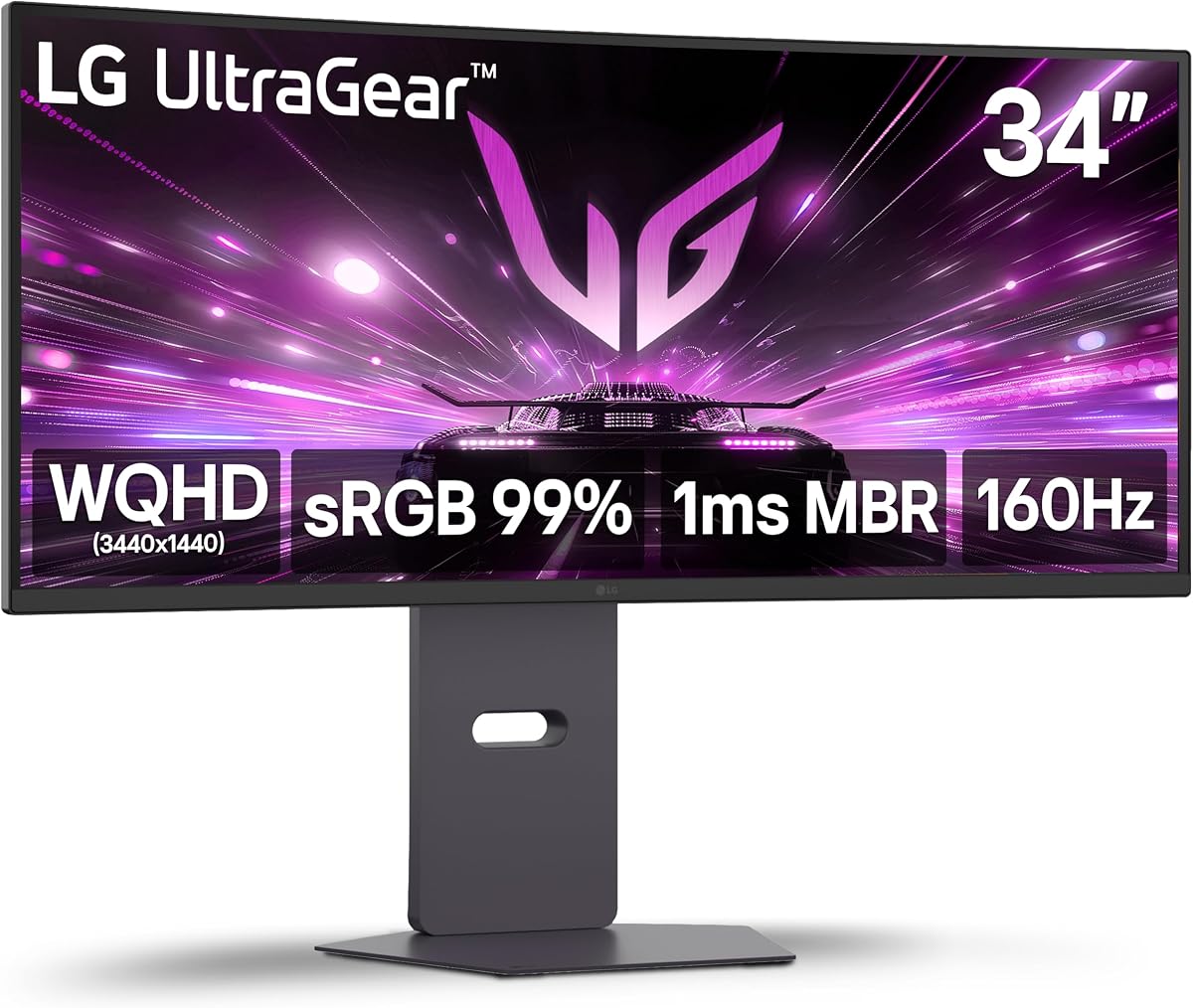
The LG 34G600A-B brings a 3440 by 1440 ultrawide canvas, 160Hz refresh rate, and a broad set of gaming and productivity features. Its 4.5 rating and LG UltraGear branding make it one of the most complete conventional options in the guide, especially for players who want more than an FHD viewport.
We may earn a commission when you buy through this link, at no additional cost to you.
The 1800R curve creates an immersive shape without the extremely tight wrap associated with some displays. AMD FreeSync Premium, 1ms Motion Blur Reduction, and Dynamic Action Sync support smooth, responsive play. HDR10 and up to 99% sRGB coverage are suitable for gaming and streaming, while Black Stabilizer and the center-display crosshair add practical competitive tools.
Unlike many curved ultrawides, this model includes height, swivel, and tilt adjustment. It also has HDMI 2.1, DisplayPort, Reader Mode, and stereo speakers with Waves MaxxAudio. The built-in audio is convenient for casual gaming and media, though dedicated speakers or headphones would still offer a more refined listening experience.
This is a strong recommendation for competitive gamers, streamers, and multitaskers who want a 34-inch 21:9 display with 160Hz performance. A capable graphics card is important at WQHD, and a broad desk is needed for full comfort. In return, the combination of resolution, curvature, synchronization, stand adjustment, and integrated features is unusually well rounded.
The 3440 by 1440 resolution offers substantially more horizontal space than a 16:9 monitor. That can reveal wider views in supported games, provide room for game and reference windows, and reduce the need to alternate between applications during streaming or productivity work.
Height, swivel, and tilt controls make it easier to position the large panel at a comfortable height and angle. HDMI 2.1, DisplayPort, and integrated stereo speakers also reduce the number of separate components needed for a straightforward gaming and media station.
We may earn a commission when you buy through this link, at no additional cost to you.
This renewed LG 34G600A-B offers the same core 34-inch WQHD curved hardware and 160Hz performance as the standard listing, but in a renewed channel. Its supplied 5.0 rating should be viewed alongside the nature of the product: renewed items can vary in cosmetic condition, and buyers should review the listing and warranty details carefully.
We may earn a commission when you buy through this link, at no additional cost to you.
The monitor provides a 3440 by 1440 resolution, an 1800R curve, AMD FreeSync Premium, HDR10, and 1ms Motion Blur Reduction. Dynamic Action Sync targets input lag, while Black Stabilizer and a center crosshair support competitive visibility and aiming. Up to 99% sRGB coverage and integrated Waves MaxxAudio stereo speakers broaden its appeal beyond fast-paced games.
The stand supports height adjustment, swivel, and tilt, which is particularly useful for an ultrawide display. HDMI 2.1 and DisplayPort provide modern connectivity, and Reader Mode appears in the supplied description. The major difference from the standard model is not a reduced core specification but the renewed status and its associated condition considerations.
This listing can suit a value-conscious buyer who wants a full-featured 34-inch 160Hz monitor without necessarily purchasing a new unit. Inspect images, ask questions about condition, and confirm the available return or warranty terms. Subject to those considerations, it offers the same compelling combination of resolution, curve, speed, and ergonomic support as the standard LG model.
A renewed unit can provide access to a feature-rich display at a different price point from a new listing. The main trade-off is uncertainty about cosmetic wear, so photographs, condition descriptions, return windows, and warranty coverage deserve careful attention before purchase.
The supplied specifications retain 160Hz, WQHD resolution, FreeSync Premium, HDR10, an adjustable stand, and built-in speakers. As a result, renewed status changes the buying considerations rather than reducing the monitor's fundamental gaming capabilities.
We may earn a commission when you buy through this link, at no additional cost to you.
The Samsung 32-inch Odyssey G55C is a QHD curved monitor built around a 165Hz refresh rate, placing it slightly above the 160Hz target used throughout this guide. It carries a 4.4 rating and combines that speed with a pronounced 1000R curve for a strong sense of immersion.
We may earn a commission when you buy through this link, at no additional cost to you.
Its 32-inch QHD panel offers 1.7 times the pixel density of Full HD, giving games, text, and desktop interfaces more definition than the smaller FHD choices. A 1ms MPRT response-time claim and AMD Radeon FreeSync support target quick motion and smoother synchronization, while HDR10 adds greater contrast and color range for compatible content.
The 1000R curve is tighter than the 1500R and 1800R designs found elsewhere in the list. That shape may draw peripheral content more strongly into view, which can feel immersive in racing, open-world, and flight games. It can also feel less natural to some viewers, so personal comfort and desk geometry matter more here than with a gentler curve.
Eye Saver Mode reduces blue light, while the display also reduces screen flicker according to the listing. The G55C is a strong fit for gamers who want more immersion than a standard 32-inch screen and do not mind choosing 165Hz over exactly 160Hz. It is particularly compelling for owners of a capable QHD gaming PC who prioritize shape, pixel density, and smooth motion together.
Curvature changes the viewing geometry, not merely the styling. A tighter 1000R radius can make the edges of the image appear closer to the viewer and create a more enveloping presentation. The effect is most noticeable in wide environments and content with objects approaching the screen edges.
The 165Hz refresh rate, listed 1ms MPRT response, and FreeSync support provide a strong motion package. QHD resolution adds enough detail for a 32-inch display, making this a balanced option for gamers who want both speed and visual definition.
We may earn a commission when you buy through this link, at no additional cost to you.
The Sceptre C345B-QUT168 combines a 34-inch 3440 by 1440 curved display with refresh rates listed up to 180Hz and 165Hz. Its 4.2 rating and specification mix position it as a performance-oriented ultrawide for players who want more screen area and a high refresh rate.
We may earn a commission when you buy through this link, at no additional cost to you.
The 21:9 format provides 30% more screen space than a conventional monitor according to the listing, making it useful for wide game views as well as productivity. A 1ms MPRT response specification supports crisp action, and the luminous back cover adds a distinctive visual element to a gaming setup. Built-in speakers add basic audio without requiring separate desktop units.
Connectivity is anchored by two DisplayPort inputs, and the panel covers up to 99% sRGB. The supplied description does not detail adaptive synchronization, HDR, detailed stand adjustment, or every supported resolution, so buyers should verify those details in the current listing. The 1500R curve is moderate enough to provide immersion while remaining a familiar shape for many gamers.
This model makes sense for a buyer who values three things above all else: ultrawide workspace, a high refresh rate, and a visually distinctive curved design. It is especially relevant for competitive PC gaming, although the 99% sRGB specification is less ambitious than wide-gamut models. The built-in speakers and dual DisplayPort arrangement add practical convenience to an otherwise performance-focused package.
A maximum refresh rate of up to 180Hz gives the monitor room to display fast frame transitions on compatible systems. The 1ms MPRT claim complements that speed by targeting reduced blur during rapid movement, making the display relevant to competitive shooters and high-action genres.
The extra horizontal space is valuable even outside games. Applications, communication tools, video timelines, and browser windows can sit side by side without forcing a single-monitor user to switch between full-screen layouts constantly.
We may earn a commission when you buy through this link, at no additional cost to you.
The Alienware AW3425DWM pairs a 34-inch 1500R WQHD panel with a 180Hz refresh rate, 1ms gray-to-gray response, and both AMD FreeSync Premium and VESA AdaptiveSync. Its 4.6 rating is the highest among the new-product listings here, reflecting a particularly well-rounded specification set.
We may earn a commission when you buy through this link, at no additional cost to you.
Color performance is a major strength. The monitor provides 95% DCI-P3 coverage and carries VESA DisplayHDR 400 certification, making it suitable for games and video where richer color is desirable. Its 3440 by 1440 resolution offers more than five million pixels across an ultrawide canvas, while the high refresh rate and low response specification target competitive performance.
A dedicated console mode and hardware-based low-blue-light solution support different usage scenarios and longer sessions. The inclusion of both AMD FreeSync Premium and VESA AdaptiveSync gives broad compatibility with adaptive-sync systems. Its 1500R curvature falls between the gentler LG design and the tighter Samsung G55C, offering a balanced approach to immersion.
The AW3425DWM is best for gamers who want a high-refresh ultrawide with strong color specifications and broad synchronization support. It also works well for console users, given the dedicated mode, and for mixed entertainment setups. Its premium category makes cost an important consideration, but the combination of 180Hz, 1ms response, 95% DCI-P3, and DisplayHDR 400 is especially persuasive for performance-focused buyers.
The 95% DCI-P3 coverage provides a more expansive color target than the 99% sRGB emphasis on many gaming monitors. This makes the Alienware appealing when the display will handle cinematic games, streaming, video, and other content in addition to competitive play.
Support for both AMD FreeSync Premium and VESA AdaptiveSync broadens the range of compatible systems. Users can reduce tearing when their graphics hardware and game settings support synchronization, although actual frame rates remain limited by the PC and title.
We may earn a commission when you buy through this link, at no additional cost to you.
The AOC CU34G4H is the speed-focused selection in this roundup, reaching up to 200Hz through DisplayPort 1.4. Its 34-inch 3440 by 1440 VA panel, 1500R curve, and 0.3ms MPRT response-time claim make it a compelling option for competitive players who want maximum headroom above 160Hz.
We may earn a commission when you buy through this link, at no additional cost to you.
Adaptive-Sync helps reduce tearing on compatible systems, while HDR Ready support adds broader contrast potential for suitable content. The 21:9 format creates a panoramic view for gaming and supplies enough width for multitasking, while the specified 0.3ms response is intended to minimize motion blur and ghosting in fast scenes.
Connectivity is unusually flexible, with one DisplayPort 1.4, two HDMI 2.0 ports, and audio output. Height adjustment, swivel, and tilt make the large panel easier to position. A key limitation is that the listing specifies 200Hz through DisplayPort but only 100Hz through HDMI, so users seeking the maximum refresh should connect with the appropriate DisplayPort cable and source.
This monitor is best for enthusiasts with a powerful PC who plan to use the highest available refresh rate in competitive games. The 200Hz ceiling provides flexibility even when a title does not consistently reach that level, and the 0.3ms claim is attractive for fast-motion clarity. It is less necessary for casual users, but it leads this list in raw advertised speed.
A 200Hz ceiling can benefit competitive players who want the option to run supported games at very high frame rates. It also provides headroom for future hardware, although the actual experience depends on the graphics card, game engine, settings, and whether the title supports high-refresh output.
The refresh-rate difference between DisplayPort and HDMI is important for this model. To reach the listed 200Hz maximum, use DisplayPort 1.4; the HDMI 2.0 connections are listed at up to 100Hz and may be better suited to consoles, secondary devices, or general connectivity.
We may earn a commission when you buy through this link, at no additional cost to you.
The SANSUI 24 Inch Curved 160Hz Gaming Monitor,1500R Curved Gaming Monitor is a compact option for gamers seeking high refresh speed in a smaller display. Its 4.4 rating, up-to-160Hz refresh rate, and listed 1ms MPRT response time cover the central performance requirements of an esports-oriented screen.
We may earn a commission when you buy through this link, at no additional cost to you.
The VA panel is specified with 110% sRGB coverage, 300 nits of brightness, 3000:1 contrast, 16.7 million display colors, and HDR support. FreeSync compatibility helps synchronize frames with compatible graphics hardware. The OSD also provides black-level adjustment, a crosshair, a game timer, and FPS, RTS, movie, and standard game modes.
HDMI 2.0 and DisplayPort 1.4 both accept signals up to 160Hz. The screen includes an audio jack but no speakers, and VESA 75 by 75 millimeter compatibility is available for an alternative mount. Tilt adjustment ranges from -5 to 15 degrees, with a stated tolerance of plus or minus 2 degrees, allowing basic positioning around a smaller desk.
This model is a good fit for a compact gaming station, especially when FHD is the intended resolution. Its smaller dimensions make it easier to place than a 32-inch or 34-inch model, and the 1500R curve adds immersion without demanding an ultrawide footprint. Buyers who need more multitasking space or finer detail should consider one of the QHD or 4K alternatives.
A 24-inch panel can be easier to accommodate on a modest desk and close to the player, which can make its high refresh rate feel particularly direct. The combination of 160Hz, 1ms MPRT, and FreeSync is focused on responsive competitive play.
Having both HDMI 2.0 and DisplayPort 1.4 provides useful flexibility, with either connection listed as supporting up to 160Hz. The included audio jack supports external headphones or speakers, although the monitor itself does not include built-in speakers.
We may earn a commission when you buy through this link, at no additional cost to you.
The right curved 160Hz gaming monitor depends on resolution, GPU power, desk size, preferred curvature, and the games you play. These factors help separate a genuinely useful upgrade from a display that merely carries the target refresh rate.
Resolution determines how much information the monitor can show and how much graphics processing your computer must handle. The 24-inch and 27-inch SANSUI models in this guide use 1920 by 1080, which is simple to drive and can be useful for competitive play. The 32-inch CRUA uses 4K UHD, offering much finer detail but placing substantially more demand on a GPU. The Samsung, LG, Sceptre, Alienware, and AOC models use QHD-class 3440 by 1440 ultrawide resolution, balancing detail, aspect ratio, and gaming performance. Match the resolution to both your graphics hardware and your preferred game genre rather than choosing only by screen size.
Curvature is expressed as a radius such as 1000R, 1500R, or 1800R. A smaller number generally indicates a tighter curve. The Samsung G55C uses 1000R, the SANSUI, CRUA, Sceptre, Alienware, and AOC models use 1500R, and the LG 34G600A-B uses 1800R. Tighter curves can create a more enveloping image, while gentler curves may feel more natural. Personal comfort varies, so it is useful to consider screen size and viewing distance together. A large ultrawide viewed from too far away may offer little benefit, while a compact 24-inch curve can look noticeably more immersive at a typical desk distance.
A 160Hz refresh rate can display up to 160 frames per second, providing smoother movement than a 60Hz display when the computer and game can produce enough frames. Several choices exceed that target, including the Samsung at 165Hz, the Sceptre at up to 180Hz, the Alienware at 180Hz, and the AOC at up to 200Hz. Response-time figures also vary: most use a 1ms MPRT-style claim, while the AOC lists 0.3ms MPRT. These ratings describe different measurement approaches and should be considered alongside refresh rate, sync technology, and panel behavior rather than treated as perfectly interchangeable.
Adaptive synchronization coordinates a compatible display and graphics system to reduce tearing and maintain a smoother presentation. The SANSUI models support FreeSync, the Samsung uses AMD Radeon FreeSync, and the LG and Alienware options list AMD FreeSync Premium. The CRUA includes AMD FreeSync, while the AOC supports Adaptive-Sync. Not every graphics card, game, or connection will achieve the same result, and features such as HDR can affect supported refresh combinations. Check the hardware and title requirements before purchase, and use the highest-quality connection available for the intended setup.
Color coverage and brightness determine how vivid games and video can look. The CRUA leads the supplied gamut figures with 120% sRGB, while the Alienware offers 95% DCI-P3 coverage and VESA DisplayHDR 400 certification. The SANSUI 24-inch model lists 110% sRGB and 97% DCI-P3, and several other monitors emphasize up to 99% sRGB. HDR is present in several listings, but implementation and source support vary. The SANSUI 27-inch model specifically notes that its HDR mode is enabled through the OSD only when connected by HDMI. Treat HDR capability as one part of the picture rather than a guarantee of a dramatic visual upgrade.
Screen size can affect comfort more than any specification. A 24-inch FHD model fits smaller desks and may be preferable for a focused competitive setup. A 32-inch display offers a larger FHD or 4K canvas, while 34-inch ultrawides need substantial desk width and careful placement. Stand adjustment matters as well: the LG models support height, swivel, and tilt, the AOC supports height, swivel, and tilt, while several SANSUI options are tilt-only. VESA compatibility provides another route to flexible positioning, although the mounting pattern must match. Estimate desk depth and viewing distance before choosing the widest model.
Modern high-refresh monitors need the correct source and cable to achieve their advertised maximum. DisplayPort is the stated route to 200Hz on the AOC, while its HDMI ports are listed at up to 100Hz. The LG offers HDMI 2.1 and DisplayPort, the CRUA includes HDMI 2.1 and DisplayPort 1.4, and the SANSUI models provide both HDMI 2.0 and DisplayPort 1.4. Audio needs also vary: the CRUA, LG, Sceptre, and Samsung-related feature set include built-in speakers in the relevant descriptions, while several SANSUI products provide an audio jack but no speakers. Confirm which physical connections and accessories match your PC or console.
Gaming features can save time, but their usefulness depends on your habits. Crosshairs, timers, counters, and black-level adjustment appear across several SANSUI models, while the LG adds Black Stabilizer, Dynamic Action Sync, and Motion Blur Reduction. Ergonomics matter just as much: height adjustment, swivel, and tilt can prevent neck and shoulder strain during long sessions. A monitor that places controls and features exactly as you like is more valuable than one with a longer feature list. Review stand specifications, on-screen menu access, eye-comfort modes, and desk arrangement together.
Begin by matching the graphics output to the monitor's supported resolution and refresh rate. In your PC's display settings, choose the highest resolution the screen can handle, then select the desired refresh rate. Connect through DisplayPort or HDMI according to the model's specified limits, and use a cable capable of carrying the intended signal. For the AOC, DisplayPort 1.4 is the listed route to 200Hz, while its HDMI connections top out at 100Hz.
After connecting the display, use the physical controls or OSD to select an appropriate image mode. Competitive players may want a crosshair, timer, counter, or black-level adjustment, while the SANSUI models also offer FPS, RTS, racing, office, movie, and sRGB presets. The LG includes tools such as Black Stabilizer and Dynamic Action Sync, and the Alienware provides a dedicated console mode. Choose settings that improve visibility without sacrificing the color and brightness needed in the game or application.
For comfort, place the screen at a natural viewing distance with its center close to eye level, then adjust tilt, height, and swivel where supported. Allow ventilation space around the curved rear panel, avoid placing the screen against a wall, and clean it with a soft, lint-free cloth rather than harsh liquid or abrasive materials. Periodically check cables, updated graphics drivers, display settings, and the physical stand to keep performance and positioning consistent.
Yes, especially when the game benefits from a higher frame rate or an ultrawide field of view. Curvature can also make open environments and cinematic games feel more immersive. The improvement is less dramatic in slow-paced games, where resolution, color, and comfort may matter more than refresh rate. A faster GPU and capable game are also needed to make full use of 160Hz.
A curved ultrawide can provide a wider apparent field of view and a more panoramic image, but the extra usable workspace comes primarily from its 21:9 aspect ratio. A standard 16:9 screen of a similar diagonal size does not necessarily offer the same horizontal span. Curvature also changes how the edges are positioned, which some viewers find more comfortable and others do not.
Many of these displays can also be connected to a console through HDMI, although the available resolution and refresh rate will depend on the monitor model, console, and selected mode. The CRUA and LG include modern HDMI connectivity, and the Alienware lists a dedicated console mode. Check the current product specifications and your console's supported output before buying.
A higher refresh rate can produce smoother motion when the computer and game can supply enough frames, but the difference becomes less noticeable as refresh speeds increase. A 200Hz monitor also has a more demanding connection requirement in some cases. The right choice depends on your GPU, display preference, and how much extra speed matters to you.
The requirement depends on resolution and the game. FHD at 160Hz is generally approachable, while QHD and especially 4K at 160Hz demand substantially more graphics power. Adaptive sync can smooth fluctuations when a game does not maintain a perfectly stable frame rate. Match the graphics card to the resolution and frame rate your most demanding titles actually achieve.
A 24-inch model suits smaller desks and focused FHD gaming, while a 32-inch display offers more room and often higher resolution. A 34-inch ultrawide is ideal for panoramic gaming and side-by-side productivity, but it needs more desk space. Viewing distance and stand adjustment are just as important as the diagonal measurement.
No. FreeSync requires a compatible graphics card, supported game, correct settings, and a suitable connection. It can reduce tearing and make frame delivery more consistent, but it does not increase the maximum frame rate your hardware can produce. HDR and some game-specific features can also affect which refresh modes remain available.
Turn the display off and use a soft, lint-free microfiber cloth lightly dampened with water if necessary. Spray the cloth rather than the screen, avoid harsh cleaning products, and never push hard against the curved panel. Keep liquid away from ports and vents, and allow the screen to dry before reconnecting or powering it.
The SANSUI 24-inch model stands out as the most balanced overall pick for buyers who want 160Hz, FreeSync, broad color specifications, and a compact 1500R curved design. The 27-inch SANSUI is a similar alternative with a larger FHD canvas, while the CRUA 32-inch model takes the premium route through 4K resolution, 160Hz, HDMI 2.1, and built-in speakers.
Prioritize the features your hardware and routine can use. Match the resolution to your graphics card, choose the connection that supports your target refresh rate, and make sure the monitor's physical size fits your desk. For a broader ultrawide experience, the LG 34G600A-B offers a particularly complete package with 160Hz, FreeSync Premium, an adjustable stand, and integrated stereo speakers.
Finally, check the current listing, price, warranty, and availability before buying, since both pricing and product details can change. The included ratings and specifications provide a useful starting point, but the best monitor is the one whose resolution, curvature, connectivity, and ergonomics match your gaming setup.