
Verbatim LifeSeries DVD+R DL
4.2Editor score
8.5GB dual-layer capacity
Up to 8X recording speed
Hub printable surface
Our printable DVD R discs guide compares recording speed, capacity, printability, compatibility, pack size, and warranty to help you choose the right disc
Printable DVD R discs combine write-once recording with a white inkjet surface, making them useful for labeled video, photo, music, and data collections. A useful choice depends on recording speed, capacity, printable area, device compatibility, and the number of discs needed for each project.
This guide compares ten DVD-R and DVD+R options based on their stated capacity, supported recording speeds, printable surfaces, pack sizes, compatibility, and warranty coverage. It also covers one dual-layer DVD+R DL model for buyers who need more room for longer recordings or larger files.
Each pick highlights a different practical reason to consider it, from bulk duplication to hub printing or extended capacity. Ratings reflect the listed customer feedback, while prices and availability can change, so compare the current listing details before making a purchase.
4.2Editor score
4.6Editor score
4.5Editor score
The comparison below covers all ten printable disc options, emphasizing the differences in DVD format, capacity, maximum write speed, printable surface, pack size, and stated compatibility.


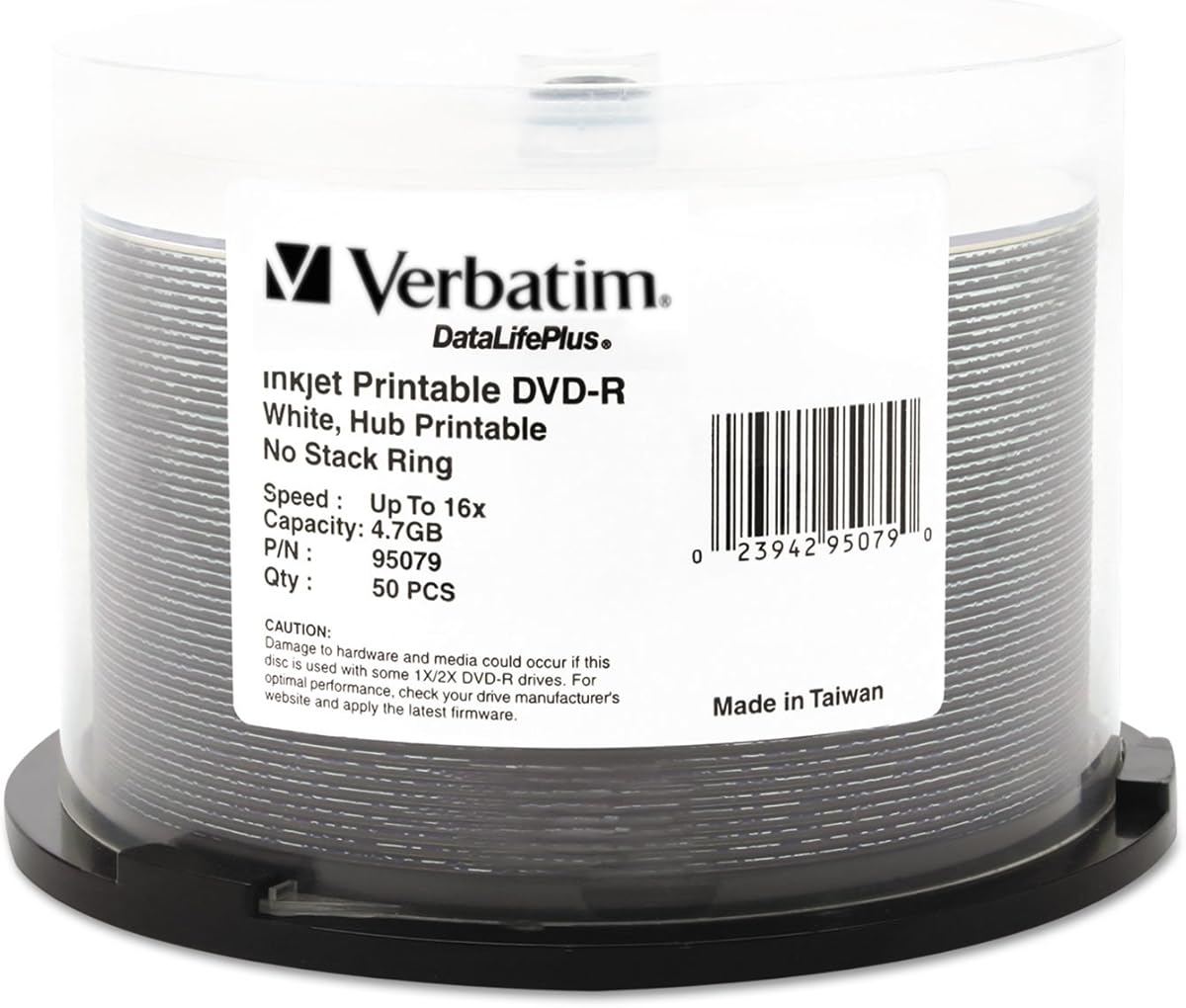
The Verbatim DataLifePlus DVD-R 4.7GB 16X Hub Printable Discs, 50 Pack is a well-rounded choice for users who want write-once DVD-R media with a printable surface. Its listed rating is 4.6, placing it among the strongest customer-rated products in this guide. The 50-disc spindle also offers enough volume for regular projects without moving directly to a 100-disc format.
We may earn a commission when you buy through this link, at no additional cost to you.
The standout feature is the detailed edge-to-edge hub printing specification. The white inkjet-printable surface supports full-color artwork extending to the hub, while the listing states that ink absorption can reach 5,760 DPI and that ink dries quickly. Combined with AZO recording dye, the product is positioned for both polished labeling and reliable recording performance.
Recording remains flexible because the discs support write speeds from 1X through 16X with compatible drives and duplicators. Their stated compatibility with DVD drives, inkjet disc printers, and duplicators from leading manufacturers makes them a sensible all-purpose option. The trade-off is that they offer the standard 4.7GB capacity rather than the doubled space of a dual-layer DVD+R DL disc.
This is the pick for a buyer who wants strong specifications, high customer feedback, moderate pack size, and a long-term warranty in one package. It suits video archiving, photo collections, music libraries, and personal backups, while remaining straightforward to integrate with compatible inkjet disc printers and standard optical drives.
The edge-to-edge white surface provides a large design area extending to the hub, making it useful for title graphics, disc menus, labels, and full-color artwork. The stated high-resolution ink absorption and rapid drying also make the surface practical for projects that require a polished finish.
Support for recording speeds from 1X to 16X lets buyers use the discs with compatible writers suited to either careful or rapid workflows. The stated compatibility with drives, duplicators, and inkjet disc printers keeps this option relevant for personal archiving and higher-volume labeling.
We may earn a commission when you buy through this link, at no additional cost to you.
The Verbatim DVD-R 4.7GB 16X White Inkjet Printable with Branded Hub, 100-Disc is aimed at buyers creating substantial libraries of labeled media. Its listed rating is 4.5, and the 100-disc count makes it convenient for weddings, events, education, business distribution, or archiving many separate video and data collections.
We may earn a commission when you buy through this link, at no additional cost to you.
Each disc provides 4.7GB of storage or up to 120 minutes of DVD-quality video. Recording speeds from 1X to 16X are supported with compatible drives, while the product listing identifies compatibility with DVD-R writers, DVD-ROM drives, and DVD video players. This broad device support is useful when the finished discs need to move between creation equipment and playback environments.
The white inkjet-printable surface can carry full-color labels with crisp text using compatible inkjet disc printers. That makes the disc practical for polished collections rather than discs identified only by marker or handwritten text. The main limitation is that 100 units create more unused media if a project is small, while the 4.7GB capacity remains that of a standard DVD-R.
Choose this product when your priority is a ready supply of standard printable DVD-R media. The 100-disc spindle reduces the need for frequent restocking, and the combination of write speed, playback compatibility, printable labeling, and lifetime warranty gives it broad appeal for regular duplication work.
A 100-disc spindle is particularly helpful when labeling consistency matters across many items. Users can prepare batches of identical artwork and create uniform collections without mixing label methods or frequently replenishing smaller spindles.
The listed compatibility with DVD video players and DVD-ROM drives makes these discs suitable for broadly distributed finished media. Actual playback remains dependent on the final format, source quality, and the capabilities of the receiving player.
We may earn a commission when you buy through this link, at no additional cost to you.
The Verbatim Life Series DVD-R 16X 4.7 GB/120 Minute Inkjet Printable DISC 100-PACK Spindle has a listed rating of 4.6 and a clear high-volume format. It combines the standard 4.7GB capacity with up to 16X recording, making it relevant for buyers who create many two-hour or shorter recordings while keeping production time down.
We may earn a commission when you buy through this link, at no additional cost to you.
Its principal attraction is the combination of quantity and speed in one package. One hundred printable discs can support a broad range of projects, from distributing short training videos to preserving family recordings and distributing event media. The inkjet-printable format provides a more professional identification method than an unprinted disc.
The supplied product data is concise, so it is worth distinguishing this option by its clearly stated format rather than adding unsupported performance details. Buyers should verify printer and writer compatibility and review the current listing for any additional specifications before ordering. It does not offer the doubled capacity of the DVD+R DL alternative in this guide.
This Life Series package is most compelling for high-volume users who want fast DVD-R recording and full-color labeling in a 100-disc spindle. Its 4.6 rating and straightforward 16X specification make it a persuasive option when the priority is productive bulk recording rather than maximum capacity per disc.
The 16X rating is particularly relevant when many discs must be recorded in succession. Compatible burners can take advantage of the faster supported rate, helping reduce the time spent writing repeated collections of videos or data.
Keeping 100 printable discs together supports a consistent batch-labeling workflow. Once artwork is prepared, similar projects can be reproduced across the spindle without continually handling smaller quantities.
We may earn a commission when you buy through this link, at no additional cost to you.
The Verbatim DVD-R 4.7GB 16X White Inkjet Printable Discs, 50 Pack provides a balanced combination of recording features, printability, and customer feedback. Its listed rating is 4.5, while the 50-disc pack is convenient for users who need more than a small stack without committing to a full 100-disc spindle.
We may earn a commission when you buy through this link, at no additional cost to you.
The product information is particularly useful for media planning. It states that 4.7GB can hold up to 1,550 photos or more than 120 minutes of 720p video, giving buyers a clearer sense of what each disc can contain. The white surface supports crisp text reproduction, rapid ink drying, and full-color labels through compatible inkjet disc printers.
AZO Technology is another notable feature. The listed metal Azo recording dye is intended to optimize read and write performance, while 1X through 16X recording speeds provide flexibility across compatible writers. Compatibility is specifically mentioned with Primera, Microboards, Epson, and other inkjet disc printers.
This is a good general-purpose pick for creating labeled photo, video, or data collections in moderate volume. It may not be the right selection for a project requiring dual-layer capacity, but for standard 4.7GB DVDs it combines useful capacity guidance, fast ink drying, broad printer support, and a limited lifetime warranty.
The stated capacity for photos or more than 120 minutes of 720p video helps buyers estimate how many discs a collection requires. It is especially useful for event archives and family video transfers where file sizes can vary.
Rapid ink drying can help maintain a smoother flow when batches of discs are labeled. The listed support for several established inkjet printer brands also makes it easier to match the media with existing equipment.
We may earn a commission when you buy through this link, at no additional cost to you.
The Verbatim LifeSeries DVD+R DL 8.5GB 8X Hub Printable Discs, 50 Pack is the capacity-focused option in this guide. Its listed rating is 4.2, and its defining advantage is 8.5GB per single-sided dual-layer disc, twice the capacity of a standard DVD+R. That makes it useful for longer videos and data collections that exceed the comfortable limits of conventional 4.7GB media.
We may earn a commission when you buy through this link, at no additional cost to you.
The media can hold approximately four hours of video, giving buyers a simpler reason to choose DVD+R DL. It supports recording up to 8X and is listed as compatible with supported dual-layer drives, most standard DVD players, DVD-ROM drives, and leading inkjet disc printers. Those points cover the main stages of a disc project, from writing and printing to playback.
The white hub-printable surface supports full-color, edge-to-edge labels through a compatible inkjet disc printer. The trade-off is the lower maximum recording speed compared with the 16X DVD-R products in this list. Buyers must also confirm that their writer supports DVD+R DL and that the finished format is appropriate for their playback equipment.
Choose the LifeSeries DVD+R DL when capacity is more important than maximum burn speed. It is a premium-format choice for longer recordings, large data sets, and users who want fewer discs for the same collection, while the 50-disc spindle and limited lifetime warranty round out the package.
The 8.5GB capacity reduces the number of discs needed for qualifying projects. It also makes the format more comfortable for source material that exceeds standard single-layer limits without immediately moving to another optical format.
The listing states compatibility with most standard DVD players and DVD-ROM drives. As with any specialized recordable format, checking the writer and intended player before a large batch helps prevent avoidable production interruptions.
We may earn a commission when you buy through this link, at no additional cost to you.
The Verbatim DataLifePlus DVD-R 4.7GB 16X Hub Printable Discs, 100 Pack combines a strong listed rating of 4.6 with a large quantity of write-once media. It is built for archival-style workflows in which a substantial collection must be labeled, stored, and retrieved over time rather than repeatedly rewritten.
We may earn a commission when you buy through this link, at no additional cost to you.
Its stated one-hundred-year archival life and OEM drive certification make long-term retention a central selling point. The listing also describes AZO recording dye intended to improve read and write performance and states that recording can take approximately five minutes under applicable conditions. These claims make it worth considering for durable copies of important family video, photographs, documents, and music.
The printable surface supports full-color, high-resolution output with fast ink drying and longer-lasting colors. It is qualified for use with inkjet printers from Primera, Microboards, Epson, and others. The primary limitation is inherent to DVD-R: recorded content is non-rewritable, so mistakes cannot simply be erased from the disc.
This 100-disc package is well suited to organizations, schools, event operators, and dedicated archivists who need volume. Buyers should still store discs responsibly and maintain sensible file backups, but the combination of archival positioning, printable labeling, and 4.6 customer feedback makes this a strong choice for serious collection projects.
The stated archival life, OEM drive certification, and AZO recording dye position this package for retained media. Long-term storage still depends on proper handling, environmental conditions, and the drive used to read the discs later.
A 100-disc quantity and a stated recording time of approximately five minutes can streamline bulk jobs. These figures are most useful when supported by compatible hardware and consistent source files.
We may earn a commission when you buy through this link, at no additional cost to you.
The Verbatim DVD-R 4.7GB 16X White Inkjet Printable with Branded Hub, 25-Disc,Silver is the most compact pack in the guide and carries a listed rating of 4.5. Twenty-five discs offer enough media for a focused event, short course, client delivery, or household archive without creating as much unused stock as a 100-disc spindle.
We may earn a commission when you buy through this link, at no additional cost to you.
Its recording capabilities still cover common demands, with 1X through 16X speed and AZO Technology described as supporting performance and reliability. Full-width hub printing allows the design to extend across more of the surface, while rapid ink drying and longer-lasting colors support the creation of a finished, identifiable disc rather than a plain blank.
The product information cites compatibility with Primera, Microboards, Epson, and other CD and DVD inkjet printers. It also lists compatible 16X DVD-R drives from Pioneer, Apple, Sony, Panasonic, and others. That gives the smaller pack broad relevance for buyers who already own recognized hardware, although specific writer support should still be confirmed.
Choose this 25-disc spindle when project size is known and you want the convenience of a smaller quantity. The trade-off is that frequent duplicators may prefer a larger spindle, but for targeted work the branded hub, flexible recording speed, and AZO technology make this a neat and practical option.
A 25-disc pack reduces the chance of ending up with unused printable media after a defined project. It is a sensible format for customers who already know their recording and labeling requirements.
The printable hub supports full-width designs, which can make disc collections easier to identify and more visually consistent. The branded hub can be especially helpful when multiple discs carry similar video or file content.
We may earn a commission when you buy through this link, at no additional cost to you.
The Verbatim DVD+R 4.7GB 16X DataLifePlus White Inkjet Printable, Hub Printable – 50pk Spindle – 94917, White provides a useful alternative for buyers whose equipment or workflow favors DVD+R. Its listed rating is 4.5, and it retains the familiar 4.7GB capacity, 16X speed, and printable surface found across the strongest options in this guide.
We may earn a commission when you buy through this link, at no additional cost to you.
The white inkjet surface supports full-color, high-resolution labels with fast drying and lasting colors. The product information specifies superior ink absorption on high-resolution 5,760 DPI printers and states compatibility with Primera, Microboards, Epson, and other compatible inkjet disc printers. Its one-hundred-year archival-life claim and OEM drive certification make it relevant for retained collections.
A key point is that this is DVD+R, not DVD-R. Buyers should verify that their recorder supports the selected format and should not assume every DVD-R workflow applies automatically. The listing also mentions a one-year limited warranty, shorter than the limited lifetime warranty stated for several Verbatim DVD-R products in this roundup.
This is the pick for users who specifically want a high-speed printable DVD+R spindle. It combines 50-disc quantity, detailed photo or video capacity, broad printer support, and a recording dye, making it a sensible option for labeled duplication and archival projects handled through compatible DVD+R hardware.
Choosing DVD+R can make sense for a hardware setup already prepared for that format. Confirming writer support before ordering avoids surprises, particularly for batch jobs where an unsupported format could interrupt production.
The stated 5,760 DPI ink absorption capability targets high-resolution disc printers and helps explain why this option is positioned for photo-quality labels. The white hub-printable area also provides room for recognizable artwork or text.
We may earn a commission when you buy through this link, at no additional cost to you.
The DVD-R 4.7GB 16X White Inkjet Hub Printable 100 Pack Shrink Wrap is a bulk-oriented choice with a listed rating of 4.4. Its most notable practical feature is the 100-disc shrink-wrapped package with sturdy wheel caps designed to reduce warping and damage during transport, making it relevant for duplication work carried between locations.
We may earn a commission when you buy through this link, at no additional cost to you.
The printable area extends from 23mm to 118mm and supports edge-to-edge printing. It is described as compatible with virtually all optical-disc inkjet printers, including examples from Primera, Microboards, Rimage, and DiscProducer PP-100 and PP-50 models. That focus on a large printable region makes the discs especially useful for fully designed collections rather than simple identification.
Each disc supplies 4.7GB and supports recording at up to 16X. The product information also claims broad playback compatibility across DVD and Blu-ray drives, gaming systems, and players. As usual, final playback can depend on the source format, burning software, and individual device, so checking critical playback equipment remains important for professional batches.
Choose this 100-disc option for bulk video duplication, distribution, or transport of blank media. The absence of a container and lack of a stated warranty in the supplied information are the principal differences from spindle-based alternatives, but the protective packaging and broad printer support can make it well suited to mobile workflows.
Shrink wrap and sturdy wheel caps help protect a large stack from movement and mechanical damage. That packaging focus is useful when blank discs are delivered to another location before recording begins.
The stated 23mm to 118mm printable range supports edge-to-edge designs and leaves substantial room for artwork. The broad printer list also makes the format accessible to common professional disc-printing setups.
We may earn a commission when you buy through this link, at no additional cost to you.
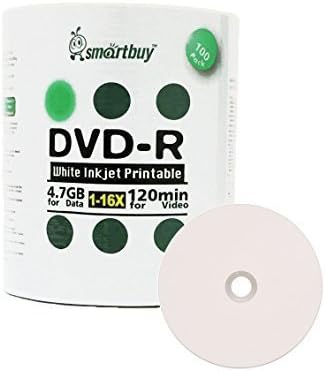
The Smart Buy 100 Pack DVD-R 4.7GB 16X White Printable Inkjet Disc is the value-oriented bulk option in this guide, carrying a listed rating of 4.5. It provides the same standard 4.7GB capacity and 16X speed offered by many higher-ranked products, making the core format familiar to buyers who already work with standard DVD-R media.
We may earn a commission when you buy through this link, at no additional cost to you.
Its white inkjet hub-printable surface offers a primary labeling method, but the product also notes that marker writing is possible on the top surface. That flexibility is useful when some discs need quick handwritten identifiers while others receive professionally printed artwork.
The listing states that burning can take approximately six to seven minutes with a 16X-capable DVD writer. It also identifies compatibility with DVD writers, video players, and DVD-ROM drives, plus a claimed reading capability of more than one million readings. The discs are intended for preserving videos, photos, music, email, and other files, including long-term archiving and backup use.
This 100-disc shrink-wrapped pack is a practical budget choice for users who need a large supply of standard printable DVD-R discs and can manage them without a rigid spindle. The lack of a stated manufacturer warranty is worth considering, but the combination of quantity, recognized specifications, and 4.5 customer rating makes it a credible bulk option.
Inkjet printing supports a polished final appearance, while marker writing offers a quick fallback for urgent or miscellaneous labeling. This makes the format adaptable to workflows that contain both formal and informal disc collections.
The stated six-to-seven-minute burn time under compatible 16X hardware makes the pack suitable for repeated transfers and backups. Fast writing is most helpful when the files are prepared consistently and ready for unattended batch recording.
We may earn a commission when you buy through this link, at no additional cost to you.
The right printable DVD-R disc depends on recording format, storage capacity, print coverage, hardware compatibility, project volume, and the type of storage support you need. Reviewing these factors before ordering helps prevent compatibility issues and excess unused media.
DVD-R and DVD+R are write-once optical formats, but they are not identical and should not be treated as interchangeable labels. Most buyers should select the format supported by their recorder and burning software. DVD-R appears most often in this guide, while one standard-capacity DVD+R and one dual-layer DVD+R DL option provide alternatives for compatible setups.
Choose DVD-R for the broadest familiarity and the many DVD-R options reviewed here. Choose DVD+R when your equipment or established production workflow specifically supports it. Confirming the format before ordering is the simplest way to avoid a large batch of unusable media.
Most printable discs in this guide provide 4.7GB, while the Verbatim LifeSeries DVD+R DL provides 8.5GB per disc. The dual-layer model also offers approximately four hours of video, which can reduce the number of discs required for a collection. However, it needs a compatible DVD+R DL writer and should be checked against intended playback devices.
Standard 4.7GB media is sufficient for many photo, music, data, and shorter video collections. Double-layer capacity is more relevant for longer recordings or larger source files. Choose based on the size of a complete project, not simply on the maximum number one disc might hold.
Maximum recording speed affects how long it takes to fill a disc. Most products here support up to 16X, allowing compatible writers to complete standard 4.7GB recordings in minutes. The DVD+R DL option supports up to 8X because it uses a different, higher-capacity format. Faster speeds can improve batch productivity when source files are already prepared.
A high maximum speed does not mean every drive can use it. Your writer must support the selected format and speed, while the source quality and burning software can also influence the final result. Check hardware compatibility first, then treat 16X as a useful efficiency benefit rather than the only quality measure.
Printable DVD-R discs are generally designed for compatible inkjet disc printers. Some listings emphasize edge-to-edge or hub-to-hub coverage, while others mention full-width prints. The larger the printable region, the more room available for titles, graphics, photographs, menus, and collection branding.
Choose a disc with detailed printing specifications when visual presentation is important. If your workflow uses markers instead, verify that the top surface can accept writing. Matching the media to the exact printer and labeling method produces a more dependable final result.
The options range from a 25-disc spindle to 100-disc spindles and shrink-wrapped packs. Smaller packs reduce leftover inventory for occasional projects, while larger packs suit duplication workflows and reduce the need for frequent replenishment. Spindles are convenient for storage and handling, whereas shrink wrap may better protect bulk media during transport.
Estimate your project size before choosing. Account for failed or spoiled discs and keep a few extras when producing a large batch. Avoid buying a large pack simply for a small collection unless the additional discs have a clear intended use.
Compatibility extends beyond the disc format and includes the DVD writer, duplicator, inkjet disc printer, and the player used for the finished media. Several products specifically mention Primera, Microboards, Epson, and other established printer brands. Some also identify drives from Pioneer, Apple, Sony, and Panasonic as compatible examples.
Consult the current manufacturer guidance for your exact equipment whenever possible. A list of compatible brands is helpful, but individual models can differ. For a large order, recording and printing one disc first is a practical way to validate the complete workflow before producing the rest.
Some Verbatim listings make archival-life claims and highlight AZO recording dye, while others emphasize limited lifetime warranties. These features can make certain products more attractive for long-term libraries. They do not eliminate the need for careful handling, suitable storage conditions, or sensible file backups elsewhere.
For important material, consider recording quality, stated compatibility, and the availability of replacement media alongside archival claims. Store discs away from prolonged heat, moisture, direct sunlight, and physical damage, and retain the original files whenever possible.
Before recording, confirm that your DVD writer supports the disc format, check the stated maximum capacity, and use current manufacturer compatibility guidance for your exact drive. Keep the disc surface free of fingerprints, dust, scratches, and label material until it has been recorded and printed.
Burn the disc with compatible software, allowing the process to finish without interruption. For printable versions, use an inkjet disc printer that supports the printable area and let the ink dry fully before handling or stacking the disc. Write directly to the hub area only if the printer provides the appropriate calibration or positioning support.
Label the disc with its title and date, then store it upright in a clean, dry case away from prolonged heat, moisture, and direct sunlight. Because DVD-R is write-once, verify the final recording before producing additional discs. For important files, retain a separate digital backup rather than relying on a single physical copy.
Both are write-once optical media, but they are different formats and are not universally interchangeable. The most important step is to check which format your writer and burning software support. Most of the products in this guide are DVD-R, while one standard DVD+R and one DVD+R DL model are included as format alternatives.
Compatibility depends on the recorded content, the player, and the disc format. The listed products are designed for broad DVD playback support, but some specialized formats require compatible hardware. For important or externally distributed discs, test a sample with the intended player before completing the batch.
An inkjet disc printer is needed to produce full-color artwork on the printable surface. Some products also allow marker writing on the top surface, which can be useful for quick identification. Printing still requires a compatible printer, suitable ink, and correct disc positioning.
Each standard disc in this guide holds 4.7GB, with several listings describing up to 120 minutes of video or approximately two hours depending on source quality. Actual results vary with bitrate, resolution, and file format. The dual-layer DVD+R DL option offers 8.5GB and approximately four hours.
It is the maximum supported write speed when used with compatible hardware, burning software, and suitable source material. Faster speeds can reduce batch recording time, but they do not increase the disc's 4.7GB capacity. The disc may be recorded more slowly if your equipment or selected settings do not support 16X.
No. DVD-R and DVD+R are write-once formats, so the recording cannot normally be erased and replaced. This makes careful file preparation and testing important. Keep the original data elsewhere and verify the finished disc before producing a large quantity.
Two products in the guide use 100-disc shrink-wrapped packaging, and one specifically describes sturdy wheel caps for protection during transport. Buyers should still keep the discs away from moisture, excessive heat, impact, and bending. A hard case is advisable for repeated transport or sensitive production work.
Choose 25 discs for a small, well-defined project or occasional labeling work. Choose 50 or 100 discs for frequent recording, duplication, distribution, or archiving, where maintaining a larger stock is more practical.
The Verbatim DataLifePlus 50 Pack is the strongest all-around choice, combining a 4.6 rating, standard 4.7GB capacity, 16X recording, detailed edge-to-edge printing, AZO dye, and a limited lifetime warranty. The Smart Buy 100 Pack stands out for budget-conscious bulk needs, while the Verbatim LifeSeries DVD+R DL is the premium capacity option at 8.5GB per disc.
Prioritize format and hardware compatibility first, then consider capacity, printable coverage, pack size, and recording speed. A familiar 4.7GB DVD-R disc with broad device support is often the simplest choice, while DVD+R and dual-layer media make more sense when the project size or existing hardware specifically benefits from them.
Ratings and product details provide a useful starting point, but prices, listings, compatibility information, and availability can change. Check the current product page and manufacturer guidance for your exact writer and printer before making a final purchase, especially for a large batch.