
MUNBYN Portable Printer
4.4Editor score
Water-bottle-sized travel design
Bluetooth and USB-C connections
Supports Letter, A4, B5, A5
Includes useful mobile templates
An inkless portable printer for travel can turn a phone, tablet, or laptop into a practical mobile office without requiring ink cartridges, toner, or a conventional paper tray. The best models combine compact construction, thermal-paper compatibility, dependable battery life, and simple Bluetooth or USB connections for contracts, boarding passes, receipts, notes, invoices, and emergency documents.
We compared ten real travel printers across print resolution, supported paper formats, wireless options, device compatibility, portability, battery capacity, paper handling, and included accessories. The list covers compact budget models, full-size document printers, touchscreen models, and premium packages designed to balance printing quality with easy on-the-go operation.
Each review explains the strongest reason to consider the printer, along with setup limitations, paper requirements, and practical trade-offs. Ratings reflect the supplied customer feedback, while product availability and pricing can change at any time. Always confirm compatibility, current specifications, and accessories before ordering.
4.4Editor score

4.2Editor score

4.6Editor score
As an Amazon Associate we earn from qualifying purchases.
The table below compares all ten printers by their most important travel features, including resolution, weight, battery capacity, connectivity, and supported paper. Every option uses direct thermal technology and requires compatible thermal paper rather than ordinary copy paper.
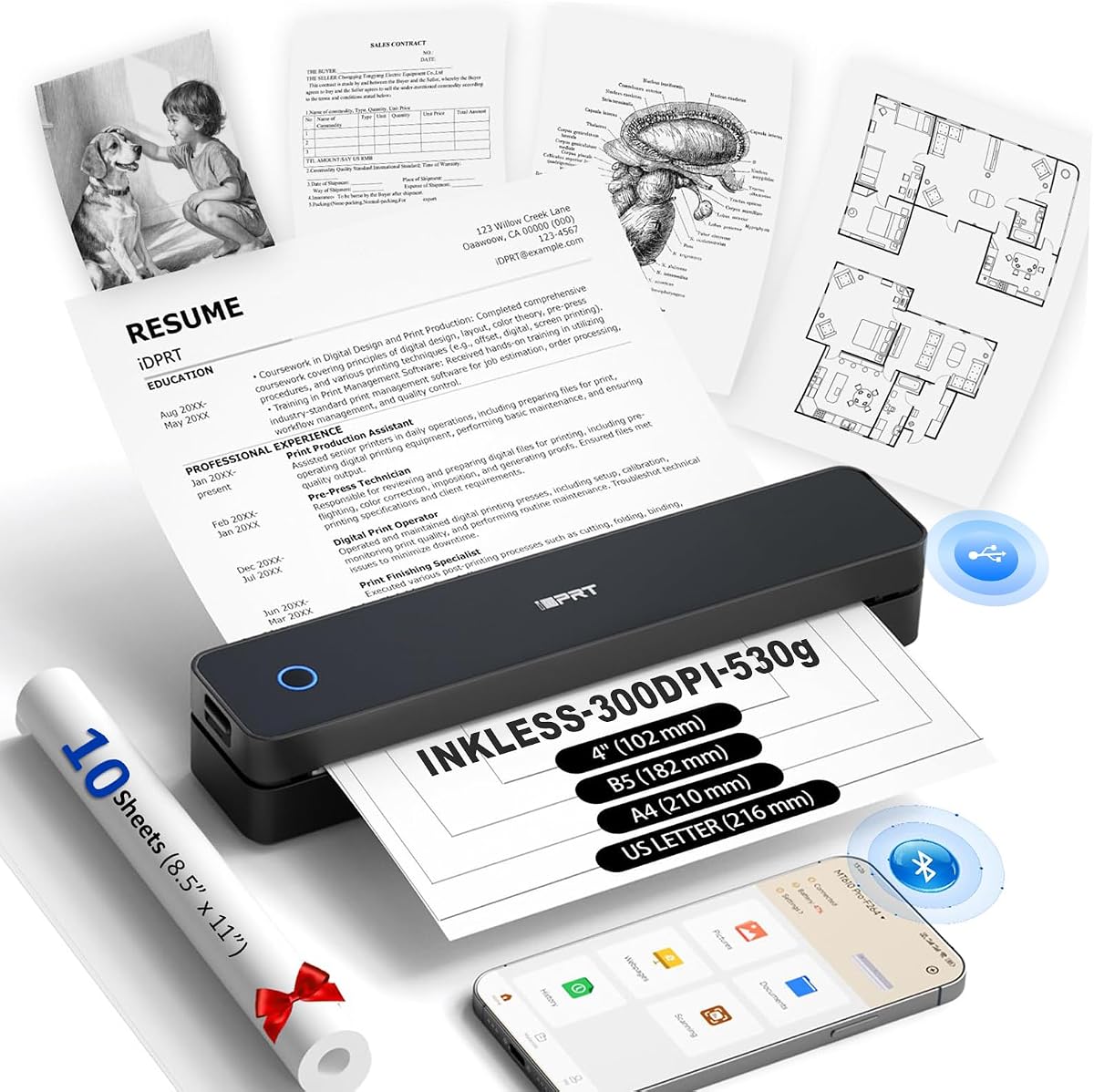





The MT610Pro combines a 300 DPI thermal printhead, a compact 1.2-pound body, and broad paper support, earning a 4.1 customer rating. Its 1.6-inch-thick profile is among the slimmer options in this guide, making it particularly appealing for travelers who want a printer that can slide into a backpack without taking up much room.
We may earn a commission when you buy through this link, at no additional cost to you.
Its main advantage is flexibility. The printer supports US Letter, A4, A5, B5, and four-inch thermal paper, so it can handle a full contract, classroom notes, receipts, charts, and QR codes. A 2000mAh rechargeable battery provides up to 200 pages per charge, while Bluetooth 5.0 and USB-C support phones, tablets, laptops, and computers across iOS, Android, Windows, and Mac.
The trade-offs are practical rather than fundamental. Mobile printing requires the free HerePrint app, while computer users must install the appropriate drivers. The printer is limited to black-and-white output and only accepts thermal paper, so it cannot substitute for a conventional inkjet printer when photographs, colored graphics, or ordinary copy stock are required.
The MT610Pro is a strong all-around choice for business travelers, students, and digital nomads who value low weight and full-page printing. It is particularly suitable for anyone who regularly carries a tablet and needs contracts, reports, boarding passes, or lecture notes available without access to a conventional office printer.
At 1.2 pounds, the MT610Pro is one of the lightest full-size options here. Its slim body and support for US Letter and A4 paper make it easy to carry a genuine document printer rather than a receipt-only device.
The 300 DPI printhead produces clear text, charts, diagrams, and QR codes. Bluetooth 5.0 works with major mobile platforms, and USB-C provides a practical path for computer printing after driver installation.
We may earn a commission when you buy through this link, at no additional cost to you.
The ETIKEZ D90E is built around a straightforward travel proposition: full-size US Letter thermal printing, wireless mobile use, and a carrying case. Its 4.3 rating places it among the strongest customer-rated products in this comparison, while the 2.08-pound weight remains portable for a full-page document printer.
We may earn a commission when you buy through this link, at no additional cost to you.
The D90E supports US Letter thermal paper and works with iPhones and Android devices through Bluetooth and the Labelnize app. PC users connect by USB and install drivers from Labelnize.com or the included drive. This makes the printer most appropriate for travelers who already understand the distinction between a mobile app workflow and a desktop driver workflow.
Paper handling receives helpful attention. The manufacturer provides a one-press paper-ejection process for simple jams and recommends flat thermal paper to reduce curling. However, the printer is not compatible with ordinary copy paper, Chromebooks are excluded, and a charging adapter is not included, so travelers should pack the right cable and avoid relying on the device in a Chromebook-centered workflow.
The D90E is a sensible pick for business trips, university, notaries, teachers, and mobile workers who regularly print contracts or office documents at Letter size. Buyers who value a straightforward thermal-only machine and a protective case will find its package especially travel-ready.
US Letter thermal-paper support allows the D90E to handle contracts, forms, reports, and other full-page material. That makes it more versatile than a compact receipt printer while preserving a cordless, inkless design.
The included case helps protect the printer during transit, and the included sheets provide a convenient starting point. Following the recommended flat-paper guidance can also reduce the curled output associated with some thermal rolls.
We may earn a commission when you buy through this link, at no additional cost to you.
The Gloryang printer is notable for the accessories that surround the core product. The package includes a carrying case, a charging cable, a manual, a guide card, and three thermal-paper rolls, with one already installed. Its 4.2 rating and broad document capabilities make it a convenient, ready-to-travel bundle.
We may earn a commission when you buy through this link, at no additional cost to you.
The printer weighs 1.75 pounds and is only 1.7 inches thick. It can produce documents from 2 to 8.5 inches wide and uses two paper-loading methods, with a built-in paper bin designed to keep the travel workspace orderly. The Jadens Printer app manages Bluetooth printing from iOS and Android devices, while computer users install a driver before connecting.
The largest limitation is its paper ecosystem. Only compatible Gloryang thermal paper is supported, and regular, inkjet, and plain paper cannot be used. It also prints in black and white, so buyers should not choose it for color documents. Those restrictions are understandable for a direct thermal device but require attention before purchase.
This model suits students, busy professionals, and families who want a complete portable setup rather than assembling a printer, paper supply, and carrying solution separately. It is especially useful for travel, work, or university use where documents, image-heavy notes, and design drafts may all be needed.
Three rolls of thermal paper and a carrying case give travelers the core supplies needed for a first printing session. The pre-installed roll also reduces the initial setup required to begin printing.
Two loading methods and a broad supported-width range accommodate receipts, notes, graphics, and larger documents. The built-in bin keeps paper contained during transit and helps maintain a compact mobile workspace.
We may earn a commission when you buy through this link, at no additional cost to you.
The NDYIN N80 stands out for accepting roll paper, folded paper, and tattoo transfer paper, giving it broader media flexibility than many competing travel printers. It has a 4.1 rating, a 1.5-pound body, and 203 DPI output suitable for contracts, invoices, receipts, web pages, images, and tattoo templates.
We may earn a commission when you buy through this link, at no additional cost to you.
The built-in 1500mAh battery is advertised to print up to 160 US Letter sheets after a full charge. For mobile users, the Nada Print app provides Bluetooth access from iPhone, iPad, Android phones, and tablets. Laptops and computers connect through USB-C, but Bluetooth is not supported on those devices, so computer users need the supplied cable and a driver.
Its media flexibility comes with some practical constraints. The manufacturer recommends NDYIN thermal paper for the strongest results, and ordinary paper is unsupported. A charging adapter is also excluded from the package, and the 203 DPI resolution is more focused on functional documents than highly detailed photo output.
The N80 is a compelling choice for mobile professionals, students, field workers, and tattoo artists who need more than standard receipts. Its range of supported media makes it useful in cars, construction environments, classrooms, and outdoor trips where changing print formats is likely.
Support for roll paper, folded paper, and tattoo transfer paper expands the N80's usefulness. The media versatility is particularly valuable for creative professionals who cannot rely on a single standard paper format.
A claimed capacity of 160 US Letter pages per charge gives the printer solid endurance for short trips. The compact 1.5-pound body also fits naturally into a backpack or briefcase without requiring a separate desktop setup.
We may earn a commission when you buy through this link, at no additional cost to you.
The A285M combines a 1.5-pound body with support for five thermal-paper sizes, making it one of the more adaptable options for mixed-document travel. It carries a 4.0 rating and is designed for business travelers, truck drivers, notaries, teachers, and students who need a broad range of output formats.
We may earn a commission when you buy through this link, at no additional cost to you.
Its paper system accepts thermal rolls, continuous sheets, and single sheets in US Letter, A4, 4.33-inch, 3.14-inch, and 2.08-inch widths. The built-in paper bin reduces clutter, while Bluetooth supports iPhone, Android, iPad, and tablet printing. Laptops and desktops connect by USB-C after downloading the driver from the designated support site.
Thermal technology keeps the mechanism free of ink, toner, and ribbon-related clogging, but output is restricted to black and white. The printer requires a 5V 2A power source, and the instructions warn against chargers that output more than 5V. Paper compatibility remains essential, as ordinary copy paper cannot be used.
The A285M is a strong value-oriented recommendation for travelers who alternate between full documents, narrow receipts, and small labels. It offers a more sophisticated paper system than compact receipt printers without adding the size or interface complexity of the premium touchscreen models.
The ability to switch among Letter, A4, and three narrower widths is the A285M's defining advantage. That range covers formal documents, forms, receipts, lists, and smaller practical records without changing printers.
A built-in paper compartment keeps thermal stock contained and the immediate workspace tidy. The printer weighs 1.5 pounds, so it remains practical for backpacks, briefcases, vehicles, and mobile work areas.
We may earn a commission when you buy through this link, at no additional cost to you.
The RONGTA F11A is a straightforward 8.5-inch thermal printer for travelers who want both mobile and laptop workflows. It has a 4.0 rating, a 203 DPI printhead, and support for US Letter, Legal, and A4 thermal paper while avoiding the need for ink, toner, or ribbons.
We may earn a commission when you buy through this link, at no additional cost to you.
The RONGTA app provides the intended path for pairing with iPhone, iPad, Android phones, and tablets. Laptop users connect by USB and can use the printer with Windows 7 through Windows 11 and macOS. This split is useful because the mobile workflow remains app-based while computer users can print through their normal desktop applications.
One important restriction is Chrome support. The printer also cannot pair directly through the phone or tablet's native Bluetooth interface; pairing must occur within the RONGTA app. As with the other thermal models, users must supply compatible thermal paper because normal printer paper is not accepted.
The F11A is well suited to students, field workers, travelers, and small offices that need a no-ink device for letters, forms, assignments, contracts, inventory lists, and study materials. It is a practical choice for users willing to complete the app-based pairing process and value broad operating-system support.
The RONGTA app handles Bluetooth selection and printing from major mobile platforms. Although direct native pairing is unavailable, the guided app workflow provides a consistent route for connecting the device.
US Letter, Legal, and A4 thermal-paper support covers formal forms, long documents, and standard international sheets. Its 203 DPI output is suited to readable text, forms, and work records.
We may earn a commission when you buy through this link, at no additional cost to you.
The Phomemo M832D is an exceptionally well-rounded travel printer with a 4.2 rating. It combines a 300 DPI printhead, a 1.5-pound body, a 2600mAh battery, and a touchscreen that displays battery, connection, and paper-placement information, making it easier to manage than a minimal button-only device.
We may earn a commission when you buy through this link, at no additional cost to you.
Its 300 DPI thermal output is clear enough for detailed reports, invoices, notes, and web pages. The battery is advertised to support up to 200 continuous pages per charge, while supported formats include US Letter, A4, 53mm, 80mm, and 110mm thermal paper. Roll, folded, and single-sheet media give buyers flexibility across travel and study tasks.
Bluetooth is reserved for phones and tablets, while laptops and computers connect through USB-C. That limitation is common in this category, but it requires advance planning if computer work is central to the trip. Touchscreen controls add a modest learning curve, although the status display can reduce troubleshooting and paper-loading errors.
The M832D is a strong recommendation for business travelers, students, and first-time portable-printer buyers who want an informative display and high-quality output. It balances weight, paper versatility, and battery capacity better than many conventional compact models, making it a practical all-day travel companion.
The smart display shows connection and battery status while helping identify paper placement. First-time users can check settings and correct loading issues without repeatedly opening menus on a connected phone.
At 300 DPI, the M832D produces clear text, images, charts, and business documents. Combined with a 2600mAh battery and claimed 200-page capacity, it is well suited to meetings, study sessions, and extended travel days.
We may earn a commission when you buy through this link, at no additional cost to you.
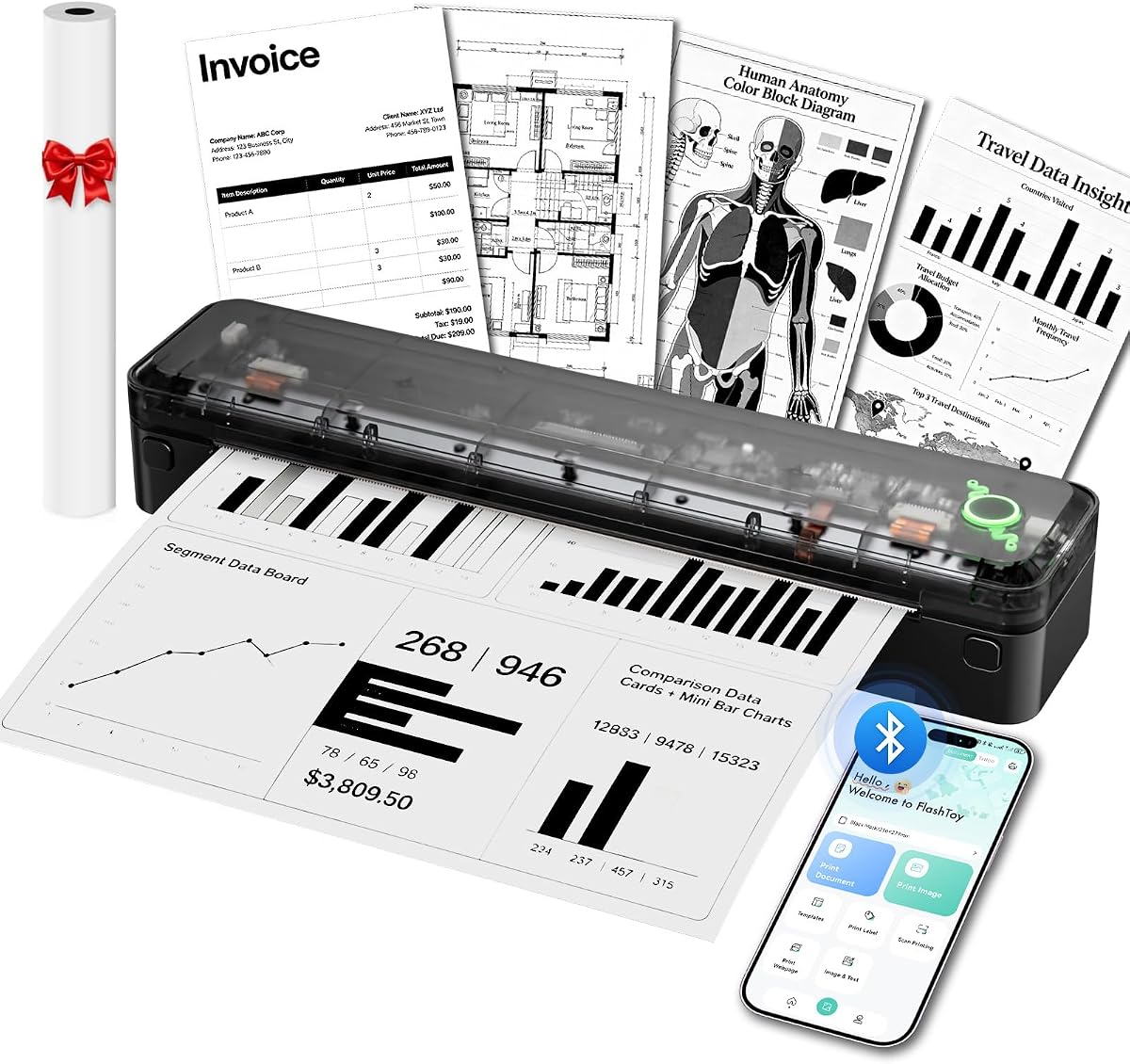
The Arrvel A8 emphasizes endurance and broad computer compatibility. It weighs 1.37 pounds, contains a 3000mAh battery advertised to print up to 200 US Letter or A4 sheets per charge, and has a 4.2 customer rating. Its slim 11.36-inch length also suits mobile-office setups.
We may earn a commission when you buy through this link, at no additional cost to you.
The Flashtoy app enables Bluetooth printing from iPhone, iPad, Android devices, and tablets. For computers, USB connections and drivers support Windows, macOS, ChromeOS, and Linux, while Windows PCs can also use Bluetooth after installing the appropriate driver. This makes the A8 unusually accommodating for users who move between mobile and desktop platforms.
The 203 DPI printhead is designed for readable business documents, forms, charts, schedules, reports, and text, rather than exceptionally detailed photographs. The paper system supports widths from 2.13 to 8.5 inches, including thermal rolls and fanfold media, and the built-in compartment keeps the device tidy. A charging adapter is not included despite the inclusion of a USB-C adapter and cable.
The A8 is a practical choice for business travelers, truck drivers, students, and remote workers who need a long-lasting full-page printer. Its broad operating-system support and strong battery specification make it particularly convincing for multi-day trips and unpredictable access to power.
The 3000mAh battery is the largest capacity specified among these travel printers. A claimed output of up to 200 full-size sheets makes the A8 useful for itineraries that involve many documents or limited charging opportunities.
USB driver support extends to Windows, macOS, ChromeOS, and Linux. Mobile users can print through the Flashtoy app, while Windows users have an additional Bluetooth route after driver installation.
We may earn a commission when you buy through this link, at no additional cost to you.
The Phomemo M85 is the most advanced package in the guide, combining a large touchscreen, a folding umbrella-sized body, 300 DPI printing, and a 3500mAh battery. Its 4.6 rating is the highest among the ten products, reflecting a favorable balance of features, portability, and ease of use.
We may earn a commission when you buy through this link, at no additional cost to you.
The touchscreen supports template previews, direct template printing, personalized wallpapers, multiple languages, automatic updates, connection status, battery information, and paper-position guidance. Templates must first be uploaded through the app, but travelers can then print them directly from the screen. The folding body weighs 1.6 pounds, and the battery is advertised to support more than 200 pages per charge.
The printer supports Android and iOS through Bluetooth, while USB-C provides connections for macOS, Windows, ChromeOS, and Linux. It handles Word, Excel, PDF, JPG, and other common formats, with US Letter, A4, 4.33-inch, 3.14-inch, and 2.08-inch thermal paper accepted in roll, folded, or single-sheet form.
The M85 is the premium choice for travelers who value an unusually polished interface, excellent paper access, and minimal reliance on a phone during routine printing. Its package includes a carrying bag, USB-C cable, manual, and four rolls of thermal paper, reducing the need to source consumables immediately after purchase.
Once templates are uploaded, the large display allows users to preview and print them directly. This reduces repeated app navigation and makes saved forms, labels, and travel documents more accessible on the move.
Four paper rolls cover US Letter and three smaller formats, while the 3500mAh battery supports a claimed 200-plus pages. The included bag, cable, and manual create a more complete travel setup than most alternatives.
We may earn a commission when you buy through this link, at no additional cost to you.
The MUNBYN Portable Printer is a budget-focused travel option with a surprisingly capable feature set. Its 4.4 rating is the second-highest in the guide, while the 10.7-by-2.56-by-1-inch body is roughly the size of a water bottle and easy to fit into a laptop bag, briefcase, or glove box.
We may earn a commission when you buy through this link, at no additional cost to you.
The adjustable paper slot accepts US Letter, A4, B5, and A5 thermal paper, so it can handle full documents as well as smaller drafts. The MUNBYN app supports PDF and Word files on iOS and Android, includes a library of templates, and provides Bluetooth connectivity to iOS, Android, and Windows devices. Mac users connect by USB instead.
Direct thermal technology eliminates ink, toner, and ribbons, which also avoids the nozzle-clogging and dried-cartridge problems associated with inkjets. The trade-off is black-and-white output and the need to buy only compatible thermal stock. The app's template library is a useful convenience, but travelers should still test document formatting before an important meeting.
The MUNBYN printer is a strong choice for students, mobile workers, and travelers seeking full-page capability without a large machine. It is particularly useful in vehicles, temporary offices, and study locations where a standard printer would be impractical.
The 10.7-inch length, 2.56-inch width, and one-inch depth allow the printer to occupy little more room than a large water bottle. That makes it one of the easiest options to carry without a dedicated pouch.
The mobile app supports PDFs, Word documents, webpages, and ready-made templates. Its adjustable slot also accommodates four document sizes, giving the printer more flexibility than a basic receipt machine.
We may earn a commission when you buy through this link, at no additional cost to you.
The right travel printer depends on the documents you print, the devices you carry, and how far you travel between charging opportunities. Weight, paper compatibility, battery life, print resolution, and connection methods matter more than features that are rarely used on the road.
A genuinely portable printer should fit comfortably in a laptop bag, backpack, briefcase, or vehicle storage area without preventing access to other essentials. Weight alone does not tell the entire story because a long, awkward body can be harder to pack than a slightly heavier but compact model. The MT610Pro is especially light at 1.2 pounds, the Arrvel A8 weighs 1.37 pounds, and the MUNBYN printer uses a water-bottle-like design. The Phomemo M85's folding form is also worth considering for people who want to protect the print mechanism during transit.
Full-page thermal support is essential if you need contracts, reports, invoices, or assignments. The MT610Pro, D90E, N80, A285M, M832D, A8, and M85 can all handle substantial documents, while smaller formats such as 53mm, 80mm, and 110mm are useful for receipts, labels, and notes. Check the supported list before purchasing because the ability to print Letter does not necessarily mean the printer accepts every type of Letter paper. All ten products require specialized thermal media, and some manufacturers restrict use to their own paper.
Battery life should be judged by the number of pages or sheets a charge can produce rather than battery wattage alone. The Phomemo M85 has a 3500mAh battery and a claimed capacity of more than 200 pages, while the Arrvel A8 has a 3000mAh battery with a claimed 200 full-size sheets. The M832D and MT610Pro each offer stated 200-page endurance, and the N80 claims 160 sheets. Real-world output can vary with darkness, coverage, paper type, and connection settings, so treat these figures as useful comparisons rather than guarantees.
The MT610Pro, M832D, and M85 use 300 DPI printheads, which generally provide clearer small text, detailed diagrams, and more refined graphics. The N80, A285M, RONGTA F11A, and A8 use 203 DPI, a resolution commonly suited to contracts, forms, receipts, and ordinary text. Resolution should be evaluated alongside the printer's tone and line definition because thermal output can vary with settings and paper. None of the products provides color output, so they are unsuitable for color charts, identification cards, or image-heavy material.
Most travelers need a combination of mobile and computer access, but the implementation varies. Bluetooth is generally used with phones and tablets through a manufacturer app, while laptops frequently require USB and a driver. The A8 stands out with stated driver support for Windows, macOS, ChromeOS, and Linux, while the M85 also supports those systems through USB-C. The RONGTA F11A does not support Chrome, and the D90E is not compatible with Chromebooks. Check your primary operating system before downloading the app or leaving for a trip.
Travel printers must be easy to reload, particularly when a roll is running low in an airport or vehicle. The A285M has a built-in paper bin and supports several loading formats, while the Gloryang offers two loading methods and the M832D's touchscreen identifies paper placement. Thermal paper can curl or jam if inserted incorrectly, and the D90E provides a power-button ejection method for simple jams. Avoid forcing the cover open, and use the recommended paper type and loading orientation for the selected model.
A touchscreen can be especially helpful when a printer is operated without detailed attention, as it displays battery level, connection state, and paper position. The M85 offers the most advanced interface, including direct template printing, while the M832D provides a smaller but informative smart display. Button-and-app models are lighter and simpler in appearance, but they require more navigation through a phone. First-time buyers should consider whether a display is genuinely useful for their work rather than choosing based on appearance alone.
The package contents can determine how soon a printer is useful after arrival. The Gloryang includes three thermal-paper rolls and a carrying case, while the M85 includes four rolls, a bag, and a USB-C cable. The A8 includes an installed roll, a USB-C adapter, a cable, and a velvet travel bag. Some listings do not include a charging adapter, and the MT610Pro, N80, and D90E differ in their starter-paper provisions. Check the box contents carefully so you do not need to source thermal paper or a wall adapter immediately.
Before the first print, charge the printer with the specified cable and power source, install the correct thermal paper, and complete the manufacturer's pairing or driver process. Mobile users should download the named app, power on the printer, enable Bluetooth, and select the printer within the app. Computer users should install the appropriate driver before connecting by USB. Confirm the paper size inside the app or driver because an incorrect setting can cause scaling, alignment, or blank-page problems.
Load the paper in the direction shown by the manufacturer and avoid ordinary copy paper, inkjet paper, and other uncoated stock. Keep the thermal roll or folded media within the supported width, and use the recommended brand when a manufacturer specifies its own paper. If output curls, lightly reduces in clarity, or begins feeding incorrectly, stop and check the paper type, roll direction, and loading alignment rather than continuing to print.
For travel care, keep the printer in its case when possible, protect it from moisture and extreme heat, and avoid placing it against wet clothing or liquids. Do not open a jammed cover forcefully, and use the recommended paper-ejection method. Before a long trip, test a full document, confirm the battery level, carry the correct cable, and download the required app or driver on every device you plan to use.
No. Every printer in this guide uses direct thermal technology and requires compatible thermal paper. Ordinary copy paper, inkjet paper, and laser paper cannot be used. The thermal surface must be compatible with the printhead, and some brands recommend or require their own branded rolls for the best results.
No, the products in this guide are black-and-white thermal printers. They can print text, charts, QR codes, receipts, contracts, and selected images, but they cannot reproduce color graphics. Consider a compact inkjet or laser printer instead if color accuracy is essential.
It depends on the model. Most of these printers reserve Bluetooth for phones and tablets and require a USB cable for laptop printing. The A8 offers additional Bluetooth support for Windows after driver installation, while the RONGTA F11A and MUNBYN have specific computer restrictions. Check the model and operating system before traveling.
Bring enough for the documents you expect to print plus a reasonable backup supply. Full-page jobs consume substantially more media than receipts or short notes. The Gloryang and Phomemo M85 include multiple rolls, while other packages may provide only a limited starter supply. Always confirm the supported paper size before purchasing additional rolls.
Mobile printing generally requires the manufacturer's app for Bluetooth pairing, document selection, and paper settings. Computer printing usually requires a USB connection and a compatible driver. The M85's touchscreen can print previously uploaded templates directly, but you still need to use its app to upload them for the first time.
They can be suitable for many contracts, receipts, and forms because thermal text is generally clear and remains readable under normal conditions. However, thermal output can fade with heat, friction, and prolonged light exposure. For archival documents, check the print's permanence requirements and consider printing on conventional inkjet or laser paper instead.
Several models can produce monochrome images, and the 300 DPI M832D and M85 offer enough detail for basic graphics and designs. Their output is still monochrome, and detailed photographic reproduction is not their primary purpose. For photographs, a dedicated photo or inkjet printer is the better choice.
Use only supported thermal paper, match the selected size to the roll or sheets, and load the media in the indicated direction. Do not force the mechanism or open the cover against resistance. Keep paper from getting wet or damaged, and follow the model's power-button ejection procedure when a simple jam occurs.
The Phomemo M85 is the most feature-rich premium choice, with a large touchscreen, 300 DPI output, a 3500mAh battery, broad system support, and four included paper rolls. The Phomemo M832D delivers a more compact touchscreen experience, while the MUNBYN Portable Printer offers the most budget-oriented combination of full-page support, app tools, and a highly portable body.
Before buying, prioritize paper format, battery endurance, device compatibility, and the types of documents you actually need. Lightweight users may prefer the MT610Pro, full-page buyers can consider the D90E or A8, and travelers who need many media formats will find the N80 or A285M more adaptable. Remember that every option requires specialized thermal paper and produces black-and-white output.
Ratings, availability, and pricing can change, so review the current listing, package contents, app requirements, and supported operating systems before purchasing. For a trip, test the printer with a representative document, confirm the correct paper is loaded, and carry the required cable and app. These steps prevent most mobile-printing disappointments.