
QNAP TR-004
4.2Editor score
Four hot-swap drive bays
Hardware RAID support
Works with major operating systems
Direct attached storage gives a PC a straightforward way to hold more files without relying entirely on internal drives or cloud services. A good DAS balances usable capacity, transfer speed, enclosure design, drive compatibility, and expansion options, while remaining easy to connect to a desktop or laptop.
The products in this guide cover a broad range of direct-attached storage solutions, including single-disk desktop drives, multi-bay diskless enclosures, RAID-capable units, SATA SSDs, and hybrid HDD plus NVMe systems. We compared the stated specifications, interfaces, bay layouts, operating-system support, and intended uses rather than claiming hands-on testing.
Each review shows how the product fits into a larger storage strategy, from adding bulk file space to accelerating active projects or backing up a NAS. Ratings reflect the supplied customer feedback, while current prices and availability can change, so confirm the latest listing and system requirements before buying.
4.2Editor score

4.8Editor score
4.7Editor score
As an Amazon Associate we earn from qualifying purchases.
The comparison below highlights the defining differences among internal SATA drives, external desktop storage, diskless DAS enclosures, and hybrid systems so you can match capacity and performance to a specific PC workflow.






The Seagate BarraCuda 8TB is a conventional 3.5-inch internal hard drive intended to expand a compatible desktop PC with substantial file capacity. Its supplied rating is 4.7, and its principal appeal is straightforward bulk storage for games, media, projects, and archived files rather than top-tier response times.
We may earn a commission when you buy through this link, at no additional cost to you.
The SATA 6 Gb/s interface provides broad compatibility with standard desktop storage controllers, while the stated sustained transfer rate reaches up to 190 MB/s. That is well suited to moving large collections, installing substantial game libraries, and retaining documents that do not need to remain on a faster SSD. The listed product information also positions BarraCuda as a versatile option spanning music, video, photo editing, and gaming.
The important limitation is that this is a bare internal drive, not a ready-to-connect DAS enclosure. The package contains frustration-free anti-static protection rather than a box or cables, so the builder must provide a compatible bay, SATA data connection, and power. It also uses mechanical storage, so random file access will not compete with an SSD even though sequential throughput is useful for large files.
This is a good choice for a PC owner who already knows how to install a 3.5-inch drive and wants an economical, high-capacity internal expansion. It is less appropriate for laptops, compact systems, or buyers seeking a simple one-cord external solution. For those needs, a desktop external drive or diskless multi-bay enclosure will be more convenient.
The 8TB capacity gives a desktop room for a large game library, media collection, or project archive. Because the drive is internal, it avoids occupying a USB port and remains continuously available after installation.
The drive is sold without cables, a box, or an enclosure. Confirm that the PC has a 3.5-inch bay and the necessary SATA power and data connections before planning the upgrade.
We may earn a commission when you buy through this link, at no additional cost to you.
The TERRAMASTER D4-320 is a four-bay direct-attached storage enclosure for users who want to connect multiple disks to a PC without installing them internally. It carries a supplied rating of 4.2 and emphasizes speed, flexible drive selection, quiet operation, and serviceable construction over RAID features.
We may earn a commission when you buy through this link, at no additional cost to you.
Its USB 3.2 Gen2 interface offers up to 10 Gbps of theoretical bandwidth. The stated performance reaches up to 1,016 MB/s with four SATA III hard drives, while a single SATA III SSD can reach up to 510 MB/s. The diskless design accepts 3.5-inch SATA hard drives, 2.5-inch SATA hard drives, and 2.5-inch SATA SSDs, with support for individual drives up to 30TB and a listed maximum combined capacity of 120TB.
This is explicitly a DAS rather than a NAS, and its four disks operate independently without RAID. That makes it easy to separate projects, move media between machines, or attach different capacities without choosing a striped or mirrored configuration. It does mean users who want data protection through redundancy must manage that protection through another method.
The tool-free trays, push-lock retention, hot swapping, and intelligent temperature-controlled fan make the D4-320 appealing for frequent drive changes. It is especially useful for photographers, editors, and PC builders who already own compatible drives. Those shopping from scratch should remember that this enclosure is supplied without disks.
The D4-320 accepts several SATA form factors, allowing a user to combine existing desktop and portable drives in one enclosure. Because each disk appears independently, files can be organized according to the type of media or project they contain.
Hot-swappable bays and tool-free trays simplify replacing or moving a drive. A temperature-controlled fan and sound-absorbing panels help keep the enclosure suitable for extended sessions near the workstation.
We may earn a commission when you buy through this link, at no additional cost to you.
The QNAP TR-004 is a four-bay USB Type-C DAS built for users who need more than simple external storage: it adds hardware RAID choices and can serve as external storage for a NAS backup. Its supplied rating is 4.2, and its strongest feature is the ability to organize four SATA disks in several storage arrangements.
We may earn a commission when you buy through this link, at no additional cost to you.
The enclosure supports RAID 0, RAID 1, RAID 5, JBOD, and individual disks, giving users options for performance, redundancy, flexible capacity, or simple independent access. It uses four 3.5-inch SATA 3 Gb/s bays and includes a USB Type-C to Type-A connector cable. The listed operating-system support covers Windows, macOS, and Linux.
Its QNAP ecosystem is useful but comes with boundaries. The TR-004 cannot act as a full QNAP NAS, and NAS applications cannot be installed on it. It can only be used as an individual storage pool or volume on a compatible QNAP NAS, while its pool or volume cannot be merged with the connected NAS. Files moved between the TR-004 and a NAS or another device may not be recognized.
This is a strong premium choice for a user who values RAID control and needs a four-bay expansion unit for a compatible QNAP NAS or a standalone PC. It is less suitable for buyers seeking a simple general-purpose enclosure or a complete network-attached appliance. Compatibility with the exact QNAP model and firmware version should be checked before purchase.
RAID 1 can mirror data across paired drives, while RAID 5 trades additional drive overhead for continued operation after a disk failure. RAID 0 and JBOD prioritize other goals, and individual-disk mode provides the simplest direct-attached workflow.
The TR-004 can provide external storage for a NAS backup or expand the available storage attached to a compatible QNAP system. It cannot combine its volume with the NAS pool, so treat it as a separate resource rather than transparent internal expansion.
We may earn a commission when you buy through this link, at no additional cost to you.
The Samsung SSD 870 EVO is a 2.5-inch SATA III SSD that gives a compatible desktop or laptop a fast, responsive storage tier. It has the highest supplied rating in this group at 4.8, along with strong performance, broad host testing, a five-year limited warranty, and endurance stated at up to 600 TBW.
We may earn a commission when you buy through this link, at no additional cost to you.
The drive can reach 560 MB/s sequential reads, close to the practical limit of a SATA connection, and its larger variable buffer is designed to help sustain performance. The product information identifies gaming, professional PCs, workstations, NAS applications, and 8K video processing as relevant workloads. It also supports S.M.A.R.T. monitoring and can be managed through Samsung Magician 6.
Compatibility is one of its strongest qualities. Samsung states that the 870 EVO was tested with major chipsets, motherboards, NAS devices, and video-recording equipment, while its standard 2.5-inch SATA form factor makes installation straightforward in a desktop or laptop that accepts that size. Encryption support includes AES 256-bit, TCG/Opal, and IEEE 1667 options.
The trade-off is that this is an internal bare drive rather than a complete external solution. A PC owner must have an available SATA connector and mounting point or suitable adapter, and the 1TB capacity is modest for large archives. Even so, it is an excellent choice for an operating-system drive, active game library, editing scratch space, or general PC responsiveness upgrade.
The key benefit is not merely headline transfer speed but the responsiveness of an SSD under everyday random-access workloads. Moving active applications and projects onto the 870 EVO helps them feel more immediate than on a mechanical drive.
S.M.A.R.T. support provides drive-health information, and Samsung Magician 6 can monitor status, apply updates, and manage the drive. These features are useful for buyers who want more control than a simple plug-and-play storage device provides.
We may earn a commission when you buy through this link, at no additional cost to you.
The Seagate IronWolf 12TB is a 3.5-inch hard drive optimized for RAID-based NAS environments, particularly setups with as many as eight bays and multiple users. Its supplied rating is 4.5, and the defining qualities are high capacity, sustained 7200 RPM operation, and monitoring features designed around always-on storage.
We may earn a commission when you buy through this link, at no additional cost to you.
The drive provides 12TB of capacity with up to 256MB of cache and a SATA 6 Gb/s data-transfer interface. Seagate describes it as being built for reduced wear, low noise and vibration, and consistent file-sharing performance. Integrated IronWolf Health Management allows a compatible NAS environment to monitor drive condition and receive health information.
Long-term support is a meaningful part of the package. The product information includes a three-year limited warranty and three years of Rescue Data Recovery Services, alongside a stated MTBF of one million hours. Those claims are tied specifically to the IronWolf product family and its intended NAS role.
This is a better fit for a NAS builder than for someone simply seeking the fastest internal drive for a gaming PC. It makes sense when capacity, continuous availability, and RAID deployment matter more than SSD-like random responsiveness. A PC owner can also use it as large internal storage, provided the enclosure, cooling, connection, and workload are suitable.
The IronWolf's 7200 RPM spindle and large cache are aimed at environments that repeatedly read and write large files. Its vibration and noise characteristics are also relevant when several drives operate together in a multi-bay enclosure.
IronWolf Health Management gives a compatible system a way to track drive health. Monitoring is most useful in a stable NAS configuration where alerts can be acted upon before a failing disk affects critical data.
We may earn a commission when you buy through this link, at no additional cost to you.
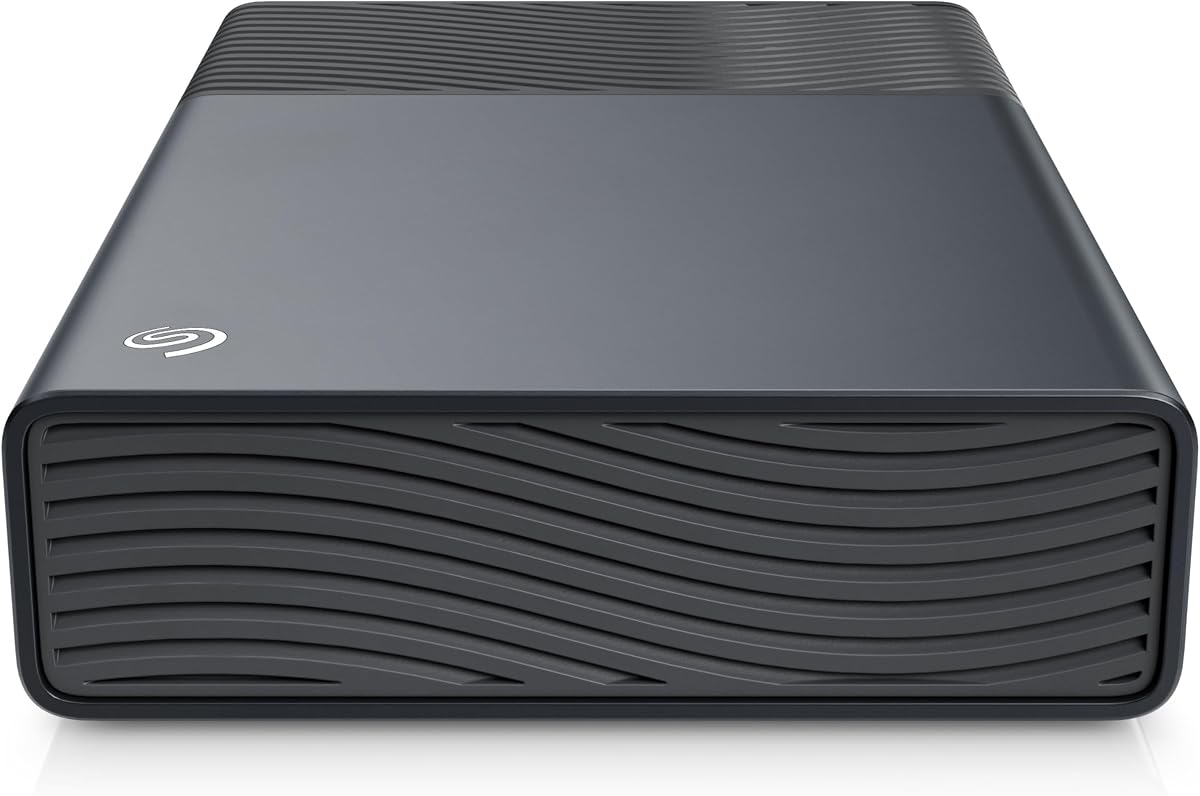
The Seagate One Touch 16TB is a high-capacity desktop external drive designed for straightforward backups and file storage. Its supplied rating is 4.6, and it combines a large archive-friendly capacity with a bus-powered USB-C connection that avoids a separate wall adapter.
We may earn a commission when you buy through this link, at no additional cost to you.
The 16TB capacity suits users accumulating photos, videos, project files, or a broad PC backup. A single portable-style connection keeps the desk setup clean, and the drive's stated design requires 15 watts of USB power from the connected device. That makes setup especially simple for a compatible desktop or laptop with an available USB-C port.
The product information emphasizes reliable backup performance rather than maximum transfer speed. Since this is a mechanical desktop drive, it will not offer the quick random response of an SSD, although sequential transfers remain appropriate for large file collections. It also does not provide the multi-bay flexibility, RAID modes, or hot-swapping found in dedicated diskless DAS enclosures.
This is a practical choice for a PC owner who wants substantial storage in a one-cord design without assembling a multi-drive system. It is less fitting for users who need RAID, frequently swap disks, or want a compact portable solution. The included two-year limited warranty and Rescue Data Recovery Services add support for the stated backup role.
Bus power removes the need for a separate outlet or adapter near the drive. With one connection to the host, the One Touch can sit beside a desktop as a dedicated archive or backup location.
The 16TB capacity is especially attractive for families, creators, and small offices that continuously add large media files. Because the drive is external, it can also be disconnected when the archive is not needed.
We may earn a commission when you buy through this link, at no additional cost to you.
The Western Digital WD Blue 12TB is a 3.5-inch internal hard drive centered on reliable everyday computing and generous capacity. Its supplied rating is 4.6, and the specification highlights a 7200 RPM spindle, 512MB cache, and a SATA 6 Gb/s connection.
We may earn a commission when you buy through this link, at no additional cost to you.
The 12TB capacity offers enough room for expansive game libraries, media collections, and large working archives in a compatible desktop. Its large cache and standard interface are designed to support sustained general-purpose storage rather than the specialized demands of a continuously accessed multi-user NAS.
Western Digital includes Acronis True Image WD Edition cloning software, which can simplify a migration from an existing system drive. That does not remove the need to install the new drive, and users should still confirm that the PC case, motherboard connections, and power supply can accommodate a 3.5-inch drive.
This is a strong option for adding bulk internal capacity to a desktop that already performs well with an SSD. It is less appropriate for a laptop, a compact PC without a 3.5-inch bay, or a user who prioritizes instant application response over storage density. For those priorities, the WD Blue works best as a secondary data drive.
Keeping the operating system and frequently used applications on an SSD while placing archives on the WD Blue can provide a practical balance. The 12TB capacity handles large collections without forcing constant cleanup.
The included Acronis True Image WD Edition cloning software provides a path for copying an existing system to a compatible WD drive. It is particularly relevant when a new PC is being prepared for a large transfer.
We may earn a commission when you buy through this link, at no additional cost to you.
The Western Digital WD Red Pro 16TB is aimed at RAID-optimized NAS systems that run continuously and serve multiple users. Its supplied rating is 3.9, while the technical profile emphasizes a 16TB capacity, CMR recording, a 550TB-per-year workload rate, and a 7200 RPM mechanical platform.
We may earn a commission when you buy through this link, at no additional cost to you.
The WD Red Pro family is designed for high-intensity 24×7 operation, making it more appropriate than a general desktop drive for an always-on storage array. Western Digital states that it works with a wide range of NAS vendors and has undergone extensive compatibility testing. The available product family covers capacities from 2TB through 22TB, although the specific product reviewed here is 16TB.
CMR is the key technical characteristic for builders who want consistent write behavior in sustained RAID environments. The 512MB cache supports the drive's data-handling duties, and the stated workload rating is intended to clarify the operating load. The actual performance still depends on the NAS controller, RAID level, drives, and system configuration.
This is a specialist choice for a home lab, small business, or enthusiast NAS running continuous multi-user workloads. It is unnecessary for a typical desktop seeking a simple secondary archive and may be overkill for a lightly used enclosure. Before buying, confirm that the NAS supports 16TB CMR drives and the intended workload.
CMR recording is particularly relevant where RAID rebuilds and sustained writes occur. The stated 550TB yearly workload provides a clear operating envelope for the drive's intended environment.
Extensive testing with NAS vendors increases confidence, but it does not guarantee every device will support every capacity or feature. Review the NAS support list, firmware, and drive requirements before adding a 16TB unit.
We may earn a commission when you buy through this link, at no additional cost to you.
The TERRAMASTER D8 Hybrid is a distinctive eight-position external enclosure that combines four SATA HDD or SSD bays with four M.2 2280 NVMe SSD slots. Its supplied rating is 3.5, and its defining advantage is the ability to place high-capacity mechanical media and high-speed flash storage in the same direct-attached system.
We may earn a commission when you buy through this link, at no additional cost to you.
The listed maximum capacity reaches 152TB when four 30TB hard drives are paired with four 8TB M.2 SSDs. This supports a tiered workflow: frequently accessed files can remain on NVMe while large archives sit on HDDs. The stated transfer rates reach up to 521 MB/s with a SATA SSD and up to 980 MB/s with an NVMe M.2 SSD over USB 3.2 Gen2.
The enclosure supports tool-free drive trays and a push-lock mechanism that secures installed media. A temperature-controlled, low-noise fan adjusts according to disk temperature, and power-on recovery can restart the system after an abnormal power loss while remaining off after a normal shutdown. TERRAMASTER TPC Backupper software is also included for scheduling backups.
This design is compelling for editors and other power users who want capacity and speed without maintaining a full NAS. Its complexity is higher than that of a conventional four-bay DAS, however, because the user must populate both SATA and NVMe positions, manage thermal demands, and organize hot and cold data. It is best suited to a knowledgeable buyer with a clear multi-tier workflow.
SATA media handles bulk archives while M.2 NVMe SSDs serve active projects. Combining both types in one enclosure simplifies the physical setup while preserving the distinct strengths of hard drives and flash storage.
Users can manually place frequently accessed material on NVMe and less active collections on hard drives. The approach offers a practical performance hierarchy without requiring every file to reside on the most expensive storage tier.
We may earn a commission when you buy through this link, at no additional cost to you.
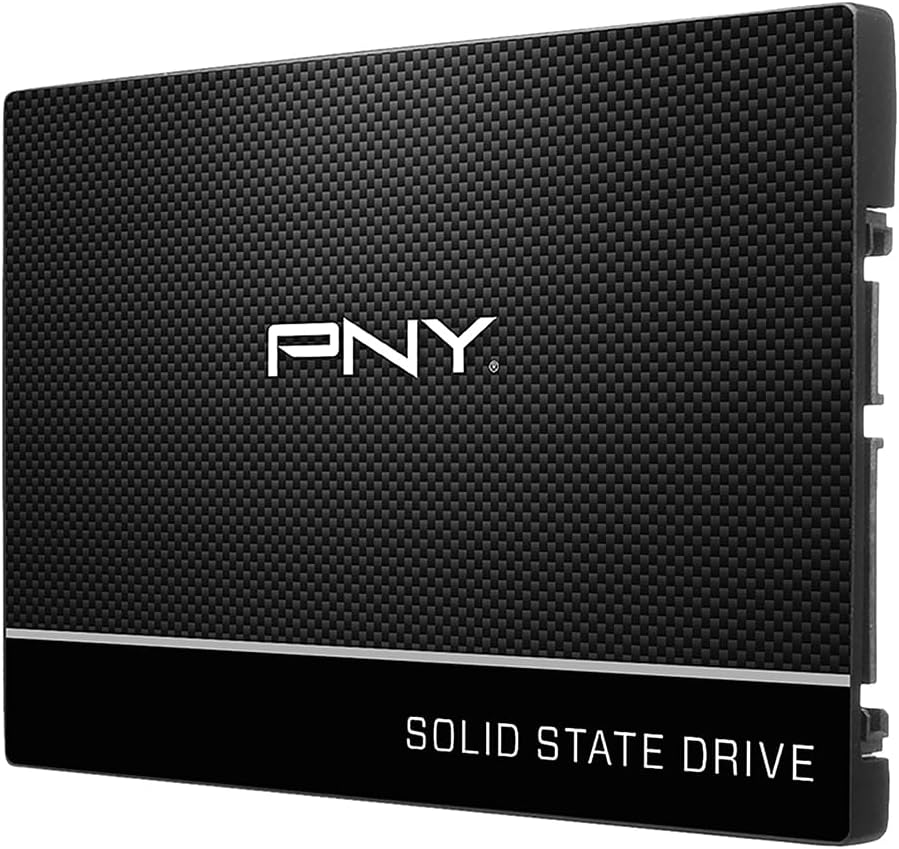
The PNY CS900 500GB is a budget-oriented 2.5-inch SATA III SSD intended to improve boot times, application loading, and general responsiveness in a compatible desktop or laptop. Its supplied rating is 4.7, which makes it one of the strongest-rated options in the group despite its more compact capacity.
We may earn a commission when you buy through this link, at no additional cost to you.
The stated sequential performance reaches up to 550 MB/s reads and 500 MB/s writes, giving a clear improvement over traditional hard drives when moving active files. Low power consumption is particularly relevant for laptop use, and backward compatibility with SATA II systems makes the drive usable on older installations that support the appropriate adapter and connection.
The primary compromise is capacity. A 500GB drive is best treated as a focused performance tier for the operating system, applications, or a selected game rather than a comprehensive archive. A new PC with extensive software and game libraries may require more room, while a simple refresh of an aging laptop can benefit greatly from the faster response.
The CS900 is a sensible value choice for a PC owner who wants a straightforward SSD upgrade without a multi-bay enclosure or complex configuration. It is not the right option for large backups, multi-user storage, or users who need several terabytes in a single volume. It is, however, an effective way to place the most important data on fast solid-state storage.
Installing an SSD in place of a mechanical system drive can improve boot time, application launch time, and the feel of multitasking. The CS900 uses a standard 2.5-inch SATA form factor, which keeps the physical upgrade approachable.
The 500GB capacity is most valuable when reserved for the operating system, essential applications, and current projects. Larger media can remain on external or network storage where it does not compete with daily performance needs.
We may earn a commission when you buy through this link, at no additional cost to you.
The right PC storage choice depends on how quickly you need data, how much capacity you require, whether you already own drives, and how much system complexity you want to manage. These factors help separate simple internal upgrades from flexible multi-bay direct-attached systems.
An internal SATA SSD or hard drive is ideal when the PC has an open bay and the buyer wants the storage to behave like a permanent system component. It avoids a separate enclosure and provides direct access through the motherboard, but installation requires compatible mounting, power, and data connections. An external desktop drive or diskless enclosure is more convenient for laptops, movable archives, and users who want to connect storage only when needed. External solutions are easier to add or replace but occupy a USB port and may require their own enclosure or power arrangement.
Capacity should reflect both current files and expected growth. Mechanical drives offer more room for large media, projects, and backups, while SSDs are better suited to operating systems, applications, and active work. A small SSD can serve as a dedicated performance tier while a large hard drive holds less frequently accessed material. Multi-bay systems let users add disks gradually, making it easier to start with one drive and expand as the collection grows.
A SATA 6 Gb/s interface is common among internal drives, while leading direct-attached enclosures use USB 3.2 Gen2 for a stated bandwidth of up to 10 Gbps. The interface is not the same as real-world file-transfer speed: drive type, workload, controller design, and the host connection all influence results. High listed enclosure bandwidth gives fast SATA SSDs room to operate, but it cannot make a mechanical drive respond like flash storage.
RAID can improve availability, provide redundancy, or increase performance depending on the selected mode, but it also adds configuration and recovery considerations. The QNAP TR-004 offers hardware RAID 0, RAID 1, RAID 5, JBOD, and individual-disk operation. The TERRAMASTER D4-320 is explicitly designed without RAID, making it a simpler choice when separate disks are preferred. Neither enclosure includes drives, so budget for the media and any additional connection hardware.
Confirm the enclosure's accepted drive size, interface, and physical format before purchasing. Some multi-bay systems support both 3.5-inch and 2.5-inch SATA devices, while the QNAP TR-004 is listed for 3.5-inch SATA drives. Host compatibility also matters: a USB-C enclosure may need the correct cable or adapter, and a NAS-oriented drive should be checked against the NAS vendor's support list. Operating-system support should be verified for the intended Windows, macOS, or Linux workflow.
Tool-free trays, push-lock retention, hot swapping, and lockable bays can make maintenance more convenient, particularly in a multi-drive enclosure. Cooling is equally important because hard drives and high-speed SSDs generate heat during sustained transfers. The TERRAMASTER enclosures use temperature-controlled, low-noise fans, while multi-bay NAS environments also require suitable airflow. A serviceable design is valuable only if the host can reliably power, cool, and reconnect the drives.
General file storage, multi-user NAS access, video editing, and gaming create different priorities. A fast SATA SSD such as the Samsung 870 EVO or PNY CS900 improves active responsiveness, while a 7200 RPM NAS-oriented model is better suited to sustained capacity workloads. The Seagate One Touch is designed for simple desktop backup, and the D8 Hybrid is tailored to a tiered environment using both NVMe and SATA media. Identify the task that causes the most delay and optimize for it first.
More capacity does not automatically protect data from accidental deletion, drive failure, ransomware, or hardware problems. A multi-bay RAID enclosure may provide redundancy in a suitable mode, but it is not a complete backup strategy. Keep an additional copy on another system or location, and use backup software to schedule regular transfers. The TERRAMASTER D8 Hybrid includes TPC Backupper for scheduling, while the D4-320's individual disks can support organized copies or project separation.
Before installing an internal drive, power down the PC, disconnect its power source, and follow the computer or drive manufacturer's instructions. Connect the SATA data cable to the motherboard or supported controller and the power cable to the appropriate connector. For an external drive, connect the enclosure with the specified cable and allow the operating system to identify it before moving important files. For a multi-bay unit, seat each disk fully in its tool-free tray and engage the retention mechanism before connecting power.
Format new drives using the utility provided by the operating system or drive manufacturer, choosing a file system that matches the computers involved. Create separate volumes when a DAS supports individual disks, and configure RAID only if its performance or redundancy benefits match the user's needs. After installation, verify the reported capacity, run the drive manufacturer's diagnostic or health-monitoring utility, and test a copy of important data to ensure the intended path works as expected.
For safe removal, close all files and eject the volume from the operating system before unplugging an external device. Avoid moving a multi-bay enclosure while its drives are operating, and do not remove a disk from a hot-swappable bay until the enclosure confirms it is safe to do so. Keep drives away from excessive heat, impact, moisture, and magnetic interference, and use periodic backups to test that important information can be restored independently of the primary storage device.
Direct attached storage connects directly to one host computer over USB, while a NAS provides storage over a network to multiple clients. A DAS is often simpler to set up and can deliver strong direct transfer performance. A NAS, however, is generally better for shared access, centralized services, and continuous multi-user operation. Some enclosures can also serve as backup or expansion companions to a compatible NAS.
No. The TERRAMASTER D4-320, QNAP TR-004, and TERRAMASTER D8 Hybrid are diskless products, so compatible storage must be purchased separately. The D4-320 accepts several SATA hard-drive and SSD formats, the TR-004 accepts 3.5-inch SATA drives, and the D8 Hybrid combines four SATA positions with four M.2 2280 NVMe slots.
An SSD is better for the operating system, applications, games in active use, and projects requiring quick access. A hard drive is usually more suitable for large archives, media libraries, and secondary storage. Many PC owners get the best balance by placing active files on an SSD and retaining larger collections on a mechanical drive.
No. The enclosure must support the drive's physical size, interface, and supported capacity. The D4-320 supports 3.5-inch SATA hard drives, 2.5-inch SATA hard drives, and 2.5-inch SATA SSDs, while the D8 Hybrid adds M.2 2280 NVMe positions. Checking these requirements prevents an otherwise compatible-looking purchase from failing to fit or function as intended.
No. The 10 Gbps figure describes the interface's theoretical bandwidth, not the speed of every file transfer. Actual results depend on the installed drives, workload, host controller, file sizes, and system overhead. SATA SSDs and NVMe SSDs can use the available bandwidth more effectively than mechanical hard drives.
No. RAID can keep a volume available after certain drive failures or increase performance, depending on the mode, but it does not protect against accidental deletion, malware, controller faults, or loss of the entire system. A separate backup on another device or location remains important for important data.
The reviewed D4-320 is compatible with Windows, macOS, and Linux, and the QNAP TR-004 also works across those major operating systems. A physical USB connection normally serves one host at a time, so moving the enclosure between computers is generally required unless an additional network-sharing approach is used.
A complete external drive is simpler because the storage is already installed and matched to the enclosure. A diskless DAS offers greater flexibility because the user can choose capacity, use SSDs and hard drives together, replace media, and expand over time. The trade-off is the added cost and responsibility of purchasing compatible drives and configuring the system.
The Samsung SSD 870 EVO is the strongest all-around choice for a PC that needs fast, responsive internal storage, while the QNAP TR-004 is the most compelling option for users who value four bays and hardware RAID flexibility. The PNY CS900 offers a straightforward, lower-cost way to place essential files on SSD storage. These picks address different needs, but all prioritize dependable performance within clearly defined use cases.
For buyers needing more capacity, the Seagate BarraCuda, WD Blue, Seagate IronWolf, and WD Red Pro provide internal mechanical storage suited to different budgets and workloads. External users can consider the Seagate One Touch for a simple one-drive archive, the D4-320 for four independent disks, or the D8 Hybrid for a tiered combination of SATA and NVMe storage. The most important decision is to match the device, media, and expansion method to the way files will actually be used.
Always check current prices, drive compatibility, available connectors, and host support before ordering. Listings and costs can change, and a computer's physical design can determine which options are practical. Confirming those details protects against an expensive mismatch and makes it easier to build a storage setup that remains useful as files and workloads grow.