
COLORROOM 10-inch Kids Tablet
4.2Editor score
Google Kids Space included
Adjustable parental controls
Large internal storage
Eye-comfort display
This guide compares the best tablet for autistic kids, highlighting communication tools, parental controls, accessibility, durability, and learning features.
Choosing a tablet for an autistic child is more complicated than choosing a generic entertainment device. A useful tablet should match the child’s communication style, sensory needs, age, and developmental goals while remaining simple, predictable, and secure for parents and caregivers.
We compared all ten products by examining their communication features, screen size, parental controls, included protective gear, storage, battery claims, app support, and portability. The list covers dedicated AAC devices, general-purpose Android tablets, and Samsung’s managed Kids Edition, with options for different budgets and needs.
Each review explains the strongest reasons to consider the tablet, as well as important limitations to think about. Ratings and availability can change over time, and prices fluctuate, so readers should confirm the current listing and current cost before purchasing.
4.2Editor score

4.5Editor score

4.2Editor score
The comparison below highlights the different purposes of these tablets, from communication-focused AAC support to broad learning and entertainment functions. Screen size, management tools, included protection, and offline capabilities are especially important to compare when choosing a device for an autistic child.


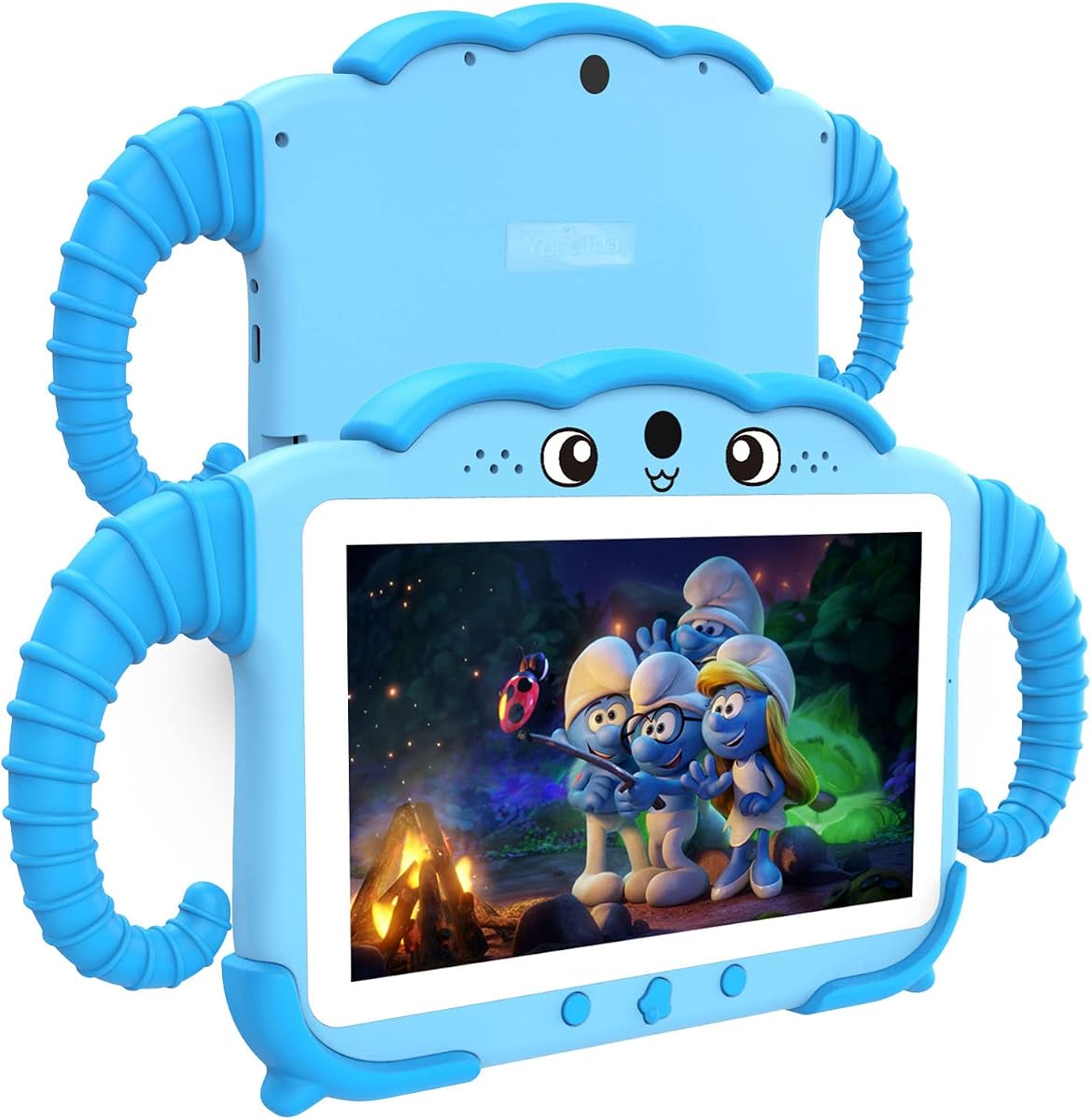


The COLORROOM Blue Kids Tablet combines a conventional 10.1-inch Android tablet with a child-focused interface, making it a flexible option for autistic children who enjoy games, videos, reading, and ordinary apps but still need a controlled digital environment. Its 4.2 rating reflects a broadly capable package, although buyer experiences may vary.
We may earn a commission when you buy through this link, at no additional cost to you.
Google Kids Space is preinstalled with educator-endorsed activities for children age three and above, including coloring, crafts, story listening, and puzzles. Its parental controls let a caregiver filter content, establish educational targets, and impose time restrictions. The octa-core processor, stated 10GB RAM, and 64GB storage provide a useful combination for running multiple educational and entertainment apps.
The 1280 x 800 fully in-cell display supports automatic brightness adjustment and an anti-blue-light design, which can be useful for children sensitive to bright or prolonged visual input. A 6000mAh battery is stated to provide eight to 12 hours of reading or video, while microSD expansion reaches 1TB. Dual stereo speakers add useful volume for stories, music, and video.
This is a strong choice for families seeking flexibility without a premium-tier price. Its broad Android foundation allows it to accommodate communication apps, visual schedules, sensory tools, and learning software, but it does not provide a dedicated AAC interface. Parents should verify app compatibility, configure controls immediately, and understand that the included case may not equal a certified protective cover.
Filtered content, time limits, and educational targets let adults provide structured access without reducing every activity to a generic kids mode. Those controls are especially useful for autistic children who benefit from predictable boundaries and clearly managed routines.
Google Kids Space, video calling, reading, games, and expandable storage make this more versatile than a single-purpose teaching tablet. Parents can introduce new activities gradually while preserving familiar content.
We may earn a commission when you buy through this link, at no additional cost to you.
The TalkingTiles AAC Device is the most purpose-specific product in this guide. Designed for nonverbal children, children with speech delays, and users of autism-related communication support, it focuses on creating spoken messages from visual selections rather than functioning as a conventional entertainment tablet. It carries a 4.2 rating.
We may earn a commission when you buy through this link, at no additional cost to you.
The central advantage is accessibility. A large 10.1-inch screen gives children space to locate and select visual tiles, while more than 3,400 built-in images support everyday vocabulary. Setup is described as taking about 40 seconds, and the device works offline, an important benefit in classrooms, therapy centers, appointments, and other places where reliable Wi-Fi may be unavailable.
The one-time-purchase model is another meaningful benefit because the product is described as having no subscription or surprise fees. It can begin with a small set of tiles and expand toward larger communication boards as the child develops. A drop-resistant case and extra screen protector provide everyday protection, while the stated long battery life supports continued use.
This is the strongest recommendation when the primary goal is a portable AAC tool and the child or therapy team values an interface dedicated to communication. It is less suitable as the only family entertainment device or as a general-purpose school tablet. Caregivers should still evaluate the vocabulary set, personalization options, and fit with the child’s goals with an AAC professional when possible.
Offline operation means the core AAC experience does not depend on a network connection. This makes the device practical for travel, outdoor learning, therapy appointments, and other situations where service may be inconsistent.
The ability to begin with a few tiles and expand to larger boards reflects a practical communication-learning approach. Families can start with immediate, meaningful needs and introduce more vocabulary over time.
We may earn a commission when you buy through this link, at no additional cost to you.
The Samsung Galaxy Tab A11+ Kids Edition is the strongest all-around option for an autistic child who needs a polished, full-size tablet with strong parental management. Its 4.5 rating is the highest among the listed products. The package combines a large display, a durable cover, an enhanced Crayo-Pen, and a guided children’s environment.
We may earn a commission when you buy through this link, at no additional cost to you.
Samsung Kids gives parents control over screen time, app access, and available content, while usage reports and filtering make it easier to see how the device is being used. The 11-inch 1920 x 1200 screen runs at up to 90Hz, providing a larger and smoother viewing area for videos, learning apps, creative tasks, and supported stylus activities.
Durability and longevity are notable strengths. The upgraded shock-absorbing kids cover supports both portrait and landscape viewing, and the enhanced stylus includes a tether. Samsung states support for up to seven generations of operating-system and security upgrades, while 128GB provides more internal room than many competing kids tablets. Battery life is stated at up to 15 hours.
The main trade-off is cost. Families may also need time to learn Samsung’s management tools, and a dedicated AAC use case may require specialized software that is not included. Even so, this is the most balanced premium selection for families seeking a durable, polished, expandable general-purpose tablet with mature parental controls.
Usage reports and content filtering help adults make informed decisions without hovering over every interaction. The system can support a balance of guided independence, structure, and appropriate entertainment.
A 128GB storage allowance, a stylus package, a protective cover, and a stated seven-generation upgrade window make the tablet feel more like a durable household device than a disposable children’s gadget.
We may earn a commission when you buy through this link, at no additional cost to you.
The COLORROOM Pink Kids Tablet offers the same broad feature set as the blue model in a color that may appeal to a particular child. It runs Android 15, includes Google Kids Space, and has a 4.2 rating. The pink finish can make the device feel more personally relevant and less like standard classroom technology.
We may earn a commission when you buy through this link, at no additional cost to you.
The stated 10GB RAM and 64GB internal storage are generous for a children’s tablet, and the 10.1-inch 1280 x 800 screen provides enough space for reading, watching, gaming, and video calling. Automatic brightness adjustment and anti-blue-light design add eye-comfort features, while a 6000mAh battery is claimed to last eight to 12 hours.
Parents can filter content, define educational targets, and set time restrictions through the included control tools. Google Kids Space adds coloring, crafts, story listening, and puzzles for children age three and above. Storage can be expanded through a separately sold microSD card up to 1TB, and dual stereo speakers support clearer audio.
This model makes sense when the child likes the pink design or when the blue and green versions are unavailable. It is functionally similar to the other COLORROOM tablets, so comparisons should focus on color preference, listing details, and the exact included package rather than expecting a different user experience.
A color the child actively likes can improve willingness to use a device consistently. That small form of personalization may be especially useful when establishing a routine around learning, communication, or calming activities.
The large screen, substantial memory, expandable storage, and stereo audio allow the tablet to handle more than one type of activity. It can support a mix of school content, creative apps, and supervised entertainment.
We may earn a commission when you buy through this link, at no additional cost to you.
The SVITOO Dinosaur Kids Tablet is a visually engaging, fully featured Android option with a 5.0 rating, the highest listed rating in the group. Its blue dinosaur case, Android 16 operating system, Google Play support, and parental controls make it well suited to children who prefer a conventional app-based tablet with a playful protective design.
We may earn a commission when you buy through this link, at no additional cost to you.
The 10.1-inch 1280 x 800 IPS display has a 16:10 aspect ratio and wide viewing angles. The tablet is stated to offer 20GB RAM, which includes 3GB plus 17GB, along with 32GB internal storage and expansion to 1TB through a separately sold microSD card. A 6000mAh battery is claimed to support up to eight hours of work, learning, video, or browsing.
Parental tools include time limits, app and content management, secure unlocking, and a night mode. The product also provides a USB-C cable, a 3.5mm headphone jack, Bluetooth 5.3, dual-band Wi-Fi, an 8MP rear camera, and a 2MP front camera. Widevine L1 certification is listed for supported high-definition streaming services.
The product information explicitly notes that the device has no built-in GPS and no split-screen function, so it is unsuitable for families requiring precise navigation or advanced multitasking. Otherwise, it offers a lively, capable option for school, entertainment, communication apps, and creative work.
The blue dinosaur-jungle case is described as shockproof, drop-resistant, lightweight, and easy to grip. Its visual theme can make a device more appealing while adding protection against the bumps that occur during normal use.
Google Play certification, Bluetooth 5.3, dual-band Wi-Fi, and a headphone jack offer more flexibility than a sealed, entertainment-only device. These features can help families add communication, visual-schedule, and learning tools over time.
We may earn a commission when you buy through this link, at no additional cost to you.
The COLORROOM Green Kids Tablet is a conventional but capable 10.1-inch Android tablet designed around controlled children’s use. Its 4.2 rating places it alongside the other COLORROOM models, and its central appeal is the combination of Google Kids Space, flexible parental tools, and ample stated memory.
We may earn a commission when you buy through this link, at no additional cost to you.
The octa-core processor is paired with 10GB RAM and 64GB ROM, while Android 15 provides the underlying operating environment. Google Kids Space and educator-endorsed apps offer coloring, crafts, stories, and puzzles for children age three and above. Parents can establish content filters, educational targets, and time limits for a more structured routine.
The 1280 x 800 display includes automatic brightness adjustment and anti-blue-light design. A 6000mAh battery is stated to provide eight to 12 hours of use, and microSD expansion allows storage to reach 1TB. Dual stereo speakers make the device useful for narrated content, music, and group activities.
This green model is most appropriate when a child likes the color and the family wants a flexible but controlled tablet. It shares the same main strengths and limitations as the other COLORROOM variants. The product description’s reference to AI is not tied to a clearly explained set of features, so parents should evaluate the actual software rather than assume specialized developmental benefits.
Educational targets and time restrictions let caregivers use the device as part of a repeatable routine. As skills develop, new apps and content can be introduced without changing the underlying tablet.
Automatic brightness adjustment, an anti-blue-light design, and a stated long battery runtime address two common concerns: visual fatigue and interruptions. A protective case should still be added if the device regularly travels.
We may earn a commission when you buy through this link, at no additional cost to you.
The Plimpton Kids Tablet combines a 10.1-inch Android 15 device with Google Kids Space, AI-assisted learning features, and a protective EVA case that includes a 360-degree rotating bracket. Its 4.2 rating reflects a feature-rich package aimed at children who learn through guided activities and structured digital exploration.
We may earn a commission when you buy through this link, at no additional cost to you.
A 2.0GHz octa-core processor, 4GB RAM, and 64GB storage support learning and entertainment apps, while storage can be expanded to 1TB. Gemini AI is presented as a learning companion capable of assisting with homework, explaining concepts, and adapting to a child’s pace. Those capabilities should still be used with appropriate adult guidance, particularly for younger children.
The 1280 x 800 IPS glass display includes low-blue-light technology, eye-protection mode, and automatic brightness adjustment. Its case is described as odorless, resistant to deformation, lightweight, and impact resistant, while the rotating stand can hold the tablet at useful learning angles. Parents can filter content, set educational targets, and apply time restrictions.
Plimpton provides a two-year warranty and a stated 30-day replacement policy, which offers useful reassurance. The primary trade-off is 4GB of RAM compared with the higher stated memory in some competing models, plus the absence of a precise battery-runtime claim. It remains a strong choice when a built-in stand and structured learning tools are the priorities.
The 360-degree bracket can place the tablet at a comfortable viewing angle for drawing, watching, or following lessons. It may also reduce the need for a child to hold the device continuously during a structured activity.
Gemini AI can provide explanations and interactive support, but it should complement rather than replace a parent, teacher, or therapist. Clear age-appropriate boundaries remain important when using conversational tools.
We may earn a commission when you buy through this link, at no additional cost to you.
The ZIDS701 Kids Tablet is a compact seven-inch Android tablet intended primarily for younger children, including children around ages three to seven. Its 4.0 rating is solid, and the carrying-handle silicone case distinguishes it from larger tablets by making the device easier for small children to hold and position.
We may earn a commission when you buy through this link, at no additional cost to you.
The tablet uses a quad-core processor, offers 32GB of storage, and supports Wi-Fi, Bluetooth, and hotspot connectivity. Preloaded educational software covers Montessori, STEM, art and craft, and brain-training categories, while additional children’s apps can be downloaded. The product is listed as supporting multiple languages including English, Spanish, and French.
Parents can access kids mode through the iWawa app and create separate profiles for each child. The listed controls include app blocking and approval, content filtering, screen-time limits, and monitoring. The default parent-control password is 0000, so it should be changed immediately. The soft silicone case surrounds the top and bottom and protects against occasional drops and bumps.
The smaller display is the main compromise for children who need detailed visual schedules, complex reading, drawing, or AAC grids. For early learners who benefit from a lightweight device and simple routine, however, the handle, profile management, and educational library create a focused and useful package.
A seven-inch body and built-in handle can make navigation more manageable for younger children. The handle also functions as an adjustable support for viewing, which is useful during short learning sessions.
Individual profiles help keep each child’s apps, limits, and content separate. This is particularly helpful for siblings sharing one tablet or for a child who benefits from a consistent personal environment.
We may earn a commission when you buy through this link, at no additional cost to you.
The COLORROOM Purple Kids Tablet offers the familiar COLORROOM specification in a distinctive purple finish. With a 4.2 rating, Android 15, Google Kids Space, and a full parental-control suite, it is a practical option for children who need managed access to learning and entertainment.
We may earn a commission when you buy through this link, at no additional cost to you.
Its 10.1-inch 1280 x 800 fully in-cell display includes automatic brightness adjustment and anti-blue-light design. The octa-core processor, stated 10GB RAM, and 64GB storage should support videos, educational apps, reading, and video calling. A 6000mAh battery is stated to deliver eight to 12 hours of use, while 1TB microSD expansion offers considerable room for downloaded media.
Google Kids Space provides age-appropriate activities for children three and older, including crafts, coloring, puzzles, and story listening. Parents can filter content, establish educational targets, and set time restrictions. Dual stereo speakers are also included for clearer music, narration, and audiovisual content.
This model is suitable for families who want a versatile Android device with a child-friendly appearance and comprehensive controls. Like the other COLORROOM variants, it is not a dedicated AAC system, and its AI language does not identify specific developmental features. Buyers should judge the included apps and parental tools rather than rely on broad AI wording.
Purple gives families another way to match the device to a child’s preferences. A device that feels familiar and attractive can make routine use more consistent, especially when screen time is tied to specific learning periods.
Content filters, targets, and time restrictions help define what the child can access and when. These tools can make a general Android tablet feel much more predictable and focused.
We may earn a commission when you buy through this link, at no additional cost to you.
The EDDBNi Kids Tablet is a practical Android 15 tablet with Google Kids Space, parental controls, a 10.1-inch display, and an included EVA case with a stand. Its 4.0 rating makes it a straightforward option for families that value core child-management features and physical protection.
We may earn a commission when you buy through this link, at no additional cost to you.
A quad-core processor and 64GB of storage support educational apps, videos, games, books, and other everyday activities. Storage can be expanded to 1TB with a microSD card. Gemini AI access is listed as an interactive learning aid under parental guidance, allowing children to explore questions and better understand concepts.
Google Kids Space provides age-appropriate books, videos, creative activities, puzzles, and educational apps for children age three and up. Parents can manage screen time, approve or block apps, filter content, and set daily limits. The 1280 x 800 HD IPS glass display includes low-blue-light technology, an eye-protection mode, and automatic brightness adjustment.
The included EVA case adds impact protection, a comfortable grip, and a stand, while port openings keep the cameras, buttons, speakers, and charging connection accessible. The product is backed by a two-year warranty. Its 2.4GHz-only Wi-Fi specification may be less ideal in crowded networks, but it remains a capable managed tablet for home, school, and travel.
The lightweight EVA shell protects common impact points while its stand provides a stable viewing angle. That combination is useful for children who struggle to hold a device steadily during reading or activities.
Google Kids Space and straightforward content controls make the tablet approachable for younger users. The device can begin with curated activities and expand as the child becomes more comfortable with the wider Android platform.
We may earn a commission when you buy through this link, at no additional cost to you.
The most suitable tablet depends on the child’s communication needs, sensory preferences, age, and learning goals. A device that works well for one autistic child may be frustrating for another, so families should treat general specifications as starting points and prioritize the child’s established routines and support tools.
A tablet used primarily for AAC should provide a simple visual interface, large touch targets, meaningful vocabulary, and quick access to the child’s most important messages. The TalkingTiles AAC Device is the clearest dedicated option in this roundup because it is designed around picture-based communication, operates offline, and includes more than 3,400 images. A general Android tablet may offer a broader app library, but it will usually require caregivers to configure a suitable communication app and customize its layout.
Choose AAC features over raw processing power when verbal communication is the main concern. Make sure the child can reach essential symbols with minimal precision, and confirm that a speech-language professional considers the device appropriate for the child’s goals.
Useful parental controls should do more than hide adult settings. They should let a caregiver filter content, approve or block apps, set screen-time limits, define educational targets, and review activity. Samsung Kids provides usage reports alongside filtering and time management, while Google Kids Space appears across many of the Android options in this guide. The ZIDS701 also supports separate child profiles and adjustable restrictions.
Look for controls that are understandable and consistent. A complicated management system may create more work for a caregiver, while a system that cannot be adjusted may not accommodate changing developmental needs.
Screen size should reflect the child’s age, visual processing, motor skills, and communication style. Seven-inch screens are portable and easier for small hands to hold, while ten- and eleven-inch displays provide more space for reading, visual schedules, drawing, and complex AAC grids. Resolution, viewing angle, brightness adjustment, eye-comfort modes, and night mode can also affect comfort.
Avoid assuming that a larger display is automatically better. Test whether the child can comfortably identify icons, reach controls, and maintain visual attention. A compact tablet may be easier to carry, while a large display may reduce tiny text and repeated tapping.
Autistic children may be more likely to drop, grip tightly, or set down devices in ways that create impact. A rugged case, raised screen protection, and accessible port openings can be more valuable than cosmetic finishes. The Samsung edition includes a shock-absorbing cover, the SVITOO comes with a dinosaur-pattern protective case, and the EDDBNi and Plimpton products include EVA cases.
Check whether the case supports the intended viewing angle and whether it leaves charging, speakers, cameras, and buttons unobstructed. Replace damaged screen protectors promptly, especially if hairline cracks make a display harder to use.
Storage needs vary according to whether the tablet is used mainly for streaming, downloaded lessons, creative work, or communication grids. The Samsung model provides 128GB internally, several COLORROOM tablets provide 64GB, and most of the remaining devices also offer microSD expansion. Google Play support and broad app access make conventional Android models adaptable to visual schedules, language tools, behavioral supports, and education software.
Prefer sufficient internal space for essential offline tools, especially if the child depends on them during travel or periods of unreliable connectivity. Check app compatibility and accessibility before committing to a device, since Google Play certification alone does not guarantee that every communication app works smoothly.
Battery life matters for school, therapy, travel, and daily routines. Claimed runtimes range from about eight hours on several models to up to 15 hours on the Samsung edition, although actual results depend on brightness, video, connectivity, and app demands. A stated 6000mAh battery appears in multiple options, but capacity alone does not determine real-world use.
Choose a tablet that can comfortably last through the child’s longest typical routine. Consider charging location, cable length, and whether the child can manage the device independently. A long battery claim is most useful when it aligns with the family’s actual schedule.
Some communication and learning activities must continue without a network. The TalkingTiles device works offline, while conventional Android tablets can also store downloaded content and run some installed activities without connectivity. For a child whose visual schedule or AAC tool is essential, offline capability deserves priority.
Download essential resources before leaving home, test airplane mode, and keep the device charged. A reliable offline routine prevents technical problems from interrupting a predictable schedule.
Long-term support can make a tablet more useful as a child grows. Samsung states support for up to seven generations of operating-system and security upgrades, and its 128GB storage gives room for future apps and media. Plimpton and EDDBNi each list a two-year warranty, providing additional reassurance. Other brands may not publish comparable upgrade commitments.
Investigate warranty terms, repair options, and operating-system support before purchase. A durable case and screen protector are also important because hardware damage can end a useful routine more quickly than software obsolescence.
Begin by introducing the tablet in a calm, predictable setting and choosing a small number of purposeful activities rather than loading every available feature at once. Connect it to the child’s daily routine, explain the same sequence each time, and allow the child to explore without turning every interaction into a test. For a communication-focused device, start with a few essential symbols that represent immediate needs and gradually add vocabulary supported by the child’s therapy team.
Configure the device before the first full session. Change default passwords, select the appropriate child profile, set screen-time boundaries, filter content, restrict app installation, and disable purchases. For an AAC device, focus on personalizing the communication board, training the child on the location of key tiles, and saving the layout. For a general Android tablet, download essential visual schedules, learning apps, calming tools, and offline resources while Wi-Fi is available.
Use a protective case and screen protector, keep charging and storage areas dry, and avoid placing the tablet where it could be stepped on or left under heavy objects. Clean the screen with a soft dry cloth according to the manufacturer’s instructions, and teach the child to use gentle touches. Periodically review app permissions, available storage, parental reports, and communication progress, removing tools that are no longer useful and adjusting settings as the child develops.
The best choice depends on whether the child needs a dedicated communication system or a broader learning device. TalkingTiles is designed specifically for nonverbal communication, speech delay, and AAC use, with a large screen, visual tiles, and offline operation. A general Android tablet can support more apps, but families must add and configure suitable communication software. A speech-language professional can help determine which approach fits the child’s communication goals.
They can be suitable when the device matches the child’s communication, sensory, and learning needs. A structured interface, parental controls, predictable routines, and meaningful content can make a tablet useful for communication, education, regulation, and entertainment. The most important factor is not the category label but whether the child can understand, navigate, and benefit from the device with appropriate support.
Offline capability is desirable when a child relies on a visual schedule, AAC app, lesson, or regulation tool that must remain available. The TalkingTiles device works offline by design, and other Android tablets can store downloaded resources for offline use. Families should test essential functions in airplane mode before relying on them away from reliable internet access.
The most useful controls usually include app approval, content filtering, screen-time limits, individual profiles, and simple routines. Usage reports can help caregivers adjust boundaries without constant supervision. Controls should be configured in advance and reviewed regularly because the child’s interests, communication, and skill level may change over time.
A 7-inch tablet is easier for small hands to hold and may be more comfortable for short, focused sessions. A 10- or 11-inch screen gives more room for text, visual schedules, drawing, and communication boards. The best choice depends on motor skills, visual processing, and the size of the symbols or content the child needs to recognize.
Many can, provided the tablet has access to the required app store and sufficient performance. Communication tools, visual schedules, meditation apps, educational resources, and creative software can all be useful. Caregivers should check compatibility, accessibility, privacy practices, and content quality before adding an app, and supervise AI-based features.
No. A tablet can support communication and learning between sessions, but it should not automatically replace individualized therapy or an AAC assessment. A qualified speech-language pathologist or AAC specialist can help choose vocabulary, layout, and training methods. The best device is one that supports the child’s established communication plan.
The requirement depends on whether the family uses streaming or downloads content, installs many educational apps, stores creative projects, or maintains offline AAC and visual-schedule tools. Devices with 64GB or 128GB provide more room than smaller configurations, and microSD expansion adds flexibility. Parents should reserve some internal space for system updates and keep essential resources available offline.
The Samsung Galaxy Tab A11+ Kids Edition is the leading all-around choice because it combines a large, smooth display with mature parental controls, durable protection, generous storage, long-term update support, and a useful stylus. For a child whose primary requirement is nonverbal communication, the TalkingTiles AAC Device is more focused and may be a better fit. The COLORROOM Blue Kids Tablet offers strong flexibility and control features at a more value-oriented level.
Prioritize the child’s established needs rather than processor specifications alone. Communication goals, visual comfort, manageable controls, offline reliability, and a device the child can comfortably hold can matter more than maximum storage or a fashionable design. It is also wise to consider the entire support system, including the caregiver’s ability to configure settings, available therapy tools, and the likelihood that the child will continue using the device over time.
Ratings, availability, included accessories, and prices can change, so readers should check the current product listing before purchasing. A protective case, dependable parental setup, and a few carefully chosen activities can make a greater difference than adding every available feature.
