
MSI PRO MP225 E12VL
4.3Editor score
Full HD VA panel
Up to 120Hz refresh
Legacy VGA support
A small monitor for retro gaming should reproduce classic output faithfully while remaining practical in a modern space. The ideal display combines an appropriate aspect ratio, low-latency video, useful legacy connections, and enough screen size to make old games feel immersive rather than miniature.
We compared all ten products by examining their stated resolutions, aspect ratios, refresh rates, response specifications, connectivity, speakers, mounting options, and intended applications. The list includes compact 4:3 screens made for older consoles and computers as well as smaller high-refresh displays suited to mixed retro and modern gaming.
Each review identifies the setup that best suits the monitor and explains any compromises. Ratings and specifications reflect the supplied product information, while availability and pricing can change, so confirm the current listing and connector requirements before making a final purchase.
4.3Editor score

4.8Editor score

4.7Editor score
As an Amazon Associate we earn from qualifying purchases.
This side-by-side comparison highlights each display's core format, gaming performance, connectivity, and practical extras, helping retro players distinguish purpose-built 4:3 screens from compact modern gaming monitors.


The SKitphrati 15 Inch Monitor is a purpose-built option for players who want classic 4:3 geometry without forcing a modern widescreen panel into a retro setup. Its supplied rating is 3.9, and the most appealing feature is the native 1024×768 panel, which is well suited to older console and PC output. HDMI and VGA make it adaptable to both modern and legacy hardware.
We may earn a commission when you buy through this link, at no additional cost to you.
The screen combines a 4:3 aspect ratio, 60Hz refresh rate, 250 cd/m² brightness, and an 800:1 contrast ratio. Those specifications position it as a straightforward display for text, programming, classic content, and nostalgic gaming rather than a competitive gaming panel. Its TN technology can be practical when displaying 2D material, older 3D games, or compact installations where consistent 4:3 presentation matters more than high refresh performance.
The main limitation is that 60Hz provides little advantage for speed-oriented modern games. Its 15-inch size also means that some 3D titles will look smaller than they would on a larger display, even though the pixels themselves remain clear. A 250-nit brightness level may be less impressive in a bright room. These are acceptable trade-offs for a monitor whose central purpose is displaying classic content in its intended proportions.
Choose this model for a compact retro station, Raspberry Pi build, older computer, or console setup where VGA compatibility and a genuine 4:3 panel are decisive. It is less appropriate as a general-purpose high-speed gaming monitor, but for a dedicated classic-gaming display, its geometry and connection options make it unusually purposeful.
The native 4:3 format avoids the stretched characters and unusually wide scenes that can appear when classic 4:3 content is forced onto a widescreen display. It is particularly useful for older console menus, sprite-based games, and legacy desktop applications.
HDMI accommodates contemporary consoles, laptops, and Raspberry Pi systems, while VGA supports older PCs and specialized equipment. That combination makes the display useful for building a period-authentic station around hardware with different output standards.
We may earn a commission when you buy through this link, at no additional cost to you.
The second SKitphrati 15 Inch 4:3 Monitor offers another compact route into authentic retro proportions. No customer rating is supplied, so the decision should rest on the documented specifications rather than a numerical consensus. Its native 1024×768 resolution, 4:3 format, HDMI, and VGA connections closely match the needs of legacy game systems and compact workstations.
We may earn a commission when you buy through this link, at no additional cost to you.
The stated 250-nit brightness and 800:1 contrast ratio should provide clear text and stable everyday visuals, while the 60Hz refresh rate is sufficient for most classic games. A VESA-compatible 75x75mm mounting pattern gives users another installation option beyond the stand, which is useful on a crowded desk or in a dedicated cabinet.
This is a basic display rather than a feature-packed gaming monitor. The 15-inch diagonal is compact, and the lack of a stated gaming feature set means buyers should not expect specialized motion performance, wide color coverage, or advanced synchronization. Legacy gaming also requires compatible hardware or a converter, depending on the outputs available on the source device.
It is best for a small desk, an older PC installation, a Raspberry Pi project, or a system where preserving 4:3 proportions is the priority. Compared with larger gaming-focused options, its appeal lies in focus, compactness, and straightforward compatibility rather than speed or visual processing.
Rendering classic content at its intended proportions makes menus, sprites, and older desktop environments easier to read. The display is especially suitable for users who find widescreen stretching distracting.
The 15-inch footprint and 75x75mm VESA compatibility provide flexibility for a compact gaming nook. Wall or arm mounting can also improve viewing position while freeing desk space for a controller, mini PC, or console.
We may earn a commission when you buy through this link, at no additional cost to you.
The Sceptre E225W-FW144 Series is a compact 22-inch gaming monitor for players who want a smaller screen without settling for basic 60Hz performance. Its supplied rating is 4.4. Full HD resolution, refresh rates up to 144Hz, HDMI, and DisplayPort make it well suited to current PCs, modern consoles, and a mixed library of retro and newer games.
We may earn a commission when you buy through this link, at no additional cost to you.
Integrated speakers are one of its most useful practical features. A compact setup can have audio without requiring a separate soundbar or desktop speakers, which is useful when every inch of desk space matters. The near-bezel design also creates a visually clean display and supports an uncluttered dual-monitor arrangement.
Its main retro-gaming compromise is the lack of a 4:3 panel and any stated VGA connection. Players can still use 4:3 output, but the image will occupy a portion of the widescreen screen unless additional scaling or cropping is handled by the source. This makes it less historically faithful than purpose-built square options.
Choose the Sceptre for a small gaming setup that mixes modern and classic software, especially when 144Hz performance and built-in sound matter more than exact aspect-ratio authenticity. It is a capable general gaming display whose relatively compact size makes it a practical bridge between contemporary hardware and older libraries.
A maximum 144Hz refresh rate gives fast-paced games more visual headroom than a standard 60Hz panel. The Full HD resolution also avoids asking a 22-inch screen to render an unnecessarily dense image.
Built-in speakers can handle console menus, retro titles, and general desktop audio without additional equipment. For a tightly arranged retro station, that integration reduces visual and physical clutter.
We may earn a commission when you buy through this link, at no additional cost to you.
The 17 Inch 4:3 Square Monitor offers the strongest overall balance for a dedicated retro-gaming display. Its supplied rating of 4.8 is the highest in this group, and its native 1280×1024 resolution delivers a larger canvas than the 1024×768 models without losing the classic 4:3 shape. The 250-nit brightness and 1000:1 contrast ratio support clear imagery and readable text.
We may earn a commission when you buy through this link, at no additional cost to you.
HDMI and VGA provide broad source compatibility, covering modern laptops, Raspberry Pi projects, older PCs, and several generations of consoles. Built-in dual 1.5W speakers add useful audio without taking up additional space, while the standard 100x100mm VESA pattern allows wall or arm mounting when a suitable bracket is obtained.
The monitor is not a high-refresh gaming panel, so speed-focused contemporary titles are not its strongest application. Its 17-inch size also falls between the extreme compactness of a 15-inch screen and the more expansive view of a 22-inch display. The included stand still makes it straightforward to use as a normal desktop monitor, while the broader 4:3 shape creates an appealing retro look.
This is the recommendation for most players who want a dedicated small monitor for classic console and PC games. It combines the requested 4:3 format, useful legacy connectivity, integrated speakers, and a practical physical size, making it adaptable without drifting far from retro-gaming priorities.
The 1280×1024 native format offers more usable space than a basic 1024×768 panel while preserving 4:3 proportions. Classic menus, adventure games, and sprite-heavy titles gain room without becoming widescreen.
HDMI and VGA allow the same screen to serve modern and legacy systems. Dual built-in speakers and an additional audio output also make it convenient to switch between console and PC sources.
We may earn a commission when you buy through this link, at no additional cost to you.
The Thinlerian 19 Inch Computer Monitor is built for users who need more than the standard gaming connection set. Its supplied rating is 3.8, while its distinguishing feature is the extensive selection of HDMI, VGA, USB, AV, BNC, audio input, and audio output ports. That makes it useful for retro consoles, computers, surveillance equipment, and other specialized video sources.
We may earn a commission when you buy through this link, at no additional cost to you.
At 1440×900 with 60Hz, 5ms response time, 250 cd/m² brightness, and a 72% sRGB gamut, it can serve as a general-purpose compact display. The specification is not tailored to competitive gaming, but it provides a sharper image than standard-definition output and is suitable for many older games, desktop tasks, and video equipment.
Retro authenticity is only moderate because this is a widescreen model rather than a native 4:3 screen. Its many ports also create a more complex installation than a simple HDMI-and-VGA gaming monitor. Buyers should not choose it for high-refresh play, and the stated color coverage and brightness suggest a practical rather than premium visual presentation.
Choose it for a multi-purpose retro station that also handles CCTV, industrial equipment, media, or older AV sources. The included remote, speakers, and broad connectivity create a versatile package for users who value one display that can serve several roles.
BNC, AV, USB, and audio connections distinguish this model from conventional gaming displays. Those ports can be valuable in installations that combine classic gaming with monitoring or specialized video equipment.
A 5ms response time and 60Hz refresh rate are sufficient for classic and casual gaming. The 1440×900 resolution keeps pixel density and text clarity above basic definition without requiring a large panel.
We may earn a commission when you buy through this link, at no additional cost to you.
The MSI PRO MP225 E12VL is the strongest value-oriented option for a compact gaming setup that needs modern speed alongside legacy compatibility. Its supplied rating is 4.3, and the 21.45-inch Full HD VA panel supports refresh rates up to 120Hz. Adaptive Sync, a 1ms stated response time, and HDMI plus VGA make it a flexible bridge between newer games and older hardware.
We may earn a commission when you buy through this link, at no additional cost to you.
The panel's 4000:1 contrast ratio is particularly noteworthy for producing deep blacks and defined shadow detail. Viewing angles of 178 degrees horizontally and vertically help maintain color and clarity when the screen is viewed off-center. TÜV Rheinland-certified flicker-free and low-blue-light features also support longer gaming and work sessions.
The main limitation is that this is a 16:9 monitor rather than a native 4:3 display. Retro games will therefore be displayed within a widescreen frame, with scaling depending on the console or emulator. It also lacks stated built-in speakers, so separate audio may be necessary. The 1ms figure should be understood within the broader speed specification rather than as the only measure of responsiveness.
Choose the MP225 E12VL for budget-conscious players who want a small, modern display with 120Hz performance and VGA compatibility. It is particularly effective for a PC-centric retro build that also includes competitive or fast-paced modern games, where refresh rate and adaptive synchronization matter more than period-correct geometry.
The 120Hz mode offers smoother motion than a standard 60Hz screen, while Adaptive Sync helps align frame delivery with compatible graphics hardware. This makes the display useful for more than slow retro software.
D-Sub VGA input preserves support for older PCs and specialized equipment. Combined with HDMI and a compact 21.45-inch size, it works well in a multi-generation desktop setup.
We may earn a commission when you buy through this link, at no additional cost to you.
The Samsung Odyssey G5 G51F is a mainstream gaming monitor that can handle a wide retro library while also delivering modern competitive performance. Its supplied rating is 4.7, and the combination of QHD resolution, a 180Hz refresh rate, 1ms response time, and AMD FreeSync creates a strong foundation for fast-paced games.
We may earn a commission when you buy through this link, at no additional cost to you.
HDR10 support adds brighter highlights and more nuanced shadows, while the QHD panel provides substantially more detail than Full HD. The Black Equalizer can brighten difficult-to-see areas, making it useful in games where visibility is important. An ergonomic stand with tilt, pivot, and height adjustment also supports a more comfortable position during long sessions.
This is not really a small monitor in the compact sense. Its 27-inch size takes up more desk space than the 17-, 19-, and 22-inch alternatives here. It also uses a widescreen format without a stated legacy input, so a retro setup may require additional equipment or may limit older PC compatibility.
Choose the G5 when you want one capable display for both retro and current games and can accommodate 27 inches. It is less appropriate for a deliberately compact, square 4:3 station, but it delivers stronger image detail and speed than nearly every other option in the list.
The 2560×1440 resolution provides enough detail for modern interfaces, open-world environments, and detailed sprite work. It also gives classic games a crisp presentation when rendered at higher internal resolutions.
The adjustable stand lets users tailor height, tilt, and pivot to a preferred position. That flexibility is useful for long retro sessions as well as competitive gaming.
We may earn a commission when you buy through this link, at no additional cost to you.
The Samsung Odyssey OLED G6 G61SH is the premium image-quality choice in this roundup. Its supplied rating is 4.7, and the QD-OLED panel brings a high level of contrast, color range, and motion performance. At 27 inches and QHD resolution, it is better understood as a compact high-end gaming monitor than a traditional compact retro display.
We may earn a commission when you buy through this link, at no additional cost to you.
The 240Hz refresh rate and 0.03ms response time provide exceptional headroom for modern competitive games. AMD FreeSync Premium helps reduce tearing and choppiness, while HDR10 enhances highlights and shadows. Pantone validation, broad color reproduction, and glare-free technology make the panel suitable for visually rich content as well as gaming.
OLED Safeguard technology uses thermal modulation to help prevent burn-in, a meaningful consideration for buyers planning extended use. Even so, buyers should understand that premium OLED panels require sensible screen habits, especially when static menus or interfaces remain onscreen for long periods. The monitor also lacks a native 4:3 format and occupies significantly more space than the purpose-built retro models.
Choose the G6 for a premium gaming station that combines retro libraries with demanding modern games, HDR content, and competitive titles. It is the aspirational choice here, delivering exceptional motion and picture quality to users who prioritize visual performance over a genuinely small footprint.
The QD-OLED panel provides deep blacks, bright highlights, and broad color reproduction. This makes sprites, dark environments, and cinematic games appear distinct and vivid.
A 240Hz refresh rate and 0.03ms response time serve fast modern games exceptionally well. OLED Safeguard's thermal modulation system is designed to support consistent performance and reduce burn-in risk.
We may earn a commission when you buy through this link, at no additional cost to you.
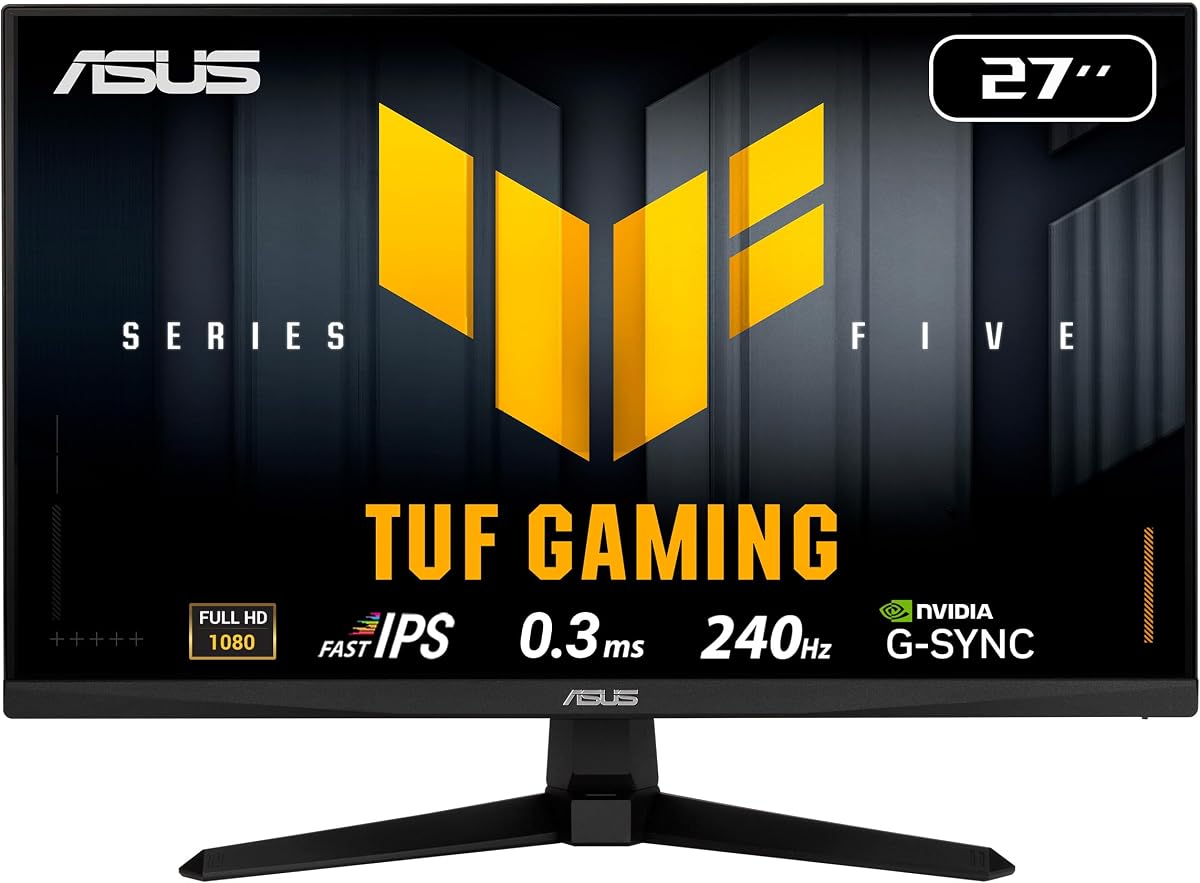
The ASUS TUF VG279QM5A is a speed-focused 27-inch monitor with a 240Hz Fast IPS panel. Its supplied rating is 4.5, and the 0.3ms minimum response time, adaptive synchronization, and motion blur reduction make it a strong choice for fast modern games. It can also serve as a general display for retro titles and console libraries.
We may earn a commission when you buy through this link, at no additional cost to you.
Full HD resolution keeps pixel density reasonable at 27 inches and provides a straightforward image for classic games. The 99% sRGB coverage supports vibrant color, while DisplayWidget Center allows OSD changes with a mouse rather than requiring repeated physical button navigation. A DisplayPort cable and other standard accessories are included.
There are some clear compromises. Full HD offers less desktop detail and visual refinement than the QHD models in this list, and this is a large screen rather than a compact 4:3 model. The absence of stated VGA input may also limit direct compatibility with older PCs unless an adapter is available.
Choose the VG279QM5A for a gaming setup dominated by competitive modern titles, or for a user who wants a single display that handles both retro and fast current games well. It offers excellent motion performance, but buyers seeking authentic 4:3 geometry or minimal desk footprint should look elsewhere.
The 240Hz panel and extremely low minimum response time are designed for responsive action. Adaptive synchronization and ELMB Sync work together to reduce tearing, stuttering, and ghosting where supported.
DisplayWidget Center makes frequently used settings easier to manage. This is a practical quality-of-life feature for users who switch between genres, emulators, and modern competitive titles.
We may earn a commission when you buy through this link, at no additional cost to you.
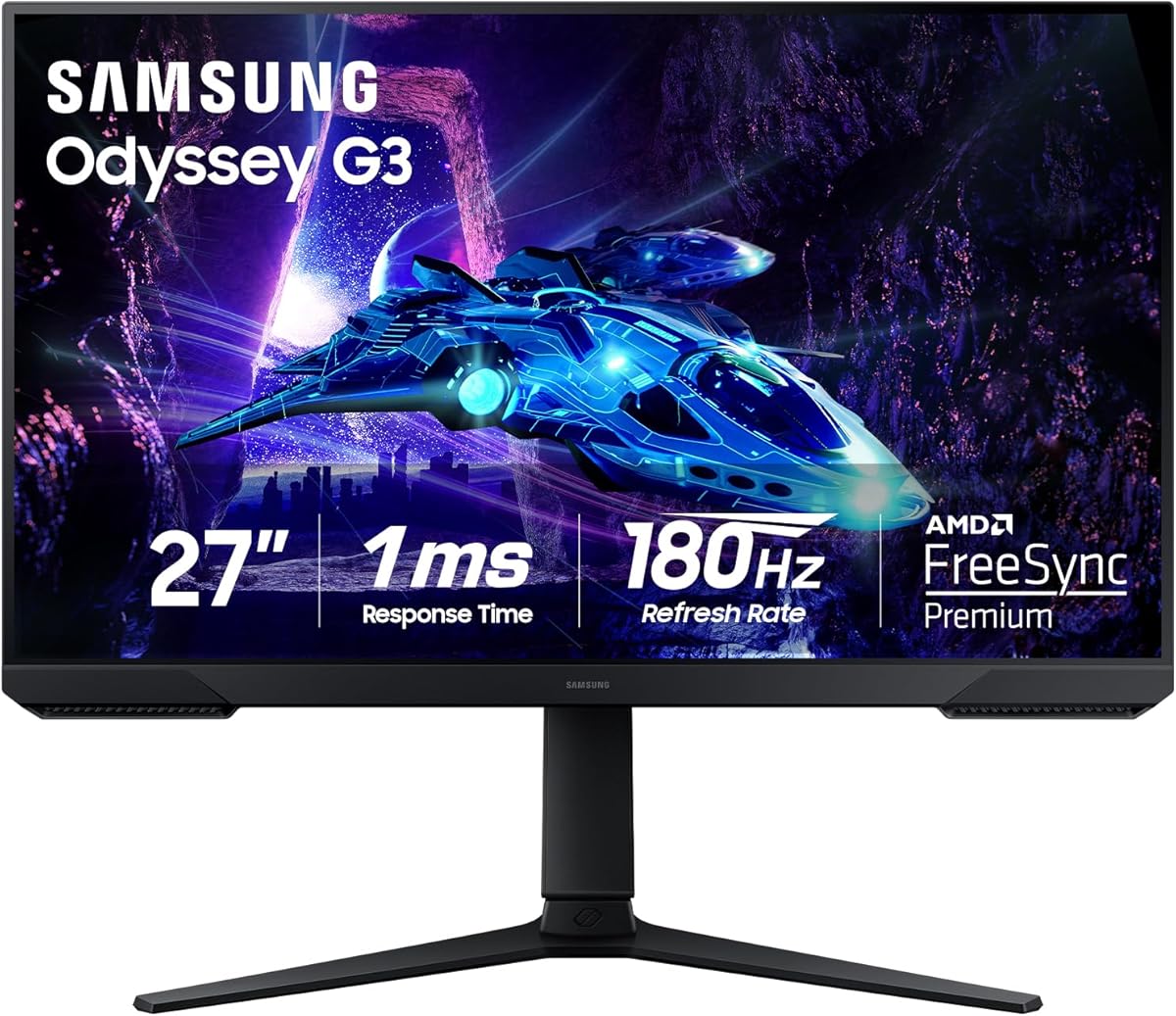
The Samsung Odyssey G3 G30D is a 27-inch gaming display aimed at players who want smooth performance and useful built-in features. Its supplied rating is 4.6. The 180Hz refresh rate, 1ms MPRT, and Radeon FreeSync support provide a modern gaming foundation, while Full HD resolution remains effective at this screen size.
We may earn a commission when you buy through this link, at no additional cost to you.
Several gaming-oriented features distinguish it from basic general-purpose monitors. Virtual Aim Point places a crosshair onscreen, Black Equalizer brightens dark areas, Eye Saver Mode reduces blue light, and the three-sided borderless design can be useful in a dual-monitor arrangement. The stand supports swivel, tilt, pivot, and height adjustment.
It does not address the central needs of a compact retro display particularly well. The 27-inch widescreen format lacks native 4:3 geometry, and no legacy VGA connection is specified. Full HD also provides less fine desktop detail than the QHD alternatives, although it remains perfectly suitable for many games.
Choose the Odyssey G3 for a large mixed-gaming station where modern speed, synchronization, and convenient gaming assists matter. It is a capable screen for classic games presented in widescreen, but it is not the most authentic choice for players seeking a genuinely small square-style retro display.
Virtual Aim Point and Black Equalizer can make certain competitive games easier to play. Eye Saver Mode and flicker reduction support comfort during extended sessions.
Height, swivel, tilt, and pivot adjustments allow the large display to fit a preferred ergonomic position. The borderless design also reduces visual interruption when two monitors sit side by side.
We may earn a commission when you buy through this link, at no additional cost to you.
The right retro display depends on the hardware, game library, and degree of visual authenticity you value. Native geometry, source compatibility, panel performance, and desk space should be weighed together rather than treating screen size as the only decision.
A native 4:3 display is the strongest choice when avoiding stretched or pillar-boxed images is a priority. Older console games, classic desktop software, and many sprite-based titles were designed for 4:3, so a square-style monitor can present them in their intended proportions. The 15-inch and 17-inch options in this guide provide native 4:3 output, whereas the other models are widescreen. A widescreen screen can still work well, but scaling depends on the console, emulator, or graphics driver and may introduce borders or imperfect proportions.
Check every output your source hardware actually provides. VGA is important for many older PCs and some classic consoles, while HDMI serves contemporary systems and offers a cleaner digital connection. Models with audio, USB, AV, or BNC can simplify a mixed retro and monitoring station. Do not assume a modern monitor includes legacy connectors, and budget for a suitable converter if your hardware has only HDMI, component, or composite output. A direct, native connection generally reduces setup complexity and compatibility guesswork.
Native 1024×768 and 1280×1024 resolutions match many older systems and provide a traditional 4:3 canvas. Full HD and QHD are useful when an emulator or modern system renders a retro game at a higher internal resolution, although they do not automatically restore historical visual characteristics. A higher resolution can make scaling smoother and desktop text sharper. Consider both the source's output and the desired final size to avoid an unnecessarily dense image on a very small panel.
Classic 2D games and most retro console titles do not require a high refresh rate, but fast modern games benefit greatly from 120Hz or more. The Sceptre, MSI, and Samsung models offer higher-refresh modes, while the 4:3 options emphasize correct geometry instead. Response time should be considered alongside refresh rate and synchronization, not treated as the only measure of smoothness. Adaptive Sync can also improve modern PC performance, although its usefulness depends on the graphics hardware and game.
Brightness, contrast, viewing angles, and panel technology influence how clear a game looks in different rooms. The MSI VA panel offers a high 4000:1 contrast ratio and wide viewing angles, while the Samsung OLED models deliver premium contrast and color depth. The square 4:3 models provide useful brightness and contrast for text and classic content but are not aimed at high-end visual performance. For a mixed display, good contrast and stable off-axis viewing may be more useful than a specialized gaming mode.
Measure the available area before choosing a diagonal size. A 15-inch screen fits tight shelves and retro cabinets, a 17-inch square display offers a larger native canvas, and 22- to 27-inch widescreens require more room. VESA compatibility can free desk space, though the required bracket and screws may not be included. Consider stand stability, cable routing, and the distance at which you can comfortably view a small screen. A wall-mounted display can preserve an authentic workstation look.
Speakers can be especially useful for retro gaming because many older consoles and compact PCs lack convenient modern audio connections. The 17-inch 4:3 model and the Sceptre include built-in speakers, while the Thinlerian provides two speakers and an included remote. Monitor speakers are convenient rather than premium, so a compact setup may still benefit from headphones or a small external speaker. Check whether an audio output is available for routing sound to better equipment.
A small retro monitor can serve a Raspberry Pi, compact PC, security feed, or office workstation. Monitors with broad port selection and VESA support are particularly versatile. A native 4:3 screen may be ideal for CCTV and legacy control systems as well as games, while a widescreen high-refresh model can serve modern work and entertainment more effectively. Decide whether the display is dedicated to one retro station or intended to handle several roles before optimizing for any single specification.
Begin by identifying the source device and its available video output. Connect the console or PC through HDMI when possible, use VGA for a compatible legacy system, and avoid unverified adapters until the signal and audio path have been confirmed. Once connected, select the correct input on the monitor, then adjust resolution, refresh rate, and scaling within the console or emulator settings. For a native 4:3 display, choose the 4:3 mode that fills the panel without unintended stretching.
Set brightness and contrast using familiar content rather than extreme values. A 4:3 display benefits from clean scaling, while a widescreen model may show black bars or stretched pixels depending on the source. Use the monitor's OSD to fine-tune sharpness, color temperature, and overdrive or synchronization features if available. Refresh the display's firmware when the manufacturer provides an update, and avoid assuming every console automatically negotiates the monitor's highest supported refresh rate.
For care, clean the panel with a soft, dry microfiber cloth and avoid liquid cleaners unless the manufacturer explicitly approves them. Do not press on the screen or place heavy objects against it. Give a compact setup adequate ventilation, route cables without tension, and avoid prolonged static imagery when using an OLED panel. Periodically check the stand, wall bracket, connectors, and menu settings, especially in a frequently used retro station.
A native 4:3 monitor is usually better when your priority is the intended shape of classic games. It avoids stretching in 16:9 output and can provide a more authentic frame without pillarboxing. A widescreen display may still be preferable for a mixed library, higher refresh rates, and a larger modern desktop, but scaling behavior varies by source.
For many classic PC games and consoles, 1024×768 or 1280×1024 at 4:3 provides an authentic and appropriately sized image. Modern emulation and console systems can also output higher resolutions, which can improve sharpness but may alter the original presentation. Choose based on the source hardware and whether authentic geometry or modern image quality matters more.
Having both is ideal for a mixed retro setup. HDMI supports modern consoles, laptops, Raspberry Pi systems, and current PCs, while VGA remains useful for older computers and some specialist hardware. If your collection uses only one standard, a single suitable input can be sufficient, but adapters may add complexity and sometimes introduce compatibility or audio limitations.
A well-matched small monitor can make classic games feel more authentic because their intended 4:3 composition occupies a naturally proportioned screen. Screen size does not automatically improve the source image, however. Scaling, resolution, refresh rate, and connection quality also influence clarity, motion, and consistency.
For most classic console and PC games, 60Hz is sufficient because those games generally target 60 frames per second. Higher-refresh displays become more attractive when you also play competitive modern titles, use high-frame-rate emulation, or want smoother scrolling in desktop applications.
They can be very useful when a compact setup has no room for external speakers. The 17-inch 4:3 and Sceptre options include integrated audio, while the Thinlerian includes two speakers and a remote. Monitor speakers are convenient for menus and general playback, though headphones or dedicated speakers may provide a fuller sound.
An OLED delivers exceptional contrast, color, and motion performance, making it compelling for a premium mixed-gaming station. It is not a compact 4:3 option, however, and burn-in mitigation should be considered for long sessions with static menus. A 4:3 screen is generally more authentic for period-style presentation.
Use the scaling options available in the console, emulator, or graphics driver and compare integer, aspect-correct, and stretch modes. Aspect-correct scaling preserves character proportions but may leave borders, while stretching fills the screen but can distort the image. A native 4:3 display usually provides the simplest path to a traditional appearance.
The 17 Inch 4:3 Square Monitor is the most balanced overall choice because it combines a native 4:3 panel, 1280×1024 resolution, HDMI and VGA, built-in speakers, and practical mounting options. The MSI PRO MP225 E12VL is the budget-minded alternative for players who value 120Hz performance, while the Samsung Odyssey OLED G6 delivers the premium image quality and speed.
Prioritize native 4:3 geometry when authenticity matters most, and prioritize refresh rate, adaptive synchronization, and resolution when retro games share a station with modern titles. Verify the source outputs, audio needs, VESA pattern, and physical desk area before purchasing. A direct connection and the correct scaling mode can matter more than a headline specification.
Product ratings, features, and availability may change over time, so check the current listing before buying. Compare the final configuration with your console, PC, emulator settings, room lighting, and mounting plan to ensure the selected small monitor creates the retro experience you actually want.