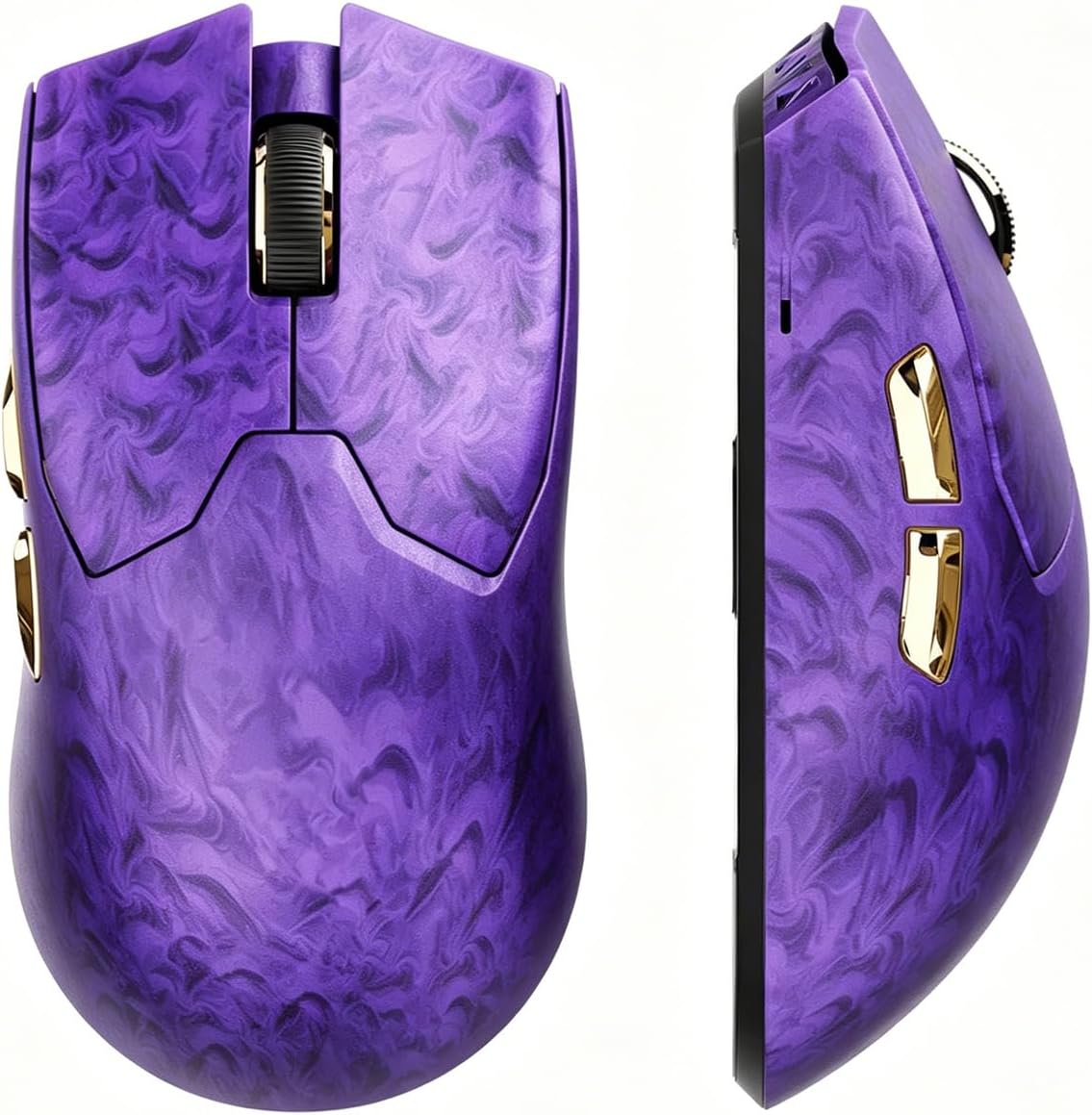
EWEADN Z7 Carbon Fiber Shell
4.9Editor score
PAW3950 optical sensor
True 8K polling rate
52-gram ergonomic shell
300-hour battery life
Our Purple Gaming Mouse guide compares 10 leading wireless, wired, RGB, ergonomic, and high-DPI models to help you choose the right performance, features, and
A purple gaming mouse combines a distinctive desk setup with the speed, control, comfort, and connectivity expected from a competitive peripheral. The right model depends on grip style, sensor performance, polling rate, battery design, button customization, and whether you prefer a wired connection or the freedom of wireless operation.
We compared ten models using the specifications and product information available for this guide, focusing on practical differences rather than treating color as the deciding factor. The list covers wireless, tri-mode, and wired designs, with particular attention to tracking, response, ergonomics, lighting, and everyday usability.
Each pick highlights a different use case, from a feature-rich budget option to a premium high-performance model and a compact wireless favorite. Ratings and specifications can evolve with updated listings, while availability and pricing can change, so confirm the current product details before making a final purchase.
4.9Editor score

4.6Editor score
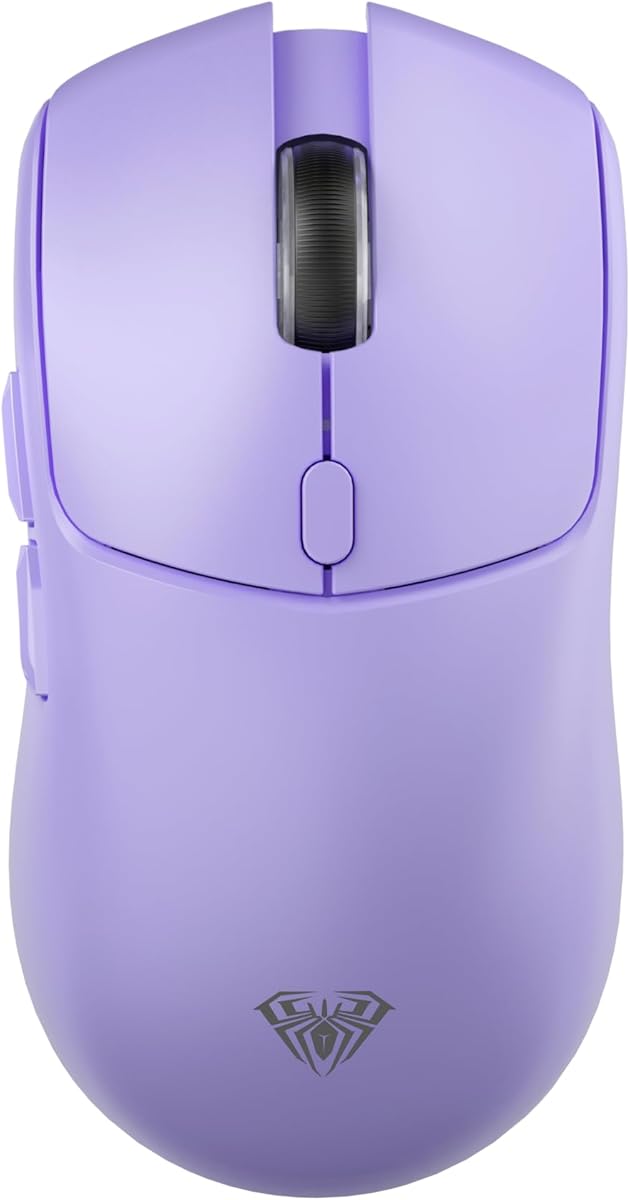
4.6Editor score
This side-by-side overview compares the ten mice by connection type, sensor specifications, control features, weight, and practical extras. It makes it easier to identify the right model for competitive gaming, everyday productivity, portability, or a coordinated purple desk setup.



The AULA SC580X is a budget-oriented purple gaming mouse with a 4.6 rating and a useful combination of tri-mode connectivity, adjustable sensitivity, and programmable controls. It supports 2.4GHz wireless, Bluetooth 5.0, and USB-C wired operation, allowing it to move between a gaming PC, laptop, Mac, or other compatible device without requiring a separate mouse for every setup.
We may earn a commission when you buy through this link, at no additional cost to you.
Its standout specifications include six DPI settings ranging from 800 to 12,000, a 1000Hz polling rate, and six programmable buttons. The included driver supports macro editing and button customization on Windows in 2.4GHz or wired mode. Bluetooth is intended for convenient everyday use, although the driver does not support that connection method. An 84-gram right-handed design and included anti-slip stickers make it easier to keep the mouse stable during longer gaming or work sessions.
The main compromises are familiar on a budget model. There is no Bluetooth access to the full customization suite, the shape is explicitly designed for right-handed users, and the 1000Hz polling rate is below the 8K rate offered by the EWEADN Z7. The 500mAh rechargeable battery is rated for 10 to 14 days with five hours of daily use, and a red indicator alerts users when charging is needed. These limitations are reasonable when weighed against the broad feature set.
This is the strongest recommendation for buyers who want a distinctly purple gaming mouse with wireless flexibility, high maximum DPI, and customizable buttons without moving to a premium platform. It works particularly well as an all-around gaming and productivity mouse for a Windows user who values connectivity options and grip accessories. For those prioritizing extreme polling rates, smaller construction, or more advanced sensor specifications, another model on the list may be a better fit.
The three connection modes give this mouse unusual versatility for a budget pick. You can use 2.4GHz when low-latency wireless is the priority, Bluetooth for general computing, or the USB-C cable when a dependable wired link is preferred.
At 84 grams, the SC580X balances portability with a more substantial feel than an ultralight model. Its right-hand contour, anti-slip stickers, six DPI levels, and programmable buttons give players several ways to tune the mouse for a preferred grip and play style.
We may earn a commission when you buy through this link, at no additional cost to you.
The SteelSeries Rival 3 Wireless Gen 2 in Lavender is a practical all-around wireless mouse with a 4.1 rating. Its defining strengths are 2.4GHz and Bluetooth connectivity, a TrueMove Air 18K optical sensor, and a stated 1.9ms click latency. It is designed for gamers who want responsive wireless control while also moving between a gaming rig and other Bluetooth-compatible devices.
We may earn a commission when you buy through this link, at no additional cost to you.
Battery life is the strongest feature in the product information. The mouse can operate for up to 200 hours over 2.4GHz or 450 hours over Bluetooth, using a single AAA battery. Its light construction is partly supported by that efficient battery arrangement, and the built-to-last switch is rated for 60 million clicks. These characteristics make the mouse well suited to extended play without the charging interruptions associated with many built-in rechargeable designs.
Its limitations are more apparent when it is compared with specialized gaming models. Unlike the AULA SC580X, EWEADN Z7, and Lenovo Legion M220, it does not offer a wired mode. It also lacks the explicitly documented high-frequency polling rates, large macro button arrays, and extensive lighting customization found on some competing options. The available specifications emphasize tracking, latency, durability, and battery efficiency rather than a broad suite of enthusiast features.
The Rival 3 Wireless Gen 2 is a strong choice for a gamer who prioritizes dependable wireless performance and exceptional battery endurance over maximum polling speed or elaborate controls. It also makes sense for anyone who wants a mouse that can remain connected to a gaming PC while being used with other devices over Bluetooth. Lavender styling adds visual distinction without being as bold as a deep purple finish.
The removable AAA battery and stated 200-hour 2.4GHz runtime reduce the need to monitor charge levels. Bluetooth extends that endurance further, making the mouse convenient for travel, shared computers, and long stretches away from a USB port.
The TrueMove Air 18K sensor and 1.9ms click latency target the fundamentals of competitive control. While the mouse does not advertise the Z7's 8K polling, its specification set is aimed at smooth movement and prompt clicks without sacrificing the convenience of a long-lasting battery.
We may earn a commission when you buy through this link, at no additional cost to you.
The Logitech G305 Lightspeed in Lilac is a compact wireless mouse with a 4.6 rating and a strong reputation for portability. Its HERO optical sensor supports up to 12,000 DPI and 400 IPS precision, while LIGHTSPEED wireless technology provides a 1ms report rate. These specifications make it a natural fit for competitive gaming on a desk where space is limited.
We may earn a commission when you buy through this link, at no additional cost to you.
The G305 weighs only 3.4 ounces, making it one of the lightest gaming mice in this roundup. That low weight supports quick hand movement and easy transport between a gaming laptop, desktop, school, work, or travel setup. A single AA battery can provide up to 250 hours of continuous gameplay, while Endurance mode through Logitech G HUB can extend the interval between battery changes to as much as nine months.
The trade-off is its focus on simplicity. It offers wireless gaming through its dedicated LIGHTSPEED connection but does not list Bluetooth, a wired mode, RGB lighting, or a large collection of programmable side buttons. Its compact footprint may also feel less substantial for users with larger hands who prefer palm grip. The receiver can be stored inside the mouse, which helps prevent the small wireless dongle from being left behind.
The G305 is our top compact and general-purpose pick for gamers who value low weight, precise tracking, long battery life, and a simple wireless setup. The Lilac color offers a softer interpretation of the purple-gaming-mouse theme while remaining easy to coordinate with a modern setup. It is especially attractive for laptop players and anyone who wants a dependable everyday mouse that can handle gaming without a charging dock or complicated connection switching.
At 3.4 ounces, the G305 is substantially lighter than most full-size models in the roundup. Its small shell and low mass can feel agile during long matches and make the mouse especially convenient to carry between gaming sessions.
The AA battery design supports an exceptional stated runtime, and Endurance mode can stretch the time between replacements even further. Storing the nano receiver inside the mouse also helps keep the wireless setup organized and travel-ready.
We may earn a commission when you buy through this link, at no additional cost to you.
The EWEADN Z7 is the premium performance choice in this roundup, combining a 4.9 rating with a carbon fiber shell, PAW3950 optical sensor, and true 8K polling in both wired and 2.4GHz modes. It is aimed at players who want fast input polling, high sensitivity options, and a lightweight body without giving up modern customization.
We may earn a commission when you buy through this link, at no additional cost to you.
The mouse reaches up to 42,000 DPI with support for Track-On-Glass, while the listed 20,000 FPS tracking specification and Nordic N54L15 MCU reinforce its performance focus. Kailh optical micro switches provide a stated 0.1ms optical response and are rated for 70 million clicks. Through EWEADN HUB, users can adjust DPI, IPS, lift distance, button mapping, macros, and other core parameters. The shell is designed for small to medium hands and weighs 52 grams.
Its premium feature set comes with practical constraints. The Z7 supports wired and 2.4GHz operation, but not Bluetooth, so it cannot serve as a universal multi-device wireless mouse. It also relies on HUB software for its deeper customization, and the manufacturer specifically recommends a small-to-medium-hand fit. The 500mAh battery is rated for more than 300 hours at 1K polling, although the headline 8K mode can change real-world battery expectations.
The rapid charging claim is another practical strength: one minute of charging is stated to provide up to nine hours of use. For competitive FPS players and other enthusiasts who want the highest polling rate and maximum sensor range in this group, the Z7 offers the most ambitious specification package. It is the best pick when performance, weight, battery flexibility, and a distinctive carbon fiber purple design take priority over universal connectivity.
The combination of true 8K polling and a PAW3950 sensor makes the Z7 the most aggressively specified option here. These features are particularly relevant to competitive players who want frequent position updates and access to a broad sensitivity range.
At 52 grams, the carbon fiber shell keeps the Z7 light while its cool-feel coating is intended to improve grip during long sessions. The 70-million-click optical switch rating and wired fallback add confidence for high-use setups.
We may earn a commission when you buy through this link, at no additional cost to you.
The Lenovo Legion M220 in Aurora Purple is a versatile tri-mode gaming mouse with a 4.4 rating. It supports Bluetooth, 2.4GHz wireless, and wired USB-C operation, making it easy to use across a gaming computer, laptop, tablet, or other compatible system. Seven buttons, two-zone RGB lighting, and an approximately 95-gram symmetrical shape round out a design focused on flexibility and visual appeal.
We may earn a commission when you buy through this link, at no additional cost to you.
Its 5000 DPI optical sensor supports up to 80 IPS tracking, 30G acceleration, and a 1000Hz polling rate. That is a conventional competitive specification set rather than a high-end enthusiast one, but it is well suited to responsive everyday gaming. The RGB zones can be changed through button and scroll-wheel combinations without software, making lighting personalization convenient when a driver is unavailable or unnecessary.
The 800mAh rechargeable battery is rated for more than 100 hours with RGB turned off and can fully recharge in about two hours. The mouse's medium-large symmetrical shape is optimized for palm grip, while its 20-million-click switch rating offers less long-term headroom than the optical switches in the EWEADN Z7 or ATTACK SHARK X3. Its sensor ceiling and 1000Hz polling rate also place it below the most specialized performance models.
The M220 is an excellent choice for buyers who want a coordinated purple RGB mouse, several connection options, and a rechargeable design without depending on disposable batteries. It works particularly well for players who alternate between a desktop and laptop or need Bluetooth for non-gaming applications. For users who prioritize the highest polling rate or maximum DPI, the EWEADN Z7 provides a more specialized alternative.
Bluetooth, 2.4GHz, and USB-C wired modes let users tailor the connection to the device and situation. The result is a mouse that can transition between gaming, productivity, travel, and general desktop use.
Two-zone RGB lighting adds personality to a purple setup, and the controls can be adjusted through button and scroll-wheel combinations. This makes quick personalization possible without opening a configuration program.
We may earn a commission when you buy through this link, at no additional cost to you.
The DAREU M901X is a purple wireless gaming mouse distinguished by its magnetic charging dock and integrated RGB lighting. Its 4.1 rating reflects a design that prioritizes convenient charging, a dream-purple appearance, and a claw-grip shape. The magnetic attachment aligns the mouse with the dock automatically and holds it securely enough that the mouse and dock can be lifted together.
We may earn a commission when you buy through this link, at no additional cost to you.
The mouse uses a rechargeable built-in battery and returns to the dock for extended use. A dynamic rainbow RGB bar appears along the bottom of both the mouse and dock, adding a coordinated visual effect that is more decorative than the understated lighting options offered by the G305 or Rival 3. The 85-gram weight is positioned as a fatigue-reducing balance between portability and stability.
Performance specifications include a 12K DPI gaming sensor and 1ms wireless transmission technology. The listed micro switches are rated for 50 million clicks. The product information does not detail as much about polling frequency, button programmability, or sensor acceleration as some competing listings, so buyers focused on granular control specifications should check the current software and product details before purchasing.
The DAREU is most appropriate for someone who values the charging dock as a permanent part of the desk. Returning the mouse to its dock is simple, and the strong magnetic connection reduces the chance that it will sit awkwardly while charging. It is a compelling match for a purple RGB gaming setup, although the claw-grip form and less fully documented control suite make it less universally suited than the tri-mode Lenovo M220.
The magnetic dock automatically aligns with the mouse and maintains a firm hold. This design turns recharging into a simple place-and-forget routine while keeping the mouse and dock visually coordinated.
A rainbow light bar runs along the lower edge of the mouse and dock, creating a more noticeable effect than conventional static accents. Beneath that styling, the 12K sensor and 1ms transmission target responsive wireless control.
We may earn a commission when you buy through this link, at no additional cost to you.
The ATTACK SHARK X3 is a 49-gram purple wireless gaming mouse built around speed, customization, and low weight. It has a 4.2 rating and supports Bluetooth 5.2, 2.4GHz wireless, and wired operation. Its multi-device support makes it a more flexible option than many lightweight competitors that offer only a single wireless protocol.
We may earn a commission when you buy through this link, at no additional cost to you.
The PixArt PAW3395 sensor supports up to 26,000 programmable DPI, 650 IPS speed, 50G acceleration, and a 1000Hz polling rate with 1ms timing. Software allows users to configure buttons, DPI and IPS settings, lift-off distance, polling rate, remaps, and macros. Kailh GM 8.0 switches are rated for more than 80 million cycles, and a TTC scroll wheel encoder provides distinct wheel steps. The battery is rated for up to 200 hours.
Its headline advantage is the combination of ultralight construction and advanced specifications, though some performance details are less ambitious than the EWEADN Z7. The X3 tops out at 1000Hz polling rather than 8K, so buyers who prioritize input frequency over weight may favor the Z7. The symmetric shape also omits a thumb rest, which changes the feel for players accustomed to a more sculpted ergonomic mouse.
The X3 is a strong recommendation for competitive players who enjoy fast, repeatable movements and want a mouse light enough for long sessions. Its three connection modes add value for users who alternate between gaming and productivity, while the large, rounded PTFE feet are intended to improve tracking stability and stopping power. The purple finish and symmetric design also suit players who prefer a minimal, symmetrical shape.
The X3's low mass makes rapid directional changes easier to execute without giving up a full-featured wireless design. Its symmetrical shell and anti-sweat surface also support a consistent grip through extended play.
The software suite goes beyond basic DPI selection. Players can adjust lift-off distance, polling, IPS, button remapping, and macros, giving the mouse a level of tuning commonly associated with more specialized esports designs.
We may earn a commission when you buy through this link, at no additional cost to you.
The Wired USB RGB Mouse is a straightforward purple wired option with a 4.7 rating. It combines a dynamic gradient light effect, four adjustable DPI levels, seven buttons, and broad compatibility with Windows, Mac, and Linux. Its appeal lies in simplicity: there is no battery to charge, no receiver to pair, and no configuration program required for normal operation.
We may earn a commission when you buy through this link, at no additional cost to you.
The optical sensor offers DPI settings of 1200, 1800, 2400, and 3600. A forward and back pair sits near the thumb area, while separate DPI controls and a scroll wheel provide quick access to common functions. The honeycomb-style shell is designed to reduce heat buildup and improve airflow around the hand, making it relevant for extended computer use as well as gaming.
Compared with the specialized gaming mice in the roundup, its limitations are clear. The 3600 DPI maximum is modest for competitive shooters, and there is no stated polling-rate specification, high-end sensor, programmable macro suite, or wireless option. The wired design is dependable for a stationary setup, but the cable adds a tether that can affect desk flexibility and travel.
This mouse is best for a gamer who wants a purple appearance, RGB lighting, and reliable wired control without spending time managing batteries or software. It also works as an everyday office mouse because of its broad compatibility, accessible navigation buttons, and comfortable honeycomb structure. For competitive players who need extreme sensitivity or rapid wireless input, one of the more advanced models will be a stronger choice.
The wired USB design removes battery management from the equation. Plug-and-play compatibility with major desktop operating systems also makes the mouse an uncomplicated choice for a permanent gaming station.
Seven buttons provide more direct control than a standard three-button mouse. Meanwhile, the honeycomb pattern promotes airflow and gives the purple shell a distinctive, technical appearance.
We may earn a commission when you buy through this link, at no additional cost to you.
The Lenovo Legion M220 in Nebula Purple offers the same core feature set as the Aurora Purple version but with a darker, more restrained colorway. It carries a 4.4 rating and supports Bluetooth, 2.4GHz wireless, and wired USB-C connectivity. That makes it a natural alternative for gamers who prefer a deeper purple finish that coordinates well with darker desks and peripherals.
We may earn a commission when you buy through this link, at no additional cost to you.
The 5000 DPI sensor, 80 IPS tracking speed, 30G acceleration, and 1000Hz polling rate provide a conventional competitive foundation. Seven buttons and two-zone RGB lighting add utility and visual appeal, and lighting can be adjusted using the buttons and scroll wheel without opening software. The approximately 95-gram symmetrical body is shaped for palm grip, while the 800mAh rechargeable battery supports more than 100 hours of use with RGB disabled.
This model shares the M220's main performance ceiling: its maximum sensitivity is 5000 DPI and its polling rate is 1000Hz. It also does not compete with the EWEADN Z7's 8K polling, 42,000 DPI range, or 52-gram weight, nor with the X3's 49-gram construction. The 20-million-click switch rating is another figure to consider when comparing the mouse with models offering 50, 60, 70, or 80 million clicks.
The Nebula Purple version is a strong fit for a gaming setup that wants tri-mode flexibility, two-zone lighting, and a deeper purple aesthetic. It is especially useful for users who need Bluetooth for productivity and 2.4GHz or wired operation for gaming. If the priority is a more vivid lavender-like appearance, the Aurora Purple version offers the same underlying design in a brighter finish.
Nebula Purple offers a darker alternative for users who want color coordination without an especially bright shell. Combined with two-zone RGB lighting, it can serve as a subtle focal point in a dark gaming setup.
The Nebula version retains tri-mode connectivity, a 1000Hz polling rate, a 5000 DPI ceiling, and a seven-button layout. It delivers the same core functionality as the Aurora colorway for shoppers whose priority is the finish.
We may earn a commission when you buy through this link, at no additional cost to you.
The Razer Basilisk V3 is included as an ergonomic and feature benchmark. Its listed finish is black rather than purple, so it does not directly satisfy shoppers seeking a purple shell, but its 4.6 rating and mature control system make it useful for comparing what a premium ergonomic wired mouse can offer. It is designed around a sculpted shape, a thumb rest, and extensive programmable inputs.
We may earn a commission when you buy through this link, at no additional cost to you.
Eleven programmable buttons support macros and secondary actions, while the HyperScroll tilt wheel can free-spin for rapid scrolling or switch to a tactile mode for precise movement. The wheel is particularly useful in games where cycling through weapons, abilities, or inventory items benefits from fast movement. Razer Chroma supports 11 lighting zones, more than 16.8 million colors, numerous effects, and dynamic integration with a wide range of games.
The Focus Plus 26K optical sensor is designed for precise tracking without smoothing, and the Gen 2 optical switches offer a stated 0.2ms actuation speed with a rating of up to 70 million clicks. Razer Synapse provides configuration and optimization tools. As a wired mouse, however, it has no wireless mode, and its substantial ergonomic design is less portable than the G305, X3, or Z7.
Although the Basilisk V3 is not a purple product, it is worth considering if a thumb rest, abundant controls, and a premium scroll wheel matter more than matching color. It is particularly attractive for players who spend long sessions in one position and want quick access to multiple functions. Purple-focused buyers should treat it as a functional comparison rather than a direct color recommendation.
The sculpted right-hand form and dedicated thumb rest support the palm and provide a stable anchor. This makes the Basilisk V3 a different experience from the lighter, symmetrical alternatives, particularly for users who prefer a fuller grip.
Eleven programmable buttons and a dual-mode HyperScroll wheel give players fast access to secondary functions. Chroma lighting adds a high level of visual customization, although the physical shell itself is black.
We may earn a commission when you buy through this link, at no additional cost to you.
Choosing the right purple gaming mouse means balancing appearance with the controls, connectivity, sensor, weight, and comfort that affect daily use. The following factors help narrow the field before you commit to a model.
A wired mouse provides a dependable link with no battery management and is often preferred for a permanent gaming desk. Wireless models offer greater freedom and are convenient for travel, while tri-mode options add Bluetooth for productivity and general device use. Check whether your computer includes the required receiver, whether the mouse supports your preferred protocol, and whether it can function in wired mode when the battery is low. The AULA SC580X, Lenovo Legion M220, and EWEADN Z7 each offer useful combinations, but they do not have identical connection suites.
DPI describes pointer sensitivity, but a useful comparison also considers tracking speed, polling rate, and sensor behavior. A high maximum DPI does not automatically produce better control because each player has a different sensitivity preference. Competitive titles may benefit from a high polling rate, while larger MMO or strategy games may prioritize smooth movement, programmable buttons, and comfort. The EWEADN Z7 offers the highest listed DPI and polling specifications, whereas the G305, Rival 3, and Legion M220 focus on lower-latency wireless fundamentals.
Shape determines how the mouse supports your hand, while weight affects maneuverability and perceived stability. A symmetrical design can suit fingertip, claw, or palm users who value freedom of movement, whereas a sculpted ergonomic shape with a thumb rest is often better for long palm-grip sessions. Lightweight mice are easy to move quickly, but they may provide less physical anchoring. The SC580X is explicitly right-handed, the Z7 is described for small to medium hands, and the Legion M220 uses a medium-large symmetrical palm-grip shape.
Polling rate describes how often the mouse reports its position to the computer, while click latency describes the delay associated with registering a button press. Higher numbers can benefit fast competitive play, but they are not the only measures of a good mouse. Sensor quality, stability, wireless interference, and the responsiveness of the physical switches also influence the experience. The EWEADN Z7 stands apart with true 8K polling in both wired and 2.4GHz modes, whereas most of the remaining mice list 1000Hz polling or do not provide a polling figure in the supplied information.
Extra buttons save time by placing macros, communication controls, or secondary actions within reach. They are valuable in competitive shooters, MMO games, and productivity software, but too many controls can be unnecessary if they cannot be reassigned. The Razer Basilisk V3 offers eleven programmable buttons, while the AULA SC580X and Legion M220 each provide seven. The EWEADN Z7 and ATTACK SHARK X3 support deeper configuration through their respective software, including mappings, macros, sensitivity, and lift-off settings.
Battery specifications are most meaningful when the usage conditions are clear. A removable-battery mouse can be convenient when a long runtime is the priority, while a rechargeable mouse avoids disposable batteries and can be topped up through USB-C. A charging dock is even more convenient for a stationary desk, as shown by the magnetic DAREU design. Lighting, polling rate, and wireless use can affect real battery life, so treat the listed maximum as a guide rather than a guarantee for every configuration.
A purple mouse should also complement the rest of your setup rather than become a distraction. Some models use a vivid violet shell, others use lavender or deeper purple tones, and the Razer Basilisk V3 is black and included only as a functional benchmark. RGB can enhance the appearance, but a mouse with a broad lighting zone will create a stronger effect than a model without lighting. You may also prefer a subtle finish for a professional desk or a brighter one for a dedicated gaming space.
A mouse with extensive settings may be ideal for a dedicated gamer, but software can add setup time and operating-system limitations. The AULA SC580X offers macro editing through a Windows-only driver and does not provide driver access in Bluetooth mode. The Legion M220 deliberately allows basic RGB changes without software. The EWEADN Z7 and ATTACK SHARK X3 offer deeper configuration for users who want fine control. Decide whether those options justify the added complexity for your particular setup.
Begin by installing any required receiver, charging the mouse if it uses a built-in battery, and selecting the correct connection mode. For models with configurable DPI or buttons, install the stated software on a compatible operating system before setting up macros. The AULA driver works on Windows and supports its 2.4GHz and wired modes, while the EWEADN HUB and ATTACK SHARK configuration utility are intended for deeper tuning. Allow a few minutes to test sensitivity and button assignments before entering a competitive match.
Choose a clean, unobstructed mouse surface and keep the cable or wireless receiver positioned to minimize interference. For wireless models, use the provided receiver close to the computer and avoid placing large metal objects between the mouse and receiver. Users of the DAREU should align the mouse carefully with its magnetic dock, while wired models should be checked for a secure USB connection. Broad software support can affect the final feel, so verify the mouse behaves consistently in the game and applications you use most.
Clean the exterior with a soft, dry or lightly dampened cloth rather than harsh liquids, and do not push moisture into buttons, scroll wheels, charging ports, or the battery compartment. Keep the underside feet free of dust and debris, and avoid using the mouse on surfaces that can damage them. Charge rechargeable models before long sessions, replace removable batteries as needed, and periodically review switch settings, polling options, lighting, and firmware or software updates. A clean surface, stable connection, and sensible configuration will help preserve consistent performance over time.
The EWEADN Z7 has the strongest performance specifications in this group, with a PAW3950 sensor, up to 42,000 DPI, true 8K polling, and a lightweight 52-gram body. The ATTACK SHARK X3 is also compelling at 49 grams with a 26,000 DPI sensor and extensive customization. Your preferred grip, software requirements, and comfort should determine which performs better in practice.
Yes, several models in this roundup are explicitly designed for low-latency wireless play. The Logitech G305 offers a 1ms report rate, the SteelSeries Rival 3 lists 1.9ms click latency, and the EWEADN Z7 supports true 8K polling over 2.4GHz. A dependable receiver position and a stable environment are still important for maintaining consistent performance.
The AULA SC580X and both Lenovo Legion M220 versions support three connection modes, providing flexible device switching. The ATTACK SHARK X3 also supports Bluetooth 5.2, 2.4GHz wireless, and wired operation. By contrast, the G305 is dedicated to LIGHTSPEED wireless, the SteelSeries Rival 3 uses 2.4GHz and Bluetooth, and the EWEADN Z7 omits Bluetooth.
Not necessarily. High maximum DPI gives you room to use a low in-game sensitivity setting, but the best setting depends on your desk, mousepad, hand movement, and preferences. The G305 and Rival 3 offer up to 12,000 and 18,000 DPI respectively, while the Legion M220 reaches 5,000. More useful specifications include tracking speed, polling rate, and sensor consistency.
A charging dock makes recharging more convenient by giving the mouse a permanent home. The DAREU M901X uses a strong magnetic connection to align itself automatically with the dock, and the dock adds coordinated RGB lighting. It is particularly useful for a fixed desk, although mice with standard USB-C charging offer more placement flexibility.
Choose wired if you want a permanent gaming station, zero battery management, and an uncomplicated connection. Choose wireless if you value freedom of movement or use the mouse across different locations. Tri-mode models offer the broadest flexibility, but they also require you to manage connection switching and, in some cases, separate software for different modes.
No. A lighter mouse can move quickly and may reduce the effort required to keep the hand in motion, but some players prefer the stable feel of a heavier ergonomic design. The X3 and Z7 are extremely light, the G305 is even lighter, while the Basilisk V3 uses a more sculpted, thumb-supported form. The best choice depends on grip preference and session length.
It can, particularly when lighting is bright or left on continuously. The Lenovo Legion M220 is specifically listed as delivering more than 100 hours with RGB off, which demonstrates why lighting settings matter when comparing endurance figures. Turning off unnecessary lighting can help preserve battery capacity on rechargeable and battery-powered models.
The Logitech G305 is the most versatile top pick for its compact construction, 12,000 DPI ceiling, 1ms report rate, and exceptional battery efficiency. The EWEADN Z7 is the premium choice for players seeking a 42,000 DPI sensor, true 8K polling, advanced customization, and a 52-gram carbon fiber shell. The AULA SC580X delivers the best budget mix of tri-mode connectivity, programmable controls, and purple styling.
Prioritize the factors that affect your actual experience: the right grip and weight for your hand, a polling rate and sensor that suit your games, comfortable buttons, and a connection method that matches your setup. Battery-powered travel, RGB customization, a magnetic charging dock, and multi-device support can be valuable additions, but they should complement rather than replace good tracking and ergonomics.
Before purchasing, verify the current listing, operating-system support, included accessories, and any changes to the manufacturer software. Ratings and product details can evolve, and availability and pricing can change, so checking the latest information is the best way to ensure that your chosen purple gaming mouse still meets your priorities.