
EDUP M.2 WiFi 7 Card BE6500
4.4Editor score
Wi-Fi 7 tri-band support
Intel and AMD compatibility
Bluetooth 5.4 connectivity
M2 WiFi Cards compared for speed, bands, Bluetooth, compatibility, security, and installation across ten excellent upgrade options.
M2 WiFi Cards are compact internal adapters that can modernize a compatible laptop, desktop, or mini PC with faster wireless technology and built-in Bluetooth. A strong card should match the device’s M.2 slot, operating system, processor platform, antenna arrangement, and intended use.
This guide compares ten M2 WiFi Cards using their stated wireless standards, supported frequency bands, Bluetooth versions, maximum link speeds, security features, operating-system support, and installation requirements. The list includes Wi-Fi 6, Wi-Fi 6E, and Wi-Fi 7 models for different budgets and hardware configurations.
Each review identifies the strongest feature, important compatibility constraints, and likely buyer profile. The top selections reflect the broadest combinations of capability, included components, and practicality, while current prices and availability can change at any time.
4.4Editor score

4.5Editor score

4.6Editor score
The comparison below highlights the principal wireless standard, frequency coverage, Bluetooth version, and key compatibility consideration for each M2 WiFi Card.





The AX210NGW DTK WiFi 6E kit combines an Intel AX210-based M.2 module with the external components often needed to install an internal wireless card. It carries a 4.5 rating and stands out because the package includes antennas, an 11-inch RF cable, and low-profile brackets. That makes it a more complete solution than a bare module.
We may earn a commission when you buy through this link, at no additional cost to you.
The card supports 2.4GHz, 5GHz, and 6GHz traffic, with stated maximum link speeds of 574Mbps, 2400Mbps, and 2400Mbps respectively. OFDMA, MU-MIMO, Target Wake Time, and Bluetooth 5.3 add practical value for busy networks, low-latency applications, and wireless peripherals. Its tri-band capability also gives it more flexibility than a standard dual-band adapter.
The principal trade-off is physical complexity. A desktop user may need to route the antenna cable and secure the external antennas, while a laptop installation can require a more involved internal disassembly. Drivers are not necessarily preinstalled, and the product information instructs buyers to search Intel for AX210 drivers. The card may also be unnecessary if the computer already includes equivalent hardware.
This is a strong choice for a desktop or mini PC with an accessible M.2 2230 slot and an existing Wi-Fi 6 or Wi-Fi 6E router. It is especially attractive when a complete antenna kit matters more than obtaining the bare module. For buyers already equipped with antennas and brackets, the straightforward AX210 alternatives may offer a simpler path.
The included 5dBi antennas, RF cable, and low-profile brackets cover the major accessories normally required for a desktop installation. This package is particularly useful when the computer chassis offers limited internal antenna placement options.
Access to 6GHz can provide cleaner spectrum where it is available, while 2.4GHz remains useful for range. Integrated Bluetooth 5.3 also allows the card to handle headsets, keyboards, mice, and other peripherals.
We may earn a commission when you buy through this link, at no additional cost to you.
The AX210 NGW WiFi 6E is a focused internal upgrade for compatible M.2 2230 systems. Its 4.6 rating reflects generally favorable buyer feedback, while the module combines tri-band Wi-Fi 6E, Bluetooth 5.3, and support for Windows 10 and Windows 11 in a 64-bit environment. It is an appealing option when the computer already has working antennas.
We may earn a commission when you buy through this link, at no additional cost to you.
Stated maximum throughput reaches 574Mbps at 2.4GHz and 2400Mbps on both the 5GHz and 6GHz bands. The AX210 platform also carries MU-MIMO, OFDMA, 1024-QAM, and 160MHz support, while WPA, WPA2, and WPA3 cover older and newer network security standards. Its compatibility description includes Intel processors and newer AMD systems using Intel wireless drivers.
The absence of included antennas may make this a less convenient choice for a first-time desktop builder. Product information also points users toward Intel for the AX210 driver, so buyers should be prepared to download and install it. The explicitly stated 64-bit Windows support could be an issue for an older 32-bit installation, although that is uncommon in modern laptop upgrades.
Choose this card when you already know the system has a functioning M.2 E-key setup, suitable antenna connections, and Windows 10 or 11. It delivers the principal advantages of Wi-Fi 6E without the extra hardware bundled with the first-ranked kit, making it a practical middle-ground upgrade.
Wi-Fi 6E adds the 6GHz band to the familiar 2.4GHz and 5GHz options. This remains useful for compatible Wi-Fi 6E routers, although actual internet speed still depends on the router, network, and provider.
Using the Intel AX210 driver ecosystem can simplify software setup for a compatible computer. The card is intended for Windows 10/11 64-bit systems and is stated to work with Intel CPUs and newer AMD processors.
We may earn a commission when you buy through this link, at no additional cost to you.
The Intel AX210 Tri-Band Wi-Fi 6E card is a compact notebook network adapter with a 4.8 rating. Its short product description centers on the Intel AX210 platform, tri-band Wi-Fi 6E, and Bluetooth 5.3. That makes it a potentially attractive choice for a compatible laptop whose original wireless card has become unreliable or outdated.
We may earn a commission when you buy through this link, at no additional cost to you.
The card is positioned specifically for notebooks, where size and an M.2-compatible footprint are essential. Tri-band operation adds 6GHz access alongside 2.4GHz and 5GHz, while Bluetooth 5.3 lets the module support compatible wireless peripherals. The card's 4.8 rating is the highest among the AX210 products in this comparison.
The supplied product information is very limited, so the buyer must verify form factor, antenna arrangement, operating system, driver requirements, and Bluetooth placement before removing any hardware. The listing does not provide the detailed kit contents or compatibility language found on several competing pages. That lower detail level makes careful model-number research especially important.
This card makes most sense for a notebook owner seeking a recognized Intel AX210-based upgrade and who already knows the internal layout. The strong rating and concise platform description are encouraging, but compatibility should be confirmed before purchase. It is not the most convenient all-in-one option for users who also need antennas and mounting hardware.
The AX210 is a widely used wireless platform, which can make driver discovery and configuration more predictable. Buyers should still search Intel for the current AX210 driver appropriate to their operating system.
Notebook cards can look similar while differing in antenna connectors, screw placement, and bracket arrangement. Confirm the exact dimensions and cable routing before selecting this module.
We may earn a commission when you buy through this link, at no additional cost to you.
The Intel BE200 NGW is the premium performance choice in this guide, with a stated aggregate maximum of 8774Mbps across three bands. Its 4.6 rating is supported by a detailed specification set covering Wi-Fi 7, Bluetooth 5.4, Windows, and Linux. This card is aimed at newer Intel systems that can take advantage of the newest wireless generation.
We may earn a commission when you buy through this link, at no additional cost to you.
The module provides 5800Mbps at 6GHz, 2400Mbps at 5GHz, and 574Mbps at 2.4GHz, with Bluetooth 5.4 adding LE enhancements for compatible peripherals. Its support for Windows 11 and Windows 10 64-bit plus Linux makes it versatile, although the card requires separate Wi-Fi and Bluetooth drivers downloaded by searching for BE200NGW at Intel.
Compatibility is much narrower than the card's headline capabilities. The stated requirements call for an Intel CPU from the 12th generation or newer, an M.2 E-key interface, and no support for AMD processors. A Wi-Fi 7 router is also needed to exploit the full standard, and real-world throughput will depend on the complete network setup.
For a recent Intel desktop or laptop with the correct slot, this is the most advanced option in the list. It is particularly compelling for high-bandwidth networks, modern gaming systems, and users who want the newest standard without changing computers again soon. For an older or AMD-based system, the EDUP MT7925 option offers a more practical Wi-Fi 7 path.
The BE200's headline link rate depends on a compatible router and favorable conditions. Even so, it provides the strongest theoretical capacity among the cards listed here and includes the 6GHz band.
The module is described as reducing power consumption while improving service life. Bluetooth 5.4 also adds connection and controller security functions intended to improve stability and energy efficiency.
We may earn a commission when you buy through this link, at no additional cost to you.
The EDUP MT7925 BE6500 offers Wi-Fi 7 at a comparatively accessible level, making it a budget-focused route into the newest wireless standard. Its 4.4 rating and MediaTek MT7925 platform distinguish it from the Intel-only BE200. It supports tri-band operation with stated maximum speeds of 688Mbps, 2882Mbps, and 2882Mbps across the three bands.
We may earn a commission when you buy through this link, at no additional cost to you.
Multi-Link Operation is a notable addition, allowing the module to use multiple links for more stable, responsive connections. Bluetooth 5.4 can handle up to seven devices simultaneously, and WPA3 support improves network security. The card also includes hardware acceleration features intended to reduce CPU load and extend battery life.
Compatibility is one of its strongest advantages. It is stated to work with both Intel and AMD platforms using an M.2 2230 A/E-key slot, Windows 11 64-bit, and Linux Kernel 6.7 or newer. It does not fit CNViO2 protocol slots or Mini PCIe slots. The built-in Bluetooth should not be used simultaneously with the computer's existing Bluetooth function without disabling the latter first.
This is a strong choice for an AMD user or a Wi-Fi 7 router owner who wants a straightforward module rather than a premium Intel-only card. Its support details and modern feature set make it compelling, although the operating system and slot requirements still need confirmation before purchase.
The MT7925 platform broadens the appeal of Wi-Fi 7 by supporting Intel and AMD systems. That makes it easier to recommend when the processor brand is not fixed or when an older supported platform needs a modern wireless upgrade.
Multi-Link Operation can improve responsiveness by intelligently using available links. Bluetooth 5.4 support for seven simultaneous devices is useful for busy workspaces, although the computer's internal Bluetooth should be disabled first.
We may earn a commission when you buy through this link, at no additional cost to you.
The EDUP Intel AX210 card is a Wi-Fi 6E option with a strong 4.8 rating. Built around the Intel AX210 NGW chipset, it combines 2.4GHz, 5GHz, and 6GHz support with Bluetooth 5.3. The detailed listing makes it easier to evaluate than listings that provide only a product identifier and short description.
We may earn a commission when you buy through this link, at no additional cost to you.
Its stated maximum speed reaches 574Mbps at 2.4GHz and 2400Mbps on each of the 5GHz and 6GHz bands. MU-MIMO, 160MHz bandwidth, OFDMA, and 1024-QAM support modern efficiency features, while WPA, WPA2, and WPA3 provide suitable network security options. Bluetooth 5.3 is designed for low-latency accessories with improved energy efficiency.
The card fits laptops with Intel processors and M.2 2230 A/E-key slots, excluding CNViO2 and Mini PCIe designs. Windows 10 and Windows 11 64-bit are supported, with drivers available from Intel. It does not include antennas, and the listing does not explicitly mention the newer AMD compatibility associated with some AX210 systems.
Choose this model for a compatible Intel laptop that needs a tri-band upgrade and already has appropriate antennas. Its strong rating, clear feature documentation, and warranty support make it an appealing AX210 choice. Buyers should check Bluetooth and antenna placement carefully before disassembly.
MU-MIMO, OFDMA, 1024-QAM, and 160MHz support make the AX210 suitable for modern congested networks. These technologies help multiple clients share a wireless environment more efficiently.
The product includes a one-year warranty and lifetime technical support, which can be reassuring for installation questions. Compatibility still depends on the processor, slot protocol, and existing antenna arrangement.
We may earn a commission when you buy through this link, at no additional cost to you.
The Intel Wireless-AC 9560 is a mature dual-band adapter for systems that need dependable 802.11ac Wi-Fi rather than the latest radio. It has a 4.4 rating and supports 2.4GHz and 5GHz connectivity in the compact M.2 2230 form factor. It also includes Bluetooth 5.1 and is stated to work best with Intel Core processors.
We may earn a commission when you buy through this link, at no additional cost to you.
The card can deliver up to 1.73Gbps using 160MHz channels. MU-MIMO allows multiple devices to receive data simultaneously, improving efficiency on suitable access points, while WPA3 support helps protect compatible networks. These features remain useful in homes and offices where 2.4GHz range and 5GHz capacity are the primary requirements.
Unlike the newer cards, the 9560 does not offer 6GHz access, so it cannot use Wi-Fi 6E or Wi-Fi 7 networks in their newest form. Bluetooth 5.1 also lacks the improvements of Bluetooth 5.3 and 5.4. A buyer may accept those limitations for a lower-cost replacement in a compatible machine, but a newer platform offers a much longer upgrade horizon.
This card is best for a compatible Intel system with 2.4GHz and 5GHz networking needs, especially when a proven and widely recognized module is preferred. It is less appropriate when the computer has a modern Wi-Fi 6E router and the user wants access to the cleaner 6GHz spectrum.
The 9560 remains a practical choice for networks that do not require 6GHz. Its 160MHz capability and MU-MIMO support provide useful throughput and efficiency when paired with a suitable router.
The key difference from modern alternatives is the absence of the 6GHz band. This may be irrelevant on a busy 2.4GHz/5GHz network but can limit performance opportunities in a Wi-Fi 6E or Wi-Fi 7 environment.
We may earn a commission when you buy through this link, at no additional cost to you.
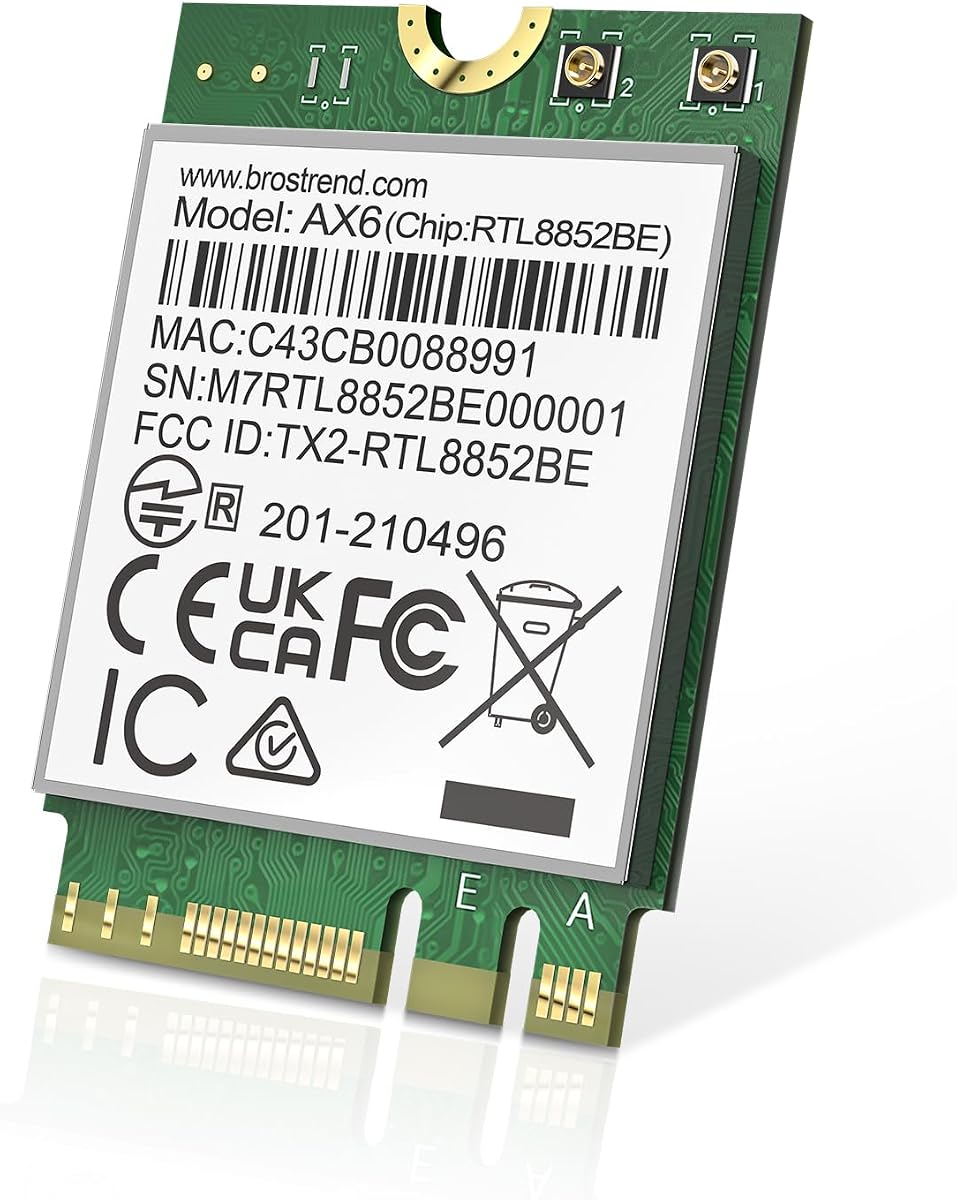
The BrosTrend AX1800 is a practical dual-band Wi-Fi 6 card for compatible laptops and small PCs. Its 4.4 rating, 2230 size, and standard Key A/Key E format make it a conventional internal upgrade. It targets users who want modern Wi-Fi 6 efficiency without paying for a tri-band radio or Wi-Fi 7 platform.
We may earn a commission when you buy through this link, at no additional cost to you.
The stated maximum rate is 1201Mbps on 5GHz and 574Mbps on 2.4GHz, producing the AX1800 category name. UL/DL MU-MIMO, OFDMA, and 1024-QAM support help improve multi-client efficiency, latency, and stability. Bluetooth 5.2 provides faster transmission and broader stated range than Bluetooth 4.2 for compatible accessories.
The card supports Windows 10/11 and Linux systems with Kernel 6.5 or newer, although the listing says Linux expertise support is not provided. A current driver should be downloaded from the BrosTrend website. It has no 6GHz band, so it cannot exploit the defining advantage of Wi-Fi 6E, and an existing Wi-Fi 5 adapter may still offer adequate performance.
This model suits a compatible laptop that regularly uses 2.4GHz and 5GHz networks, especially in a home or office with a Wi-Fi 6 router. It is a sensible alternative for buyers who prioritize easy compatibility and stable dual-band operation over access to the newest standards.
OFDMA and MU-MIMO allow the access point to serve multiple clients more efficiently. Those features are especially useful in crowded homes, shared offices, and locations with numerous connected devices.
Bluetooth 5.2 expands the card's usefulness beyond network access. It can serve compatible headsets, keyboards, mice, and other accessories while retaining the low-latency benefits expected from a modern internal module.
We may earn a commission when you buy through this link, at no additional cost to you.
The Intel Killer BE200 is a gaming-focused Wi-Fi 7 adapter with a 4.6 rating. It supports tri-band 802.11be operation across 2.4GHz, 5GHz, and 6GHz, with maximum link speeds up to 5.8Gbps. Its low-latency positioning makes it relevant to competitive and high-bandwidth setups, although the performance benefit depends on the entire network.
We may earn a commission when you buy through this link, at no additional cost to you.
The card adds Bluetooth 5.4 and uses an M.2 PCIe Key E interface. Intel's Killer branding is commonly associated with network traffic prioritization, although the product information specifically emphasizes ultra-low latency and the speed of the Wi-Fi 7 radio. Maximum rates require a compatible Wi-Fi 7 router, with distance, equipment, and configuration also affecting results.
System requirements are restrictive: Windows 11 64-bit, an available M.2 PCIe Key E slot, and an Intel-based processor are required. AMD-based systems are explicitly unsupported. The card comes as a single pack, so buyers needing antennas, brackets, or cables should source those separately unless the computer already has suitable connections.
This is an appealing choice for a modern Intel gaming PC or laptop that already uses Windows 11 and has a Wi-Fi 7 router. Its theoretical throughput and latency emphasis are strong, but the AX211-based or BE200 NGW alternative may offer a more explicit tri-band speed ceiling. Users on AMD systems should choose the EDUP MT7925 instead.
Wi-Fi 7 and the card's low-latency focus target users sensitive to delay and connection interruption. A capable router, minimal interference, and nearby access point remain necessary to realize the intended experience.
This is not a universal Wi-Fi 7 upgrade. Windows 11 64-bit, an Intel processor, and the correct PCIe Key E slot are mandatory, making model verification essential before purchasing.
We may earn a commission when you buy through this link, at no additional cost to you.
The Intel AX411 NGW is a compact M.2 2230 Wi-Fi 6E and Bluetooth combo adapter with a perfect 5.0 rating. It offers access to 2.4GHz, 5GHz, and 6GHz, along with Bluetooth 5.3 and Windows 10/11 support. The product title mentions servers, although its form factor is also associated with laptops, mini PCs, and motherboards.
We may earn a commission when you buy through this link, at no additional cost to you.
The stated maximum speed is 3Gbps, with OFDMA, MU-MIMO, 1024-QAM, and WPA3 support. Its Intel Killer optimization is described as prioritizing gaming, streaming, and real-time applications, while Bluetooth 5.3 emphasizes stability, energy efficiency, and BLE support. The compact Key E module can fit modern systems with a suitable socket and antenna connections.
The 5.0 rating is based on the supplied customer feedback, but a small number of reviews can be less informative than a broad history of owners with varied hardware. The listed 3Gbps rate is lower than the stated 5.4Gbps total for the AX210 products, although real performance depends on band, router, and radio design. The server label should also be checked against the intended system.
This card is worth considering for a small, compatible computer or mini PC where a tri-band Intel module and Bluetooth 5.3 are priorities. Its perfect score and security features are positive signals, but buyers should confirm the AX411 model number, antenna style, and operating-system driver support before ordering.
The AX411 offers 6GHz access while preserving the small M.2 2230 format required by many compact systems. That makes it useful where a full-size add-in card would be impractical.
Intel Killer optimization is presented as intelligently prioritizing real-time traffic. Users with mixed workloads may value that behavior alongside OFDMA and MU-MIMO efficiency features.
We may earn a commission when you buy through this link, at no additional cost to you.
Choosing an M2 WiFi Card requires balancing wireless generation, hardware fit, antenna needs, operating-system support, and the capabilities of the connected router.
Most products in this guide use the M.2 2230 form factor with a Key E interface, but similar-looking slots can use incompatible protocols. The EDUP BE6500 and AX210 listings explicitly exclude CNViO2 protocol slots, while the older Wireless-AC 9560 uses a PCI-Express M.2 2230 interface. Check the system manual, motherboard specification, or a reliable hardware inventory tool before ordering, and confirm the required screw position and antenna connectors.
The physical card is only one part of the upgrade. A desktop may need external antennas and RF cables, while a laptop generally depends on existing internal antennas routed to the display or chassis. Never assume a bare module includes the pieces needed to make the connection.
Wi-Fi 6 cards provide efficient dual-band operation, while Wi-Fi 6E adds the 6GHz band and Wi-Fi 7 introduces newer capabilities such as multi-link operation in supported products. The newest card cannot create a faster network on its own: the router and every other connected device must support the same standard. A Wi-Fi 6E adapter is therefore less useful on a router limited to Wi-Fi 6.
Consider actual usage rather than the largest advertised number. The BE200 offers the highest stated aggregate rate, the EDUP BE6500 provides Wi-Fi 7 with broader processor support, and the AX411 lists a more modest 3Gbps ceiling. For ordinary browsing and video calls, a mature dual-band card can still be entirely adequate.
The 2.4GHz band provides the longest reach and better penetration through walls, while 5GHz offers higher throughput where signal distance is favorable. The 6GHz band can provide additional clean spectrum, short-range high-speed capacity, and lower congestion in some environments, though its range is more limited. Tri-band cards give the user control over which band best suits the location and network.
The available radios and channels matter more than the theoretical sum of their speeds. A connection on 2.4GHz will not achieve the combined rate stated for a tri-band card, and a compatible 6GHz access point must be within practical range. Wireless speeds are also distinct from internet service speed.
The BE200 NGW requires an Intel 12th-generation processor or newer and explicitly excludes AMD support. The Intel Killer BE200 also requires an Intel processor and Windows 11 64-bit. By comparison, the EDUP MT7925 is stated to support both Intel and AMD platforms, along with Windows 11 64-bit and Linux Kernel 6.7 or newer.
Driver support is equally important. Several AX210 products direct buyers to search Intel for the AX210 driver, while the BE200 requires a BE200NGW driver and the EDUP BE6500 has a vendor-provided driver page. Match the card to the exact operating system and install both Wi-Fi and Bluetooth drivers when both functions are required.
The first-ranked DTK package includes two 5dBi antennas, an 11-inch RF cable, and low-profile brackets, making it especially convenient for a desktop build. Most other options are modules without a complete visible antenna kit. Confirm whether the computer already has antennas and whether their cables use compatible connectors before installing an internal card.
External antennas can improve signal reception in awkward desktop locations, but their benefit depends on placement. Inside a metal chassis, an antenna positioned near the case edge generally has more opportunity to receive a clear signal than one trapped beside a motherboard. Laptop users should avoid sharp bends or pressure on the antenna cables.
Every product in the list includes some form of Bluetooth, ranging from 5.1 to 5.4. Bluetooth 5.3 and 5.4 offer stated improvements in capacity, latency, stability, energy efficiency, or connection security, which can be useful for headsets, keyboards, mice, and other accessories. Older Bluetooth 5.1 may still meet basic accessory needs.
When replacing an existing internal wireless card, the computer may already have a Bluetooth antenna and the new module may not include one. Plan the antenna routing before removing the old card. The EDUP BE6500 listing also advises disabling the PC's built-in Bluetooth before use, which helps prevent conflicts between the internal module and another Bluetooth radio.
WPA3 is the most important security consideration for a modern home or office network. The AX210 NGW, EDUP AX210, BE6500, Wireless-AC 9560, and AX411 listings explicitly include WPA3 support, while older WPA and WPA2 compatibility can help the card join legacy networks. A capable card cannot secure the network by itself, so the router should also use current encryption and a strong password.
Bluetooth security matters when the module handles private data through headsets, keyboards, or controllers. Newer Bluetooth releases add connection and controller protections, which is another reason to favor a current card when the computer and peripherals support it.
Laptop users should consider radio generation, Target Wake Time, hardware acceleration, and low-power design because an internal adapter remains active whenever the computer is on. The AX210 platform includes Target Wake Time to reduce wake frequency and power use, while the EDUP BE6500 describes hardware accelerators and low-power design intended to improve battery life.
Performance claims are most meaningful when paired with a suitable router and reasonable distance. A high maximum link rate cannot overcome a weak signal, crowded channel, outdated access point, or a broadband plan with a lower ceiling. Treat advertised figures as laboratory-style limits rather than guaranteed application throughput.
Before installation, shut down the computer completely, disconnect the power adapter, and consult the system or motherboard manual for the correct M.2 procedure. Remove the existing wireless module if present, photograph the original antenna connections, and transfer any antennas or brackets that the replacement card does not include. Keep screws and small mounting parts in an organized place.
Install the new card into the confirmed M.2 E-key slot, secure it with the appropriate retaining screw, and reconnect the antenna cables. In a laptop, route the wires along their original paths without folding, stretching, or pinching them. In a desktop, attach the correct cables to the external antennas and place them where they can receive a clear signal without touching metal components.
After boot, install the current Wi-Fi and Bluetooth drivers from Intel or the card manufacturer's official source, then restart if requested. Use the operating system's network controls to select the 2.4GHz, 5GHz, or 6GHz SSID and connect using the correct security type. If Bluetooth conflicts with an existing adapter, disable the old function and use only one Bluetooth radio at a time.
No. Many use the M.2 2230 form factor and Key E interface, but some slots use the incompatible CNViO2 protocol, and Mini PCIe is a different standard entirely. Processor and operating-system requirements also vary, particularly for the Intel BE200 options. Confirm the slot protocol, card dimensions, antenna connectors, and supported OS before purchasing.
It depends on the computer. Laptops usually route antenna connections through the display or chassis, while many desktops require external antennas and RF cables. The DTK AX210 kit includes antennas, an 11-inch cable, and brackets, while most other listings present the module alone. Existing antennas can sometimes be reused if their connectors match.
A Wi-Fi 7 card can generally connect to a compatible Wi-Fi 6 router, but it will operate within the older standard's capabilities. It will not gain 6GHz access unless the router provides that band. The faster headline rates require compatible Wi-Fi 7 equipment, favorable signal conditions, and suitable client support.
Yes, every card in the guide includes Bluetooth. Versions range from Bluetooth 5.1 on the Wireless-AC 9560 to Bluetooth 5.4 on the BE200 and BE6500. Installation may require separate Bluetooth drivers, and replacing an existing card can require transferring or reconnecting the original Bluetooth antenna.
Actual throughput depends on the router, frequency band, distance, interference, signal strength, device processing, and internet service. The listed maximum rates describe the theoretical combined capability of the module's radios rather than guaranteed application speeds. A 2.4GHz connection also cannot achieve the full combined rate advertised for a tri-band card.
Some are, but the computer must have the correct M.2 2230 E-key slot and a supported operating system. The EDUP BE6500 is stated to work with Intel and AMD platforms and Linux, making it relatively flexible. The BE200 NGW is much narrower, requiring Intel 12th-generation or newer processors.
The operating system may not recognize a newly installed internal module or may not include current wireless drivers. The AX210 products direct buyers to Intel, the BE200 requires a BE200NGW driver, and the EDUP MT7925 provides a dedicated driver page. Download the driver for the exact card and operating system before attempting advanced configuration.
The system may detect more than one radio, but Bluetooth and Wi-Fi conflicts can occur when two internal cards use similar hardware or the same antennas. A safer approach is to disable the old Bluetooth function or remove the previous module entirely. Follow the computer maker's guidance when the new card replaces the original wireless device.
The AX210NGW DTK WiFi 6E kit stands out as the most complete all-in-one upgrade, while the EDUP MT7925 BE6500 offers an approachable path to Wi-Fi 7 with broad Intel and AMD support. For a newer Intel system seeking maximum stated throughput, the BE200 NGW provides the premium performance option.
Prioritize the physical slot, processor, operating system, and antenna arrangement before focusing on headline speed. A newer standard provides a longer upgrade path, but it only delivers full benefits with compatible routers and devices. Existing 2.4GHz and 5GHz networks may already be served perfectly well by a proven dual-band card.
Current prices, driver versions, router capabilities, and product availability can change, so verify the latest details before purchasing. Comparing the hardware requirements against the computer's manual remains the most reliable way to select a compatible M2 WiFi Card.