
EATOP 256GB No-App Flash Drive
4.2Editor score
No app required on iPhone
256GB portable storage
Files app compatibility
Multiple connector options
Our expert guide compares the best flash drives for iPhone, including capacities, connectors, apps, backup features, security, portability, and compatibility.
Flash drives for iPhone provide a practical way to move photos, videos, documents, and other files between an iPhone or iPad and compatible computers. A worthwhile model should connect cleanly, support the right port on your device, provide dependable backup software, and offer enough capacity for the files you regularly keep.
We compared the ten products in this guide by connector design, iPhone and iPad compatibility, app requirements, backup functions, file management, security options, portability, and practical capacity. The list includes dedicated Lightning drives, USB-C models for newer iPhones, and dual-interface options that are better suited to computers, Android devices, or newer Apple hardware.
Each review explains where the drive stands out and where its limitations may matter. The top selections show the strongest all-around choice, a convenient premium option, and a budget-friendly way to expand mobile storage. Product details and availability can change, so confirm the current connector, operating-system requirements, and listing information before purchasing.
4.2Editor score

4.4Editor score

4.3Editor score
The following comparison highlights each drive's capacity, connector arrangement, iPhone workflow, app requirement, and standout storage feature. Remember that a USB-C connector alone does not guarantee compatibility with every iPhone or iPad, particularly older models that use Lightning.




This 256GB three-in-one drive is our strongest overall recommendation for people who want one storage accessory to serve an iPhone, iPad, computer, and compatible Android device. Its 4.4 rating reflects a versatile package that combines a Lightning connector with USB and USB-C interfaces, while MFi certification adds reassurance for iPhone users who care about accessory compatibility.
We may earn a commission when you buy through this link, at no additional cost to you.
The standout feature is the U-Disk app, which provides one-click backup for photos, videos, and phonebook information. It also supports direct social sharing, automatic camera storage, playback of stored media, and file-level or whole-drive encryption. Touch ID or a passcode can be used to protect the drive, making it more than a passive storage stick and a reasonably complete mobile file-management tool.
The construction is also worth considering. The listing describes a metal body with dustproof, drop-proof, and anti-magnetic properties, and the included keychain makes it easier to carry. A trade-off is that the iOS workflow depends on downloading and using the U-Disk app. Buyers who want a completely app-free experience will find the EATOP model in this guide more convenient.
This is a good choice for iPhone owners who regularly move media between devices, create automatic photo albums, or want a portable archive that can connect through more than one connector. It is especially useful for travel, presentations, and daily backups where relying only on phone storage or cloud services may be inconvenient.
The app goes beyond basic drag-and-drop storage. Automatic camera saving can route new photos and videos into organized U-Disk albums, while one-click backup tools help move selected content away from the phone. For users who regularly capture large amounts of media, those features make the drive feel like an active part of the camera workflow rather than an occasional transfer accessory.
Users can protect either the entire drive or selected files with Touch ID or a passcode. The USB and USB-C interfaces also make it easier to copy backed-up files to a computer, while the Lightning connector provides the direct iPhone and iPad access that makes the product useful for everyday mobile storage.
We may earn a commission when you buy through this link, at no additional cost to you.
This 128GB MFi-certified drive offers the same broad three-interface concept as the leading pick, but in a smaller capacity that may suit users who mainly back up photos, documents, and a rotating selection of videos. It carries a 4.3 rating and is designed for iPhone, iPad, Android, PC, and Mac workflows.
We may earn a commission when you buy through this link, at no additional cost to you.
Its primary appeal is the combination of a Lightning connector and app-assisted backup. The U-Disk app can back up photos, videos, and phonebook information, share files to social platforms, organize camera captures into U-Disk albums, and support encryption for the full drive or selected files. That makes it useful for people who want more control than a standard computer flash drive provides.
The 128GB capacity is the main compromise. Users who shoot large volumes of 4K video or retain multiple high-resolution photo libraries may fill it quickly, while a larger drive would offer more room for a travel archive. The requirement to download the U-Disk app on iOS also makes setup less immediate than app-free options.
Despite that limitation, this is a sensible choice for iPhone and iPad users who want direct Lightning connectivity, MFi certification, automatic camera storage, and flexible backup features without carrying several separate adapters. It is most attractive to users who regularly move files but do not need the higher capacity of the 256GB models.
The in-app camera feature automatically saves captured photos and videos to organized U-Disk albums. This is particularly helpful on trips or events when the user wants immediate off-device storage without manually moving every file before the phone becomes full.
Backed-up photos, videos, and documents can be shared directly to social media from the drive. Users can also apply encryption selectively, which is a sensible balance for an accessory that may hold both everyday media and sensitive personal files.
We may earn a commission when you buy through this link, at no additional cost to you.
The SanDisk 256GB Phone Drive stands out as a premium option because it includes both USB-C and Lightning connectors, giving it clear relevance to iPhone 15 and newer models as well as iPhone 14 and older devices. Its 4.3 rating and recognizable app-based workflow make it a strong choice for buyers who want a polished mobile storage experience.
We may earn a commission when you buy through this link, at no additional cost to you.
The SanDisk Memory Zone app is central to the product. It supports manual and automatic backups, real-time progress tracking, background multitasking, and partial backups when available drive space is limited. Files can also be handled through the Apple iOS Files app when connected by USB-C, while Lightning connections use the SanDisk app for copy and backup functions.
Users can move content among compatible iPhones, iPads, Macs, and other devices, then delete transferred files from the phone to reclaim internal storage. Password-protected file encryption adds a useful privacy layer. The main drawback is that the software is not optional for every workflow, and users must download and update it as prompted.
This drive is a strong recommendation for iPhone households containing both modern USB-C and older Lightning devices. It is particularly valuable for photographers, frequent travelers, and anyone who wants scheduled or automatic backup rather than remembering to copy every photo manually. Those who prefer a simpler Files-app workflow may prefer the EATOP alternative.
Manual and automatic modes provide flexibility: a user can initiate a copy immediately or let the app handle routine backups. Progress tracking and background multitasking are especially useful for larger collections, while partial backup support helps when the drive does not have enough remaining capacity for a complete copy.
The dual-connector design addresses the transition between Lightning and USB-C iPhones. That makes it easier to keep one drive in a mixed-device household or transition to a newer iPhone without replacing the mobile storage accessory immediately.
We may earn a commission when you buy through this link, at no additional cost to you.
The Lexar D50E is a high-speed 128GB dual solid-state drive with USB-A and USB-C connectors, making it best suited to USB-C iPhones and computers. Its 4.6 rating is the highest in this group. It does not include Lightning, so it is not a direct fit for most older iPhones or iPads without an appropriate adapter.
We may earn a commission when you buy through this link, at no additional cost to you.
Transfer performance is the defining advantage. The listed specifications claim up to 400MB/s read and 360MB/s write speeds, with performance varying by host device and conditions. A free Lexar app includes photo backup functions for iOS and Android, although iCloud content backup is not supported, and the cable-free dual-head design is convenient for moving files.
Durability comes from a metal housing that protects both connectors, while its dual-interface design also suits modern computers, tablets, and phones with USB-C. The limitation is that Lightning compatibility depends entirely on an adapter and the behavior of the connected iPhone or iPad. Buyers should therefore treat this as a USB-C-oriented accessory rather than a universal iPhone drive.
For someone with an iPhone 15 or newer model who prioritizes fast transfers and a streamlined USB-C form, the D50E is an excellent choice. It is less suitable for a household with several Lightning-based devices or for someone who wants to plug directly into an iPhone without carrying an adapter.
The high read and write specifications make the D50E attractive for moving large photo collections, edited video, and other demanding files between a USB-C iPhone and a computer. Because the stated figures depend on the host device, interface, and operating conditions, real results will vary.
Its integrated USB-A and USB-C connectors make it easy to move between a modern computer and a USB-C device without carrying a separate cable. The lack of loose caps also reduces the chance of misplacing small protective pieces during travel.
We may earn a commission when you buy through this link, at no additional cost to you.
This 256GB MFi-certified drive is built for users who move among iPhones, iPads, Android devices, and PCs and want a broad collection of physical connections. Its 4.1 rating reflects a capable design with a retractable body, a keychain, and four interface options, although the app-based iOS workflow is a consideration.
We may earn a commission when you buy through this link, at no additional cost to you.
The interface selection includes USB, Lightning, Micro USB, and a standalone Type-C adapter. That is unusually broad for a phone flash drive and can reduce the need to carry a separate adapter when moving files among different device generations. One-click backup covers videos, pictures, and documents, and the listing also supports direct storage and media playback.
The retractable design helps protect the connector when it is not in use, while the keychain reduces the risk of leaving the drive behind. Users can encrypt files and use the USB connection to create a second copy on a computer. The trade-off is that four interfaces and an adapter make the package less compact than a simple dual-connector stick.
This model is a good fit for a multi-device user who values connector coverage over a minimalist form. It is particularly useful for travelers and mixed Android-and-Apple households. Those who only use one modern iPhone and want the smallest possible accessory may find the dedicated Lightning or USB-C options more convenient.
The four-interface arrangement is useful when a user alternates between Apple hardware, Android phones with different port standards, and computers. Instead of maintaining several storage sticks, the same drive can cover many common transfer combinations with the appropriate included connection.
The frosted aluminum body and retractable mechanism help protect the working connector during transport. An attached keychain adds a straightforward way to keep the drive attached to a bag or set of keys, which is useful when switching locations regularly.
We may earn a commission when you buy through this link, at no additional cost to you.
The Lexar D40E is a compact 128GB USB-C and USB-A drive designed more for modern computers, tablets, and USB-C smartphones than for direct Lightning access. Its 4.3 rating, 360-degree swivel design, and stated 256-bit AES support make it an attractive general-purpose storage option.
We may earn a commission when you buy through this link, at no additional cost to you.
It is plug-and-play and does not require software installation for standard file storage. The metal enclosure is described as operating from 32°F to 122°F, and the device measures 70.4 by 16.9 by 11.7 millimeters while weighing 26 grams. Those dimensions make it easy to carry between a computer and compatible USB-C mobile device.
Transfer speeds are listed at up to 100MB/s, with results depending on the host, interface, and use conditions. A security application can protect files with 256-bit AES encryption, and the product is backed by a three-year limited warranty. The key limitation is that it lacks a Lightning connector, so older iPhones require an adapter and may not offer the same native file-management experience.
Buy this drive if you want a secure, compact USB-C accessory for a newer iPhone, iPad, laptop, or Mac. It is not the most focused mobile backup option in the list, but it is a polished choice for people whose primary goal is moving files between USB-C systems rather than managing a dedicated photo library on an older iPhone.
The 360-degree swivel exposes the required connector while keeping the unused end protected. It removes the need for a separate cap, and the small metal body is straightforward to carry in a pocket, laptop sleeve, or travel organizer.
The included security software supports 256-bit AES encryption, which gives the drive a stronger role than ordinary file storage. This is particularly relevant when the same device is used to move personal documents, work files, or other sensitive material between computers.
We may earn a commission when you buy through this link, at no additional cost to you.
This 512GB drive is the highest-capacity option in the guide, making it appealing to iPhone and iPad users who create large photo and video collections. Its 4.5 rating reflects a useful combination of a USB-C connector, Type-iOS connector, mFlash app, and an included USB-A adapter for computer access.
We may earn a commission when you buy through this link, at no additional cost to you.
The mFlash app allows users to manage, copy, and transfer photos, videos, music, and documents. It also provides a straightforward way to back up files from the phone and free internal storage. The USB-C and Type-iOS connectors cover compatible modern and older mobile devices, while the USB-A adapter expands access to many computers and laptops.
The trade-off is that iPhone and iPad backups require both the mFlash app and permission to access photos and files. The product is also explicitly not compatible with Micro-USB devices. A larger capacity does not eliminate those requirements, so users should confirm that app-based management fits their preferred workflow before choosing it.
This is an excellent match for content creators, frequent travelers, and families that want to maintain a sizable local media archive. It is also a sensible option for users who want to back up without paying for a recurring cloud-storage plan, provided they understand the need for the app and regular device compatibility checks.
A 512GB drive provides meaningful breathing room for large image libraries, downloaded media, project files, and backups from multiple devices. The capacity is particularly useful for users who prefer keeping a local copy of important files rather than maintaining every item in a cloud account.
The included USB-A adapter allows the same drive to be used with a wide range of computers. Combined with the direct USB-C and Type-iOS connectors, it supports a useful sequence: back up from an iPhone, organize through the app, and then copy files to a computer.
We may earn a commission when you buy through this link, at no additional cost to you.
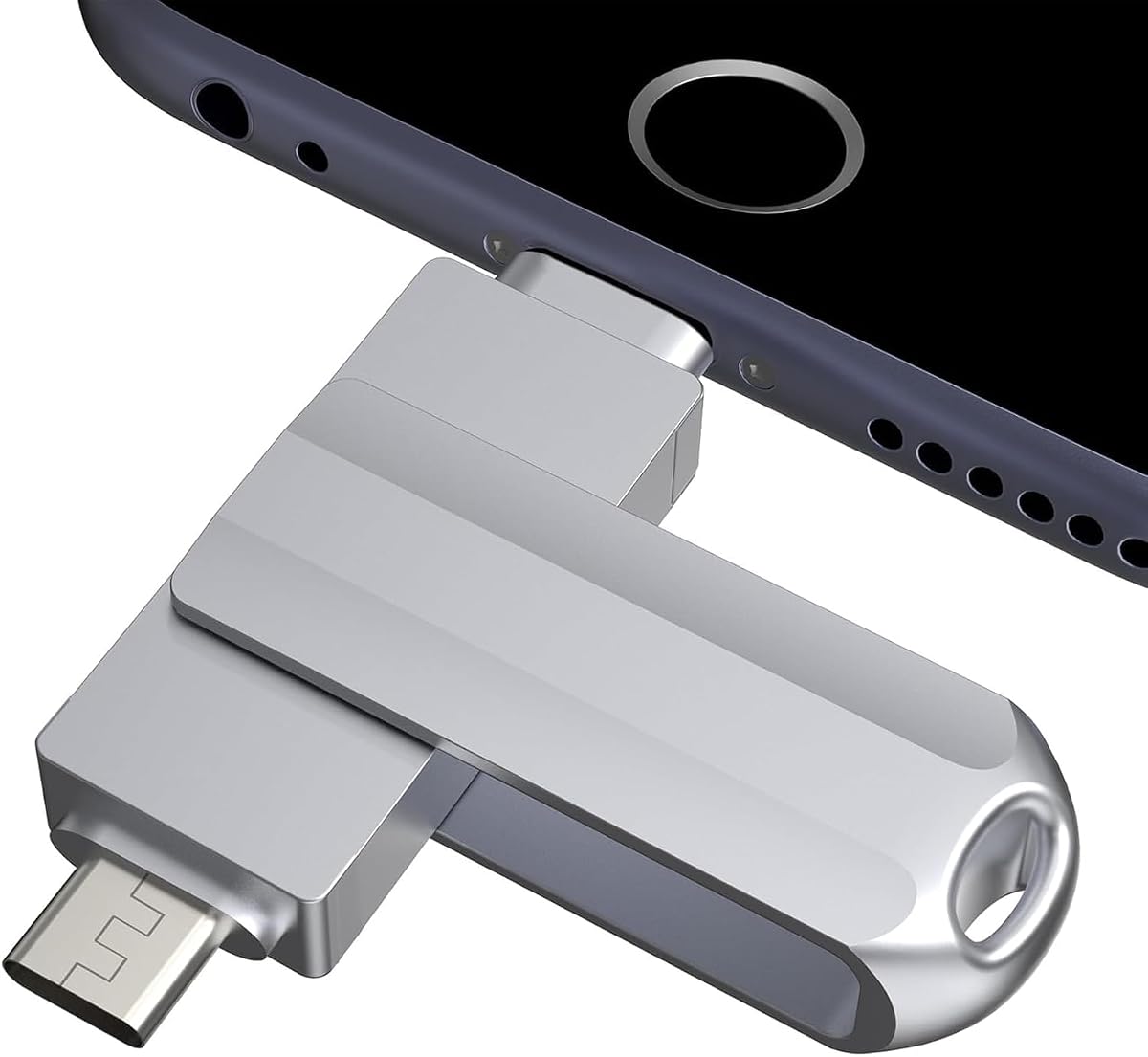
This silver 256GB drive provides a familiar three-interface mobile-storage design with USB, Lightning, and Type-C connections. Its 4.1 rating places it among the more moderately rated products here, but its backup, playback, and sharing features remain useful for iPhone and iPad users.
We may earn a commission when you buy through this link, at no additional cost to you.
One-click backup through the app can handle photos, videos, and phonebook information. Users can also play stored movies and music directly, share documents and photos to social platforms, and use the USB connection to create a second backup on a computer. The stated transfer specification reaches up to 80MB/s reads and 40MB/s writes.
The MFi certification and metal construction are intended to provide confidence in mobile-device compatibility and durability, while the listed protective qualities cover water, dust, drops, high temperatures, and magnetic interference. As with other flash media, the displayed capacity can differ from the nominal amount because manufacturers use decimal calculations and some space is reserved for formatting.
This is a practical choice for someone who wants a generous capacity, direct Lightning access, and app-assisted backups. It is less compelling for buyers who require the highest transfer rates or want to avoid the app. Even with a moderate rating, the broad feature set makes it a credible option for everyday media management.
The app reduces the friction of copying important photos, videos, and contacts, while direct playback allows stored movies and music to be enjoyed from the drive. This combination helps the product serve as both an archive and an active media library during travel.
The separate USB, Lightning, and Type-C interfaces make the same drive useful with an iPhone, an iPad, a computer, or a compatible Android phone. The keychain design helps reduce the chance of losing the small device when moving between bags and workspaces.
We may earn a commission when you buy through this link, at no additional cost to you.
The SSK 256GB dual drive is built for speed and broad USB compatibility rather than direct Lightning use. With USB-C and USB-A connectors, it works with USB-C iPhones and modern computers but is explicitly incompatible with Lightning ports, which limits its relevance for older iPhones and many iPads.
We may earn a commission when you buy through this link, at no additional cost to you.
Its listed performance reaches up to 550MB/s read and 500MB/s write speeds, making it the most aggressively rated speed specification among these products. It uses plug-and-play storage with an exFAT default format and works with Windows, Linux, Mac OS, and compatible Android devices. The exact results vary with the host equipment, interface, and operating conditions.
The zinc-alloy shell resists drops and abrasion, while a protective double-head cover helps shield the connectors and improve heat dissipation. The drive can also be used with smart TVs, car audio systems, tablets, MacBooks, and Windows computers, creating a broader role than a dedicated iPhone backup accessory.
This is the option to consider for owners of USB-C iPhones who move very large files and want the highest stated transfer rates. It is not the right choice for a Lightning-based iPhone without an adapter, and the lack of a mobile backup app makes it less convenient for users who want automated photo management.
The claimed read and write specifications are well suited to high-resolution photos, edited video, and large project files. Since the figures are based on internal testing, a compatible host device and a suitable connection are needed to approach the listed performance.
Support for computers, Android devices, smart TVs, and car audio systems means this drive can remain useful in many parts of a digital setup. It may therefore be a stronger choice than a dedicated mobile drive for buyers who view flash storage as a general-purpose everyday accessory.
We may earn a commission when you buy through this link, at no additional cost to you.
The EATOP 256GB drive is our best budget recommendation because it removes the usual requirement for an iPhone companion app. Its 4.2 rating reflects a simple design that appears in the Files app, works with iOS 13 and later, and offers a practical way to move photos, videos, contacts, and documents.
We may earn a commission when you buy through this link, at no additional cost to you.
Users can connect the drive and access it through the Files app, where it is listed as Untitled. Files can then be copied between the drive and an iPhone or iPad without a third-party application. Android devices require OTG support and generally expose the drive through File Manager, while PCs can use it as conventional external storage.
The available interfaces include USB, USB-L, Micro USB, and USB-C adapters, allowing use with several device types. Listed read speed reaches 30MB/s, with lower write performance, so it is better suited to routine backups and file organization than to moving very large video files under time pressure. A phone case may also prevent a full connection.
This is an appealing choice for users who dislike installing apps, granting photo permissions, or navigating vendor-specific software. Its 256GB capacity is generous for a value-oriented drive, and the Files-app workflow makes it easy to understand. Users needing faster transfers or automated camera backup should consider one of the app-based alternatives.
The iOS workflow depends on the built-in Files app rather than a vendor application. After plugging in the drive, users browse to the external drive and manually copy or move files, which keeps the process transparent and avoids additional setup.
At 256GB, the drive provides useful room for a larger selection of photos, videos, contacts, and documents. It is a practical middle ground for users who need more capacity than a small photo keeper but do not want to manage a premium subscription-based storage service.
We may earn a commission when you buy through this link, at no additional cost to you.
The right flash drive depends first on your device's connector, followed by the way you manage backups and the type of files you need to move. Capacity, speed, security, portability, and app behavior should then be considered according to your daily workflow.
In short, match the connector first, then confirm app support for the exact iPhone and iPad model you own.
Choose an app when automated backup and richer management justify the extra setup; choose app-free storage when simplicity is the priority.
Match capacity to your media volume, with extra space recommended for high-resolution video and long-term local archives.
For routine backups, speed is secondary; for large video libraries, prioritize a fast interface and a host device that supports it.
Decide whether you want automation or direct manual control before choosing the app ecosystem.
Enable strong encryption whenever the drive contains sensitive information, and confirm that you can unlock it on every device you use.
For daily carry, balance connector coverage with a compact body, protected tips, and a secure way to keep the drive attached.
Map out every device you want to connect, then choose a drive whose connectors and software cover that list without extra guesswork.
Start by identifying the correct connector and checking the drive's compatibility requirements. For an app-based model, download the named application from the App Store, complete its setup, and grant the requested photo, file, camera, or contact permissions. For the EATOP drive, update iOS if necessary, connect the appropriate adapter, and open the Files app. If the device does not recognize the drive, remove the phone case and reconnect it because a thick case can keep the connector from seating fully.
Create a clear folder structure before copying important media, and use the app's backup function when available. For manual transfers, copy rather than move important files until you have verified that they open correctly from the drive. After a backup, compare file counts or selected file sizes, then decide whether to reclaim phone storage. Eject the drive through the appropriate app or Files view before physically removing it to reduce the risk of incomplete transfers or file corruption.
Treat the drive as a portable data device. Keep it away from extreme heat, moisture, strong magnetic fields, and impact, and do not format it while files are being transferred. Use encryption for sensitive material, maintain more than one backup of irreplaceable files, and periodically check the drive for errors. If it becomes unreliable, stop using it for critical backups and move the files to another storage option before replacing it.
It depends on the model. Many dedicated iPhone flash drives require a vendor app for copying, automatic backups, or encryption. The EATOP model in this guide is designed to work through Apple's built-in Files app without a companion application. Check the product instructions before purchase, and make sure the required app is available for your version of iOS.
No. Newer iPhones use USB-C, but iPhone 14 and older models primarily use Lightning. A USB-C drive may work on some recent iPhones and iPads, while older devices require a Lightning drive or a suitable adapter. The drive's app and connector must both support the specific device, so verify the model requirements before buying.
Yes. You can copy photos, videos, documents, or other files to a compatible drive, verify that they transferred correctly, and then remove them from the phone. Some drives also provide one-click or automatic backup tools. Keep another copy of irreplaceable files because deleting a local copy without a valid backup can result in permanent data loss.
The listed speeds are maximum or internally tested figures, not promises for every transfer. Performance depends on the phone or computer, connection, file sizes, app, and operating conditions. Write speeds are commonly lower than read speeds, and a direct Lightning connection may produce different results from a USB-C computer connection.
The most common causes are an incompatible connector, a missing app, denied file permissions, an unsupported iOS version, or a phone case that prevents the drive from connecting fully. Remove the case, reconnect the drive, confirm that the required app is installed, and check the manufacturer's compatibility notes. Trying another compatible device can also reveal whether the problem lies with the phone or the drive.
Several models in this guide support direct playback of stored movies, videos, and music through their companion app. The app-based MFi drives list automatic camera storage, organization, and on-the-go playback among their features. File format support can vary, so confirm that the drive's software supports the media formats you plan to use.
The right amount depends on how many files you keep and whether you use the drive for rotation or long-term archives. A 128GB drive is useful for selected backups, 256GB accommodates a broader media collection, and 512GB is better for creators or frequent travelers. High-resolution and 4K videos can consume space rapidly, so leaving additional capacity for temporary files is advisable.
It can be safe when the backup has been verified and you still retain another reliable copy. Open several transferred photos, videos, and documents from the drive before deleting them, and compare file counts where the app provides that option. If the drive is the only copy, avoid deleting originals until it has been checked and preferably duplicated elsewhere.
The MFi 3-in-1 256GB model is the most complete all-around option because it combines direct Lightning access, additional computer connectors, one-click backup, automatic camera storage, sharing, and flexible encryption. The EATOP 256GB drive is the best budget choice for buyers who want native Files-app access without installing an app, while the SanDisk 256GB Phone Drive is the premium selection for mixed USB-C and Lightning households.
Prioritize connector compatibility and the management workflow before comparing storage capacity. A fast drive will not be useful if it cannot connect directly or if its software does not support your device, while a large drive offers little value if you do not need a long-term archive. For everyday mobile use, a Lightning or dual-connector drive around 256GB with clear backup tools and encryption offers the most balanced feature set.
Before making a final purchase, check the exact iPhone model, required iOS version, app availability, connector arrangement, and current listing details. Product designs, firmware, and availability can change over time. Comparing the current specifications with the way you actually store and transfer files will help you select a drive that remains useful now and as your device ecosystem evolves.