
Dell SE2426HG
4.7Editor score
240Hz native refresh rate
Fast 0.5ms IPS response
FreeSync Premium support
A 240Hz monitor can make fast competitive games feel dramatically clearer and more responsive, but a high refresh rate alone does not guarantee a great experience. Panel response, adaptive synchronization, resolution, color coverage, connectivity, and ergonomic design also shape how a display performs across work, entertainment, and gaming.
This guide compares ten inexpensive 240Hz monitors using the supplied specifications, customer ratings, feature descriptions, panel types, connectivity, and intended use. It covers flat IPS and VA models, curved high-contrast displays, compact esports screens, and larger Full HD options for players who prefer a bigger view.
Each review explains where a monitor stands out, where its specification sheet leaves room for caution, and which setup is most likely to benefit. Ratings and configurations can vary over time, while current prices and promotions may change, so shoppers should confirm the latest listing details before ordering.
4.7Editor score

4.5Editor score

4.8Editor score
As an Amazon Associate we earn from qualifying purchases.
The comparison below places all ten displays by panel design, refresh rate, resolution, synchronization features, and connectivity, making it easier to identify the model that matches a particular gaming setup.


The Dell SE2426HG combines a 240Hz refresh rate with a fast 0.5ms IPS response time, and its 4.7 rating makes it one of the strongest all-around choices in this guide. The 23.8-inch Full HD format is familiar, compact, and especially appropriate for competitive PC gaming where rapid movement and clear targets matter more than 4K detail.
We may earn a commission when you buy through this link, at no additional cost to you.
Its most compelling combination is the 240Hz panel and FreeSync Premium support. HDMI VRR and FreeSync Premium work to reduce tearing when the connected PC and GPU support the feature, while the short stated response time helps the display present fast movement with less visible persistence. The IPS panel also provides wide viewing angles and 99% sRGB coverage for general desktop work and colorful games.
The resolution is the main compromise. Full HD is more than adequate for competitive gaming, but it provides less workspace and less fine detail than a higher-resolution display. The stand offers tilt rather than height, swivel, or pivot adjustment, and the supplied information does not mention built-in speakers. Those limitations are reasonable for a focused budget gaming screen, especially when strong core performance takes priority.
This is the most balanced recommendation for someone who wants a dependable 240Hz monitor without paying for a large feature set. Competitive shooters, racing games, and fast action games are natural fits, while the wide IPS angles also make it suitable for shared desks and everyday computing. Buyers who need more color coverage, speakers, or extensive ergonomic adjustment should look elsewhere, but most value-focused gamers will find this specification sheet well balanced.
The combination of 240Hz and a stated 0.5ms response time targets the fast transitions demanded by shooters, racers, and other twitch-focused games. IPS technology also avoids the curved geometry some competitors use, helping preserve straight lines and natural aiming references.
Two HDMI inputs and DisplayPort 1.4 provide useful flexibility for a gaming PC, laptop, and secondary source. TÜV Rheinland 3-star certification adds a recognized eye-comfort consideration, while FreeSync Premium and HDMI VRR help maintain fluid presentation when the full system supports them.
We may earn a commission when you buy through this link, at no additional cost to you.
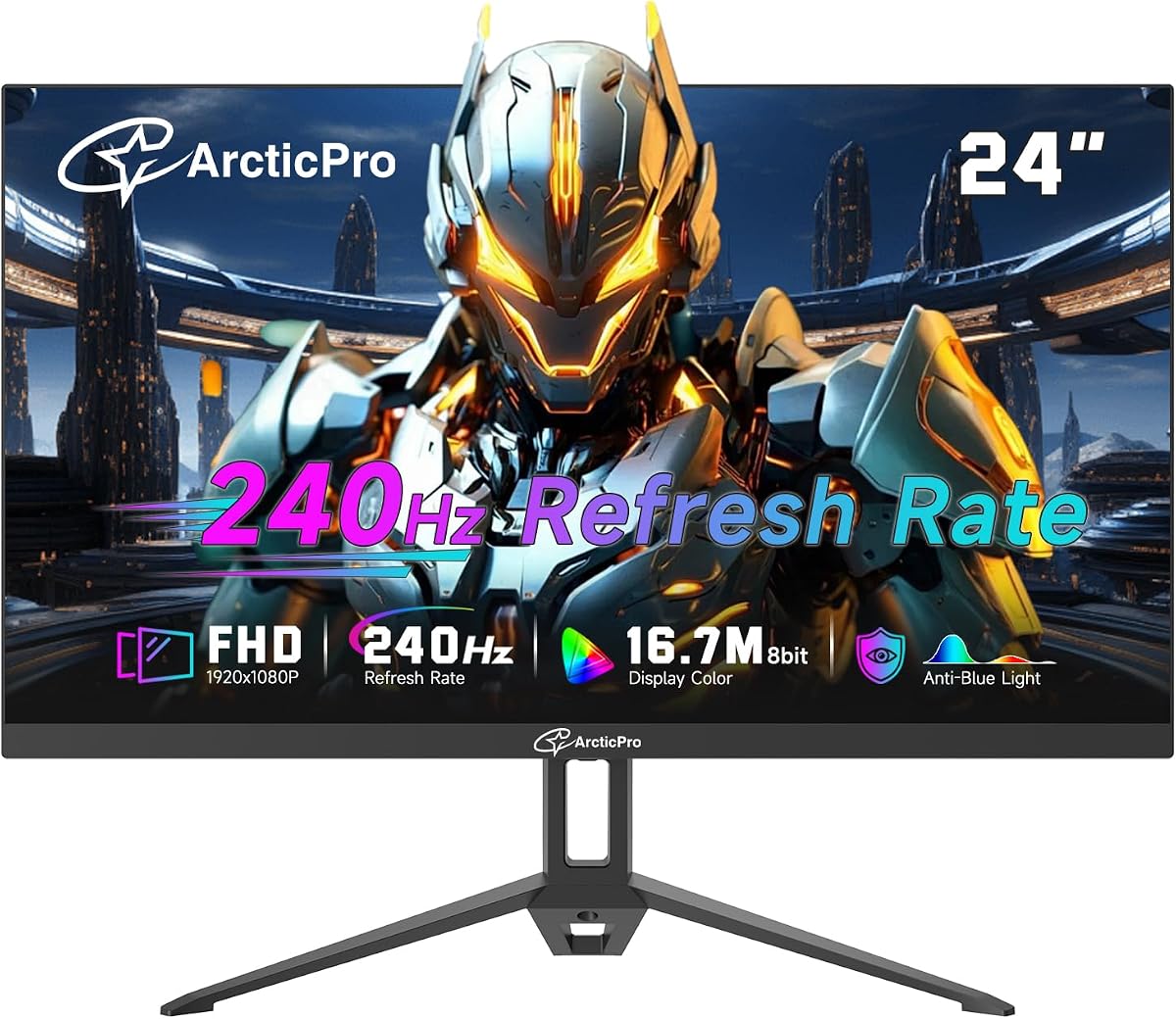
The ArcticPro 24-inch is a straightforward 240Hz Full HD gaming monitor with a 4.0 customer rating. Its VA panel, 120% sRGB coverage, and 2ms MPRT response provide a credible specification mix for players who value color richness and smooth motion without moving to a larger or more elaborately equipped display.
We may earn a commission when you buy through this link, at no additional cost to you.
Adaptive Sync is the key gaming feature, designed to address picture lag and tearing when connected to a compatible system. The 240Hz refresh rate supports fluid movement, while the VA panel can offer deeper contrast than many IPS alternatives. Its 178-degree horizontal and vertical viewing angles and three-sided frameless design also suit a modern office, media station, or dual-screen setup.
The stated 2ms MPRT is slower than the 0.5ms and 1ms figures advertised by several rivals, though actual perceived performance depends on the game, graphics settings, and frame rate. The VA panel may also show more variation from the extreme edges than IPS. Tilt adjustment and 100x100mm VESA support provide only a basic degree of positioning flexibility.
The ArcticPro is most appropriate for budget-conscious gamers who already have a capable gaming PC or console and want a high-refresh display with strong color coverage. It is less convincing for highly competitive shooters where minimum response time is the leading concern. For general gaming, streaming, and office use, however, its broad feature set and unobtrusive design make it a sensible entry point.
VA technology brings the appeal of stronger contrast to a 240Hz budget monitor, which can make dark scenes feel more dimensional. Its 120% sRGB coverage also adds color headroom for vibrant games, streaming, and casual creative tasks.
The three-sided frameless appearance helps the monitor look smaller than its footprint, while 178-degree viewing angles are useful when the screen is not viewed perfectly head-on. A 100x100mm mounting pattern makes it possible to use a compatible arm or wall mount.
We may earn a commission when you buy through this link, at no additional cost to you.
The SANSUI 24-inch Curved earns a 4.4 rating by combining a 240Hz refresh rate with a feature set aimed at immersive gaming. Its 1500R curve is more restrained than many aggressively curved competitors, while the 1920×1080 VA panel, 1ms MPRT response, and FreeSync support cover the essentials for fast PC games.
We may earn a commission when you buy through this link, at no additional cost to you.
Color and contrast are notable strengths in the supplied specifications. Coverage of 124% sRGB and 93% DCI-P3, along with a 3000:1 contrast ratio, should create vivid imagery and more depth than a typical entry-level IPS screen. HDR support, a shadow-boosting black-level adjustment, preset game modes, and a crosshair feature add convenience for different genres.
The 300-nit brightness specification is not especially high, so the monitor may not deliver the same punch in a brightly lit room as a brighter model. Its 1500R curvature can also subtly change the apparent shape of games and desktop content, which some competitive players dislike. A single HDMI and DisplayPort are enough for most setups, though there are no built-in speakers.
This monitor fits gamers who want a visually immersive curved screen, rich color, and several convenience features in an affordable package. It is particularly suitable for story-driven games, racing, and mixed gaming and entertainment use. Competitive players who prefer perfectly straight geometry should instead consider a flat Dell, AOC, MSI, or Gawfolk option from the list.
The combination of wide sRGB and DCI-P3 coverage gives the monitor more saturated color than many standard 99% sRGB panels. That makes it a more interesting choice for vivid games and media, although actual color accuracy should be evaluated within the operating system and game.
Game presets, a crosshair overlay, and black-level adjustment can make common competitive actions more convenient. These features cannot replace a good control or a fast response time, but they add useful options without requiring a separate accessory.
We may earn a commission when you buy through this link, at no additional cost to you.
The ZZA 25-inch Curved provides a 4.4 rating and a broad connection-oriented feature set. It combines a 240Hz refresh rate, 1ms MPRT response, and an aggressive 2800R curve, making it a strong fit for console gamers and PC players who want a larger, more enveloping image than a conventional 24-inch screen.
We may earn a commission when you buy through this link, at no additional cost to you.
Connectivity is one of its strongest selling points. DisplayPort 1.2 is listed as capable of 240Hz, while HDMI 1.4 supports up to 144Hz. The ports are presented as suitable for PCs, laptops, PS5, Xbox Series S or X, and Switch, although the actual refresh rate remains dependent on the source device, graphics settings, and cable capabilities.
FreeSync support is intended to reduce stuttering and tearing, and the supplied information notes compatibility with NVIDIA cards through HDMI. The 120% sRGB VA panel, blue-light filter, flicker-free technology, and three-sided frameless design broaden its appeal beyond fast action games. The 2800R curve, however, is more pronounced than the subtler curves used by some alternatives.
This ZZA is a compelling option for mixed-console and PC gaming, especially when a larger curved display and flexible VESA mounting are priorities. It is less ideal for enthusiasts who require maximum refresh rate over every connection. Competitive FPS players who dislike geometric distortion may prefer a flat monitor, while console users should still verify their device's supported output mode.
The inclusion of HDMI and DisplayPort makes this a practical central display for a gaming PC, laptop, and console setup. The three-sided frameless styling also helps it blend into a compact entertainment station or dual-monitor arrangement.
Reaching the advertised 240Hz requires the DisplayPort 1.2 connection, whereas HDMI 1.4 is listed at up to 144Hz. This distinction matters for users balancing a high-refresh PC with a console or a laptop that lacks the required output.
We may earn a commission when you buy through this link, at no additional cost to you.
The Sceptre E255B-FWD240 is the most connectivity-focused option in this roundup, with two DisplayPort and two HDMI inputs, built-in speakers, and an audio-out jack. Its 4.5 rating and 240Hz refresh rate make it an attractive all-around display for a gaming PC, laptop, and secondary entertainment source.
We may earn a commission when you buy through this link, at no additional cost to you.
The 1ms blur-reduction specification targets fast-moving content, while AMD FreeSync Premium helps synchronize the display with a compatible graphics system. Two DisplayPorts and two HDMI ports are unusual at this budget level and eliminate much of the need to keep swapping cables. Built-in speakers also reduce desk clutter for system sounds, videos, and casual gaming, even though serious listeners would still favor separate speakers or headphones.
The specification uses blur reduction rather than clearly distinguishing between GtG and MPRT, so buyers should not interpret the 1ms figure as identical to a conventional pixel-response measurement. Full HD resolution is sufficient for competitive games but offers limited desktop space for intensive editing or many side-by-side applications. The 100% sRGB coverage and Blue-Light Shift feature make it more versatile for daily work.
Choose the Sceptre when input flexibility and integrated audio matter as much as maximum competitive response. It is a particularly practical choice for a desk shared by a gaming PC and console, or for someone who wants a simple 240Hz display without adding external speakers. Those wanting a larger workspace or a more rigorously defined panel-response specification may prefer the AOC or Dell alternatives.
Multiple HDMI and DisplayPort connections make it easy to keep a desktop PC, laptop, and console attached at the same time. This is especially valuable in dorm rooms, compact offices, and shared family gaming spaces where a single input would require frequent cable changes.
Integrated speakers and an audio-out jack support different listening arrangements. The speakers are convenient for system audio and lighter entertainment, while the output jack allows the user to add a more capable headset, speaker system, or soundbar.
We may earn a commission when you buy through this link, at no additional cost to you.
The AOC 27G51Z combines a large 27-inch format with a native 240Hz refresh rate, a 0.5ms MPRT response, and an optional 260Hz overclock. Its 4.6 rating places it near the front of the group, and the oversized IPS panel should appeal to players who want more visual space than a typical 24-inch esports display.
We may earn a commission when you buy through this link, at no additional cost to you.
The overclocked mode is the distinguishing feature, potentially giving owners an extra margin over the standard 240Hz setting over both HDMI and DisplayPort. Adaptive Sync support, 178-degree viewing angles, and a three-sided frameless construction make it well suited to fast games and multi-monitor arrangements. A graphical OSD, G-Menu software, and included HDMI and power cables simplify setup.
At 1920×1080, a 27-inch panel has a relatively low pixel density, so text and desktop details may appear less fine than on a higher-resolution display. It is still well suited to gaming because refresh speed and response are the priorities here. Tilt adjustment and 100x100mm VESA support cover basic positioning, but the supplied information does not list height, swivel, or pivot controls.
This AOC is ideal for a player who wants a large 240Hz screen and may appreciate the extra overclock headroom. It is a strong fit for racing, action games, and mixed productivity where a larger desktop is useful. Buyers focused on razor-sharp text or maximum competitive density may prefer the compact Dell, while the AOC remains one of the most technically complete choices in the group.
The 27-inch size can make menus, maps, and split workspaces easier to navigate while retaining a high refresh rate. A flat IPS panel also avoids the peripheral distortion that some curved competitors introduce, which is useful for shooters and strategy games.
The advertised 260Hz overclock gives users a potential upgrade beyond the native 240Hz mode. It should be treated as an optional extra rather than a guaranteed everyday setting, since actual results depend on compatible hardware, timing, and the display's operating conditions.
We may earn a commission when you buy through this link, at no additional cost to you.
The CUNPU 24-inch is a 240Hz VA gaming monitor whose defining attraction is modern connectivity. HDMI 2.1 and DisplayPort 1.4 are listed as supporting up to 240Hz, giving the display flexibility with gaming PCs, laptops, Switch systems, Xbox consoles, and PS5 hardware. Its 4.2 rating and 350-nit brightness specification support a versatile gaming-and-media role.
We may earn a commission when you buy through this link, at no additional cost to you.
The fast VA panel is specified at 1ms MPRT, while Adaptive Sync is available through compatibility with both FreeSync and G-SYNC. The supplied feature description also mentions 16.7 million colors, a crosshair function, and bottom OSD controls. These features make the monitor appealing to players who want fast motion plus a few competitive aids without moving to a larger display.
There is a minor inconsistency between the product title's 100% sRGB wording and the more detailed description, which states 99% sRGB coverage. The difference is small in practical terms, but the latter figure is the more specific one to consider when judging color performance. The monitor also lists tilt adjustment and 100x100mm VESA support, without mentioning height adjustment in the supplied data.
The CUNPU is a good match for gamers who prioritize future-facing inputs and broad source compatibility. It works especially well when one screen must handle a high-refresh PC and more than one console. Competitive players may still favor a flat Dell or MSI for brand familiarity and clearly defined response specifications, while CUNPU offers a competitive feature set with a distinctive 350-nit VA panel.
The listed HDMI 2.1 and DisplayPort 1.4 connections provide a modern path to high-refresh output. They also simplify a mixed-device setup, although the connected game system or graphics card must still be capable of sending the desired resolution and refresh rate.
A 350-nit rating is brighter than several alternatives in the roundup, which can help image visibility in a well-lit room. The crosshair, flexible tilt, and eye-care features add convenience without changing the core appeal of a fast 240Hz VA display.
We may earn a commission when you buy through this link, at no additional cost to you.
This 24.5-inch curved gaming monitor delivers the essential 240Hz experience in a conventional Full HD format, and its 4.1 rating reflects a solid but less distinctive overall value. The VA panel, 1ms MPRT response, AMD FreeSync support, and modern HDMI and DisplayPort connections make it relevant to fast-action gaming.
We may earn a commission when you buy through this link, at no additional cost to you.
Image specifications include 120% sRGB coverage, a 3000:1 dynamic contrast ratio, and 300-nit brightness. Those figures are particularly attractive for a budget curved display, as the high contrast can give dark scenes more depth while the broad color coverage suits colorful games and media. A low-blue-light filter is included to reduce uncomfortable blue emissions during extended sessions.
The 24.5-inch curved VA design is less aggressive than many 2800R models, which may make it more approachable for office and mixed-use setups. It still provides a 75x75mm VESA mounting option for managing desk space. On the other hand, the product listing offers less brand-specific information and fewer competitive gaming tools than several similarly equipped rivals.
This is a sensible option for someone attracted to curved gaming screens, high contrast, and flexible modern connections but not focused on uncommon ports or built-in speakers. It should serve competitive games well when paired with a capable system, while everyday work benefits from the broad color coverage. The lower rating and less defined feature differentiation make it more of a value alternative than the first recommendation.
The stated 3000:1 dynamic contrast ratio is the central attraction for players who enjoy dark environments. Strong contrast can add depth, although ambient room lighting and the chosen brightness level still influence how those differences appear in practice.
Beyond gaming, 120% sRGB coverage and Full HD resolution make the display reasonable for streaming, browsing, and casual creative work. A compatible VESA mount offers an easy way to position the screen more comfortably and reclaim desk area.
We may earn a commission when you buy through this link, at no additional cost to you.
The MSI MAG 274CF X24 holds the highest customer rating in the group at 4.8, making it the leading premium recommendation. Its 27-inch flat VA panel combines a native 240Hz refresh rate with a stated 0.5ms GtG minimum response, targeting players who want both a large viewing area and exceptionally quick transitions.
We may earn a commission when you buy through this link, at no additional cost to you.
AMD FreeSync Premium, HDR readiness, and 0.5ms GtG response form the core gaming specification. The GtG wording is useful because it directly describes pixel-to-pixel transition speed rather than relying only on a blur-reduction figure. AI Vision features can reveal detail in dark areas and enhance brightness and saturation, while the Less Blue Light software aims to reduce blue-violet emissions.
Its Full HD resolution may feel modest across 27 inches, especially for text-heavy productivity, because larger screens benefit from higher pixel density. The listed connection choices are also more limited than those of the Sceptre, CUNPU, or Dell. Tilt and 100x100mm VESA support provide basic positioning, and no built-in speakers are mentioned in the supplied data.
The MSI is the most compelling choice here for a competitive gamer who values response speed, a flat and spacious panel, and a strong rating. It is especially suitable for fast shooters, racing, and action games where consistent motion presentation matters. Buyers needing extensive connectivity or ultra-fine desktop text should consider alternatives, but the gaming fundamentals are exceptionally well specified.
A 0.5ms GtG minimum is a direct and aggressive response-time claim, giving this MSI an advantage in the specification comparison. It is particularly relevant to fast competitive games, although real-world clarity also depends on frame rate, graphics settings, and the complete PC-to-display connection.
The 27-inch flat format offers more screen area without the geometric distortion of a curved panel. That makes it a comfortable fit for shooters, strategy games, and mixed desktop use where straight lines and broad viewing angles are priorities.
We may earn a commission when you buy through this link, at no additional cost to you.
The Gawfolk 24.5-inch is a flat VA gaming monitor created with competitive shooters and fast action games in mind. Its 4.3 rating, native 240Hz refresh rate, and 1ms response time create a solid core specification, while the flat 24.5-inch panel avoids the peripheral distortion some curved monitors produce.
We may earn a commission when you buy through this link, at no additional cost to you.
A stated 3000:1 typical transmission contrast ratio is the standout feature, giving the display more shadow depth than many IPS alternatives. It also offers 8-bit color depth with 16.7 million display colors and a 68% NTSC 1931 wide color gamut. These specifications make it more compelling for gaming and media than for professional color work, where a higher sRGB percentage would be preferable.
The 6500K default color temperature is intended to provide a familiar starting point for general use. FreeSync is included to reduce tearing and stuttering with compatible systems, and 75x75mm VESA support offers mounting flexibility. The supplied information describes simple plug-and-play use, but it does not provide a detailed port list or a broad range of stand adjustments.
This is a good fit for a player who specifically wants a flat 24.5-inch screen, strong contrast, and rapid motion in a compact format. It is better suited to competitive gaming than creative color work, and buyers should verify the available connections before purchase. Overall, it delivers the essential performance priorities without adding the audio or port-selection extras found on the Sceptre.
The flat screen is a meaningful benefit in games where straight lines, peripheral awareness, and consistent geometry matter. Its 24.5-inch size also strikes a practical balance between visibility and the space required for a compact competitive desk.
The VA panel's stated 3000:1 contrast ratio is designed to deliver deeper blacks and stronger light-dark separation. That can make shadow detail feel more pronounced, although color gamut and brightness are less ambitious than the strongest alternatives in this guide.
We may earn a commission when you buy through this link, at no additional cost to you.
A useful 240Hz purchase balances speed, image quality, connectivity, and physical design rather than focusing on refresh rate alone. The following factors help narrow the field according to game type, hardware, room conditions, and desk constraints.
Every model in this guide supports a high-refresh experience, but they differ in native versus overclocked modes and in maximum rates over each connection. A native 240Hz rating is the most straightforward target, while the AOC 27G51Z also advertises an optional 260Hz overclock. All ten models use 1920×1080 resolution, which is popular for competitive gaming because it can help games achieve high frame rates while remaining affordable.
Choose a 240Hz mode that your graphics card, game settings, and connection can actually sustain. A faster panel cannot create additional frames, and a Full HD display still benefits from an appropriately powerful PC. Check the output capabilities of both the GPU and the source device before expecting a console or laptop to reach the headline refresh rate.
Response figures may use GtG, MPRT, or blur-reduction terminology, so they should not be treated as perfectly interchangeable. The MSI states 0.5ms GtG minimum, the Dell advertises 0.5ms response, and several VA models use 1ms MPRT. The AOC and ArcticPro also use MPRT-style claims, while the Sceptre describes 1ms blur reduction. Each value can indicate an intention to minimize blur, but the measurement method and real behavior matter.
For competitive gaming, prioritize a clearly stated and credible response specification, then consider panel uniformity and synchronization support. A short numerical response is most useful when the connected system can maintain a high frame rate. Lower settings, such as reducing distracting visual effects, may remain more noticeable than the difference between two very fast response claims.
IPS panels generally offer wide viewing angles and consistent color across the screen, while VA panels are commonly chosen for stronger contrast and deeper blacks. The Dell, AOC, and ArcticPro use IPS, whereas the other curved models and the Gawfolk use VA. Flat screens preserve straight lines and can suit competitive aiming, while curved screens create a more immersive presentation for racing and narrative games.
Decide whether geometry or immersion matters more before choosing a shape. A flat Dell, AOC, or Gawfolk may appeal to shooters, while curved SANSUI, ZZA, and generic 24.5-inch options may feel more engaging in racing and action titles. Consider whether the desk and viewing distance can accommodate the larger curved footprint comfortably.
Adaptive synchronization is designed to keep the display's refresh timing aligned with the frame rate delivered by the graphics system, reducing tearing and potentially stuttering. The Dell, Sceptre, and MSI list FreeSync Premium; the SANSUI, ZZA, Gawfolk, and 24.5-inch model list FreeSync; the ArcticPro and CUNPU use broader adaptive-sync language. These features are useful, but they require compatible hardware and suitable connection bandwidth.
Match the synchronization standard to your graphics ecosystem and confirm the required port, resolution, and refresh rate. A PC that can drive 240Hz with the right connection makes synchronization more valuable than on a console limited to a lower output rate. Without compatible hardware, the display can still run at its selected refresh rate, but the main anti-tearing benefit may not be available.
Color specifications vary widely. The Dell offers 99% sRGB, the Sceptre 100% sRGB, and the ArcticPro 120% sRGB. Wider figures appear for the SANSUI, ZZA, CUNPU, and 24.5-inch model, while the Gawfolk is described with 68% NTSC coverage. Several VA screens list a 3000:1 contrast ratio, which is useful for dark games, but wide gamut does not automatically mean professional color accuracy.
For gaming and entertainment, look for a combination of useful saturation, contrast, and brightness rather than treating a single gamut number as decisive. The CUNPU's stated 350 nits is the highest brightness figure listed, while the SANSUI specifies 300 nits. Creative professionals should calibrate the display and verify actual color performance rather than relying exclusively on marketing specifications.
Port selection can determine which devices a monitor serves best. The Sceptre leads with two HDMI and two DisplayPort connections, while the Dell includes two HDMI inputs and DisplayPort 1.4. The CUNPU offers HDMI 2.1 and DisplayPort 1.4, and the ZZA supports multiple source types but lists HDMI 1.4 at up to 144Hz while allowing 240Hz through DisplayPort 1.2.
For a mixed PC and console setup, count the inputs and verify maximum refresh rates by port. Higher-version interfaces do not automatically guarantee the highest rate if the source device lacks the necessary output. Owning suitable cables can also be important, especially when connecting a recent console or laptop to a display with specialized video inputs.
A monitor that supports 240Hz will not necessarily be comfortable to use all day, and physical adjustment is just as important as electronic performance. Tilt is the most common feature across the group, while some models add VESA compatibility for arms or wall mounts. Larger curved displays and 27-inch flat screens may require more depth than compact 23.8-inch and 24-inch models.
Check the available desk space, preferred viewing distance, and whether you need height, swivel, or pivot adjustment. A 75x75mm or 100x100mm VESA pattern determines which third-party mounts are compatible. If adjustment is important, read the complete product listing carefully because the supplied summaries do not indicate every mechanical feature.
Long gaming sessions make eye-comfort features and audio options worth considering. The Dell has TÜV Rheinland 3-star certification, the ZZA and 24.5-inch models list blue-light and flicker-free features, the ArcticPro includes low-blue-light support, and the MSI offers software-based blue-light reduction. The Sceptre adds built-in speakers and an audio-out jack, making it a more self-contained entertainment option.
Treat these features as supplements rather than substitutes for sensible display settings. A blue-light reduction mode can improve comfort for some users, while a certified panel may provide additional confidence. Built-in speakers are useful for casual audio but rarely replace good headphones or external speakers for immersive gaming, competitive communication, or music.
Start by connecting the monitor with the port capable of carrying the desired resolution and refresh rate. Use DisplayPort for many high-refresh PC configurations, and confirm the graphics-card output, game settings, cable, and monitor input all agree. After power-on, check the operating-system display settings and the monitor's own on-screen menu to select the required refresh rate.
In the on-screen display, choose the mode that best suits the game rather than leaving every setting at maximum. Competitive titles often benefit from a low-latency or crosshair option, while cinematic games may look better with more visible shadow detail and saturated color. Enable adaptive synchronization through the appropriate graphics-software control panel, then test for tearing or stuttering under actual gameplay conditions.
Care for the display by cleaning it with a soft, lint-free cloth and avoiding harsh chemicals or excessive moisture. Use sensible brightness and contrast levels, take regular breaks during long sessions, and maintain airflow around the rear vents. If using a VESA arm, tighten the mounting hardware according to the instructions and verify the display is secure before adjusting its position.
A 240Hz monitor can make fast movement and aiming feel noticeably clearer, especially in competitive shooters, racing games, and other action titles. The benefit is greatest when the computer can consistently deliver high frame rates and the game is actually running near the display's refresh rate. It is less meaningful in slow strategy games or on hardware that rarely exceeds a much lower frame rate.
A 240Hz display can present twice as many refresh cycles per second as a 144Hz model, producing smoother motion when the PC and game generate enough frames. The visual advantage depends on hardware, game settings, display response, and individual sensitivity to motion. It is a meaningful upgrade for competitive players, but a good 144Hz screen can still provide an excellent experience.
A capable graphics system is necessary to produce enough frames to take full advantage of a 240Hz display. The exact requirement depends on game resolution, graphics settings, and the desired frame rate. A less powerful PC can still connect to a 240Hz monitor, but it may deliver lower frame rates and make the refresh-rate upgrade less noticeable.
Adaptive synchronization is highly useful because it synchronizes the display with the graphics system's frame timing, reducing tearing and sometimes stuttering. The exact standard must be supported by the GPU, game, connection, and monitor. Without it, the monitor still works, but synchronization benefits may not be available.
Curved models can feel more immersive, particularly in racing and open-world games where the edges draw the eye inward. Flat models avoid geometric distortion and may be preferred for shooters, strategy games, and precise aiming. The choice is ultimately personal, and desk depth, viewing distance, and panel quality should be considered alongside curvature.
Yes, provided the console's supported output mode and the monitor's input are compatible. The achieved refresh rate may be lower than the monitor's maximum because the console, game, and interface can impose their own limits. A modern DisplayPort or suitable HDMI connection and a supported resolution are important for getting the best available output.
Full HD is a common pairing because it keeps demanding games more attainable on midrange graphics hardware and provides enough detail for competitive play. It offers less fine text and fewer simultaneous windows than a higher-resolution monitor. Competitive gamers may prefer the performance headroom, while productivity users should consider whether 1920×1080 provides enough workspace.
Check the native refresh rate, response-time measurement method, adaptive-sync support, and maximum refresh rate offered by each port. Panel type, color coverage, brightness, contrast, stand adjustment, and VESA pattern also affect the experience. Finally, confirm the output capability of your PC or console so the complete setup can reach the desired mode.
The Dell SE2426HG stands out as the strongest overall value, combining a 240Hz IPS panel, 0.5ms response, FreeSync Premium, and a strong 4.7 rating. The Sceptre E255B-FWD240 wins on connectivity and integrated audio, while the MSI MAG 274CF X24 delivers the strongest premium specification through its large flat panel, 0.5ms GtG response, and 4.8 rating.
The remaining options serve distinct priorities. AOC offers the largest flat screen and an optional overclock, the Gawfolk and CUNPU suit buyers seeking flat or modernly connected 240Hz displays, and the curved SANSUI, ZZA, and 24.5-inch models emphasize immersion, contrast, and mixed-device use. ArcticPro provides a straightforward lower-cost VA option with broad viewing angles and adaptive synchronization.
Prioritize the features that affect your actual setup: native refresh rate, measured response, compatible synchronization, adequate ports, and a panel shape that suits your games. Product specifications, ratings, availability, and promotions can change over time, so check the current listing and connection requirements before making the final purchase.