
MOES Fingerbot Tuya Bluetooth Hub
4.1Editor score
Links FingerBot to 2.4GHz WiFi
Supports multiple FingerBot devices
Works with major voice platforms
Bluetooth Gateway Hub guide comparing compatibility, device capacity, wireless range, app controls, voice support, and setup for a smarter connected home.
A Bluetooth Gateway Hub acts as the bridge between Bluetooth or Zigbee accessories and the apps, automations, and voice assistants that manage them. A capable hub can turn compatible locks, sensors, shades, finger devices, and lights into a cohesive smart-home system.
We compared the ten featured hubs by protocol support, device capacity, app ecosystem, voice-platform integration, automation functions, connection options, and setup requirements. The list includes general Tuya-compatible bridges as well as focused gateways for locks, shades, finger devices, and outdoor lights.
Each pick reveals the strongest use case and the limitations imposed by its supported ecosystem. Ratings and specifications can change, so verify the current product listing and confirm that your existing devices use the required app and protocol before purchasing.
4.1Editor score

4.4Editor score
4.4Editor score
The comparison below highlights each gateway's protocol focus, supported device capacity, network requirements, and ecosystem compatibility, making it easier to identify the right model for a specific smart-home setup.




The Smart Multi-Mode Gateway earns its position as a flexible general-purpose option for readers building a mixed Tuya ecosystem. It has a 4.1 rating and combines Zigbee 3.0 with Bluetooth Mesh communication, reducing the need for separate bridges when the connected accessories span both protocols. Its standout quality is the breadth of supported device types, from sensors and switches to finger devices.
We may earn a commission when you buy through this link, at no additional cost to you.
The hub connects through the Smart Life or Tuya application, where users can add devices, reset them, create groups, and build automation relationships. It also supports Alexa and Google Home voice control. Because connected devices can act as triggers for other Zigbee, Bluetooth, or Wi-Fi products, the gateway is more than a simple signal translator: it can function as a central coordinator for scenes, schedules, and conditional actions.
The primary restriction is ecosystem rigidity. The listing explicitly limits compatibility to Tuya Smart devices, so a mixed collection built around another app or proprietary Bluetooth system may not work. The 2.4GHz requirement also deserves attention, particularly for homes whose routers separate the 2.4GHz and 5GHz bands. These constraints make careful inventory-checking essential, but they are reasonable for a buyer already invested in Tuya-compatible equipment.
This is a strong recommendation for a homeowner who wants one hub for several categories of Tuya accessories and values remote access, group control, and voice integration. It is less suitable for someone hoping to combine incompatible smart-home brands through a universal protocol. Before buying, list every intended accessory and verify its brand, protocol, and application requirements against the product details.
Supporting Zigbee 3.0 and Bluetooth Mesh in one enclosure makes this gateway useful for mixed-accessory installations. The protocol unification can simplify device management while preserving familiar Smart Life controls.
The gateway can use one connected device as a trigger for another, supporting scene and device linkage. This makes sensor-triggered lighting, access responses, and grouped routines possible when the involved products are compatible.
We may earn a commission when you buy through this link, at no additional cost to you.
The GHome Smart G2B WiFi Gateway is built around a specific but practical goal: adding network-connected functions to compatible Bluetooth smart locks without replacing the lock itself. It carries a 4.1 rating and stands apart from general-purpose hubs by emphasizing remote access, real-time alerts, activity history, passcode management, and remote unlocking through the GHome and Tuya applications.
We may earn a commission when you buy through this link, at no additional cost to you.
Its network flexibility is one of the most attractive features. Unlike many competing gateways that require 2.4GHz WiFi, this model supports both 2.4GHz and 5GHz networks, making it easier to fit into a modern dual-band home network. Voice control through Alexa and Google Home can also extend the lock's usefulness, allowing compatible users to check status or work with broader routines through supported integrations.
Compatibility is the decisive caveat. The product is designed primarily for compatible GHome Smart Bluetooth locks and supports only selected Tuya Bluetooth devices. Buyers should not interpret the general reference to smart-home devices as unrestricted support. Voice-assistant behavior also depends on the particular lock, its firmware, and the services enabled during setup.
Choose this gateway if your main goal is to upgrade a compatible GHome lock with remote entry features while retaining the physical lock. It is an excellent fit for a rental, secondary property, or family home where visitors need temporary access and a digital record of entries. If you want a broad multimedia or sensor hub, choose a more general protocol bridge instead.
The gateway adds WiFi connectivity and remote-management options to compatible GHome Bluetooth locks. That means a household can share temporary access and monitor entry activity without changing the entire lock assembly.
Support for both 2.4GHz and 5GHz WiFi reduces network-placement friction. The gateway can join either band, although the final configuration still depends on the router and application setup.
We may earn a commission when you buy through this link, at no additional cost to you.
The MOES Fingerbot Tuya Bluetooth Hub is a specialized bridge for people who want to bring compatible FingerBot devices into a 2.4GHz WiFi ecosystem. Its 4.1 rating reflects a straightforward proposition rather than a broad collection of unrelated features. For a small setup, that focus can be an advantage because it removes protocol uncertainty and concentrates on the tasks FingerBot users actually need.
We may earn a commission when you buy through this link, at no additional cost to you.
The gateway links one or multiple FingerBots to the home network, allowing compatible devices to be incorporated into app-based and voice-controlled routines. It works with Alexa, Google Home, IFTTT, and Timer Control. A particularly useful application is making a compatible BLE water timer more intelligent by adding network control and automation around an otherwise local accessory.
Its limitations are obvious but important. This is not a general smart-home bridge for sensors, locks, lights, and shades, and buyers should not expect broad cross-category support. It also needs a 2.4GHz WiFi network, so users must place the phone and gateway on the appropriate band during configuration. The hub adds value only when the accessories themselves are supported.
This is the best budget choice for a specific buyer: someone with one or more compatible MOES or Tuya FingerBot devices who wants remote control, timers, or routine integration without buying a more elaborate hub. It may also suit a small home experiment involving a BLE water timer. For mixed-device coverage, select a multi-protocol model with a clearly stated device-capacity figure.
Concentrating on FingerBot compatibility makes setup easier for users with these particular devices. It can add WiFi control, timers, and routine support without requiring a larger general-purpose hub.
A compatible BLE water timer can become part of app and voice routines through the gateway. Users should verify timer compatibility before purchase because the listing specifically describes MOES and Tuya FingerBot devices.
We may earn a commission when you buy through this link, at no additional cost to you.
The Graywind Bluetooth Gateway is an Editor's Choice because it is unusually clear about its purpose and delivers a well-defined set of shade-focused functions. Its 4.4 rating is among the highest in the group. Rather than trying to be a universal bridge, it connects Graywind BLE motorized shades to a mobile app, routines, and supported voice assistants.
We may earn a commission when you buy through this link, at no additional cost to you.
Users can control individual shades, group multiple windows, establish timing schedules, and create personalized routines. Compatibility spans roller shades, zebra blinds, Shangri-La shades, Roman shades, and dual shades, giving the product relevance for a varied household. One gateway can support as many as 16 Graywind devices, a practical capacity for most homes that have several controllable windows.
Communication options add resilience. The gateway supports Bluetooth, WiFi, and wired network connections, allowing users to choose the arrangement that best suits their router and shade installation. The trade-off is ecosystem precision: it is explicitly intended for Graywind BLE products and is not compatible with Zigbee or Matter motors. Voice and app behavior may also depend on the individual shade model.
This gateway is a strong recommendation for a household investing in Graywind motorized window coverings and wanting centralized schedules, groups, and hands-free control. It is not the right choice for someone who wants one bridge to operate every brand of motor or a mixed inventory of locks, sensors, and shades. Matching the motor's exact protocol is essential before making a purchase.
A dedicated interface for BLE motorized shades makes everyday control more straightforward. Grouping and scheduling are especially useful for morning openings, evening closures, and rooms with multiple windows.
Bluetooth, WiFi, and wired networking give users more ways to place the gateway. That flexibility can be helpful when the preferred connection changes because of router layout, distance, or installation conditions.
We may earn a commission when you buy through this link, at no additional cost to you.
The Linkind Outdoor Lights Smart Hub is tailored to homes with compatible Linkind solar spotlights and pathway lights. It has a 4.2 rating and brings together group control, color changes, scene selection, brightness adjustment, music modes, and scheduling in the Aidot application. The product description highlights a control span that can reach 40 meters under the stated conditions, extending convenient control from indoors.
We may earn a commission when you buy through this link, at no additional cost to you.
A single hub can connect up to 32 Linkind smart lights over Bluetooth Mesh. One-click group control can apply colors, scenes, and music modes across a selected set of fixtures, which is useful for parties, holidays, garden entertaining, or a coordinated path of lights. Alexa and Google Assistant support add another control route, while USB charging keeps installation simple without a dedicated mains connection.
The trade-offs are ecosystem and placement. Compatibility centers on Linkind lights rather than arbitrary Bluetooth accessories. The setup guidance calls for 2.4GHz WiFi, placement 2–6 meters from the router, and a suitable 5V power adapter. Mobile-device requirements are also specified, so buyers with older systems should check compatibility before relying on the app.
Choose this hub if your priority is coordinating a meaningful number of compatible outdoor lights. Its scene, music, and group functions go beyond simple on-and-off control and can make an existing outdoor-lighting collection more cohesive. It is not a general Bluetooth gateway for locks or sensors, and it is best suited to a Linkind installation rather than a multi-brand landscape lighting project.
Supporting as many as 32 lights allows an entire garden or pathway set to change together. One-click grouping reduces the effort involved in coordinating colors, scenes, and music modes.
The gateway can synchronize compatible lights with multiple music modes and preset scenes. This adds an entertainment dimension that ordinary on-and-off switches cannot provide.
We may earn a commission when you buy through this link, at no additional cost to you.
The MOES ZigBee and Bluetooth Mesh Gateway is a versatile option for Tuya users who want one wireless bridge to coordinate many device types. Its 4.2 rating reflects a capable package built around Zigbee 3.0 and Bluetooth Mesh communication. A stated capacity of up to 128 Tuya smart-home devices makes it relevant to apartments and larger homes with a substantial accessory inventory.
We may earn a commission when you buy through this link, at no additional cost to you.
The hub supports devices such as Bluetooth door locks, no-neutral Zigbee switches, finger devices, power-monitor plugs, thermometers, and window or gate sensors. Local scenarios and local automation can be especially valuable because compatible devices can interact without requiring every action to pass through a remote service. Sound and light alarms, along with security functions and Tuya Security SaaS integration, make it relevant to monitoring-oriented setups.
Users can manage supported devices through the MOES or Smart Life app, with Alexa and Google Assistant support for compatible routines. The trade-off is that it is not an open bridge for every smart-home product. The listing repeatedly emphasizes Tuya support, so accessories from another ecosystem should not be assumed to work merely because they use Bluetooth or WiFi.
This model is a good choice for a household already using Tuya that wants sensors, switches, plugs, locks, and small Bluetooth accessories managed through one unit. Its local automation and security features give it more depth than a simple protocol converter. Just as importantly, buyers should audit their existing devices first, because protocol labels alone do not guarantee that every accessory is supported.
Local scenarios can coordinate compatible accessories without depending entirely on cloud communication. For compatible locks, sensors, and switches, this may provide more responsive routines and useful security behavior.
Sound and light alarms broaden the gateway's role beyond routine control. These features are useful when paired with supported leak, window, gate, and motion accessories within the Tuya ecosystem.
We may earn a commission when you buy through this link, at no additional cost to you.
The MOES ZigBee 3.0 and Bluetooth Mesh Hub is a wired gateway option for a Tuya installation that benefits from a stable central network connection. Its 3.8 rating is the lowest among the listed products, but the underlying feature set is substantial: Zigbee 3.0, Bluetooth Mesh, support for as many as 128 devices, local scenarios, security functions, and smart-home integration.
We may earn a commission when you buy through this link, at no additional cost to you.
The wired design is the distinguishing element. A physical network connection can offer a consistent route back to the router, which is attractive for a permanent installation where the gateway is placed centrally. Bluetooth locks, finger devices, leak detectors, radiator controllers, thermometers, and window or gate sensors can then be coordinated through the Smart Life application.
The trade-offs are the 2.4GHz-only requirement, installation effort compared with plug-and-play wireless options, and a lower overall user rating. The product is also explicitly limited to Tuya devices and the Smart Life app. Voice control is available through Alexa and Google Home, but it depends on the individual compatible products and the account configuration.
Buyers who want a central, permanently installed Tuya bridge may find this model appropriate, particularly when a wired network route is available. It is less attractive for renters, temporary setups, or users who prioritize simple placement without cabling. A higher-rated wireless multi-protocol alternative may be easier to install, while this wired model may suit users who value its particular network arrangement and support for a large Tuya inventory.
The wired connection can provide a consistent link between the gateway and router. This may appeal to installers who want the hub to remain in a fixed, central location.
A stated capacity of 128 devices makes this hub appropriate for extensive Tuya-compatible collections. Actual performance still depends on device type, network quality, and whether each product appears on the compatibility list.
We may earn a commission when you buy through this link, at no additional cost to you.
The ZigBee Hub WiFi and Bluetooth Dual Mode Gateway is a wireless bridge aimed squarely at users of Tuya-protocol products. It has a 4.2 rating and supports Zigbee, Bluetooth Mesh, and WiFi control through the Smart Life application. The simple setup process—powering on the gateway and connecting it to the app—makes it approachable for users who want remote access and automation without a complicated installation.
We may earn a commission when you buy through this link, at no additional cost to you.
Once configured, the hub can add compatible devices, reset them, organize groups, and connect them with third-party control functions. Its linkage capabilities can allow a trigger from one supported device to prompt an action from another. Alexa Echo and Google Assistant support offer hands-free control, while the absence of a network cable makes placement comparatively flexible within the router's 2.4GHz coverage.
The prominent compatibility warning is essential. The product does not work with bulbs, locks, or blinds that do not use the Tuya protocol, even if those devices appear similar to supported models. It also requires a 2.4GHz WiFi network, and 5GHz-only setups will require a network adjustment. These limits are not unusual for protocol-specific products, but they narrow the pool of suitable buyers.
This gateway is a good fit for a new or expanding Tuya-based collection that already includes both Zigbee and Bluetooth Mesh accessories. It is particularly convenient for users who prioritize a simple app workflow and voice control. It is not the right solution for a mixed-brand home, so inspect the labels and applications on existing devices before placing the hub at the center of the system.
The gateway connects through the Smart Life or Tuya Smart application without requiring a network cable. This makes installation approachable, although the phone and hub must be prepared on the correct network.
Tuya protocol support is both the gateway's strength and its main limitation. Buyers with non-Tuya bulbs, locks, or blinds should look for a different model with explicit cross-brand support.
We may earn a commission when you buy through this link, at no additional cost to you.
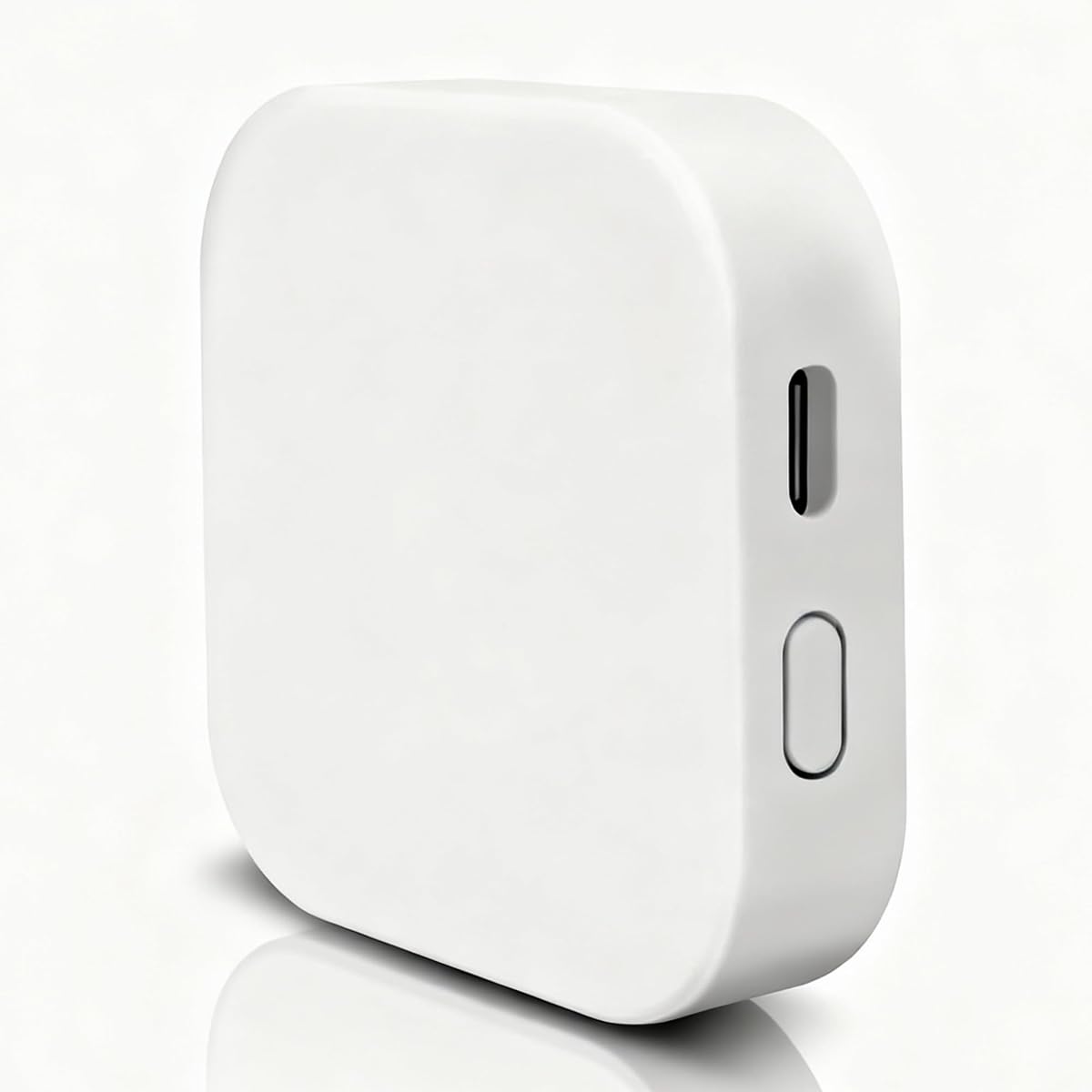
The Tuya Remote Unlock Gateway is a compact, white bridge designed around access control and remote control within the Tuya application. It has a 3.8 rating and its clearest application is connecting a compatible smart lock or key box so a user can unlock an entrance while away. The listing also describes support for 128 smart-home devices, including lights, switches, sockets, and appliances.
We may earn a commission when you buy through this link, at no additional cost to you.
Its physical design is a meaningful advantage for homes where every visible surface matters. The unit measures 2.36 by 2.36 by 0.59 inches and weighs 50 grams, allowing it to sit discreetly near a router or entrance. It uses a Micro-USB power connection and requires no installation wiring, while the manufacturer emphasizes wide coverage, strong reception, and low power consumption.
There are two significant trade-offs. First, the gateway connects to the Tuya app, and the product information explicitly says other apps cannot be connected. Second, a stated device maximum is not the same as verified support for every category, so owners of mixed-brand accessories should confirm compatibility before purchase. The lower rating also warrants checking recent customer feedback for setup or reliability concerns.
This is a practical recommendation for a homeowner who primarily needs remote unlocking for a compatible Tuya smart lock or key box and values a small, unobtrusive unit. It may also serve as a basic bridge for other compatible Tuya accessories. Users seeking broad cross-brand functionality, advanced mesh routing, or extensive voice support should examine the higher-rated multi-protocol options instead.
The hub's central use is remote unlocking through the Tuya app when the user is not at home. This makes it relevant to compatible key boxes and smart locks that otherwise lack network access.
The square white enclosure occupies little space and blends into a home or office. Micro-USB power and no wiring make it convenient to position near the relevant access device.
We may earn a commission when you buy through this link, at no additional cost to you.
The Smart Bluetooth SIG Mesh Wireless Hub Gateway is the most feature-rich dedicated mesh option in this guide. Its 4.4 rating reflects a technically ambitious product aimed at users who need many Bluetooth Mesh accessories to behave as one coordinated network. It supports up to 128 sub-devices, with 50 or more described as typical, and combines WiFi with Bluetooth through the Tuya Smart or Smart Life application.
We may earn a commission when you buy through this link, at no additional cost to you.
One-key networking allows multiple sub-devices in a pending state to join together rather than requiring a lengthy one-at-a-time addition process. Large-scale multicast group broadcasts support more than 100 online devices, while local scene linkage and cross-gateway linkage expand automation possibilities. The device is also compatible with IFTTT, Amazon Alexa, and Google Assistant, giving compatible mesh products several ways to trigger routines.
The network requirements need careful attention. The gateway and phone must be on the same WiFi network, and that network must use 2.4GHz rather than 5GHz. It is also restricted to Tuya Bluetooth Mesh devices, so it cannot be treated as a universal bridge for standard Bluetooth accessories or Zigbee equipment. The listed indoor and outdoor communication distances depend on line-of-sight and environmental conditions, making placement important.
This gateway is the strongest recommendation for a serious Tuya Bluetooth Mesh installation that needs large groups, rapid device onboarding, local automation, and cross-gateway coordination. It offers more depth than a basic lock or finger-device bridge, although the narrower protocol focus should be checked against every planned device. For a smaller, single-purpose setup, a focused hub may be simpler and more economical.
A stated capacity of 128 nodes and support for 100-plus simultaneous online devices make this gateway suitable for expansive installations. Multicast control helps scenes reach many compatible accessories efficiently.
When networking is configured appropriately, compatible sub-devices can participate in cross-gateway routines. This provides a path to larger whole-home automations without limiting every scene to one physical hub.
We may earn a commission when you buy through this link, at no additional cost to you.
The right gateway depends primarily on the protocols and applications used by your existing devices. Use the following factors to narrow the field before comparing features such as device capacity, voice control, automation, and connection style.
A Bluetooth gateway can only communicate with products designed to work through its supported protocol and ecosystem. Some models support Bluetooth Mesh, some support standard Bluetooth devices, and several combine Bluetooth Mesh with Zigbee 3.0. Other accessories may use WiFi, Matter, or a manufacturer-specific radio that the gateway cannot translate. The product title is a starting point, but the detailed compatibility notes are more informative. For example, a listing that says it supports Tuya devices may still exclude locks or blinds that do not use the Tuya protocol.
Before selecting a hub, make a complete inventory of every device you want to connect. Record each product's brand, model, radio type, and required application. Then check that list against the gateway's stated support. Compatibility is the one factor that can make an otherwise excellent hub unusable, so never rely only on the broad term Bluetooth in a product name.
A hub usually depends on a mobile application to add devices, build groups, create automations, and provide remote access. Tuya Smart and Smart Life appear across several products in this guide, while GHome devices use the GHome environment and Linkind lights rely on Aidot. Apps can be functionally similar while remaining completely separate ecosystems. A device may support a shared app without sharing every feature, routine, or voice command with another model.
Choose the application your accessories already use and confirm the gateway's setup instructions match that app. Also determine whether the brand publishes clear instructions for adding its devices. If you are starting fresh, the size and maturity of the app's automation tools, device history, and integration support can matter as much as the hub hardware.
Published capacity indicates how many sub-devices a gateway is designed to manage, but it is not a guarantee that every device category will perform identically. The four products advertising 128-device support range from general Tuya bridges to a dedicated Bluetooth Mesh gateway. Focused devices offer much smaller figures, such as 16 Graywind smart devices, because their supported product range is narrower.
Count current and planned accessories, then leave some room for future purchases. Also pay attention to typical versus maximum figures. A product that states it can reach 128 nodes but typically handles 50-plus may be more realistic than one that simply claims a high maximum. Heavy multicast use, many sensors, and distant mesh locations can affect the experience.
Many Tuya-compatible hubs require a 2.4GHz WiFi network, and several explicitly reject 5GHz. During setup, the phone and gateway often need to share the same network band. Modern routers may combine both bands under one network name, while others separate them, so understanding your router's behavior can prevent frustrating pairing issues. The GHome Smart G2B Gateway is the notable exception here because its listing specifies support for both 2.4GHz and 5GHz.
Connection style also matters. Wireless placement is convenient, while a wired Ethernet route may offer a steadier central link. Bluetooth, WiFi, and wired options are not interchangeable in every setup, so follow the installation guidance. If the gateway needs to reach accessories across a large property, consider a model with strong mesh range or a plan that uses more than one coordinated gateway.
Alexa, Google Assistant, and IFTTT can make a gateway useful in everyday routines, but support is usually conditional. The devices themselves must be compatible, and each platform may expose only a subset of functions. A hub may support a voice command for opening or closing a curtain while offering a different level of control for a lock status, color scene, or access log.
Review the available app controls alongside the voice claims. Voice is especially effective for simple states, such as turning a group on or off, checking a lock, or activating a scene. Detailed functions such as managing multiple passcodes, reviewing access history, or changing an individual scene are usually better handled in the app. This division makes both the gateway and the voice platform important parts of the purchase decision.
A capable gateway should do more than relay commands from an app. Look for device grouping, triggers, local scenes, schedules, and cross-device linkage. Local automation is particularly useful because compatible devices can coordinate without every instruction depending on a remote route. Security-focused features may include sound and light alarms, leak or contact-sensor responses, lock notifications, and event history.
Determine which automations matter most before choosing a model. A shades specialist may need schedules and group movement, while an access-control buyer may prioritize remote unlock, battery visibility, and activity logs. A general multi-protocol hub offers more device types but may not provide deeper controls for every category than a specialist gateway.
Range claims are meaningful only when the testing conditions are similar to your home. Bluetooth Mesh products can travel through walls, but walls, floors, metal objects, and competing radio signals affect the result. The dedicated mesh product lists indoor range of 35 meters and outdoor range of 200-plus meters under line-of-sight conditions, while the Linkind hub claims an outdoor light control span of 40 meters.
Place the gateway within reasonable range of the router and the intended devices. For a home with multiple floors or a large garden, one central hub may not be enough. Look for cross-gateway linkage, mesh networking, or the option to install multiple coordinated units. Avoid placing the gateway inside a metal cabinet or behind equipment that can obstruct wireless signals.
Most of these gateways are compact and use USB power, while some include a wired network connection or require a specific adapter. The Linkind hub calls for a 5V 1A or 2A adapter, the compact Tuya access gateway uses Micro-USB, and the products with higher stated capacity require uninterrupted power. Choose a dependable outlet and avoid frequently switching the hub on and off, since that can interrupt device connections and automations.
Physical size matters when the unit must be discreetly placed near a router, entrance, or shade motor. The access-focused gateway is only 2.36 inches square, while other products make no equivalent dimension in the supplied information. Also consider the expected user rating, warranty information, available documentation, and seller support when the product listing offers them.
Begin by confirming that every accessory uses the gateway's required protocol and application. Connect the phone to the specified WiFi band, place the hub near the router and relevant devices, and power it using the recommended adapter. Install the correct app, create or sign into the appropriate account, and follow the gateway's pairing workflow before adding accessories. For mesh models, keep the phone and hub on the same network during initial configuration.
Add devices in small, organized groups. Confirm that each product appears online and responds from the app before moving on, then assign sensible names and rooms. Create groups for functions such as locks, lighting, sensors, or shades rather than grouping solely by the room in which the gateway is installed. Schedule routines gradually and test each trigger to avoid unexpected linked actions involving doors, water timers, or outdoor lighting.
For care, keep the gateway unobstructed, ventilated, and away from metal enclosures. Do not unplug it for routine maintenance, and use only the specified power supply. Update the app and connected-device firmware when updates are offered, but follow the manufacturer's guidance because major changes can affect pairing. If connection issues occur, verify the WiFi band, power supply, app permissions, and device compatibility before resetting the hub.
Usually not without careful checking. Most products in this guide support Tuya-compatible devices, selected GHome products, or a specific range of Linkind or Graywind accessories. A Bluetooth label alone does not guarantee cross-brand compatibility. Review every product's protocol, app, and model requirements before purchasing, especially if you want to operate locks, shades, or lights from different manufacturers.
You may not need one for simple WiFi devices that can already communicate with their app or voice assistant. A gateway becomes useful when you want to combine WiFi accessories with Bluetooth Mesh or Zigbee products, create unified routines, or provide a path for local device linkage. It is especially valuable for sensors and other accessories that cannot connect directly to a home network.
Many Bluetooth and Zigbee gateway products communicate with their cloud services or pairing systems through 2.4GHz networks. Routers that maintain separate 2.4GHz and 5GHz bands may require temporarily joining the 2.4GHz network during setup. The GHome Smart G2B Gateway is different because its supplied information states support for both bands.
A gateway intended for individual Bluetooth products may connect to one accessory at a time or support only specific devices. A Bluetooth Mesh gateway can coordinate many low-power accessories through a mesh network, which is useful for sensors, lights, and other grouped devices. Confirm that the accessories use the SIG Bluetooth Mesh standard and are supported by the gateway's app.
Yes, but only when the lock, gateway, app, and account are compatible. The GHome Smart G2B Gateway is focused on compatible GHome Bluetooth locks, while the compact Tuya gateway supports compatible smart locks and key boxes. Remote access also depends on a functioning internet connection, and users should test the setup while physically present before relying on it.
It depends on the model. Several Tuya-oriented hubs state support for as many as 128 devices, the dedicated Bluetooth SIG Mesh gateway also lists 128 nodes, the Linkind lighting hub supports 32 lights, and the Graywind shade gateway supports 16 devices. Maximum figures describe design capacity rather than guaranteed performance, so consider device type, network conditions, and typical usage.
Some local scenes and direct device-to-hub operations may work without cloud access, but the extent depends on the gateway, app, and local-routing support. Remote control, notifications, voice commands, cross-gateway linkage, and many access features generally require an internet connection. For security systems, test offline behavior before assuming the hub can provide uninterrupted remote access.
First confirm that the phone and hub are on the required WiFi network and that the correct app is installed. Check the power adapter, Bluetooth permission, router placement, and the accessory's pairing mode. Make sure the device is Tuya-compatible or otherwise explicitly supported, then reset the accessory before resetting the entire hub. Moving the gateway closer to the router can also rule out a range problem.
The MOES Fingerbot Tuya Bluetooth Hub is a focused choice for finger devices, the Graywind gateway is the most natural fit for compatible motorized shades, and the Smart Bluetooth SIG Mesh Wireless Hub Gateway offers the deepest dedicated mesh feature set. Each addresses a different collection of accessories rather than competing for exactly the same buyer.
Prioritize protocol and app compatibility before considering capacity or convenience. Confirm the wireless band, supported device models, room for expansion, and whether local automation matters. A specialist gateway will usually deliver a more coherent experience for a single device category, while a multi-protocol Tuya hub is better for a broad but compatible inventory.
Finally, check the current listing, app requirements, included power accessories, and recent customer feedback before ordering. Ratings, supported accessories, and software behavior can change, so the most suitable gateway is the one that matches your present devices and intended routines with confidence.
