
Lian Li V100-ATX
4.8Editor score
Four pre-installed ARGB fans
Tool-less side panel access
Broad motherboard compatibility
Generous graphics card clearance
Our Aluminum PC Cases guide compares 10 aluminum chassis for airflow, component fit, build quality, cooling support, portability, and ease of use in 2026.
Aluminum PC cases appeal to builders who want more than a basic metal box. A well-designed aluminum chassis can provide a refined appearance, effective heat dissipation, useful structural rigidity, and the space needed for powerful components. The right model depends on your motherboard, graphics card, cooling hardware, available desk area, and preferred installation style.
The ten cases in this guide were compared using the specifications and feature details provided for each product. We considered airflow, motherboard and power supply compatibility, graphics card clearance, cooling support, front I/O, accessibility, portability, and the practical demands of building and maintaining a system. The list ranges from expansive full towers to extremely compact Mini-ITX enclosures.
Each pick demonstrates a different approach to aluminum case design, from a showcase-oriented full tower and open test bench to conventional mid-towers, compact ATX models, and a tiny riser-equipped chassis. Ratings reflect the supplied customer feedback, while product details can evolve by manufacturer or listing revision. Current prices and availability change frequently, so verify the latest listing before buying.
4.8Editor score

4.6Editor score
4.4Editor score
The comparison below places all ten aluminum PC cases side by side, highlighting their major motherboard support, cooling capabilities, component clearances, and most useful design features.





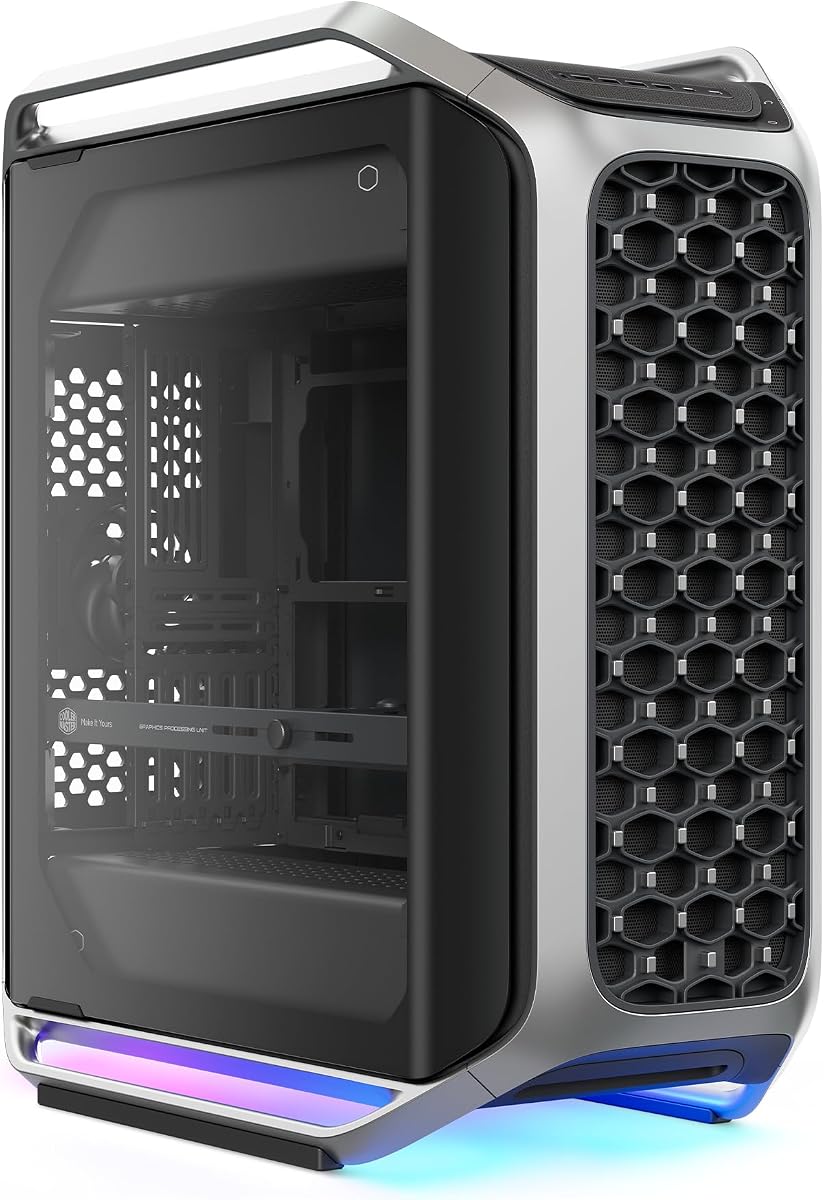
The Cooler Master Cosmos Alpha is a full-tower aluminum case built for builders who want a dramatic finished system rather than a utilitarian enclosure. Its curved aluminum frame, full tempered glass panels, integrated ARGB lighting, and flexible interior make it a strong overall choice. The supplied rating is 4.4, reflecting generally favorable customer feedback without claiming perfection across every layout.
We may earn a commission when you buy through this link, at no additional cost to you.
Compatibility is the standout feature. The chassis supports E-ATX and EEB motherboards, graphics cards up to 400mm, and power supplies up to 240mm. Rear cable clearance of 53mm and removable dust filters help with practical cable routing and maintenance. The FreeForm 2.0 layout can rotate the internal components left or right, while the sliding motherboard tray lets builders switch between air and liquid cooling arrangements.
The front I/O panel is particularly thoughtful for a modern build. It provides four USB-A ports operating at 5Gbps and two USB-C ports operating at 20Gbps. That makes the Cosmos Alpha useful for workstations and high-speed storage as well as gaming systems. A potential compromise is its size: a full tower with curved surfaces needs considerably more room than a compact ATX or Mini-ITX chassis.
This is the most complete recommendation for someone who values flexibility, appearance, and high-end component support together. It is especially suitable for E-ATX systems, long graphics cards, and builders who may want to change the orientation of the internal layout. For anyone with a modest desk or a smaller component set, the Cosmos Alpha may be more enclosure than the build actually needs.
The rotatable internal design and sliding motherboard tray make the Cosmos Alpha unusually accommodating. Builders can reposition the core components to improve airflow, accommodate cooling hardware, or create a more attractive presentation without treating the chassis as a fixed arrangement.
Six front data ports, generous cable space, removable filters, and support for substantial power supplies and graphics cards make the case appropriate for demanding systems. Those features are particularly valuable when adding storage, modern peripherals, or liquid cooling later.
We may earn a commission when you buy through this link, at no additional cost to you.
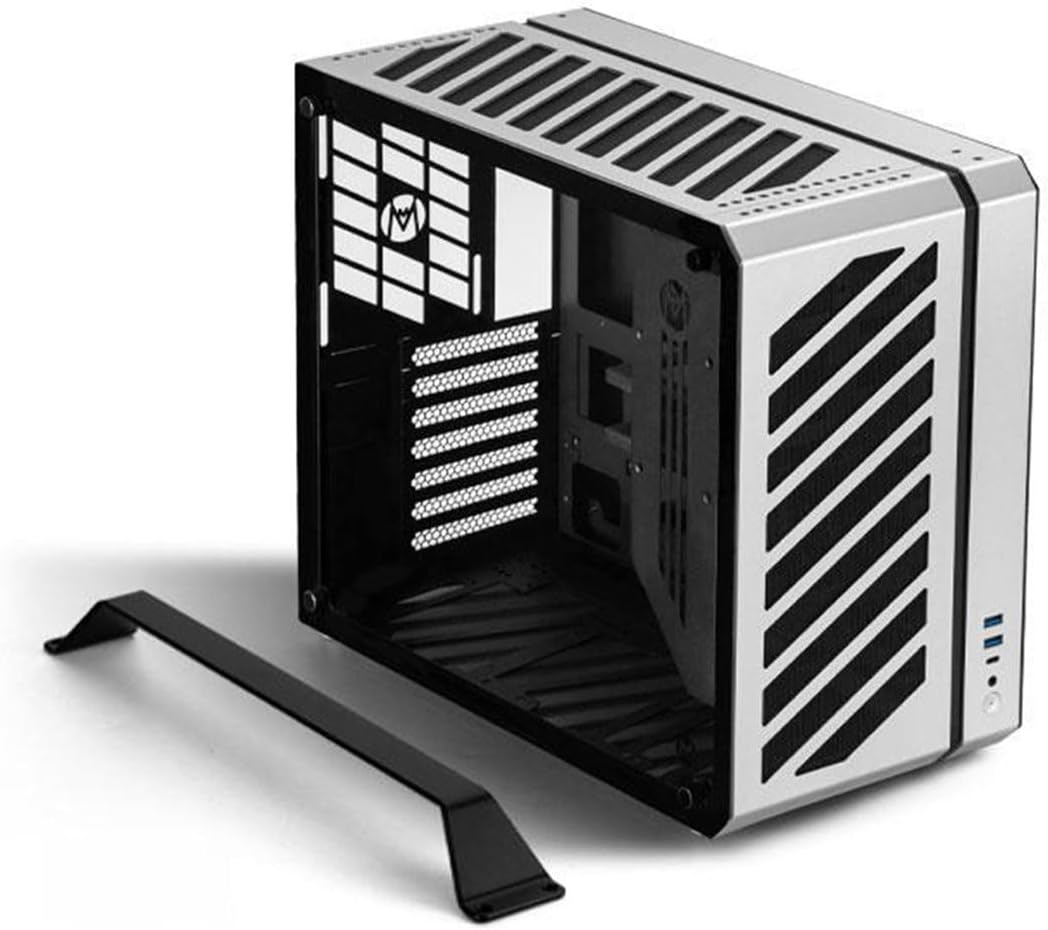
The B2Pro is a compact 17.8-liter full aluminum case designed around Micro-ATX and Mini-ITX motherboards. It combines a restrained silver finish with a mesh side panel, integrated stand, and top handle, giving it the look and handling of a portable workstation enclosure. Its supplied 5.0 rating is the highest in the group, although ratings alone do not replace checking every clearance before purchase.
We may earn a commission when you buy through this link, at no additional cost to you.
The chassis measures 14.61 by 6.61 by 11.26 inches and uses relatively substantial aluminum: a 3.0mm frame, 2.0mm side panels, and 1.5mm for other components. It supports a 245 by 245mm MATX board or a 170 by 170mm ITX board, along with ATX-length power supplies, SFX, and SFX-L units. Graphics card support extends to a three-slot card measuring 340 by 142 by 78mm, including the rear panel.
Cooling is unusually flexible for such a compact enclosure. The listed fan positions include two top 120mm fans, one 90mm rear fan, two bottom 120mm fans, and two side-supported 120mm fans. A 240mm or 120mm integrated liquid cooler is also supported. CPU air coolers are limited to 135mm, and an internal pump must be no taller than 70mm, so some large premium coolers will not fit.
The B2Pro best suits builders who want a capable small system without moving down to Mini-ITX. Its combination of compact dimensions, a 340mm GPU allowance, and multiple cooling options is particularly useful for a gaming PC. The primary limitation is motherboard format: if you already own a full ATX board, this case is not a match, and the unusually tall CPU cooler limit deserves attention.
A 17.8-liter footprint normally signals restrictions, but the B2Pro accommodates a three-slot graphics card as long as it stays within 340 by 142 by 78mm. That makes the enclosure more practical for gaming builds than a barebones Mini-ITX alternative.
The silver anodized finish, textured mesh panel, feet, and integrated handle give the B2Pro a distinctive desktop-appliance appearance. It works well for a compact system that may be moved between desks or carried to an event.
We may earn a commission when you buy through this link, at no additional cost to you.
This open-frame aluminum test bench is built for visibility, accessibility, and experimentation. It exposes the installed system, making it easy to inspect components, change wiring, or showcase a custom configuration. It also offers a compelling alternative to a conventional case when a deliberate industrial appearance is more important than a fully enclosed presentation.
We may earn a commission when you buy through this link, at no additional cost to you.
The frame uses aerospace magnesium aluminum alloy with a stated thickness of 8mm, and its metal treatment is intended to reduce corrosion and extend service life. The listing describes support for standard MATX motherboards, four hard drives or solid-state drives, a standard ATX power supply, and integrated liquid cooling in 120, 140, 240, 280, or 360mm sizes. Metal support rods and anti-slip pads form part of the base structure.
The significant caveat is that this is not shipped as a fully finished product. The seller must assemble it according to the instructions, so buyers should expect an additional setup step and should confirm the included hardware before starting. The open structure also means there is less shielding from dust, accidental contact, and the visual clutter that usually accompanies exposed systems.
Choose this case for builders who intend to work on a system frequently, create a visible demonstration unit, or prefer a skeletal aesthetic. It is a less practical choice for a polished everyday gaming system, a quiet office build, or a portable setup where exposed parts would be vulnerable. For open-air experimentation, however, the accessible layout and robust frame are meaningful advantages.
With the motherboard, power supply, graphics card, and cooling hardware exposed, diagnosis and modification become more direct. Builders can see connections and airflow paths without repeatedly removing side panels.
The stated 8mm alloy construction and metal support rods provide a substantial foundation. Its purpose-built open shape suits a bench role better than a polished daily-use enclosure.
We may earn a commission when you buy through this link, at no additional cost to you.
The Mechanic Master C34 delivers an unusual combination: it supports a standard ATX motherboard and full-size ATX power supply while remaining small enough to include a practical carry handle. Its 4.6 rating indicates strong customer reception, and its design targets builders who need full-size components in a transportable aluminum enclosure.
We may earn a commission when you buy through this link, at no additional cost to you.
Graphics cards may be up to 335mm long, while CPU air coolers can reach 162mm. A 240mm liquid cooling radiator is also accommodated, giving builders two credible thermal paths. Although the case can accept a larger ATX power supply, the manufacturer recommends an SFX or SFX-L unit for the cleanest cable management and easiest installation.
The front panel includes a USB 3.0 port and a USB Type-C interface, bringing useful connectivity without sacrificing the compact footprint. The internal layout is designed to make installation more approachable, but a small chassis inevitably places tighter constraints on hand access and cable routing than a full tower. The built-in handle makes the result convenient for LAN events, workstations, and moving a completed system between locations.
This is a particularly good recommendation for someone who wants ATX compatibility without a full-size tower. It is less suitable for builders who will use the largest possible CPU cooler, exceptionally long graphics card, or conventional ATX power supply in a crowded arrangement. With careful component selection, the C34 offers one of the strongest balances of portability and full-size hardware support in the guide.
Most compact ATX cases ask builders to accept an SFX power supply or shorter graphics card. The C34 provides more latitude, including ATX PSU and 335mm GPU support, while preserving a carryable form.
Support for a 162mm air cooler or a 240mm radiator allows the case to suit both simpler and more advanced cooling configurations. Component dimensions should still be checked before finalizing a build.
We may earn a commission when you buy through this link, at no additional cost to you.
The MasterFrame 500 Mesh combines an open aluminum exo-structure with a strong factory cooling setup. Two pre-installed 200mm intake fans provide immediate airflow, while the frame supports motherboards from Mini-ITX through E-ATX, including boards up to 305 by 330mm. Its 4.2 rating is respectable, though the open structure naturally places more emphasis on setup and component arrangement than conventional cases.
We may earn a commission when you buy through this link, at no additional cost to you.
The FreeForm 2.0 aluminum framework allows interchangeable panels and flexible installation scenarios, making it suitable for builders who intend to change the appearance or hardware layout over time. It can hold up to seven fans and accommodate radiators up to 360mm, so there is considerable room for additional cooling hardware once the build is established.
Its open-frame format is both the main attraction and the principal limitation. The internals remain visible, which can be appealing for a themed or display-oriented system, but there is less physical shielding from dust and accidental contact than in a closed case. Depending on the chosen panels, the overall appearance may also feel less finished than a traditional tower.
The MasterFrame 500 Mesh is a good fit for a high-airflow build that values large fans, flexible mounting positions, and visible components. It is especially attractive for a showcase system where the open frame complements RGB lighting and an intentionally industrial layout. Builders seeking sound isolation, a fully enclosed silhouette, or effortless access should consider a conventional mid-tower instead.
The pair of pre-installed 200mm intake fans gives this case a meaningful airflow advantage over a model relying only on smaller stock fans. Additional mounting capacity allows the cooling path to grow with more demanding hardware.
Interchangeable panels and flexible positions make the FreeForm 2.0 structure appealing for iterative builds. The same openness that supports modification also makes the final presentation dependent on the chosen arrangement.
We may earn a commission when you buy through this link, at no additional cost to you.
The C34Pro is a compact gaming case that prioritizes clearance for large components. Despite measuring 429 by 205 by 349mm and offering 30.6 liters of internal volume, it supports ATX and E-ATX motherboards, graphics cards up to 420mm, tower coolers up to 165mm, and radiators up to 360mm. Its 3.9 rating is the lowest among these products, so prospective buyers should examine fitment details carefully.
We may earn a commission when you buy through this link, at no additional cost to you.
A 2mm aluminum shell is paired with a 1mm steel frame, offering a different material balance from cases made primarily from one metal. The interior includes 18mm of dedicated cable management space, multi-zone fan mounts at the top, bottom, and front, dust filters, and a magnetic screwdriver kit. Multiple power supply mounting positions allow the unit to be configured at the front, bottom, or side.
The modular arrangement is useful when the component layout is unusual, but it also means there may be more than one valid way to assemble the system. Builders should compare the motherboard tray, cable paths, and radiator positions against their planned hardware rather than assuming a conventional layout. A 420mm graphics card allowance is useful, although the supplied E-ATX limit is narrower than the full E-ATX and SSI-EEB support found in the Define 7 XL.
The C34Pro makes sense for a high-end compact gaming system whose largest parts are still within the stated limits. It is a particularly good candidate for a 360mm liquid cooling loop or a long flagship graphics card. If your motherboard exceeds E-ATX dimensions, if the lower rating reflects an issue you cannot resolve, or if you prefer a proven traditional tower, one of the larger models may be a safer match.
Support for a 420mm GPU, 165mm tower cooler, and 360mm radiator gives the C34Pro an impressive fit for a compact chassis. Checking the exact position of each part is essential because the modular layout can change the available space.
Front, bottom, and side PSU positions can simplify different motherboard and cooling arrangements. This flexibility is valuable in a compact enclosure where a traditional fixed layout may not suit the selected hardware.
We may earn a commission when you buy through this link, at no additional cost to you.
The Fractal Design Define 7 XL is a full-tower case for builds that need room, refinement, and extensive storage support. Its brushed aluminum front and steel structure give it a restrained, premium appearance, while the internal layout can accommodate E-ATX and SSI-EEB motherboards. The supplied 4.6 rating indicates strong customer approval for its spacious and versatile design.
We may earn a commission when you buy through this link, at no additional cost to you.
The default storage layout can hold as many as 18 hard drives and five solid-state drives. The case can be converted to an open layout for custom water-cooling builds, and the described multi-bracket system can repurpose otherwise unused fan positions as HDD, SSD, or pump mounts. Radiators up to 480mm are supported, giving the enclosure substantial liquid-cooling headroom.
The front door uses reversible dual-handed hinges and magnetic latching, which improves both access and everyday convenience. That matters in a full tower because the internal cavity is large enough to make component routing more involved. The main drawback is physical size: a system this expansive needs careful desk planning, particularly if it will sit beside monitors, speakers, or other equipment.
The Define 7 XL is the pick for a storage-heavy workstation, a large custom water loop, or a showcase PC that benefits from a refined full-tower silhouette. It is less appropriate for a minimal gaming build that uses a small motherboard and modest hardware, since those components would leave much of the enclosure unused. Its versatility and mature feature set make it a strong option for complex systems.
Support for 18 hard drives and five SSDs is exceptional and makes the case relevant to media servers, editing workstations, and data-heavy systems. The movable brackets let builders use storage positions according to the actual build rather than leaving capacity unused.
Removing the front door or converting to the open layout creates additional working space for large radiators, reservoirs, and custom loops. The 480mm radiator support is a major advantage for ambitious cooling plans.
We may earn a commission when you buy through this link, at no additional cost to you.
The Lian Li V100-ATX combines a conventional mid-tower footprint with an unusually complete set of standard features. It arrives with four PWM-controlled 120mm ARGB fans, an integrated 26-LED strip, and broad support for ATX, Micro-ATX, Mini-ITX, and back-connect motherboards. Its 4.8 rating is among the strongest in this guide, making it an appealing general-purpose recommendation.
We may earn a commission when you buy through this link, at no additional cost to you.
The case accommodates graphics cards up to 420mm, CPU coolers up to 178mm, and a top-mounted radiator up to 360mm. Each side panel uses a tool-less mounting mechanism, which speeds up installation and future maintenance. The four included fans use daisy-chain connectivity, while the lighting strip can synchronize with motherboard software, reducing the need for multiple lighting controllers.
The included fan specification is worth considering even for builders who do not initially want ARGB. Maximum airflow figures range from 60.4 to 61.47 CFM, static pressure from 2.17 to 2.54mm-H2O, and noise levels from 26.5 to 30.8dBA. These are useful reference points when comparing the case with barebones alternatives, although actual acoustic performance depends on the system and the user's chosen fan curve.
For most builders, this is the easiest recommendation because it balances conventional size, strong clearances, modern lighting, and useful pre-installed hardware. It suits gaming, general-purpose, and productivity systems without requiring a full tower. Builders seeking a completely plain appearance may disable the lighting, and those planning extreme custom loops may need to verify additional radiator positions beyond the listed top support.
Four ARGB fans and a lighting strip mean a new build can have coordinated cooling and illumination from the first startup. Tool-less side panels and wide motherboard support also reduce the friction of putting the system together.
A 420mm graphics card and 178mm CPU cooler allowance cover many demanding components. This makes the V100-ATX useful for a capable gaming PC without moving to a much larger full-tower enclosure.
We may earn a commission when you buy through this link, at no additional cost to you.
The Lian Li O11D EVO RGB is designed around display appeal. Its dual-chamber structure, tempered glass panels, and removable front support pillar create a broad view of the internal hardware. The front pillar can be removed without compromising structural integrity, and the 4.7 rating reflects strong satisfaction with the case's presentation and flexible layout.
We may earn a commission when you buy through this link, at no additional cost to you.
Large graphics cards fit with up to 455.7mm of clearance, and the case provides seven expansion slots. Two 1.5mm L-shaped RGB strips sit at the top and bottom of the tempered glass panels, offering lighting that can be controlled through the system. The dual-chamber arrangement separates the power supply and cabling from the main display area, producing a cleaner internal presentation.
Builders can choose between two motherboard installation heights, changing the available space for fans and CPU coolers. Velcro straps and dual-layered clips help organize both large and small cables, while the protruding PSU mounting bracket adds 15mm of cable management room. These details make the case practical despite its dramatic appearance, although the multi-level layout may take more care during initial assembly.
The O11D EVO RGB is best suited to a gaming or showcase build where the internal components are meant to be seen. It is particularly attractive for a long graphics card and a coordinated RGB lighting setup. It may be less ideal for a quiet office system, a minimalist build, or a first-time builder who wants the simplest possible installation path.
The removable pillar and wide glass viewing area turn the internal components into part of the room's visual presentation. The separated chambers also help keep cables and power-supply hardware out of the main viewing zone.
Two installation heights give builders room to change the relationship between the motherboard, fans, and CPU cooler. That flexibility supports different cooling strategies and visual preferences within the same chassis.
We may earn a commission when you buy through this link, at no additional cost to you.
The JOYJOM Mini ITX case represents the most extreme approach to small-form-factor aluminum design in this guide. At just 4.3 liters, it is intended for builders who value desk space and portability above conventional component flexibility. The enclosure uses a 2.0mm aluminum alloy body and includes a PCIe 3.0 riser, with a supplied rating of 4.1.
We may earn a commission when you buy through this link, at no additional cost to you.
Compatibility is intentionally narrow. The case accepts a standard 17 by 17cm Mini-ITX motherboard, a FLEX-Small 1U power supply measuring 15 by 4 by 8cm, a graphics card up to 17 by 10 by 4cm, and up to two 2.5-inch SSDs with a thickness below 9mm. CPU coolers must remain under 36mm, so most tower coolers and many liquid coolers cannot be used.
The included 18.5cm PCIe 3.0 riser allows the graphics card to connect in an orientation suited to the compact layout. Builders should still confirm that their motherboard, graphics card, power supply, operating system, and riser work together as intended. The package includes the case, riser, and screws, but a complete system requires compatible components and any necessary cooling and storage hardware.
This case is best for an experienced small-form-factor enthusiast with carefully selected low-profile hardware. It can turn a cluttered desk into a minimalist setup and works well for portable gaming or travel-oriented systems. For most buyers, however, the tiny dimensions and strict cooler limit make a larger compact case more practical. The JOYJOM earns its place as the specialist choice for those who treat size as the primary specification.
At 18.4 by 10.4 by 22.3cm, the enclosure occupies a fraction of the space of a conventional mid-tower. It is particularly useful for portable systems and minimalist desks where every centimeter matters.
The 36mm CPU cooler limit, unusual power supply form factor, and thin graphics card requirement demand a planned build. Confirming dimensions and the riser arrangement before ordering can prevent a mismatch later.
We may earn a commission when you buy through this link, at no additional cost to you.
The most useful aluminum PC case is the one that fits your hardware, cooling plan, and workspace with minimal compromise. Rather than focusing only on appearance or a single dimension, compare the full set of components and think about serviceability as well as the initial build.
Begin with the exact board standard because it sets the size, mounting pattern, and often the power supply requirements of the enclosure. The list spans Mini-ITX, Micro-ATX, ATX, E-ATX, and SSI-EEB support, with several cases accepting more than one format. Full ATX boards need a chassis with a full-size rear cutout and sufficient depth, while E-ATX and SSI-EEB demand a substantially larger interior. Back-connect motherboards can simplify cable routing, but they also require a compatible case and matching cable arrangement.
Graphics card length is one of the most important practical limits in any PC case. Clearances across this guide range from a restrictive 170mm in the ultra-compact JOYJOM model to 455.7mm in the Lian Li O11D EVO RGB. Measure the card itself, including its cooler and any power connector, rather than relying on a generic card-length specification. Also account for front fans, radiators, power supplies, and cable bends that can reduce usable space.
Power supply form factor and depth can be decisive. Several cases accept standard ATX units, SFX units, or SFX-L alternatives, while the 4.3-liter JOYJOM requires a much smaller FLEX-Small 1U design. The Cosmos Alpha accepts power supplies up to 240mm, and the C34Pro offers several mounting positions. A larger power supply may improve future upgrade headroom, but it can also create cable-management and clearance problems in a compact chassis.
Cooling support includes more than the number of listed fan positions. Check whether fans are included, whether they are intake or exhaust, where they can be mounted, and whether radiator tubing or reservoirs interfere with the layout. The MasterFrame 500 Mesh begins with two 200mm intake fans, the Cosmos Alpha offers a rotatable FreeForm layout, and the Define 7 XL supports radiators up to 480mm. Air coolers also have strict height limits in smaller cases, particularly the 36mm ceiling of the JOYJOM.
A capable case can still be impractical if it crowds the desk. Full towers such as the Cosmos Alpha and Define 7 XL provide extensive room but require a substantial footprint. Mid-towers such as the Lian Li V100-ATX and O11D EVO RGB offer a more conventional balance, while the C34 and B2Pro address space-constrained setups. The smallest cases in the guide are portable, but their strict component limits can be more consequential than their physical footprint suggests.
A good case should be comfortable to assemble and maintain. Tool-less side panels, removable filters, open frames, and accessible drive mounts can save time, but a highly modular layout may also require more planning. The B2Pro includes a handle and stand for desktop placement, while the C34 and C34Pro add carry handles for transport. Open cases make every connection visible, although an enclosed case generally provides a cleaner and more protective finished appearance.
Front-panel connections affect daily convenience more often than many buyers initially expect. The Cosmos Alpha provides four 5Gbps USB-A ports and two 20Gbps USB-C ports, while the C34 includes USB 3.0 and USB Type-C. Other cases may require devices to connect through rear ports or a hub. Count the accessories you use regularly, including external storage, controllers, headsets, webcams, and devices that benefit from high-speed USB.
Storage needs vary dramatically between a gaming system and a content-creation workstation. The Define 7 XL supports up to 18 hard drives and five SSDs in its default layout, while the open test bench offers four drive positions. The O11D EVO RGB provides seven expansion slots, and the JOYJOM supports two 2.5-inch SSDs. Count current drives, add room for future expansion, and verify whether a removable bracket changes the available fan or radiator positions.
Begin assembly by reviewing the case diagram, sorting the included screws by type, and comparing every major component against the published clearance. Install the power supply and standoffs first, followed by the motherboard, storage, and cooling hardware. Leave the graphics card and any large radiator until the interior layout is stable, and route cables as each component is fitted rather than attempting to conceal everything at the end.
After the build is complete, check the direction of every fan and confirm that intake and exhaust paths make sense. Aluminum cases can assist heat transfer, but enclosure material does not replace active cooling. Establish a balanced fan curve, update the motherboard lighting software, and inspect the front or side filters at regular intervals. Dust can increase noise and operating temperatures even when the case itself is clean.
For open-frame or portable systems, handle the chassis by its designed frame or handle rather than by a side panel, radiator, or light strip. When opening an aluminum case, remove delicate components only when necessary and avoid placing the enclosure on a surface that could scratch or dent the finish. Periodic visual checks of screws, cable bends, filter coverage, and connector access help keep the system reliable and easy to service.
Not automatically. Aluminum conducts heat efficiently and is often lighter, but the overall thermal result depends on the case design, airflow path, surface area, fans, and component placement. A well-ventilated steel chassis can cool effectively, while an enclosed aluminum case with poor airflow can still run warm. The listed open-frame and mesh designs are more relevant to airflow than the material label alone.
Only if the case explicitly supports ATX. The Mechanic Master C34 and C34Pro, Lian Li V100-ATX, O11D EVO RGB, and MasterFrame 500 Mesh are examples in this guide that accept standard ATX boards. The B2Pro supports MATX and ITX, while the JOYJOM is limited to Mini-ITX. Always confirm board dimensions and the required rear I/O cutout.
Look for a clearance longer than the physical length of your card, including its cooler and power connector. The guide includes cases from 170mm to 455.7mm of stated clearance. A 420mm allowance may be useful for a large modern card, but radiator placement, power cables, and the front panel can reduce the available space.
They can be, particularly when the exposed design is intentional and the components are arranged neatly. The MasterFrame 500 Mesh and open test bench support gaming hardware, cooling, and water-cooling options. The trade-off is reduced physical protection from dust and accidental contact, along with a less conventional enclosed appearance.
The material itself does not mean a case needs more fans. Evaluate the included fans, available mounting positions, radiator clearance, vents, and the layout of the motherboard and power supply. The Lian Li V100-ATX and MasterFrame 500 Mesh include substantial fan configurations, while other cases may rely more heavily on the selected liquid or air cooling hardware.
The JOYJOM Mini ITX case is the smallest at 4.3 liters, but it has strict requirements for a 1U-style power supply, a very thin graphics card, low-profile SSDs, and a CPU cooler below 36mm. For buyers who need more conventional components, the 17.8-liter B2Pro or the portable Mechanic Master C34 may be more practical.
Aluminum can show fingerprints, scratches, and marks, so careful handling helps preserve its appearance. Internally, maintenance is driven more by airflow and dust than by the chassis material. Clean removable filters, keep cables orderly, inspect fan mounts, and avoid blocking vents. Open-frame cases require particular attention because every component is exposed.
The capacity varies dramatically. The Fractal Design Define 7 XL supports up to 18 hard drives and five SSDs in its default layout, while the open test bench lists four drive positions. The JOYJOM supports two 2.5-inch SSDs. Check whether additional storage requires a removable bracket and whether that bracket occupies a fan or radiator position.
The Lian Li V100-ATX is the strongest general-purpose pick because four ARGB fans, modern tool-less access, broad motherboard support, and generous clearances cover many builds without an oversized footprint. The Mechanic Master C34 stands out when portability and standard ATX support matter, while the Cooler Master Cosmos Alpha offers the most expansive, flexible, and visually dramatic premium configuration.
Prioritize exact fit over appearance. Confirm motherboard standard, graphics card length, power supply dimensions, CPU cooler height, radiator position, storage requirements, and front I/O before ordering. Builders seeking a conventional balanced system can focus on the Lian Li V100-ATX or O11D EVO RGB, while limited desk space makes the B2Pro or C34 more sensible. Extreme small-form-factor projects require the most careful component planning.
Customer ratings and manufacturer specifications provide a strong starting point, but listings can change as products are revised. Review the current compatibility chart, included accessories, physical dimensions, and warranty details before purchasing. Product prices and availability also change frequently, so compare the latest listing rather than relying on an old recommendation or a previously observed deal.