
Sunoony Portable CD Player
4.3Editor score
Built-in stereo speakers
Rechargeable 2000 mAh battery
FM and AUX car connections
This guide compares the best portable CD player for car with USB options, including connection methods, playback features, compatibility, and portability.
A portable CD player for car with USB can restore physical music collections to vehicles that no longer include a factory CD drive. The right unit must match your stereo’s connection method, decode your discs correctly, and remain stable over bumps while remaining compact enough for a console or glove box.
We compared all ten products by their USB, AUX, Bluetooth, and FM connections; supported disc formats; anti-skip design; power requirements; portability; and compatibility with factory, aftermarket, Android, and non-Android systems. The list includes dedicated car players as well as versatile units designed for home and travel use.
Each review identifies the product’s strongest use case, important limitations, and ideal buyer, with special attention to the difference between charging ports and data-capable USB connections. Ratings and product details reflect the supplied listings, while prices and availability can change after this guide is published.
4.3Editor score

4.6Editor score

4.8Editor score
The table below compares all ten players by their car connection methods, playback versatility, portability, and most important compatibility considerations. USB mode generally requires a data-capable stereo that can read WAV files, while AUX and FM provide alternatives for different vehicle systems.
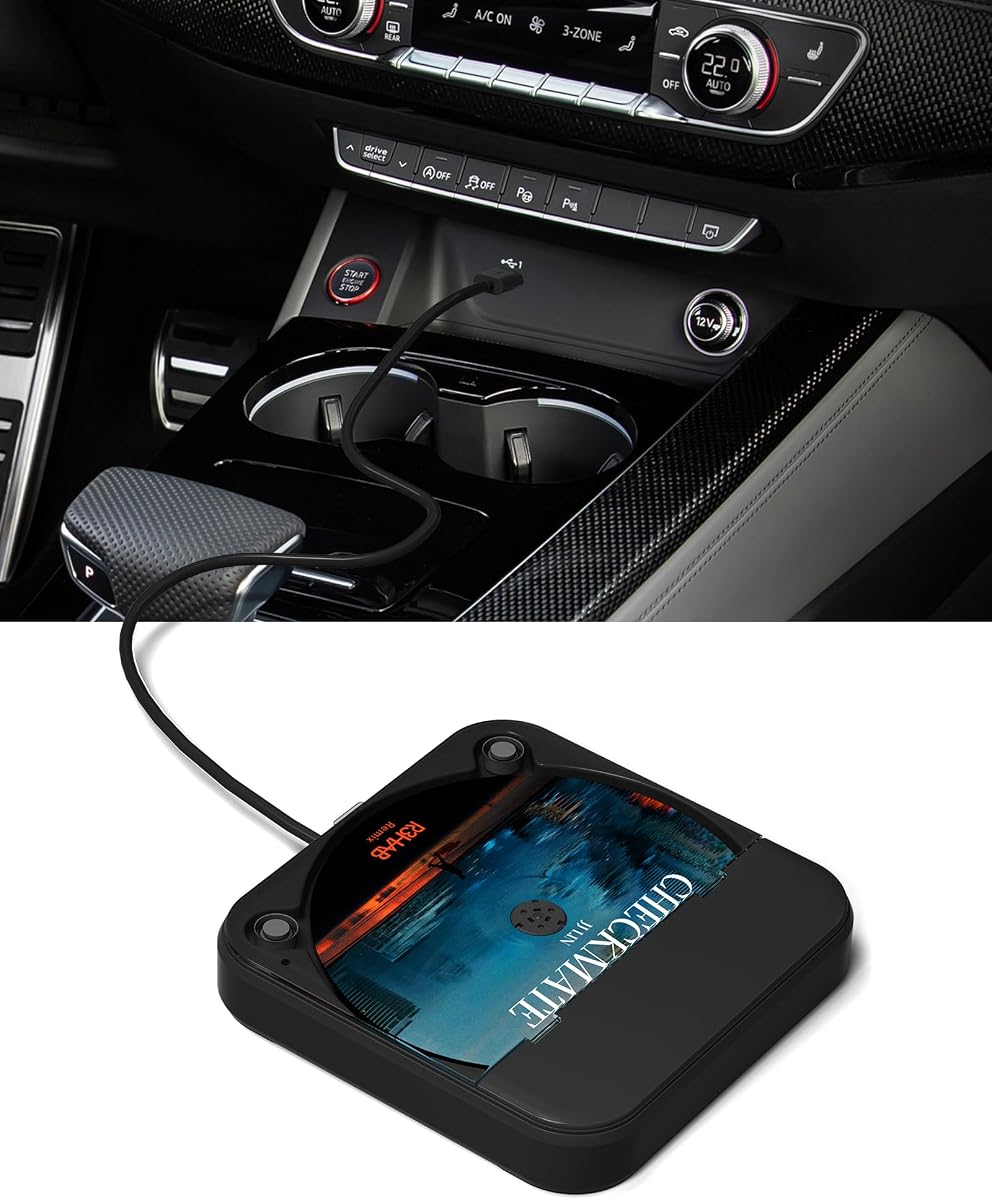


The ENVYCLOUD Portable Car CD Player is a straightforward external disc player for vehicles without a built-in CD mechanism. Its 4.2 rating reflects a generally practical approach, with plug-and-play USB and AUX connections, touchscreen operation, steering-wheel control support, and a body described as roughly disc-sized. It is especially attractive to buyers who want a familiar CD interface without installing anything permanently.
We may earn a commission when you buy through this link, at no additional cost to you.
Connection flexibility is the main strength. The supplied extended USB cable and Type-C adapter make it easier to position the unit within reach while keeping it connected to the vehicle. AUX mode provides a useful alternative when USB file recognition is unavailable, while the listing also identifies compatibility with laptop, television, and computer use. The player is built with a sturdy enclosure and is marketed with no-lag, no-skip playback, making it suitable for ordinary daily drives.
There are important trade-offs. The unit has no Bluetooth, so it cannot use that route to bypass an incompatible factory USB system. Its remote only operates in AUX mode, and the player itself does not contain speakers. Buyers should also distinguish between a charging-only USB port and a data-capable port. Despite these limitations, the straightforward connections and compact form make the ENVYCLOUD a sensible option for vehicles with a suitable USB port or auxiliary input.
This is a strong recommendation for drivers who want uncomplicated installation, a modest footprint, and both USB and AUX options. It is less suitable for people whose stereo cannot read the required files or who require Bluetooth audio without occupying the phone’s wireless connection. Buyers should confirm their dashboard’s ports and select the appropriate input before setting up the player.
The included extended USB cable gives the driver more freedom to place the player in a center console, dashboard area, or glove compartment without leaving the cable visibly stretched. The Type-C adapter broadens connection options, although the receiving system must still support the necessary data and audio functions.
USB mode is useful for compatible stereos, while AUX mode can be the more practical choice when the vehicle’s media system does not recognize the external disc player. The included remote only functions in AUX mode, a detail worth considering before buying.
We may earn a commission when you buy through this link, at no additional cost to you.
The Jupiter USB CD Player combines external CD playback with DVD functionality, giving it more scope than many competing car disc players. Its 4.4 rating reflects a versatile product designed for compatible car stereos, Android and non-Android head units, Windows computers, laptops, smart TVs, and USB-equipped navigation screens. The USB extension cable also gives buyers flexibility over placement inside the cabin.
We may earn a commission when you buy through this link, at no additional cost to you.
Its defining feature is the ability to operate as both a CD and DVD player. In a compatible vehicle, a CD appears as a USB drive whose tracks can be selected through the stereo. For video, the receiving head unit must support VOB DVD playback. The unit also supports USB-A and USB-C connections through the included adapter, while compatibility with recent factory systems depends on whether their USB media function can play WAV files.
Vehicle-specific limitations deserve careful attention. The listing specifically warns that some 2023–2024 Honda Accord, Civic, and CR-V configurations without a 3.5 mm auxiliary input cannot use the player through the data USB port. It also notes that certain 2022–2024 GMC Sierra and 2022–2024 Chevy Silverado systems may need a decoder. These cautions make the seller’s compatibility-checking service especially relevant.
The Jupiter is best for buyers who want more than a basic car CD player, particularly if they also want DVD playback in a compatible head unit or plan to use the device with a computer. It is less convenient for owners of the specifically mentioned newer vehicles unless they can confirm compatibility in advance. A simple, inexpensive product would serve better when only music playback is required.
The ability to play compatible VOB DVDs distinguishes the Jupiter from standard car CD players. That makes it useful for older vehicles with capable multimedia head units, provided the receiving stereo supports both the disc type and the USB connection method.
The manufacturer provides a compatibility-checking service through Amazon messages. This is worthwhile for owners of recent Honda, GMC, or Chevrolet models because their data USB ports and optional auxiliary inputs can change how an external disc reader is recognized.
We may earn a commission when you buy through this link, at no additional cost to you.
The KLIM Car CD Player is a compact external disc drive designed to make physical media useful in a vehicle that lacks a factory CD player. Its 4.0 rating places it among the more conventional choices in this roundup, but the core proposition is clear: connect the unit through USB and AUX, insert a disc, and begin playback without a complex installation. It can also serve as an external CD drive for a laptop.
We may earn a commission when you buy through this link, at no additional cost to you.
The anti-skip system is the product’s most important technical feature for in-car use. By reducing the effect of road vibration on the laser pickup, it is designed to support steadier playback over uneven pavement, speed bumps, and longer routes. Its small, portable enclosure makes it practical to store when it is not being used and simple to reposition if the dashboard or center console offers a better viewing angle.
The product information is less detailed than that of some competitors, and the listing does not advertise Bluetooth connectivity. It also offers a narrower set of connection choices than units with USB, AUX, FM, and wireless options. These are reasonable compromises for a straightforward external drive, but buyers who require a remote, a built-in speaker, or alternate wireless transmission may need to look elsewhere.
The KLIM is a practical choice for someone who values a small footprint, uncomplicated operation, and anti-skip protection without paying attention to extra media features. It works best when the vehicle has either a compatible USB media port or a standard auxiliary input. Confirming the available connections and understanding that the unit does not include its own speakers will prevent most setup surprises.
Anti-skip protection is especially valuable for an optical disc reader that will be exposed to constant vibration. Although no system can eliminate every environmental factor, the protection helps reduce interruptions during ordinary road travel.
Laptop compatibility makes the player more versatile than a car-only unit. It can be kept at home for physical-media access or carried in a vehicle, depending on the buyer’s preferred setup.
We may earn a commission when you buy through this link, at no additional cost to you.
The Upgraded External CD Player is designed as a flexible solution for vehicles without a built-in CD mechanism. Its 4.3 rating reflects a broad feature set, including USB-A, USB-C, and Bluetooth connections. The Bluetooth route is particularly useful when a vehicle’s USB system cannot read the required audio format, giving drivers another way to reach the player’s CD audio.
We may earn a commission when you buy through this link, at no additional cost to you.
The listing identifies electronic shock resistance, an anti-skip reading chip, and strong error correction as protections against road vibration and disc-reading errors. It supports CD, CD-R, CD-RW, MP3, WAV, and WMA media, making it suitable for mixed physical collections. The flip-top design also protects the disc during storage, and the unit can power through its USB cable without a separate power supply.
Bluetooth compatibility comes with an important operating condition. Because many vehicles permit only one active Bluetooth link, the player may need to disconnect the phone or temporarily disable the phone’s Bluetooth. The USB path is also more demanding than the word “plug and play” can imply: the stereo must read WAV files, and the listed navigation-system requirement is version 4.4 or later. The flip-top player should also remain horizontal during operation.
This model is a good match for drivers who want both wired media integration and a wireless fallback. It is particularly useful for older vehicles whose USB ports are basic, provided the buyer is comfortable changing the phone’s Bluetooth state. For a modern stereo with reliable WAV playback, USB offers the more direct route; for an incompatible head unit, Bluetooth can preserve access to physical music.
Bluetooth is valuable when the vehicle’s USB media system cannot recognize WAV playback. Connecting the player to the stereo this way broadens compatibility, although it may temporarily disconnect the driver’s phone from the vehicle.
The anti-skip chip, electronic shock resistance, and stronger error correction work together to stabilize playback. Keeping the flip-top unit horizontal in a stable location gives the optical mechanism the best chance of uninterrupted reading.
We may earn a commission when you buy through this link, at no additional cost to you.
The MONODEAL Car CD Player stands out with a 4.6 rating, the highest among the USB-oriented options in this list, and a balanced combination of USB and Bluetooth connectivity. It is designed for vehicles without built-in CD playback, but it also works with Windows systems, desktop computers, laptops, smart TVs, and compatible USB-equipped navigation screens. That makes it one of the more versatile selections here.
We may earn a commission when you buy through this link, at no additional cost to you.
Its anti-shock, anti-skip reading chip is built to maintain stable playback on rough roads and during off-road travel. The unit supports AAC, ALAC, MP3, WAV, and WMA files, offering broad coverage beyond ordinary audio CDs. A compact black enclosure with a finish intended to resist dirt and wear should blend into a console, dashboard, or glove compartment without taking up much space.
The central limitation is that USB playback still depends on the car stereo reading WAV files. Buyers should not assume that every USB port can communicate with the player, and a charging-only port is not a valid data connection. The listing also does not identify a wired auxiliary output, so drivers whose stereo lacks compatible USB support may need to verify whether Bluetooth is an acceptable alternative.
Overall, the MONODEAL earns the Editor’s Choice position because it balances strong rating, flexible connections, broad format support, anti-skip hardware, and compact placement. It is an excellent choice for modern vehicle media systems and buyers who want one player for both driving and home listening. Compatibility should still be checked against the exact head unit before ordering.
The product avoids the need to choose between a dedicated car unit and a general portable player. USB and Bluetooth cover two useful connection paths, while support for five audio formats accommodates a varied CD collection.
The low-profile, wear-resistant black housing is easy to integrate into a vehicle. Its small footprint also leaves room for storage in a glove box, making it practical to remove when not needed.
We may earn a commission when you buy through this link, at no additional cost to you.
The DDup Car CD Player is the highest-rated product in the supplied group, earning a 4.8 rating. It is designed for drivers who still value physical media, road trips, and at-home listening. The focus is on dependable operation: four anti-slip rubber feet stabilize the chassis, while a magnetic cover and internal locking mechanism help protect the disc during travel.
We may earn a commission when you buy through this link, at no additional cost to you.
USB and AUX connectivity gives users two familiar ways to connect the unit. It supports CD, CD-R, CD-RW, MP3, WMA, and WAV playback, and the listing also describes broad compatibility with vehicles, laptops, televisions, and computers. The inclusion of a USB-C adapter and extension cable simplifies setup across different ports, while the compact form is suitable for a center console, dashboard, or other storage area.
The main limitation is the absence of advertised Bluetooth, which makes the USB and AUX connections more important. The unit also does not support DVD or Blu-ray discs, so buyers with video collections should choose a dedicated multi-format player instead. Its magnetic cover and locking mechanism are protective features, but the unit still needs to be positioned securely so that the disc mechanism is not subjected to severe jolts.
The DDup is a compelling choice for road-trippers and CD collectors who value both a high rating and visible physical protection. Its rubberized stance and locking system make it feel particularly considered for mobile use. It is best for owners with compatible USB or auxiliary connections who do not need wireless audio or video playback.
The magnetic cover and internal lock keep the disc from being exposed or dislodged while the unit is being moved. Four rubber feet also help limit sliding and movement over uneven roads.
Laptop, television, and computer compatibility means the DDup can remain useful when it is not installed in a vehicle. The supported digital formats also make it convenient for mixed CD libraries.
We may earn a commission when you buy through this link, at no additional cost to you.
The Lehwey USB CD Player emphasizes connection variety, offering USB, AUX, and FM playback modes. Its 3.9 rating is the lowest in this roundup, but the product’s design is still attractive to drivers whose stereos do not support the same files as modern digital head units. It is intended for vehicles without a built-in CD drive, including many cars, SUVs, and trucks.
We may earn a commission when you buy through this link, at no additional cost to you.
USB mode is the most direct option for stereos that can read WAV files. AUX mode works with a 3.5 mm input, and FM mode offers another route for vehicles lacking both compatible USB playback and auxiliary access. The black adapter, extended cable, auxiliary cable, remote, and Type-C cable create a broad installation package. A professional anti-shock system is intended to support stable playback on rough roads.
Compatibility still depends on the head unit. The player is described as suitable for factory stereos, Android systems, and non-Android systems such as Linux and Wince, but only when the appropriate port and file support are present. The remote operates in AUX and FM modes, not USB, and the unit includes no built-in speaker or Bluetooth function. Those restrictions make the control method less universal than the three advertised playback paths might initially suggest.
The Lehwey is best for drivers who want multiple fallback options rather than a single connection method. It is particularly useful when AUX is available, while the FM mode can make an older vehicle usable. Buyers should not expect the remote to control USB playback, and they should verify that their stereo supports the required media function before installation.
USB, AUX, and FM modes let the player adapt to different vehicle systems. Each method has different requirements, so checking the head unit before buying is more reliable than assuming every connection behaves identically.
The included remote supports track skipping, volume adjustment, and pause functions in AUX and FM modes. Drivers using USB will need to operate the unit through its own controls or the vehicle’s stereo.
We may earn a commission when you buy through this link, at no additional cost to you.
The Sunoony Portable CD Player is built for people who want a CD player that can function away from the car as well as inside it. Its 4.3 rating is supported by a broad feature set: dual stereo speakers, Bluetooth 5.3, an FM transmitter, a 3.5 mm connection, USB flash-drive playback, a rechargeable battery, and a backlit display. It is the most genuinely portable standalone unit in this list.
We may earn a commission when you buy through this link, at no additional cost to you.
The built-in 2000 mAh battery can support as much as nine hours of playback according to the listing, while the included Type-C charging cable provides a four-hour recharge path. Its anti-skip protection is stated as up to 60 seconds for CDs and 120 seconds for MP3 media. The player also supports repeat, program, single-track loop, all-loop, intro, and random playback, making it useful for language learning and audiobooks as well as music.
Vehicle compatibility requires careful attention. The FM transmitter can send audio to the car radio, and the supplied AUX cable offers a wired option, but the USB port only reads a flash drive and cannot output audio to the vehicle. Likewise, Bluetooth cannot transmit to the car stereo; it can send CD or USB audio to Bluetooth headphones and speakers, or receive audio from a phone, tablet, or laptop.
The Sunoony is a strong value for travelers and families who want one device for the car, home, and outdoor listening. It is particularly useful when a built-in speaker and rechargeable battery matter more than direct USB audio integration. Drivers who want to connect a phone by Bluetooth through this unit or use the USB port as a vehicle output should choose a different design.
The rechargeable battery and built-in speakers remove the need for a permanent car installation. That makes the player useful for road trips, listening rooms, language practice, and other situations where carrying the whole disc collection is inconvenient.
The USB port supports flash-drive playback but does not provide USB audio output to the vehicle. For car listening, use the FM transmitter or supplied AUX cable and select the matching input on the stereo.
We may earn a commission when you buy through this link, at no additional cost to you.
The External CD Player for Car pairs a 4.8 rating with a particularly compact 5.5 by 5.5 by 1.3-inch design. It is intended for cars, SUVs, and trucks that lack a built-in CD mechanism and can also be used with a compatible PC. Its core strengths are a decoding chip, support for several disc formats, and a simple installation that does not require software.
We may earn a commission when you buy through this link, at no additional cost to you.
The player supports CD-DA, CD-ROM, CD-R, CD-RW, and MP3 audio discs. Its small square enclosure can fit into a center console, glove box, dashboard area, or another storage location without taking up much room. The package includes the SX-52BT player, a USB-A to USB-C adapter, and a user manual, providing the basic components needed for a straightforward setup.
Compatibility is less universal than the product’s “universal” positioning may suggest. The listing says it is not recommended for Subaru or Cadillac vehicles, and some Nissan and Honda models may not recognize external CD devices depending on the model year and audio system. Brand, model year, trim level, and factory media capabilities all matter. That makes the device better for a broadly compatible aftermarket head unit than for an arbitrary factory system.
This is an attractive choice for drivers who want a small, uncomplicated reader with a strong rating and broad disc support. It is particularly appropriate when the vehicle has a known-compatible USB media system. Owners of the excluded brands or uncertain factory systems should verify the exact stereo before ordering rather than relying on the general compatibility claim.
The compact square design makes storage and placement uncomplicated, while support for five disc types covers standard audio media, rewritable discs, and MP3-encoded CD collections.
Factory media systems vary widely, even within a single brand and model year. The product is not recommended for certain brands, so confirming the exact vehicle and head unit is an essential part of the buying process.
We may earn a commission when you buy through this link, at no additional cost to you.
The External Portable CD Player offers a minimalist solution for compatible Android vehicle systems, Windows computers, laptops, and Android smart TVs. Its 3.9 rating reflects a basic feature set, but the embedded cable and straightforward USB approach can appeal to buyers who want minimal physical clutter. No separate driver or external power supply is required for the supported configurations.
We may earn a commission when you buy through this link, at no additional cost to you.
After connecting the unit to a vehicle’s USB interface, the head unit should recognize it and display the disc data. The listing identifies compatibility with Android version 4.4 and above. Supported media includes CD-ROM, CD-R, and CD-RW, while the embedded cable design eliminates the risk of leaving a loose lead in the trunk, glove box, or center console.
Its compatibility requirements are narrower than those of several alternatives. The car, television, or computer must support reading USB flash drives and the format of the inserted disc. The product does not advertise Bluetooth, FM transmission, an auxiliary output, or a remote, and the lack of digital audio format support makes it less attractive for collections containing many MP3, WMA, or WAV files.
The External Portable CD Player is best for owners of an older Android head unit or compatible computer who values a compact, self-contained unit with an attached cable. It is less suitable for modern vehicles whose stereos have more complex file requirements or for listeners who want flexible wireless and wired connection options. Checking the host system’s USB specification is the first step.
The embedded cable keeps the player tidy and makes it less likely that a connection lead will be separated during storage. It also simplifies the visible dashboard or console setup.
The player is aimed at Android version 4.4 and later systems that can read USB flash drives. Windows computers, laptops, and Android smart TVs are also listed as possible hosts when their media capabilities meet the requirements.
We may earn a commission when you buy through this link, at no additional cost to you.
The most important factor is not simply having a USB port; it is whether that port can exchange media data with an external CD reader. Beyond that, buyers should evaluate wireless alternatives, supported formats, anti-skip hardware, power needs, and how the player will be positioned in the vehicle.
A USB charging port is not automatically a USB media port, and even a data port may not be able to read the files generated by an external disc player. Multiple products in this guide specify that the car stereo must support WAV playback for USB operation. The unit should be connected to the car’s data-enabled USB interface, not a port used only for charging. Android-based head units may also impose their own minimum version requirements, with one product specifying version 4.4 or later.
Confirm that the vehicle can read an external USB drive and that the disc player will appear as a recognizable media device. If compatibility is uncertain, contact the seller with the vehicle year, make, model, and stereo type before buying. The most attractive USB-only player is still a poor choice when the head unit cannot communicate with it.
AUX is the most broadly recognizable alternative because it carries analog audio through a 3.5 mm connection. FM transmission can reach an older radio without a wired input, though it depends on finding a clear frequency and tuning the stereo. Bluetooth provides another option, but some vehicle systems allow only one active Bluetooth device, which can interfere with a connected phone. Products with several methods provide more flexibility but may add complexity.
Choose the connection path that your car already supports and that you are comfortable operating. AUX generally provides a direct analog route, FM avoids the need for a physical input, and Bluetooth is convenient when a vehicle’s USB media reader is incompatible. Check whether the remote works in every mode, because some units restrict remote operation to AUX and FM.
A player that handles standard audio CDs is useful, but many collections also include CD-R, CD-RW, or MP3-encoded discs. Some models go further and support WMA, WAV, AAC, or ALAC. These format claims can refer either to physical-disc reading or to files exposed through USB mode, so buyers should distinguish between the two. A broader format list is useful only if it matches the media actually being played.
For a mixed collection, prioritize a model that reads CD, CD-R, CD-RW, and MP3 at minimum. DVD support is uncommon and generally limited to VOB files on compatible head units. Blu-ray is a separate standard and should not be assumed from a generic DVD reference.
An optical disc is sensitive to vibration, and a vehicle is a demanding environment. Anti-skip chips, electronic shock resistance, stronger error correction, rubber feet, and magnetic locking mechanisms all attempt to stabilize the disc and reduce interruptions. These features cannot compensate for an unstable mounting location, so the player should also be placed horizontally on a flat surface when the design requires it.
Look for a unit that explicitly describes the road protection rather than relying on a vague durability claim. If your usual route includes rough roads, speed bumps, or unpaved sections, anti-skip performance is more important than a minor difference in compact size. Stable placement and secure disc closure remain essential complements to the internal electronics.
Most car-specific players draw power through the USB cable, allowing them to remain compact and operate without a separate power supply. Standalone portable models may instead include a rechargeable battery and built-in speakers. That design is excellent for travel and home use but does not necessarily provide direct USB audio output to the vehicle. A battery can also be valuable if the player is used away from a vehicle, provided charging is planned between trips.
Decide whether the player is primarily a permanent vehicle accessory or a portable disc system. For a vehicle-only role, USB power is simple and consistent. For travel, back seat listening, or home use, a rechargeable battery, headphone output, and built-in speakers may be worth the additional bulk. Check the stated battery capacity and charging method before committing.
The smallest unit can be tucked into a glove box or mounted near a dashboard, while a slightly larger enclosure may be easier to operate. Include the length and flexibility of the supplied cable in the decision. An extended cable can improve placement, whereas an embedded cable creates a tidier setup but fixes the distance between the player and host. Remote control can reduce distraction, but only if it functions in the intended playback mode.
Avoid positioning the unit where it blocks vents, screens, controls, or the driver’s view. Some flip-top models must remain horizontal during operation. Ensure the cover can be closed safely while connected and that the player is not likely to slide under rough acceleration or braking.
The necessary connection hardware can vary significantly. Some packages include a USB extension cable, a Type-C adapter, an AUX cable, an FM adapter, a remote, and documentation, while others provide only an embedded cable. Accessories do not guarantee compatibility, but a complete kit can make installation easier and reduce the need to buy additional adapters separately.
Review the package contents against the ports in your vehicle. A USB-C adapter is useful only if the relevant port supports data, and an AUX cable is useless if the stereo lacks a 3.5 mm input. For FM mode, the required transmitter hardware must also be present. The included manual and the seller’s compatibility support can help resolve setup questions.
Vehicle electronics are complex, and compatibility questions are common. Several listings in this roundup offer direct support through Amazon messages, including help confirming whether a particular stereo can play WAV files or use a decoder. This can be more valuable than a long but generic feature list, especially for owners of recent Honda, GMC, Chevrolet, Nissan, Subaru, Cadillac, or other model-specific systems.
A responsible seller should clearly identify known exceptions and explain when an additional decoder is required. Do not rely solely on words such as “universal” or “plug and play.” Provide the exact vehicle and head-unit details, and keep the product instructions and seller correspondence available during setup.
Begin by identifying the correct vehicle port. For USB playback, use a data-capable USB port and confirm that the stereo supports the file format required by the player, often WAV. For AUX playback, connect the appropriate cable and select the auxiliary input. If using FM or Bluetooth, pair or tune the frequency as described in the manual. Insert the disc only after the unit is positioned securely, and allow extra time when the first track is read.
Mount the player horizontally on a stable dashboard, console, or other suitable surface. Avoid locations that obstruct visibility or controls. Keep the disc cover closed while the vehicle is moving, and do not change discs during a drive. If the manufacturer specifies a rubber-footed or horizontal orientation, use it as intended. For Bluetooth, remember that a connection made by the car may displace the phone’s own Bluetooth link.
Care for the disc and mechanism by handling discs by the edges, cleaning fingerprints with a soft cloth, and avoiding scratches, labels with exposed adhesive, and moisture. Do not leave the player in extreme heat or direct sun for long periods, particularly if it uses a rechargeable battery. During storage, close the magnetic or flip-top cover and keep the unit in a dry, stable location.
No. The port must usually support data communication, and many vehicles provide separate charging-only and media ports. The receiving stereo must also recognize the player as a USB storage device and support the required audio format, often WAV. Confirm the vehicle manual and the player’s instructions before buying.
The most common causes are using a charging-only port, a stereo that cannot read the player’s file format, an outdated head-unit system, or a vehicle-specific media restriction. Disconnect the unit, restart the stereo, and try another data port if available. The seller may also be able to check compatibility when given the year, make, model, and stereo type.
It depends on the vehicle. AUX is broadly available on many older stereos and sends an analog audio signal, while USB can offer direct track selection and avoid some analog noise when the stereo is fully compatible. If the vehicle cannot read the required USB files, AUX is often the more dependable choice.
Only if that specific product supports Bluetooth transmission to a car receiver. The Sunoony in this guide supports Bluetooth audio to headphones and speakers, but its listing explicitly says it cannot transmit to the car stereo. Other models with Bluetooth can connect wirelessly, although the car may disconnect the driver’s phone in the process.
Choose a player with anti-skip or electronic shock resistance, keep it horizontal on a flat surface, and avoid abrupt movement. Models with rubber feet, a magnetic cover, and an internal disc lock can provide additional protection. Even a well-designed optical player may struggle if it is loose, tilted, or exposed to severe constant vibration.
Most of the listed products support CD-R, CD-RW, and MP3 audio discs, but buyers should confirm the exact formats for the chosen model. Several players also support laptops, Windows computers, smart TVs, or other USB-capable hosts. The receiving device must be able to read USB storage and understand the selected disc format.
Possibly. An FM-transmitting model can broadcast audio to the car radio, and the vehicle must be able to receive that frequency clearly. Some modern vehicles also offer Bluetooth, but a Bluetooth car connection may require temporarily disconnecting the phone. Compatibility with the specific factory system remains essential.
Most models are designed only for audio CDs and are not equipped for video. The Jupiter supports compatible VOB DVD playback on appropriate car stereos, computers, and other hosts, while the DDup explicitly excludes DVD and Blu-ray. Do not assume a general CD player can read either format.
The MONODEAL Car CD Player offers the strongest overall balance, combining a 4.6 rating with USB and Bluetooth connections, broad format support, anti-skip hardware, and a compact enclosure. The DDup is an excellent premium choice for protected road-trip use, while the Sunoony is a flexible budget option for travelers who value a battery and built-in speakers.
Prioritize compatibility before any other feature. Identify whether the vehicle has a data-capable USB port, an auxiliary input, Bluetooth, or only an FM radio, and then choose a player whose supported formats and controls match that system. After confirming compatibility, consider anti-skip performance, mounting stability, supported media, and whether the unit will also be used at home.
Product details, ratings, availability, and prices can change, so check the current listing before purchasing. Compare the included cables and adapters with the ports in the car, read recent customer questions, and save the seller’s compatibility instructions for future setup. Those steps can prevent an otherwise capable portable CD player from becoming a frustrating dashboard accessory.