
HiLetgo W5500 SPI to LAN Module
4.3Editor score
W5500 hardware network controller
Single 3.3V power requirement
TTL-level 3.3V SPI interface
Compact module format
Our Arduino Lan Ethernet Module guide compares ten wired networking options by chip, interface, voltage, socket support, build design, and Arduino compatibility
An Arduino Lan Ethernet Module gives a microcontroller dependable access to a wired local network, making it useful for remote sensors, automation controllers, data loggers, and home projects that need more consistency than a wireless connection. The right board depends on the network chip, voltage levels, interface format, and physical design.
This guide compares ten modules using the specifications supplied for each product, including controller type, supported protocols, socket capability, operating voltage, board size, connector arrangement, and intended microcontroller platforms. It covers W5500 modules, ENC28J60 boards, a W5100 Arduino shield, and a LAN8720 PHY board without claiming that every option suits every project.
The selections show why a two-pack can suit workshop use, why a single W5500 board is convenient for a focused project, and why a shield remains attractive for plug-and-play Arduino setups. Review ratings are included as reference points, while product listings, stock, and seller details can change. Always confirm the current listing and pin configuration before buying.
4.3Editor score

4.2Editor score

4.3Editor score
The table below places all ten modules side by side, emphasizing the network controller, connection method, voltage support, and most relevant construction details. These differences determine which board is easiest to connect, which can support multiple connections, and which best matches a particular Arduino project.


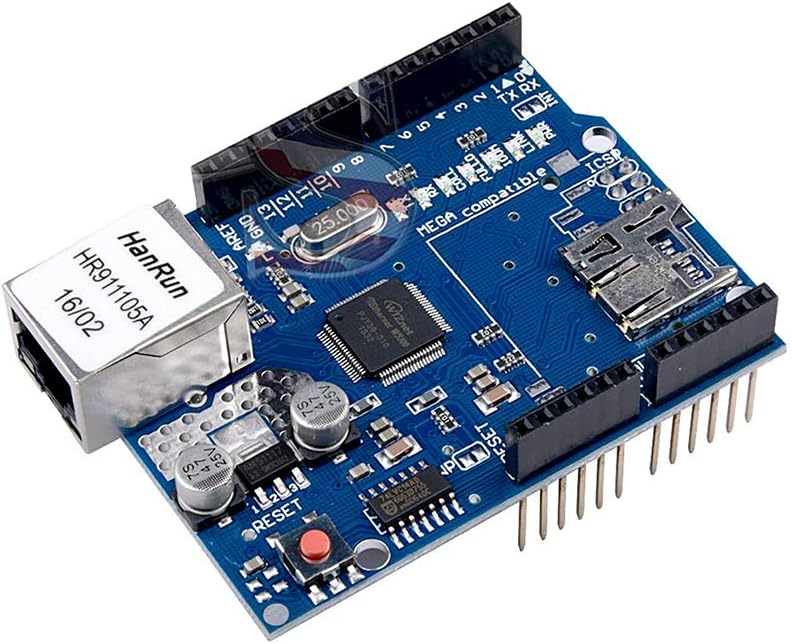


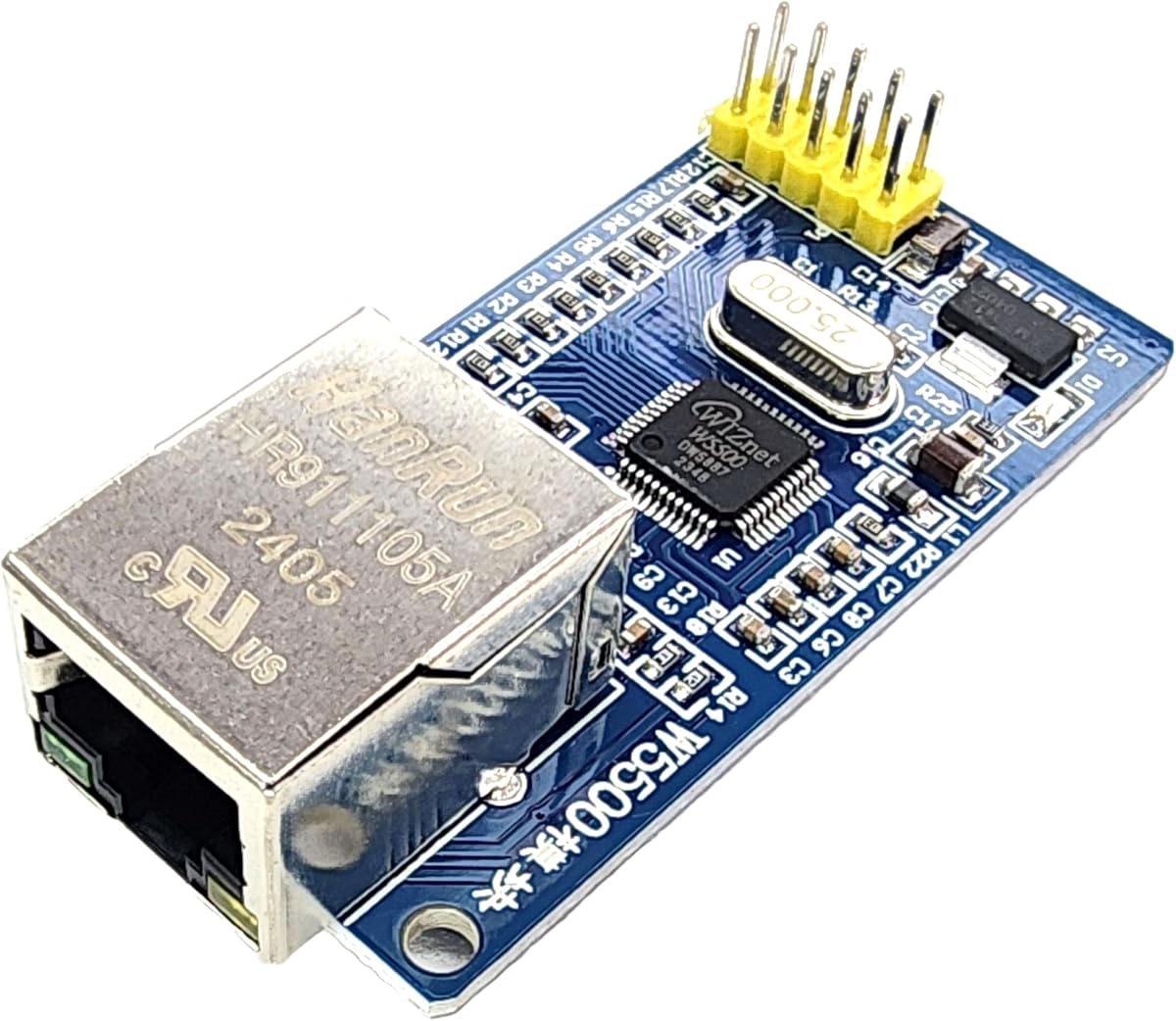
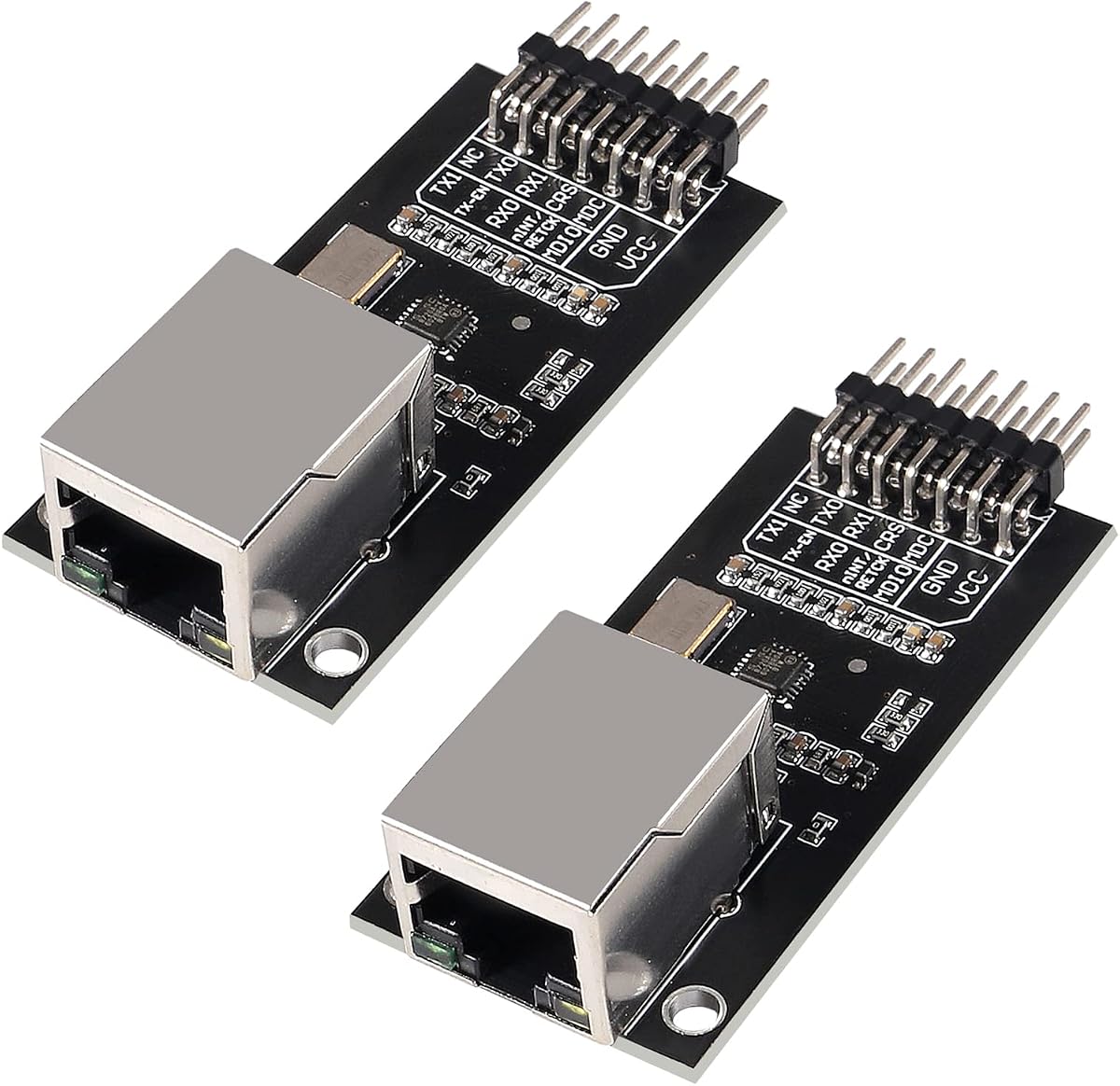

The HiLetgo two-pack of W5500 modules earns the Editor's Choice position because it combines a capable hardware TCP/IP controller with useful multi-connection features. Its 4.2 rating is solid rather than flawless, but the stated specifications make it a strong general-purpose choice for Arduino LAN projects. The two-module format also adds practical value for classroom benches, paired controllers, or keeping one spare on hand.
We may earn a commission when you buy through this link, at no additional cost to you.
The W5500 handles the network protocol stack in hardware, leaving the Arduino to control the application and exchange data through SPI. This approach is especially useful for projects that need to maintain several connections at once. Supporting eight independent sockets gives a local web server, telemetry client, remote-control service, or combination of those functions considerably more room than a single-connection design.
Internal transmit and receive buffering is another important strength. The supplied data identifies 32KB of internal memory for TX/RX buffers, helping separate network transfer activity from the microcontroller's main workload. Wake on LAN over UDP also adds a useful remote-control path for compatible devices. Broad support for STM32, Arduino, and 3.3V or 5V environments makes the module easier to introduce across mixed development platforms.
The trade-offs are normal for a wired network module. It is not a plug-and-play shield, so SPI pins, ground, and power must be connected correctly. The board's stated compatibility with both 3.3V and 5V systems is useful, but the selected library and sketch should still be checked against the exact Arduino board and module pinout. For almost anyone wanting flexible, dependable Ethernet, this two-pack is the most balanced recommendation.
Choose this product when the project may grow beyond one simple client, when several controllers will be built, or when a spare module would simplify prototyping. It offers enough capability for advanced local-network projects without requiring a full-size network shield. Verify the available pin labels and library requirements before wiring, and use a stable connection to a router or switch during initial configuration.
Eight independent sockets are the standout feature for dashboards, local APIs, telemetry feeds, and projects that must accept more than one client. Hardwired protocol handling also keeps the Arduino application simpler than a software-heavy alternative.
The two-pack is useful for teaching, comparing configurations, building redundant nodes, or keeping a matching spare available. It also reduces the temptation to improvise a temporary second connection with an unrelated controller.
We may earn a commission when you buy through this link, at no additional cost to you.
This single W5500 module is the practical budget choice for a focused Arduino Ethernet build. It carries a 4.3 rating and uses the widely recognized W5500 hardware TCP/IP architecture, giving users an approachable path to wired connectivity without purchasing a full expansion shield. Its small format also works well for projects where every millimeter and every connection matters.
We may earn a commission when you buy through this link, at no additional cost to you.
Communication takes place through a 3.3V TTL-level SPI interface. That detail is important because many Arduino users work with 5V logic boards, while STM32 and other microcontrollers generally use 3.3V logic. The listing describes the module as suitable for Arduino and STM32 interfaces, but power and signal compatibility should still be confirmed against the board and library being used.
The specified power requirement calls for a stable 3.3V external supply with more than 200mA available. This is the main operational consideration. A weak source may cause intermittent resets or failed network registration, particularly when the RJ45 link is active. A regulated supply and common ground are therefore more important than the apparent simplicity of the four-wire SPI connection.
This module makes the most sense for one Arduino Uno, Nano-class board, STM32 board, or similar controller that needs reliable TCP or UDP access. It is not the right choice for a classroom requiring identical spare units, but a single-board project gains a clear and capable networking solution. The recommendation is strong for makers who understand basic voltage and SPI wiring and want a compact, dependable module.
Before purchase, compare the module's connector and pin arrangement with the example code you intend to use. Check that your power source can meet the stated current requirement and that the Arduino library supports the W5500 rather than only the W5100 or ENC28J60. Once those details align, it is a sensible, economical foundation for a local-network device.
The W5500 performs TCP/IP processing in dedicated hardware, reducing the amount of network overhead handled by the Arduino. This is a strong foundation for recurring data transfers and small local servers.
SPI provides a straightforward connection to popular development boards. The interface is familiar to many Arduino users, and a matching library can simplify client and server development.
We may earn a commission when you buy through this link, at no additional cost to you.
The ACEIRMC five-pack is the premium choice here because it combines a capable W5500 module with enough matching boards to support several projects at once. Its 4.3 rating indicates generally positive owner feedback, while the five-unit format is especially attractive for educators, automation teams, and makers building a fleet of networked sensor nodes.
We may earn a commission when you buy through this link, at no additional cost to you.
Each module uses a 3.3V TTL-level SPI interface and is listed for Arduino, STM32, and WIZ820io RC5-style applications. The physical board measures 23 by 25mm, a compact footprint that is valuable when fitting network hardware into an enclosure or embedding it beside sensors. A small module is particularly helpful when the Ethernet connector and controller placement must accommodate mechanical constraints.
The specifications emphasize a continuous and stable 3.3V supply, with current that should not fall below 200mA. That requirement deserves attention even when the board title mentions 3.3V and 5V systems. Users should follow the wiring guidance for their exact controller and ensure that the supply remains stable under load. A common ground and correctly leveled SPI signals are equally important.
This five-pack is excessive for a single prototype but compelling for a standardized deployment. Multiple identical boards make it easier to create a distributed monitoring system, classroom exercise, or set of controllers with a common firmware design. The premium value comes from convenience and scale rather than an exclusive technical feature unavailable on the individual W5500 alternatives.
The final recommendation favors buyers who can use all five units or value having matching stock available. For a one-off household project, the single-module options are more efficient. For a classroom, lab, or multi-node installation, this pack reduces procurement friction and creates a consistent hardware platform that is easier to document and support.
Identical modules simplify firmware rollout, spare-parts management, and classroom instruction. Builders can develop once and reproduce the same network configuration across several controllers.
The 23 by 25mm PCB leaves more room around the Ethernet jack and wiring. That makes the module easier to include in compact IoT, robotics, and monitoring assemblies.
We may earn a commission when you buy through this link, at no additional cost to you.
The W5500 Ethernet two-pack has an unusually strong technical specification sheet but a notably low 1.0 rating. That contrast makes it difficult to recommend without qualification. On paper, it offers a W5500 controller, high-speed SPI, 5V-tolerant I/O, eight sockets, and a 10/100Mbps PHY with auto-negotiation. On the evidence of owner feedback, the module may still be finding its audience.
We may earn a commission when you buy through this link, at no additional cost to you.
The most interesting feature is the advertised support for SPI Mode 0 and Mode 3 at up to 80MHz. Real projects will rarely need the maximum rate, but the broad mode support can simplify matching a module to a particular Arduino or microcontroller. The stated 5V I/O tolerance also makes the board more adaptable to classic 5V Arduino logic than many compact network modules.
Protocol support is comprehensive for a small module. The hardware stack includes TCP, UDP, ICMP, IPv4, and PPPoE, while 32KB of TX/RX buffers help manage data flow. Eight simultaneous sockets and Wake on LAN over UDP parallel the more established W5500 products in this guide, providing a credible basis for local servers, telemetry, and device control.
The low rating is the decisive caution. It may reflect limited reviews, early production issues, a difficult setup, or simply an inexperienced buyer base, but the supplied information does not identify the cause. The specifications should therefore be treated as a promising list rather than evidence of flawless real-world operation. Check the current listing carefully, confirm pin labels, and review recent customer feedback before committing.
For a technically confident builder, this two-pack may suit a project that values high SPI headroom and 5V signal tolerance. For a first Ethernet build, a module with a stronger rating history is the safer recommendation. Its potential is real, but the combination of excellent stated features and a very low rating warrants caution and careful assembly.
Support for Mode 0 and Mode 3 at a stated rate of 80MHz gives the controller substantial interface headroom. This can be useful when the network module must move frequent or larger payloads.
Auto-negotiation and full- or half-duplex support simplify connection to common routers and switches. Integrated PHY support also reduces the amount of external network circuitry a project requires.
We may earn a commission when you buy through this link, at no additional cost to you.
The DEVMO W5100 shield offers the most familiar Arduino approach in the guide. Instead of connecting a bare module through SPI, it fits onto a compatible Uno R3, Mega 2560, UNO R3, or related board and uses a standard RJ45 cable. That makes it especially attractive to beginners who want to focus on the application rather than the physical network interface.
We may earn a commission when you buy through this link, at no additional cost to you.
Wiznet's W5100 provides a hardware network stack for both TCP and UDP. These two protocols cover the majority of local IoT applications, including a browser interface, telemetry sender, command receiver, or simple TCP client. The shield's integrated SD card slot also adds storage that can complement a web server, logging system, or firmware update process.
Its 3.8 rating is respectable but not among the highest in the comparison. Possible limitations include physical clearance around the RJ45 jack, compatibility with boards that have unusual pin layouts, and the need for appropriate Arduino Ethernet libraries. Because the title describes several classic Arduino platforms, buyers should check the dimensions of their own board rather than assuming every model is identical.
This shield is best when rapid assembly matters more than compact size or multiple controller types. It offers a clean, conventional layout and a standard connector that makes external wiring uncomplicated. The built-in storage slot is a useful distinction from most standalone modules on the list, especially for projects that save logs or serve files.
For an Arduino Uno R3 classroom, a quick home automation prototype, or a beginner-friendly logging project, this is a sensible choice. Experienced embedded developers who need maximum layout control should favor a standalone W5500 module. Either way, confirm that the Ethernet library selected for the sketch supports the W5100 and verify that the shield clears nearby USB cables or enclosure panels.
A direct-fit shield removes the need to duplicate SPI wiring on a breadboard. It is a straightforward route to wired networking for users already comfortable with standard Arduino boards.
The SD card slot can complement web-server, logging, and data-retention functions. It provides a convenient way to separate stored files from the Arduino's limited working memory.
We may earn a commission when you buy through this link, at no additional cost to you.
The HiLetgo ENC28J60 module is a sensible alternative when a W5500 is not needed and the project has modest network demands. It uses the ENC28J60-I/SO controller, communicates over SPI, and carries a 4.3 rating. The platform is especially familiar among Arduino, AVR, PIC, LPC, and STM32 users who have worked with simple TCP or UDP clients.
We may earn a commission when you buy through this link, at no additional cost to you.
Unlike modules that require a separate clock, this board includes a 25MHz crystal. It also uses an HR911105A RJ45 connector with an isolation transformer, providing the physical network interface in a compact package. Power is specified as 3.3V, so the module needs careful consideration when connected to a classic 5V Arduino board.
The main distinction is that the ENC28J60 places more of the network stack responsibility on the microcontroller than a W5500 does. That can constrain throughput and increase the processing load, making it better suited to occasional sensor reporting, simple control endpoints, and basic educational examples than high-bandwidth local servers.
The 4.3 rating suggests that many users find the module straightforward once the appropriate library and wiring are in place. Users should select an ENC28J60-compatible Ethernet library, connect the module to the intended SPI pins, and use a stable 3.3V source. Signal-level compatibility with the specific Arduino board should be checked rather than inferred from broad platform support.
Choose this module for inexpensive network experiments, a small telemetry node, or a project where a well-known ENC28J60 library is already part of the design. It remains a capable choice for low-bandwidth applications, but users who need multiple sockets, stronger performance, or reduced microcontroller overhead should look toward W5500 hardware.
The ENC28J60 has a large body of Arduino examples and library support. That makes it approachable for learning SPI networking, TCP clients, and basic HTTP communication.
An onboard 25MHz crystal and RJ45 isolation transformer provide the essentials for a wired link. The compact arrangement suits prototypes where only occasional data transfer is required.
We may earn a commission when you buy through this link, at no additional cost to you.
The ACEIRMC ENC28J60 five-pack has the highest listed rating in the guide at 4.7, making it the strongest owner-feedback option among the ENC28J60 selections. Five matching modules make it an efficient choice for workshops, lab exercises, or a multi-node installation where consistent hardware simplifies documentation and repeated deployments.
We may earn a commission when you buy through this link, at no additional cost to you.
The controller is the ENC28J60-I/SO, listed as compatible with IEEE 802.3 Ethernet and connected to a microcontroller through SPI. The board includes a 25MHz crystal and an HR911105A RJ45 connector with an isolation transformer. These integrated components reduce the number of separate network-related items needed for each build.
The platform is listed for Arduino, AVR, PIC, LPC, and STM32 controllers, giving it broad educational appeal. Its 3.3V operating requirement still deserves careful attention, especially on boards with 5V signal levels. The correct library, voltage arrangement, and connection pattern should be confirmed for the exact development board used in the classroom or installation.
As with other ENC28J60 devices, the primary limitation is the division of processing work. The microcontroller handles more of the network stack than it would with a W5500, so heavy transfers and complex services may not be ideal. For low-bandwidth reporting, control commands, and instructional exercises, this performance level is generally more than sufficient.
This set is recommended for teachers who need several identical modules, for makers creating a small network of sensor nodes, or for anyone who values positive feedback and wants spare stock. A single-project buyer can select the more efficient individual module instead. The five-pack is especially compelling when consistency across multiple units reduces setup and support time.
The 4.7 rating gives this grouped ENC28J60 set the strongest user-feedback signal in the guide. That is particularly relevant for instructors who need modules students can learn from and repeatably deploy.
Identical modules allow one wiring plan and one firmware approach to serve every group. Spare units also help replace a damaged board without interrupting a class or demonstration.
We may earn a commission when you buy through this link, at no additional cost to you.
The DIYables W5500 module combines a perfect 5.0 listed rating with broad platform compatibility and a conventional full-size RJ45 port. It is a strong general-purpose recommendation for a single-project build, particularly when the user may move between Arduino, ESP32, and ESP8266 development boards.
We may earn a commission when you buy through this link, at no additional cost to you.
The W5500 provides hardware-backed TCP/IP and UDP support, which is ideal for local IoT devices that need dependable communication without burdening the microcontroller with the full network stack. Its SPI interface is common across the supported platforms, allowing a similar wiring and library approach to be reused when hardware changes.
The full-size RJ45 connector is a practical mechanical benefit. It accepts a standard patch cable and feels more like a conventional network device than a tiny connector that requires a specialized cable. Compatibility with both 5V and 3.3V microcontrollers adds flexibility, although the correct level-shifting or board-specific connection method still needs to be confirmed in the documentation.
The product information specifically points users toward online tutorials and sample code by searching for DIYables W5500 Ethernet Module. This is valuable for learning and rapid prototyping. It does not guarantee that every example will fit a custom board exactly, so developers should still check pin mappings, library versions, and address settings before deploying unattended equipment.
This module is recommended for a first serious W5500 project, a mixed-platform IoT test bench, or a project that needs a robust network controller and convenient connector. With only one unit included, it is not aimed at large installations. However, its listed rating and broad compatibility make it one of the most confidence-inspiring choices for a focused build.
The W5500's SPI approach is consistent across Arduino, ESP32, and ESP8266 boards. This makes it easier to retain the networking concept when moving a prototype to a different controller.
The full-size RJ45 port makes cabling straightforward and keeps the module suitable for local-network equipment. It is especially convenient when the project already uses standard Ethernet patch leads.
We may earn a commission when you buy through this link, at no additional cost to you.
The ACEIRMC LAN8720 two-pack is different from most modules in the guide because it provides an Ethernet physical-layer transceiver rather than a complete hardware TCP/IP controller. Its 3.9 rating reflects a generally positive but less emphatic feedback profile, and its specialized architecture requires more deliberate controller and software planning.
We may earn a commission when you buy through this link, at no additional cost to you.
The LAN8720 supports 10/100Mbps Ethernet, automatic medium-dependent interface detection, and a flexible power architecture. An integrated 1.2V regulator and a stated single 3.3V supply simplify the power arrangement for compatible systems. The PHY's low-power emphasis is useful in embedded devices that need an efficient wired network interface.
Most importantly, a PHY does not implement the complete TCP/IP protocol stack. A microcontroller or compatible network controller must handle the MAC and upper-layer networking functions. That means the board is best for experienced users who already have suitable hardware and firmware, or who understand how the LAN8720 is commonly used in Ethernet-capable microcontrollers and development platforms.
The two-module format offers value for paired development, comparison, or spare availability. Yet beginners searching specifically for an easy Arduino Ethernet module will generally find a W5500 or ENC28J60 easier to implement because those modules include more of the networking stack. The LAN8720's appeal lies in performance efficiency and a specialized embedded-server role, not simple drop-in compatibility.
Choose this pair for a design that explicitly uses a LAN8720 and has compatible MAC-level hardware or a board implementation prepared for it. Check the required signal interface, clock source, interrupt connections, and software driver before purchasing. If the project is simply adding basic TCP or UDP to a standard Arduino, one of the W5500 modules is the more sensible recommendation.
The LAN8720 provides the PHY portion of an Ethernet connection in a low-power design. It can support efficient 10/100Mbps links in embedded systems designed around compatible networking hardware.
HP Auto-MDIX simplifies connections when the transmit and receive pairs are reversed. The integrated regulator and single 3.3V supply approach also streamline compatible board designs.
We may earn a commission when you buy through this link, at no additional cost to you.
The Hailege ENC28J60 module is a well-rated individual option, carrying a 4.6 rating and a familiar set of components. It uses the ENC28J60-I/SO in a DIP28 package, connects through SPI, and supplies a 3.3V operating environment. That combination makes it a solid fit for basic Arduino and microcontroller networking examples.
We may earn a commission when you buy through this link, at no additional cost to you.
A 25MHz crystal is already fitted to the board, while the HR911105A RJ45 connector incorporates an isolation transformer. These details provide a complete physical and timing foundation for a wired connection. The module is listed for 51, AVR, LPC, and STM32 microcontrollers, giving makers flexibility across several embedded ecosystems.
The ENC28J60's main strength is its established software ecosystem. It has long been used in Arduino Ethernet sketches, which means compatible libraries, wiring references, and examples are widely available. That support can outweigh raw performance for students and hobbyists learning how TCP clients, servers, and UDP messaging work.
The principal trade-off is processing overhead. Because the controller does not offload as much of the network stack as a W5500, the microcontroller bears a greater share of the workload. Rapid transfers or several simultaneous services may run less smoothly. The module's 3.3V requirement also demands attention to logic levels and power stability.
This product is recommended for a first modest Ethernet project, a class focused on the ENC28J60, or an embedded node that only exchanges occasional data. Its 4.6 rating makes it one of the better-supported individual boards here, though the W5500 alternatives remain stronger choices for higher throughput or multiple connections.
The ENC28J60 platform has extensive Arduino examples and compatible libraries. That makes the Hailege board approachable for learning basic Ethernet communication and moving from a sketch to a working node.
The onboard 25MHz crystal and isolated RJ45 connector reduce board-level setup. The module provides the essential physical components in a compact package for straightforward prototyping.
We may earn a commission when you buy through this link, at no additional cost to you.
The most important choice is how much network processing the module performs and how it physically connects to the Arduino. After that, consider voltage, required connections, available documentation, and the scale of the intended project.
A W5500 handles more network protocol work in dedicated hardware, leaving the Arduino with more processing capacity for the application. It is the stronger choice for local servers, multiple connections, and regular data transfer. An ENC28J60 places more responsibility on the microcontroller but remains a well-established platform with many examples for light workloads. Choose according to application demands rather than simply the number of features printed on a listing.
In short, select W5500 for stronger networking performance and ENC28J60 for inexpensive, modest, or educational projects.
Most Arduino Ethernet boards contain a complete network controller, allowing the sketch to use TCP, UDP, and other protocols through a library. The LAN8720 is a physical-layer transceiver and does not perform the full network stack. A LAN8720 board therefore needs compatible MAC-level hardware or a controller designed to drive it. Unless the existing project already uses that architecture, a W5500 module is considerably simpler to implement.
Choose a complete controller for general Arduino work, and reserve a dedicated PHY for carefully matched embedded hardware.
Standalone modules frequently operate from 3.3V, and the listed ENC28J60 boards explicitly require it. Some W5500 products advertise compatibility with both 3.3V and 5V systems, but this can refer to different aspects of board design, so check the wiring documentation. The W5500 listings also call for a stable supply and more than 200mA. A common ground, regulated source, and correct logic arrangement are essential.
Confirm voltage, current, and signal levels before wiring. Avoid powering the module from a pin that cannot reliably meet its stated needs.
Most compact modules connect through SPI, which uses separate clock, input, output, and chip-select signals plus power and ground. Pin labels vary, so do not assume every W5500 board maps to the same Arduino pins. A widely used Ethernet library, clear examples, and a board-specific pin diagram greatly reduce setup time. The DIYables listing specifically points toward online tutorials, while established ENC28J60 platforms also have extensive community examples.
Match the module to a proven library and verify the pinout first. Clear documentation can be as valuable as an extra hardware feature.
The stronger W5500 choices support eight simultaneous sockets, allowing a controller to maintain several client or server connections. Wake on LAN over UDP is also present on certain models. These features matter for dashboards, telemetry services, and devices that accept incoming control connections. A single-purpose client with occasional uploads may not need them, but they provide useful headroom for expansion and reduce the need to redesign the hardware later.
Prioritize multiple sockets and remote wake support when the application must serve several clients or remain accessible on a local network.
A shield plugs into a compatible Arduino board and offers the easiest physical assembly, particularly for beginners. A standalone module is smaller, more flexible, and easier to pair with STM32, ESP32, ESP8266, or custom controllers. Shield compatibility also depends on the exact board layout and nearby connectors. Standalone modules require careful wiring but allow the Ethernet hardware to be positioned where it best fits the enclosure.
Choose a shield for fast Uno R3 assembly, or a standalone module for cross-platform flexibility and compact layouts.
Most options use an RJ45 connector, but the size and clearance can differ substantially. A full-size port is convenient for ordinary patch cables, while compact boards may save enclosure space. The ACEIRMC W5500 set is specifically described as having a 23 by 25mm PCB. Consider the height and width around the jack, the direction of the cable, and the space available for the Arduino and power connections.
Measure the enclosure and check the jack clearance. A slightly larger board can be easier to assemble even when compactness would otherwise be preferable.
A single module is appropriate for one controller and usually the most efficient starting point. Multi-packs are better for classrooms, workshops, several networked nodes, or keeping matching spares. They also make it easier to compare identical setups and maintain a consistent build standard. Choose based on the actual project count rather than assuming a larger pack is automatically more useful.
Buy one for a single prototype and multiple identical units for labs, fleets, or spare-parts inventory.
Begin by identifying the module's network controller, power requirements, connector pinout, and recommended Ethernet library. Check that the Arduino board's logic levels and available SPI pins match the module. Wire power and ground first, confirm a common ground, and then connect the SPI signals. Keep the Ethernet cable disconnected while checking the wiring so the controller does not repeatedly attempt a link during setup.
After the hardware is connected, install the appropriate library through the Arduino development environment and begin with a known-good example rather than a complex final sketch. Assign or read the device's local network configuration, select the matching interface and address, and upload the program. Connect the module to a router or switch with a standard Ethernet cable, then test basic connectivity before adding local-server, UDP, or remote-control functions.
For ongoing care, keep the module away from moisture, conductive debris, excessive heat, and long periods of unstable power. Inspect the RJ45 connector and wiring for loose connections. Do not hot-plug the Ethernet cable unless the equipment and procedures are designed for it. Update the Arduino libraries as needed, document the IP configuration and pin assignments, and test each node independently before placing several modules on the same network.
Yes. A compatible Ethernet module gives an Arduino access to a router or local network through an RJ45 connection. The W5500 is a strong general-purpose choice because it handles much of the TCP/IP stack in hardware. The project also needs suitable power, SPI wiring, and an Ethernet library compatible with the chosen module.
The W5500 offloads more network processing into dedicated hardware, which generally improves performance and makes it better for servers or frequent transfers. The ENC28J60 requires more microcontroller processing and is better suited to occasional data exchange and simple educational projects. Both can work with Arduino when voltage, wiring, and library requirements are handled correctly.
It depends on the module's input tolerance and its power design. Some W5500 listings describe compatibility with both 3.3V and 5V boards, while the ENC28J60 boards listed here specify 3.3V power. Check the module documentation for both supply and signal-level requirements, and use an appropriate interface or level conversion where required.
The LAN8720 is primarily an Ethernet physical-layer transceiver, not a complete TCP/IP controller. Compatible MAC hardware or controller software must handle higher network functions. A W5500 includes considerably more network capability and is therefore usually the simpler choice for a standard Arduino project.
The featured W5500 products that list socket details support eight simultaneous independent sockets. That makes them suitable for projects combining clients, servers, telemetry, and incoming control connections. Actual application performance still depends on the sketch, available memory, network traffic, and the capabilities of the connected system.
Yes, a module with an RJ45 port normally requires a standard Ethernet patch cable to connect it to a router, switch, or another network device. The module's RJ45 connector is the physical network interface; it does not create a usable wired connection by itself. A direct cable between suitable network devices may also be possible, but ordinary router or switch connections are simpler.
A shield is usually easier for a beginner because it fits a compatible Arduino board and uses the standard RJ45 connector without separate SPI wiring. A W5500 module offers more flexibility, can be used with several controller families, and is often better for compact installations. Choose based on board compatibility and project size rather than assuming the larger form is always better.
Confirm that every unit has a unique network identity, use stable addresses within the intended network, and verify that each Arduino has enough power for its module. Test the modules separately before connecting them to the same router or switch. Consistent firmware, clear pin diagrams, and matching hardware make multi-node troubleshooting much easier.
The HiLetgo W5500 two-pack is the strongest all-around recommendation because it combines eight simultaneous sockets, 32KB of internal buffering, Wake on LAN support, and two useful modules in one set. The single HiLetgo W5500 is better for one focused project, while the ACEIRMC five-pack serves workshops and multi-node installations. The DEVMO W5100 shield remains the most approachable option for a standard Uno R3.
Prioritize the controller first: choose a W5500 for performance and connection capacity, an ENC28J60 for simple low-bandwidth projects, and a LAN8720 only when the rest of the hardware is designed around a dedicated PHY. Then verify voltage, SPI pins, library compatibility, RJ45 clearance, and the number of modules actually required. A simple, well-supported board that fits the application is usually more valuable than one with a long feature list.
Before ordering, review the current listing, available documentation, recent customer feedback, and delivery details. Product inventories and seller information can change, so confirm the exact model, included quantity, and electrical requirements at the time of purchase. With careful compatibility checks, any of these modules can become the foundation of a dependable Arduino LAN project.
