
Mount-It! Standing Keyboard Tray
4.4Editor score
Broad 1.7-inch height range
Ready-to-use scissor mechanism
Laptop and keyboard support
A keyboard tray can make a standing desk more comfortable, productive, and visually organized by moving your keyboard and mouse below the work surface. The best model depends on your desk frame, clearance beneath the desktop, preferred typing angle, and whether you need a simple fixed shelf or a height-adjustable system.
This guide compares ten keyboard trays using the specifications and customer feedback supplied for each product. We examine mounting methods, usable surface area, slide and swivel movement, height adjustment, weight capacity, and important restrictions involving desk thickness, crossbeams, beveled edges, and under-desk drawers.
The list covers clamp-on, screw-mounted, above-desk, and mobile riser designs for a variety of workstations. Each review explains the strongest reasons to consider the tray along with its compatibility limitations. Product details and prices can change, so confirm the current listing and measure your desk before ordering.
4.4Editor score
4.4Editor score
4.4Editor score
As an Amazon Associate we earn from qualifying purchases.
The table below compares all ten trays by their mounting approach, platform size, adjustment range, and primary compatibility consideration.


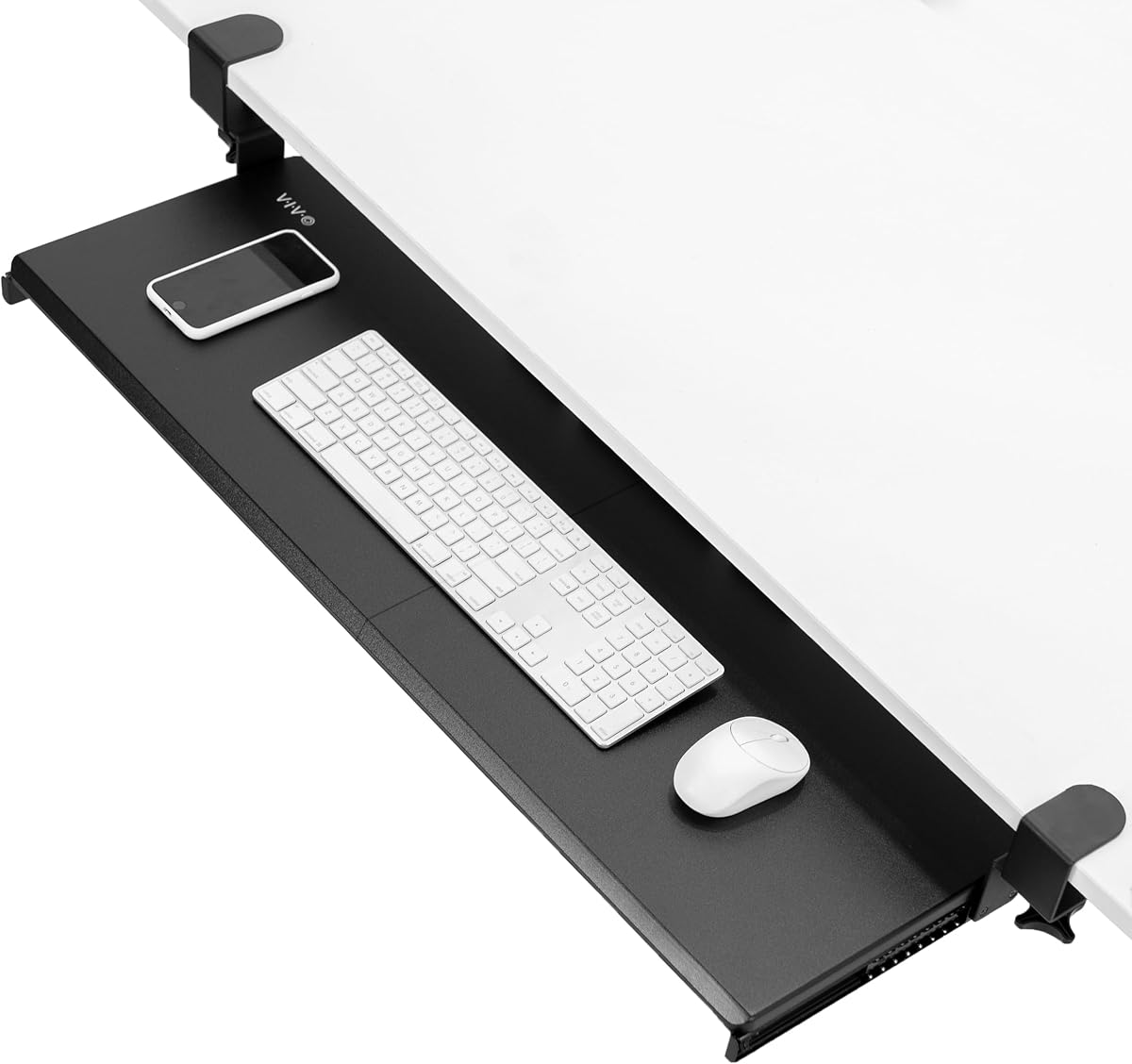
The VIVO Black Extra Large Clamp-on earns a 4.4 customer rating and stands out as the most spacious conventional tray in this group. Its 33.9-by-11-inch platform provides ample room for a full-size keyboard, mouse, wrist rest, and several small accessories, making it a strong choice for users who want more than a bare keyboard shelf.
We may earn a commission when you buy through this link, at no additional cost to you.
Installation uses sturdy C-clamps and included hardware, avoiding permanent changes to the desktop. The tray extends as much as 8.5 inches from the edge and supports up to 11 pounds. Its generous surface and straightforward clamp system make it especially practical for a standing workstation where a full-size keyboard and separate mouse must remain stable.
The important limitation is clearance. The total clamp-to-clamp length is 39.4 inches, so even a wide standing desk may lack the required uninterrupted mounting area. The clamps also fit desktops no thicker than 1.25 inches, and beveled edges are explicitly excluded. These restrictions make careful measurement essential.
This is our top overall pick because it combines broad workspace, solid capacity, uncomplicated installation, and a well-established 4.4 rating. Choose it when your desk has a flat edge, ample width, and suitable thickness. Skip it if the frame, drawers, or edge shape leave too little room for the oversized mounting system.
The extra-long platform accommodates a full-size keyboard and mouse side by side without feeling crowded. It also leaves useful room for a wrist rest, compact calculator, or other daily accessories, reducing the temptation to place equipment on the standing desk surface.
The adjustable C-clamps grip the desktop without requiring holes, which is useful for renters and for desks that may later be moved. Included hardware and instructions reduce assembly work, although adequate edge clearance remains essential.
We may earn a commission when you buy through this link, at no additional cost to you.
The HUANUO Under Desk Keyboard Tray has a 4.3 rating and addresses one of the most common installation problems found on standing desks: an elevated crossbeam. It can use conventional brackets for a flat underside or dedicated brackets for cross beams up to 2 inches high, giving it broader frame compatibility than many clamp-on alternatives.
We may earn a commission when you buy through this link, at no additional cost to you.
This tray also offers six inches of height adjustment, a 180-degree swivel, and a tilt range of six degrees upward to 22 degrees downward. Those controls make it versatile for sitting and standing. A metal roller track was tested for 20,000 cycles, and the 11-pound capacity is suitable for typical keyboard-and-mouse setups.
Compatibility is more complicated than the headline suggests. The desktop must be deeper than 17 inches and thicker than 0.6 inches, and the product is limited to wood, plywood, and particle board. A full 360-degree swivel requires at least 35 inches of under-desk width, while full retraction requires additional edge space.
It is an excellent choice when your standing desk has a crossbeam and you value frequent angle changes. For a simpler flat-bottom desk, the adjustment features still make it versatile, but the measurement requirements are considerable. Verify the frame, desktop material, and available clearance before ordering.
The included cross-beam brackets distinguish this model from trays intended only for flat-bottom desks. That makes it particularly relevant for common electric standing frames, provided the beam height falls within the stated range.
Six inches of height travel helps users find a lower position when seated and a comfortable position when standing. Swivel and tilt controls add further flexibility for mouse placement and changing body positions.
We may earn a commission when you buy through this link, at no additional cost to you.
The Mount-It! Standing Keyboard Tray has a 4.4 rating and is the most flexible option for users who alternate between sitting and standing. Its scissor-lift mechanism travels from 1.7 to 15.6 inches, allowing the keyboard and mouse to remain close to a comfortable elbow height in either position.
We may earn a commission when you buy through this link, at no additional cost to you.
The 23.6-by-11.8-inch platform supports up to 11 pounds and can hold a full-size keyboard and mouse or a laptop up to 15.6 inches. A wide frame, solid base, and rubber non-slip feet improve stability, while the built-in release lets the platform move smoothly through its full range.
Unlike an under-desk tray, this model stays on the floor and rises independently of the standing desk. It requires no assembly, making setup exceptionally quick, but it also occupies floor space and may be less useful if you want the desk surface completely clear when the keyboard is not in use.
This premium pick is ideal for shared offices, classrooms, and home offices where one person regularly changes posture. Its lifetime manufacturer warranty and US-based support add confidence. Choose it for dedicated sit-stand use; if your priority is hiding equipment beneath the desktop, an under-desk model will suit you better.
The 1.7-inch lower limit is one of the most useful features because it allows the platform to function like a conventional low keyboard shelf when seated. This is more useful than designs that can only rise into standing-height positions.
Because the tray is lightweight, portable, and needs no assembly, it can move between desks or storage areas easily. That makes it practical for offices managing multiple workstations without permanently modifying furniture.
We may earn a commission when you buy through this link, at no additional cost to you.
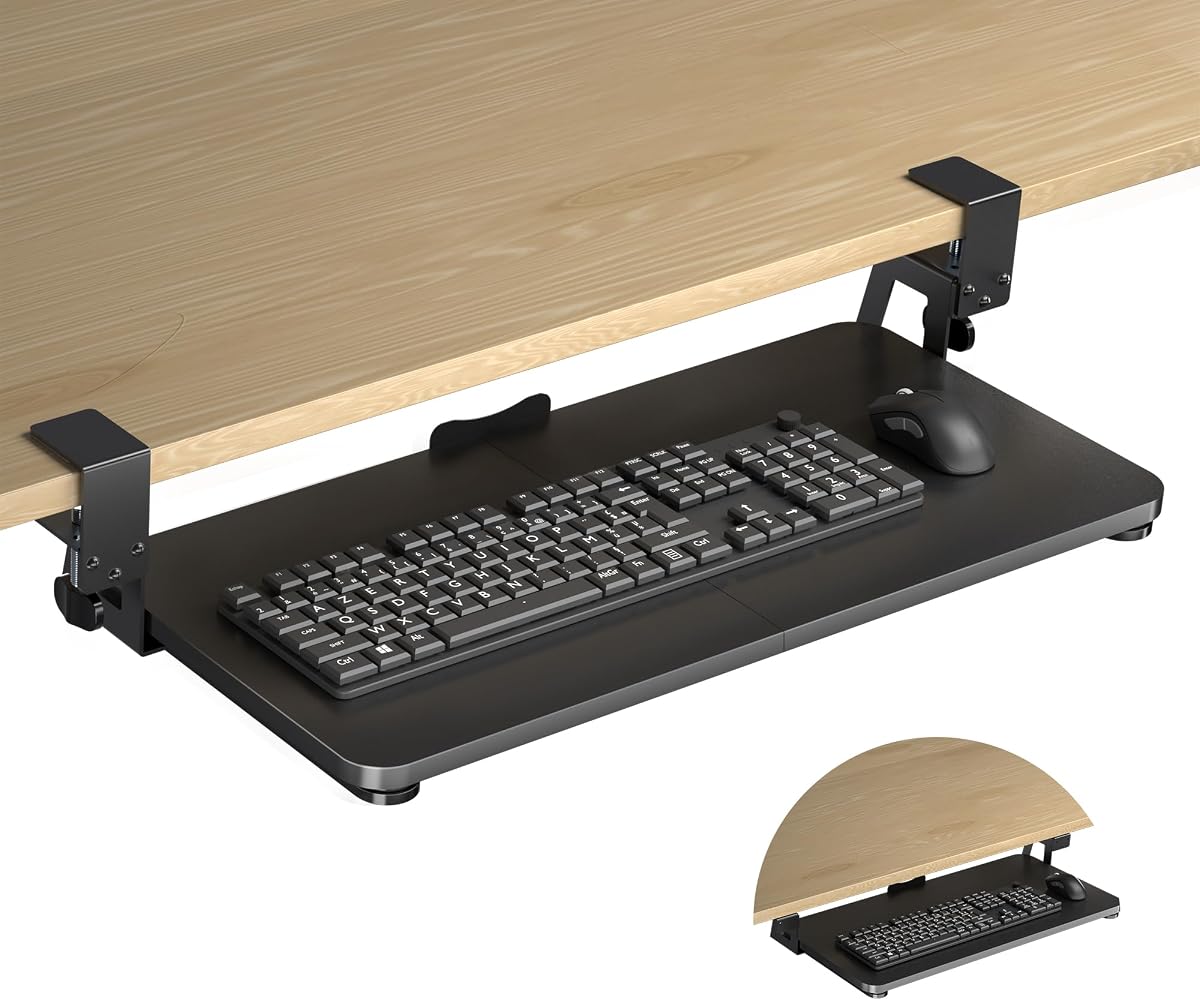
The XINLEI Large C-Clamp Tray carries a 4.4 rating and offers a useful combination of a large platform, two installation methods, and smooth sliding movement. Its 25.6-by-11.8-inch surface gives a full-size keyboard and mouse comfortable room without taking up as much edge width as the top-ranked VIVO model.
We may earn a commission when you buy through this link, at no additional cost to you.
Users can choose C-clamp installation for a reversible setup or screw mounting for certain thick desktops. The metal rail permits the tray to slide inward by as much as 12.24 inches and outward by 7.75 inches, while a rear baffle helps keep a keyboard from sliding off during use.
Its main trade-off is the relationship between desktop thickness and available clearance. The clamps accommodate desktops up to 1.63 inches thick, but thicker surfaces leave less vertical space beneath the desk. The total height is 4.45 inches, and the screw configuration offers 2.4 inches of clearance, so a tall keyboard or tall mouse may not fit comfortably.
This is a compelling choice for a large standing desk with a thick top, especially if you want either no-drill or permanent installation. Measure both the desktop thickness and the gap between the underside and floor or crossbar. If clearance is tight, a thinner peripheral setup may be necessary.
C-clamps suit users who do not want permanent holes, while screw mounting can create a neater or more suitable fit on difficult desktop shapes. The two options also give the buyer flexibility when one method is not compatible with the desk.
A long inward travel path allows the keyboard to disappear beneath the desktop when not needed. The outward position brings it into a comfortable working position, and the high-quality metal rails are intended to keep movement smooth and quiet.
We may earn a commission when you buy through this link, at no additional cost to you.
The VIVO Black Adjustable Clamp-on earns a 4.3 rating and is built for desks where the ideal tray width or position is not immediately obvious. Its two-part design adjusts the platform from 22.5 to 30 inches, while its overall clamp span ranges from 28.5 to 36 inches.
We may earn a commission when you buy through this link, at no additional cost to you.
The height system offers 2.4 inches of total adjustment across five set points. Depth can vary from 8.8 to 10 inches depending on the width setting, allowing the keyboard to sit closer to or farther from the desk edge. The tray also includes a keyboard wrist pad, mouse pad, mouse wrist rest, and dedicated keyboard space.
A major advantage is its 3.4-inch maximum desktop thickness, the highest stated clamp limit in this comparison. That makes it more accommodating than many competing trays, although thicker desktops still affect the vertical gap beneath the surface. Beveled edges are not supported, so the mounting point must have a straight, flat profile.
This model is worth considering for a deep standing desk with a thick top and users who want the mouse and keyboard adjusted together. It is less compelling for users seeking a large height range, but its multi-point positioning and accessory package make it a balanced under-desk solution.
The adjustable width and depth allow the platform to fit a broader range of desktop configurations than a fixed-size tray. Users can bring peripherals closer when space is tight or create a larger mouse area when the desk allows it.
Bundled wrist support and mouse-pad components create a more complete workstation immediately after installation. This is helpful for buyers who would otherwise need to add separate ergonomic accessories.
We may earn a commission when you buy through this link, at no additional cost to you.
The BONTEC Under Desk Keyboard Tray has a 4.4 rating and provides a straightforward 25.6-by-11.8-inch platform for users with a flat, unobstructed desk underside. It supports up to 11 pounds and pulls out to place the keyboard and mouse below the work surface.
We may earn a commission when you buy through this link, at no additional cost to you.
C-clamps attach to desktops up to 1.97 inches thick without drilling. Protective pads help guard against scratches and improve grip, while the broad platform gives standard keyboards and mice room to sit together. The result is a clean way to reclaim desktop space without introducing a complicated electrical or drilling-based system.
The product is less flexible around unusual desk structures. It cannot be used with curved, beveled, or rounded edges, and crossbars or support beams underneath also prevent clamp installation. At least 31.3 inches of width and 11.8 inches of depth are needed below the desktop. Users with tall vertical mice or oversized ergonomic keyboards should check the available height carefully.
It is a strong recommendation for a standard rectangular standing desk with a flat edge and clear underside. The installation is uncomplicated, the capacity is solid, and the rating is strong. Its main purpose is straightforward space recovery rather than height adjustment, swivel movement, or crossbeam support.
The no-drill clamp system is reversible and practical for rented rooms or temporary setups. Padded contact points protect the surface while keeping the platform attached under regular typing loads.
Moving the keyboard and mouse below the surface creates immediate room for monitors, notebooks, and documents. The platform stays accessible when needed and slides away when a clear desktop is more important.
We may earn a commission when you buy through this link, at no additional cost to you.
The VIVO Black Under Desk Keyboard Tray has a 4.2 rating and a familiar 25-by-10-inch platform. Its five-inch height adjustment, full side-to-side rotation, and rubber padding make it a functional choice for users who want more movement than a fixed tray provides.
We may earn a commission when you buy through this link, at no additional cost to you.
The keyboard moves along a 14.25-inch track, requiring the same amount of space between the desktop edge and a crossbar. It can fit most keyboards and mice, and the supplied mounting hardware supports straightforward assembly. A spacer bracket is needed when mounting to a height-adjustable desk so the track can clear the frame crossbar.
The missing spacer is the main inconvenience, and the 4.2 rating is slightly lower than several alternatives. In addition, the product weighs 10 pounds, so the desk must support the added load. Users should also verify that the minimum recommended 0.625-inch desktop thickness matches their desk.
This tray remains a solid option for a height-adjustable desk, particularly if you can source the specified adapter. Its height range and rotation help maintain a comfortable relationship between the keyboard, elbows, and shoulders. It is less convenient for anyone wanting a complete no-drill package for every possible standing frame.
Five inches of height adjustment and full side-to-side rotation make it easier to change the keyboard's relationship to the user. These controls are particularly helpful when the desk itself is frequently raised and lowered.
On a height-adjustable desk, the track may need additional clearance over the crossbar. The required spacer is not included, so verify the frame and purchase the specified adapter separately if necessary.
We may earn a commission when you buy through this link, at no additional cost to you.
The HUANUO Under Desk Keyboard Tray with a 360-degree mouse platform holds a 4.3 rating and emphasizes movement. The platform swivels 180 degrees in each direction, tilts six degrees upward or 22 degrees downward, and offers six inches of height adjustment for different sitting and standing positions.
We may earn a commission when you buy through this link, at no additional cost to you.
Its 25-by-9.84-inch surface is suited to keyboards around 17.3 by 5.5 inches or smaller, leaving room for a mouse. A wrist rest is included. The adjustment system can help users bring peripherals closer when seated, push them forward while standing, or reposition the mouse to reduce reach.
Mechanical movement requires adequate clearance. The desktop must be thicker than 0.6 inches, and installation may require at least 14.17 inches between the edge and a crossbar, or 16.22 inches if the entire tray must slide under the desk. A 25-inch width is needed in basic use, while rotation calls for 35.4 inches.
This is a strong selection for users who alternate between sitting and standing and value easy mouse positioning. It is less suitable for a compact desk or one with an obstructing crossbar. Review the clearance figures carefully, especially if you expect to use the full swivel range.
The rotating platform lets users change mouse placement without moving the entire tray. This is useful for switching between centered typing, reaching toward one side, and different arm positions during long sessions.
Six inches of vertical adjustment allows the keyboard to follow a comfortable angle as the user moves between seated and standing work. The platform locks after the adjustment knob is tightened.
We may earn a commission when you buy through this link, at no additional cost to you.
The Klearlook Upgraded Adjustable Keyboard Tray has a 4.2 rating and functions as more than a basic sliding shelf. It can be installed above or beneath the desk, with 360-degree horizontal rotation, 237 degrees of vertical arm movement, and 180-degree tilt capability.
We may earn a commission when you buy through this link, at no additional cost to you.
Its strongest differentiator is workstation organization. The unit includes a small drawer, a dedicated phone slot, a built-in headphone hanger, and an integrated mouse pad. The keyboard and mouse platform can therefore consolidate several accessories rather than addressing only the question of where the keyboard should sit.
That expanded feature set also creates more assembly and adjustment than a conventional tray. Articulated arms require adequate space, and users must determine whether above-desk or under-desk positioning is more suitable. The 4.2 rating suggests broad appeal, although the product does not lead the group in customer feedback.
Choose it when workstation organization matters as much as keyboard placement. It is particularly appealing for gaming setups, shared desks, and users who want quick access to a phone, headset, and small accessories. Those wanting the simplest possible under-desk rail should favor a less elaborate model.
The drawer, phone slot, and headphone hanger turn the tray into a compact organization hub. These features can reduce visual clutter by giving frequently used items a consistent place near the keyboard.
Horizontal rotation, vertical arm adjustment, and tilt allow the platform to move into positions that a straight sliding tray cannot reach. The same basic unit can also be used above the desk when under-desk mounting is impractical.
We may earn a commission when you buy through this link, at no additional cost to you.
The Mount-It! Extra-Wide Pull Out Drawer has a 3.9 rating and offers a 30-by-11-inch platform with a total span of 36 inches. The large surface can accommodate a full-size keyboard, wrist rest, and mouse, while steel rails are intended to provide quiet, stable movement.
We may earn a commission when you buy through this link, at no additional cost to you.
Its clamp system fits flat-edged desktops from zero to 1.77 inches thick without drilling. Silicone pads protect the surface, and the package includes hardware, a mounting template, and a video guide. The stated installation time is 10 to 15 minutes, making setup approachable for first-time tray users.
This model has the lowest customer rating in the group, so buyers should not overlook that distinction. It also cannot be used with beveled edges, corner desks, crossbars, or drawers directly below the surface. At least 12 inches of under-desk clearance is required, which could be restrictive in a deep or highly compartmentalized workstation.
It is best for a broad, flat-edged desk with a clear area beneath the top and a preference for a wide, steel-railed drawer. The reversible installation and included guidance are advantages, but the restrictions and lower rating make careful compatibility checks especially important.
The 30-inch width leaves room for oversized keyboards and ergonomic accessories while still accommodating a mouse. Reinforced steel components and clamping hardware are designed to limit wobble and creep during regular use.
No-drill clamps and a supplied template make the installation process approachable. The padded contact points also make the setup easier to remove or move when the desk arrangement changes.
We may earn a commission when you buy through this link, at no additional cost to you.
The best keyboard tray for a standing desk begins with the frame and desktop measurements, not the appearance of the product. Compare mounting methods, clearance, adjustment range, platform size, and movement before choosing a model.
Choose a model whose clamp range includes your measured thickness and whose mounting area fits the desk.
Verify every obstruction and confirm that the tray can slide, swivel, and retract without interference.
Select the method that matches your desk frame and willingness to modify the desktop.
Measure the entire slide path, not just the width of the keyboard platform.
Compare your actual keyboard and mouse with the platform dimensions before ordering.
Prioritize height travel if you change posture frequently, and swivel control if mouse reach is a concern.
Choose a stable platform with enough capacity for your equipment and the motion you expect.
Add accessories only when they solve a real workspace problem rather than merely increasing complexity.
Begin by identifying the frame, desktop thickness, edge shape, and available under-desk space. Assemble the tray according to the included instructions, but do not fully tighten the hardware until the platform is level and positioned where you can comfortably reach the keyboard and mouse.
For a clamp-on model, place the upper jaw against the desktop and tighten gradually while checking that the protective pads remain in contact with the surface. For a mobile riser, unlock the release mechanism only when you are ready to change height, then tighten the locking control before typing.
During use, keep the keyboard centered, leave enough space for a mouse, and tighten adjustment knobs before applying typing pressure. Periodically inspect clamps, screws, rails, and adapters for loosening. Clean the platform with a soft damp cloth, avoid harsh chemicals, and keep liquids away from the moving hardware.
No, not automatically. You must confirm desktop thickness, straight edge length, under-desk clearance, and the location of crossbars or drawers. Some products include crossbeam brackets, while others work only with a flat, unobstructed underside.
Yes, when the mounting system is compatible with the frame. The tray should remain stable as the desk moves, and adjustable-height models can provide separate keyboard positioning. Avoid tightening a rotating or tilting mechanism beyond its intended range.
A platform around 24 to 25 inches suits most full-size keyboards while leaving room for a mouse. Wider models better accommodate wrist rests, oversized keyboards, and multiple accessories. Narrower trays work for compact keyboards but offer less freedom in peripheral placement.
It can, because a lower keyboard position may encourage a more neutral wrist angle and reduce shoulder reach. Comfort also depends on desk height, chair setup, tray angle, and individual anatomy. Adjustment controls are useful if you alternate between sitting and standing.
Properly installed clamps with intact protective pads are designed to grip without drilling. Check that the clamps align with a flat edge and tighten evenly. Confirm the product's supported thickness before installation, and avoid placing the upper jaw over a bevel.
Not for most users. Clamp-on systems are faster, reversible, and convenient for rented or frequently rearranged spaces. Screw mounting can be preferable for a cleaner look or a desktop shape that interferes with clamps, but it creates permanent holes.
It depends on the tray's height, slide travel, and frame. Some products require 12 inches or more of clearance, while others specify 25 inches for rotation or more than 35 inches for a full swivel. Measure the lowest available point from the desk edge to the floor or crossbar.
A combined tray keeps both devices at a similar height and makes them easier to move between sitting and standing. Ensure there is enough lateral room to use the mouse without moving the keyboard. Separate mouse platforms can be better for users who prefer a different mouse position.
The VIVO Extra Large Clamp-on is the strongest all-around choice for a wide, flat-edged desk that can accommodate its 39.4-inch mounting span. The Mount-It! Standing Keyboard Tray wins for users seeking the widest seated-to-standing height range, while the XINLEI model combines a generous platform with both clamp and screw options.
Prioritize compatibility before features. Check desktop thickness, straight edge length, crossbar position, under-desk height, slide clearance, and the dimensions of your keyboard and mouse. A sophisticated swivel or height system cannot compensate for a mount that does not physically fit your standing desk frame.
Product specifications, customer feedback, and prices can change, so review the current listing before purchasing. Take your own measurements, confirm included hardware and adapter requirements, and verify the latest dimensions against your particular workstation.