SteelSeries Nimbus+
4.0Editor score
Apple-licensed controller
50-plus hour battery
Clickable analog sticks
Gaming Controller for Apple TV comparisons cover compatibility, controls, battery life, connectivity, and key features across ten top-rated models.
A good gaming controller for Apple TV should make navigating menus feel effortless while providing comfortable, dependable input in games. The right model offers the buttons, sticks, triggers, vibration, wireless connection, and battery life that suit your television and favorite titles, rather than simply claiming broad compatibility.
We compared all ten products by examining their confirmed Apple TV support, connection methods, control features, battery specifications, platform compatibility, and available customization. The list includes Apple-licensed, officially supported, renewed, multi-platform, and budget-oriented options, with each product presented in its original ranking order.
The top selections highlight the strongest choices for different needs: the 8BitDo SN30 Pro for rich retro-inspired features, the SteelSeries Nimbus+ for Apple-focused design and endurance, and the VOYEE controller for value. Ratings and product details reflect the supplied listings, while prices can change at any time.
4.0Editor score

4.7Editor score

4.4Editor score
This side-by-side comparison highlights each controller's strongest confirmed attributes, including Apple TV support, wireless technology, battery life, physical controls, and extra functions such as motion, vibration, macros, or RGB lighting.
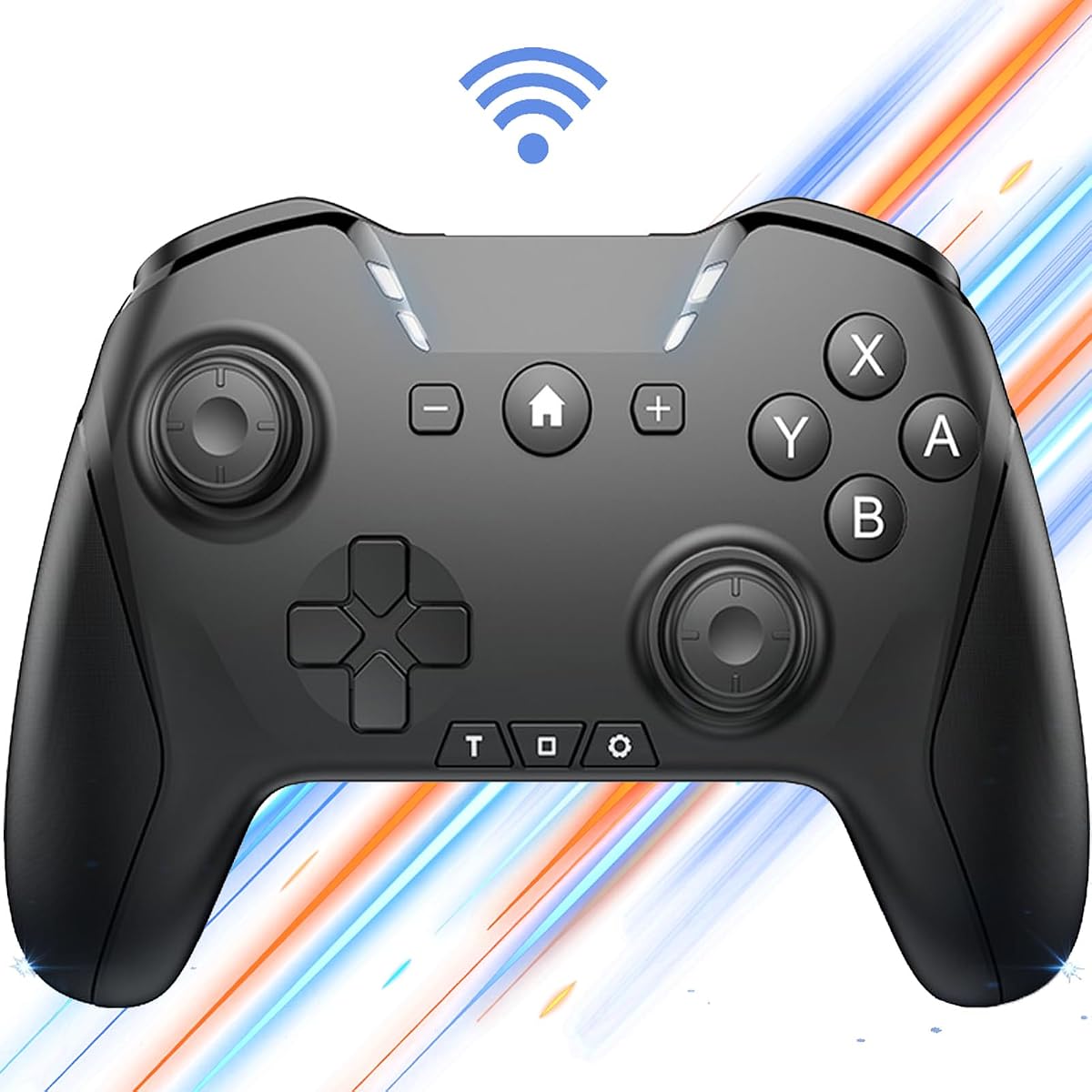


This generic Bluetooth Pro Controller combines a familiar gamepad layout with an unusually broad set of configuration options. It carries a 4.0 rating and stands out for adjustable dual motion, programmable button combinations, interchangeable layouts, turbo, vibration, a 6-axis sensor, and wake-up functionality. Its listing also identifies TV and Apple Arcade MFi game support.
We may earn a commission when you buy through this link, at no additional cost to you.
The controller's main strength is flexibility. Users can program loop operations lasting up to 30 seconds, switch the roles of the left stick and directional pad, or interchange the face-button arrangements. It connects through Bluetooth or USB and works across Switch systems, Windows computers, macOS, iPhone, iPad, Android devices, tablets, Steam, TV platforms, and Apple Arcade MFi titles. The 650mAh battery is listed at up to 15 hours of playtime and can be used while charging through the Type-C connection.
Its complexity is the main trade-off. The unusually long name and extensive feature list make the controller seem more involved than a simple Apple TV gamepad, and the listing specifically advises following the manual and confirming the correct connection method. Users who value a standard plug-in-and-play experience may prefer the more streamlined Apple-specific alternatives, especially the SteelSeries Nimbus+. Nonetheless, the extensive customization makes this option attractive for users who play across several systems.
Choose this controller if you use an Apple TV alongside Switch, PC, mobile, or tablet games and want motion, macros, and remappable controls in one device. It is particularly compelling for players who value specific control layouts over polished Apple licensing. For a single-purpose Apple TV setup, a dedicated Apple-licensed controller may be easier to integrate, but for broad multi-platform gaming, this model offers the richest confirmed feature set in the ranking.
The loop-macro system can record combinations lasting as long as 30 seconds, including interval and long-press sequences. This is useful for games requiring repetitive actions, although users should still consider each developer's rules regarding automated inputs.
Bluetooth removes cable restrictions around a television setup, while USB provides an alternate connection path. The rechargeable Type-C battery is also listed as playable while charging, which can help during long sessions.
We may earn a commission when you buy through this link, at no additional cost to you.
The SteelSeries Nimbus+ is the clearest premium pick for Apple TV owners because it is officially Apple-licensed and made for iOS, iPadOS, and tvOS. It has a 4.0 rating and distinguishes itself with more than 50 hours of play on a single charge, a tactile directional pad, and clickable L3 and R3 joystick inputs.
We may earn a commission when you buy through this link, at no additional cost to you.
Its Apple-focused design makes it a natural fit for an Apple entertainment setup. The controller works with Apple products including iPhones, iPads, and televisions, while the included mobile mounting hardware can be useful when gaming on a phone or tablet. Tactile feedback on the directional pad makes menu navigation and platform-oriented controls clearer, and pressable analog sticks provide additional commands without changing the overall layout.
The main drawback is that SteelSeries recommends updating the controller through SteelSeries Engine to optimize compatibility across iOS devices. That software step adds a little setup complexity compared with a controller that connects and plays immediately. It is also a premium mobile-gaming controller rather than a home-console model, so features tied to specific console ecosystems are not part of its confirmed feature set.
This is the recommendation for an Apple TV user who values native ecosystem alignment, minimal concern about battery life, and a controller designed around Apple platforms. It is also a strong choice for households that alternate between television gaming and mobile or tablet play. Anyone willing to update the controller software should find the licensing and endurance difficult to overlook.
The Nimbus+'s advertised 50-plus-hour runtime is the strongest endurance claim in this list. It reduces the likelihood of interrupting a long gaming session to recharge, although actual runtime can vary with use and settings.
The tactile directional pad, clickable L3 and R3 sticks, and included iPhone mount show a controller designed with portable Apple gaming in mind. Those details also translate usefully to TV menus and supported games.
We may earn a commission when you buy through this link, at no additional cost to you.
The VOYEE Switch Pro Controller is an appealing entry into premium-feeling gamepads, earning a 4.4 rating and offering RGB lighting, programmable buttons, three turbo speeds, motion sensing, and four levels of vibration. It is built primarily around Nintendo Switch, Switch Lite, and Switch OLED systems, so Apple TV compatibility is less clearly established than for the explicitly Apple-focused models.
We may earn a commission when you buy through this link, at no additional cost to you.
Its feature set is unusually generous for a value-oriented controller. Four lighting modes include solid, breathing, RGB strobe, and off, while the programmable M1 and M2 buttons support single or multiple mappings. A 6-axis gyro sensor assists motion-oriented games, and dual vibration motors offer strong, medium, weak, and disabled feedback. The listed runtime is 10 to 15 hours after a three-to-four-hour charge, and one-key pairing and wake-up support improve everyday convenience.
The important limitation is platform focus. The listing confirms compatibility with Switch, Switch Lite, Switch OLED, and Windows PC, with PC use limited to a wired connection. It does not expressly confirm Apple TV support, so buyers should verify tvOS recognition and game compatibility before relying on it as their primary television controller. Its Switch-oriented wake and pairing functions also may not behave identically on Apple TV.
Buy the VOYEE if you want an expressive, feature-rich controller at a modest cost and also play on Nintendo hardware. For Apple TV, treat its support as uncertain and confirm it with the seller or current product documentation. A controller explicitly designed for Apple TV, such as the 8BitDo SN30 Pro or 8BitDo Pro 2, is the safer selection when television compatibility is non-negotiable.
Programmable M1 and M2 mappings and three burst speeds make the VOYEE more adaptable than a basic gamepad. These options can simplify demanding sequences, though users should verify that each game and platform recognizes the selected commands.
Four RGB lighting modes give the controller more visual personality, while four vibration levels and a 6-axis gyro provide meaningful tactile and motion options. The combination is especially noticeable in a living-room gaming setup.
We may earn a commission when you buy through this link, at no additional cost to you.
The 8BitDo SN30 Pro earns the highest customer rating in the group at 4.7 and stands out as a thoroughly equipped, officially supported Apple TV controller. Its retro-inspired body combines Hall Effect joysticks, clickable sticks, rumble, motion controls, wireless Bluetooth, USB-C, a rechargeable battery, home and screenshot buttons, and a proper directional pad.
We may earn a commission when you buy through this link, at no additional cost to you.
Compatibility is a major strength. The listing explicitly says that iPhone, iPad, macOS, and Apple TV are officially supported, alongside Switch, Windows PC, Steam Deck, Android, and Raspberry Pi. The 18-hour advertised runtime comes from a rechargeable 480mAh battery that takes one to two hours to charge. Hall Effect sticks are intended to provide greater precision and durability, while the 6-axis motion system and dual vibration motor add useful feedback in compatible games.
Its styling is intentionally retro, which may be a feature for some buyers and a mismatch for others. The supplied dimensions of 144 by 63.5 by 32.5 millimeters make it relatively easy to carry, although those compact measurements may not suit every player's hand size. It also offers fewer specialty inputs than some of the larger multi-platform models, focusing instead on a refined, classic gamepad layout.
This is the strongest all-around recommendation for an Apple TV. It combines explicit platform support, strong customer feedback, premium stick technology, good portability, and useful motion and vibration without a large learning curve. Choose it over a generic controller when official support and refined input hardware matter, and over larger modern controllers when a compact retro profile and understated gray design suit your setup.
Hall Effect joysticks are presented as a durability and precision upgrade over conventional stick mechanisms. They should appeal to players who value steady directional input in menus, platformers, and action games.
The SN30 Pro recalls classic gamepads while retaining modern functions such as motion, vibration, and clickable sticks. Its relatively compact body also makes it convenient to move between a television cabinet and other gaming locations.
We may earn a commission when you buy through this link, at no additional cost to you.
This renewed SteelSeries Nimbus+ is a straightforward Apple TV option with a 3.6 rating. It supports iPhone, iPad, iPod touch, Apple TV, and other supported Apple devices through a stable wireless connection, while its rechargeable battery is designed for extended sessions and its buttons, analog sticks, and triggers provide conventional gamepad control.
We may earn a commission when you buy through this link, at no additional cost to you.
The renewed status is the defining detail. According to the listing, the controller was professionally inspected, tested, and cleaned to meet Amazon Renewed quality standards. That process can make the model more approachable for buyers who want a recognized Apple-oriented design without purchasing a brand-new unit, particularly if they intend to use only the core controls.
The 3.6 rating is the lowest among the ten products and is the main reason not to recommend it as the default choice. Renewed inventory can present varying cosmetic or functional conditions, even after inspection. It also provides fewer feature details in the supplied listing than the new SteelSeries Nimbus+, which explicitly advertises clickable joysticks, a tactile directional pad, and more than 50 hours of battery life.
Choose this controller if you want the familiar Nimbus+ design, explicit Apple TV support, and the potential value of renewed hardware. Inspect the condition and warranty information carefully before buying. If consistent condition, longer advertised battery specifications, or stronger customer feedback are priorities, the standard Nimbus+ listing or 8BitDo SN30 Pro is the stronger recommendation.
The controller explicitly supports Apple TV alongside iPhone, iPad, and iPod touch. That makes it a sensible option for an Apple-centered household that wants one controller for television and portable gaming.
Professional inspection, testing, and cleaning add confidence, but a renewed product may show cosmetic wear. Reviewing the condition description and available protection is especially important before making a final decision.
We may earn a commission when you buy through this link, at no additional cost to you.
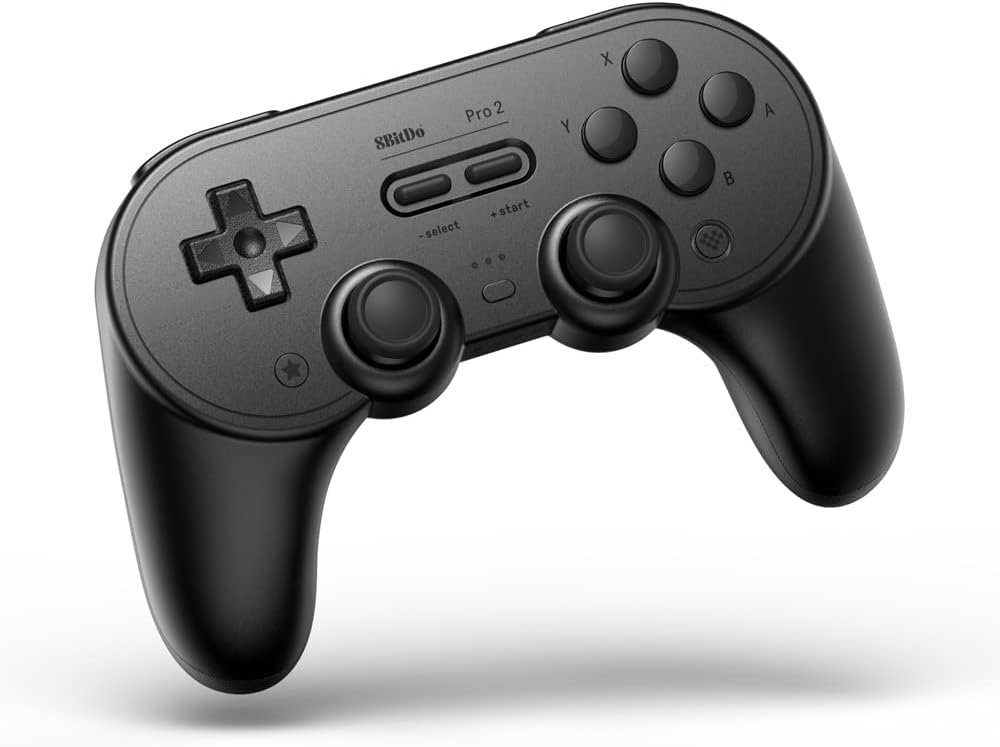
The 8BitDo Pro 2 is a traditional full-size gamepad with a 4.5 rating and explicit official support for iPhone, iPad, macOS, and Apple TV. It adds two pro-level back buttons, custom profile switching, an enhanced grip, a four-way mode-switching button, wireless Bluetooth, rumble, USB-C, and a rechargeable battery with a stated 20-hour runtime.
We may earn a commission when you buy through this link, at no additional cost to you.
The controller is well suited to a home television setup because its layout resembles the gamepads many console and PC players already understand. Two rear buttons create room for extra commands, while the mode switch provides quick access to different profiles or functions. Compatibility extends to Apple platforms, Switch, PC, Android, Steam Deck, and Raspberry Pi, making it one of the broadest traditional-controller selections here.
Its motion controls work only with the Switch according to the listing, so buyers should not assume that the gyro or motion features will function on Apple TV games. The absence of a current price listing also makes direct value comparisons more difficult. Beyond that, the Pro 2 is a polished and practical controller whose main strengths are its familiar shape, strong rating, extra buttons, and explicit Apple TV support.
This is an excellent choice for players who want modern console-style ergonomics rather than a compact retro design. It may be especially useful if the household also owns a Switch, PC, Steam Deck, or Android device. Compare it closely with the SN30 Pro: the Pro 2 emphasizes back buttons and profile switching, while the SN30 Pro highlights Hall Effect sticks and a more compact retro body.
Two rear buttons offer additional mapping options, while custom profile switching helps users move between setups or games. These features make the Pro 2 more adaptable than a simple standard-issue gamepad.
Official Apple TV support is a major advantage for buyers who also use iPhones, iPads, or Macs. The controller's familiar full-size layout should also feel approachable in a living-room environment.
We may earn a commission when you buy through this link, at no additional cost to you.
The standard SteelSeries Nimbus+ is a recognizable wireless controller designed for iPhone, iPad, iPod, and Apple TV. It carries a 4.1 rating and uses a rechargeable design, making it a practical option for users who want a dedicated Apple-oriented gamepad for a television and portable Apple devices.
We may earn a commission when you buy through this link, at no additional cost to you.
The supplied listing provides very little detail beyond the product identifier, so the controller's strongest confirmed attributes are its Apple device compatibility, wireless rechargeable design, and established SteelSeries name. Compared with the more detailed Apple-licensed Nimbus+ listing, this version does not explicitly call out clickable joysticks, a tactile directional pad, the included iPhone mount, or the 50-plus-hour battery figure.
That limited information is relevant because shoppers should distinguish between variants and confirm the exact package contents and specifications. It would be unwise to assume that every feature associated with another Nimbus+ listing is automatically present here. The 4.1 rating is respectable, though it does not lead the group.
Buy this model if you specifically want the standard rechargeable Nimbus+ for Apple TV and prefer a controller dedicated to the Apple ecosystem. It may be especially attractive to users already familiar with its layout. Buyers seeking maximum confirmed battery information, clickable sticks, or a bundled phone mount should compare the more fully specified Nimbus+ option before purchasing.
Support for Apple TV, iPhone, iPad, and iPod creates a practical benefit for Apple households. A single controller can reduce the need to switch between different input devices depending on the display or game.
The listing is brief and does not detail extra functions. Reviewing the package contents and current product description is wise, particularly when comparing this model with the Apple-licensed Nimbus+ and renewed alternatives.
We may earn a commission when you buy through this link, at no additional cost to you.
The AceGamer Aurora II is a technically advanced multi-platform controller with a 4.2 rating, 2.4G and Bluetooth wireless options, Hall Effect sticks, two programmable rear buttons, and a large 1000mAh battery. Its supported platforms include Windows, Switch, iOS, and Android, but the supplied data does not explicitly identify Apple TV compatibility.
We may earn a commission when you buy through this link, at no additional cost to you.
The 2.4G receiver is a major feature for desktop and living-room setups because it is described as a stable, plug-and-play connection without additional drivers. Bluetooth provides a more flexible alternative, while the upgraded receiver and encryption dongle are intended to improve connection consistency. Two rear buttons can be programmed for trigger combinations or other custom actions, and two switches provide easier access to those controls.
The controller includes two Hall Effect sensors designed to improve accuracy and reduce stick drift. It also uses an upgraded 1000mAh battery, an automatic five-minute sleep mode, and fully upgraded key buttons. On the downside, Apple TV is not listed among the explicitly supported platforms, and the controller is not compatible with Xbox systems. Apple TV owners may find it usable through general Bluetooth pairing, but the listing does not provide the explicit confirmation that the more Apple-focused choices offer.
Choose the Aurora II if you want extensive back-button customization and a reliable receiver-based wireless connection, particularly for PC, Switch, or supported mobile play. It is also appealing for users interested in Hall Effect sticks and a high-capacity battery. For Apple TV specifically, confirm current platform support with the seller before purchase or select a controller that explicitly lists tvOS compatibility.
The included 2.4G receiver provides a direct wireless option, while Bluetooth allows use with compatible devices. The manual pairing sequence differs between the two methods, so users should follow the listed instructions carefully.
Two programmable rear buttons add flexibility for advanced commands, while two back switches make those controls easier to reach. Hall Effect sensors are intended to deliver more consistent input and reduce the drift highlighted in the upgrade notes.
We may earn a commission when you buy through this link, at no additional cost to you.
The Official Luna Wireless Controller is purpose-built for Amazon's Luna cloud gaming service and carries a 4.4 rating. It supports Windows, Mac, Fire TV, Fire tablets, iPhone, iPad, Chromebook, and Android through Cloud Direct Wi-Fi, Bluetooth, or USB, but Apple TV is not among the platforms named in the supplied data.
We may earn a commission when you buy through this link, at no additional cost to you.
Its headline benefit is seamless screen switching within Luna. A player can pause a game on one screen and continue on another, making it convenient for households that move between a television, computer, tablet, or phone. Cloud Direct technology is designed to connect directly to Amazon's game servers for low-latency play, while Bluetooth and USB provide alternatives for other supported devices.
The physical design prioritizes recognizable gaming inputs: offset thumbsticks, accessible bumpers, precise triggers, responsive action buttons, and a four-way directional pad. However, it is not positioned as an Apple TV controller, and its main software benefits are tied to Luna. That narrower focus makes it less relevant for someone whose sole goal is playing local games or other Apple TV applications.
Buy the Luna controller if your primary interest is Amazon's cloud gaming catalog and you use multiple compatible screens. Its cross-device continuation feature is particularly useful in a multi-device household. If Apple TV gaming is the main goal, choose the 8BitDo SN30 Pro, 8BitDo Pro 2, or SteelSeries Nimbus+ because each explicitly lists Apple TV support.
Luna's screen-switching feature allows users to pause on one supported device and resume on another. It is particularly useful for households with both a large television and a portable Apple device.
Cloud Direct Wi-Fi is optimized for Luna, Bluetooth supports compatible devices, and USB provides a wired option for Windows and Mac. The range of methods makes the controller adaptable across different gaming locations.
We may earn a commission when you buy through this link, at no additional cost to you.
The GMBACK Switch 2 Pro Controller is a feature-rich wireless gamepad with a 4.1 rating and explicit support for Apple devices, including iPhone, iPad, Mac, TV, and Apple Arcade MFi games. It also supports Switch 2, Switch, Switch Lite, Switch OLED, Android phones and tablets, Android TV, TV boxes, Windows PCs, and Steam gaming.
We may earn a commission when you buy through this link, at no additional cost to you.
Its most distinctive feature is the loop-macro function. Users can record a custom sequence lasting as much as 30 seconds, using joysticks, triggers, the directional pad, face buttons, or plus and minus controls, then replay it by holding Turbo and Macro together. The controller also provides three turbo speeds, four vibration levels, remappable ABXY buttons, RGB lighting, screenshot capture, and wake-up functionality.
Macros can be useful for repetitive actions, but game rules vary, and some titles may prohibit automated inputs. The large number of settings also means users may need to consult the manual to understand pairing and shortcut combinations. That makes the GMBACK less immediately simple than a basic Apple-focused gamepad. Nevertheless, its confirmed Apple TV support, 6-axis gyro, and broad platform list are meaningful advantages for multi-device households.
Choose the GMBACK if you want programmable loops, RGB lighting, and adjustable feedback while retaining explicit Apple TV support. It is a good fit for players who also use Nintendo systems, PCs, Android TV, or TV boxes. If you only need straightforward Apple TV gaming and do not use macros, the SteelSeries Nimbus+ or one of the officially supported 8BitDo models offers a more streamlined experience.
The macro system can capture complex sequences across sticks, triggers, the directional pad, and face buttons. It can simplify repeated tasks, but players should check the rules of each game before using automated sequences.
Explicit TV support, RGB lighting, wake-up functionality, and a 15-to-20-hour runtime suit a television-centered setup. Its compatibility with Android TV and TV boxes adds further value for a broader home-entertainment system.
We may earn a commission when you buy through this link, at no additional cost to you.
The most important factors are confirmed tvOS support, dependable wireless pairing, comfortable controls, suitable battery life, and compatibility with the games you actually play. Features such as motion controls, macros, RGB lighting, and rear buttons can add value, but only if they are useful and compatible with your setup.
Look for a listing that explicitly mentions Apple TV, tvOS, or an official Apple compatibility claim. General statements about phones, tablets, Android, or television boxes do not necessarily guarantee that an Apple TV will recognize the controller. The 8BitDo SN30 Pro and 8BitDo Pro 2 state official support, while the SteelSeries Nimbus+ models and the GMBACK Switch 2 Pro Controller also identify Apple TV as compatible.
Prioritize Apple TV compatibility over broad platform claims. A controller designed primarily for Switch or PC may connect through Bluetooth without issue, but the listing should confirm that behavior rather than leaving you to infer it.
Bluetooth is the most natural connection method for an Apple TV because it removes cables from the viewing area. Some controllers also offer a 2.4G receiver, USB, or Cloud Direct Wi-Fi, but those alternatives may be optimized for a different platform. Consider how the controller is paired, whether it reconnects automatically, and how a dedicated home button behaves on tvOS.
Choose simple Bluetooth pairing if you want the least television clutter. Keep the user manual accessible if the controller supports several modes, because switching between Bluetooth, receiver, and wired connections can otherwise become confusing.
Battery life determines how often you need to interrupt play. The SteelSeries Nimbus+ leads the supplied listings with more than 50 hours, the 8BitDo Pro 2 claims 20 hours, and the 8BitDo SN30 Pro lists 18 hours. Other choices advertise ranges of 10 to 15 hours or 15 to 20 hours. Actual runtime varies with use, vibration, lighting, and connection conditions.
For regular living-room play, prioritize an advertised 15 hours or more. Check whether the controller uses USB-C, whether it can operate while charging, and how much time a full recharge requires before making your final choice.
A good Apple TV controller needs more than basic compatibility. Look for responsive analog sticks, a directional pad that is easy to navigate, comfortable face buttons, accessible shoulder controls, and triggers that feel consistent. Full-size models may suit larger hands, while compact retro designs can be easier to hold and store. The 8BitDo Pro 2 provides rear buttons, whereas the Nimbus+ emphasizes clickable L3 and R3 sticks and a tactile directional pad.
Choose a layout based on the games and games you enjoy. Platformers may benefit from precise sticks and a distinct directional pad, while action titles may reward additional remappable rear buttons or trigger controls.
Motion controls can add immersion in compatible games, and vibration provides useful feedback for impacts, vehicles, and other effects. The SN30 Pro, GMBACK, and generic Bluetooth Pro Controller list 6-axis motion functionality, while the Nimbus+ emphasizes tactile and clickable inputs. Support varies by game, so check whether a particular title recognizes the relevant feature on Apple TV.
Treat motion and vibration as beneficial extras rather than universal requirements. A controller that feels accurate and connects reliably can be a better choice than one that offers more functions but provides less certainty about platform-specific behavior.
Programmable buttons can save time by mapping complicated inputs to a single control. The generic Bluetooth Pro Controller supports 30-second loop operations and interchangeable layouts, while the GMBACK offers 30-second macros, three turbo speeds, and remappable ABXY buttons. The 8BitDo Pro 2 adds profile switching, and the AceGamer Aurora II includes two programmable rear buttons.
Verify game rules before relying on macros. Some competitive or online titles may restrict automated inputs, and poorly chosen mappings can interfere with normal controls. Use customization gradually and keep a manual backup of your preferred settings.
Apple-licensed or officially supported products can provide stronger confidence that the controller is designed around Apple platforms. The SteelSeries Nimbus+ with the iPhone mount is Apple-licensed, and both 8BitDo listings explicitly state official Apple TV support. These claims are more useful than a long list of technically compatible devices because they signal a clearer platform focus.
Official support is valuable when Apple TV is your main gaming device. For a multi-platform collection, broader compatibility may be worth more, provided Apple TV remains explicitly confirmed.
RGB lighting and retro styling can enhance a television setup even when they do not affect gameplay. The VOYEE offers four lighting modes, the GMBACK includes RGB lighting, and the SN30 Pro presents a compact retro-inspired body. Rear buttons, phone mounts, travel dimensions, and automatic sleep modes may also influence which controller integrates most comfortably into your home.
Treat appearance and secondary features as tie-breakers. A controller should still deliver reliable pairing, accurate controls, sufficient endurance, and confirmed compatibility before lighting or decorative details become deciding factors.
Begin by charging the controller with the specified cable and reading its quick-start guide, especially if it supports Bluetooth, a 2.4G receiver, USB, and wake functions. Put the Apple TV into its controller pairing mode, search for the controller in the tvOS Bluetooth settings, and select it when it appears. Keep the controller close during the first connection and follow any on-screen pairing prompts.
After pairing, test every menu direction, face button, shoulder control, trigger, and analog stick before starting a game. Verify that vibration, motion, programmable buttons, and rear buttons work in the specific titles you play. If a feature behaves differently on Apple TV, consult the controller manual and the game's support information rather than assuming a platform-specific shortcut will behave the same way.
Store the controller in a dry, dust-free location and avoid leaving it on a hot surface or exposing it to moisture. Charge it periodically, keep the firmware or controller software updated when the manufacturer recommends it, and replace a worn cable promptly. For long-term storage, removing the controller from the Apple TV's paired-device list can help prevent unwanted reconnection attempts.
A Bluetooth connection is a good start, but not every Bluetooth controller is designed to work with tvOS. Look for explicit Apple TV or tvOS compatibility in the product listing. Controllers designed for Switch, Xbox, PlayStation, or PC may use different button layouts and connection standards. The safest choices in this guide explicitly identify Apple TV support.
The SteelSeries Nimbus+ emphasizes Apple-licensed design and an advertised battery life of more than 50 hours. The 8BitDo SN30 Pro offers Hall Effect sticks, a compact retro body, and an 18-hour runtime, while the 8BitDo Pro 2 has rear buttons and a 20-hour runtime. The right choice depends on whether you prioritize endurance, stick hardware, portability, or extra buttons.
Some controllers benefit from updates even if they can be used immediately. SteelSeries specifically recommends downloading SteelSeries Engine to optimize compatibility across iOS devices, while the 8BitDo SN30 Pro supports firmware updates. Updating can improve control configuration and compatibility, but follow the manufacturer's current instructions for your exact model.
Some listings in this roundup expressly support Apple Arcade MFi games, including the generic Bluetooth Pro Controller and GMBACK Switch 2 Pro Controller. For other models, confirm current MFi or tvOS compatibility before purchasing. Apple TV game support also depends on the title, its input requirements, and any updates installed on the television.
Advertised battery life among these products ranges from 10 to more than 50 hours, although actual performance depends on vibration, lighting, motion, connection method, and play style. For frequent television gaming, a model advertising at least 15 hours is generally more convenient. Rechargeable USB-C models are also convenient for an evening or weekend session.
Macros can simplify repeated sequences and save time on supported games, but they are not equally useful in every title. The GMBACK and generic Bluetooth Pro Controller offer loop-style programming. Check the rules of individual games first, particularly in competitive or online environments where automated inputs may be restricted or discouraged.
Wireless Bluetooth is usually more convenient because it avoids a cable running from the controller to the television. Wired operation can provide a simple alternative when pairing is troublesome, but it limits where you can comfortably hold the controller. Consider a model with both options if you want flexibility, and confirm whether USB is used only for charging or also supports gameplay.
A renewed controller can be a practical option when the listing includes a clear inspection process and suitable protection. The renewed SteelSeries Nimbus+ was professionally inspected, tested, and cleaned according to Amazon Renewed standards. You should still review cosmetic condition, included accessories, battery expectations, and warranty details before choosing it over a new listing.
The 8BitDo SN30 Pro is the best overall choice because it combines the highest listed customer rating, official Apple TV support, Hall Effect sticks, motion controls, vibration, and an 18-hour runtime. The SteelSeries Nimbus+ is the premium choice for Apple-licensed design and exceptional advertised endurance, while the VOYEE Switch Pro Controller is the budget pick for RGB lighting, turbo, vibration, and programmable controls.
Prioritize explicit Apple TV support first, followed by reliable Bluetooth pairing, a comfortable and accurate control layout, and enough battery life for your normal sessions. Extra features matter only when they work with the games you play. The 8BitDo Pro 2 is ideal for back buttons and profiles, the GMBACK for macros, and the AceGamer Aurora II for Hall Effect sticks and 2.4G receiver flexibility, but their Apple TV support should be considered alongside the details above.
Product ratings, availability, features, and prices can change, and the information in this guide reflects the supplied listings. Before purchasing, confirm the current tvOS compatibility, package contents, pairing method, warranty, and accessory details on the product page. Comparing the final listing against your games and television setup is the best way to choose a controller you will enjoy using.