
40ft Active USB A to B Cable
4.7Editor score
40-foot active cable
USB 2.0 data transfer
Printer and scanner support
Discover the best Long USB Cable options for charging, data transfer, printers, cameras, and peripherals, with key features and compatibility compared.
A long USB cable can make charging, data transfer, and peripheral connections far more convenient, especially when a wall outlet, computer, or entertainment unit is several feet away. The best cable depends on connector type, transfer speed, charging requirements, cable construction, and whether the connection must also carry data.
The products in this guide cover USB-A to USB-A, USB-A to USB-C, USB-A to USB-B, active USB extension cables, and Micro USB options. We compared the stated specifications, supported devices, data rates, charging capabilities, length, durability features, and important connector limitations to identify the strongest choice for different needs.
Each review highlights the cable's most useful qualities, practical trade-offs, and ideal setup. The recommendations cover everything from everyday phone charging to printers, external drives, webcams, and room-spanning USB connections. Product listings, compatibility details, and retailer information can change, so confirm the connector and device requirements before buying.
4.7Editor score

4.7Editor score

4.6Editor score
The table below compares all ten long USB cables by connector arrangement, maximum reach, stated performance, and practical device support, making it easier to identify the right option for charging, data transfer, printing, or peripheral use.


This 20-foot USB 3.0 male-to-male cable combines generous reach with strong data-transfer specifications, earning a 4.7 rating. It is designed for connecting USB-A devices such as external drives, hubs, printers, cameras, set-top boxes, and other compatible peripherals. The most notable feature is its stated speed of up to 5 Gbps, making it a stronger choice for data-heavy connections than standard USB 2.0 alternatives.
We may earn a commission when you buy through this link, at no additional cost to you.
Construction is a major strength. The cable uses a nylon braided jacket, reinforced strain-relief molding, aluminum alloy connector shells, gold-plated contacts, and multiple shielding layers. According to the product information, it also passed 10,000 bending tests. Those details indicate attention to both signal stability and resistance to the flexing and pulling that occur during everyday use.
There are some important limitations. This is a data cable rather than a charging cable, and both ends must be USB-A male connectors. It will not fit a USB-C port, USB-B printer port, or Micro USB device without an appropriate adapter. It also cannot deliver the full theoretical performance of every connected device if that device or the intervening port is limited to USB 2.0.
The cable is best for home offices, entertainment centers, and workstations where a USB-A peripheral is too far from the computer. Choose it when fast data transfer, broad device support, and a durable 20-foot run matter more than charging. Among the products reviewed, it offers the strongest combination of speed, length, construction, and compatibility.
The stated 5 Gbps rate distinguishes this cable from the 480 Mbps USB 2.0 options in the guide. It is a better fit for external storage, large file transfers, and other connections where a bottleneck would be noticeable, provided both the source and attached device support USB 3.0.
Braided protection, reinforced joints, metal connector housings, and corrosion-resistant contacts address several common failure points. This makes the cable a practical option for setups where it will remain connected but may be moved, routed around furniture, or handled frequently.
We may earn a commission when you buy through this link, at no additional cost to you.
The CLEEFUN 20-foot USB-A to USB-C cable is a compelling everyday cable for anyone who wants extended reach without a specialized connector. It carries a 4.6 rating and supports QC 2.0 and QC 3.0 fast charging along with data transfer up to 480 Mbps. That makes it particularly useful for phones and tablets located away from a wall charger.
We may earn a commission when you buy through this link, at no additional cost to you.
The stated construction includes a heavy-duty nylon braid, aluminum housing, and a bend lifespan of more than 20,000 tests. A built-in 56K pull-up resistor is also listed among its conductivity features. Together, these details position the cable as a durable general-purpose option for offices, bedrooms, living rooms, and travel setups.
Its main limitation is transfer speed. At up to 480 Mbps, it is better suited to routine syncing than large, high-volume file transfers. It also begins with a USB-A plug, so it requires a USB-A wall charger or USB-A port rather than a USB-C charger. The compatibility list includes major USB-C phone families and tablets, but users should still verify their own device.
This is a strong selection for a long charging cable that also handles occasional syncing. It is especially useful when a device is used on a sofa or bed while connected to a distant outlet. For users prioritizing the lowest cost among long USB-C options, its 20-foot length and fast-charge support make it particularly practical.
Twenty feet of reach reduces the need to remain next to an outlet. The cable is well suited to living rooms, offices, and bedside arrangements where the charger is installed in an inconvenient location.
The cable can charge while transferring data, making it more versatile than a charge-only lead. Its stated QC support and stable conductivity are helpful for compatible smartphones, although actual charging speed depends on the device, charger, and power protocol.
We may earn a commission when you buy through this link, at no additional cost to you.
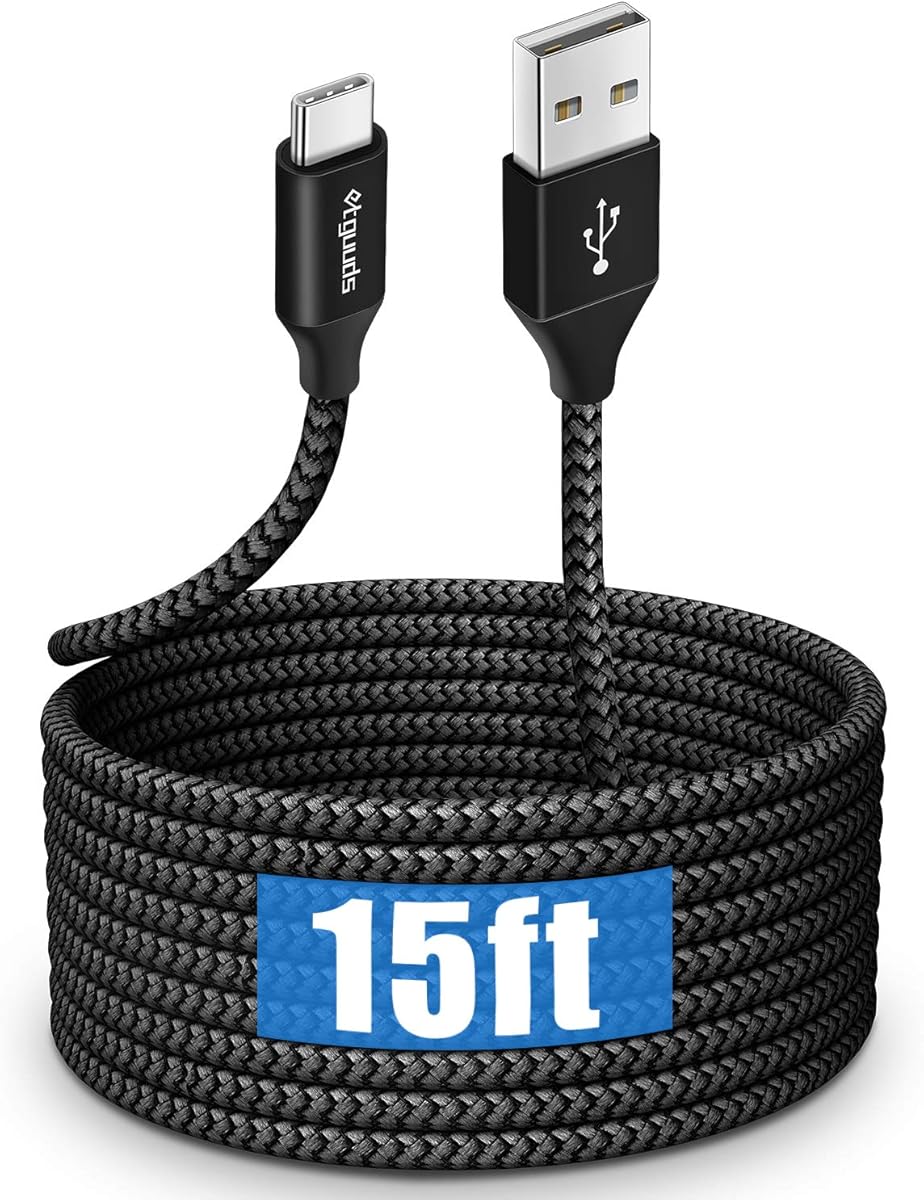
The etguuds 15-foot cable is a straightforward long USB-A to USB-C solution for compatible phones and tablets. Its 4.6 rating reflects a well-rounded feature set that includes charging, data syncing, a durable braided jacket, and a broad device compatibility list.
We may earn a commission when you buy through this link, at no additional cost to you.
The cable supports charging up to 3A and data transfer up to 480 Mbps. Its nylon braid is described as tangle-free and tested for more than 20,000 bends. These characteristics make it well suited to daily phone use, particularly when the device is charged while someone is lying on a bed or sofa.
The key compromise is speed. Its maximum data rate is appropriate for standard syncing, but it cannot match the 5 Gbps options for large external-drive transfers. It also uses USB-A on the source end, so it will not connect directly to a USB-C wall charger without an adapter.
Choose this cable for broad phone-and-tablet compatibility, a practical 15-foot length, and flexible charging in common household locations. It is a particularly good fit when basic charging and syncing are the priorities, rather than ultra-fast data movement or USB-C-to-USB-C connectivity.
The nylon-braided exterior helps the cable remain manageable around furniture and during storage. Its stated bend testing also supports confidence in routine flexing near the connectors, where charging cables commonly fail.
The listed device support spans numerous Samsung Galaxy, iPhone, LG, Motorola, and Pixel models. Compatibility is broad, but buyers should verify the exact port and charging requirements of their own device before purchase.
We may earn a commission when you buy through this link, at no additional cost to you.
This 40-foot active USB-A to USB-B cable is the most specialized long-cable option in the guide. Its 4.7 rating and active design make it especially suitable for printers, scanners, fax machines, keyboards, and other USB Type-B peripherals that need to be placed far from a computer.
We may earn a commission when you buy through this link, at no additional cost to you.
The cable supports data rates up to 480 Mbps and is backward compliant with USB 1.1 and USB 1.0 devices. Multiple shielding layers, gold-plated plugs, reinforced joints, and a tangle-free nylon braid support stable signal transmission and durable daily use.
Connector selection is critical. The product information specifically identifies the interface as USB 2.0 Type B and warns that it is not designed for USB 3.0 Type-B ports. Buyers should inspect the printer or peripheral rather than relying on the general term USB-B, as visually similar connectors can serve different generations.
Choose this cable when a printer or scanner is across a room, in another area of an office, or otherwise beyond the practical reach of a shorter lead. Its 40-foot length and active construction offer a specialized solution that ordinary passive cables may not handle as reliably.
The active electronics are a valuable feature at this length because they help maintain signal integrity over a substantial run. It is a more thoughtful choice for high-latency printer connections than simply extending a short cable indefinitely.
This product is designed around USB 2.0 Type-B. Confirm that the target device uses that interface and that the computer has an available USB-A port before ordering.
We may earn a commission when you buy through this link, at no additional cost to you.
This 10-foot USB-A to USB-C cable offers enough extra reach for common charging arrangements without becoming as unwieldy as a 15- or 20-foot lead. It has a 4.6 rating and supports up to 3A charging plus data transfer up to 480 Mbps.
We may earn a commission when you buy through this link, at no additional cost to you.
The nylon-braided jacket is described as soft yet sturdy, and the product is positioned for office, living room, bedroom, and sofa use. Its stated compatibility with virtually all USB-C phones and tablets makes it a broadly useful modern charging cable.
Two limitations deserve attention. It cannot output video, and the source connector is USB-A rather than USB-C. Actual charging performance still depends on the connected charger and device, so a 3A-capable cable cannot create more output than the power source provides.
This is a good choice for travelers or users who want a little more freedom than a desk cable without carrying an extremely long lead. It works best when the goal is dependable everyday charging and standard syncing rather than high-speed data transfer or display use.
Ten feet is long enough to bridge many gaps between a socket and a sofa or bedside table. It remains easier to coil, pack, and manage than the longest options in the guide.
The lack of video output keeps the product focused on standard charging and data use. It should not be selected for connecting a USB-C display, television, or other video presentation setup.
We may earn a commission when you buy through this link, at no additional cost to you.
This product is distinctive because the pack includes two 5-meter USB-A to USB-C cables rather than one long lead. It has a 4.5 rating and is intended for users who need extended reach in more than one room or want a spare cable for travel and work.
We may earn a commission when you buy through this link, at no additional cost to you.
Its stated compatibility covers USB-C phones, tablets, laptops, power banks, Bluetooth earphones, and other digital accessories. The listing also emphasizes high-speed data transfer, safety protections against overcharging, overvoltage, and overheating, and a thickened flexible core designed to withstand repeated bending.
The listing does not state a precise maximum data-transfer rate, so buyers seeking a measurable 5 Gbps specification should look elsewhere. Likewise, the broad use of fast-charging language does not guarantee that every device will negotiate its fastest supported protocol.
Choose this two-pack for flexible placement, multi-device households, or users who want separate cables for home and travel. It is a convenient long-cable solution with strong device coverage, provided the broad charging and transfer claims align with the specific devices and charger in your setup.
The two-pack adds practical flexibility. One cable can remain connected in a living room while the other travels to an office, bedroom, or packed suitcase.
The thickened, flexible core and reinforced connectors support routing around furniture and along walls. Buyers should still avoid sharp bends, pulling on the plug, and using the cable as a structural support.
We may earn a commission when you buy through this link, at no additional cost to you.
The VCZHS Tech 20-foot extension is designed to move a USB peripheral away from the computer without changing the connector format. Its male-to-female USB-A arrangement and 5 Gbps rating make it especially relevant to printers, scanners, webcams, keyboards, mice, hubs, and compatible external drives.
We may earn a commission when you buy through this link, at no additional cost to you.
Heavy-duty 22AWG power wiring, triple-layer shielding, gold-plated connectors, and reinforced joints form the basis of its stated durability and signal stability. It is also listed as backward compatible with USB 2.0 and USB 1.1, allowing older peripherals to benefit from the added reach.
The product information excludes several demanding uses, including VR headsets, high-speed SSDs, and rapid charging. It also recommends a direct PC connection and advises against cascading through hubs. These restrictions make the cable less universal than its long list of compatible devices might initially suggest.
Choose it when a webcam, printer, or conventional peripheral needs to sit across a room or at a remote desk. Its 20-foot reach and USB 3.0 specification are attractive for general data connections, provided the target device and signal path remain within the stated limits.
The extension approach lets users retain a standard USB-A connection while placing the attached device farther from the computer. This is helpful for wall-mounted displays, conference tables, remote desks, and security-camera placements.
Multiple shielding layers and heavier power wiring are intended to reduce interference and maintain reliable communication. The stated specifications are most relevant to conventional USB peripherals rather than power-heavy or specialized high-bandwidth devices.
We may earn a commission when you buy through this link, at no additional cost to you.
The Amazon Basics 16-foot USB-A to USB-B cable is a familiar choice for printers and compatible external hard drives. Its 4.7 rating reflects a straightforward design centered on dependable USB 2.0 connectivity rather than specialized active electronics or high-speed USB 3.0 performance.
We may earn a commission when you buy through this link, at no additional cost to you.
Gold-plated connectors offer corrosion resistance and support reliable signal contact. The stated device applications include printers, external hard drives, cameras, mice, and keyboards, giving the cable flexibility beyond a single printer setup. A 16-foot length is useful for moving a device moderately farther from a computer while remaining easier to manage than the longest leads.
Because it is a USB 2.0 cable, it cannot take advantage of the faster transfer capabilities of a USB 3.0 external drive. The product information also does not provide a specific maximum transfer rate or the same detailed bend-lifetime testing seen in several competing listings. Its appeal is simplicity and broad use rather than advanced specifications.
Choose this cable for a standard USB-B printer, a compatible external drive, or another legacy USB peripheral. It is especially appropriate when the existing device uses USB 2.0 and the main priority is a familiar connector combination with added reach and durable contact surfaces.
USB-A to USB-B remains common on many printers and external drives. This cable makes it possible to extend those connections without introducing an active box or a different device interface.
Gold-plated connectors are intended to maintain dependable contact over time. Routine care still matters, including avoiding moisture around the plug and preventing the cable from being pinched.
We may earn a commission when you buy through this link, at no additional cost to you.
This 20-foot USB-A to USB-C cable is the only USB-C option in the guide to claim both 5 Gbps data transfer and charging. Its 4.2 rating is lower than those of most alternatives, but the combination of reach, high-speed transfer, and a USB 3.2 Gen 1 chip makes it relevant for demanding USB-C setups.
We may earn a commission when you buy through this link, at no additional cost to you.
A double-braided exterior, aluminum alloy components, reinforced ports, and strain-relief bend testing support durability. The listed compatibility covers numerous iPhone, Galaxy, Pixel, Moto, tablet, SSD, controller, dashcam, camera, and Oculus models.
Charging is limited to 18W theoretically, and the listing explicitly warns that resistance in a 20-foot cable can reduce actual power. It also notes that real transfer speed may be lower than the maximum because of cable length. Those caveats are important for anyone expecting full charging or storage performance.
Choose it when a USB-C device needs both data and power across a long distance, particularly when external storage or regular file transfers are involved. It is a specialized option rather than the safest default for users who only need a dependable phone-charging lead.
The 5 Gbps specification sets this cable apart from the other long USB-A to USB-C options here. It is best suited to compatible external SSDs, tablets, and other devices that can take advantage of faster transfers.
Long conductors naturally add resistance, and the product information acknowledges that actual charging output can fall below the stated maximum. A shorter cable may be preferable when maximum charging speed is the primary requirement.
We may earn a commission when you buy through this link, at no additional cost to you.
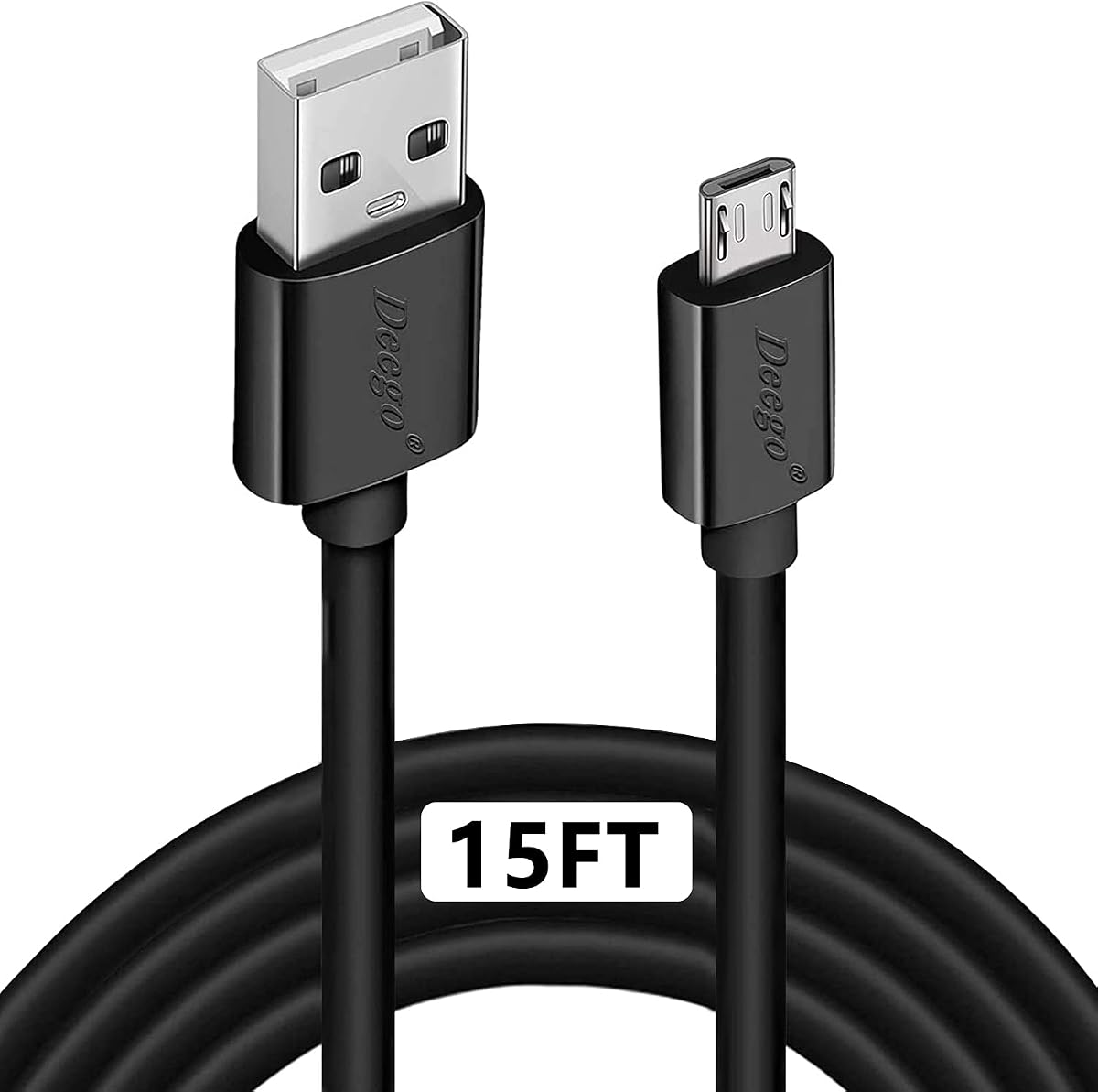
The DEEGO 15-foot Micro USB cable serves an important but increasingly specialized category of devices. It has a 4.6 rating and supports USB-A power sources, charging up to 2.4A, and data transfer up to 480 Mbps through USB 2.0.
We may earn a commission when you buy through this link, at no additional cost to you.
Its compatibility list includes many Android phones, tablets, speakers, cameras, GPS units, e-readers, game systems, and PS4 controllers. The stainless steel connector head is designed to fit securely, while the PVC jacket is flexible and resistant to tangling. A tested lifespan of more than 10,000 bends supports its suitability for regular use.
The limitation is inherent to the connector rather than the cable's construction. Micro USB is not suitable for USB-C or USB-A data devices, and the cable does not offer modern video, high-speed storage, or newer charging capabilities. Buyers should also ensure that the target device accepts the available power level.
Choose this cable for a compatible Android phone, Kindle Fire tablet, PS4 controller, or other Micro USB accessory that is located far from its charger. It remains a practical option for legacy devices and controller charging, but a USB-C cable is the better general choice for newer equipment.
The extended reach is particularly useful for controllers and devices with hard-to-reach ports. A long lead reduces cable tension and allows the device to remain comfortably in the user's hands.
The stainless steel head is intended to remain secure in a compatible port without loosening. Inspect the connector periodically, especially if the cable is frequently plugged in and removed.
We may earn a commission when you buy through this link, at no additional cost to you.
Choosing a long USB cable starts with the connector and purpose rather than length alone. Data rate, charging capability, device compatibility, cable construction, and practical routing requirements determine whether a particular cable will perform as intended.
Inspect both ends of the device and the host connection before choosing a cable. USB-A, USB-C, USB-B, and Micro USB have different physical shapes, and USB-A or USB-B connectors can also belong to different speed standards. A cable that appears similar may still be unable to provide the transfer rate or charging profile required by the equipment. The product title and connector diagram should always take priority over a generic description such as USB cable.
Charging-only leads and data-capable cables are not interchangeable in every setup. A printer, external drive, webcam, or controller may need synchronization as well as power, while a phone used only at a wall outlet may not. The guide includes several cables that explicitly support both charging and data transfer, while the USB-A to USB-A model is designed for data connections and explicitly is not a charging cable. Decide which functions the cable must perform before comparing specifications.
Transfer speed is a major differentiator. Several cables in the guide support up to 480 Mbps under USB 2.0, while two USB 3.0 options claim up to 5 Gbps. Faster ratings matter most for large files, external storage, and high-throughput peripherals, but the connected device, computer port, and cable length can reduce actual performance. A faster cable cannot make a USB 2.0 printer or older drive operate at USB 3.0 speeds.
Charging specifications include supported protocols, maximum current, and total wattage. The 3A options should suit many compatible phone and tablet charging routines, while the 20-foot USB 3.0 USB-C cable is stated to support 18W and acknowledges lower output over its full length. The Micro USB lead supports up to 2.4A. Even a capable cable cannot exceed the output of the wall charger, so verify the charger protocol and electrical rating as well.
The guide includes 10-, 15-, 16-, 20-, and 40-foot options, plus a two-pack of 5-meter cables. A 10-foot lead is easier to carry, 15 to 20 feet suits most rooms, and 40 feet addresses unusually distant printers or equipment. Longer cables can be harder to coil and may lose power or signal over distance. Measure the actual route, including furniture, walls, and desk height, rather than estimating by room size alone.
Braided jackets, reinforced joints, metal connector housings, and bend testing indicate attention to common failure areas. Several options claim 10,000, 20,000, or more bends, while others emphasize reinforced strain relief. A durable outer jacket alone does not prevent damage from sharp pulls, crushing under furniture, or repeated connector strain, so the physical installation matters as much as the stated rating.
A passive cable simply carries its signal, while an active cable includes electronics intended to maintain signal quality over a greater distance. The 40-foot printer cable is explicitly active, which makes it a strong option for a distant USB-B peripheral. Passive 20-foot leads may still work well for compatible data or charging tasks, but expectations should be lower for demanding devices. Specialized products such as high-speed SSDs, VR headsets, and rapid-charging systems may require shorter or more specialized solutions.
A long cable can be damaged by being pinched, tightly wound while powered, or repeatedly pulled from a device. Route it along walls or behind furniture, leave slack at both ends, and avoid placing connectors where they can be stepped on. For a permanently installed cable, periodically inspect the jacket and connectors. Security-camera installations also require appropriate conduit and environmental protection.
Begin by identifying the source and device ends, then connect the cable to the powered system before attaching the device when practical. For charging, use a wall charger whose protocol and output match the cable and device. For data, connect directly to a computer rather than through an unpowered or unnecessary hub, especially with long cables and high-speed external drives.
Route the cable without creating tight bends or tension at either connector. Do not wrap it tightly around itself while plugged in, place it beneath furniture wheels, or allow a sharp edge to press against the jacket. For a permanently positioned peripheral, secure the cable along a wall or underside of a desk while keeping both plug ends accessible and undamaged.
Inspect the connectors and cable regularly for looseness, exposed wiring, discoloration, or a jacket that has split. Unplug by holding the plug housing rather than pulling the cable. When storing a long cable, coil it loosely in a large loop. If a connection becomes intermittent, test the cable with another port or device and discontinue use if the plug or cable appears damaged.
It can. Longer conductors introduce more electrical resistance, which may reduce the power delivered by a USB-A charging setup. The effect is especially relevant for 15- to 20-foot charging cables and for protocols that demand higher current. Use a charger and cable combination that officially support the device's required charging mode, and consider a shorter cable when maximum charging speed is the priority.
Only with an appropriate USB-C-to-USB-A adapter or compatible charging arrangement. Most of the USB-A to USB-C cables in this guide have a USB-A plug built into the cable and are designed to draw power from a USB-A charger. A USB-C wall charger will not accept that plug directly, so check which charger and cable are already included with the device.
A USB-A to USB-C cable has a rectangular USB-A connector on one end and a symmetrical USB-C connector on the other. A USB-C to USB-C cable has USB-C connectors at both ends and can support newer USB-C features, including broader fast-charging and display capabilities depending on its specifications. The connector arrangement must match both the device and the power source.
No. A USB-B cable may fit physically but still fail to provide the expected performance or compatibility if the printer uses USB 3.0 Type B rather than USB 2.0 Type B. Check the port shape, speed marking, and printer documentation. The 40-foot active cable in this guide is specifically identified as USB 2.0 and is not a USB 3.0 Type-B solution.
It depends on the drive, connector, and cable specification. The 5 Gbps USB 3.0 options are better candidates than 480 Mbps cables, while the VCZHS extension explicitly excludes high-speed SSDs. Actual performance also depends on whether the device and host port support the same standard and on any loss introduced by the cable length.
No braid makes a cable completely tangle-free, although several products in this guide are described as resistant to tangling and more flexible than basic jackets. A loose coil, cable ties, or a dedicated storage loop can help. Avoid a very tight wrap, especially while the cable is connected, because compressed conductors and connector strain can shorten service life.
The DEEGO Micro USB cable is specifically listed as compatible with PS4, PS4 Slim, and PS4 Pro controllers. Its stated charging support reaches 2.4A with simultaneous data transfer up to 480 Mbps. Newer controllers that use USB-C require a cable with the appropriate connector, so verify the charging port before ordering.
A single cable normally connects one host to one peripheral. The USB 3.0 male-to-male and male-to-female options may connect compatible devices or hubs, but the hub, television, or computer must support the relevant USB standard and connector. A multi-device setup is usually more reliable when each peripheral uses its own appropriately rated cable and connection.
The USB to USB Cable 20FT stands out as the strongest all-around selection because it combines a 20-foot length, up to 5 Gbps transfers, USB 2.0 backward compatibility, and rugged construction. The 40-foot active USB-A to USB-B cable is the specialist choice for distant printers and scanners, while the CLEEFUN 20-foot USB-C lead offers a practical combination of extended reach, fast charging, and everyday syncing.
Prioritize connector compatibility and intended function first. Choose a USB-C model for modern compatible phones and tablets, USB-B for many printers and legacy drives, Micro USB for older devices and PS4 controllers, and a male-to-male or extension cable for the appropriate USB-A peripheral. Then prioritize data rate for storage, charging protocol for phones, active signal support for unusually long runs, and braid or reinforced joints for frequent handling.
Product specifications, device support, warranty details, and retailer listings can change over time. Before purchasing, verify the connector image, maximum transfer rate, charging requirements, and any stated exclusions against your own equipment. Checking the current listing helps ensure that the selected long USB cable matches both your devices and the physical distance it needs to cover.