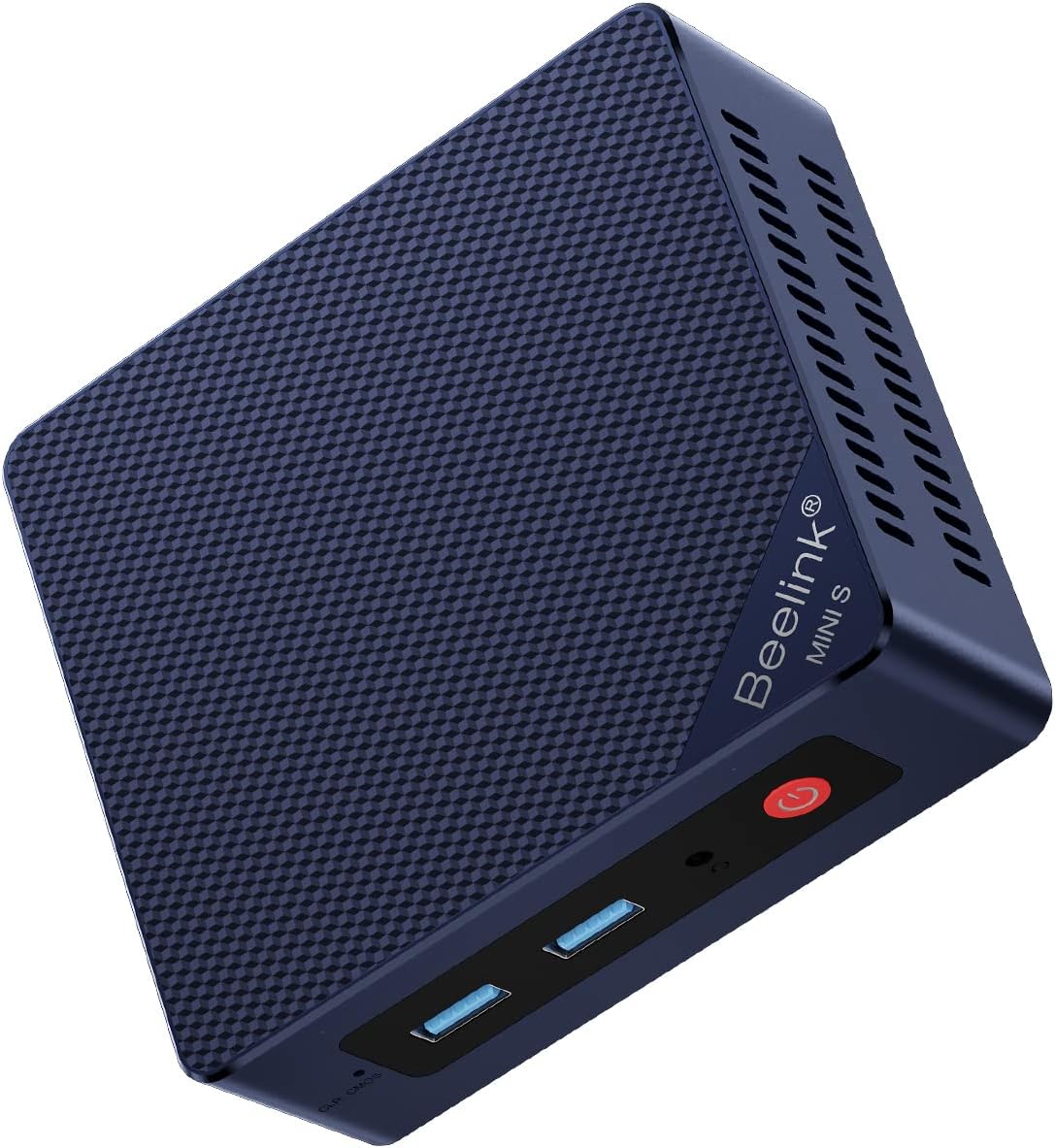
Beelink MINI S13 N150
4.4Editor score
Dual 2.5G Ethernet
16GB memory configuration
Wall-mount bracket included
Our N150 Mini PC guide compares ten compact models for performance, connectivity, displays, cooling, expandability, and everyday productivity at home or in the
N150 Mini PCs combine an efficient Intel processor with a remarkably small footprint, making them practical choices for office productivity, media playback, home-theater use, light creative work, and compact network appliances. A good model should offer enough memory, practical connectivity, effective cooling, and a display arrangement suited to your workspace rather than relying on processor specifications alone.
This guide compares ten N150 systems using the supplied specifications, including processor capability, memory, storage, networking, ports, display support, cooling, dimensions, and expansion options. It covers general-purpose mini desktops, a fanless model, and a six-port firewall appliance, while distinguishing which products are better suited to routine computing, displays, or networking roles.
Each review explains the configuration, strongest benefits, and practical limitations so you can match a computer to your needs. The list includes options at different capability levels and prices, and product configurations can change over time. Check the current listing, package contents, warranty terms, and latest specifications before making a purchase.
4.4Editor score

4.4Editor score

4.7Editor score
The table below compares all ten systems by processor class, memory and storage, display capability, and network or expansion features. It is a quick way to identify the right form factor before reading the detailed reviews.


The Beelink MINI S13 is a general-purpose N150 Mini PC with a 4.4 rating and a configuration aimed at offices, online education, streaming, and home entertainment. Its standout combination is a very small enclosure, dual 2.5GbE networking, four USB 3.2 Gen 2 ports, and support for 4K output. That makes it unusually versatile for a compact desktop.
We may earn a commission when you buy through this link, at no additional cost to you.
The listed processor has four cores and four threads and reaches up to 3.4GHz, which is suitable for Office applications, browser-based work, video calls, and simultaneous media tasks. The package also includes a VESA bracket, power adapter, HDMI cable, and user manual. A cooling fan, heat sink, and dedicated storage cooling area help the system maintain responsiveness under routine workloads.
Its main limitation is the basic architecture of the N150. It is not intended for demanding rendering, extensive compiling, high-end gaming, or sustained workstation workloads. The product information also presents some specification differences among the various MINI S13 listings, so buyers should confirm the exact memory, storage, display outputs, and port selection on the listing they intend to purchase.
This is an excellent choice for a small office, reception desk, classroom, home theater, or compact productivity setup, particularly when two wired connections are valuable. It is also appealing as a lightweight home-server candidate. Overall, it offers one of the strongest balances of size, connectivity, mounting support, and everyday usability in this roundup.
Two 2.5GbE Ethernet ports are unusual at this size and provide more bandwidth than standard gigabit connections. They also allow the computer to serve as a network bridge, router candidate, or compact server without requiring a USB network adapter.
The 115 by 102 by 41mm enclosure takes up very little desk space, and the included wall bracket can conceal it behind a compatible monitor. The result is a tidy installation for offices, media cabinets, and home workspaces.
We may earn a commission when you buy through this link, at no additional cost to you.
This Beelink MINI S13 combines a 4.3 rating with a straightforward 16GB DDR4 and 500GB storage configuration. It is aimed at home browsing, streaming, office work, and general entertainment, but its most attractive feature is the inclusion of a second M.2 position for future capacity expansion.
We may earn a commission when you buy through this link, at no additional cost to you.
The additional slot accepts an M.2 PCIe 3.0 x1 NVMe drive, while the included 500GB drive uses M.2 SATA3 2280. That distinction matters when planning an upgrade because the two drives use different interfaces. The Intel N150 reaches up to 3.6GHz and works with 24 graphics execution units for 4K playback.
Connectivity is strong for the category, with WiFi 6, Bluetooth 5.2, and 2.5Gbps Ethernet. It should handle video meetings, browser workloads, document editing, and media playback well, although the four-core processor may feel constrained under heavy compilation, complex spreadsheets, or sustained video exports.
Choose this model if you want a familiar Windows mini PC, enough memory for many ordinary applications, and a clear storage-upgrade path. It is particularly suitable for students, home users, and small offices that need more than a basic browser machine but do not require workstation power.
The secondary M.2 slot allows users to add another drive for documents, media, or projects without replacing the primary storage. Confirm the interface and physical fit of any expansion drive before installation.
WiFi 6, Bluetooth 5.2, and 2.5Gbps Ethernet cover the three most common connection needs. Wireless peripherals can be paired without occupying a USB port, while Ethernet supports high-bandwidth transfers and stable remote access.
We may earn a commission when you buy through this link, at no additional cost to you.
This MINI S13 is built around the Intel Twin Lake N150 with four cores, four threads, a 6MB L3 cache, and speeds up to 3.6GHz. It is particularly compelling for buyers who want two 4K displays from a compact office computer, with HDMI 4K output at 60Hz and a processor power limit stated at up to 25W.
We may earn a commission when you buy through this link, at no additional cost to you.
It includes 16GB of DDR4 memory and a 500GB PCIe 3.0 SSD, with storage expansion stated up to 4TB using dual M.2 2280 NVMe or SATA3 drives. The cooling system combines a large silent fan, copper heat sink, and SSD cooling shield, which should help during ordinary office and media workloads.
Its network interface is only Gigabit Ethernet, so it lacks the dual 2.5GbE advantage of some other Beelink configurations. The listing also has no available customer rating, making real-world feedback harder to assess from the supplied information. Intel Unison support is another useful addition for managing notifications, calls, galleries, and file transfers from a phone.
The system is well suited to dual-monitor office work, presentations, a compact HTPC, or a front-desk computer where one screen can show applications while another displays reference material. It is a strong N150 choice for display flexibility, provided the lack of a current rating and more modest Ethernet connection do not create issues for your setup.
The two-display arrangement makes it easy to keep documents, communications, and reference material visible at the same time. It also suits media and control dashboards where separating content improves workflow.
Dual M.2 support gives this model more storage flexibility than a single-drive mini PC. A copper heat spreader, SSD shield, and larger fan provide a more deliberate cooling arrangement for sustained routine use.
We may earn a commission when you buy through this link, at no additional cost to you.
The ACEMAGIC V1 is one of the most compact products in the guide, measuring 3.9 by 3.9 by 1.3 inches and earning a 4.4 rating. Its aluminum enclosure, dual-display support, and quiet cooling make it attractive for home offices, media areas, and any workspace where every centimeter matters.
We may earn a commission when you buy through this link, at no additional cost to you.
The N150 has four cores and four threads with a maximum clock of 3.6GHz. The listing describes it as suitable for Office work, video conferencing, 4K editing, and light gaming, although an N150 should be treated as a general-purpose processor rather than a serious gaming or rendering platform. Intel graphics support two 4K displays at 60Hz through HDMI 2.0 and USB-C.
The supplied description contains a noticeable inconsistency: its title says 512GB SSD, while the feature text refers to 256GB. It also advertises a VESA mount and very low noise, but the exact package and current configuration should be confirmed. Gigabit Ethernet is appropriate for normal office networking but trails the dual 2.5GbE systems available in this roundup.
This is a compelling option for buyers who prioritize footprint, metal construction, quiet operation, and two monitors more than multi-gigabit networking. It suits a discreet office computer, compact media center, or dual-screen workstation for documents, browsing, calls, and playback. The configuration discrepancy is minor but should be resolved before checkout.
The 3.9-inch square enclosure fits easily on shelves or behind compatible displays. A 75 by 75mm VESA mount can turn the system into a clean, hidden all-in-one-style installation.
The CNC aluminum shell is designed to improve heat dissipation while reducing the acoustic impact of a conventional tower. It is particularly suitable for offices, meeting spaces, bedrooms, and other noise-sensitive locations.
We may earn a commission when you buy through this link, at no additional cost to you.
With a 4.5 rating, this MINI S13 is the highest-rated conventional desktop in the list. It combines the N150 processor, 16GB DDR4 memory, a 500GB M.2 SSD, WiFi 6, Bluetooth 5.2, and two 2.5GbE Ethernet ports in a compact office-oriented design.
We may earn a commission when you buy through this link, at no additional cost to you.
The processor reaches up to 3.6GHz and supports 4K video playback through HDMI at 60Hz. Its 24-execution-unit Intel graphics are suitable for video, web browsing, documents, and routine business applications. Three USB 3.2 Gen 2 ports provide 10Gbps connections for peripherals, while one USB 2.0 port handles lower-speed accessories.
One notable limitation is the single HDMI output, which makes it less appealing for a dual-monitor workspace than several alternatives. The 2.5G Ethernet ports are also unusual at this price level and can be useful for network storage, file transfers, or running network services. Storage expansion is listed up to 2TB using a compatible M.2 SATA3 or PCIe 2280 drive.
Choose this model for a standard office, home productivity machine, or light network server. It combines strong customer feedback with dual high-speed networking, ample memory for everyday applications, and a straightforward Windows installation. The single-display limitation is the main reason to look elsewhere if a second monitor is essential.
The two 2.5GbE ports distinguish this model from ordinary single-gigabit mini PCs. They support quick access to NAS devices, high-speed local file transfers, and compact router or virtual-network use cases.
A 4.5 customer rating and a mature 16GB/500GB configuration make this a reassuring choice for routine office work. The included Windows 11 Home installation also reduces the initial setup burden.
We may earn a commission when you buy through this link, at no additional cost to you.
The BMAX B4 Turbo pairs the N150 with 16GB of 3200MHz DDR4 memory, a 512GB SSD, and support for three 4K UHD displays. Its 4.4 rating and broad interface selection make it a practical choice for a study desk, compact office, or a display-focused workstation.
We may earn a commission when you buy through this link, at no additional cost to you.
Two HDMI ports and one USB-C connection provide the three-display arrangement. Ports also include two USB 3.0 and two USB 2.0 connections, Gigabit Ethernet, a 3.5mm audio jack, and a DC input. The enclosure measures 4.92 by 4.41 by 1.73 inches, and the package includes a VESA mount for a cleaner installation.
Unlike several competing systems, it offers an expansion bay for a user-installed 2.5-inch SATA SSD or hard drive, although the drive is not included. Its wireless specification is less advanced: dual-band WiFi 5 and Bluetooth 5.0 rather than WiFi 6 and Bluetooth 5.2. Those standards remain suitable for ordinary browsing, calls, printing, and peripheral use.
This system is ideal if you want a single compact computer to drive several displays or need flexible internal storage alongside an M.2 SSD. Its one-key recovery feature, support for Wake-on-LAN, PXE boot, and auto power-on add convenience for repeatable installations. It is less suitable when the newest wireless standard is a priority.
The two HDMI outputs and USB-C display connection allow separate 4K screens to be used for communication, documents, and reference data. This makes the B4 Turbo useful for control rooms, trading-style layouts, and power users who work across multiple windows.
Beyond the included 512GB SSD, the system supports a user-installed 2.5-inch drive up to 2TB. That is useful for large media libraries, backups, and projects that exceed the capacity of a compact M.2-only enclosure.
We may earn a commission when you buy through this link, at no additional cost to you.
The Glovary Firewall is the most specialized N150 Mini PC in this guide. Rather than targeting an ordinary office desk, it is designed as a compact network appliance with six Intel i226V 2.5GbE Ethernet controllers, fanless construction, and compatibility with platforms such as OPNsense, Linux, and OpenWrt.
We may earn a commission when you buy through this link, at no additional cost to you.
Its Intel N150 processor has four cores, four threads, a 6MB cache, a maximum clock of 3.6GHz, and a stated 6W TDP. The system includes 8GB of DDR5 memory and a 128GB NVMe SSD. Two M.2 2280 NVMe slots provide additional storage, while a SATA 3.0 connection can support a 2.5-inch drive using the included cable.
Display outputs include two HDMI connections and one USB-C port for up to three 4K displays at 60Hz. Other interfaces include one USB 3.2 port, four USB 2.0 ports, and a TF card slot that can be used for data or system boot. A fanless aluminum body reduces noise, although an optional small fan cable is included for configurations that require additional cooling.
This appliance is ideal for users comfortable configuring a router, firewall, or segmented network. It is less suitable as a conventional daily desktop because 8GB of memory is limited and the interface layout prioritizes networking. The six-port design is the decisive advantage for advanced home labs and small offices.
Six 2.5GbE ports make it possible to build a multi-segment firewall, a router with several wired clients, or a dedicated virtual network without adding external interface cards. The Intel controllers are a meaningful distinction for users who care about network features.
The fanless aluminum enclosure suits a living room, office, or equipment cabinet. Dual NVMe slots and SATA support allow the appliance to hold operating systems, logs, packages, and services on separate drives.
We may earn a commission when you buy through this link, at no additional cost to you.
The GMKtec G11 Plus is included as a useful performance comparison because it targets a similar compact mini-PC market but uses an AMD Ryzen 5 3500U rather than Intel N150. The quad-core, 64-bit processor operates at a 2.1GHz base frequency and boosts to 3.7GHz, with a 15W TDP.
We may earn a commission when you buy through this link, at no additional cost to you.
Its Radeon Vega 8 integrated graphics operate at up to 1.2GHz and provide substantially more graphics capability than the N150's basic integrated solution. The supplied information also highlights dual-channel 16GB DDR4, three independent 4K display outputs, dual 2.5GbE Ethernet, and WiFi 6E with Bluetooth 5.2. A 512GB SSD is included.
Some supplied claims are unusually promotional, including specific comparative graphics and transfer figures, so they should be treated as manufacturer claims rather than independent test results. There is also no available customer rating for this listing. A BIOS performance mode is available, and the product can be positioned as a compact office, network, multimedia, or light workstation system.
This is the option to consider if the mini-PC form factor matters more than the specific N150 processor. It should handle more demanding productivity and graphics tasks than the N150, although it is not a modern high-end desktop replacement. Buyers specifically shopping for an N150 should use one of the other models in the list.
The Ryzen 5 3500U and Radeon Vega 8 provide a different performance profile from the N150, particularly in graphics-intensive work. It is a better fit when a small computer must handle visualization, media, or multitasking beyond basic office tasks.
Two HDMI 2.0 outputs and a USB-C port with DisplayPort Alt Mode support three independent 4K displays. Dual 2.5GbE ports and WiFi 6E make the enclosure useful for both high-speed local networking and modern wireless environments.
We may earn a commission when you buy through this link, at no additional cost to you.
This Beelink MINI S13 is a straightforward N150 home and office computer with a 4.2 rating. It combines Windows 11 Home, 16GB DDR4 memory, a 500GB M.2 SATA3 SSD, WiFi 6, Bluetooth 5.2, and dual 2.5GbE Ethernet connections in a small enclosure.
We may earn a commission when you buy through this link, at no additional cost to you.
The secondary independent M.2 PCIe 3.0 x1 NVMe slot enables convenient storage expansion, allowing a larger or faster NVMe drive to be added. Intel UHD graphics with 24 execution units at 1000MHz handle 4K video playback and everyday desktop graphics. A standard office workload of browsing, documents, meetings, and media is well within its intended scope.
The listing specifies one HDMI connection, so the system is less appealing for users who need multiple independent displays. The four-core N150 also places clear limits on intensive video editing, software compilation, high-resolution rendering, and modern gaming. Its strongest appeal is the combination of dual high-speed Ethernet, flexible storage, and a complete basic configuration.
Choose this model for a discreet family computer, reception terminal, study desk, or light home server. It is especially helpful when wireless peripherals and fast wired networking are both important. For more demanding work, consider the Ryzen alternative or one of the triple-display systems.
The additional NVMe-capable M.2 slot separates expanded storage from the installed 500GB SATA3 drive. This provides a straightforward path to more capacity for downloads, media, backups, and project files.
Windows 11 Home is preinstalled, and 16GB of memory provides enough capacity for several common office applications at once. The dual Ethernet ports add flexibility without requiring additional network hardware.
We may earn a commission when you buy through this link, at no additional cost to you.
The MeLE Cyber X1 earns the highest customer rating in the guide at 4.7 and distinguishes itself through a completely fanless design. The Intel N150 provides four cores, four threads, a 6MB L3 cache, speeds up to 3.6GHz, and an 8W TDP, with the listing positioning it for stable round-the-clock operation.
We may earn a commission when you buy through this link, at no additional cost to you.
Its three independent 4K outputs use two HDMI 2.0 ports and one USB-C connection, making it one of the strongest display-oriented options. Windows 11 Pro is preinstalled, while 16GB DDR4 and a 512GB NVMe SSD provide a capable general-purpose configuration. An empty M.2 2280 NVMe slot and Micro SD slot allow additional storage.
Thermal management relies on a pure copper heat sink, a thermally conductive plastic housing, and a patterned exterior surface that increases dissipation area. It avoids the mechanical noise of a fan, which is valuable in libraries, recording spaces, offices, bedrooms, and home theaters. The trade-off is that sustained heavy loads may be more constrained than with active cooling.
This is a strong premium recommendation for buyers who want three displays, Windows Pro, silent operation, and easy storage expansion. Its networking is less advanced, using dual-band WiFi 5, Bluetooth 5.1, and Gigabit Ethernet. That limitation is modest for everyday use but relevant for buyers prioritizing newer wireless or multi-gigabit wired connectivity.
The fanless architecture removes fan noise entirely, making the Cyber X1 useful wherever continuous acoustic distraction matters. Its copper heat sink and molded exterior pattern are intended to dissipate heat without a mechanical cooling system.
Two HDMI 2.0 connections and USB-C display output can drive three independent 4K panels. Windows 11 Pro, auto power-on, and broad peripheral connectivity suit business, industrial, educational, and control applications.
We may earn a commission when you buy through this link, at no additional cost to you.
Choosing an N150 Mini PC requires balancing processor limits with memory, storage, display support, networking, cooling, and intended role. The processor is efficient, but the right accessories and connectivity determine how useful the system feels after installation.
The Intel Twin Lake N150 uses four cores and four threads, with listed maximum speeds ranging from 3.4GHz to 3.6GHz depending on the product listing. It is well suited to document editing, web applications, digital signage, media playback, video calls, light photo work, and small servers. It should not be expected to replace a high-end desktop for intensive compilation, 3D rendering, large video exports, or modern gaming. Check whether the processor is the only major change, since some Beelink listings use nearly identical names while differing in memory, storage, ports, or network hardware.
Most products in this guide include 16GB of DDR4 memory, which is a sensible amount for Windows, a browser with many tabs, office applications, communications tools, and several lighter background services. The firewall appliance is the exception with 8GB of DDR5, a more specialized configuration. Memory speed and dual-channel operation can influence performance, particularly in graphics tasks, but capacity and system responsiveness are usually more important for this class of computer. Confirm whether memory is soldered or replaceable and whether the stated operating system is included.
A 500GB or 512GB SSD is adequate for general office use, streaming devices, and compact servers, but capacity can fill quickly when storing large media files. M.2 support is common, while the BMAX also accepts a 2.5-inch SATA drive. Beelink models offer either an additional NVMe-capable M.2 position or compatibility with a second SATA3 M.2 drive, depending on the listing. The Glovary appliance has two NVMe slots and SATA support. Always confirm drive interface, dimensions, protocol, and whether the bay supports booting before ordering an expansion drive.
Single-HDMI systems are sufficient for a reception desk, basic office, or television. Dual-display models are better for productivity because they allow separate applications or reference material to remain visible. Triple-display configurations, including the BMAX B4 Turbo and MeLE Cyber X1, are useful for financial dashboards, development, creative review, industrial monitoring, and digital signage. The listed outputs support 4K at 60Hz, but actual resolution and refresh rate depend on the processor, operating system, driver, display, cable, and application.
Networking is a major differentiator among otherwise similar N150 systems. Dual 2.5GbE ports, found on several Beelink models, are useful for high-speed NAS access, local transfers, router functions, and network segmentation. The Glovary appliance takes this further with six Intel i226V controllers. Gigabit Ethernet is sufficient for everyday office use. For wireless connectivity, WiFi 6 and Bluetooth 5.2 are the more advanced options, while the BMAX uses WiFi 5 and Bluetooth 5.0, and the MeLE uses WiFi 5 and Bluetooth 5.1. Consider router quality as well as the computer's radio.
Active cooling models use larger or dedicated fans, copper heat sinks, and storage cooling to support sustained workloads. They may produce more sound, although a small desktop fan is usually unobtrusive in an office. Fanless systems such as the MeLE Cyber X1 are quieter and well suited to bedrooms, libraries, studios, and living rooms, but their thermal margin for prolonged heavy tasks is less generous. The ACEMAGIC V1 uses a full aluminum shell and states low noise, offering an interesting middle ground. Consider ambient temperature, airflow around vents, and the position of the enclosure.
Count USB ports before purchasing, particularly if you use a keyboard, mouse, external storage, printer, webcam, and capture device simultaneously. USB 3.2 Gen 2 provides 10Gbps, while USB 2.0 is better reserved for low-speed peripherals. A 3.5mm audio jack, lock slot, and DC input are also worth noting. Most Beelink and ACEMAGIC systems include a VESA bracket, while the BMAX includes a mount and the firewall appliance includes one in its package. Confirm wall or monitor compatibility and whether mounting hardware and an HDMI cable are included.
Several listings include Windows 11 Home or Pro, while the BMAX supports Windows 11 Pro and Ubuntu. If you prefer Linux, verify drivers, BIOS behavior, and the specific software you plan to run. Beelink offers a three-year warranty and lifetime technical support on the listed products, ACEMAGIC provides a three-year warranty, GMKtec states a three-year limited warranty, and the BMAX lists lifetime technical support with online service. These terms can add meaningful value, but buyers should read the current warranty document and confirm regional coverage.
Begin by unpacking the computer, power adapter, mount, cables, and documentation. Compare the supplied configuration with the listing, connect a keyboard, mouse, monitor, and network connection, then install any storage upgrade while the system is powered off. Keep the vents unobstructed and place the enclosure on a stable surface or use the appropriate VESA bracket for a clean installation.
After connecting peripherals, follow the operating system setup, connect to a trusted network, and install current system and browser updates. Update applications and drivers from official sources, enable the security features that suit your environment, and create a protected account with multi-factor authentication. If the system will operate continuously, review the Wake-on-LAN, PXE boot, auto power-on, or remote-management options listed for that model before enabling them.
For routine care, clean the exterior and vents with dry, soft material while the system is powered down. Do not block cooling openings, and avoid placing the enclosure inside a closed cabinet without airflow. Back up important files regularly, maintain free storage space, and restart periodically when handling extended desktop operation. For specialized firewall or server use, follow the operating system's configuration and security guidance rather than treating the mini PC as a plug-and-play consumer appliance.
Yes, an N150 Mini PC is well suited to document editing, spreadsheets, web applications, email, video calls, media playback, and light multitasking. The recommended 16GB of memory provides more headroom than an 8GB system. It is less appropriate for intensive rendering, large software builds, professional video editing, or demanding games, so match the machine to the heaviest part of your routine.
Several models in this guide support two or three independent 4K displays at 60Hz. The exact output arrangement varies: some use multiple HDMI ports, while others combine HDMI with USB-C DisplayPort output. Confirm the current specifications, cable support, operating system drivers, and monitor compatibility before purchasing, especially for a triple-screen setup.
Gigabit Ethernet has a theoretical maximum of one gigabit per second, while 2.5GbE offers roughly 2.5 times that rate. The faster connection is valuable for network storage, large local transfers, and advanced routing, although internet speeds are usually limited by the service and upstream network. A computer's Ethernet rating does not automatically improve ordinary web browsing.
A properly designed fanless mini PC has no mechanical fan, so it produces no fan noise. It may still create a faint electronic sound from components, and thermal performance can differ from an actively cooled model. The MeLE Cyber X1 uses a copper heat sink and a patterned housing to dissipate heat, making it especially appropriate for quiet rooms and media use.
For general productivity, 16GB is a strong amount and allows Windows, office applications, a browser, communications software, and several background tasks to coexist comfortably. The amount of available RAM can still be reduced by unusually many browser tabs or demanding applications. The firewall appliance's 8GB configuration is specialized and should be evaluated according to the services it will run.
Many models include an M.2 slot or support a second M.2 drive, and the BMAX also offers a 2.5-inch drive bay. Expansion options differ by model, with some supporting NVMe, some SATA3, and the firewall appliance supporting both dual NVMe and SATA storage. Verify the slot type, supported capacity, physical dimensions, and boot requirements before buying or installing a drive.
The N150 can be a suitable platform for software routers and firewalls because it is efficient and supports relevant network features. The Glovary appliance is purpose-built for this role with six Intel i226V 2.5GbE ports, AES-NI, and storage expansion. You will need appropriate software, configuration expertise, and a recovery plan before putting it on the critical path of a home or business network.
Windows 11 Home is suitable for typical personal and small-office tasks, while Windows 11 Pro adds features commonly used by organizations and advanced users, including additional management and security capabilities. The MeLE Cyber X1 includes Pro, and some other listings include Home. Compare the included license with the features required by your software, network policy, and device-management setup.
The Beelink MINI S13 is the strongest all-around budget-oriented choice because it combines the N150 with dual 2.5GbE networking, a compact enclosure, mounting hardware, and useful everyday connectivity. The ACEMAGIC V1 stands out for its extremely small aluminum design, quiet operation, and dual 4K support, while the MeLE Cyber X1 is the premium selection for silent operation, three displays, Windows 11 Pro, and flexible storage.
For a specialized network role, the six-port Glovary Firewall is a more meaningful choice than a general desktop because its Intel i226V interfaces, dual NVMe slots, and fanless body are designed around routing and firewall workloads. Otherwise, prioritize the ports and displays you will actually use, choose 16GB of memory for general productivity, and select active or fanless cooling according to noise tolerance and sustained workload.
Prices and configurations can change, and several listings use very similar MINI S13 names while offering different memory, storage, network, and display configurations. Before ordering, verify the exact ASIN, processor speed, installed operating system, drive type, port selection, display support, mount contents, and warranty. Checking the latest listing details will help ensure that the selected mini PC matches your workspace and priorities.